update

See All Stories

LinkedIn revamps messaging experience on Android with redesigned app

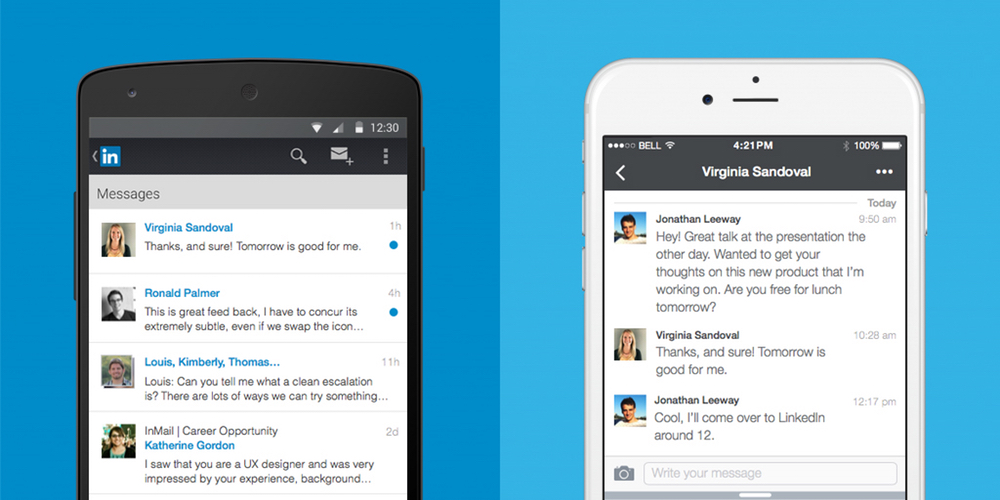
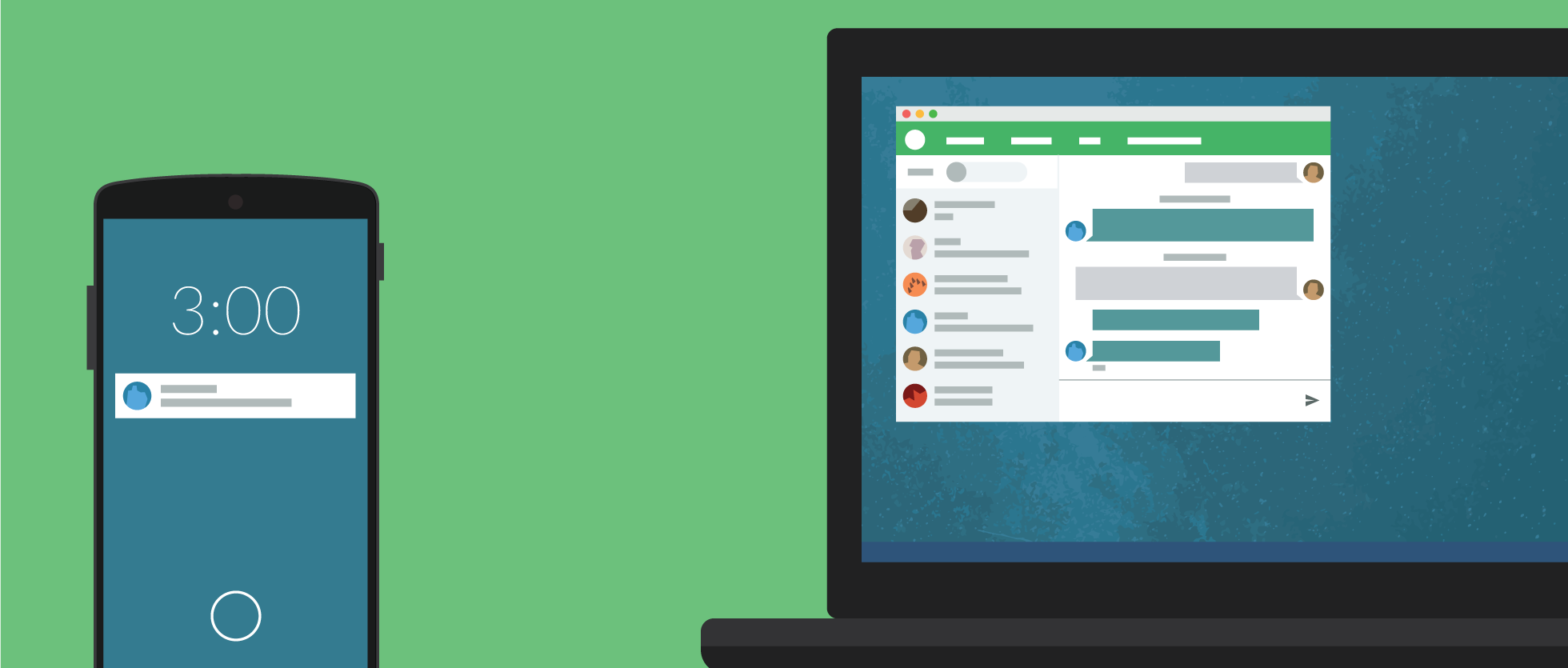
LinkedIn, the popular social network for connecting business people, has announced that its messaging experience is getting a serious design overhaul from today. Unlike the previous inbox, messages will no longer follow a traditional email format. Instead, it’s turned towards a messaging app design similar to Facebook Messenger.

LinkedIn has built everything from scratch, from the ground up with a cleaner, streamlined look with a brand new chat-style user interface. You can chat with contacts individually or send group messages, and conversations are organized around the people who are important to you. What’s more, you’ll be able to send documents, images, stickers, emojis and GIFs in your messages.

Starting today, we are rolling out a new messaging experience on LinkedIn that offers an easier and more lightweight way to have professional conversations with your connections.  We know many of you have been asking for this ability and we’ve taken a thoughtful approach to reflect the evolving ways professionals are communicating with one another today, as well as, the different ways our members are interacting with each other across our international markets.

From today, the new messaging experience will by rolling out to English-speaking LinkedIn members across the globe on iOS, Android and on the web. If you have LinkedIn installed on your Android smartphone, check the Play Store for updates and you should find one waiting for you over the coming days or weeks.


PSA: Many Moto 360 owners now receiving Android Wear 1.3 update

The Moto 360 is perhaps one of the most — if not the most — popular Android Wear smartwatches, and now it appears that the device’s update to Android Wear 1.3 is now rolling out to the masses. The update was officially announced last week, and comes packed with new interactive watch face support, a new watch face called “Together,” and other great new features…

Motorola has officially mentioned the update on their support site:

We are rolling out a new Android Wear software update for Moto 360 by Motorola. With this update we have added support for new features and fixed some issues to improve your experience… This software update will be rolled out in phases to Moto 360 users over the next few days.  When you receive the update, you will receive a notification on your watch.

According to the company, the update packs all of the features Google mentioned in its official blog post. You’ll get the aforementioned interactive watch face support, the Together watch face, Google Translate for Android Wear, a new Weather app, notification privacy improvements, and of course the usual bug fixes and improvements.

Here’s the full change log:

Interactive Watch Faces Interactive watch faces make it easier to stay connected. With just a tap on your watch face, you can change its design, reveal more information, or even launch a specific app.

You can download interactive watch faces from Play Store. To set up, touch and hold on the current watch face, then scroll left/right to select the one you just downloaded. You can also select it from the Android Wear phone app.

Together Watch Face Two Android Wear users can stay close throughout the day by turning their entire watch face into a space for sharing. Once you’ve paired your watch face with a partner’s, you’ll be able to share things like photos and emojis, and more.

To set up, touch and hold on the current watch face, then scroll left/right to find the Together watch face. You can also select it from the Android Wear phone app.

Google Translate for Wear Translate a conversation into any of the 44 available languages, then flip your wrist to show the translation to someone else. When they respond in their own language, flip your wrist back, and you’ll see in a translation of what they’ve just said.

The watch must be connected to a phone with internet access via Bluetooth or Wi-Fi.

Weather Microapp Shows current weather conditions and four-day forecast for your current location. To open the weather microapp, swipe left on the watch face, then scroll down and tap Weather.
Privacy improvement for notifications Your notifications won’t show in full screen until the watch is oriented in a way that only you can see it. This feature prevents others from reading an incoming notification when your watch screen is pointed away from you.
Bug Fixes A variety of system optimizations to improve performance and stability.

Make sure that your watch has at least 80% battery, and also remember to keep your Android Wear companion app up to date for good measure. Motorola says the update is rolling out “over the next few days,” so be patient as it makes its way to your watch. Or just keep mashing the “System updates” button in Settings. It’s up to you.

On the off chance that you have a home-made cable for connecting your 360 to a PC, you can download the Android Wear 1.3 OTA now.

Cyanogen OS 12.1 update for OnePlus One rolling out OTA

Cyanogen has announced that its most recent update, Cyanogen OS 12.1, is rolling out now to OnePlus One owners as an over-the-air update. The initial launch has been slightly delayed, but it’s finally here and you should see it available to download over the coming days. Cyanogen OS 12.1 is based on Android 5.1 Lollipop and comes with a promising list of updates. From looking at the update, it seems Cyanogen is really going for productivity and performance over anything else. Those updates include:
Expand
Expanding
Close

Pocket 6.0 rolls out for Android with new Recommendation feature

Pocket is one of the most popular read-it-later apps available on Android, and the service is about to get better (or perhaps worse depending on your viewpoint), with the public launch of recommendations. The feature has been tested in beta for some time, and is now officially out in the wild and will be available to users on Android, iOS and on the web. Pocket describes it as “high-quality content without the noise”.

Recommendations takes the absolute best content being saved across Pocket and tailors it to your own saving and reading habits. The result is a feed that’s completely unique and personalized to you, and is filled with the most interesting articles and videos you might have missed otherwise.

Instead of being a collation of the most viewed web pages from the web, recommendations are based on how popular stories are with people with your interests. Since they’re already curated by humans, the company hopes that helps tune out the noise. For instance, if you happen to save a lot of technology articles to read later in Pocket, you’ll be served up tech-based recommendations. What’s more, if you find a recommendation you don’t like, just press the ‘X’ and remove it from your feed.

Recommendations are currently available in English only currently, but the company states that it is working on a wider roll out in more languages. You can download Pocket 6.0 for Android from the Google Play Store for free.

Latest Chrome Dev build now keeps media from autoplaying in background tabs

Background audio from a video or ad that starts playing in a tab you’re not using is arguably one of the most annoying experiences in modern web browsing. Slowly but surely, web browsers have started to recognize this annoyance and the Chrome team has been one of the best at introducing solutions. Chrome has an icon telling you which tab is playing the audio, recent builds of Chrome let you mute these annoying tabs with a single click, and now Google’s browser is introducing another feature: Backgrounded tabs will no longer autoplay media at all until you bring them into the foreground. Hallelujah.
Expand
Expanding
Close

Android Wear 1.3 OTA download links now available, here’s how to install them

The update to Android Wear pushed back in May bumped the base Android version to 5.1.1, but the most recent update — the one that packs all the nifty interactive watch face features — keeps the OS at 5.1.1 while bringing Android Wear to version 1.3. The update has slowly been rolling out to all Android Wear watches over the last week or so (none of them are too dated for updates quite yet, thankfully), and OTA download links are starting to trickle in. Find them (via Android Police) below the fold…
Expand
Expanding
Close

Winter is coming: Yahoo Weather app adds near-term rain and snow alerts

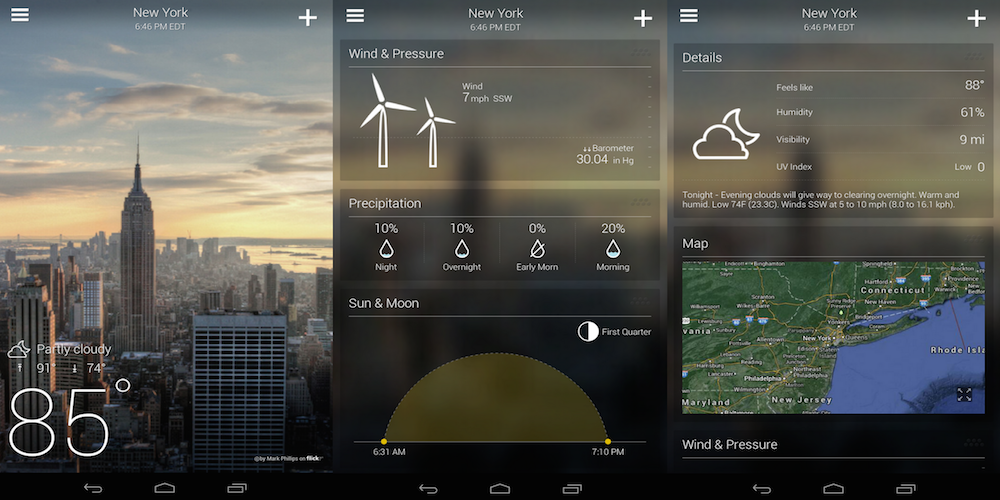
Yahoo is today updating its Yahoo Weather app for Android with near-term rain and snow alerts (not that we needed a reminder that summer is nearly over). With the updated app, users will receive alerts for rain and snow 15 minutes before an expected downpour.

In addition to the new weather alerts, Yahoo notes that the app is now more accurate with improvements made to the methods it uses to “determine and serve forecasts.” As an example, Yahoo says the app will now “even zoom in on microclimates.”

The updated Yahoo Weather app with rain and snow alerts, version 1.8, is available for Android on Google Play now.

What’s New in Version 1.8

Introducing new weather alerts around the world!

Yahoo Weather, our beautiful and intuitive weather app, will alert you 15 minutes before rain or snow is expected so you can grab your jacket, boots and umbrella!

Bing app for Android updated, Marshmallow-like Now on Tap features in tow

As part of its Android M announcement, Google showed off its Now on Tap feature which will allow you to get contextual information within any app or screen just by pressing the home button for a few seconds. With Marshmallow not set to hit the public until later this year, it gave Microsoft a chance to beat Google to it. And it has done just that in its latest Bing app for Android.


Expand
Expanding
Close

Google Photos for Android updated w/ ability to reorder photos in albums, trim videos, & more

Google today has announced a minor update to the Google Photos app on Android. The update, which is rolling out via the Play Store now, includes a couple of minor tweaks. First off, users now have the ability to reorder photos in albums. This means that albums can be ordered by whatever metric you want and are no longer restricted to Google’s automatic ordering.

Next up, the update also allows users to adjust video length in movies. This means that you can trim a video that you shot or uploaded to Google Photos to be shorter and include only the bits that you want to include.

Finally, the update also includes the ability to login to Google Photos from a Google+ Page, as well as a new timeline user interface while editing movies.

– Google Photos can recognize collages/animations that Google Camera creates
– You are now able to login to Google Photos as a Plus Page
– You can reorder content in albums
– You can now trim videos to be included in movies
– You can see a new timeline user interface for Movie editing

The update is rolling out now via the Play Store, but may take a while to hit your device. In the meantime, the most recent APK can be downloaded now from APKMirror.

Android Auto updated with fresh home screen UI

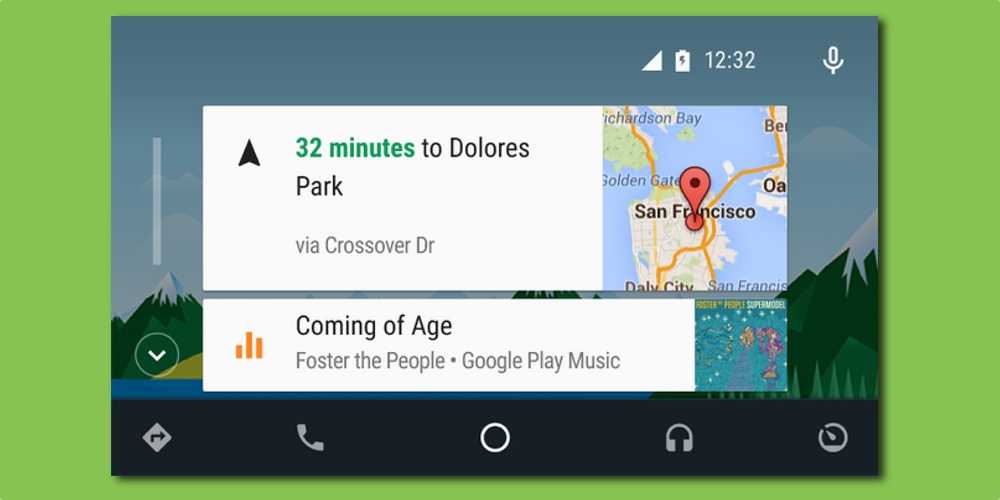
Google pushed an update to its Android Auto app today refreshing the home screen to bring bigger, easier to see cards, particularly when using navigation and playing music. Previously, all stacked cards were of equal height. Now, the top activity card is double the height of any of the cards below. Being bigger not only makes them easier to see, but also easier to interact with on the touch screen.

As well as the updated user interface, there are a few bug fixes and performance improvements. You can download the fresh update right now from the Google Play Store. It’s a free update and requires Android 5.0 or later to work. Obviously, you’ll also need a car with a compatible built-in system, or a compatible after-market system.

You can find out more about Android Auto, including compatible vehicles, over at android.com/auto.

Even after security patch, Stagefright still likely poses a threat

Google and several of its manufacturer partners rushed to fix a vulnerability found within Android which could see malware installed through simply receiving an MMS message. Dubbed Stagefright, it was described as the worst vulnerability to be found since the dawn of the new Mobile OS era. According to one security firm, sadly, the patches being released by a number of Android OEMs aren’t enough to fully fix the vulnerability.


Expand
Expanding
Close

Verizon Galaxy S6, S6 Edge, & Tab 4 10.1 now receiving Android 5.1.1 updates w/ Stagefright fixes, more

After starting to rollout updates to its Galaxy Note Edge and Note 4 variants earlier this week, Verizon today has begun pushing updates to its Galaxy S6, S6 Edge, and Tab 4 10.1 with a fix for the Stagefright exploit in tow. Verizon has shared official update changelogs on its website for all three updates, noting that it bumps the Android OS to version 5.1.1.


Expand
Expanding
Close

The latest Pushbullet for Android update adds end-to-end encryption, more

The latest Pushbullet update adds a handful of new features, but perhaps the most interesting is end-to-end encryption. For the longest time, many Pushbullet users have been hesitant to rely on its file-sending abilities due to the fact that a lot of data was sent unencrypted. As of today, Pushbullet for Android supports end-to-end encryption for Notification Mirroring, Universal copy & paste, and SMS…

And while that’s the big feature that Pushbullet is pushing (heh) on its blog, today’s update also packs some other minor changes. With version 16.5.4 of the app, you get improved SMS that’s faster and uses less data, the ability to select and delete more than push at a time, a new “Clear history” button on the Settings page, and the usual bug fixes and improvements.

Here’s the full changelog:

WHAT’S NEW

16.5.4
• End-to-end encryption support!
• More improvements to SMS, faster and uses less data
• You can now select and delete multiple pushes at once!
• “Clear history” button in Settings
• Crash and bug fixes
The app is available for free on the Google Play Store, and the update should be rolling out over the next 24 hours if it’s not already available to you. If you want to manually install the new version on your device, you can find it at APKMirror as usual.

This iOS-like Material Design screen rotation concept looks slick

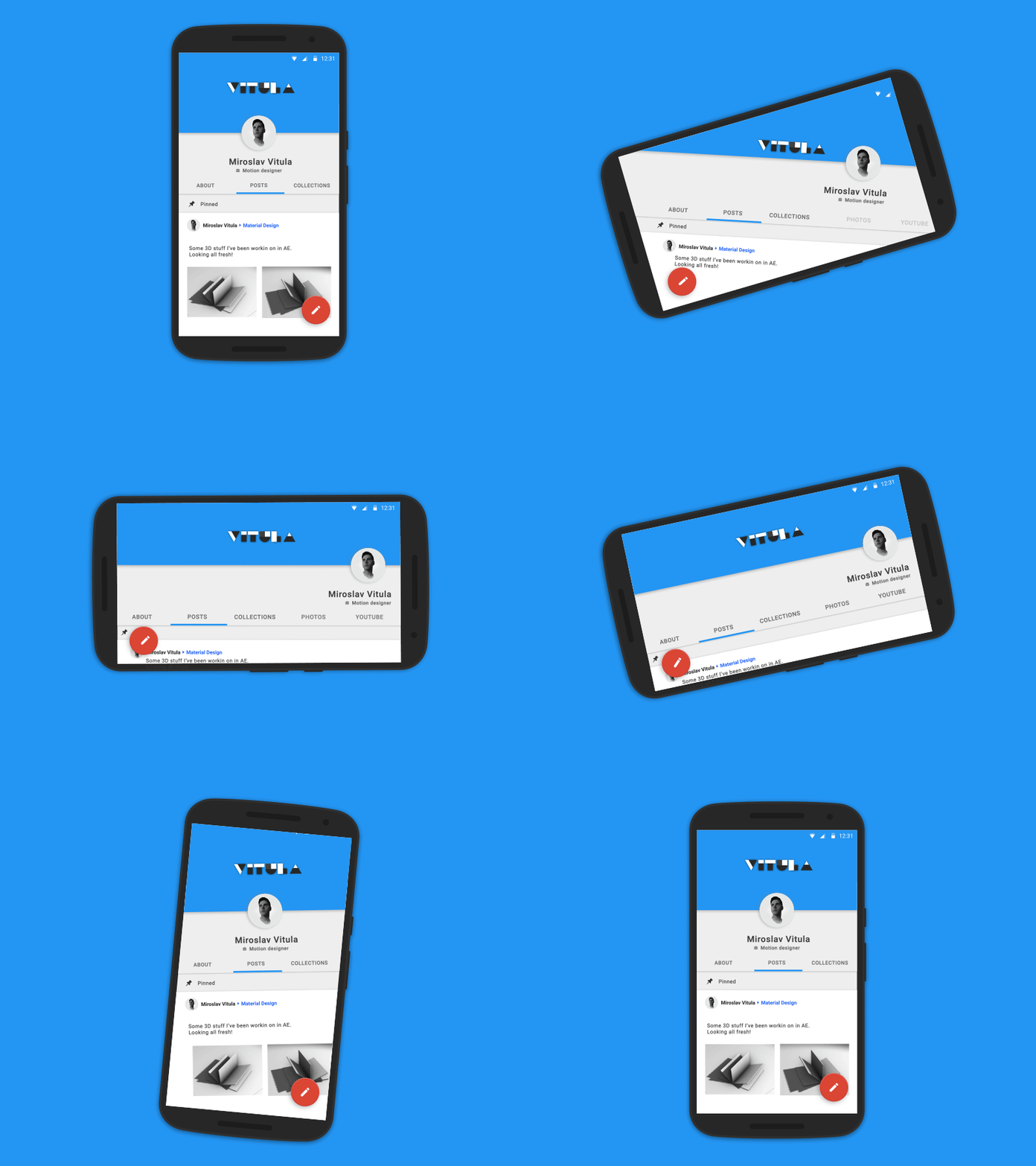
Material Design brought a lot of changes with Android Lollipop, but there’s nothing that says things can’t be improved. Designer Miroslav Vitula thinks he can improve the rotation animations in Android, specifically giving the OS a smooth transition not unlike the one found in iOS. Here’s what he had to say about his concept:

There are a bunch of smooth interactions in Android but sadly, rotation isn’t one of them. I’ve been craving the “smooth rotation” (as seen on iOS) since ICS. Well, let’s hope that one day, this will become an actual thing.

The example he uses is the Google+ app, which offers several Material Design tabs along the top as well as a cover image and a profile picture. As you can see below, rotating the device would smoothly transition between the two views. This would perhaps be nicest on big-screen devices like the Nexus 6 which are more enjoyable to use in landscape.

Like he says, hopefully this could one day be reality.

You can download Stagefright fix OTA updates for Nexus devices here

Google recently released a slew of factory images for Nexus devices, following the company’s new commitment to release a security update for its Nexus line each and every month. This one in particular fixes a vulnerability in Stagefright, and updates have been slowly rolling out over-the-air following the announcement. Below we have listed every device that actually received a new LMY48I factory image, alongside a direct link to their OTA .zip downloads…
Expand
Expanding
Close

Microsoft’s Cortana voice assistant for Android can now be your home button shortcut

We first gave Cortana beta for Android a try a few weeks ago, and I just wasn’t impressed. Our own Cam Bunton went on to give it a deeper look and a comparison to Google Now and was a little less cynical than I, but overall neither os us were convinced that it is something that Android users need. I would argue that that’s still the case, but Microsoft clearly hasn’t given up yet. With a recent update to the app, you can now set Cortana as the home button shortcut.
Expand
Expanding
Close

Google releases first Creator Preview version of YouTube Gaming for Android

Earlier this year Google unveiled its new YouTube Gaming service to rival Amazon-owned video game streaming site Twitch after several months of speculation. Today, Google has released the version of the YouTube Gaming app for Android, albeit in an early “Creator Preview” form. The changelog of the app reveals that the app is capable of many of the features previously announced.


Expand
Expanding
Close

APK Download: Google Keep for Android can now export lists to Docs

It’s been possible on the web for quite a while, but a recent update to the Google Keep app now lets you quickly export your notes to a Google Doc. To do so, make sure you have the latest version of the app, and then select the notes you’d like to export. Then tap the drop down menu at the top right of the screen and tap “Copy to Google Doc”. It’s pretty nifty.

You can grab the app from the Play Store for free of course, and if you’d like to try out the feature right now, open this page on your Android device. All you have to do is tap below to download the APK (via APKMirror), and then tap the notification on your phone once the app is done downloading. You’ll be walked through a couple steps, and then you’ll be on the latest version.


Nexus 6, Nexus 5, many Samsung devices getting Stagefright fixes from Sprint

The Stagefright exploit is definitely not a minor problem, and it potentially affects basically any device going back to the early years of Android. But thankfully, Sprint has been pretty on top of pushing out fixes for as many devices as possible. Today, the carrier is pushing out Stagefright fixes, labeled simply as “Google Security Patch (Stagefright),” to a couple Nexus handsets and several of Samsung’s Galaxy-branded phones.

Here’s the full list of devices receiving the patch today, with links to Sprint’s support pages:

As usual, you should expect to see these updates roll out over-the-air over the course of the next few days. “Software updates may be released in stages and can take several days for delivery,” Sprint says. If you want to manually check to see if the update is available for your device, head into the system Settings app. But while Stagefright is not “no big deal” by any means, you’ll probably be fine until your device is updated.

Disney just released an official Disneyland app for Android

Not quite in time for the influx of visitors that surely happened earlier this summer, Disney has now released an official Disneyland app for Android. As you might expect, the app is intended to basically be your companion during your visit, allowing you to do everything from buy your tickets in advance to browse detailed maps of the park…
Expand
Expanding
Close