update

See All Stories

Facebook Messenger adds Android Wear voice replies, conversation mute, more

Site default logo image

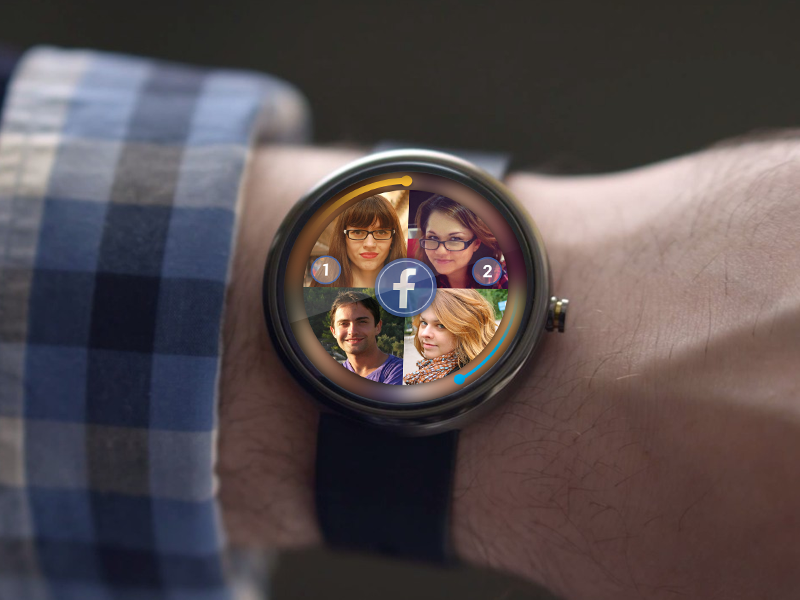
In an announced by Facebook’s Ian Lake, an updated version of Messenger, version 9, will include lots of new Android Wear focused improvements. First on the list is voice replies. The update includes the ability to tap the reply button when a message comes in, and speak what you want to say. Also included is the ability to mute a conversation directly from a Wear device.


Expand
Expanding
Close

Site default logo image

Gmail adds easy to find unsubscribe button next to sender’s address

Google announced today that it’s adding a new “unsubscribe” link at the top of emails in Gmail making it easy to unsubscribe from mailing lists. Most of us have hunted for the unsubscribe button in an email that marketers often bury at the bottom and make hard to find. Some users might have noticed the feature rolling out in recent weeks, but it appears Google has now made it live for all. 

Making the unsubscribe option easy to find is a win for everyone. For email senders, their mail is less likely to be marked as spam and for you, you can now say goodbye to sifting through an entire message for that one pesky link.

This new Gmail feature will get rid of that problem by detecting emails that include an unsubscribe link and putting an easy to access button right next to the sender’s email address. You’ll notice the option in Gmail’s Promotions, Social, and Forums inboxes.

Google Maps now lets you explore Mars and the Moon

Google quietly launched an interesting new feature within Google Maps yesterday: the ability to explore both Mars and the Moon. As you may know, you’ve been able to do this with the desktop Google Earth app for quite some time — but this is the first time it has come to the web via the ubiquitous mapping platform. To access the new feature, head over to Maps, click the “Earth” button in the bottom-right, zoom all the way out, and wait for the ‘Moon’ and ‘Mars’ options to appear as seen in the screenshot above. Alternatively, you can just click these links: goo.gl/OopkP0 (Mars), and goo.gl/CoVGQ9 (Moon).

WhatsApp beta gets Android Wear features including voice reply, stacked notifications, more

A beta update for the ridiculously popular WhatsApp messenger for Android has been released with official support for Android Wear, extending its wrist capabilities beyond just viewing and clearing notifications. Among the additions that are included in the update are stacked notifications, complete preview of received messages and, most importantly, the ability to reply to messages with voice.


Expand
Expanding
Close

Site default logo image

Amazon Seller app for merchants arrives for Android

Following a quiet launch for its Amazon Seller app for iOS devices back in March, today Amazon appears to have done the same for Android users. The Amazon Seller app is available on Google Play now allowing merchants selling goods through Amazon to manage their listings and interact with customers.

Use the Amazon Seller app for Android to help grow and manage your selling business on Amazon. The app’s mobile features make it easier than ever for you to quickly identify new selling opportunities on Amazon.com, list your items for sale, and respond to customer questions.

The Amazon Seller app is available for free on Google Play. A full list of features included in the initial release below:

Manage Inventory
Search, sort and filter your inventory items. Update prices and quantities on the go.

Search for new items to sell on Amazon
Check current prices, sales rank, and customer reviews of items on Amazon by using text search or scanning barcodes.

Estimate the profitability of your items before you sell
Add product cost information to see the estimated profitability of your items after primary Selling on Amazon and Fulfillment by Amazon (FBA) fees.

List your items for sale
Create listings on Amazon.com quickly and easily.

Respond to customer messages
Provide great customer service by responding to customer questions quickly with the app.

Support from Amazon
Have a question about selling on Amazon? Use the app to contact Seller Support.

Secure access to your Amazon Seller account
All activity is routed through Amazon’s servers.

Verizon and T-Mobile Galaxy S5 receive carrier specific updates

Site default logo image

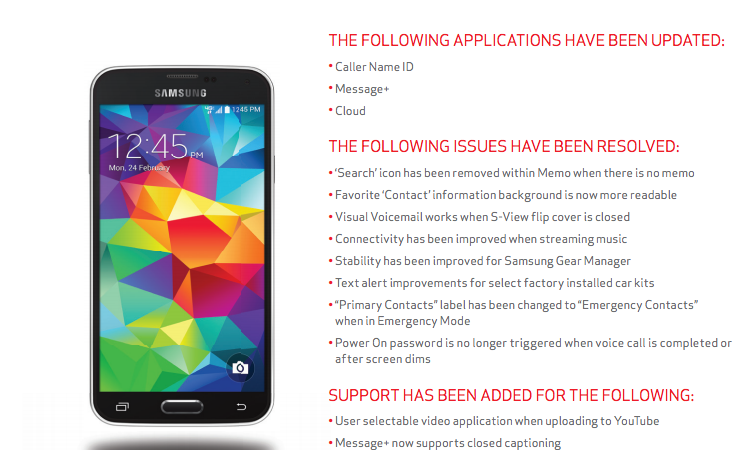
Galaxy S5 owners on Verizon and T-Mobile are receiving new software that targets a few carrier specific items. Big Red’s over-the-air push for Samsung’s flagship smartphone brings enhancements to the device’s Caller Name ID, Message+ and cloud apps. The phone’s new software also resolves a lengthy list of bugs, such as Visual Voicemail when using an S-View flip cover, improved connectivity when streaming music and several stability fixes.


Expand
Expanding
Close

Site default logo image

Google Now Launcher now available for all Android 4.1+ devices

Update: Google says Now Launcher is available for all Android 4.1+ devices:

[tweet https://twitter.com/Android/status/495293118036447233]

It looks like the Google Now Launcher might soon be available on a long list of new devices as a small update to the app brings reports of expanded compatibility for a number of notable Android phones. AndroidCentral points us to users seeing compatibility with devices including the LG G3, Verizon’s Galaxy S5, the HTC One M8, One E8, One Mini 2, Desire 816, and the Huawei Ascend P7.

The expanded compatibility isn’t officially included in the release notes nor has Google officially made an announcement, but we expect to hear more shortly. The Google Now launcher, which was previously only available for Nexus and Google Play Edition devices, adds Google Now to the home screen for a more integrated experience with the OS.

The Google Now Launcher is available on Google Play here.

Google Web Designer updated with Publish to Drive, HTML with Pages and several other features

Google Web Designer has received an update this afternoon with several new features, including publishing to Google Drive and DoubleClick Studio, a new events system and timeline, rewritten web components and CodeMirror3 integration. The latest release also contains 22 bug fixes related to the shell, user interface, publishing, text, components and other miscellaneous issues. 
Expand
Expanding
Close

Gmail for iOS updated with ‘Insert from Drive’ and ‘Save to Drive’

Google has released an update to Gmail for iOS this afternoon that brings “Insert from Drive” and “Save to Drive” functionality to the iPhone and iPad. Just like with Gmail on the web, iOS users can now insert files directly from Google Drive into emails.

If the recipient does not have shared access to the Google Drive file you are sending them, Gmail for iOS will inform you so that you can change the sharing sendings before sending it.

“Important stuff doesn’t always happen when you’re conveniently sitting at your desk. Maybe you’re out to dinner when your boss tells you that she needs the latest project proposal ASAP, or your daughter calls you on your commute home to ask you to proofread her college essay (that’s of course due that night!). While we can’t make your life more predictable, today’s update to the Gmail iOS app, along with earlier updates to the Gmail Android app, makes it easier to get stuff done on-the-go.”

Gmail for iOS also now allows you to change your profile directly through Settings, allowing you to set a profile picture or update your personal information right from your iPhone or iPad.

Lastly, the latest version of Gmail for iOS allows you to choose which signed-in accounts you want visible in the app for users with multiple accounts.

The update is rolling out on the App Store now.

What’s New in Version 3.14159

• Save attachments directly to Google Drive so you can access them anywhere while saving space and bandwidth on your device
• Insert Google Drive files directly into messages
• New account management options to choose which accounts you want to have visible in Gmail without removing accounts from your device.
• Change your profile picture (in Settings)

Android 4.4.4 rolling out to Moto G on Verizon

Motorola announced on Thursday that it is now rolling out Android 4.4.4 for the Moto G on Verizon, just two days after seeding the software update for the UK version model of the smartphone. The latest version of KitKat for Moto G includes an OpenSSL security fix, video recording pausing, updated phone dialer, new Motorola Alert app download, stability improvements and more. 
Expand
Expanding
Close

Google Drive updated with Filter Views for spreadsheets and more

Google Drive has been updated with a new Filter Views feature that makes it easier to sort and filter data on view-only spreadsheets. Google Sheets users can now turn on a “temporary filter view” from the toolbar or Data menu to make adjustments that appear on their screen, but do not permanently apply to the shared spreadsheet. 
Expand
Expanding
Close

YouTube Creator Studio for iPhone gains improved tagging and analytics

Following the release of YouTube Creator Studio for iPhone a few weeks ago, Google seeded the first update for the app this afternoon on the App Store. Creator Studio 1.0.1 features editable tags and categories, comment settings, accessibility improvements, more analytics and a general facelift across the app. 
Expand
Expanding
Close

Bitcoin wallet app Blockchain for Android updated with improved sending, merchant map and more

The popular Bitcoin wallet app Blockchain received a major update over the weekend with several new features, including improved sending of bitcoins and a map view of merchants that accept the cryptocurrency. The update is centered upon making Bitcoin more accessible, in addition to educating new users about the importance of setting two-step authentication and other security measures. 
Expand
Expanding
Close

Upcoming Twitter for Android update will allow you to browse your entire DM history

Site default logo image

Twitter has announced that an upcoming update to its mobile clients will allow users to go back and review their entire direct message history. Currently the app only provides a limited look back, but that restriction will be removed in a new version that will also make deleting messages more reliable across its web and mobile platforms.

[tweet https://twitter.com/Support/status/490260546818543618 align=’center’]


Expand
Expanding
Close

Site default logo image

Sony Xperia Z2 KitKat update rolling out now w/ call quality and performance improvements

This morning Sony began the update process for the Xperia Z2 to Android 4.4 KitKat. According to the documentation, the update should bring along some noticeable improvements including “enhanced call quality” and “improved charging when battery is low”. It’s not clear when the rollout will be complete, but it shouldn’t be too far off so keep checking that ‘System Update’ tab in your settings for KitKat goodness.

Site default logo image

Sony rolls out Android 4.4 KitKat for Xperia T2 Ultra alongside new features

Sony today announced it’s rolling out a new software update for the Xperia T2 Ultra & Xperia T2 Ultra Dual that brings Android 4.4 KitKat alongside other features to the devices.

You’ll also notice a few other goodies in the update aside from KitKat, including: Sony’s newly tweaked Status Bar and customizable Quick Settings, a new UI and animations similar to those on the PS4, Xperia Themes, and a number of improvements to some of the company’s stock apps:

We’re also uplifting Sony’s entire native app portfolio to the latest versions – bringing tweaked / improved / current experiences for (to name but a few): Messaging, MyXperia, Smart Connect, Small apps, TrackID, TrackID TV, Sony Select, Smart Social Camera and…Sony’s Media apps: WALKMAN, Album and Movies, with Sony Entertainment Network cloud service integration* – a more converged and full Sony entertainment experience – Sony Entertainment Network & PlayMemories integration with a more intuitive UI, better download speeds, and more!

The update also brings support for Sony’s “SmartWear Experience” with the SmartBand SWR10 and Lifelog app.

A full list of what’s new in today’s update is below:

  • Google’s Android 4.4; KitKat as standard – bringing performance & UI optimisation…
  • We’ve added our tweaked Status Bar and Quick Settings… now more intuitive and customisable (and pretty easy on the eye)… cleaned up to ensure you only get the notifications you really need
  • If you’ve got a Sony PlayStation 4, you might recognize our new user interface – we’ve added the same sleek launch animation and livewallpaper across the lock and home screens
  • We’re also uplifting Sony’s entire native app portfolio to the latest versions – bringing tweaked / improved / current experiences for (to name but a few): Messaging, MyXperia, Smart Connect, Small apps, TrackID, TrackID TV, Sony Select, Smart Social Camera and…
  • Sony’s Media apps: WALKMAN, Album and Movies, with Sony Entertainment Network cloud service integration* – a more converged and full Sony entertainment experience – Sony Entertainment Network & PlayMemories integration with a more intuitive UI, better download speeds, and more!
  • And proving pretty popular, now totaling over 2 million downloads (!) – our unique custom interface experience: “Xperia Themes”, with downloadable UI packs from Sony Select – skin up to 280 assets across your Xperia smartphone with a variety of styles…
  • Compatibility with our SmartWear Experience; SmartBand SWR10 and Lifelog app – enabling you to record social, physical and entertainment activities and have them all visualised in a beautiful interface… reminisce at that past, make the best of the present and plan for the future

Sony says you can expect the update to arrive for other devices, including Xperia E1 and Xperia M2 (& M2 dual variants), in the near future. 

Samsung rolling out Android 4.4.2 KitKat update to Galaxy S4 Zoom

Samsung had added another smartphone to its lineup of devices that will be receiving an update to Android 4.4.2 KitKat. The software version is now rolling out for the Galaxy S4 Zoom in Russia, bringing faster performance, a redesigned status bar, full-screen album art and all other Android 4.4 features to the smartphone.

The Galaxy K Zoom could also be in the mix to receive the software update, although it has yet to be seeded for that device. Android 4.4.2 KitKat should be available for the Galaxy S4 Zoom in other regions over the next few weeks, although you can also navigate to Settings > About Phone > Software Updates to force an install.

Firmware Details:

• Model: SM-C101
• Model name: GALAXY S4 Zoom
• Country: Russia
• Version: Android 4.4.2
• Changelist: 1972456
• Build date: Tue, 17 Jun 2014 16:08:42 +0000
• Product Code: SER
• PDA: C101XXUBNF4
• CSC: C101SERBNF4
• MODEM: C101XXUBNF4

[SamMobile]

Google Glass XE 19.1 released, packs a visual redesign and improved connectivity

Site default logo image

Google has seemingly skipped right over XE 19, tonight pushing the XE 19.1 update to Google Glass users. The latest version of the Glass software features a redesigned voice menu as well as much more reliable connectivity. For moving up an entire version number, this actually looks to be a relatively minor update.


Expand
Expanding
Close

Google Chrome for iOS update adds Cast support to web pages, gets a tweaked icon

Google has released an updated version of the Google Chrome application for iOS today, bringing at least one interesting new feature to the app: mobile websites that have Cast support will now work with all of your Cast-capable devices. It’s unclear how the feature works at the moment, but according to the release notes, developers are going to need to add support to their webpages before they can take advantage of the feature.

Also, as will likely be praised by iOS users everywhere, the version 36.0.1985.49 update goes the way of Google Hangouts and finally gets rid of the infamous “lip” located at the bottom of the app icon:


Expand
Expanding
Close

Scribd for Android updated with redesigned book view, improved library management, and more

Site default logo image

The Scribd Android app has been updated with several design tweaks and functionality improvements today that make browsing and reading even easier. The new version includes a redesigned book view with descriptions and the ability to read user reviews. Browsing between books is now seamless, and an updated library manager allows you to download books to your phone or add them to collections.

You can grab the Scribd update for free on the Google Play Store. The change log is below:

  • A redesigned book page that includes in-depth descriptions, reader reviews, and related books
  • Seamless book-to-book browsing
  • Streamlined management of your Library – tap the new “+” sign on books to instantly save them to your device, add them to your library, or add them to a collection
Site default logo image

Minecraft Pocket Edition gets biggest update yet w/ infinite worlds & much more

Minecraft Pocket Edition, the Android version of the popular Minecraft PC game, today is getting what developer Mojang says is the app’s biggest update yet. Version 0.9.0 introduces a number of new features carried over from the original game including infinite worlds, much improved caves, wolves, new items, and much, much more.

In addition, Mojang is bringing over new biomes from the PC version of the game with mesas, jungles, swamps and extreme hills, and you’ll also notice abandoned mineshafts, villages and “new feature generation, including lakes, vines and monster rooms.” That doesn’t even include a fraction of what’s actually included in today’s update. A full list of new features from new blocks to new and updated features for biomes, mobs, AI and feature generation is below.

The game also receives some welcomed UI tweaks in the update including a new “interaction” button that Mojang hopes will cut down on accidental sheep punches.

Infinite worlds!
Caves!
Loads of new blocks and items including Monster Eggs and huge mushroom blocks.
Wolves! Tame a loyal companion.
Loads of new flowers! So pretty.
New mobs, including the spooky endermen and less spooky Mooshrooms.
New biomes from the PC version, including mesas, jungles, swamps and extreme hills.
Abandoned mineshafts, villages, and many other cool places to explore.
A brand-new “interaction” button. Never accidentally punch a sheep again!
New feature generation, including lakes, vines and monster rooms.
Many bugs fixed, and possibly a few added.

The updated Minecraft Pocket Edition version 0.9.0 is available now on Google Play now.

The full huge list of what’s new via Mojang is below:

New features

  • Unlimited worlds!
  • New culling algorithm
  • New culling of clouds
  • Tile entities are saved differently
  • New falling mechanics for gravel and sand
  • New insta ticking of water and lava

New blocks

  • Podzol
  • Mycelium
  • Huge mushroom blocks
  • Cocoa
  • End portal frame
  • Double plants
  • More stairs/slabs for new wood types
  • New log types (savanna tree and dark oak)
  • New leafs (savanna tree)
  • Monster egg
  • Stained clay
  • Waterlily
  • New flowers
  • Red sand
  • Hardened clay
  • End stone
  • Granite
  • Diorite
  • Andesite
  • Emerald block
  • Emerald ore
  • New leveldb based saving format
  • New entity handling
  • New crafting screen
  • Remade network code (mostly the same packages but new system).
  • New interact button (to make the game easier for new players)

New mobs

  • Slimes
  • Endermen
  • Wolves
  • Mooshrooms
  • Silverfish

New and updated biomes

  • Deserts
  • Extreme hills
  • Forests
  • Redwood taiga
  • Roofed forests
  • Frozen
  • Jungle
  • Savanna
  • Mesa
  • Mushroom island
  • Taiga
  • Deep ocean
  • Swamps

New world feature generation

  • Sand
  • Boulders
  • Ice patch
  • Ice spike
  • Spike
  • Lake
  • Double plants
  • Ground bushes
  • Fancy oaks
  • Jungle tree
  • Mega jungle tree
  • Mega pine tree
  • Savanna tree
  • Swamp tree
  • Huge mushroom
  • Tallgrass
  • Waterlily
  • Vines
  • Melons
  • Pumpkin
  • Dead bush
  • Monster rooms
  • Desert well
  • Fallen logs
  • Emerald ore

Tweaks to caves

  • Lava at the bottom of caves
  • Caves in desert and mesa
  • Strongholds
  • Villages
  • Villagers
  • Abandoned mine shafts
  • Flat world generation
  • Limited world generation
  • “New” mob spawning
  • Updated light generation
  • Grass color for different biomes
  • Foliage color for different biomes
  • Water color for swamps

New AI

  • Spiders
  • New leaf rendering
  • Added more spawn eggs in Creative Mode
  • Added immersive mode for Android
  • Added drip particles for water and lava
  • Updated create world screen

Tweaks and bug fixes

  • Correct name for stairs, slabs and spawn eggs
  • Beds no longer gives full health in normal difficulty
  • Smooth lighting added for:
  • Beds
  • Fences
  • Walls
  • Cobwebs
  • Chests
  • Leaves
  • Smooth lighting removed for:
  • Glowstone
  • Glass
  • Jack ‘o’ lanterns
  • Improved performance of TNT
  • Prettier clouds
  • The fog is darker underground

Known Bugs

  • The block highlight flickers (z-fights) when more than 10k blocks distant from spawn
  • Changing the view distance while in a world might crash the game
  • If players walk too far from each other in multiplayer, they can’t see each other

Known bugs requiring attention

  • Multiplayer is a bit fragile. Please test it and report all issues to us!
  • The LevelDB save format + upgrading of old maps. Please report any data corruption!
  • Crashes in general – uncommon and random crashes might still happen
Site default logo image

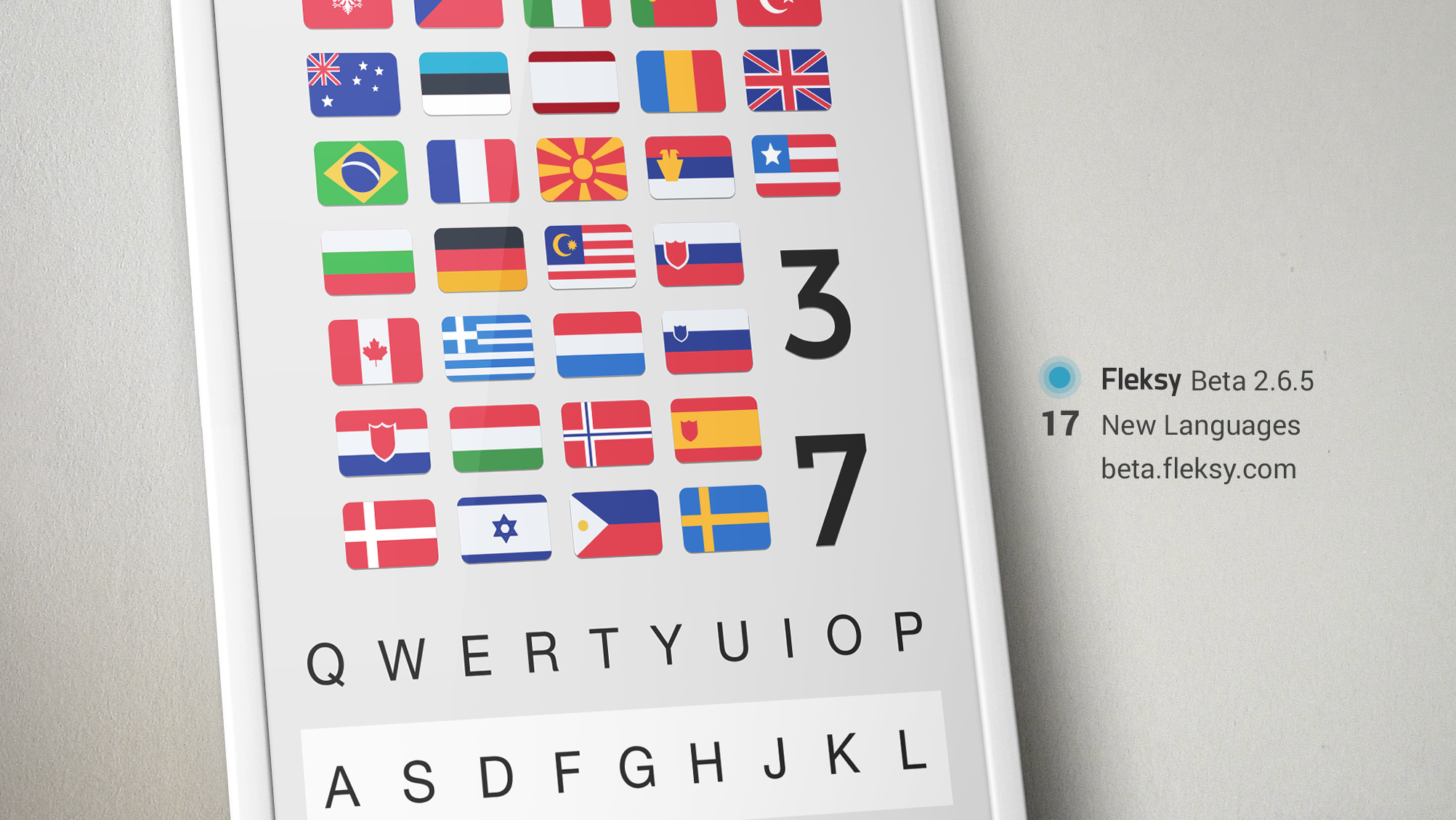
Fleksy keyboard for Android beta updated with support for 15 new languages

The popular replacement Android keyboard Fleksy received an update to its publicly available beta version today that enabled support for 15 new languages. According to a press release announcing the update, the new languages and variants on existing languages include English (UK), Latin American Spanish, Hebrew, Romanian, French, Canadian, and more.

The beta now supports 37 languages total, and the company says it expects the update to exit beta this fall with support for over 40. An update was also released today for the Fleksy Messenger app for Gear smarwatches. The update introduces a few bug fixes and other enhancements, but also adds support for first-gen devices running Samsung’s Tizen operating system.

You can grab the Fleksy Android update from the beta website and the Gear update from the watch’s app store.

Gmail for Android update adds Insert from Drive for attaching Google Drive files to emails

Following updates to Chromecast, Google Maps and Google Camera this afternoon, Google has updated Gmail for Android with a new Insert from Drive feature that allows for Google Drive attachments to be inserted into emails directly from Android smartphones and tablets. If the file is not shared with the person you are sending it to, an option will pop up to change the sharing settings.


Expand
Expanding
Close