update

See All Stories

AT&T announces Android 4.3 software update for Galaxy S 4, Galaxy Gear update

Site default logo image

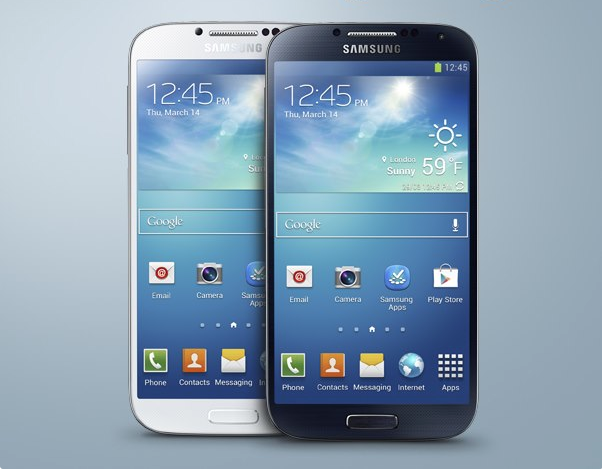
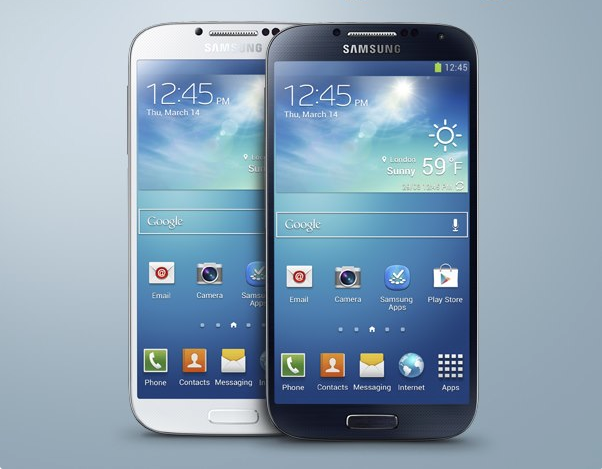
AT&T Galaxy S 4 owners look sharp, the day before Thanksgiving is bringing you gifts as the carrier announces Android 4.3…arriving now. The update is slated at 727MB, so Wi-Fi only updates are allowed but Galaxy Gear compatibility, call reliability improvements, drag and drop ability to uninstall/disable applications and the rest of Android 4.3 goodness are all awaiting you. It originally appeared that the update began around 10 days ago but this is official word from the AT&T mothership…so it’s now officially official.


Expand
Expanding
Close

YouTube working to fight spam in new Google+ comments, bulk moderation tools coming soon

Site default logo image

YouTube has been getting a lot of backlash since introducing its new Google+ powered comment system earlier this month. Despite some very vocal users not exactly liking the change, Google provided an update on the new comment system last night and confirmed it’s here to stay. In a post on its YouTube Creators Blog, the company explains that it’s working to combat spam in comments and will soon introduce new bulk moderation tools for creators.

Since we launched the new comments experience on YouTube two weeks ago, we’ve received a lot of feedback from creators on the increase in comment spam. While the new system dealt with many spam issues that had plagued YouTube comments in the past, it also introduced new opportunities for abuse and shortly after the launch, we saw some users taking advantage of them.

To combat the users “taking advantage” of the new system, YouTube is implementing the following updates to help with spam: 
Expand
Expanding
Close

Google Shopping launches revamped experience on desktop & mobile w/ curated holiday shopping lists

Site default logo image

Google today announced some nice additions to its Google Shopping service available to users browsing for products in Google search and directly through the Google Shopping site on desktop and mobile. In addition to new curated shopping lists from some of its partners (note: These are Google’s partners buying paid product listing ads), Google Shopping also receives an updated look and feel, part of an ongoing update that Google started rolling out back in October with an updated storefront and improved local listings.

One new feature in the redesigned shopping experience pictured above is the ability create your own shortlists that are easily accessible from the top of each page while browsing:
Expand
Expanding
Close

Google releases redesigned Google Translate app for Android

Site default logo image

Google today announced that it’s releasing an all-new Google Translate app for Android. The app features a new design, adds support for additional languages, and introduces some interesting new features to make translations even faster.

The app now makes it easy to have translated conversation with someone at the tap of a button and also adds gesture support for quickly switching between languages:
Expand
Expanding
Close

Site default logo image

Google Maps SDK for iOS adds 64 bit support and more

Developers that are using Google’s Maps APIs to build iOS apps will be pleased with Google’s latest update to its Google Maps SDK for iOS today. Version 1.6 of the SDK brings one notable new feature for developers that are transitioning their apps to iOS 7’s new 64 bit architecture available for devices running Apple’s new A7 processor.

The SDK now fully supports 64-bit architectures with both the 32 and 64 bit binaries built into a single updated GoogleMaps framework. Google notes that “The correct binary will be selected by Xcode based on your build settings.”

Version 1.6 of the new Google Maps SDK for iOS also includes a few other new features including enhanced marker opacity and min/max zoom settings. A full list of what’s new and fixed is below:

Version 1.6 – November 2013

Download version 1.6.

Features

  • The Google Maps SDK for iOS now supports 64-bit architectures. Both 32 and 64 bit binaries are built into the single GoogleMaps framework. The correct binary will be selected by Xcode based on your build settings. For instructions on building 64-bit applications, please refer to Apple’s 64-bit transition guide. (Issue 5806)
  • Changed some instances of CGFloat to either a float or double where it was more appropriate.
  • Added the ability to restrict min and max zoom on GMSMapView. (Issue 5882)
  • Added opacity on GMSTileLayer and GMSMarker.
  • Core Animation on GMSMapView now requires model values to be set

Resolved issues:

  • Info windows and tappable regions now rotate correctly with markers. (Issue 5896Issue 5969)
  • Padding on a GMSMapView is no longer clamped to its bounds (useful if setting padding on an initially zero-sized map). (Issue 5864)
  • Copyright information now animates when changing GMSMapView size or padding.
  • Info windows are removed if their GMSMarker is removed from a GMSMapView. (Issue 5856)
  • My Location dot uses the last known location information when enabled. (Issue 5590)
  • Resolved two rare race conditions that were causing crashes. (Issue 5795)
  • Resolved an issue where retain cycles were causing memory leaks on GMSMapView and GMSPanoramaView.
Site default logo image

Twitter announces upcoming Android app update with new search filters (update: available now)

Update: the new version is available now.

Today Twitter has announced they will be updating their official app for Android, making it easier to discover what is happening on the microblogging network. The update adds new search filters that allow you to quickly navigate to specific people and Tweets. The filters also allow you to toggle between all relevant Tweets and only the most popular “top Tweets.”

Filters will also allow you to filter by different media types, such as photos and videos. There’s also an option to see Tweets only from the people you follow. The update includes includes a new timeline in the Discover tab that makes it easier to see what’s currently trending. This trending timeline will show topics that are associated with nearby events and TV shows.


Expand
Expanding
Close

Site default logo image

1Password 4 for Android beta coming soon, sign-ups now open

After a long beta period for 1Password for on the Mac, AgileBits announced today that the long awaited update of its popular password app will be arriving soon for Android. Today it opened up sign-ups for an Android beta newsletter that will notify you when the beta version of 1Password 4 for Android is ready to start testing.

Danger! Risk! Excitement! Are you looking to provide feedback on new features and functions while living a little on the daring side? Be among the first to use the latest and greatest unreleased updates for 1Password 4 for Android.

If you’re interested in being notified when the all-new version of 1Password arrives for Android, you can sign up here.

[tweet https://twitter.com/1Password/status/401424937497292800]

Google Now for Android updated with new cards, improved traffic, and more

Site default logo image

Google announced via its Android Google+ page today that the Google Now service has been updated with three new card types: news, website updates, and TV and movie recommendations.

The news topics card shows recent articles from news sites across the web on select topics. The website updates card can monitor your favorite sites and let you know when new content is available on those sites (like a new post on your favorite Google news site). The last of the new cards is the “what to watch” card, which can recommend movies and TV shows you might enjoy.


Expand
Expanding
Close

Google makes it easier for Android & iOS devs to deploy cloud backends w/ Cloud Platform updates

Site default logo image

Google is making some improvements to its Google Cloud Platform today that will make it easier for developers to provide cloud services across apps on multiple platforms. After first launching a preview of Cloud Endpoints earlier this year, Google announced today that the web backend solution for app developers has moved to General Availability. Cloud Endpoints provide developers with an easy way of building a simplified cloud backend to deploy across their web, Android and iPhone apps:
Expand
Expanding
Close

Site default logo image

Google Drive for iOS updated with multiple account support, printing

Following the significant revamp of Google’s iOS Search app earlier this week, the search company updated its Google Drive application for iPhone, iPad, and iPod touch with several new features.

What’s New in Version 2.1.0

– Multiple Account Support. You can now switch between personal, work, or any other Google account
– Single Sign In: Sign in once to Google Drive and you’ll automatically be signed in to apps like YouTube, Google Maps, Chrome, and G+
– Print your files now with Google Cloud Print or AirPrint
– iOS 7 Support

Notably, users can now have multiple accounts on Drive for iOS and the app supports single-sign-on across Google apps on iOS. Also new is increased compatibility for iOS 7 and printing either via AirPrint or Google Cloud Print.


Expand
Expanding
Close

Glass XE11 update adds commands to search Google Calendar, get directions home, & more

Site default logo image

Google today announced its XE11 update for Google Glass and highlighted a few of the new features on its Google+ page for the wearable. New for Google Glass is the ability to search Google Calendar with commands like “my agenda” and “what am I doing in November?” Google noted that “Calendar search works for Google Calendar users with Gmail and private search enabled.” 

The update also includes a highly requested feature from users in the XE11 update: the ability to get directions home or to work with voice commands:

It’s even easier to find your way home. Tell Google Maps where you live and work and you can refer to their locations by “home” or “work” on Glass. It’s part of Google’s personalized search so when you ask Glass for directions home, it’ll know what you mean. To get started, insert your home and work address in Google Maps or Google Now (iOS instructions) and then try it out on Glass. From the home screen, say “ok glass, get directions to home.

New Glass users will notice a redesigned Glass setup tutorial in XE11 (pictured above) that Google says will show users how to swipe and connect Glass to the companion smartphone app. You’ll also now see a “Start screencast” shortcut in the notification drawer of your connected Android device making it easier to quickly start screencasting Glass to your smartphone.

Lastly, Google has removed a feature from Glass with XE11. You’ll no longer be able to activate Google Search with a long press of the touchpad because many users were apparently triggering it accidentally:
Expand
Expanding
Close

Site default logo image

Google Search iOS app gets massive update w/ ‘OK Google’ handsfree voice search, notifications, reminders, much more

[youtube=https://www.youtube.com/watch?v=p8Ey0AufD9g]

The Google Search iOS app has received a huge update today that brings a number of new features including the ability to activate voice search handsfree. Users on iPhone 4S or later can now simply say “OK Google” to begin a voice search, much like what users have been able to do with Google Now on Android devices for quite some time.

Version 3.1.0 now includes notifications for upcoming events, flights and public transit. For example, the Google Search app will provide notifications for delayed flights, tell you how long you have to catch the last train, and remind you of upcoming appointments . You can also now set reminders within the app:

Ask Google to remember things for you. Just say
• “Remind me to buy coffee beans at Starbucks,” or
• “Remind me to check out the fair this weekend”
and Google will remind you at the right time or place

In addition, Google says users can now set reminders for when their favorite musicians, tv shows, actors or celebrities are releasing new content or appear in headlines. There are also new cards in the app that display info for movie and event tickets, boarding passes, reservation confirmation for rental cars, public transit and upcoming events.

The massive update also includes a redesigned homepage, new gestures for zooming and moving images, one touch sign-in for other Google apps, and “improved voiceover accessibility”. It’s certainly a big update for the Google Search app that brings it closer to the Google Now equivalent at the heart of Android.

What’s New in Version 3.1.0

Google Now gets even better with:
• Notifications – Get notified when it’s time to go
• Reminders – Never forget to put out the trash
• New cards – See tickets, boarding passes, & more
• Handsfree voice – Just say “OK Google” to search*
* requires iPhone 4s or later

Notifications deliver info before you open the app:
• When to leave for your next appointment or event
• If your flight is running late
• How to catch the last train home

Ask Google to remember things for you. Just say
• “Remind me to buy coffee beans at Starbucks,” or
• “Remind me to check out the fair this weekend”
and Google will remind you at the right time or place.

You can also ask to be reminded when your favorite:
• Musicians release a new album
• TV show has a new episode
• Actors star in a new movie
• Celebrities and politicians make headlines
Just search and press the “remind me” button.

New cards organize the info you care about:
• Tickets for movies, concerts and events
• Boarding passes for your flights
• Reservation confirmations for car rentals
• Warnings when your last train home leaves
• Lists of upcoming local events

And finally, search is better than ever with:
• A redesigned and simplified homepage
• Gestures to zoom or throw away images
• One touch sign in if you use other Google apps
• Improved voiceover accessibility


Site default logo image

Google Maps for iOS updated with improved hotel search, tweaked transit directions

The Google Maps app for iPhone and iPad has been updated with a few changes to the hotel search feature and transit directions. When searching for a hotel, the app now presents some sponsored rates (ads, basically—but useful ones). You can also quickly access a map from the transit directions preview screen, as well as a list of upcoming departure times.

The app also include “bug fixes,” which are always nice. The complete change log is below.

What’s New in Version 2.4.3

● Improved hotel search results with sponsored rates and booking links
● Quick access to map and upcoming departures in transit directions preview
● Bug fixes

Site default logo image

Google releases Google Play Services 4.0 w/ Google Mobile Ads SDK and new APIs for devs

Google has decided to launch the new Nexus 5 and Android 4.4 KitKat today at a quiet press event and alongside those announcements is also releasing Google Play Services 4.0. The update to the developer services platform includes the integration of Google Mobile Ads SDK, and also offers new features for Google+, Google Wallet Instant Buy APIs, and geofencing.

Google says the new Google Mobile Ads SDK lets those using AdMob to monetize their apps provide “seamless improvements” to users. For example, pushing bug fixes automatically. The new Play Services also include new Maps and Location features:

You can save power by requesting larger latency values for notifications alerting your app to users entering or exiting geofences, or request that entry alerts are sent only after a user stays within a geofence for a specified period of time. Setting generous dwell times helps to eliminate unwanted notifications when a user passes near a geofence or their location is seen to move across a boundary. The Maps API enhances map customization features, letting you specify marker opacity, fade-in effects, and visibility of 3D buildings. It’s also now possible to change ground overlay images.

WIth Google Play Services 4.0, Google is offering Google Wallet Instant Buy APIs to everyone with a simplified API. New Wallet Objects means “you can award loyalty points to a user’s saved rewards program ID for each applicable Google Wallet Instant Buy purchase.”

The the new Google Play services SDK is available to download now for developers to start developing with the new Android 4.4 APIs. You can learn more in Google’s blog post here.

Google also noted that it’s dropping support for Froyo in this release now that “over 97% of devices now running Android 2.3 (Gingerbread) or newer platform versions.”

Google officially unveils Android 4.4 KitKat, available on Nexus 4, 7, 10, Galaxy S4 & HTC One GPE in coming weeks

Site default logo image

[youtube=http://www.youtube.com/watch?v=sONcojECWXs&list=PLWz5rJ2EKKc-2quE-o0enpILZF3nBZg_K&index=1]

Update: Google has released a full list of what’s new in Android 4.4 KitKat. We’re digging in and we’ll bring you more details as we discover them.

Alongside the official release of its new flagship Nexus 5 on Google Play today, Google is also of course officially taking the wraps of 4.4 KitKat, the latest version of Android that will ship on the new Nexus 5. When will you be able to get your hands on the new OS? Google said KitKat 4.4 updates will arrive for the Nexus 4, Nexus 7, Nexus 10, and the Galaxy S4 and HTC One Google Play Editions in the coming weeks.

Google confirmed that the update will not be coming to the Galaxy Nexus. Since it’s two years old, it now “falls outside of the 18-month update window when Google and others traditionally update devices.”

In the YouTub playlist above, Google walks through some of the new features of KitKat for developers and also highlights a number of user-facing features such as a new “immersive mode” that allows users to automatically hide onscreen controls for a truly full-screen experience. In a blog post, Google took sometime to explain the performance improvements it’s made in KitKat, noting that Android can now “run comfortably on the 512MB of RAM devices”:
Expand
Expanding
Close

Site default logo image

Twitter for Android updated with in-line photos and Vine videos, quick-actions in the timeline


Twitter for Android was updated today with support for in-line photos in the main timeline view rather than using photo links. Vine videos now show up in the timeline as well, although it seems other video services will still require you to tap a link first.

The update also adds buttons to quickly reply, retweet, or favorite a tweet without having to swipe or tap it first. The new version of Twitter for Android is available for free in the Google Play Store now.

Site default logo image

Google Hangouts for iOS adds outgoing and incoming voice calls through Google Voice

The Google Voice app for iPhone and iPad got a significant update to version 1.3 today. The update introduces Google Voice integration that allows incoming calls to your Google Voice number and outgoing calls to U.S. and Canadian numbers. Also inlcuding in the new version is the ability to see which friends are currently online, support for animated GIFs, and a fix to keep the app from stopping your music when a message comes in. The update is available for free to all users on the iOS App Store now.
Expand
Expanding
Close

Site default logo image

Instagram for Android updated w/ automatic photo straightening & new sound & data usage controls for video

Instagram for Android is receiving a nice update today. The company announced on its Twitter account that a new update for Android users is arriving today that brings some of the features that it previously rolled out to iOS users.

Back in August, Instagram added the ability to automatically straighten photos on iOS, and today Android users are finally getting access to the feature:

There are few things more distracting than a crooked horizon in a photo. We’re happy to announce that we’ve developed a brand new technology that brings you straight photos instantly. When you take a photo with the in-app camera, you can now tap the new Straighten icon and your photo will correct to be level—it’s that simple. The straightening tool also includes a slider so you can rotate and adjust any photo—including ones imported from your photo library—as much or as little as you’d like.

The update also includes “new sound and data usage controls” for videos, but the update has yet to hit our devices so we’re not entirely sure what those consist of.

The updated Android app should be hitting Google Play any minute.

Skype for Android updated to version 4.4 with a new tablet interface

Site default logo image

Hot on the heels of an iOS update this morning, Skype has just updated its Android app to version 4.4. Most notably, the update brings an all new interface to tablet users that “puts conversations first” by prominently displaying your most recent calls and chats. Tablet users should also see significant quality and performance enhancements, as well.

Skype is also touting that the video call quality has greatly improved in version 4.4 of the app. In “good network conditions”, you should experience up to four times the resolution of previous versions with improved clarity and frame rates. The update is also available to Kindle Fire HD and HDX users, who will be able to enjoy hardware accelerated video.

Other enhancements include:
Expand
Expanding
Close

Google adds public Transit directions to Glass for Android users

Site default logo image

Google announced today that its latest update to Glass (XE10) includes a few new features with the most notable being the addition of Transit directions. Now, Google Glass users paired to Android device will be able to see public transit directions in addition to other related information, like when to change trains for example, on their Glass display:

We have loads of great updates every month, but there’s one we’re particularly jazz hands about — Transit. Explorers who have paired Glass to their Android phones will now have the option to see public transit directions when navigating on Glass. When you get directions and select transit, you’ll be able to see all sorts of helpful info, like where to change trains, how far you have to walk to the bus stop and how long it should take to reach your final destination.

Google has also added the “ability to tap to select links in notifications.”
Expand
Expanding
Close

Facebook adds content from Flickr, Pinterest, Tumblr & Instagram to Home lock screen

Site default logo image

Zuckerberg recently announced that the company had plans to bring content from additional online sources to the lock screen for those using Facebook Home, and today that feature has officially been introduced in the latest Facebook for Android beta release.

At first, Facebook is adding content from Flickr, Pinterest, Tumblr, and Instagram to the Facebook Home lock screen allowing users to swipe through photos and posts alongside Facebook content. Here’s how it works:


Expand
Expanding
Close

Site default logo image

Google rolling out colorful, streamlined design for Docs, Sheets, Slides & more in Google Drive

We already got a new Google Analytics app for Android today and the launch of its new Web Designer HTML5 design tool, and now Google has announced that it’s rolling out a new, cleaner look for Docs, Sheets, Slides and more in Google Drive on the web. Google explained that the new look brings a new streamlined header and more colorful and compact design for its online productivity suite:

First, you’ll notice each editor’s product icon displayed in the header, which doubles as a quick link back to all your files in Drive. Next, you’ll see that the header is more streamlined and compact, helping you to focus on what matters most—your content.

You’ll notice the changes in Docs, Sheets, and Slides (as pictured above), but also in Drawings, Forms and Apps Script.

Site default logo image

Facebook Android app now lets you edit posts and comments

Facebook is rolling out an update to its Android app today that brings a much welcomed new feature with the ability to edit posts and comments after sharing. Previously the only option was to delete and or repost a comment, but now users will be able to tap an arrow on each post and select “Edit post” to quickly make and save changes. You’ll also be able to see a history of changes.

The ability to edit posts and comments is rolling out today for Android and on the web.

The updated Android app also includes a few other new features. A full list of what else is new below:

-Use icons in status updates to express what you’re feeling or doing

-See upcoming events at a glance on your favorite Pages

-Create and share new photo albums from your phone