SwiftKey launched its Neural Alpha keyboard in October of last year, and today — almost a year later — the company is introducing neural network-powered word predictions to its namesake main app. This means better word predictions and autocorrect, since the app now better understands the context of what you’re trying to say…
Most watches have received the Android Wear 1.5 update at this point, but now we’ve spotted the first report of the update hitting the Fossil Q Founder. Still based on Android 6.0.1, the Android Wear 1.5 update contains just a few incremental tweaks…
Dropbox is getting some notable updates today for both the mobile apps and desktop that bring a number of new productivity tools and features to the service. It’s also changing its mobile camera uploads feature for basic users to require they have the desktop app installed or a paid Pro account.
I remember back in the day when VLC was just the necessary media player for pretty much any Mac owner. Since then, the free and open source cross-platform multimedia player has expanded beyond Mac and PC to mobile devices running Android and iOS. Today, the VideoLAN organization has pushed out VLC for Android 2.0, and it’s probably the app’s biggest release since its first out-of-beta release in February of last year…
OnePlus has had an interesting history to say the least. Yesterday the company launched its fourth smartphone, the OnePlus 3, and it’s actually really impressive. It packs powerful specs, great hardware, and an incredibly low price tag. The company still has some serious work to do, however.
Nest today has added some new views to the Farsight feature of its flagship thermostat product. Rolling out to all thermostats soon, users will soon be able to show the current temperature and a new animated weather screen from across the room:
People love Farsight. But we heard from a lot of customers who wanted it to show the current temperature in big numbers you can see from across the room. So now, it can. And we’ve also added an animated weather screen. (You know, to satisfy meteorology fans.) Just go to Display Settings on your thermostat and choose your view.
Apple took the stage today at the Bill Graham Civic Auditorium in San Francisco, California to announce the latest new features — for developers and consumers alike — for its four main platforms: watchOS, tvOS, macOS (previously called OS X), and iOS. There is tons of new stuff in these releases set to go public later this year, but one thing that became increasingly clear as the event progressed was that the Cupertino company is playing a lot of catch up.
It’s not a new trend, really. Google has always introduced features and potential products to the public not long after they become barely workable experiments, leaving other companies like Apple to appear behind at times — whether or not they actually are “behind” in reality. It goes without saying that there are always things being worked on in the background (that’s why I put “copied” in quotes), but with many of today’s announcements, Apple brought those things to light.
The Nvidia Shield set-top box is about to become the “first all-one Plex box” as Plex announced today the Android TV-based device will gain full media server support later this month. That’s in addition to the Android app offering it currently has and will make the Shield the first device other than a dedicated PC, Mac or NAS with full support for the popular Plex Media Server.
We’ve had the Android N developer preview for a few weeks now, but we still don’t know what the nickname for the new version will be. Speculation has been going on for months and Google even allowed users to submit their suggestions for what the name should be. Now, Google has confirmed on Twitter that we’ll be getting that name within the next few weeks.
It’s no secret that Google has struggled to get people to upgrade the software on its phones (but perhaps more accurately, the software on other companies’ phones). It’s one of the most blatant examples of an area that Google and its OEMs are just so far behind, especially compared to the adoption rates of iOS on Apple’s devices. And with every passing month, it just doesn’t seem to be getting any better.
It’s been about 8 months since its release, and the latest Android distribution numbers reveal that the newest version of Google’s mobile OS, Marshmallow, has just now passed 10% adoption. Google’s most popular version of Android at this point, Lollipop, lost 0.2 percentage points this month and KitKat, which was announced in 2013, still holds more than a 30% share…
Last month, Google renamed its monthly advisories for Nexus devices to the Android Security Bulletin and began listing vulnerabilities that apply to the entire ecosystem. June’s patch includes 21 vulnerabilities rated from moderate to critical that apply to all Nexus devices.
After rolling out a Marshmallow update to the Galaxy S5 yesterday, Verizon is now rolling out the same to its variant of the Samsung Galaxy Tab S2. The update carries version number MMB29K.T817VVRU2BPE1 and packs the standard Marshmallow features we’re all accustomed to at this point. Those include Doze, app permissions, and Google Now on Tap among other things…
Update: In a blog post, Google details new features currently available in English and rolling out soon to other languages. Now on Tap now officially works in the camera app and for images. For instance, users can open the camera app and initiate Now on Tap to identify landmarks. It can also be used in apps like Pinterest to identify artwork.
Rolled out last night to all users, Now on Tap has a new interface and the ability to manually select text from anything in a screenshot to perform a search. Due to a number of factors, Now on Tap has yet to become a hit feature and today’s update is a meaningful change to the product.
Android has some problems. One of those is that it takes pretty much forever for its OEMs to update their devices. That trend doesn’t seem to be changing any time soon. But if you’re an owner of Verizon’s Galaxy S5 and have been waiting (un)patiently to have somewhat modern software, worry no more: your phone is finally getting updated to Android Marshmallow starting today…
Google announced Android Wear 2.0 at I/O 2016, featuring more customizable watch faces, the ability to go without your phone when you are running or want to track a hike, AI-powered Smart Reply, a handwriting recognition mode, and more. But the question remains: which devices are going to get the update? Read on for a complete list of devices we know are getting 2.0…
At Google I/O 2016, the Mountain View company decided — although admittedly not an entirely new theme — that it would be a good idea to spread its announcements across three days. The keynote showed off Google’s vision for the future: virtual reality, its new AI and machine learning initiatives, Google Home hardware to take advantage of them, and a few sprinkles of Android Wear 2.0 goodness. The second day saw the announcement of the Play Store coming to Chrome OS.
But the third day was ATAP day, admittedly my favorite day of Google I/O. Last year the Advanced Technologies and Projects group at Google showed off Project Jacquard, Project Soli, some more details on Project Ara, and more. And then the company went silent. For pretty much an entire year.
Maybe that’s a good thing, as Google tends to show its projects and technologies off a little early in general. It’s not exactly out of Google’s character to show a product or service, say that it’s coming in 6 months, it not arrive for 12 months or 18 months, and then the final product share hardly any resemblance to what was originally announced. Admittedly that’s happening with some of ATAP’s projects either way (I’m looking at you, Ara), but at least it’s not a constant barrage of teases and false hope.
Anyway, Google ATAP finally came out of hiding on the third day of I/O yesterday, and with it came updates on Project Jacquard, Project Soli, Project Ara, and Spotlight Stories. Jacquard brought the announcement of the first retail product based on the tech, Ara brought a little update on how progress is coming including the most current prototype device with new module connectors (and promise of a dev kit coming soon), and the Spotlight Stories mention came with some progress in VR storytelling. All cool stuff.
Google’s annual developers’ conference is set to kick off in just a couple days, so it seems appropriate that Google has today updated its Developers site with some refreshed navigation…
Depending on how long you’ve been using cell phones, you might remember the days when you could store SMS text messages on your SIM card. Typically these were just stored there temporarily so that — when switching between phones — you didn’t lose anything sentimental. Now, it appears (via Android Police) that the latest version of Google’s Messenger app lets you manage these SIM card messages…
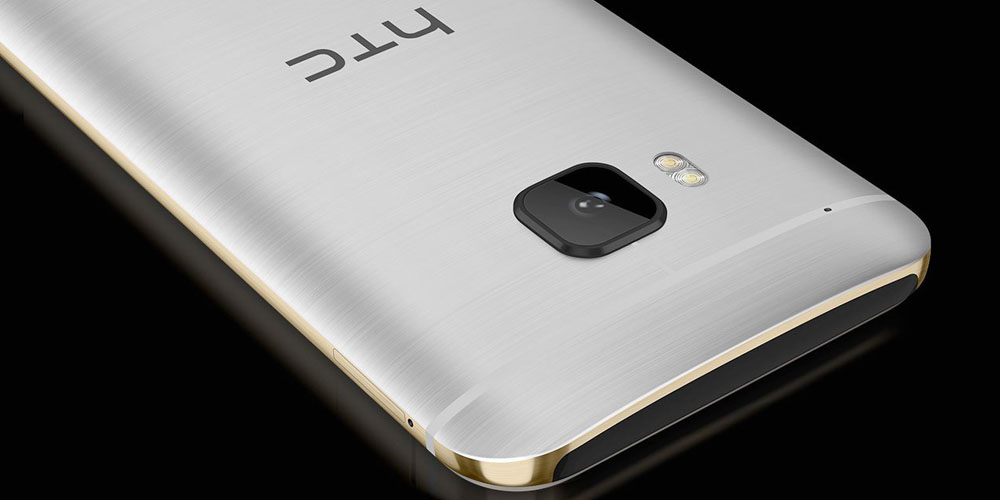
There’s a reason that Marshmallow is only on 7.5% of Android devices — the rollout for the “new” (that’s in parentheses because it was announced almost a year ago now, and its successor is already in developer preview) version of Google’s mobile OS has been horrendously slow. The wait for a lot of phones has finally been coming to an end as of late, however, and now it’s time for the HTC One M8 and M9 on AT&T to get M.
The word comes from good ol’ Mo Versi, VP of Product Management at HTC. He’s the source of most news on the update front for HTC’s myriad of devices. The tweet follows his other most recent update on the update, say that it would have “approval within the next couple weeks.”
And here we are:
HTC One (M8 & M9) AT&T owners! Thank you for your patience. Marshmallow OS is approved, OTA to start tomorrow!!
The update is set to start rolling out over-the-air tomorrow, so keep an eye out for a popup on your phone. This will likely be a pretty big update, so try to have just as much patience while it’s installing as you have had waiting for it to arrive.
You may know that you can access Hangouts via classic Google+ and Gmail, but did you know it also has a standalone web client over at hangouts.google.com? Now, Google has announced that you can show the list of conversations at all three sites in a new denser view.
This might be particularly enticing if you were a long-time GChat user, as it ditches the profiles images and frills to provide an experience that’s straightforward and simple…
If you’re fond of purchasing new apps, movies and music on your Android smartphone, you might be interested in a less-than-well-known app from Google called Opinion Rewards. You’re obviously not going to get rich quick, but it’s a great way to earn small amounts of Google Play Credit a quarter at a time by answering quick 2-5 question surveys. Today, Google has expanded the app to three new countries: Denmark, Norway, and Sweden…
Google has just updated its Google I/O app in preparation for Google I/O 2016 (which is set to kick off in Mountain View in just a couple weeks!), and while it’s not a complete overhaul like the update we saw for 2015, it’s a nice to see the app updated for this year’s conference…
Google just released the biggest update to its stock Google Keyboard in quite some time, and it’s rolling out on the Play Store now. If you haven’t had a chance to try it out for yourself quite yet, we put together this quick video rounding up the biggest new features. Among them are a one-handed mode, new emoji suggestions, and the ability to show key borders…
Like last month’s, the May security patch for Nexus devices is full of fixes across the board. This month’s bulletin includes several procedural changes that expand the security bulletin to list vulnerabilities for all Android devices.