Google Photos



The latest update to the Google Photos app is a big one: it uses AI technology to add four new features, from resurfacing old memories to fixing sideways photos. The new features are available in the Android app, iOS app and on the web.
While your phone should recognize whether you’re holding the camera vertically or horizontally, there are times when this doesn’t work reliably. The app will now automatically detect photos which appear to be sideways and offer to fix them for you with one tap.
The three remaining new features all focus on ways to highlight memories and share moments with others …


With the phones in our pockets getting larger cameras that are capable of taking higher resolution images and videos, it is no wonder why people are running out of storage space. Thankfully, with Google Photos, it is possible to backup your favorite pictures and videos and then have them automatically deleted directly off of your device…
Expand
Expanding
Close
Having a camera built into the devices we carry makes it possible to take dozens of photos every day. While these can be selfies, pictures of your latte, or pictures of your loved ones, it’s always good to know that you have your photo memories saved.
With Google Photos, you can automatically back up all the pictures you take to the cloud — but it’s also important to have all of the folders with your pictures in them turned on so that they’re protected if you ever lose your phone…

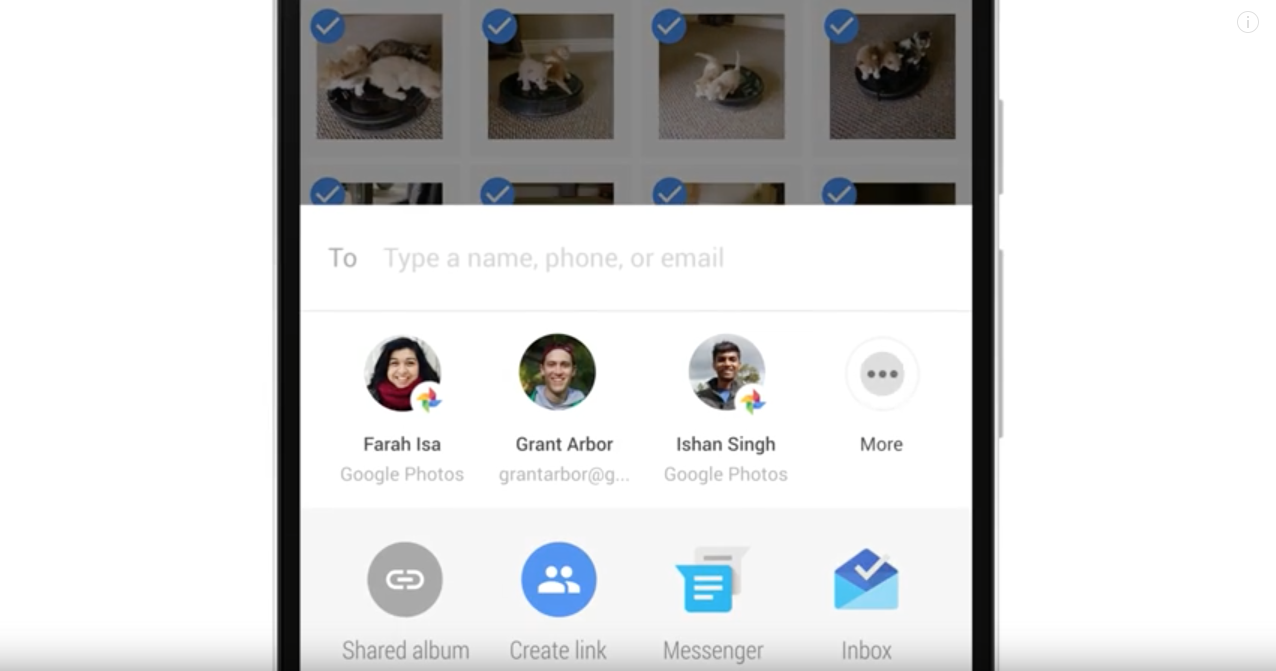
Google has today announced that it is making sharing photos via Google Photos easier, now letting you simply tap a group of contacts that you want to send photos to. After you select who should receive them, all you have to do is tap send and Google Photos will take care of everything else — regardless of the method by which the photos are sent…

Released to iOS last week, Google Photos 2.0 is now available on Android and finally adds a way to sort pictures and videos in albums. There are also some minor tweaks, but no major features as part of this major version bump (1.27 > 2.0) like on other platforms.
Google seems to be on a major push to increase take-up of its Google Photos service. A little over a week ago, it ran a video ad focused on how useful it is to be able to recover space on your phone by removing photos already stored on Google. It’s now running a new ad on the value of automatic backups.
The ad shows someone jumping into a pool, and realizing while he’s in mid-air that his phone is still in the pocket of his shorts. The voiceover says that, sure, you can get a new phone, but what about the photos on the soaked one? ‘What will you do?’ the narrator asks … ?


We all take a lot of pictures and videos on our smartphones and unfortunately, they take up a lot of memory. After a few months on a new phone, odds are you’ll be running low on storage, and there’s no worse way to discover that than when you’re taking a picture or video. The “storage is full” prompt usually means you’ll miss the moment for your shot, and all to delete some photos that you might want to keep! Luckily, there’s an easier way.

Google today has released a minor update to the Google Photos app on iOS, pushing it to version 1.12.1. Included in the update are a handful of changes and speed improvements.
Google Photos is arguably one of the best photo services available today, however one feature it’s been missing since launch is the ability to play a slideshow. Whether you missed it or not, the feature is now finally here.

The Moto Z and Moto Z Force are now official but there’s still a lot about these phones that Lenovo didn’t announce on stage. One thing we know from the event, however, is that Verizon will be getting exclusive rights to sell the phone for a few weeks starting this Summer prior to the unlocked launch in September. The “DROID Edition” isn’t too much different from the standard model, but it seems like it will be coming with an extra perk over the standard model.
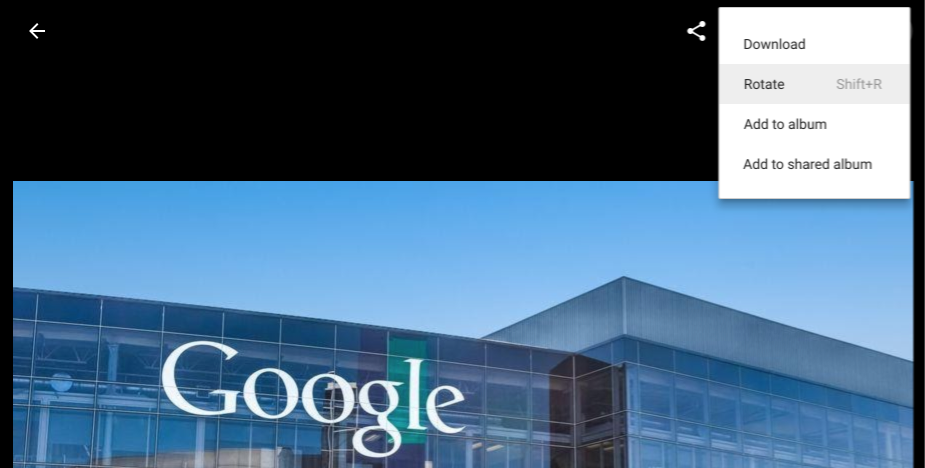
If you — like me — have enabled auto-upload to Google Photos on pretty much all of your devices, you’ve surely noticed that some photos just don’t arrive on the site with the correct orientation sometimes. The Google Photos editor — which also has filters, brightness control, etc. — is an easy fix for this (it only take a few clicks), but now Google has made rotating photos in the app even easier with a quick keyboard shortcut that you can use when viewing any photo…
Google Photos 1.21 rolled out silently to Android devices this week without any new features. However, a teardown by Android Police reveals that Google is preparing to offer unlimited original quality photo and video backups for Nexus devices. Of course, this is not yet official, but such a feature would provide an even bigger incentive to buy a Google-branded device.
Especially geared towards pictures taken by a regular camera that did not have the correct time zone set, the latest Google Photos web update adds a very useful feature that allows users to easily adjust the date and time of multiple images…
Launched at the end of last year, Shared Albums in Google Photos will now let people comment on pictures. As part of the Android and iOS update, a new smart suggestions feature will also recommend the right photos to add to a Shared Album.
Update: According to a post on Google+, this update adds the ability to customize automatically created movies with your own music, photos, and videos. It’s also now possible to rename or delete device folders and manage photos on SD cards.
Rolling out to users now, version 1.19 of Google Photos brings quite a few design tweaks to the Android app. The biggest change replaces the floating action button (FAB) with a search bar that is reminiscent of a recent A/B test to Play Music.
In the last Google Photos for Android update, edited images no longer made a copy and replaced the original picture. Today, a smaller update is rolling out that adds the ability to manually backup photos in albums that do not have automatic upload turned on.
The most recent update to Google Photos on the web introduced some much-needed editing features. Today’s addition of direct album uploads and new keyboard shortcuts will be a huge help when editing photos in bulk.
Google Photos for Android recently received a slight redesign in the form of a bottom bar that signified a change in the Material Design guidelines. A smaller app update today changes the behavior of how edited photos are saved.
Google Photos launched last year with numerous smart features, like face and object detection, that make sorting and finding your photos much easier. While the Assistant feature can already create photo collages and animations from burst shots, albums are about to get smarter with more features in an update rolling out today…

Google Photos already lets users backup and view an unlimited number of high-resolution photos and videos for free, and Google recently added a button that lets users manually purge downloaded content to make room for more free storage. There’s a new update awaiting Google Photos users today that adds support for the latest software and hardware features on iPhones and iPads.
Following this morning’s update that added more editing tools to Google Photos website, the Android app has received a slight redesign. Besides the new design and performance enhancements, editing tools and other functionality remains the same.

Spinning off Photos in to its own app and service is arguably one of the best decisions Google has ever made. It’s a fantastic tool for storing your photos, it’s easily searchable and sometimes makes its own automatic moments of magic. It’s safe to say, I don’t love any of its services as much as I love Photos. But now it’s getting better.
Before Google Photos, there was Google+ Photos and prior to that Picasa. Google acquired the desktop photos management app in 2004 and made it free. While Google announced today that they are shutting down Picasa, diehard users will still be able to use quite a few features.
Both of Google’s excellent photo apps received an update this week. Version 1.13 of Google Photos adds a new feature to easily look at other photos taken on the same day when in search, while Snapseed now has several new automatic features, like face detection.