Android 6.0 Marshmallow

See All Stories

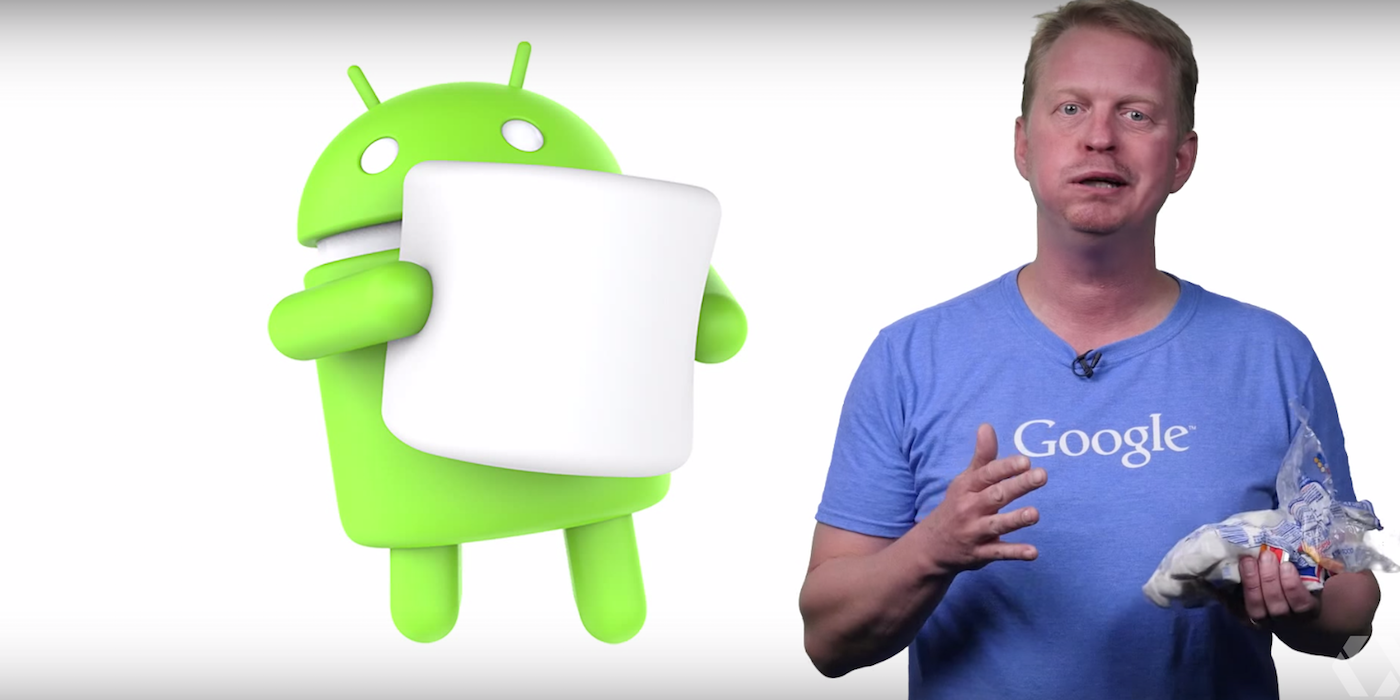
Android Marshmallow is the 6.0 release of Google’s mobile operating system.

Features |

Granular App Permissions

Following yesterday’s rumors of more granular app permissions, we received confirmation of exactly that. The new app permissions will make it faster for developers to get new users up and running in their apps by only requesting permissions as the app needs them. For users, permissions are now being simplified into several easy to understand categories like Location, Camera, Microphone, and more. Users will also be able to go into the Settings menu of their phone at any time and revoke all or specific permissions as they please.

Chrome Custom Tabs

Google is bringing the features and capabilities that users have come to love from the Chrome browser to in-app webviews. Available in the Chrome Dev Channel today and rolling out to users in Q3 this year, Chrome Custom Tabs gives users looking at a webpage through an in-app webview sign-in and caching of web services, saved passwords, autofill, and multi-process security (i.e. two-factor authentication). Developers will be able to customize the webview to their liking with buttons as well as options in an overflow menu, and also pre-fetch any links before the user clicks on them so they’ll load quickly. The company shared how Chrome Custom Tabs will work with a Pinterest integration showing off a “Pin It” button in the menu bar at the top of the webview as well as a “See related Pins” button in the overflow menu.

App Links

Following up on yesterday’s rollout of App Indexing of iOS apps in Google’s native Search and Chrome applications, Google is revamping its intents system to provide a more powerful cross-app linking capability. App developers can now add an “autoVerify” attribute to their application manifest to indicate to Android that the links they claim they support should be verified by the platform at the time of the app’s installation. Android will then make a request to the servers associated with the links and look for a file containing the name and signature of the application, and if it successfully verifies that the app owns the links it claims to, when a user with the application installed clicks on a link owned by the app, it’ll push the user to the app without opening an intents menu.

Android Pay

Following that Android Pay logo we saw this morning, Google detailed its Android Pay mobile payment service coming to Android M.

Android Pay includes the ability to pay for goods in retail stores using Android phones and NFC while users can also make payments within apps for buying digital goods. Users will be able to plug in existing debit and credit cards from supported banks, and Android Pay has carrier support to ensure Android Pay is setup on new devices sold through vendors.

Android Pay will be available through Google’s own app, and banking apps will be able to integrate the service in their own apps. Google says over 700,000 stores across the United States will be Android Pay ready in addition to many Google Play apps as well.

Fingerprint Support

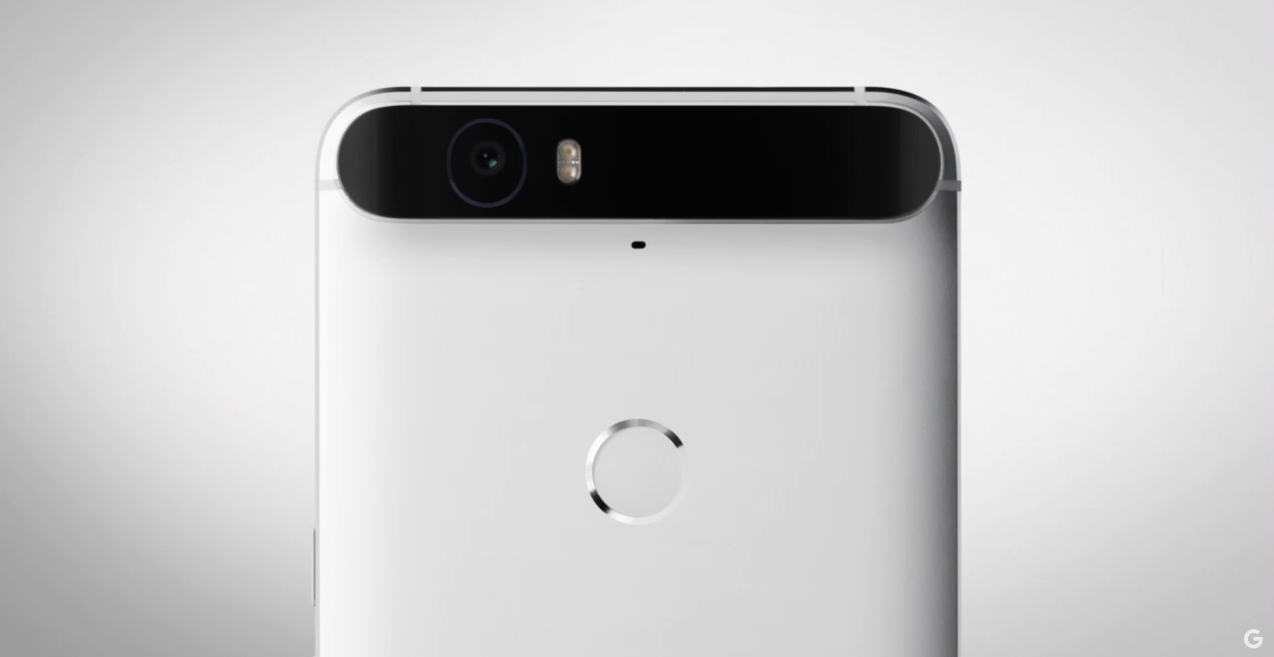
Android M will include standardized fingerprint recognition support as well to leverage the fingerprint sensors that have been shipping on Android phones for years. Android Pay will use this sensor as a payment approval method as part of the mobile payment process.

Google says that at launch any app developer will be able to make use of the new fingerprint APIs in Android M to add support for fingerprint authentication to their own apps. One example the company provided of how fingerprint support might work in a third-party app was the Target app. Users will be able to, when they install the app, associate their login credentials and payment information with their fingerprint so that when they go to complete a purchase all they’ll have to do to confirm the order is place their fingerprint on the sensor.

Power & Charging

Through a new feature called “Doze,” Google is making Android smarter about managing power. Doze will use “significant motion detection” to learn when a device is being left unattended for an extended period of time, and exponentially back off background activity to go into a deeper state of sleep for longer battery life. While the device is dozing it will still be possible to trigger alarms or respond to incoming chat requests from high-priority messages.

Google says they took two Nexus 9’s, putting Lollipop on one and M on the other with all the same apps installed and processes running, and found that devices on M tend to last up to 2x longer on standby.

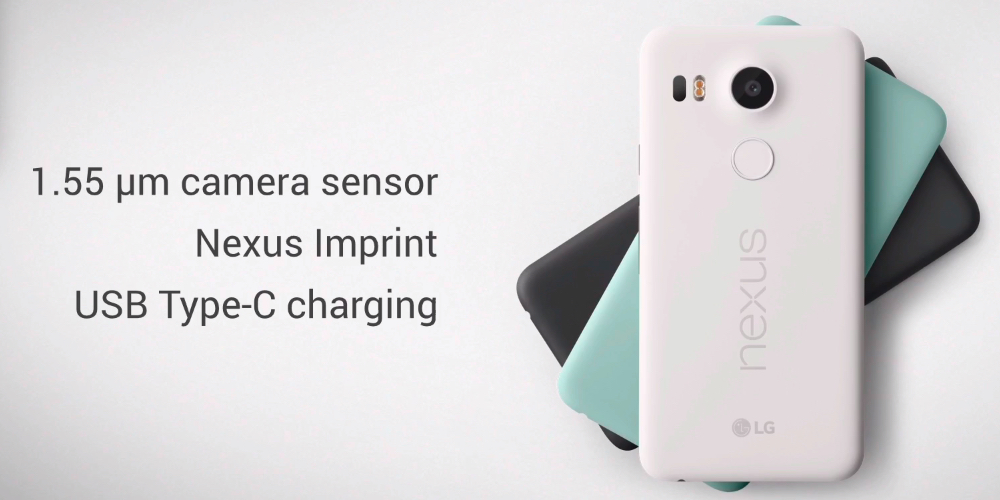
In terms of power and charging, the company also announced that they’ve been working closely with device manufacturers to bring new devices to the market which take advantage of USB Type-C for charging. Since Type-C USB cables are bidirectional, meaning you can send data or power in either direction, Android M will provide more control over what you can do with the cable plugged into your device. Instead of just charging your phone through the cable, for example, you could choose to instead send power from your phone to the charger it’s connected to.

Google “Now on Tap”

Last but most definitely not least, Google Now is getting a bit smarter at figuring out what you want more information on based on your context within the phone experience.

Coming soon to over 100 third-party apps, Google Now will proactively surface specific actions from within apps on your phone as it thinks you’ll need them. Examples they provided in the keynote include surfacing the ability to request an Uber from Now once you land at the airport or surfacing your favorite Pandora station when Now knows you’re at a public transit station.

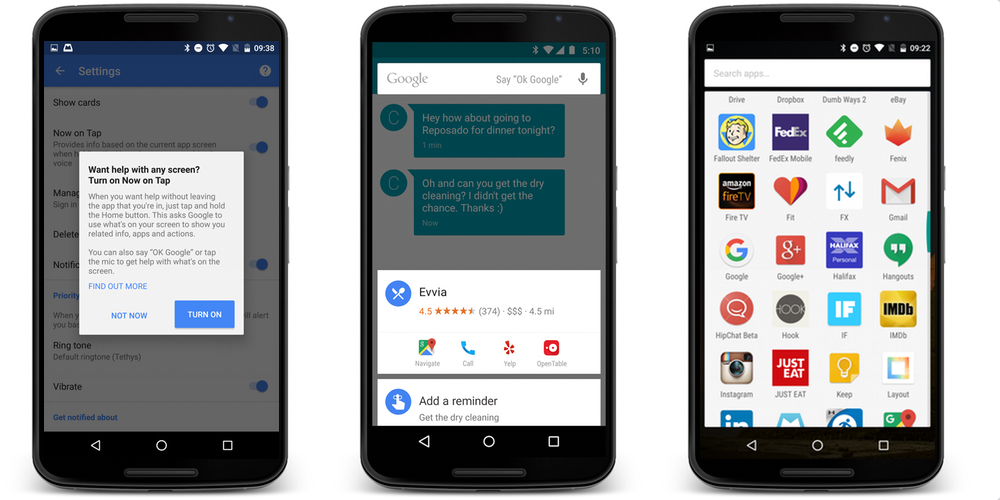
But the company is going even further than that, and will allow you to take advantage of Google Now from wherever you are on your phone and without having to be super specific with your request. So if your friend texts you a restaurant suggestion for dinner, by tapping and holding the home button Now will figure out what you’re wanting to get more info about, in this case a certain restaurant you were texted about, and deliver a card to you from the bottom of the screen with more information on the place. The company also demonstrated this from within Spotify, with a user listening to a song from Skrillex able to ask Now “what’s the real name of this artist” and have it pull up that information without the user even needing to indicate which artist they’re even referring to, because they asked from within the app with the artist already playing. This new feature of Google Now is called “Now on Tap” and will be rolled out with Android M.

How to download |

Device compatibility |
 

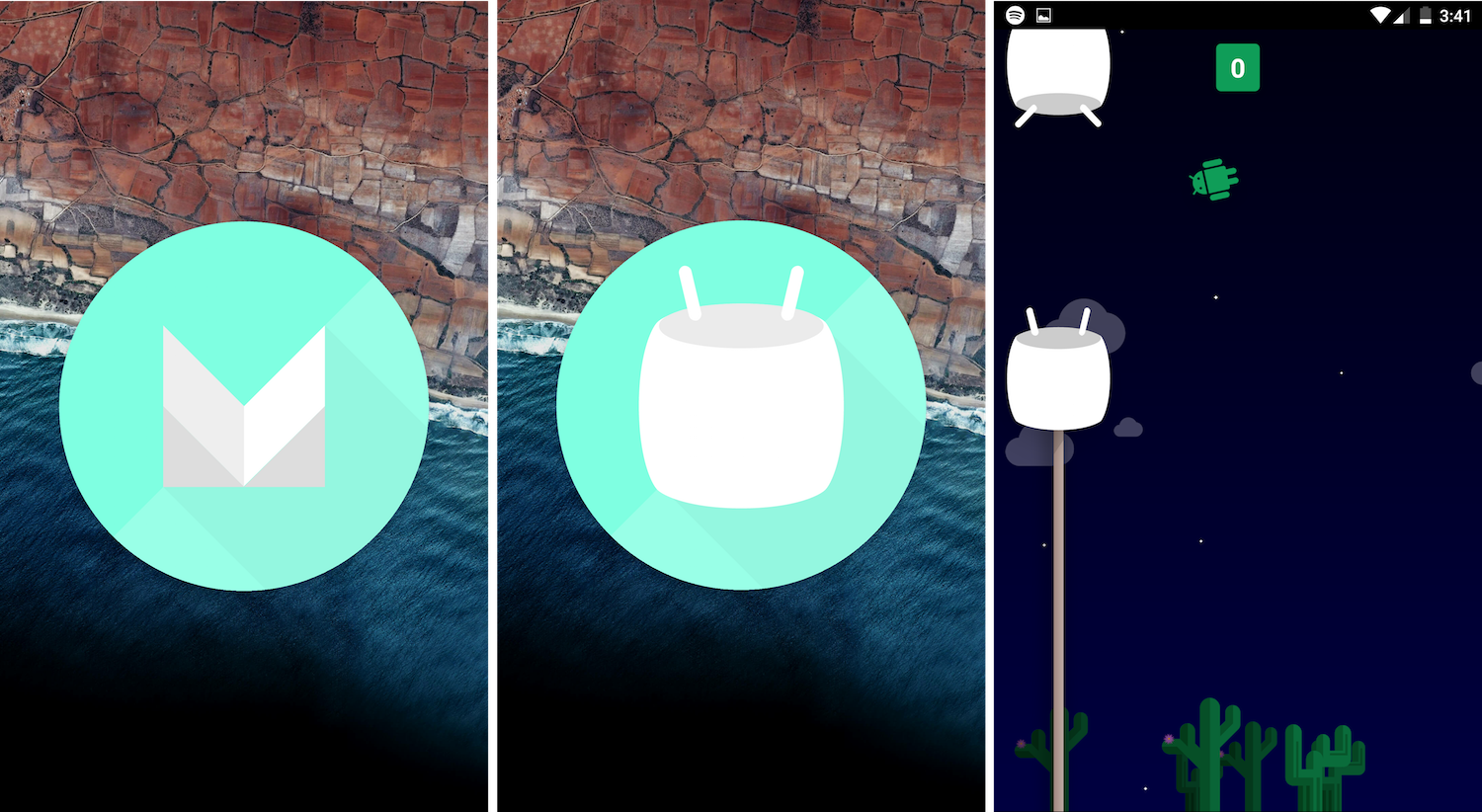
The Android Marshmallow Easter egg is a reprise of last year’s Flappy Bird game

marshmallow

With the release of Android Lollipop, we saw Google add what many agreed was the best Android Easter egg yet. And today, following Nat & Lo’s tease earlier this morning and the release of Android Marshmallow thereafter, we now know what the Easter egg is this time around. And it’s pretty much the same as the one from Lollipop…

If you’re new to Android Easter eggs, here’s how you access them: Go to the Settings app, head to “About phone,” and then tap the Android version 3 or 4 times in a row quickly. With Android M, you’ll se a large M icon, and tapping on that will eventually show you the real Easter egg: a playable Flappy Bird game.

It works pretty much the same as last year’s game. You’ll get a quick countdown, and then you’re left trying to tap to keep the little Android figure away from the harmful Marshmallows. I don’t know about you, but I’ve found this game to be much more difficult than the original Flappy Bird. Watch this video for proof:

https://www.youtube.com/watch?v=v61CF55_URY

How to install Android 6.0 Marshmallow factory images on Nexus 5, Nexus 6, Nexus 7, Nexus 9, and Nexus Player

Google has now released the latest version of Android, dubbed Android Marshmallow, which the company first previewed earlier this year at Google I/O in San Francisco. And while Google will most certainly be rolling out the update (and subsequent updates) over-the-air with no work required on your part, many who aren’t as familiar with how to flash factory images might want to install the latest build manually.

That’s why we made this guide. If you have the Nexus 5, Nexus 6, Nexus 7 (2013) Nexus 9, or Nexus Player, there’s a build of Android 6.0 Marshmallow available right now for you to install on your device. Be warned however, that this process isn’t something that most regular users should attempt. If you do have a little bit of command line knowledge (or you think you want to take the time to learn), keep reading…
Expand
Expanding
Close

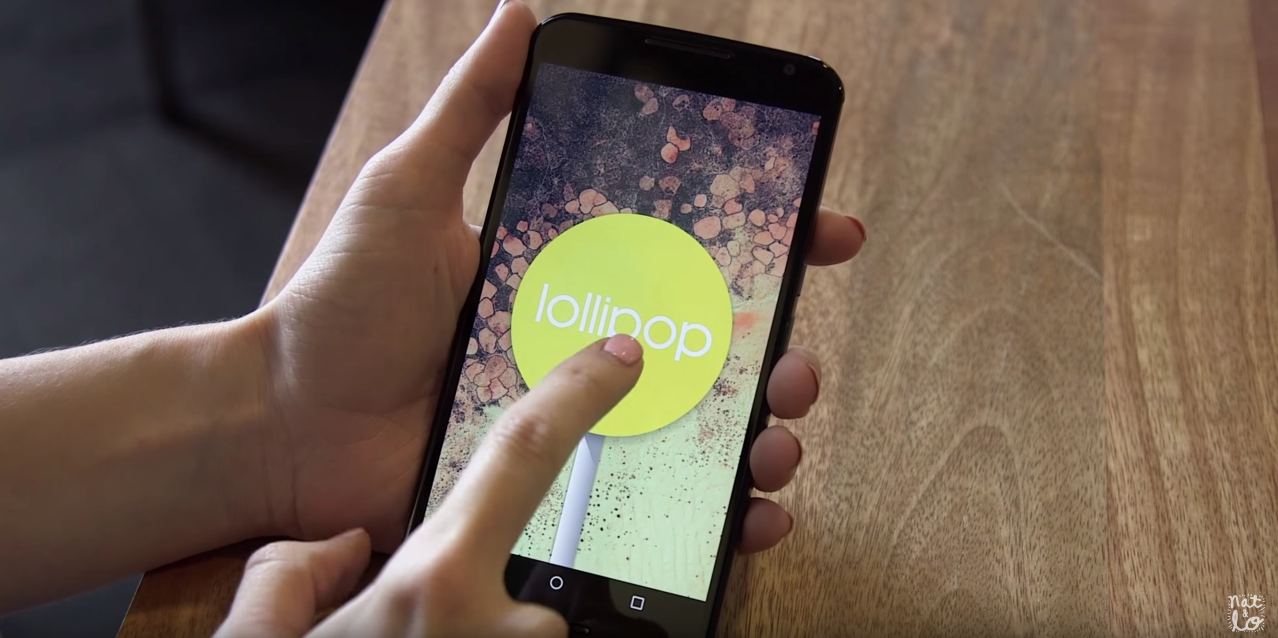
Nat & Lo tease Marshmallow’s Easter egg in today’s episode [Video]

Update: Just as this article was being published, Google released the Android Marshmallow factory images.

Nat & Lo make videos about Google for their 20% project at Google, and today they’ve released episode 8. And with Google likely planning to push Android Marshmallow today (or very soon if not today),  it would make sense for the pair to release a video covering the brief history of Easter eggs in Android…
Expand
Expanding
Close

Despite saying ‘we won’t forget about you,’ Motorola forgot about the Moto E (2015)

Motorola said earlier this year at the launch of the 2nd generation Moto E that the phone would get at least some number of software updates after purchase. But today, with the company’s announcement of the phones that would be getting Android Marshmallow, there was one device curiously missing: The new Moto E…
Expand
Expanding
Close

Motorola announces Marshmallow update plans, Moto Assist and Moto Migrate will be removed

In a blog post published today, Motorola has confirmed that it will be bringing Android 6.0 Marshmallow to several of its phones from the past couple of years. As you’d expect, the list is made mostly of the stock Android phones like the Moto X, Nexus 6 and Moto G. And since Android 6.0 includes features very similar to Moto Assist and Moto Migrate, the company has stated it will be removing those software features from any handset running Marshmallow…


Expand
Expanding
Close

PSA: Google Now on Tap is working again in Marshmallow Developer Preview 3

If you’ve been waiting on Google Now to Tap to be available to those running the Android M Developer Preview, the wait is over. Besides a few days when Developer Preview 3 first launched, those running the developer version of M have been left without access to the feature. Now, it seems that Google is finally opening the floodgates…

Google Now on Tap is the latest big feature to come to Google Now, allowing users to quickly find more information about just about anything on their screen. If you’re reading an article about Donald Trump, Now on Tap can give you more info about him and links to his social media profiles and website, for example.

At this point, I’d suggest waiting until October 5th for the official rollout of Android Marshmallow to Nexus devices. But if you’re super antsy and just want to try out Google Now on Tap right now, you can head over and read our guide on how to install the Developer Preview 3 factory image. It’s not too tough, if you have the time.

Android Marshmallow on Nexus 5X, 6P shows the date to which your device is secured

You may remember earlier in the summer, Google responded to a serious vulnerability — called Stagefright — by stating that it would commit to regular and consistent security updates for its Nexus devices. This way, customers would update their software every month or so and always be protected against any known-about vulnerabilities. With Android 6.0 and the new Nexus smartphones, Google is giving us a new, simple way to tell how up-to-date our mobile security is.

As you can see in the photo above, heading in to the ‘about’ page in settings on the Nexus 5X reveals a new piece of information: ‘Android security patch level’. This will show when your phone received its last security patch, letting you know how secure the device is. It’s a relatively small update, but one which could be very useful to consumers.

Thanks for the pic, Tom

Android 6.0 Marshmallow gets a release date: Rollout starts next week for Nexus 5, 6, 7 (2013) and Nexus 9

At its event in San Francisco today, Google confirmed that Android 6.0 Marshmallow will be rollout out to users from next week, just as previously rumored. The update isn’t as big a design refresh as Lollipop, but brings with it a host of new features which help speed things up, and give you better battery life with ‘Doze mode’ and enhanced security.
Expand
Expanding
Close

LG Nexus 5X officially announced, $379 gets you full HD display, Snapdragon 808 and fingerprint sensor

At its event in San Francisco this morning, Google has finally taken the wraps off its latest Nexus smartphones. The smaller of the two is made by LG, and marks the third time Google has partnered with the Korean tech company on a Nexus smartphone. Looking at its design alone, this is clearly the descendent of the Nexus 5. It has a similar form factor, and is built from similar materials, albeit with a few modern twists…


Expand
Expanding
Close

Huawei Nexus 6P officially announced, 5.7-inch QHD AMOLED display, Snapdragon 810, more

At its event in San Francisco this morning, Google has finally taken the wraps off its latest Nexus smartphones. The larger of the two is made by Huawei, and marks the first time Google has partnered with a Chinese manufacturer for its Nexus smartphone. In every way, this is the flagship Nexus. From build quality and size, to screen quality and battery, this is the phone that all tech-hungry, pure Android aficionados will flock to…


Expand
Expanding
Close

Google confirms its ‘Pixel C’ Android tablet w/ detachable keyboard, Android Marshmallow, more

Google has today confirmed that it’s introducing the next entry in its Pixel line: the Pixel C. This tablet, unlike the Pixel devices that preceded it, will launch not with Chrome OS, but with Android — 6.0 Marshmallow to be exact. The device also offers a detachable keyboard — taking on the likes of Microsoft’s Surface and the iPad Pro — and comes with the same high-quality build found with the original Pixels. And like the original Pixels, this device isn’t a Nexus; it’s completely made by Google in-house, and there’s no tramp stamp from any other OEM to be found on its body.
Expand
Expanding
Close

Android Marshmallow expected to roll out on October 5th for Nexus 5, 6, 7 (2013) and 9


Google is in the final stages of preparation for its event tomorrow morning in San Francisco, and just as the company is putting the finishing touches on its presentation, it seems we have a release date for Android Marshmallow: October 5th. Android Police’s sources confirmed the date previously found in a Telus leak, suggesting several Nexus devices will get the software update on that day.

It’s expected that the Nexus 5, Nexus 6, 2013 edition Nexus 7, and the Nexus 9 will all start receiving the Android 6.0 software on October 5. Sadly, however, it seems several older generation Nexus phones and tablets are being left out of the picture. Lollipop will remain the latest (and last) software update we’ll ever see on the Nexus 4, 2012 edition Nexus 7, and the Nexus 10. Although, that really isn’t very bad for 3-year-old devices.

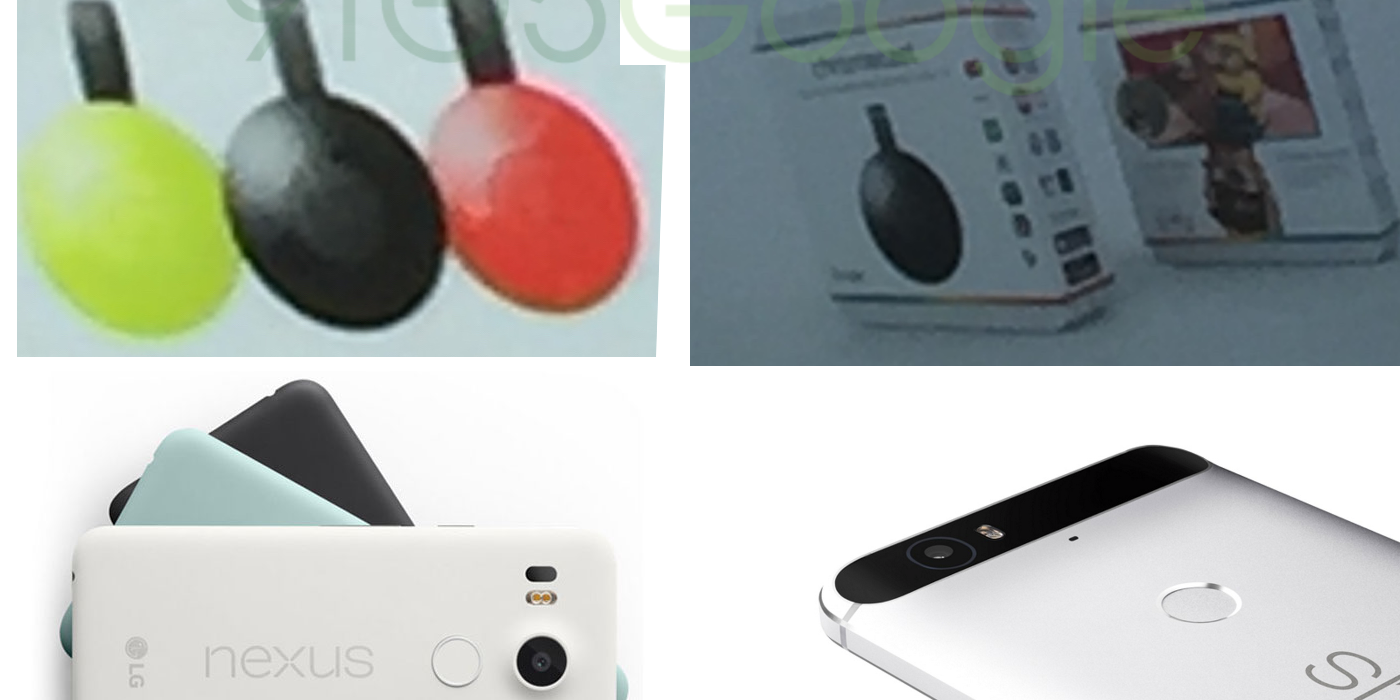
We’re expecting Google to confirm this release date at its event tomorrow, alongside several other updates and some new product announcements. We’ve been building up to Google announcing a pair of new Nexus phones as well as a couple of refreshed pieces of Chromecast hardware. What’s more, recent rumors have predicted we could even see a new tablet named the Pixel C with a 10.2-inch display and a detachable keyboard.  You can read more about all of those in our guide on what to expect from the event.

Everything we know about Google’s September 29th event: Two new Chromecasts, Nexus 5X, Nexus 6P, more

Google’s September 29th event — the company’s biggest press-facing event since Google I/O 2015 — is scheduled to kick off tomorrow. And while there are definitely some things that haven’t managed to hit the rumor mill quite yet (or maybe not?), a lot of the company’s biggest announcements for tomorrow aren’t secret. The company is planning to reveal two different Chromecast devices, we’ll certainly see the unveiling of the company’s Nexus 5X and 6P, and we’ll hear about the official launch of Android Marshmallow among many other announcements…
Expand
Expanding
Close

Leaked Huawei Nexus 6P reveals 4 color choices, 3450mAh battery, storage options, more

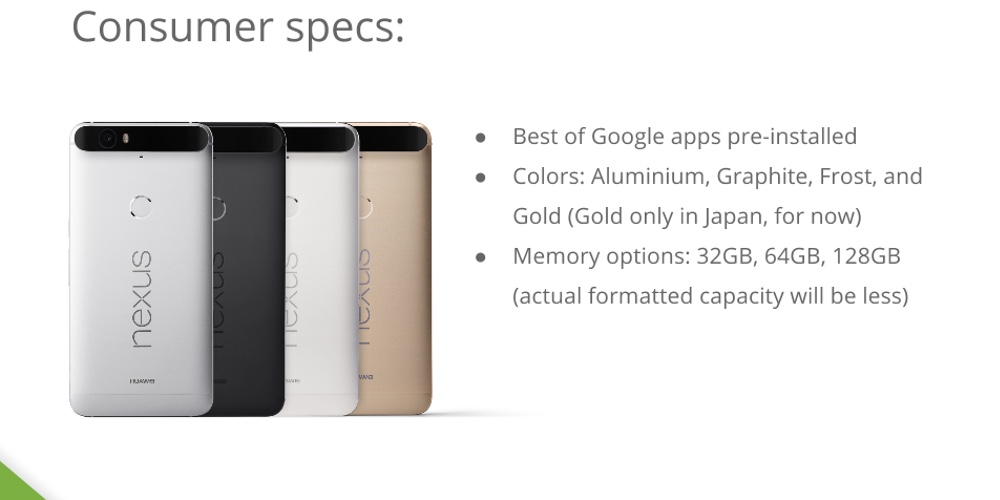
Huawei’s upcoming Nexus phone is as good as revealed already, but with further leaked evidence hitting the web over the past couple of days, there’s now very little we don’t know about the Huawei Nexus 6P. A series of images posted to Imgur (revealed by Android Police) lists many of the Nexus 6P’s features and specifications.


Expand
Expanding
Close

Many Google Now Launcher users now receiving Marshmallow-style app drawer

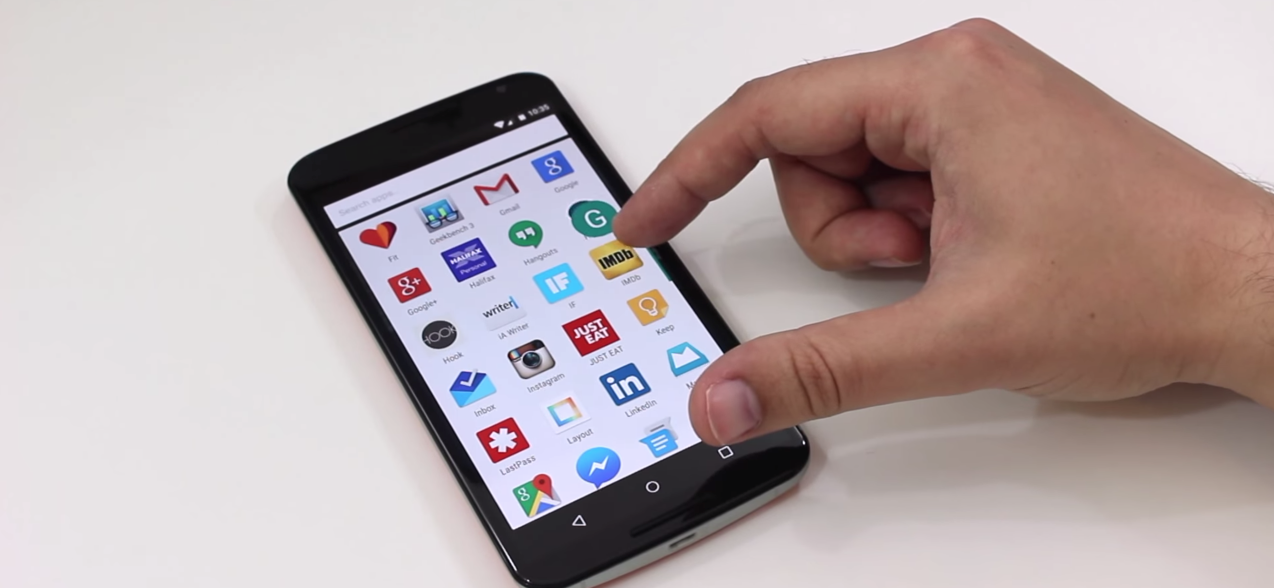
Although Google isn’t yet rolling out Android Marshmallow to the masses (it’s currently rumored that the rollout will begin on October 5th), many users are this morning waking up to an automatically-updated Google Now Launcher, sporting a design that might be familiar to those who have taken a look at the Android M developer preview
Expand
Expanding
Close

Google Play services 8.1 now available for developers

Google just announced the rollout of Google Play services 8.1 for developers, introducing Android 6.0 (Marshmallow) permissions, app invites, ambient mode maps, the new Play Games Player Stats API, and more.

Among the more notable new features for developers in this release is support for the new permissions in Android Marshmallow, which we noted previously offer users precise control over app permissions on a case by case basis.

A new App Invites feature allows apps to integrate the ability for users to invite Google contacts from Android or iOS using email or SMS, while a new Play Games Player Stats API will let apps better customize the gameplay experience in relation to the player’s stats and actions.

Lastly, Google Play Services 8.1 brings the ambient mode for always-on apps on Android Wear to Google Maps and introduces Nearby Status Listener for Google Nearby allowing apps “to receive callbacks when an active Nearby publish or subscribe expires.”

[youtube=https://www.youtube.com/watch?v=YyODgiUZ_YE]

The Google Play services 8.1 SDK is available now for developers.

Opinion: Now is the perfect time for another Samsung Galaxy Nexus

This year, Google is rumored to be partnering with a Chinese manufacturer for the first time on its Nexus lineup. The Huawei Nexus isn’t just an experiment, or giving a new OEM a chance at making a device. If rumors are correct, the partnership was chosen because of Huawei’s influence in China. Google’s Play Services are limited in China, in that they’re basically non-existent. But still, as a consumer, I can’t help but feel this year should have been Samsung’s year, and next year definitely should be…


Expand
Expanding
Close

Google app 5.3 update rolling out with ‘Now on Tap’ feature for Dev Preview 3 users

Google is rolling out an update to its self-titled app for Android, bringing it up to version 5.3. It’s available to download for free for anyone running Android 4.4 or later, bringing a fresh look to the standard Google Launcher. For those running Android ‘M’ Dev Preview 3, the update also brings one of Marshmallow‘s most exciting features: Now on Tap…

Expand
Expanding
Close

Nexus 5 (2015) shows up again in leaked pics, purportedly in ‘mint green’ color

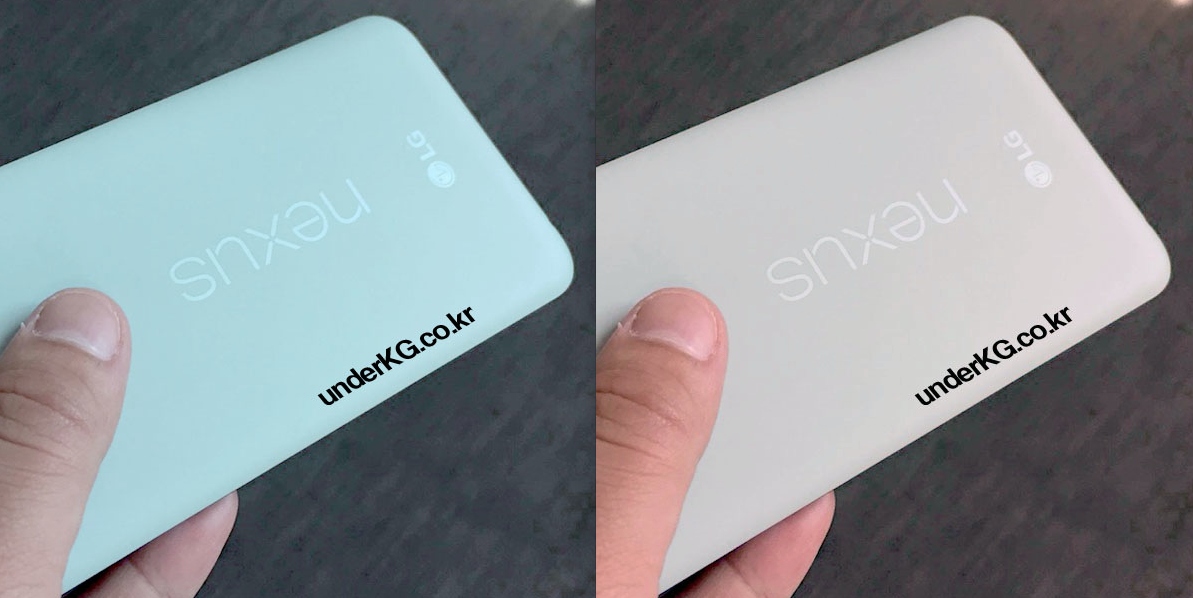
A couple of new photos have popped up on a Korean blog today, purporting to show LG’s upcoming Nexus 5 (X? 2015?). There’s nothing much here that we haven’t seen already, but the blog does claim that the phone will come in a “mint green” color variant. We believe that this is likely just a matter of a photo that needs a bit of color correction, however…
Expand
Expanding
Close

Google releases three new Android Marshmallow sample apps for developers

In a blog post, Google today has announced that three new Android Marshmallow sample applications have gone live. The applications are, as usual, available through the Google Samples repository on Github and through the Android Studio samples browser. The apps include Android Direct Share, Android MidiSynth, and Android MidiScope.


Expand
Expanding
Close

HTC’s rumored One A9 ‘Aero’ handset to ship w/ Android 6.0 Marshmallow

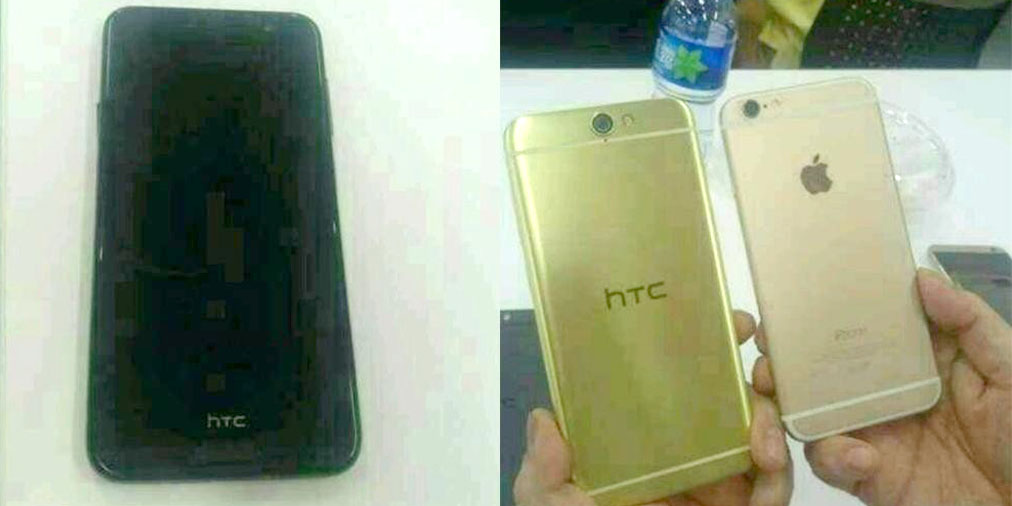
Sketchy leaked photos <a href="http://9to5google.com/2015/08/25/htc-aero-htc-a9-photo-claim/">purporting to be the HTC Aero</a>

HTC has a “hero product” up its sleeves, at least according to a promise made by HTC CEO Cher Wang this past July. Based on the several leaks we’ve seen over the last couple of months from various sources, that device seems likely to be the HTC One “A9” codenamed “Hima_Aero”. Details about the phone have just been trickling in slowly, and now another tidbit has been leaked: The phone will probably ship with Android 6.0 Marshmallow…
Expand
Expanding
Close

PSA: You can now add your Wells Fargo cards to Android Pay

Yesterday, Android Pay officially launched with eight total banks supported, across four payment networks: American Express, Discover, MasterCard and Visa. One of the most common banks was unfortunately left unavailable for those attempting to add cards to their Android Pay wallet yesterday, but now that bank — Wells Fargo — is officially supporting the new mobile payments service.

As per yesterday’s announcement, Wells Fargo would be coming “in the next few days.”

American Express, Bank of America, Discover, Navy Federal Credit Union, PNC, Regions Bank, USAA, and U.S. Bank. Wells Fargo will be available in the next few days, Capital One and Citi are coming soon, and we’re adding new banks all the time.

Now, as I can independently confirm myself, Wells Fargo cards can be added to Android Pay just fine.

Android Pay has fairly decent support across banks as well as retail locations that are taking the service, but there are some odd exclusions. For instance, Chase, which is one of the “Big Four” and has more than 5,100 branches and 16,100 ATMs nationwide, still doesn’t support Android Pay. Other banks, including Bancorp-backed Simple (which has confirmed its intentions on Twitter), as well as Citi and Capital One, are slated to be coming soon.

In case you aren’t aware, the Android Pay app is coming as an update to the already-existing Google Wallet app. You can grab the new version on the Play Store soon. Google Wallet, which no longer has support for tap-to-pay, can now be found on the Play Store as its own newly-redesigned app.

Here’s the full press release:

SAN FRANCISCO–(BUSINESS WIRE)–Starting today, Wells Fargo Bank, N.A. (NYSE:WFC) customers will be able to use an Android mobile device to use Android Pay to conveniently make purchases at over one million merchant locations nationwide. Customers with an Android device running KitKat (4.4) or higher can simply unlock their device, place it over a payment terminal that accepts contactless payments, and pay for goods and services with the security of a consumer Wells Fargo Debit or Credit Card, or Small Business Debit Card. The new feature will be rolling out to customers gradually over the next few days.

“Today, we’re pleased to participate in Android Pay, increasing the availability of mobile payments to millions of Android device-loving Wells Fargo customers. This represents the latest offering in our commitment to give customers new, innovative ways to pay safely and easily, how and where they want”

After a customer makes a payment with Android Pay using their Wells Fargo card, they then receive a payment confirmation and transaction details on their phone. All transactions are monitored with Wells Fargo risk and fraud detection systems, and Wells Fargo Credit Cards and Debit Cards are protected by Zero Liability, which means customers are not responsible if they promptly report unauthorized transactions.

“Today, we’re pleased to participate in Android Pay, increasing the availability of mobile payments to millions of Android device-loving Wells Fargo customers. This represents the latest offering in our commitment to give customers new, innovative ways to pay safely and easily, how and where they want,” said Jim Smith, head of Virtual Channels for Wells Fargo.

Recent survey data from the Federal Reserve highlights the way that mobile devices are changing the way consumers make payments; 22 percent of all mobile phone owners reported having made a mobile payment in the 12 months prior to the survey, up from 17 percent in 2013 and 15 percent in 2012.

For more information, including which merchants currently accept Android Pay, visit Google’s news announcement.

Marshmallow’s ‘Dark mode’ confirmed to be ditched, but it might make a comeback

One of the most exciting new features that popped up in the first Developer Preview of Android Marshmallow was a “Dark” system theme option. While it didn’t do much besides change the background colors of the Settings app, it seemed to be the beginnings of what could have been a system-wide dark theme. Then, the feature disappeared in Developer Preview 2, and its fate was left unclear — until now. For now, the dark mode in Android M is dead, but it might just make a comeback…
Expand
Expanding
Close