Android

See All Stories

Breaking news for Android. Get the latest on apps, carriers, devices, and more!
Android is Google’s mobile operating system, launched in September 2008, although its history technically began with the release of the Android alpha in November 2007. To this day, Android powers the majority of the world’s smartphones and comes in several different flavors across many phone makers.

What is Android?

Android Inc.

Android, before it was Android, was a company called Android Inc. That company was founded in Palo Alto, California, in 2003 by a crew of four: Andy Rubin, Rich Miner, Nick Sears, and Chris White. The company and its project was acquired by Google in 2005 for a sum of more than $50 million, although the exact number is unknown. The company’s founders joined Google as part of the deal.

In its infancy, Android was an operating system built not for touch screen smartphones like the iPhone, but rather BlackBerry-like devices with physical keyboards. It’s well documented that after Apple shocked the world with the iPhone, ahead of its nearest competition by at least a couple years, Google and Android Inc. had to go back to the drawing board to build something competitive.

Adoption by third-party makers

It didn’t take long after the launch of the iPhone for various manufacturers to enter the market with their alternatives — and Google’s Android immediately became the obvious platform of choice for just about everyone except Microsoft. HTC was the first manufacturer on board, and introduced the T-Mobile G1 running Android in September 2008. Soon after, HTC, Motorola, Samsung, and carriers like Sprint and T-Mobile jumped on board to form the Open Handset Alliance.

Android makers across the world

Iconic Android handsets

There have been thousands of Android phones released since Android’s inception, but some have been more important to the platform’s history than others. There was the original T-Mobile G1, as mentioned, but there was also the HTC One Google Play Edition, Moto G, Samsung Galaxy S4, and others. Some of the most iconic Android handsets include:

  • HTC G1
  • HTC Nexus One
  • Samsung Galaxy S, S2, S3, S4, and their successors
  • HTC Incredible S
  • Samsung Nexus S
  • Samsung Galaxy Nexus
  • Samsung Galaxy Note
  • Nokia 8
  • BlackBerry KeyOne
  • Google Pixel and its successors

In more modern times, there are several Android smartphones makers that popped up across various niches and in several international markets. Huawei is a dominant Android maker in China and many European markets, while Samsung is by far the most popular maker in the United States by far — effectively creating a duopoly with Apple. Today, there are dozens of major device makers contributing to the Android ecosystem.

Full list of Android OEMs

History of major Android versions

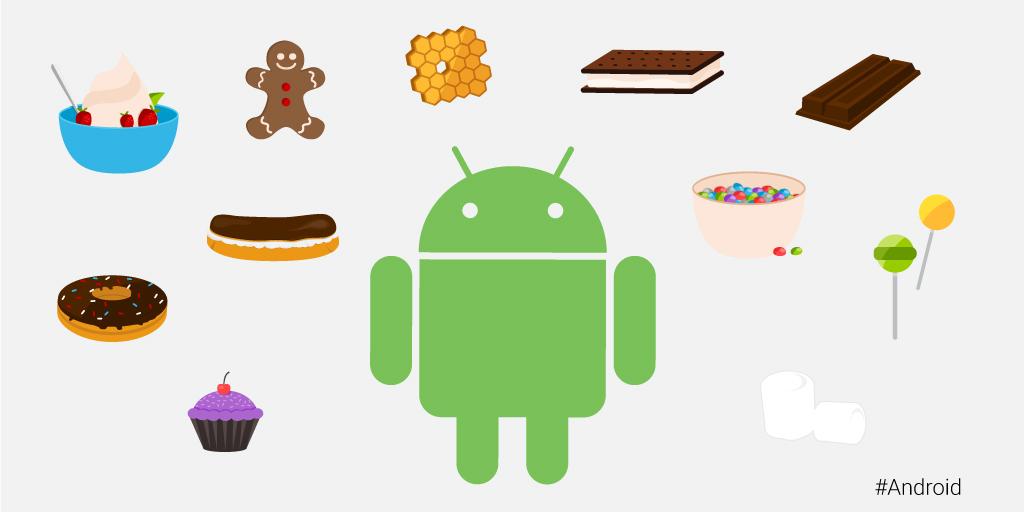
Android has seen countless software revisions over the course of its life, but in modern times the OS usually sees a major release on an annual cadence. In the earlier days, Google famously gave its major software releases dessert-themed codenames, but retired that practice in 2019 with the release of Android 10.

VersionNameReleaseDevices
2.3GingerbreadFebruary 9, 2011Nexus S
4.0Ice Cream SandwichOctober 19, 2011Galaxy Nexus
4.1Jelly BeanJuly 9, 2012Nexus 7
4.2Jelly BeanNovember 13, 2012Nexus 4, 10
4.3Jelly BeanJuly 24, 2013Nexus 7 (2013)
4.4KitKatOctober 31, 2013Nexus 5
5.0LollipopNovember 3, 2014Nexus 6, 9
5.1LollipopMarch 9, 2015Android One
6.0MarshmallowOctober 5, 2015Nexus 5X, 6P
7.0NougatAugust 22, 2016Nexus 5X, 6P
7.1NougatOctober 4, 2016Pixel, Pixel XL
8.0OreoAugust 21, 2017Pixel, Pixel XL
8.1OreoDecember 5, 2017Pixel, Pixel XL
9PieAugust 6, 2018Pixel 2, Pixel 2 XL
1010September 3, 2019Pixel 3, 3a
1111September 8, 2020Pixel 4

List of major Android OS platforms

While Android proper is certainly the most widespread of Google’s Android operating systems, the company has also launched many offshoots of the main OS over the years. There’s Android Auto, Android Wear (now Wear OS), Android TV (now rebranded to Google TV), as well as versions of Android built for tablets and Android Things (now defunct).

Site default logo image

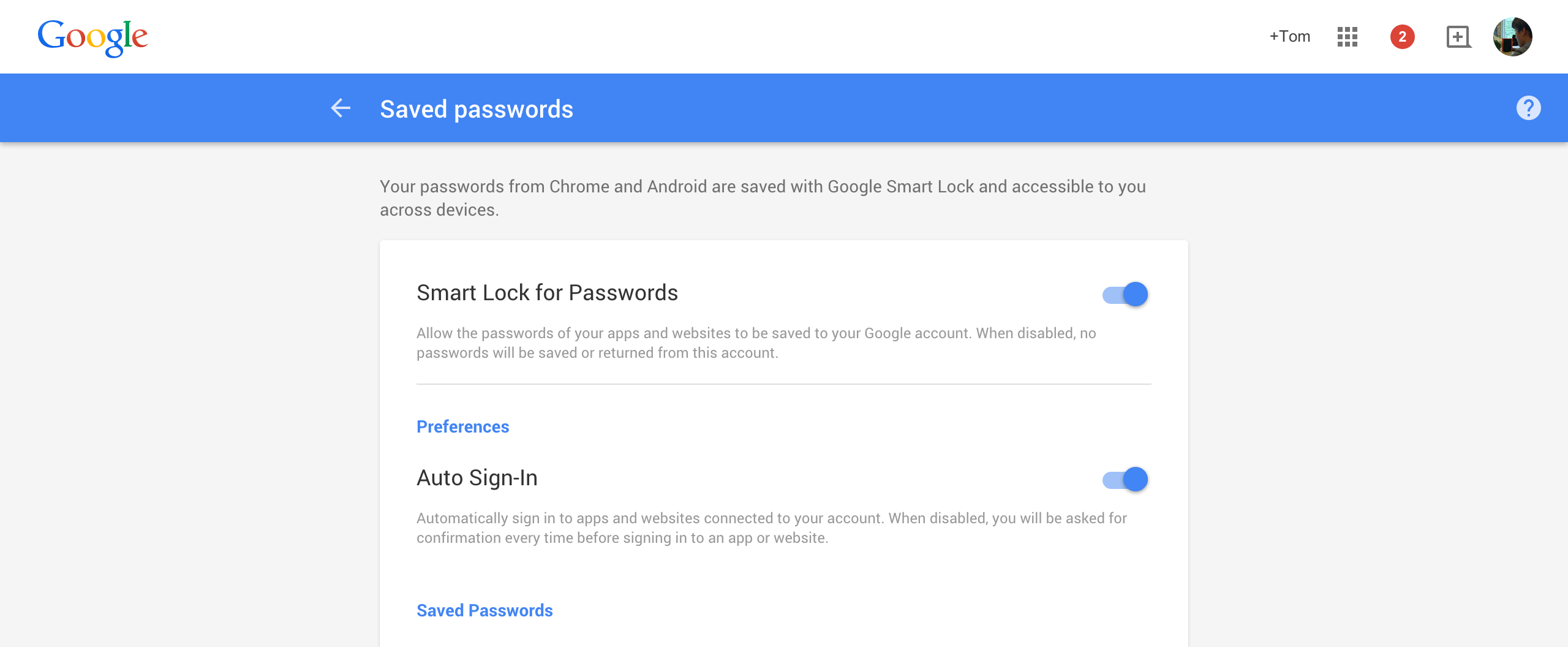
Smart Lock Passwords is hitting pre-Android M devices now, web interface live

We reported earlier today that support for Smart Lock Passwords, a new cross-platform password manager tool for Android and Chrome/OS, was already beginning to hit major apps including Netflix. Now it seems that the greater rollout is pushing on quickly, with the web interface now live and reports spreading that Smart Lock Passwords is showing up in the Settings app of Android 5.1 Lollipop devices for some owners.

By visiting passwords.google.com you can toggle Smart Lock for Passwords on and off depending on whether or not you want to save app and website passwords to your Google account. The benefit of using Smart Lock for Passwords, especially if you’re a Google loyalist, is that it’s a simple, clean way to save login credentials for all the apps and websites you visit using Chrome and Android and log in automatically. I also imagine it’s a scary addition for apps like 1Password which, while now have many other features to differentiate themselves, initially built their businesses off saving login credentials in one place. Saving login credentials and not other things like credit card details and drivers license info is probably enough for the average person, too.

As mentioned above there have also been reports of Smart Lock Passwords hitting the Settings area of some Android phones running newer versions of Android 5.0 and Google Play Services. This would lead us to believe that it’s either a server-side change or Google had hidden Smart Lock Passwords in a recent version of Play Services, but it’s probably the former. Here is what that looks like courtesy of AndroidPolice:

Be sure to watch out for the change and let us know if Smart Lock Passwords hits your device.

Google’s quietly announced ‘Hands Free’ app is Android Pay without taking out your phone

Site default logo image

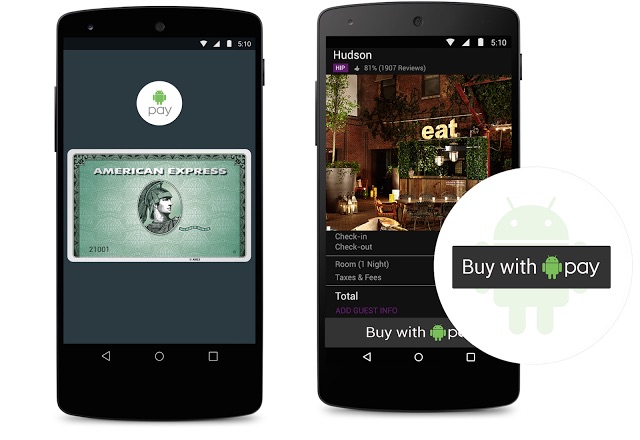
The newly-announced Android Pay is pretty cool – it allows you to pay at retail stores and inside mobile apps without having to take out your wallet or punch a bunch of card details into your glass-screened phone. But the logical conclusion to reducing the friction of paying for things is not tapping my phone against an NFC reader, but rather just not having to take out my phone at all! Well, without the same fanfare that was given to Android Pay, Google said they’ll have a solution for just that.


Expand
Expanding
Close

Site default logo image

Google has partnered with Udacity to offer a nanodegree in Android development (Update: live June 3 Q&A)

Update: Google is holding an “Ask the Experts” session today, June 3rd, at 2PM PDT where Sebastian Thrun, Peter Lubbers, and Jocelyn Becker from Udacity and Google will be answering user-submitted questions about the Android Nanodegree program. The Q&A session will be live-streamed on YouTube and there’s also a form where you can submit any questions you may have.

Yesterday Google’s Sundar Pichai said on stage at the company’s I/O conference that 8 out of every 10 phones that shipped worldwide last year were running Android, and that 600 million new smartphone users came online over the past year. That’s a lot of devices running the company’s smartphone OS, and they really want developers to realize the potential of their apps reaching that many people. So much so that they spent over $4 million developing an extensive Android development course in partnership with Udacity.


Expand
Expanding
Close

Google highlights best-in-class app designs with Material Design Showcase & Awards

Site default logo image

[youtube https://www.youtube.com/watch?v=Xtu7ZOQScrI]

As part of Google I/O week, the company is highlighting a number of Play Store apps that use Material Design in different ways. To do this, Google is launching the Material Design Showcase on the Play Store and issuing Material Design Awards to select apps for the first time.
Expand
Expanding
Close

Site default logo image

Thanks to USB Type-C support in Android M, you’ll soon be able to send power in both directions

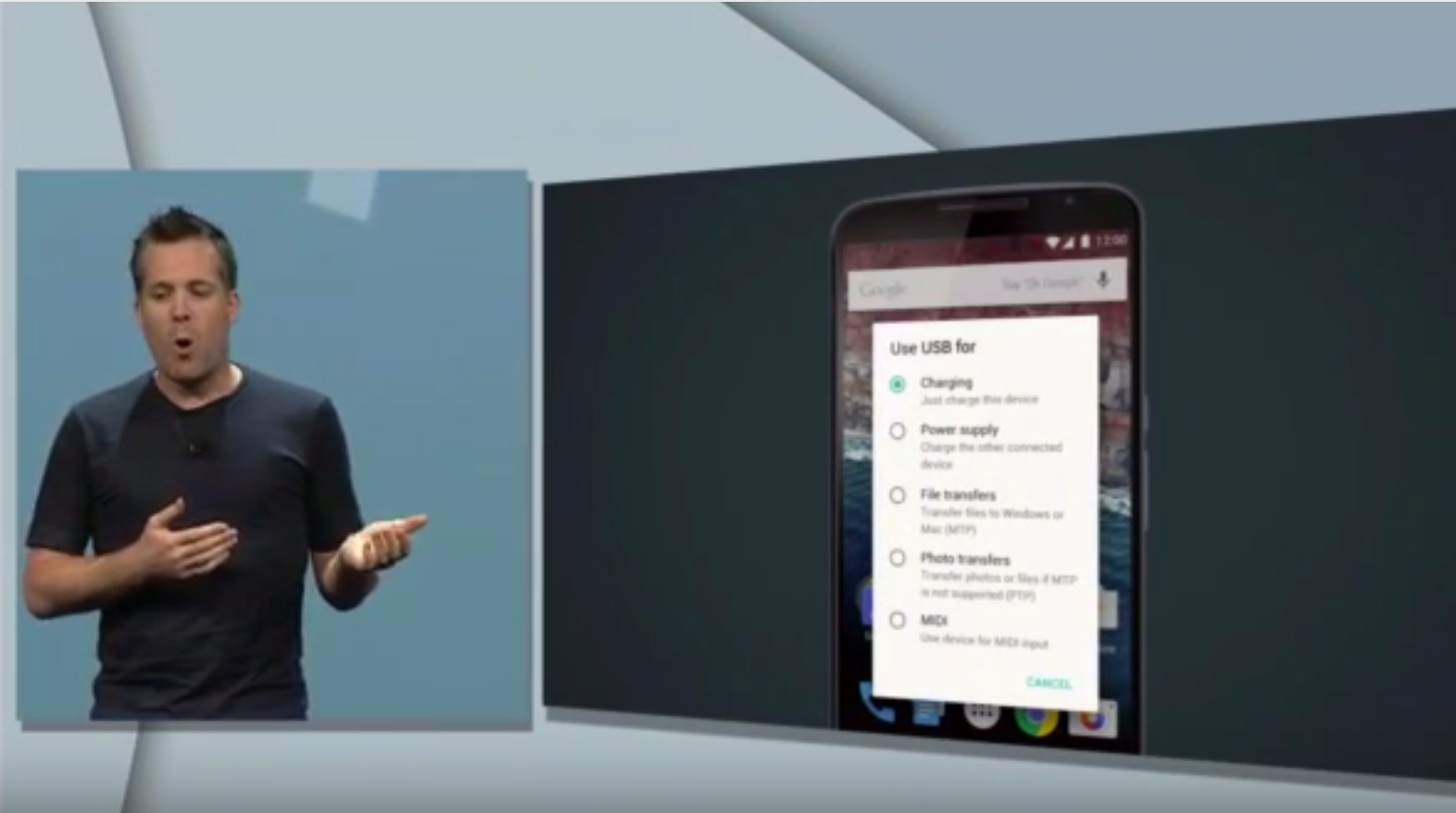
Android VP of Engineering Dave Burke’s presentation on Android M yesterday saw quite a few huge new additions coming to the OS from granular app permissions to improved battery standby management and, of course, Android Pay (check out our roundup). But one thing that might have got lost in the noise for some of you was Google’s newfound embrace of the USB Type-C standard and what it will actually do for you in practice.

USB Type-C is both flippable and bi-directional. That first attribute means that you won’t have to fiddle in the dark with plugging the USB cable connector into your phone the right-side up, because there isn’t a right-side up with Type-C.

More interesting, though, is the bi-directional ability of USB Type-C and Android M’s new interface support for it. What this means in theory is that, while this wouldn’t be practical, you could connect your Android phone to your laptop and charge your laptop with your phone instead of the other way around. You can also send files in either direction as was obviously possible before, but the new interface you see above for managing all these abilities in one place looks quite convenient.

Finally as you might be able to make out from the image above, Google is ready to welcome in more musicians with the warm embrace of MIDI support. This is big because while because 5.0 Lollipop brought support for some audio devices like USB microphones and amplifiers, it left out a lot of musical instruments that use the MIDI standard to send data back and forth between other devices. Maybe this will encourage more musicians and music app developers to consider Android again.

Netflix Android app adds support for Google’s new Smart Lock password manager

Site default logo image

Yesterday, as part of the company’s Google I/O dev conference keynote presentation, Google took the wraps off Smart Lock, a new password manager that makes logging into apps in Chrome or on Android much more painless. Now, some of the first apps to support the new feature are being updated starting with Netflix.
Expand
Expanding
Close

Site default logo image

This is what text selection actions look like in Android M

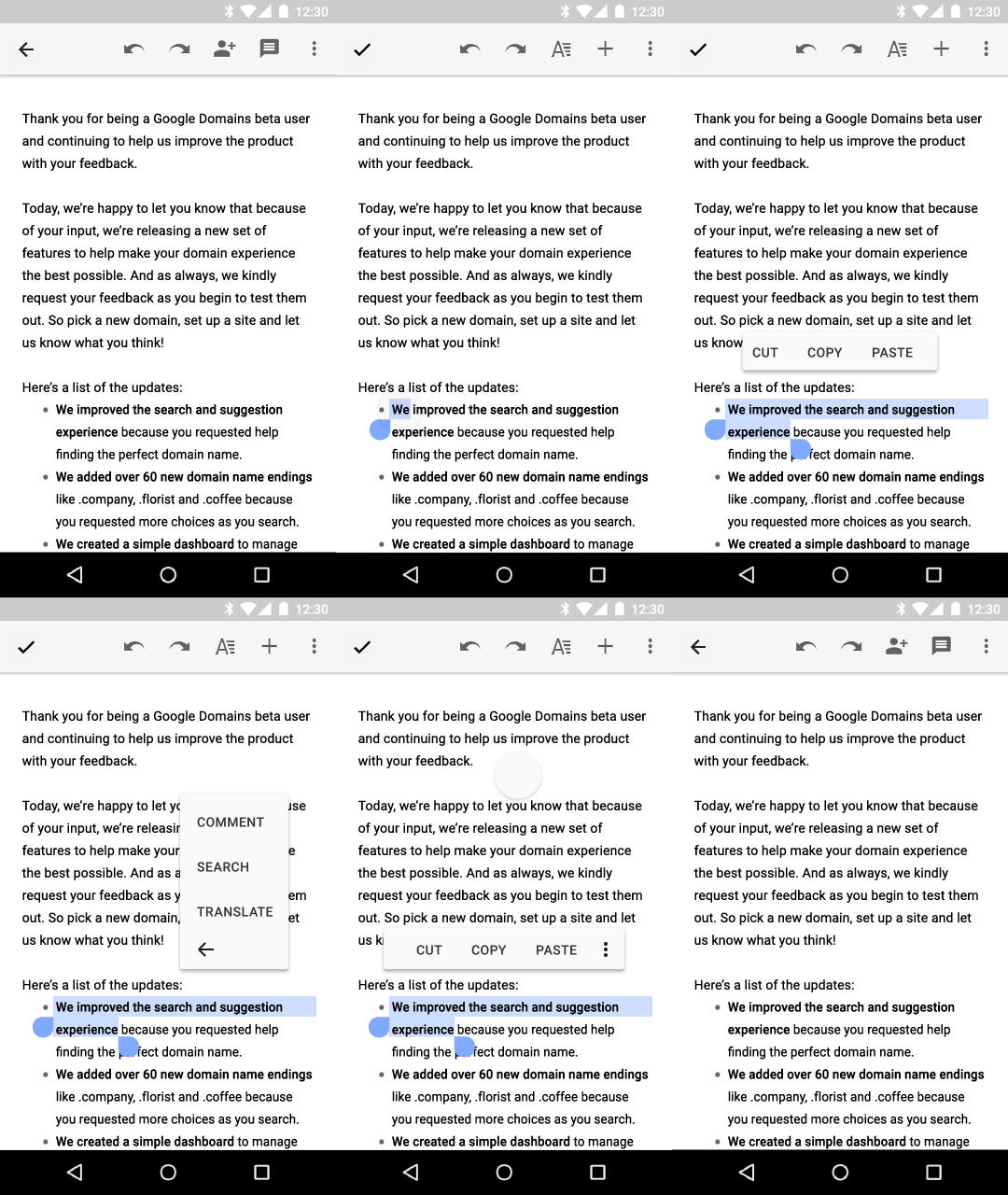
There was a lot to digest in today’s Google I/O keynote but one small, interesting new behavior change of note going into Android M is a new text selection floating toolbar, as you can see in the GIF above.

Whereas in the past primary actions of Cut, Copy, Paste, as well as other app-specific actions related to selecting text would probably be saved for a contextual action bar (an example of which is below), developers who want to keep their apps up-to-date with platform changes will now utilize this new toolbar which appears just above the text selection area. As you can see above, pressing the More icon will reveal a secondary menu where developers can add their own extra actions; the company in its design documents provides the example of Share, Search, and Translate actions appearing within the secondary menu in Gmail.

Another interesting system behavior change in Android M is a battery management tool called “Doze,” which we detailed in our Android M roundup, that disables most background activities when the OS detects that the device has gone unused for an extended period of time. The company says this has resulted in upwards of 2x longer standby time for Android devices running M versus those running Lollipop.

Google details changes in Play Services 7.5 including Smart Lock for Passwords, App Invites, more

Site default logo image

Originally revealed at Google I/O 2015 earlier today, Google Play Services 7.5 adds a handful of new capabilities for developers to take advantage of. In an effort to further break down what’s new in Play Services 7.5, Google has published a blog post detailing all of the new features. First off, Play Services 7.5 adds Smart Lock for Passwords. This feature builds on the Chrome Password Manager and adds a new API and UI for Android users that saves credentials for later use on other Android devices and browsers.


Expand
Expanding
Close

Android M allows Android TV developers to create channels of continuous content, users to format USB drives as internal

Site default logo image

We’ve already done a roundup of the core changes coming in the next big release of Android, simply called “M,” so you should check that out. But we haven’t yet covered what additions and changes Android M brings to Google’s Internet TV platform, Android TV.


Expand
Expanding
Close

Dodocase announces two new $25 Google Cardboard VR viewers

Site default logo image

Dodocase has long been a supporter of Google’s Cardboard initiative, and at I/O this morning a variety of new features were announced concerning the VR platform. Dodocase has now revealed two new virtual reality viewer designs this evening following Google’s announcements earlier. Dodocase is now offering the G2 Viewer and the P2 Viewer for $24.95 each.


Expand
Expanding
Close

Site default logo image

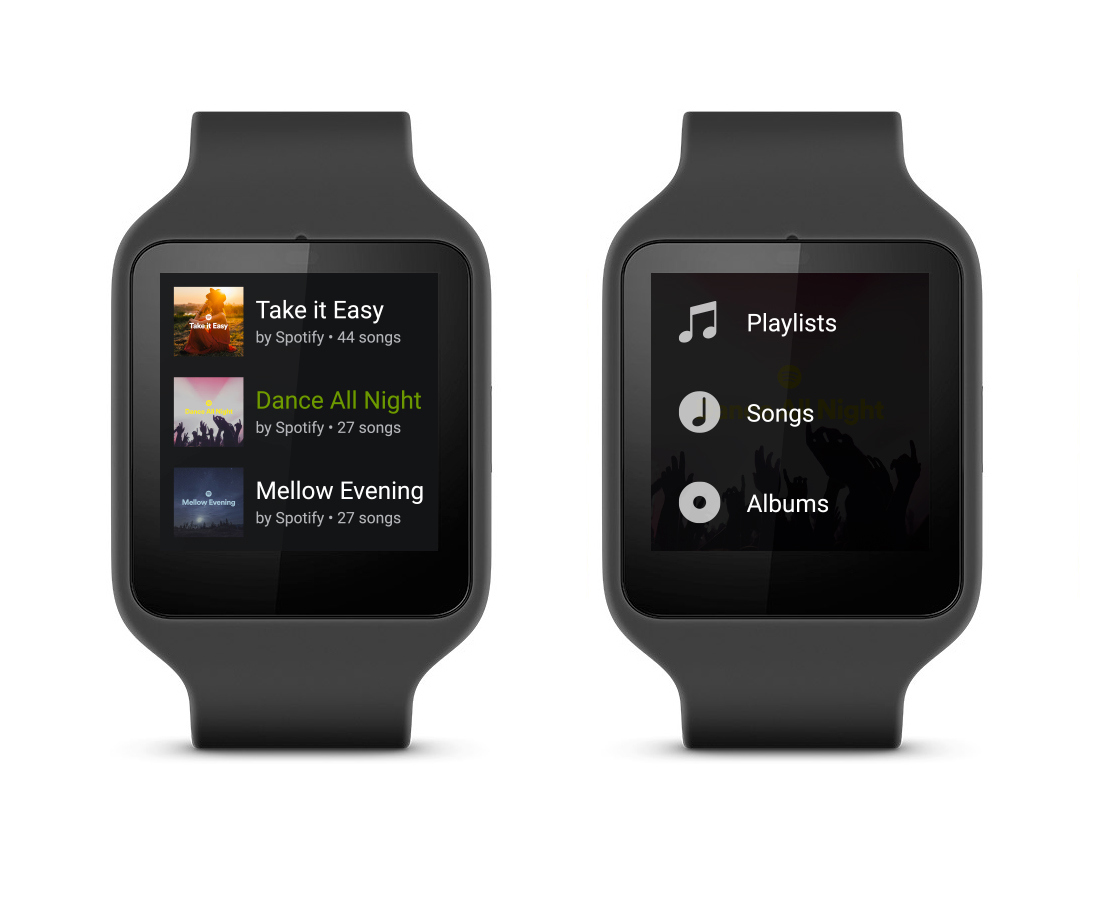
Spotify unveils its app for Android Wear


Spotify users, rejoice. Starting with a gradual rollout next month, the popular music streaming app will be available on Android Wear watches.

According to the company’s blog post, you’ll be able to navigate through and select something to play from all the music you’ve saved to Your Music as well as find new stuff in Browse. We don’t have much information on the Wear app yet as it hasn’t been released and the image above is the only one Spotify provided, but we’ll post more as soon as we get it.

As a big Spotify fan and power user I’m curious to see what the Browse section will look like on such a small screen, as Browse on smartphones contains sections for mood-based playlists, new releases, top charts, and more. Are you excited to get Spotify on your Wear watch?

Google gives its Developers website a Material Design overhaul

Almost a year after Google took the wraps off of Material Design at I/O 2014, the Mountain View company has today updated its Developers website with a visual overhaul to bring its appearance in line with that of Android Lollipop. This isn’t the first of Google’s properties to get the new design (as we saw Google Play Music get a redesign in May), but it’s yet another one of Google’s properties that is falling in line with the new look.
Expand
Expanding
Close

Google Play Store gaining new features for discovering family-friendly apps, videos, & books

Site default logo image


Google gave some stage time today at the I/O conference to a few family-focused changes coming to the Google Play Store. Families can now find age appropriate digital content from apps to game to books to movies and TV shows by tapping a new “Family” button.

This will take you to a section for each media type that allows you to browse for content by age and interest. When you browse the Play Store after tapping the Family button, you’re presented with more than just a curated section of content as other elements of the digital store change as well.
Expand
Expanding
Close

Site default logo image

Google Cardboard VR viewer updated for bigger phones, now supports iOS

Google revealed today at the I/O conference that its Cardboard viewer for creating virtual reality experiences easily from Android apps will now support the iPhone for the first time.

The added support for the iPhone comes as Google has added support for iOS to its Cardboard SDK for developers. This means that iPhone apps can now include virtual reality experiences when paired with the Cardboard viewer.

In addition to adding support for iOS, Google is releasing an updated version of its Cardboard view that supports larger phones with up to 6-inch displays. The new version also features an improved input button and can be assembled in just three steps rather than twelve.

Google Cardboard for iPhone is available on the App Store. Cardboard Viewer is available to buy from $19.99 through Google, although the company also offers instructions for building your own viewer.

Site default logo image

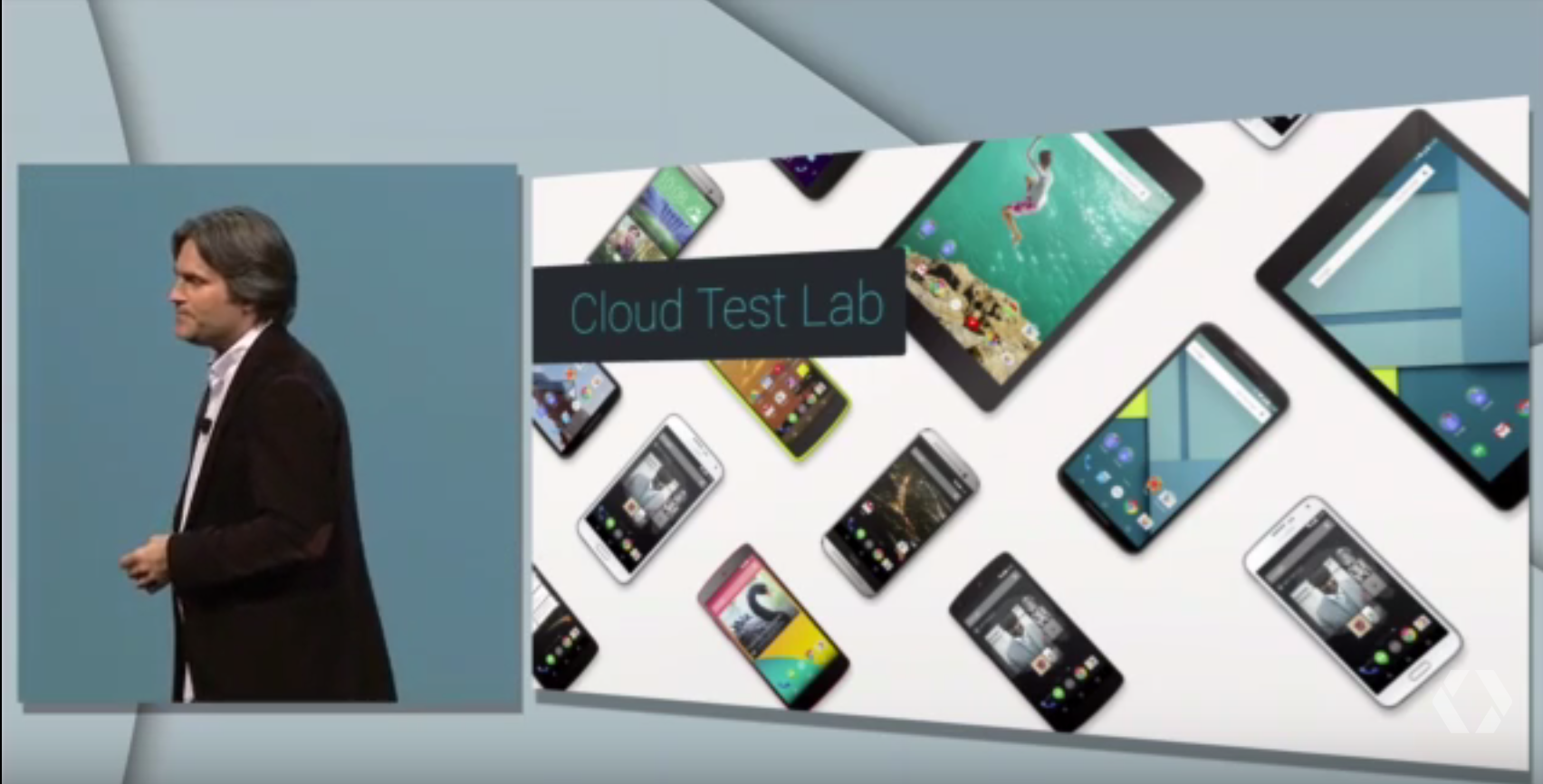
Test Android apps on the top 20 Android devices via the cloud

Google knows that most developers building mobile apps only have one or two devices in their possession to actually perform real-world tests of their apps on, which is why at Google I/O today it announced the launch of the Cloud Test Lab platform to automate the testing of mobile apps.

All developers need to do is upload their Android application to Cloud Test Lab and Google will run tests against it across the top 20 Android devices from around the world. When Google is finished running the tests, developers will receive a free report with screen videos of the app running on these devices as well as crash logs.

Cloud Test Lab will be coming to the Google Developer Console “soon.”

Google’s ‘Inbox’ email app now open to all, updated w/ new features

Site default logo image

[youtube=https://www.youtube.com/watch?v=VCo3zZ0P4vU]

After first launching its new Inbox app as an alternative email experience to its main Gmail service last year, Google today announced that Inbox is now open to all sans the original invite system while it also introduces a number of new features for the service.

As for features, Google highlighted a new “Trip Bundles” feature that keeps emails related to travel in one place, and improved controls for things like Undo Send, Signatures, and Swipe to Delete:
Expand
Expanding
Close

Google introduces Photos app with unlimited photo and video syncing on Android, iOS, and the web

Site default logo image

Google has taken the wraps off its new Google Photos product at its I/O conference today. Google says Photos is a private single home for your personal photo and video collection that you can access from any device. Photos boasts the ability to automatically organize your photos for you as well as built-in sharing capabilities.
Expand
Expanding
Close

Google announces Android ‘M’ with a focus on ‘quality end to end,’ developer preview coming soon (Update: dev preview live now)

Site default logo image

Update: Developers can find the preview images of Android M for Nexus 5 (GSM/LTE), Nexus 6, Nexus 9, and Nexus Player on the Preview SDK page. Google has said updates to the preview version will roll out regularly and that they’ll come down over-the-air, so you won’t have to flash your phone again each time it’s updated.

Google has announced the next major iteration of Android, called Android “M,” which Android VP of Engineering Dave Burke emphasized has a “focus on quality end to end.” Here are the six core changes coming to Android with this release.


Expand
Expanding
Close

Site default logo image

Android 5.1 is rolling out to 2014 Moto X Pure Edition owners in the US

Thanks to a Reddit user in /r/MotoX who posted the image above, we’re now pretty sure that Android 5.1 Lollipop is rolling out OTA to owners of the Moto X Pure Edition.

Multiple users have entered the thread to confirm that the update has been hitting their 2014 Pure Edition devices this morning, mostly owners on T-Mobile.

This update comes shortly after 5.1 began rolling out to Moto X (2nd gen) and Moto E LTE users on U.S. Cellular. Unlike that rollout, we haven’t heard much from Motorola Senior Director of Software Development David Schuster on whether or not this rollout to the bloatware-free variant of the Moto X is wide or happening in some sort of soak test, but it seems like at the very least T-Mobile has green-lighted the update.

One user has also already posted the OTA link here which you can download and then install using our guide.