Apps and Updates




From the operating room to the classroom, Glass has been well received by the healthcare industry. So much in fact, that app makers are jumping on the bandwagon to produce Glassware specifically tailored for physicians. Spearheading this effort is Drchrono, an electronic medical records company based in Mountain View California.
Firefox apps are pretty much web apps mostly based on HTML5 and JavaScript. So, by rule of thumb, if an application works on Mozilla’s mobile OS, it should run without a hitch on the company’s browser. With Firefox 29 for Android users of Google’s mobile operating system can run Open Web Apps directly from their device.


Beats this evening announced a hefty update to its streaming app on Android. The update bumps the app to version 1.1 and includes a variety of features and changes that users have been calling for since the initial release. For one, you can now use the app in landscape mode. The “Just For You” interface and recommendations have been made more “refined and fresh” with this update, as well.
Google appears to have made a backend tweak to Google Now this afternoon that adds a feature rumored earlier this year. First spotted by Android Police, Google will now grab events from your Gmail app and put it in a Google Now card. The Now card will have the option to add the event to your calendar or ignore it.
A new Angry Birds game is available for Android, but this time things are a little different. Unlike previous installments in the series, Angry Birds Epic is a free-to-play turn-based RPG that places you in the heroic feathers of Red, Chuck and Bomb as they claw and squawk their way through epic battles against dastardly villains like King Pig, Wiz Pig and Prince Porky.
It’s a decent title for gamers who are new to RPGs, but things can get pretty challenging if you elect to skip its in-app purchase options for items and upgrades. That being said, Angry Birds Epic is a nice way to kill some free time and in its purest form it’ll only cost you 86MB of storage space.
[youtube https://www.youtube.com/watch?v=NCs_1NCLo90]
We’ve heard that Google Voice is operating on borrowed time, but it looks like the search giant hasn’t completely cut off support for its ailing telecommunications app. Today, the company pushed out an update for Google Voice that doesn’t appear to bring much to the table, except for one noticeable difference.

Google has been adding StreetView, Maps, and new search features specifically for the upcoming 2014 FIFA World Cup, and today it brings new Google Now cards to Android and the Google Search app for iOS. The new cards for Google Now feature will present the latest on World Cup news including “scorers, match statistics, group standings and more.”
Also new for this year’s tournament, you don’t even have to search to get updates on your favorite teams—just open Google Now. You’ll be given an option to start seeing cards with stats about each match that you can tap for more detail… Make sure you are signed in to Google, and have your Google Now turned on in your settings. Swipe up to see your Google Now cards and follow your favorite team!
In addition, Google is also bringing stats, scores and team info right to Google Search on the web. You can see a couple examples, which include team lineups, live scores, and real-time match updates, via search queries [world cup] or [world cup usa]. You’ll also find a new section on the Google Trends site specifically for the event:
For the first time, you’ll find a Google Trends experience designed specifically to help you explore the players, teams and moments that are capturing the world’s attention. Check out google.com/worldcup and explore trends from all 32 competing countries.
The updated Google Search app for iOS is available on the App Store now and the other features are available on Android and the web.
Google today announced that it’s bringing the Google Wallet “Instant Buy” checkout feature it first launched on Android to iOS developers. The API allows developers to integrate a fast checkout experience using Google Wallet and with today’s announcement will now work across the web, iOS and Android.
Merchants and developers selling physical goods and services can use Instant Buy to take advantage of the following:
Google noted that it’s already worked with some partners including B&H, Eat24, Fancy, Newegg, Sionic Mobile and Wish to integrate the feature in their iOS apps, but it’s opening up the API to all developers today.
The feature is launching first to iOS developers in the US and will require developers to integrate the Instant Buy API for iOS. Google has more info on the process here and a sign-up page for interested developers here.

Google I/O 2014 is set to kick off on June 25th and in preparation for the event, Google has released its official app for I/O. The app allows you to easily and quickly view the conference agenda with details such as topics, speakers, and partners for each event. You can also add events to your schedule and receive reminder notifications before they start.
If you’re a Chrome user, apps and extensions are most likely a major part of your web browsing experience. While these different types of software tools often make life easier for us, they tend have a lot going on behind the scenes. To help keep people in the know, Google has added an audit feature to its standalone Chrome Apps Developer Tool.
SwiftKey may be working on an iOS version of its popular input app, but its roots are with Android. Aware of this, the smart keyboard’s Android variant is now free to download from Google Play. Without a doubt one of the better input options for mobile devices, this is almost an irresistible option for anyone looking looking to replace their device’s stock keyboard.
Back in 2012, Google launched an experimental feature called Explore Flights that was aimed at frugal travelers looking to visit different destinations within a specific region. Still up and running flying, Mountain View will be adding some of the tool’s best offerings to Flight Search, along with a few additional new features.
After teasing the redesign earlier this year, 1Password has finally launched a much-needed update to its Android app. Prior to this update, 1Password on Android was hideous, to say the least. The new version released today brings an entirely refreshed interface to the app that puts it on the same level as its iOS counterparts.
In case you didn’t know, Google can help you plan your next meal. No, the search behemoth isn’t using its Zagat-owned tech to recommend a restaurant, it’s helping you in the kitchen. Perhaps dormant or maybe new, Google recently outed a filter that lets you pull up an ingredients list when searching for food or a recipe.
Aereo, the company currently in the middle of a Supreme Court case over a copyright dispute with US broadcasters, announced today that it’s finally bringing its live broadcast television service to Chromecast users after previously announcing in April that the service would arrive late last month. Users can now send the video content from the Aereo app for Android to a TV connected to one of Google’s $35 HDMI Chromecast streaming sticks.
Expand
Expanding
Close
Google this evening released a minor update to the YouTube for Android app, bumping it to version 5.7. The update doesn’t add much, but does finally add one long awaited feature. With YouTube 5.7, you can now manually choose the quality in which you want a video to playback.
In previous versions of the app, you could only toggle between HD and HQ. Now, you can choose from 144p, 240p, 360p, and 720p. 1080p support appears to still be missing. The auto option will presumably choose the best stream based on your internet connection at the time of playback. To bring up the quality toggle, click the action button on the upper right corner of a video, then click the settings gear icon.
The update is rolling out slowly to Android devices, so it may take a little while to hit your device. In the mean time, keep an eye on the Play Store.
Google updated its Hangouts Android app today with a fresh set of customizable features. Users now have access to a hidden contacts list that lets them hide people from their group without blocking their messages. In addition to adjusting your chat list, you can now assign custom notification tones to individual contacts. This nifty new feature will let you know who’s messaging you without having to look at your device. Another new feature in the latest version of Hangouts for Android is an SMS list that provides fast access to the people you’ve blocked. This new feature also makes it easier to unblock people in the event that you have a change of heart.
Lastly, a battery draining issue linked to Hangouts is expected to be resolved with this new update, according to an ongoing Google Groups thread. Google has yet to update Hangouts’ changelog in Google Play, however version 2.1.223 is now available and may take a little time to reach your device.
Motorola this afternoon updated its Assist app on Android to version 2.2.35 with a handful of changes. Motorola Assist already offers a variety of features that improve handsfree capabilities of the Moto X (and other devices), and this update adds another very useful one.
Today, Microsoft released a highly anticipated update for its SmartGlass mobile apps for Xbox One. Following suit with a full system update for Redmond’s newest game console, this refreshed companion app adds fast access to all of your TV and app channels with the introduction of OneGuide support. Also new to SmartGlass are the abilities to compare Achievements, filter recorded game clips and organize your console’s pins remotely. But the standout new feature here is the addition of a universal remote that can be used to control your cable, satellite box or TV.
Yesterday, Google released the factory image of Android 4.4.3 for a fleet of Nexus devices. This was all good and well, but not everyone was comfortable with the idea of manually flashing a device. Thankfully, the folks from Mountain View didn’t leave people waiting too long and as of this very moment, Google is in the process of pushing out an over-the-air update of Android 4.4.3 for last year’s Nexus 7.

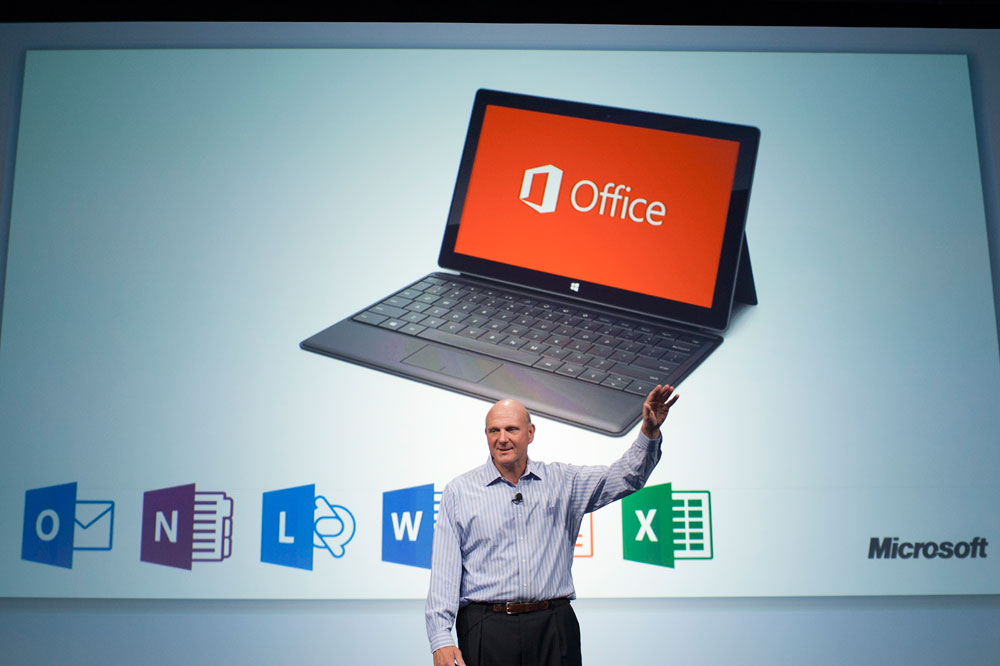
As noted by ZDNet, Microsoft seems to be considering putting the release of the Android version of its popular Office productivity suite ahead of the build for the company’s own Windows 8 operating system. Apparently the Windows version has been pushed back to 2015, while the Android variant is internally being planned for release by the end of 2014.
It certainly seems like an odd strategy to put your most popular software product on every competing mobile operating system before your own–image Apple releasing an Android version of its iWork suite before an Android version, or Google pushing out an iPhone app for a new product that has yet to launch on Android–but Microsoft’s “mobile-first” strategy dictates that the company simply push as much software to as many devices as it can without consideration for platform.
It’s a good plan for getting as much revenue as possible from Office, but it could also be seen as putting Microsoft’s own loyal users on the back burner to instead focus on those who use devices from the competition… and that’s probably not a great way to retain Windows users.
In wake of its decision to bring its Zavers service to an end, Google has also pulled its Google Offers apps from the App Store and Google Play. Mountain View has yet to announce its plans for existing Offers users, but the company recently stated that it wasn’t stepping away from the retail scene and that it would focus on connecting shoppers with brands through Google Wallet, Shopping Express and Listing Ads. Wondering what’s in store for the people still using Google Offers on their mobile devices, we’ve reached out to the search giant for comment regarding its support plans for the fading platform. We’ll be sure to update this news article if any new information becomes available. Until then, be sure to pour one out for Zavers the Google Offers app. See you at the crossroads.
Today, Google announced 64-bit Chrome support for Windows 7 and 8 users. Available through Mountain View’s Canary and Dev channels, these new additions will provide users with an enhanced browsing experience that improves Chrome’s speed, security and stability. In order to take advantage of Google’s new offerings, you’ll need to have a system capable of running 64-bit software, so make sure your setup is up to the task before clicking that install button.
Not letting T-Mobile subscribers have all the fun, Google has released the factory image and binaries for Android 4.4.3 today. These tools apply to the Nexus 5, Nexus 7 (2013) and WiFi Nexus 10, Nexus 4 and WiFi Nexus 7 (2012) models.