Gmail

See All Stories

Announced on April 1, 2004 with an unprecedented 1GB of user storage, many assumed that Gmail was just one of Google’s April Fools’ pranks. For comparison, competing services only had 2 to 4MB for users to store email messages and attachments. Currently, Gmail storage is combined with that of other Google products with 15GB available for free.

Gmail was released in beta with an invite system and was not open to the general public until February 2007. In July of 2009, it finally dropped its beta status. As of February 2016, Gmail is the most widely used web email provider with 1 billion active users worldwide.

Besides email, Gmail has a number of features, including integration with Google Drive for sending large attachments and choosing images from Google Photos. Users can fully search their email with advanced spam filtering and labels to manage messages. Google also scans emails to show context-related advertisements.

Since launch, the email service has gone through a number of redesigns. Apps are available for Android, iOS, and the mobile web.

Gmail gets ‘block sender’ and ‘unsubscribe’ features on Android & web

Site default logo image

Google is rolling out a couple notable new features for Gmail, starting today with a new “block sender” feature on both the web and Android and a unsubscribe button coming to the Gmail app for Android.
Expand
Expanding
Close

Viewing websites in Chrome should now use 10% less memory on average [Video]

Following the public release of Chrome 45 a couple of days ago, Google yesterday detailed an important new feature for mobile: Chrome Custom Tabs. Now, Google is showing off more of the performance improvements that the company has introduced in the latest version, allowing Chrome to use less memory and power on the desktop. In one example, it seems Google has managed to reduce the memory footprint of most sites you visit through the browser…
Expand
Expanding
Close

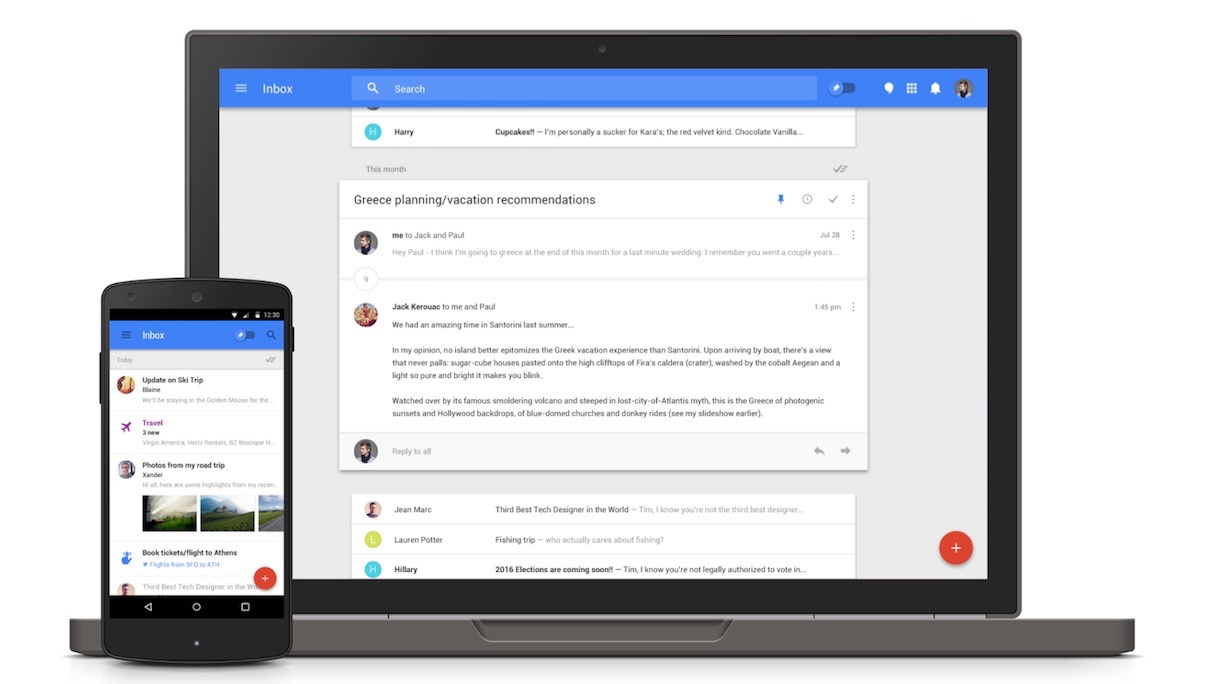
Inbox by Gmail finally gets text formatting for replies on the web

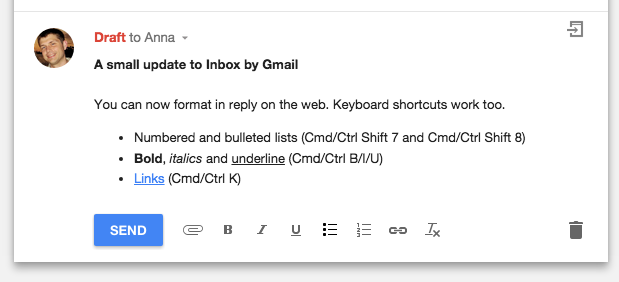
If you’ve felt like the email reply functionality for Inbox on the web has been a bit too light on features, you’re definitely not alone. Thankfully, Google is one of many companies in Silicon Valley that does a pretty good job of listening to their users’ feedback. As of a recent update, you can now find inline formatting options while replying to emails in Inbox by Gmail.

The announcement was recently made on Google+, mentioning that you can now do numbered and bulleted lists, as well as bold, italicize, and underline text. Additionally, you can create links as you have long been able to do in almost all email clients since the dawn of time. There are still lots of features that Inbox could benefit from, but it’s nice that Google responded to constant pleas for more robust reply functions.

You can head over to the Inbox website to try it out.

Google’s Container Engine for managing software containers now available

Google’s Container Engine, the system through which developers can easily create and manage clusters of software containers, is now generally available. Software containers are isolated environments where individual applications can run separate from any other applications, allowing for more granular resource management and increased security, among other things. A web application might have separate containers for the webserver, cache, and database, for example.

“While containers make packaging apps easier, a powerful cluster manager and orchestration system is necessary to bring your workloads to production,” Google said in its blog post about the announcement. “Container Engine makes it easy for you to set up a container cluster and manage your application, without sacrificing infrastructure flexibility.”

There are two open-source technologies underlying Container Engine’s ease of use and flexibility: Docker for automating the deployment of applications inside software containers, and the Google-built Kubernetes for making these siloed applications work together in unison even when hosted across multiple cloud hosts. Companies can move all their infrastructure needs to Container Engine or just move some and find cost savings if, for example, Google’s solution is cheaper. Whatever the need, another reason you might move some processes over to Container Engine is that it’s fully managed by Google reliability engineers, and comes with a 99.5% uptime guarantee.

Beyond management of clusters, Container Engine also equips them with logging and container health checking tools, and makes it incredibly easy to scale CPU and memory up or down as an applications’ needs change. Define your containers’ needs, such as the amount of CPU/memory each requires, number of replicas, and keepalive policy, and Container Engine will actively ensure requirements are met. This goes back to the mention of granular resource management: siloing applications with Kubernetes into separate, virtual environments allows one to easily limit the resources any one environment gets access to, preventing an app gone haywire from hogging too much of the total available memory, for example.

Google has been able to draw from real-world experience in building Container Engine, as the company says that it packages all of its own web applications — like Gmail and Search — into containers, deploying more than 2 billion instances of them each week.

Want your Gmail messages to self-destruct? There’s a Chrome extension for that…

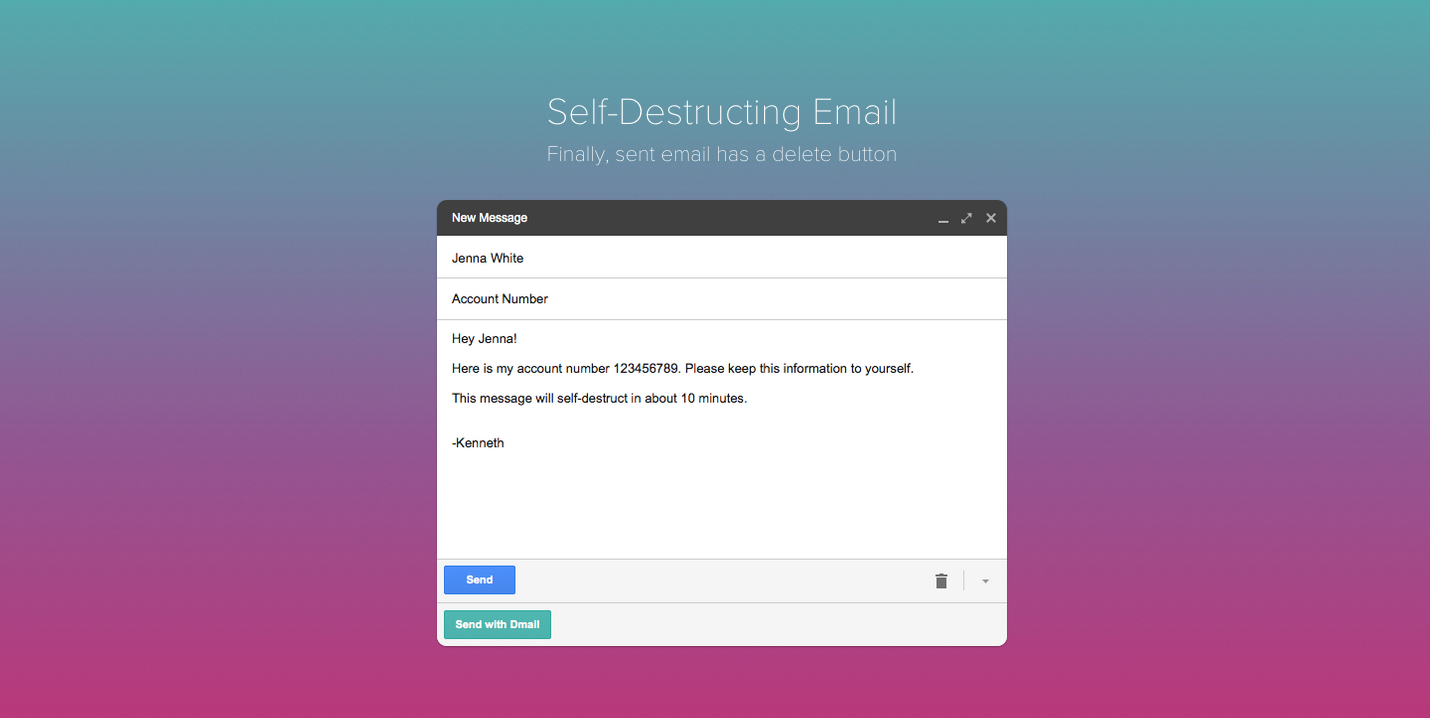
Dmail is a Chrome extension which allows you to un-send, or revoke any emails you send through your Gmail account. The service was launched by the same brainiacs that brought us the Delicious social bookmarking tool.

Self-destructing email isn’t exactly a new thing. Google itself rolled out a feature that lets you un-send a message once you’ve sent it. The only issue with Google’s built-in service however, is that you only have 30 seconds to change your mind about sending an email to someone. Dmail lets you revoke emails whenever you like. I took it for a quick spin to see what it’s like, and I have to say, it’s an incredibly convenient way to make all your outgoing communication more secure. It also happens to be ridiculously easy to use.


Expand
Expanding
Close

Google announces enhanced snooze functionality for Inbox by Gmail

Site default logo image

Google today announced a useful new feature that is now available in its Inbox email app. Starting today, when users “snooze” an email that has dates and times, they will be presented with a one-tap option to snooze to a specific time further in the future. For instance, you can snooze an event confirmation email until the day of the event. Another possible instance is snoozing a shipment confirmation email until the day of the package’s arrival.


Expand
Expanding
Close

Site default logo image

Google Hangouts now lets you drag and drop images on the web

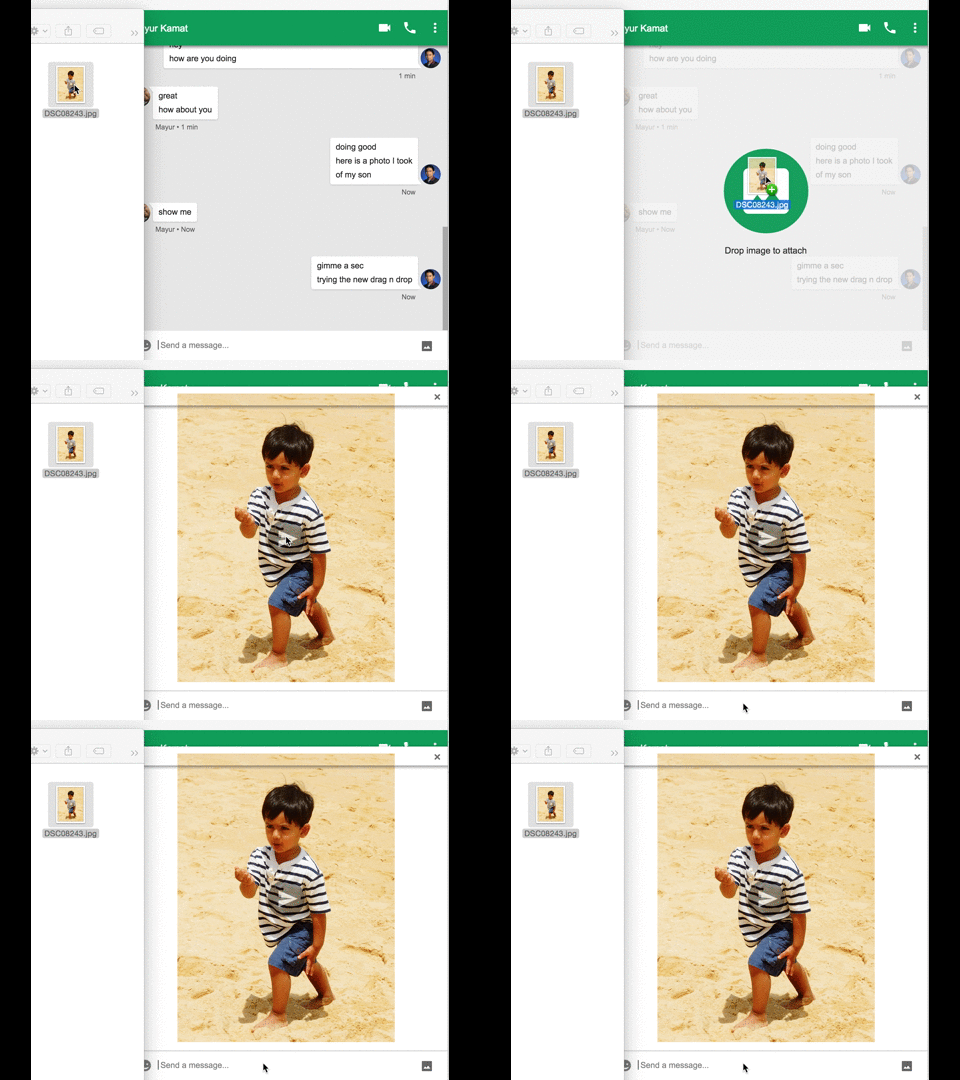
Google Hangouts on the web now lets users drag and drop images directly from their computer or web browser. That goes for the little chat window within your Gmail inbox and through the standalone Hangouts Chrome app. Googler Mayur Kamat shared the news and the image above demonstrating the new feature through a post on Google+ today.
Expand
Expanding
Close

With Google’s new Gmail Postmaster Tools, senders protect themselves from hitting spam

While email may not be perfect and many actually loathe it, it’s still the way many businesses choose to get information out – flight and accommodation receipts, job application responses, and everything else. Google says the amount of mail that you actually want to see that is accidentally sent to the spam inbox is a mere 0.05%. But the company is all about data-driven, incremental improvements, so today it’s releasing a new tool for senders of email to better ensure their messages reach your Gmail inbox.


Expand
Expanding
Close

Pro-tip: Use Boomerang for Gmail to schedule emails to be delivered later

For many of us, email is a necessary evil. Necessary because most of the business world still uses email to communicate important information, evil because it can end up controlling your life. When someone emails you with a question, or a request, or whatever else, they’re putting you on the offensive – giving you tasks to accomplish and things to do. But there’s one selfish act you can take to make the experience a little better for yourself – scheduling.


Expand
Expanding
Close

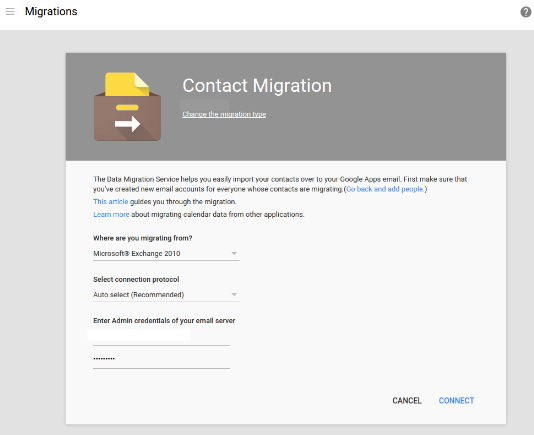
Google’s Contact Migration tool enables easy contact importing for Apps admins

Google is making it easier for businesses to switch to its Apps for Business productivity suite from Microsoft’s Exchange and Office 365 services. The company today added a new migration tool to the Apps admin console that makes bringing over employees’ contacts as easy as filling out a form, according to its blog post.


Expand
Expanding
Close

You can now ‘unsend’ your emails in web Gmail using new ‘Undo Send’ feature

Undo Send was long a popular Google Labs feature, and was just recently added to ‘Inbox for Gmail’ for Android. Starting today, Google says that the feature, which lets users cancel the sending of an email within a pre-specified number of seconds after the email is sent, will be publicly available to all users of Gmail on the web.
Expand
Expanding
Close

Gmail for Android now has Oauth support for Yahoo and Microsoft accounts

Google killed its stock email app in favor of Gmail with the release of Android 5.0 Lollipop, but they also made it possible to connect email accounts from other providers including Microsoft and Yahoo. Today they’ve gone ahead and added OAuth support for both of these third-party providers, which means increased security and added features including two-step verification and account recovery. The change will be rolling out to users over the next few days.

OAuth is an open-source standard used for authorization by many large services including Twitter, PayPal, and a bevy of others. In layman’s terms OAuth is used by these service providers to give applications like Gmail for Android a token they can use to access a user account on company servers. It’s considered much safer than simply giving out email-password combinations to apps which could be targeted by outside attacks.

UK tax authorities adopting Google Apps, offshore data storage and all

Site default logo image

The UK tax body, Her Majesty’s Revenue and Customs (HMRC), has completed a successful trial of Google Apps and will be rolling out the service to more of its staff throughout the year, reports The Register.

HMRC has 70,000 staff, and as such will be Whitehall’s first mass deployment of Google’s cloud services […]

David Fitton, head of public sector sales for Google UK, wrote on Linkedin: “The acceptance by HMRC that they can store official information offshore in Google data-centres represents a major change and endorsement of Google’s approach to managing sensitive information.”

HMRC said that it had “carefully considered the protection of customer information” when making the decision … 
Expand
Expanding
Close

Site default logo image

Google Drive for Android gets updated w/ performance improvements, PDF enhancements

Google is rolling out an update for the Google Drive for Android app today that it says brings a long list of performance improvements and polish.

Google says the update also includes enhancements to PDFs with “the ability to see completed form data.”

The updated Google Drive for Android app, version 2.2.183.15, should be available to all through Google Play over the coming week.

Google released updates to other Android apps today including new features for Google Docs and Slides and improvements for Gmail.

Site default logo image

Improvements to Gmail for Android incoming

Google is rolling out some improvements to Gmail for Android that it says are based on recent feedback from users.

Updates include quick access to recent conversations, contact info and more by tapping on avatars, and improved support for non-Gmail addresses:

– Tapping on people’s avatars now lets you see recent conversations, contact info, and more.
-Support for non-Gmail addresses (IMAP) is now more reliable and adding additional accounts is a smoother experience.

The updates will be available in the latest Gmail for Android app for all in the coming days.

Earlier today Google rolled out updates to its Android apps for Google Docs and Slides

Inbox by Gmail gets custom morning, afternoon, and evening snooze times in latest update

Google has announced today that a useful new feature is coming to Inbox by Gmail, namely the ability to customize morning, afternoon and evening “Snooze” times. Once you have the update, all you have to do is open the app, slide left on an email, tap “Pick date & time,” and select the time you’d like to snooze to. You should see a prompt at the bottom of the app asking you if you want to make this your morning, afternoon, or evening time.


Expand
Expanding
Close

Gmail for Android adds ‘All inboxes’ tab, smarter search, more

Google announced today that a new version of Gmail is now available, featuring several notable enhancements. First up, you’ll notice that the new version brings the oft-requested ability to view all of your mail in one place; just tap “All inboxes” and you’ll get a look at all of your email across added accounts. This is probably the most monumental change here, but there are a few other minor updates as well…

These days, many of us have more than one email address. If you’re a student, you may have one account for school, one for a campus group you lead, and one for your blog. If you’re a parent, you might have one for family and one for your business. However many email addresses you have, today’s improvements to the Gmail app for Android make it easy to manage all your mail from all your accounts (yes, even @yahoo and @outlook) while you’re on the go.

Messages from Yahoo, Outlook.com and other IMAP/POP accounts now have the familiar stacked conversation view (as has previously been available for Gmail conversations only), search has been updated with better auto-complete, and the app also has some nifty updated animations. Finally, you’ll find larger attachment previews and the nifty ability to “save to Drive with a single tap.”

You can grab the Gmail app on the Play Store for free as usual, and you should start seeing the update rolling out if you haven’t received it already.

Service disruption hits Gmail, temporarily knocks out some syncing and other functions

Site default logo image

Update: Google says Gmail is back up and running for all users.

Some users (myself included) may have noticed issues syncing mail changes on their Gmail accounts this morning. Google has now acknowledged on its system status page that a “service disruption” is current affecting the email service. The company says the issue currently only affects IMAP connections to the email service, and while most users will see problems, some may not.

While this isn’t a total outage, users can expect to see slow or nonexistent syncing of their mail across devices for the time being, with other features like sending and receiving mail possibly being affected as well. Google has published the following update on the downtime:


Expand
Expanding
Close

Google reportedly working on new service that lets users receive & pay bills directly in Gmail

Site default logo image

According to a new report from Re/code, Google is soon planning to launch a service that will allow Gmail users to manage, pay, and receive all their bills directly within Gmail. The service is dubbed Pony Express right now, although it’s unclear if that’s a codename or what Google actually plans to call the service.


Expand
Expanding
Close

Gmail for iOS updated w/ share sheet support, ability to archive & reply to email via notifications

Site default logo image

Google this morning has released a major update for Gmail on iOS. The update bumps the app to version 4.0 and packs a handful of new features. First off, Gmail on iOS now supports the ability to archive and reply to messages directly from a notification, a feature many have been requesting since iOS 8 launched.


Expand
Expanding
Close

Widespread Google service disruptions reported including Gmail, Hangouts, & Play Store (Updated)

Site default logo image

Update: Everything seems to be returning to normal as of 12:30 ET.

According to a number of reports on Twitter, several Google services are having issues this morning. User tweets show that Hangouts, the Play Store, Gmail, Play Music, OAuth, and other services are having unusual performance issues. Some users are receiving authentication errors on their Android devices and unable to do anything that requires a Google log-in…


Expand
Expanding
Close

Sundar Pichai says Google Apps Inbox support coming “imminently”

Site default logo image

Yesterday, Google announced that it was expanding support for Inbox to iPad, Safari, and Firefox users, but curiously left out from the expansion was Google Apps for Business and Education users. In a tweet recently, however, Google’s Senior Vice President of Android, Chrome, and Apps Sundar Pichai said that Inbox support will begin to roll out to Apps users “imminently.”


Expand
Expanding
Close