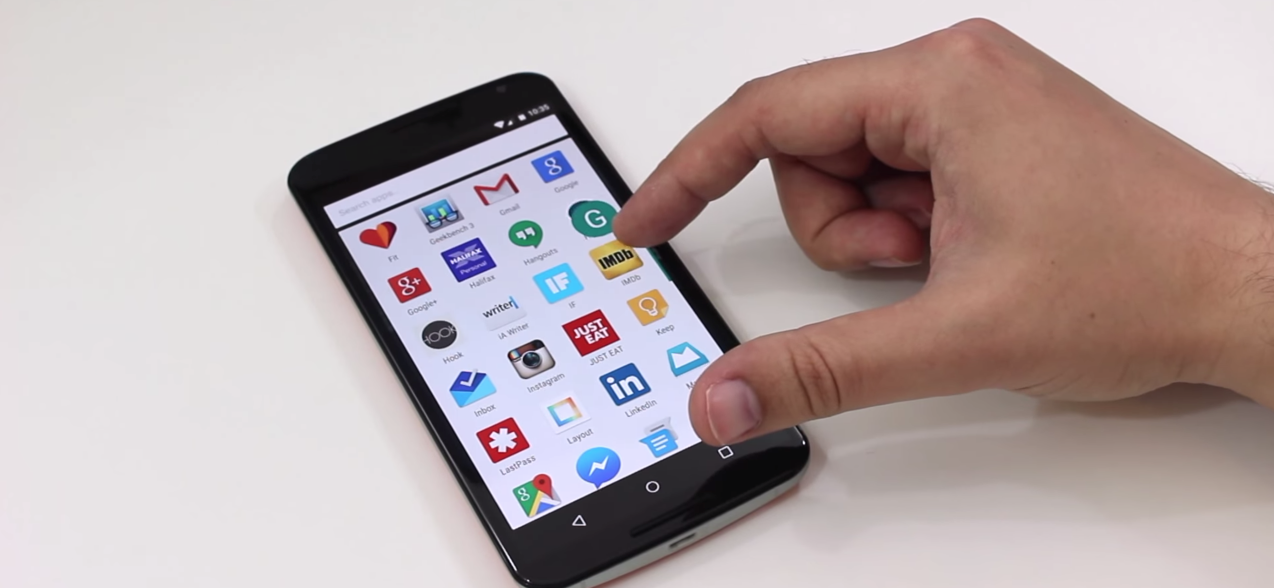
Android 6.0 Marshmallow

See All Stories

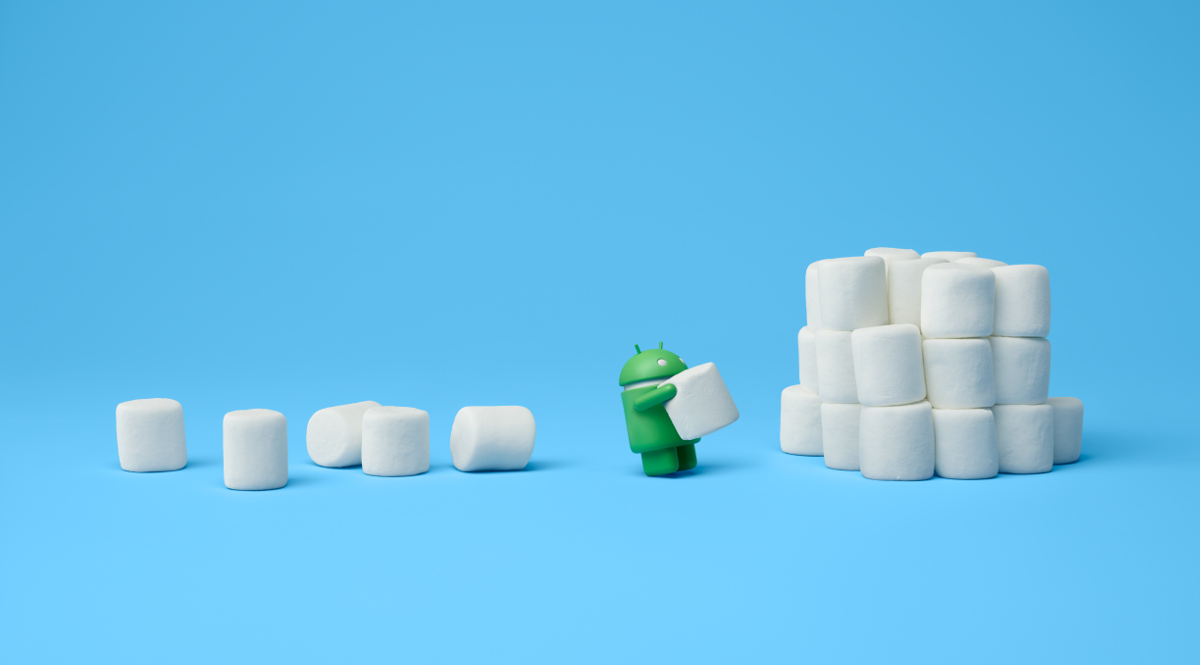
Android Marshmallow is the 6.0 release of Google’s mobile operating system.

Features |

Granular App Permissions

Following yesterday’s rumors of more granular app permissions, we received confirmation of exactly that. The new app permissions will make it faster for developers to get new users up and running in their apps by only requesting permissions as the app needs them. For users, permissions are now being simplified into several easy to understand categories like Location, Camera, Microphone, and more. Users will also be able to go into the Settings menu of their phone at any time and revoke all or specific permissions as they please.

Chrome Custom Tabs

Google is bringing the features and capabilities that users have come to love from the Chrome browser to in-app webviews. Available in the Chrome Dev Channel today and rolling out to users in Q3 this year, Chrome Custom Tabs gives users looking at a webpage through an in-app webview sign-in and caching of web services, saved passwords, autofill, and multi-process security (i.e. two-factor authentication). Developers will be able to customize the webview to their liking with buttons as well as options in an overflow menu, and also pre-fetch any links before the user clicks on them so they’ll load quickly. The company shared how Chrome Custom Tabs will work with a Pinterest integration showing off a “Pin It” button in the menu bar at the top of the webview as well as a “See related Pins” button in the overflow menu.

App Links

Following up on yesterday’s rollout of App Indexing of iOS apps in Google’s native Search and Chrome applications, Google is revamping its intents system to provide a more powerful cross-app linking capability. App developers can now add an “autoVerify” attribute to their application manifest to indicate to Android that the links they claim they support should be verified by the platform at the time of the app’s installation. Android will then make a request to the servers associated with the links and look for a file containing the name and signature of the application, and if it successfully verifies that the app owns the links it claims to, when a user with the application installed clicks on a link owned by the app, it’ll push the user to the app without opening an intents menu.

Android Pay

Following that Android Pay logo we saw this morning, Google detailed its Android Pay mobile payment service coming to Android M.

Android Pay includes the ability to pay for goods in retail stores using Android phones and NFC while users can also make payments within apps for buying digital goods. Users will be able to plug in existing debit and credit cards from supported banks, and Android Pay has carrier support to ensure Android Pay is setup on new devices sold through vendors.

Android Pay will be available through Google’s own app, and banking apps will be able to integrate the service in their own apps. Google says over 700,000 stores across the United States will be Android Pay ready in addition to many Google Play apps as well.

Fingerprint Support

Android M will include standardized fingerprint recognition support as well to leverage the fingerprint sensors that have been shipping on Android phones for years. Android Pay will use this sensor as a payment approval method as part of the mobile payment process.

Google says that at launch any app developer will be able to make use of the new fingerprint APIs in Android M to add support for fingerprint authentication to their own apps. One example the company provided of how fingerprint support might work in a third-party app was the Target app. Users will be able to, when they install the app, associate their login credentials and payment information with their fingerprint so that when they go to complete a purchase all they’ll have to do to confirm the order is place their fingerprint on the sensor.

Power & Charging

Through a new feature called “Doze,” Google is making Android smarter about managing power. Doze will use “significant motion detection” to learn when a device is being left unattended for an extended period of time, and exponentially back off background activity to go into a deeper state of sleep for longer battery life. While the device is dozing it will still be possible to trigger alarms or respond to incoming chat requests from high-priority messages.

Google says they took two Nexus 9’s, putting Lollipop on one and M on the other with all the same apps installed and processes running, and found that devices on M tend to last up to 2x longer on standby.

In terms of power and charging, the company also announced that they’ve been working closely with device manufacturers to bring new devices to the market which take advantage of USB Type-C for charging. Since Type-C USB cables are bidirectional, meaning you can send data or power in either direction, Android M will provide more control over what you can do with the cable plugged into your device. Instead of just charging your phone through the cable, for example, you could choose to instead send power from your phone to the charger it’s connected to.

Google “Now on Tap”

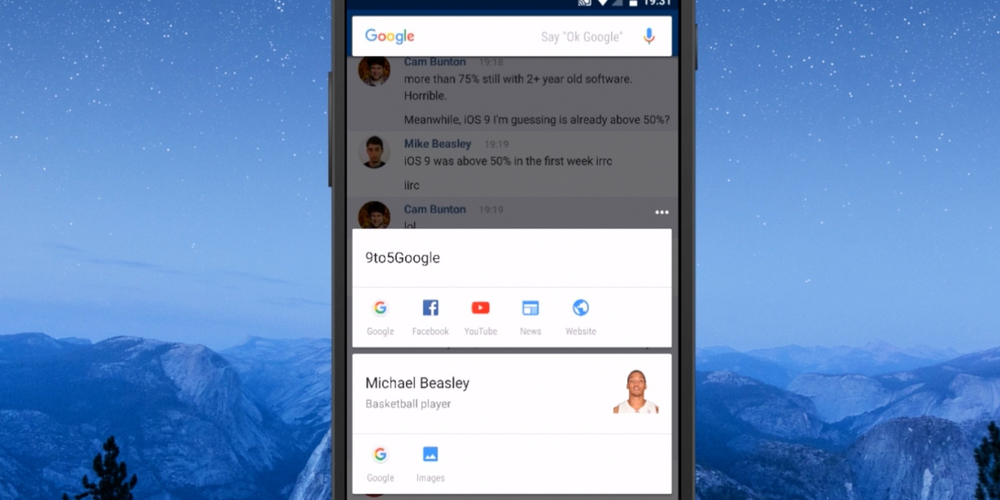
Last but most definitely not least, Google Now is getting a bit smarter at figuring out what you want more information on based on your context within the phone experience.

Coming soon to over 100 third-party apps, Google Now will proactively surface specific actions from within apps on your phone as it thinks you’ll need them. Examples they provided in the keynote include surfacing the ability to request an Uber from Now once you land at the airport or surfacing your favorite Pandora station when Now knows you’re at a public transit station.

But the company is going even further than that, and will allow you to take advantage of Google Now from wherever you are on your phone and without having to be super specific with your request. So if your friend texts you a restaurant suggestion for dinner, by tapping and holding the home button Now will figure out what you’re wanting to get more info about, in this case a certain restaurant you were texted about, and deliver a card to you from the bottom of the screen with more information on the place. The company also demonstrated this from within Spotify, with a user listening to a song from Skrillex able to ask Now “what’s the real name of this artist” and have it pull up that information without the user even needing to indicate which artist they’re even referring to, because they asked from within the app with the artist already playing. This new feature of Google Now is called “Now on Tap” and will be rolled out with Android M.

How to download |

Device compatibility |
 

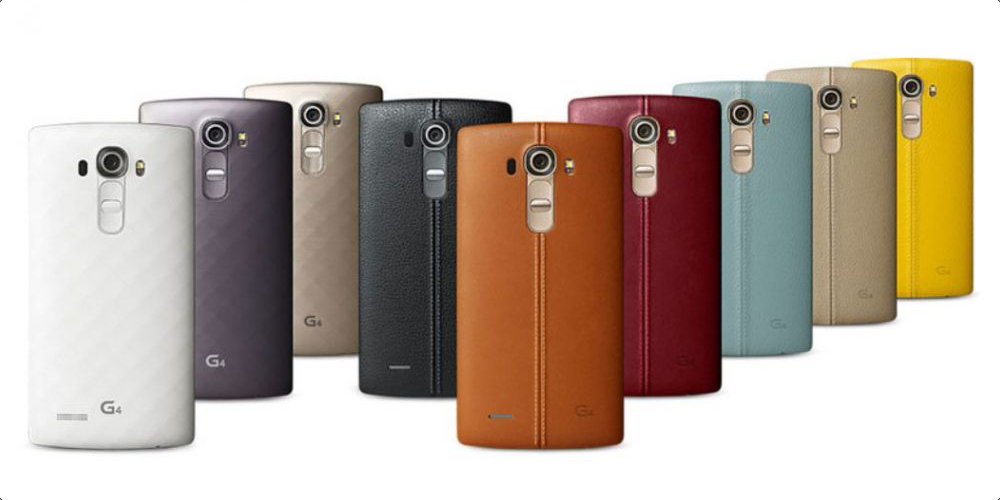
Android Marshmallow stock ROM appears for LG G4 as OTA rollout delayed

LG said earlier this month that Android Marshmallow is coming to the G4 soon (possibly quicker than pretty much every other non-Nexus smartphone), but a new post by the Korean company on its Poland Facebook page says that the update have been “temporarily suspended” due to technical issues (via AndroidBeat):

Nicolas, update is temporarily suspended due to technical reasons. We will keep you informed about the changes!


Expand
Expanding
Close

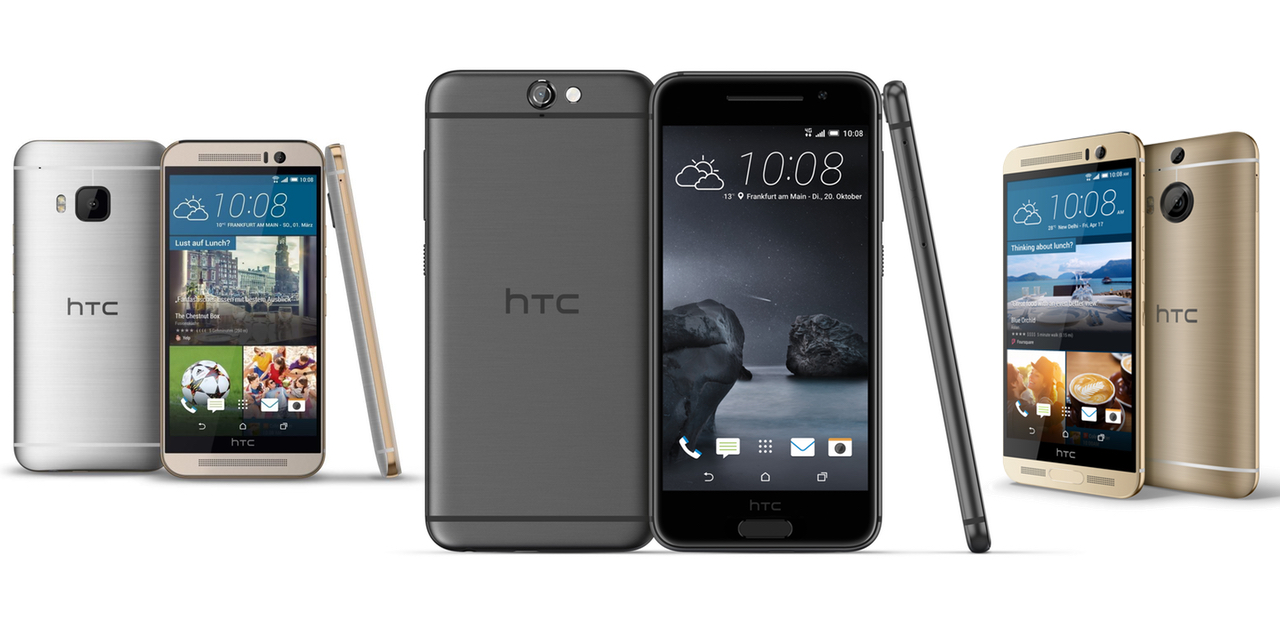
Specifications compared: HTC One A9 vs. HTC One M9 and One M9+

Yesterday afternoon, HTC finally unveiled its long-rumored ‘Aero’ smartphone, officially named the HTC One A9. While it retains the unibody metal design that made the One series so popular, it’s a far cry from previous models in overall styling and form factor.

To get the obvious comparison out of the way early, it looks like an iPhone 6/6s, and sits somewhere between iPhone 6/6s and 6/6s Plus in size. Obvious comparisons aside, we wanted to see how the spec sheet measured up against HTC’s current crop of flagship phones, and to see whether or not this new design comes with a compromise…


Expand
Expanding
Close

Google design blog reveals the surprising secret behind the new Marshmallow wallpaper … paper [plus free extra downloads]

If you’re an early adopter of Android 6.0 Marshmallow and liked the new wallpapers, there’s one thing about them you’d probably never have guessed. The wallpapers from the latest mobile OS from one of the largest tech companies in the world were created using … paper.

In a post on Google’s design blog, the company shares some behind-the-scenes images of how the images were created using paper, paint, ink and powder – and there’s something quite charming about it … 
Expand
Expanding
Close

Google outlines Android OEM requirements for full-disk encryption, fingerprint sensors, doze mode, more

Google has updated the Android Compatibility Definition document, and as is the case with every other major release of Android, this means that there are new requirements that manufacturers must follow if they want their phones to pass Google’s Compatibility Test Suite. Among the most obvious changes spotted today are a new mandate that full-disk encryption be enabled by default, as well as requirements for Marshmallow’s new doze mode and fingerprint sensors…
Expand
Expanding
Close

Google posts Android 6.0 Marshmallow factory images for the Nexus 5X

Google has today, on the press review embargo lift day and available-to-buy-outright day, posted factory images for the Nexus 5X, otherwise known as “bullhead.” They’re all for version 6.0.0, but there’s currently three different builds available. It’s not clear what the differences are between them, but it’s likely that they’re minuscule at most.

You can find the three 6.0.0 images over at Google’s Developers website, or you can find quick links below (clicking them will pull straight from Google’s servers):

If you’re on the fence about buying the Nexus 5X (or you’re considering going with the Nexus 6P instead), be sure to head over and read our review roundups for both devices from earlier today: Nexus 5X, and Nexus 6P.  The general consensus, for those that are out of the loop, is that the Nexus 6P is pretty much the Android handset to beat.

If you need help flashing one of these images (it’s pretty sad if you need this already, considering the device has only started showing up on doorsteps today), you can head over to our Android Marshmallow factory image install guide.

Android 6.0 for 2015 Moto X Pure Edition in ‘TestDrive’ mode, being trialled by select customers

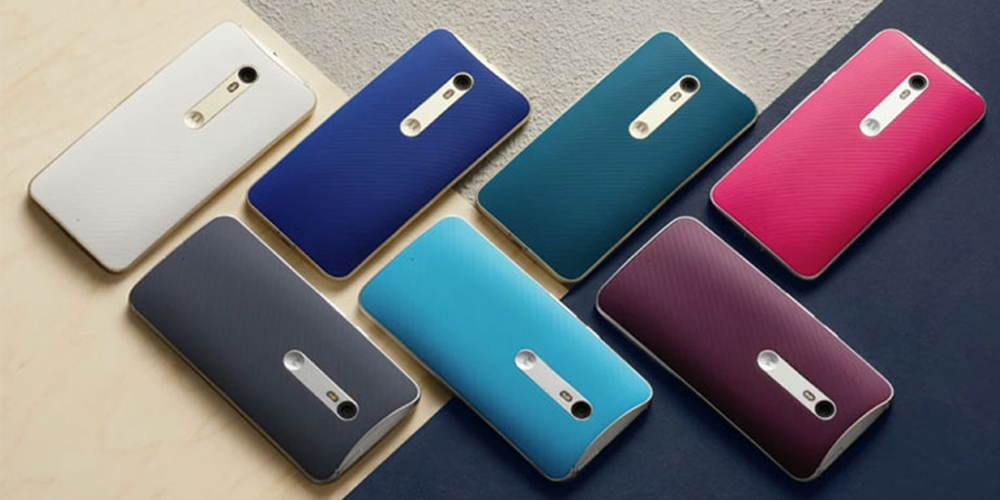
Motorola has already announced which of its handsets will be receiving the Android 6.0 Marshmallow update. Among them — of course — are the newest smartphones like the Moto X Pure, Moto X Play and Moto G. As is customary before software updates for Moto, the company is allowing a very select group of X Pure owners to test the new OS…


Expand
Expanding
Close

Hacked Android Marshmallow build available for Nexus 7 (2012), here’s how to install it

There are several Nexus devices that just don’t support Android 6.0 Marshmallow, and that fact has left some owners of ancient technology very unhappy. But this is Android, of course, and there’s nothing keeping developers from tinkering with Google’s open source OS. Specifically, owners of the 2012 Nexus 7 should rejoice in this case: It’s definitely at your own risk, but you can now install an early and hacky unofficial build of Google’s latest version of Android on your phone. Here’s how to do it…
Expand
Expanding
Close

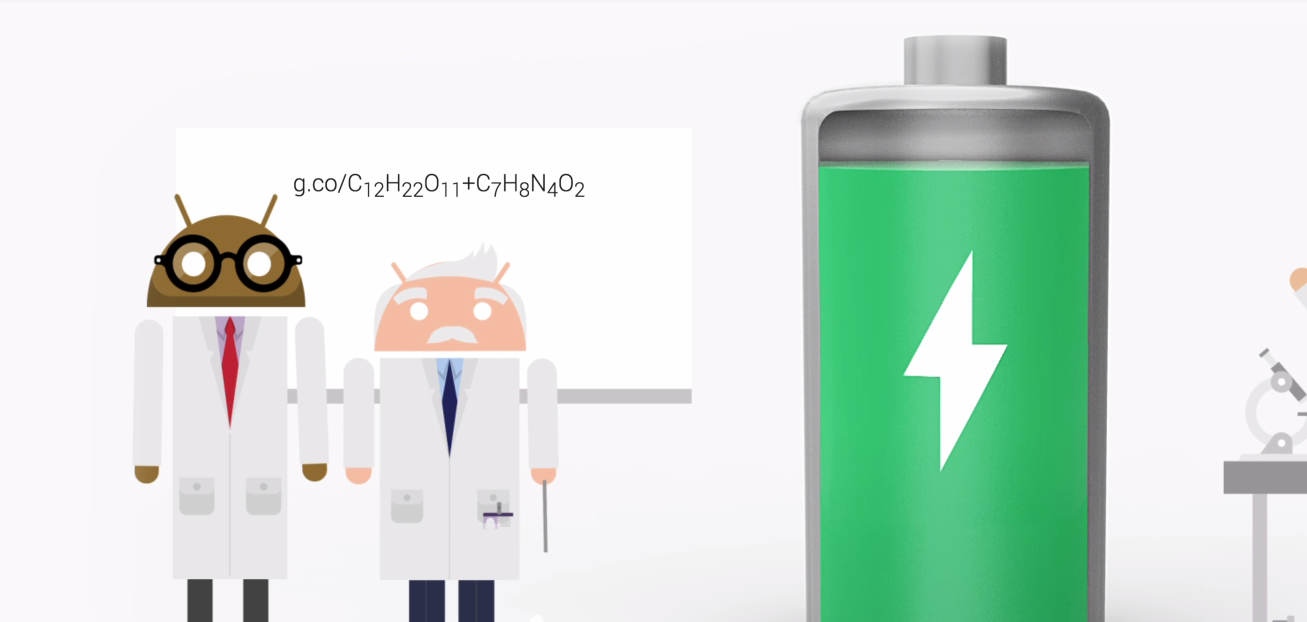
There’s a hidden puzzle on Google’s Android Marshmallow site, and no one has solved it yet

This is really important. Google, a company that is definitely no stranger to Easter eggs, is at it again. This time, in the recently launched Marshmallow landing page, the company has hidden a curious chemical equation on an otherwise-blank chalkboard. Usually, these kind of Easter eggs are figured out pretty quick, but as far as I can tell, no one has solved this one yet…
Expand
Expanding
Close

LG G4 owners getting Android 6.0 Marshmallow update from next week

When it comes to Android smartphones running manufacturer skins on top, the wait for the latest software updates can be excruciating, especially if you have a carrier-locked version. This year, LG’s seeking to change that it seems. The Android OEM announced via press release this morning that customers with the LG G4 will start seeing Android Marshmallow updates land from next week…


Expand
Expanding
Close

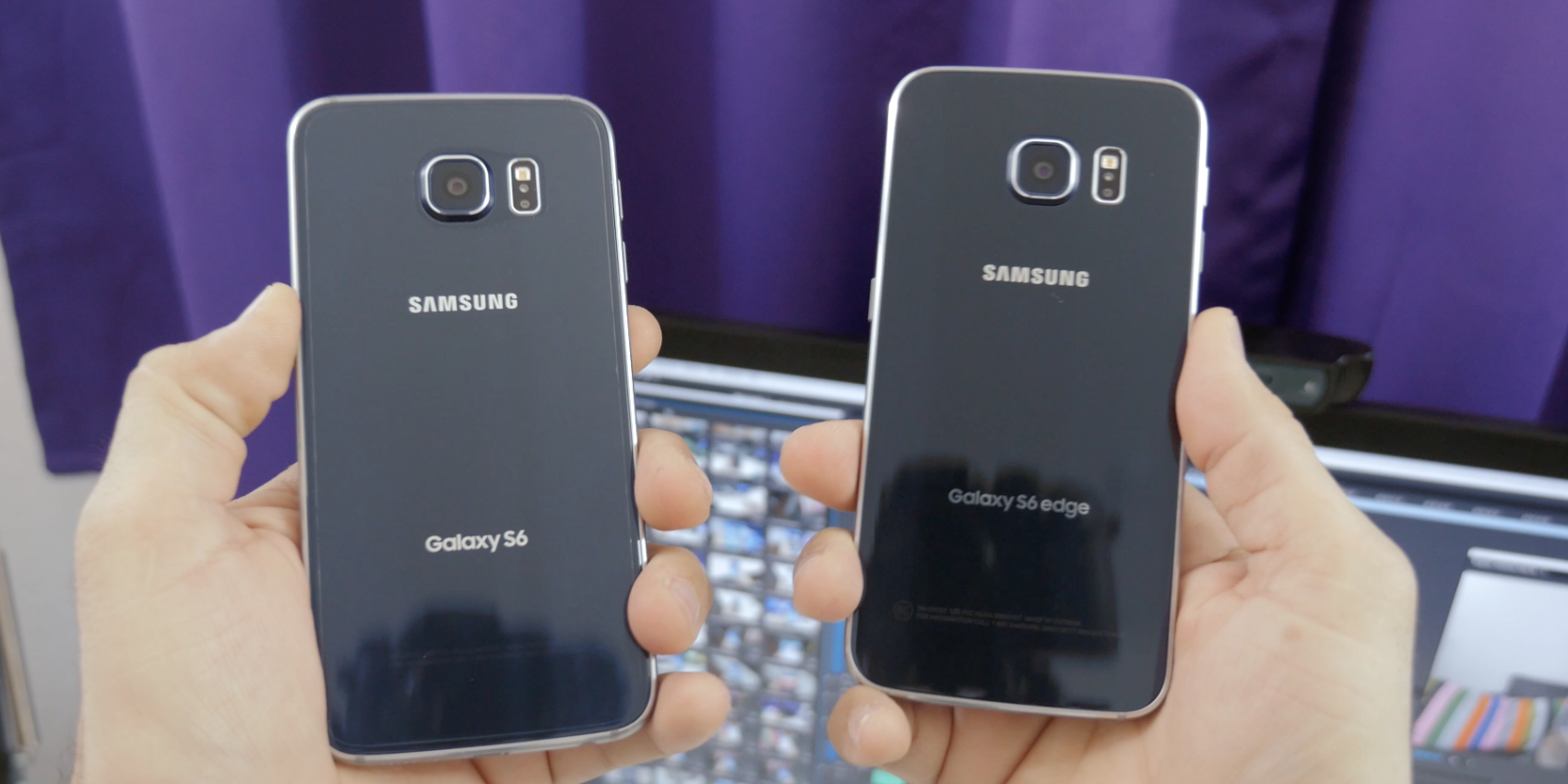
Report: Samsung pushing Marshmallow to most Galaxy S5, S6, S6 Edge, S6 Edge+, Note 4, and Note 5 variants

According to a report this morning out of the well-sourced SamMobile, the South Korea-based Android OEM is planing to push Android 6.0 Marshmallow to a whole slew of its most popular handsets. Among those making the initial list are most variants of the Samsung Galaxy S5, Galaxy S6, Galaxy S6 Edge, Galaxy S6 Edge+, Galaxy Note 4, and Galaxy Note 5. For good measure, Samsung threw in the Verizon variant of the Galaxy Note Edge and the Galaxy S5 Neo. Why not?..
Expand
Expanding
Close

Work on Marshmallow-based CyanogenMod 13 begins

CyanogenMod is arguably the most popular custom build of Android, and now Cyanogen has begun work on CyanogenMod 13. If you’ve been running any of the nightlies on your phone, you’re probably using version 12.1 (based on Lollipop). Version 13, which will probably take some time before it becomes a build you can actually run on your device, is based on Android 6.0 Marshmallow and is now in the earliest stages of development…
Expand
Expanding
Close

Android 6.0 Marshmallow now unofficially available for Nexus 4, here’s how to install it

There are a few Nexus devices that got the boot with Android 6.0 Marshmallow, and that has left some owners of ancient (just a few years old, in reality) technology very unhappy. But this is Android, guys, and there is no reason we can’t have what we want. Specifically, owners of the Nexus 4 should rejoice: It’s definitely at your own risk, but you can now install an unofficial build of Google’s latest version of Android on your phone. Here’s how to do it…
Expand
Expanding
Close

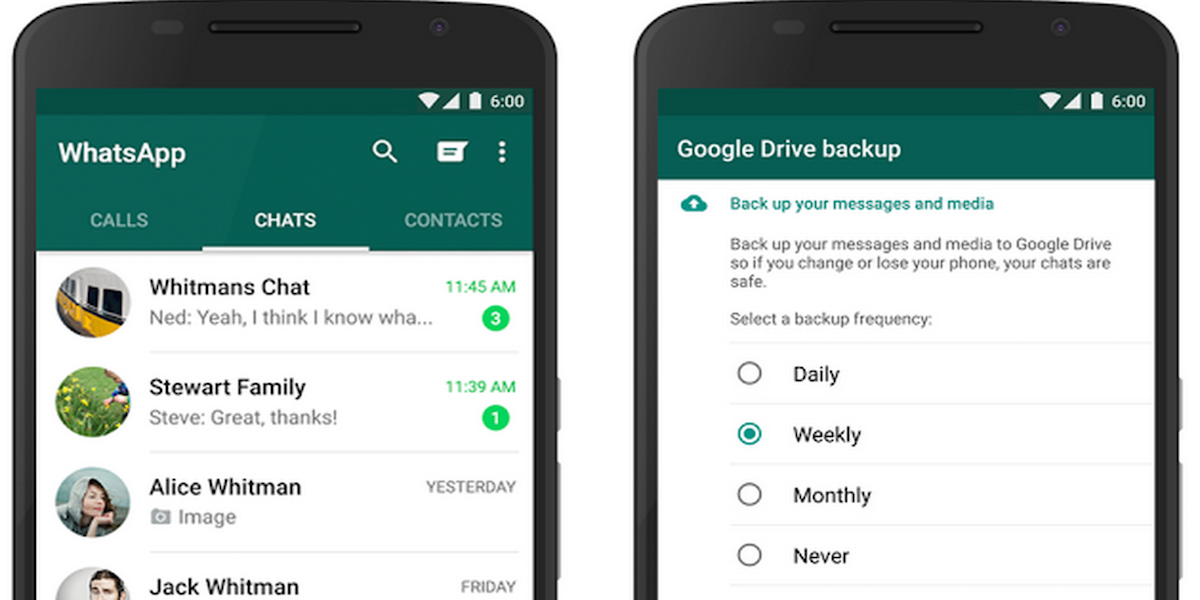
WhatsApp integrates auto Google Drive backups for chat history, photos & video

Google today announced that WhatsApp on Android — the popular messaging platform Facebook acquired a couple years back for $19 billion— is integrating the ability to backup content directly to Google Drive from within the app. That means that WhatsApp users will be able to quickly make a secure backup of their chat history, voice messages, photos, and videos and have it accessible from their Google accounts.
Expand
Expanding
Close

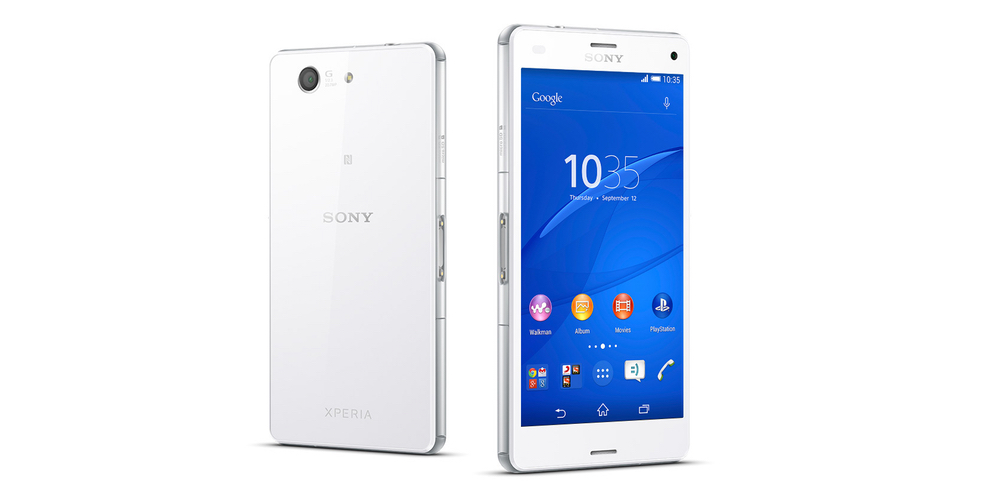
Sony wants 10,000 Xperia Z3 and Z3 Compact owners to test its Android Marshmallow concept software

Early this summer, Sony announced a new Concept for Android software testing scheme in which it invited owners in specific markets, and with specific handsets, to test out new concept software. Seemingly it went well for Sony, as it announced this morning that it’s opening up a similar program for Android 6.0 Marshmallow.

Users with the Xperia Z3 or Z3 Compact in a number of countries will be able to apply to join the program. This news comes just a day after the manufacturer released its long list of devices which should receive Marshmallow over the coming months.


Expand
Expanding
Close

How-to: Enable battery percentage indicator and Quick Settings in Marshmallow


Earlier today we broke down the top 10 best new features in Android 6.0 Marshmallow, but as with any operating system change, a few things have changed that are a little harder to find. First noted by Android Authority, Android 6.0 Marshmallow includes the ability to display a battery percentage in the status bar or in the Quick Settings panel via a UI Tuner menu.


Expand
Expanding
Close

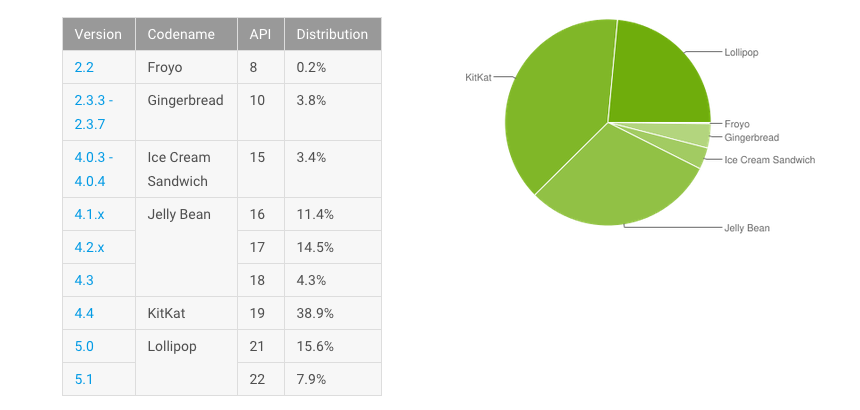
As Android Marshmallow launches, Lollipop reaches 23.5% of devices

Google finally made Android 6.0 Marshmallow available to download for Nexus users yesterday, and as it did, its previous newest version of the OS reached 23.5% of current connected Android devices. That means Google’s “sweetest update yet” jumped 2.5% over the past few weeks.

As Android 6.0 launches, we’re still in a position where most users on Google’s mobile OS are using a version that’s at least two years old. A huge 38.9% are using Android 4.4 KitKat (launched in 2013), while just over 30% are using one of the three versions of Jelly Bean, which was initially released way back in 2012. To put it bluntly, that means that the previously most recent version of Android was only the third most popular OS.

We’re used to Apple poking fun at Android during its iOS announcements every year, and we’ve read just about every angle there is going on the fragmentation argument, but stats like this won’t do anything to help Google’s cause. Realizing that more than three quarters of its user base are still running 2+ year-old versions of software can’t be a good thing. It’s part of the reason Google announced the Android One program last year.

Android One devices are typically very budget-friendly smartphones made available in developing markets which — like the higher end Nexus phones — get the latest software as soon as it’s available. Marshmallow, which was only launched yesterday, has already started showing up on these Android One phones.

Google begins rolling out in-app translations for Android Marshmallow users

Google today announced that it’s tapping into Google Translate to bring in-app translations to Android 6.0 Marshmallow users beginning this week. With the new feature, anyone running the latest version of Android that also has the Google Translate app downloaded will have the ability to translate text into 90 languages right from within supported apps.
Expand
Expanding
Close

Some Nexus 5 owners on T-Mobile reporting worsened reception on Android Marshmallow

Never does a software update — of any kind — land without some group of users believing that it caused more problems than it solved. With Android 6.0 Marshmallow, which Google starting pushing out yesterday, it looks like Nexus 5 owners who use T-Mobile are that minority group of people. Apparently, Marshmallow is causing some problems with reception for these users…
Expand
Expanding
Close

Google also pushing Marshmallow OTA updates to Android One devices

Google yesterday announced that Android Marshmallow is coming over-the-air to Nexus devices in the coming days and weeks, but now we have confirmation that Google is also pushing the update to Android One devices. Google promised when it launched the Android One program that these phones would get update priority and offer the latest and greatest much like Nexus phones, and it looks like the company is delivering on that promise…
Expand
Expanding
Close

Sony confirms Android 6.0 Marshmallow coming to 14 devices including Xperia Z5, Z3+, Z2, more

Sony has joined the likes of Motorola, HTC and Google in announcing which of its products will (eventually) receive the sought-after update to Android 6.0 Marshmallow. Sony’s list includes several Xperia devices, old and new, and spans devices back to 2013. So, even if you have a Sony Xperia M5, you’ll be able to get the brand new OS on your device at some point. The Xperia-makers state in their blog post that they’ve “been working hard to bring this major update to as many of our devices as possible, as quickly as we can.”


Expand
Expanding
Close

T-Mobile details its Android 6.0 Marshmallow update strategy for 17 devices

On the same day that Google released the factory images for Android 6.0 Marshmallow, T-Mobile has updated its Software Updates support page with details on its plans for the rollout. T-Mobile has listed the 17 devices that it plans to update to the latest version of the Android operating system.

T-Mobile says there are three main stages to its update process. The first is “Manufacturer Development,” which means T-Mobile and the manufacturer have agreed to support a software update. The second stage is “T-Mobile Testing,” during which the carrier itself tests the latest build of the operating system. Finally, the final stage is “Completed” and is when the update starts to rollout to users.

You can view T-Mobile’s Software Updates page here and track the progress of an update to your device. Below are the 17 devices on T-Mobile that will receive Android 6.0 Marshmallow:

  • HTC
    • One M8
    • One M9
  • LG
    • G3
    • G4
    • G Stylo
  • Nexus devices
    • Nexus 5
    • Nexus 6
    • Nexus 7
    • Nexus 9
  • Samsung
    • Galaxy Note 4
    • Galaxy Note 5
    • Galaxy Note Edge
    • Galaxy S5
    • Galaxy S6
    • Galaxy S6 edge
    • Galaxy S6 edge+
    • Galaxy Tab S2

How to update to Android 6.0 Marshmallow manually using OTA downloads

Google today announced that Android Marshmallow is coming OTA to several Nexus devices in the coming days and weeks. If you like to get the latest from Google, you know that “coming weeks” could be a pretty long wait. Thankfully, you can head to the front of the line and install the over-the-air (OTA) update by following our quick guide…


Expand
Expanding
Close

Android 6.0 Marshmallow OTA downloads start showing up for Nexus devices, here’s how to install them [Roundup]

Google began the rollout of Android 6.0 Marshmallow earlier today, and while we already have full access to downloading the 6.0 factory images, OTA update download links are going to trickle in slowly as the update rolls out over the next several days. Factory images are typically for doing a fresh install of the OS, but these OTA updates are intended to let you keep your data intact and are typically smaller in total size…
Expand
Expanding
Close