Apps and Updates



Google has updated the Google Photos app this week, and it’s a fairly substantive update — at least in comparison to the almost-weekly bug fixer updates that Google pushes to many of its apps. The new version brings the face grouping features of the well-reviewed cloud storage service to more countries…
Expand
Expanding
Close

The “Amazon Music with Prime Music” app has today been updated with some of its most oft-requested features. The big one, and the one that people have been wanting practically since Prime Music launched, is the ability to store offline music on a device’s SD card for offline playback. The update also brings Android Wear support, and other, more minor enhancements…
Expand
Expanding
Close

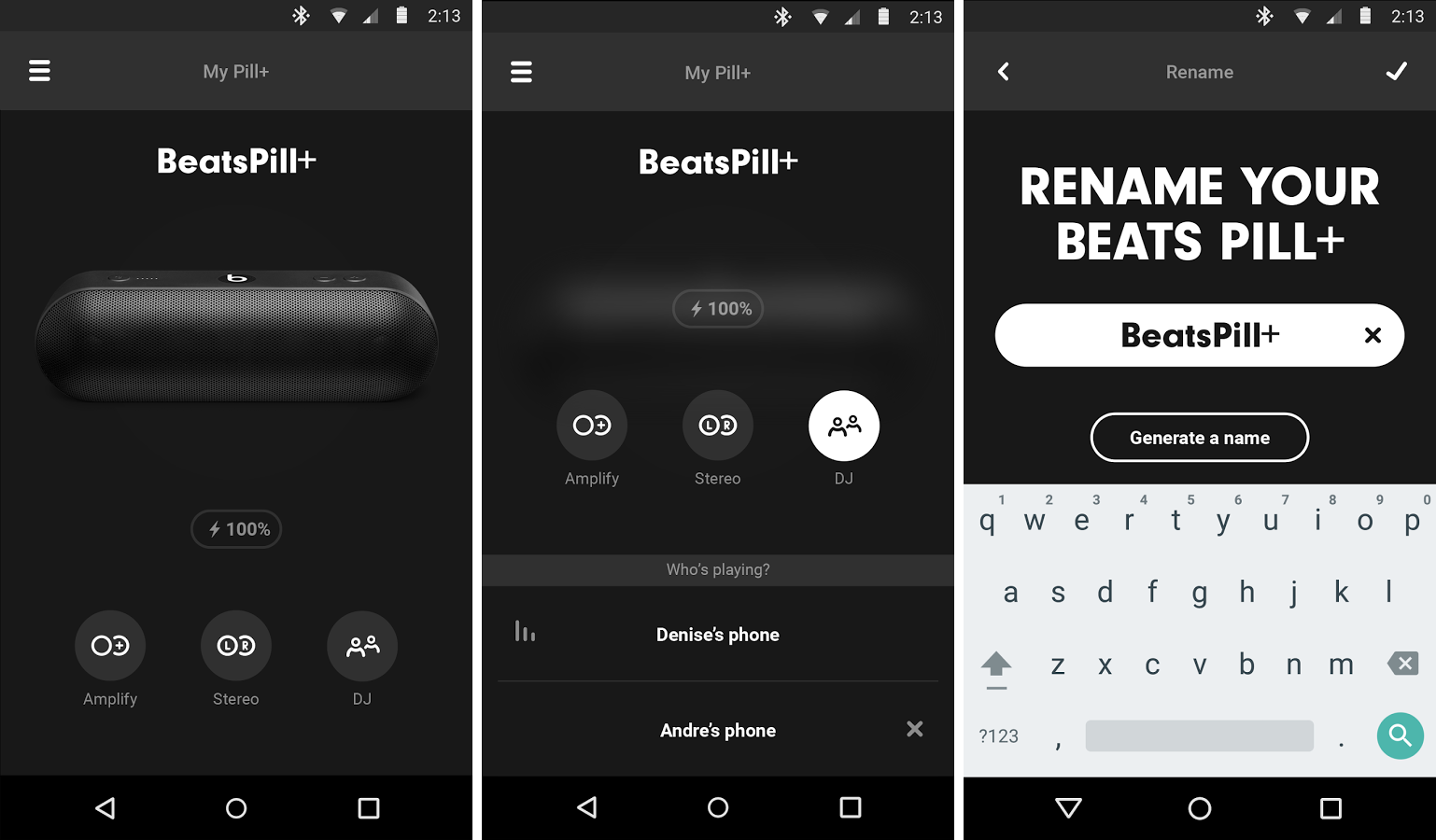
Apple has published its second Android app, following up on the Move to iOS app with something a bit more appealing to current Android users. The new app is designed to let users control and manage their Beats Pill+ speakers.
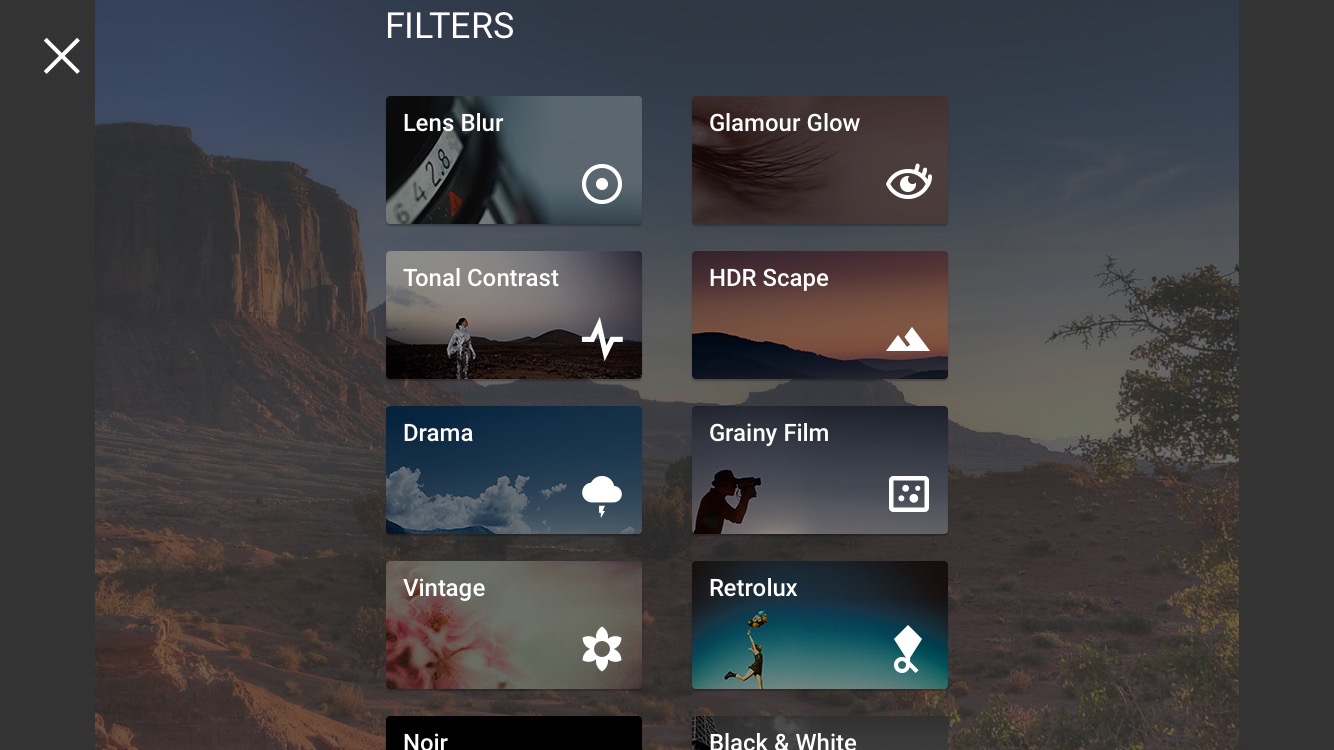
Snapseed 2.1 is now rolling out on the Play Store, and there’s one big feature addition: support for editing photos in RAW. In case you didn’t know, RAW support was first brought to the platform with Android Lollipop’s release, and now Google’s own photo editing app is also supporting the format.
Here’s the word, straight from Google’s Anton Daubert:
Today is a big day for Snapseed users! Snapseed 2.1 brings RAW photo editing to your Android device.
Traditionally, shooting and editing RAW photos has been the domain of DSLR cameras and desktop software. But with the RAW capabilities that were added to Android 5 last year, RAW is now becoming important for mobile photography, too.
Snapseed now allows you to edit those RAW photos in the DNG file format right on your mobile device. You can also edit DNGs that were shot on cameras or converted from other RAW formats.
If you’re not exactly familiar with photography format terminology, RAW formats are traditionally associated with DSLR cameras, and they are the most pure form of a photo that preserves everything that the camera captured. This allows you to do more complex edits that would otherwise be impossible with other, more lossy formats.
Google says that in addition to RAW editing features, Snapseed also has “some slight polishes throughout the app” in this version to make navigating it just a bit easier. You can get the app on the Play Store for free.


 From 9to5Toys.com:
After Amazon replaced its Free Android App of the Day offer with the new Amazon Underground program, it was unclear whether or not (or how often) we would see the company’s usual freebie Android app sales. But today, Amazon is offering over $70 worth of paid apps for free as part of its Scary Good Deals sale. We are seeing titles like Scribblenauts, Bloons TD 5, Splashtop Remote Desktop, LEGO titles, apps from Runtastic, a series of productivity options and many more, all completely free.
You’ll find more discounted and free iOS/Android apps in our daily roundups.
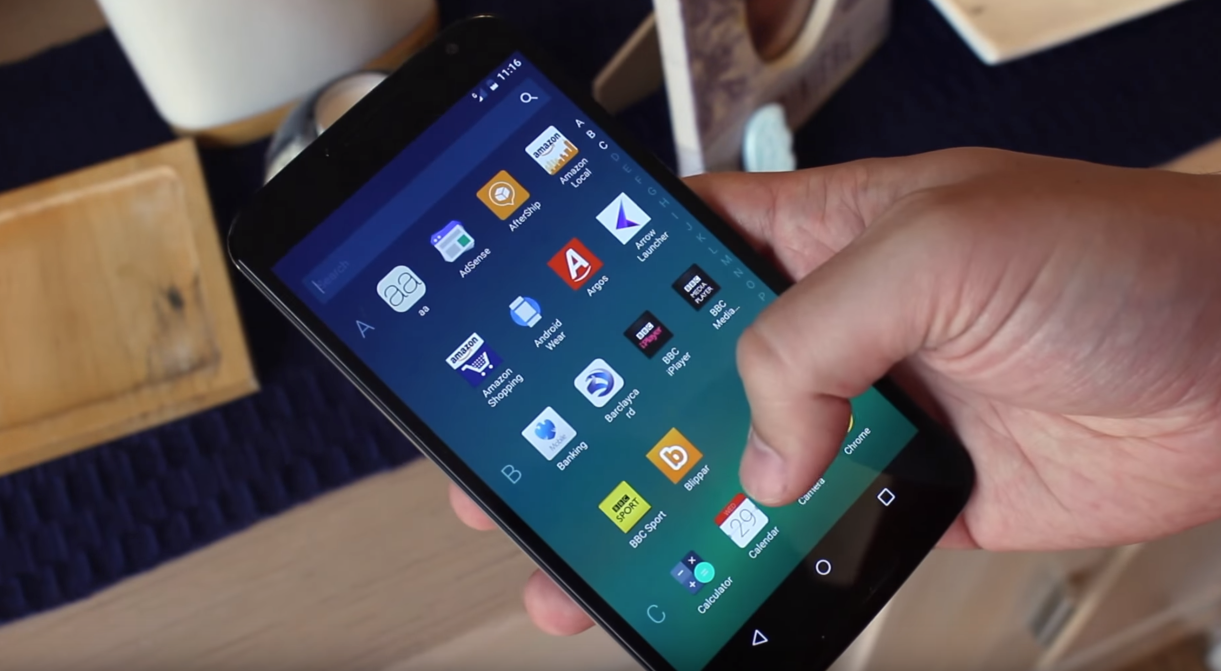
Microsoft’s Arrow Launcher is definitely a new take at a home screen interface for Google’s OS, and if you’ve been waiting for it to exit beta before trying it out on your daily driver, today’s your day. I actually decided to give it a try for the first time today, and — as someone who is very loyal to Google’s Now Launcher — I was somewhat impressed…
The launcher takes a new approach to the home screen, giving you a few pages that all do different things. The main screen of course has your most used apps, but the app also gives you screens for contacts that you frequently interact with, a reminders screen, and another screen showing apps that you’ve used recently, as well as recent activity.
All of this comes together with a really interesting take an iOS Control Center-like experience. If you swipe up from the home screen, you’ll find your docked apps, some recnetly used apps, and then some quick toggles for things like WiFi and Bluetooth. Below that you’ll find quick access to the brightness settings, and quick links to change wallpaper and access the launcher’s settings.
We gave the app a detailed look earlier this year when it was in beta, and while some things have changed, you can check out the below video to get a quick idea of what the Arrow Launcher is all about. You can grab it on the Play Store for free.

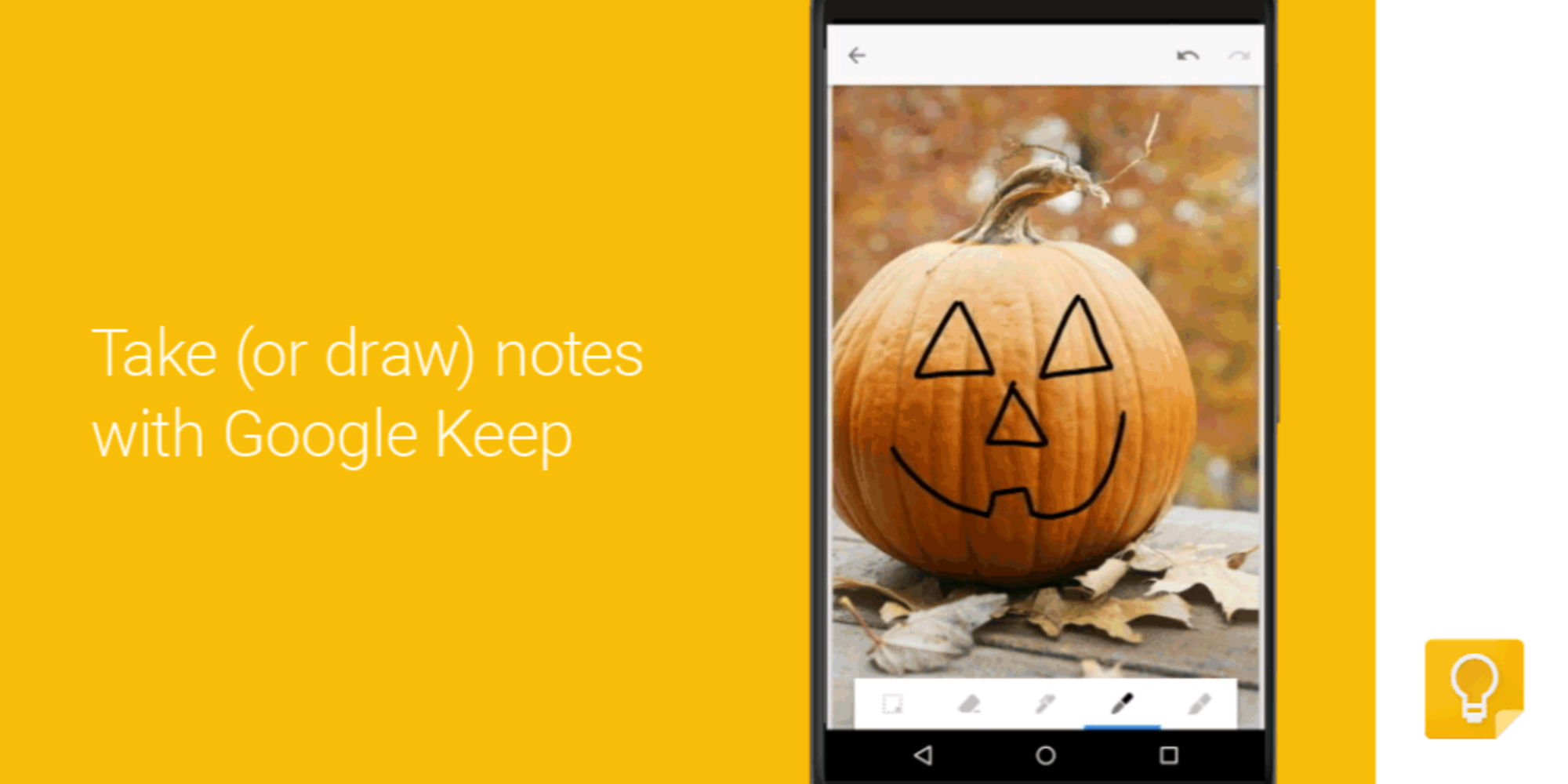
Google is today rolling out updates to its Google Docs, Sheets, Slides, and Keep apps that add a handful of new features for Android users.
First up, the Sheets app now allows users to view more content on the screen by automatically hiding “toolbars and headers so that you can see more of your content on the screen at one time.” And you’ll notice the toolbars and headers reappear when you sign to scroll up or zoom out.


When Microsoft purchased Sunrise, things didn’t look good for the popular cross-platform calendar app. There were fears Microsoft would take its talent and shut the app down. Fears — it seems — that were completely justified. Sunrise announced in a blog post today that the app will no longer receive any updates. If you are an avid user of Sunrise (like me), you’ll now need to go hunting for a new calendar app if you expect new features.
Expand
Expanding
Close
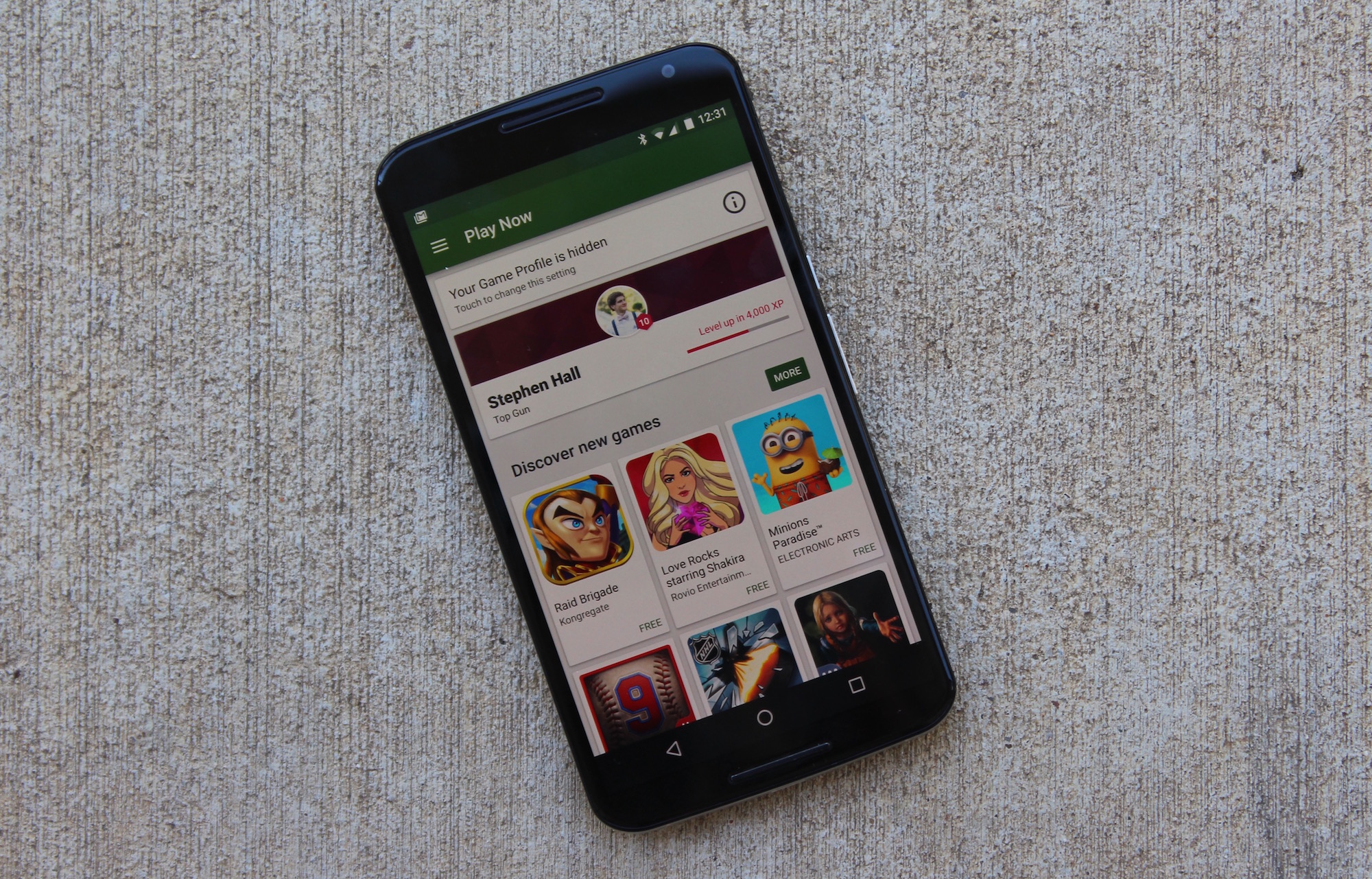
After adding gameplay recording features to mobile apps alongside its new YouTube Gaming platform launch earlier this month, Google is today updating its Google Play Games app for Android with similar features.
The update will allow users of the Play Games app to quickly hop into gameplay recording with the ability to share their own commentary simultaneously using their device’s front facing camera and microphone.
It’s simple. In the Play Games app, select any game you want to play, then tap the record button. You can capture your gameplay in 720p or 480p, and choose to add video of yourself and commentary via your device’s front facing camera and microphone. When you’re done recording, you can quickly edit and upload your video to YouTube.
Google notes that the feature should come in handy for some of the content creators contributing to the roughly 144 billion minutes of gaming videos and live streams viewed on YouTube each month.
The updated Google Play Games app for Android is rolling out to users in the US and UK starting this week with users in other countries getting access in the near future.
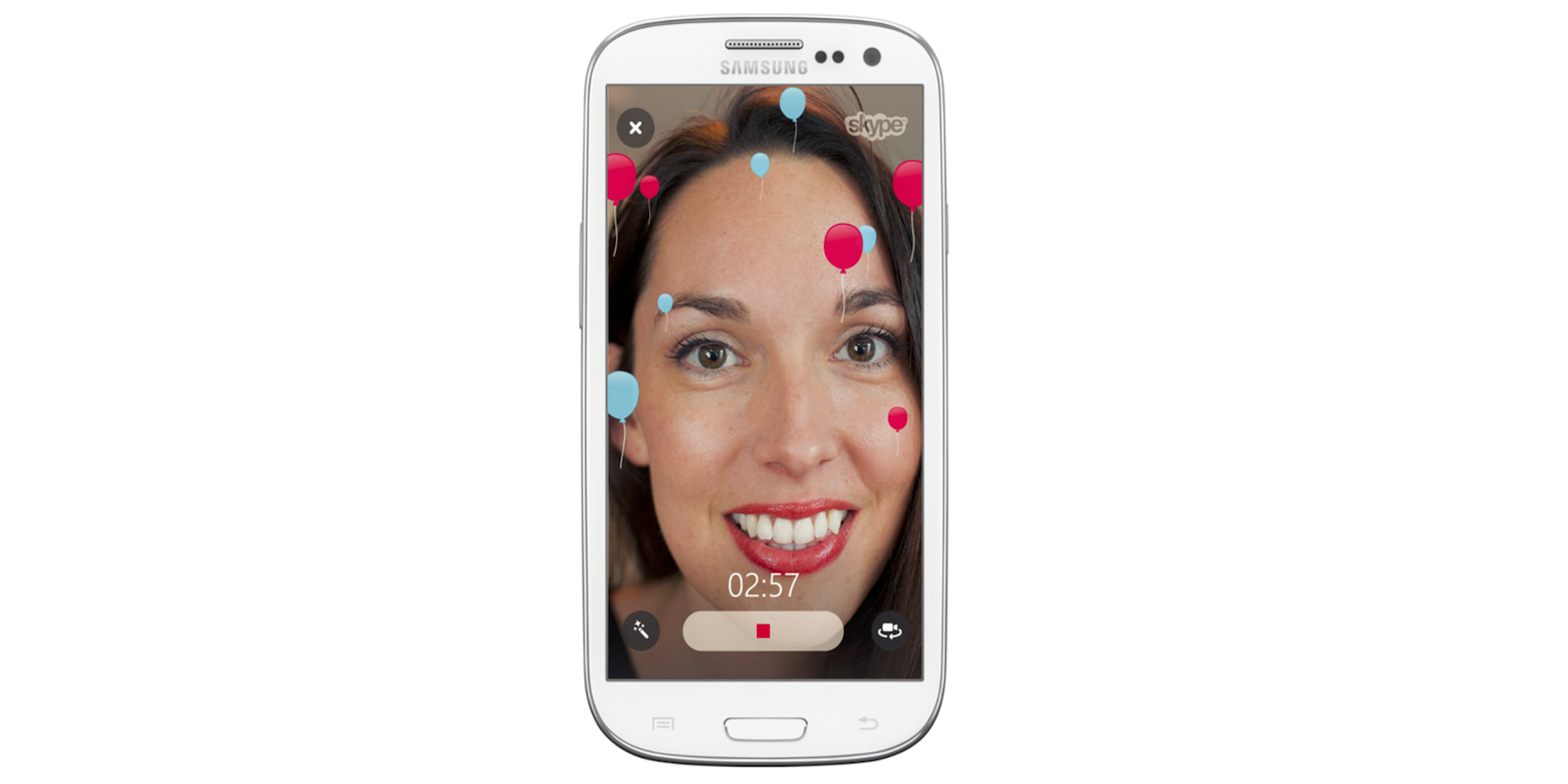
Skype is rolling out an update for its Android app today that introduces new video filters not unlike competitive video chat services.
The new filters can be applied to video messages with various effects to choose from, and you’ll also find some Halloween themed emoticons and filters to celebrate the occasion this month:
Get started by tapping the filter wand at the bottom left of the video message window. Choose a filter to see it in action then, when you’re ready, hit the record button. Add balloons to your video message to celebrate any occasion. If you’re feeling goofy, change the appearance of your face to make it look rounder or longer – we love this one! Or, if you’re sending a video message showing off your Halloween costume, add some ghosts or use the negative filter to set a spooky mood.
And lastly, Android users get a few welcomed improvements to conversations and contacts in the update, including:
• Quickly send photos and files to the entire group by tapping on the corresponding icon in the group chat media bar.• Want to chat with a friend who isn’t in Skype? Invite your friends to join Skype from the contacts tab.
The updated Skype for Android app is available on Google Play now.
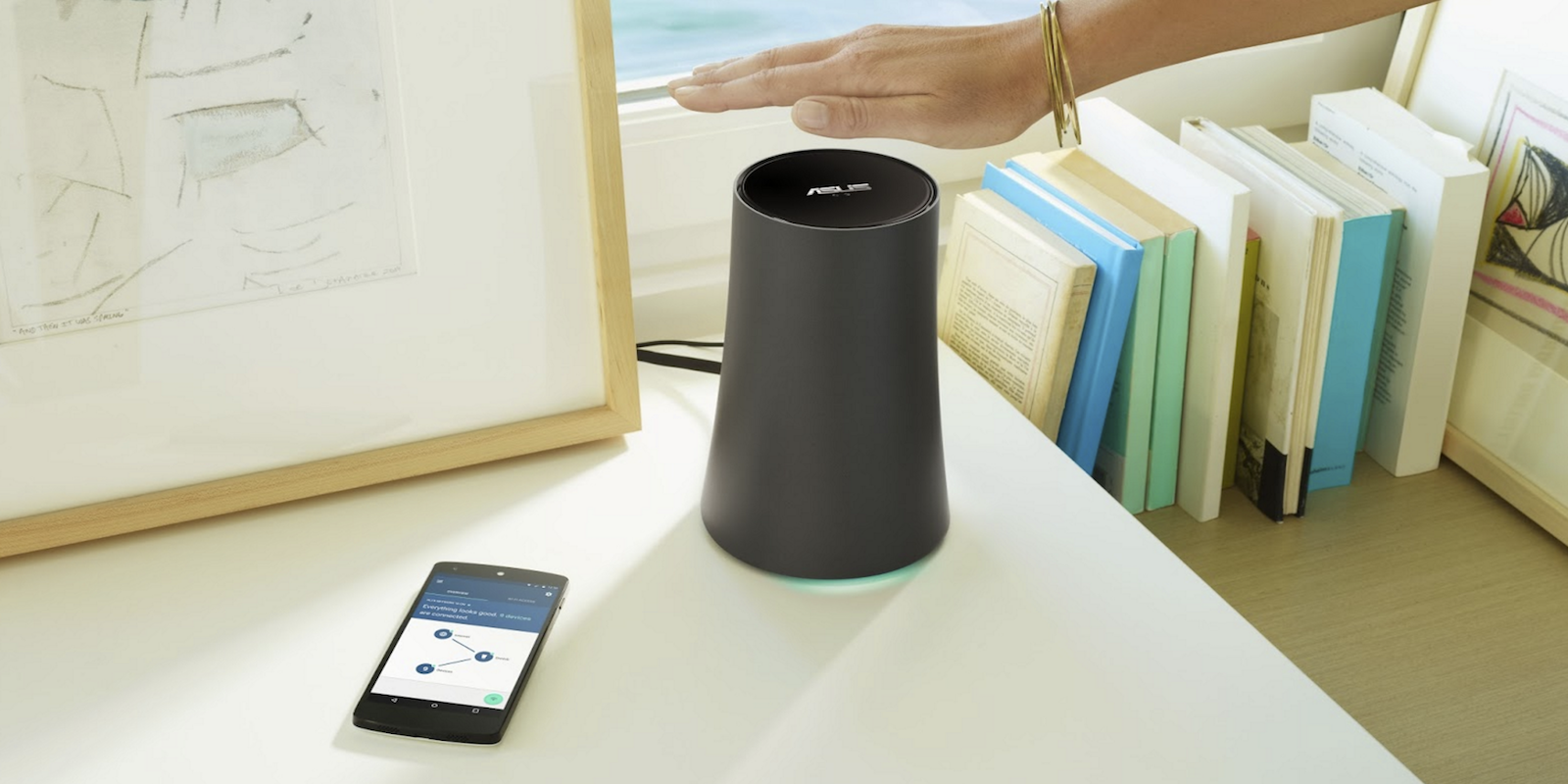
After first unveiling OnHub in August, a new wireless router that intelligently finds the best connection for its user, today Google is announcing its second OnHub router hardware through a partnership with Asus.
Expand
Expanding
Close
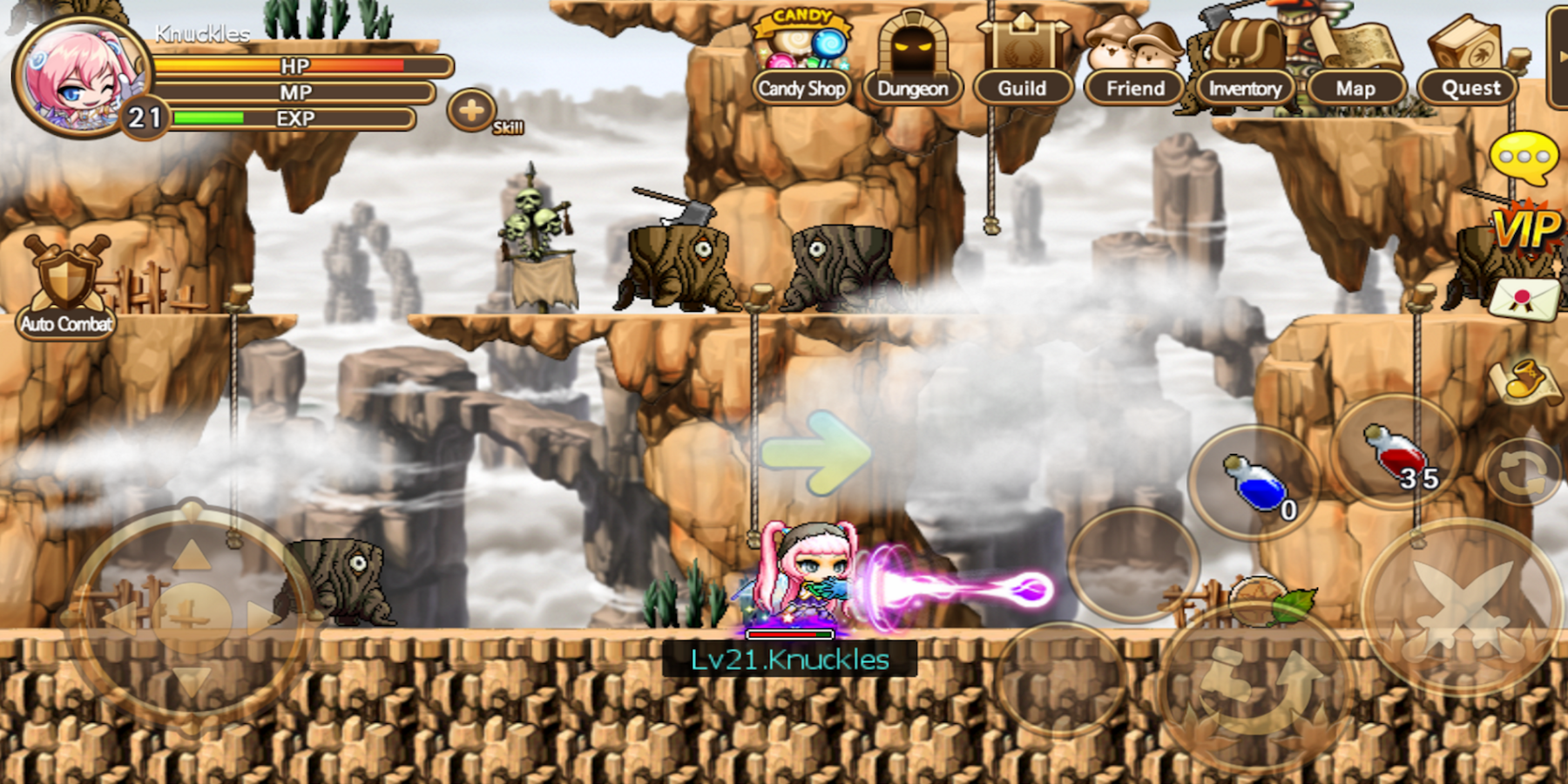
Developer of the popular PC game MapleStory has long had a mobile version of the game, Pocket MapleStory, but up until now there has only been a Korean version and a soft launch in select countries. Today the game officially comes to all users worldwide with a localized version for English players.
The mobile version of the game packs in the full side-scrolling MMORPG desktop experience including all 1,500 different quests, real-time online multiplayer functionality, and rich, colorful environments.
Available now, the side-scrolling action that fans have adored for more than 10 years on the PC now gives players the chance to explore the vast and colorful universe of Maple World on mobile devices. Pocket MapleStory has already garnered more than seven million downloads in Asia and has been the number one free game on both the App Store and Google Play in Korea and Taiwan. The game had also ranked first and second in free game category on the App Store in China and Japan respectively… In honor of the worldwide launch, there will be two launch events for fans to earn additional in-game rewards.
Android users are getting the game first with a release on Google Play for free, but with in-app purchases available for items and character customizations.
Developer NEXON Korea noted in its press release that the game already has “more than seven million downloads in Asia and has been the number one free game on both the App Store and Google Play in Korea and Taiwan.” The game is yet to get a worldwide release on iOS, but it will come to all users on the platform later this year.
Pocket MapleStory is available for Android users now on Google Play.


Google has raised the per-app maximum charge limit available to developers on its Play Store to $400 in the US. The maximum limit has been increased in multiple regions, and means app developers can now charge up to $400 for an app. It’s worth noting that $400 apps probably won’t show up any time soon. However, it is perhaps concerning to think which developers may decide to start offering ludicrously expensive in-app purchases for virtual donuts, credits or gold (or whatever else you may wish to pay for).
Expand
Expanding
Close
If you’re a Facebook user, you’re definitely familiar with the Notifications tab in the company’s Android app. Although it has barely evolved from being a simple stream of your notifications since its introduction many years ago, Facebook has today come out to outline some changes on the way to make it more useful and personalized.
Expand
Expanding
Close
New screenshots of what is reportedly the beta version of Apple Music for Android have been published, providing what may be a first look at Apple’s first second foray into app development on Google’s competing mobile platform.
The screenshots, included below, show most of the features users would expect, such as Beats 1 availability and the “For Me” recommendations page. Apple Music Connect, the social network for musicians built into the service, is also included.

Instagram is expanding its range of apps further today by introducing a new video-looping service to rival the likes of HTC Zoe and the iPhone’s baked-in Live Photos. Boomerang takes a quick burst of photos in-app, and then turns them in to a moving photo, or video, that loops forward and backward. Don’t call it a GIF though, it’s a Boomerang…
Expand
Expanding
Close

AgileBits has promised to beef up the security of 1Password after a Microsoft software engineer discovered that details of which websites you visit are unencrypted and indexed by Google if you use the 1PasswordAnywhere feature. Dale Myers said that he discovered this by chance after a sync problem led him to investigate the files used to store the metadata.
It turns out that your metadata isn’t encrypted [allowing someone to] go through and find out exactly what shady sites I have accounts on, what software I have licences for, the bank card and accounts I hold, the titles of any secure notes I have, any anything else I’ve decided to store in there.
While passwords remain secure, privacy is placed at risk and the data obtained could, says Myers, be used in a phishing attempt.
Thanks to people having links for easy access to their keychain on their websites, Google has indexed some of these. A simple search brings up results. By looking at one of these it was a simple matter to identify the owner of the keychain and where he lived. I know what his job is. I even know the names of his wife and children. If I was malicious, it would be easy to convince someone that I had compromised their account and had access to all of their credentials.
AgileBits said that the decision not to encrypt metadata was taken back in 2008, when decryption on mobile devices involved significant performance and battery-drain issues, and that it introduced a secure file format in 2012, but that it didn’t want to break compatibility with older versions by making that format the default.
The company said that work on making the secure file format the default was already in hand.
We’ve already started making changes to use OPVault as the default format. In fact, the latest beta of 1Password for Windows does this already. Similar changes are coming to Mac and iOS soon, and we’re planning on using the new format in Android in the future. Once all of these things are complete, we will add an automatic migration for all 1Password users.
For those who don’t want to wait, the company has posted instructions for manually migrating to the new format.
The 1Password Android app was updated in August with a freemium pricing model and the ability to create vaults on mobile. If you’re not yet using a password manager, check out our how-to guide over on 9to5Mac.
Via Engadget
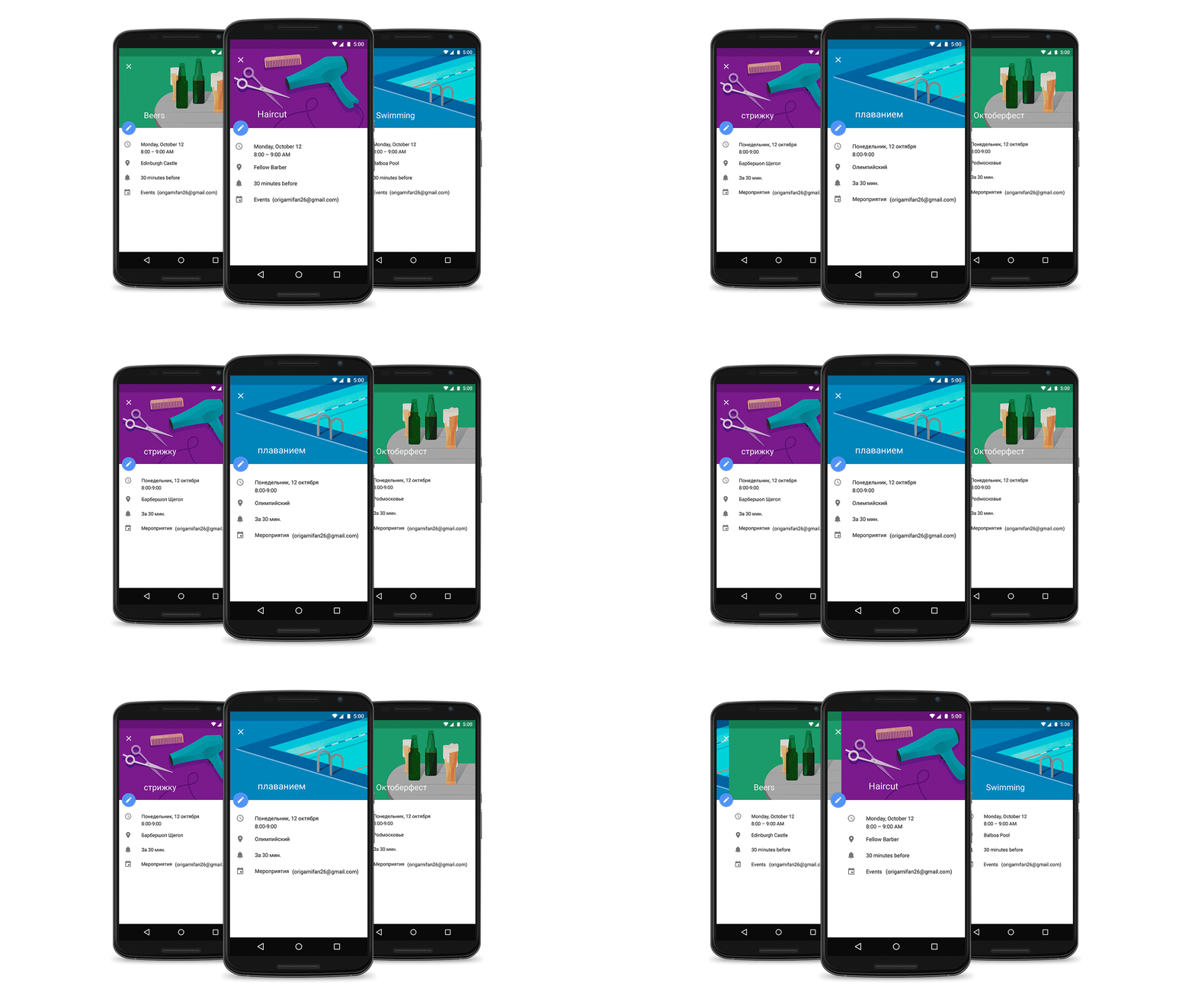
Google has today announced that its Google Calendar illustrations, which show up as little piece of art reflecting the events that you create, now appear is as many as 30 languages. Additionally, Google says that is adding over a dozen more of these illustrations for new kinds of events, specifically naming weddings and Halloween parties as a couple of them…
Today we’re improving these illustrations in two ways. First, you’ll find over a dozen more of them for events like weddings and Halloween parties. Second, illustrations will now appear in 30 languages–from Dutch and Finnish to Catalan and Korean–giving our global community of users a new way to celebrate their day.
Finally, Google is inviting you to send off some images that could be inspiration for the next round of Google Calendar illustrations. All you have to do is head over to the social network of your choice and tweet a photo of you doing something less mundane than watching YouTube or browsing Reddit, and attach the hashtag #makethemost.
You can grab Google Calendar on the Play Store for free.

Niantic Labs isn’t part of Google anymore (it’s actually Niantic, Inc. as of this past summer), but it does look like Google still has a marked amount of interest in the famed Ingress maker. According to a report from TechCrunch, Niantic, Inc. is about to secure $20 million in investments from Google, Nintendo, and The Pokémon Company. This comes just a month after the group came out to announce an upcoming mobile game called Pokémon Go that ties in a real-world social aspect much like Ingress…
Expand
Expanding
Close
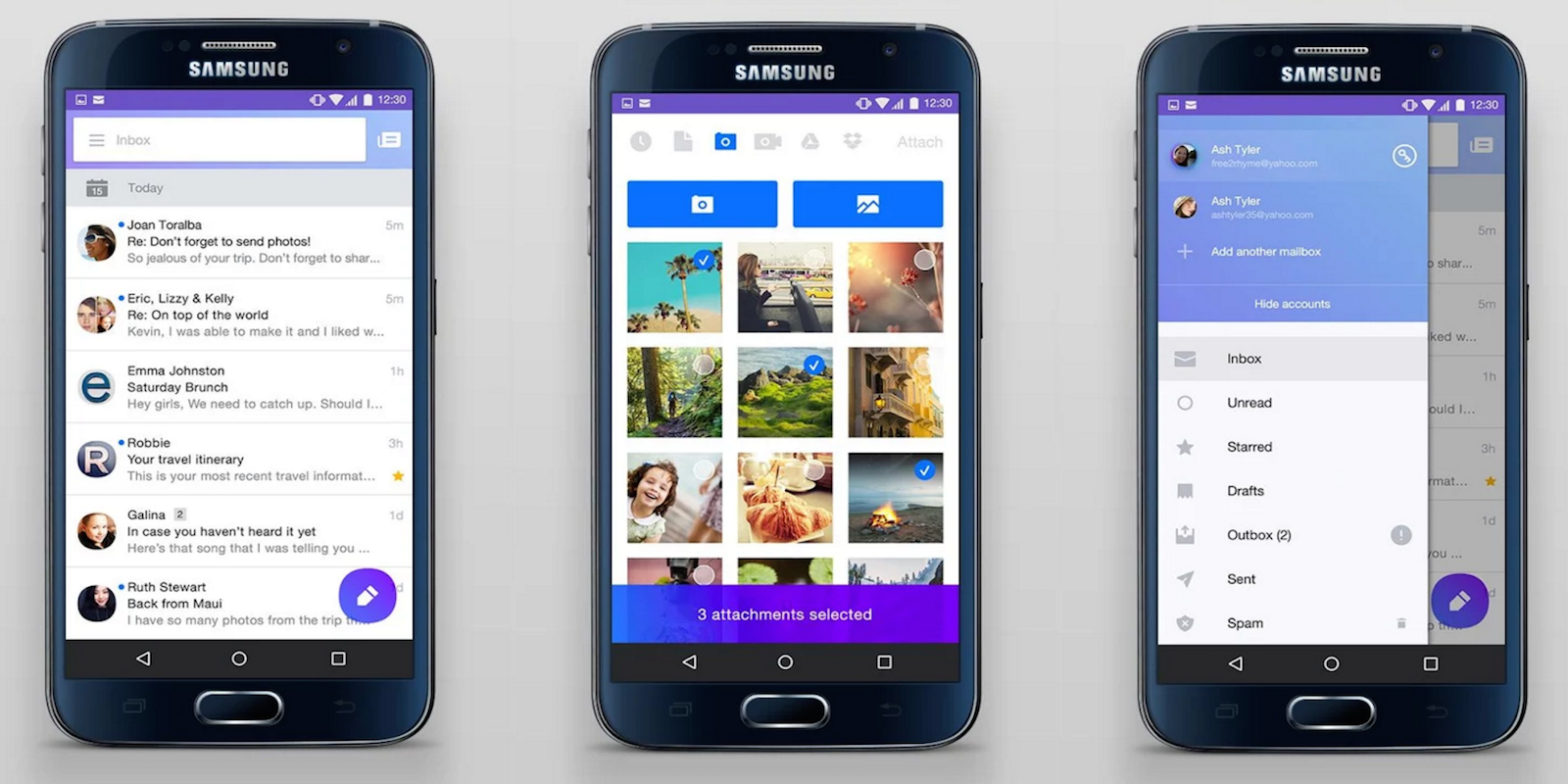
Yahoo is rolling out an update to its Mail app for Android that introduces a refreshed design, as well as new features including smarter search, contacts management and rich compose. Alongside the updated app, Yahoo Mail is for the first time introducing account integration for third-party email services including Outlook.com, Hotmail, and AOL Mail.
Expand
Expanding
Close

Google today has updated Chrome for Android to version 46 with a handful of under-the-hood bug fixes. These changes were originally introduced in the beta build of Chrome 46 but have now made their way to the stable version a little over a month later.
Google says that performance throughout the app has been greatly improved thanks to new optimized image loading and service worker instrumentation:
Tools like srcset allow developers to serve an optimized image variant in a responsive way, but it can be cumbersome and inefficient to use in practice. Developers can now negotiate with the server to download the best image variant for a device using straightforward HTTP request headers. These headers communicate DPR, Viewport-Width, and the intended display width of the resource being fetched to the server.
For developers, they can now animate any graphical object along an arbitrary path declaratively as a CSS property:
Previously, animating objects along an author-specified path required complex javascript code that could block important events like rendering and input. Developers can now animate any graphical object along an arbitrary path declaratively as a CSS property, allowing simpler code that doesn’t block rendering or input.
For the end user, this means that performance should be greatly improved with Chrome 46 on Android, as should stability. It’s available now on the Play Store.
Google is rolling out a couple notable updates to its Google Translate apps that adds additional languages for translations of printed text and support for the new Split View app mode on iPads.
Expand
Expanding
Close
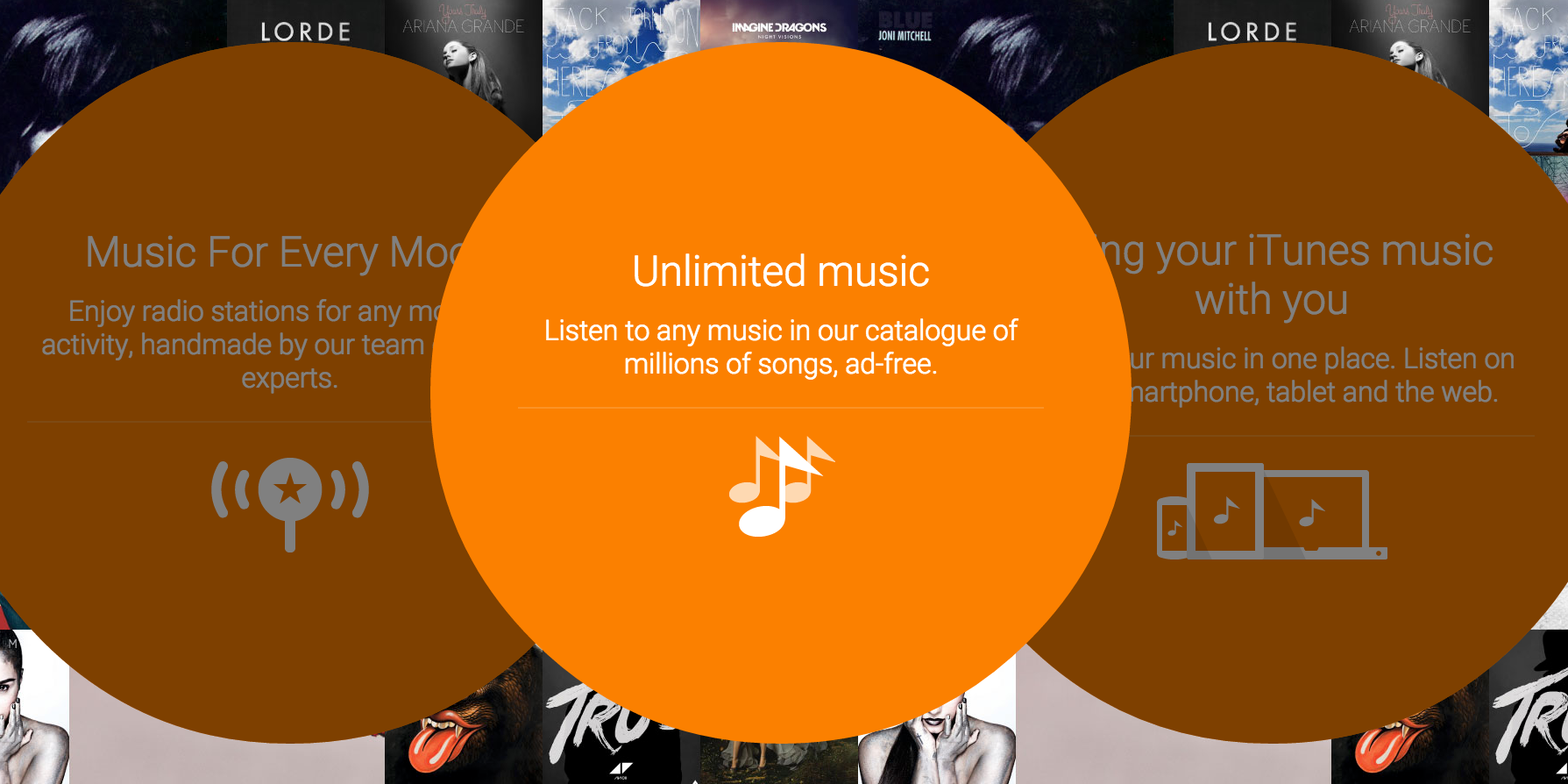
A support page showed up yesterday hinting at a new “music gifts” feature coming to Google Play, and now it looks like the feature is launching in some locales. Specifically, Play Music users in Australia seem to be seeing a new option (via Ausdroid) in “Music settings” labeled “Send gift”. Tapping this icon seems to take users to a new page for gifting a Google Play Music subscription…
Expand
Expanding
Close
Uber has announced that it will be sending location-based AMBER alerts to its drivers across all 180 U.S. cities in which it operates, following a successful trial in Colorado.
AMBER alerts provide information on missing children, including description and last known location, so that the public can be on the look out for them. Since the launch of the scheme in 1996, a total of 722 children have been safely found as a direct result of an AMBER alert.
Robert Hoever, director of special programs at the National Center for Missing & Exploited Children, described the Uber program as “an incredible asset.”
The AMBER Alert program’s success is built on the ability to reach the right people at the right time with these potentially life-saving messages. Uber’s presence in communities all across the country will be an incredible asset and we are proud to team up with Uber to increase the reach of the AMBER Alert program and help bring more missing children home safely.
Apps have proven a powerful addition to the AMBER alerts program, with mobile apps from Facebook and Waze already supporting them. Google added the alerts to search and maps back in 2012.
Via The Verge