I love the Pixel 10 camera, but it might be time for more than just consistency


Chrome has supported dark mode settings for a few years now, including the ability to sync the toggle to the system you’re running the browser on. Now, Google Chrome is preparing support for following the system dark mode setting of Linux, including Ubuntu.
Expand Expanding Close
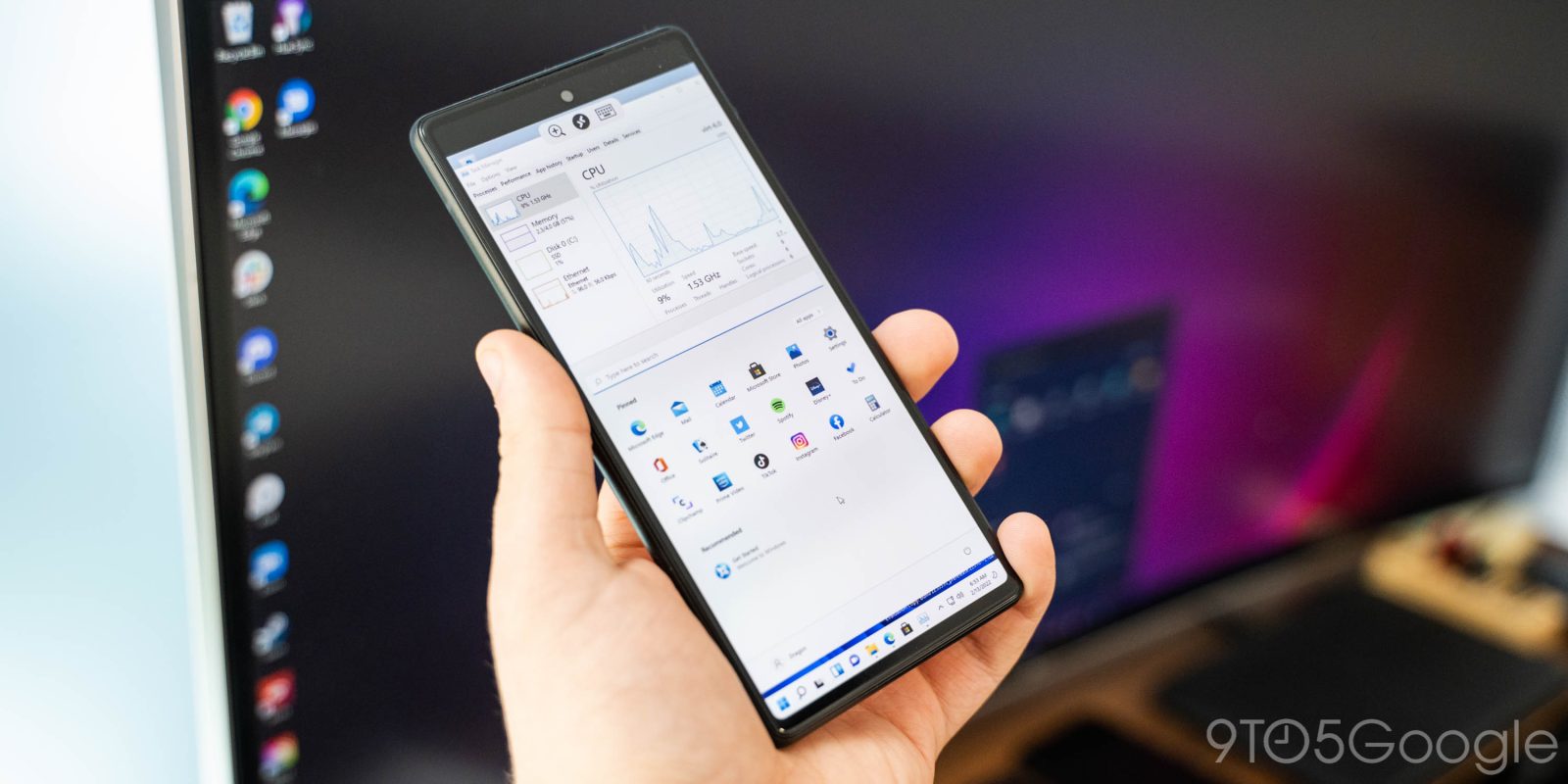
Android is already a flexible platform, but it seems power users will get even more flexibility in the next major update. Thanks to Android 13, phones such as the Pixel 6 are able to run virtual machines for Windows and Linux with better performance and fewer headaches.
Expand Expanding Close

Chrome OS is about to become even more powerful, with Google’s “Bruschetta” project adding support for using the Linux distro of your choice.
Expand Expanding Close
Linux support for Chrome OS makes every Chromebook a much more useful tool, and now, the feature is finally headed to older Chromebooks powered by Intel 6th Gen processors, otherwise known as the “Skylake” generation.
Expand Expanding Close
Since their debut years ago, Chromebooks have long been criticized for lacking native apps. That’s something Google has addressed by delivering support for Android apps and, more importantly, Linux apps on Chromebooks, and now the latter is finally dropping its beta label.
Expand Expanding Close
Google’s cross-platform Flutter SDK has grown significantly since it first launched for Android and iOS apps, gaining support for the web, Mac, and Windows. Today, Google has announced that they’ve partnered with Canonical, the publishers of Ubuntu, to bring Linux desktop app support to Flutter.
Late last year, Samsung and Canonical partnered on an app that allowed select Galaxy phones to run a full Linux desktop on top of Android. Less than a year later, Samsung has announced that they’re discontinuing the Linux on DeX program, coinciding with the update to Android 10.
Open source is a very important principle at Google, considering how many of its projects are developed that way. Google is now a Platinum sponsor of The Linux Foundation — a non-profit organization that advances the cause.
Android Messages for Web went official just last week and so far, it seems like everyone is loving it. Having access to your messages from the desktop is great, but locking it to a tab can be a bit annoying. Thankfully, a third-party developer has managed to build an unofficial desktop client for all major platforms.
Google launched YouTube Music just a couple of weeks ago and it makes a lot of improvements to the company’s streaming strategy. One thing it doesn’t fix, though, is the lack of a native app for desktop operating systems. Luckily, a third-party developer is coming to the rescue.
Last time on Fuchsia Friday, we dug into two prototype devices that Google is developing to run on Fuchsia, and mentioned that there’s a third “device” in the works. Today we’ll take a look at Machina, Fuchsia’s built-in emulator.
Acer is one of the bigger players in the Chrome OS market, and last month the company debuted two new exciting laptops in the Chromebook 13 and Chromebook Spin 13. Now we’re finding out that these machines will apparently support Linux apps out of the box.

As per a new Google project over on Github, the company is working on a brand new operating system. The new OS, currently dubbed Fuchsia, would add to Google’s current operating system offerings, namely Android and Chrome OS. This wouldn’t be an upgrade or replacement for either, but rather something completely standalone. Where it differs is in the fact that Fuchsia is not based on Linux — as both Android and Chrome OS are…

Google wields a lot of influence on the web as the developer of the most popular desktop browser in the world. As detailed in a draft proposal (via Venture Beat), the company wants to effectively kill Flash by blocking the plugin and prioritizing HTML5 by the end of the year.
Chrome on Mac, Window, and Linux is being updated this week to version 48. The latest update contains the usual bug fixes and improvements for the desktop browser, but mobile devices will see the bulk of the improvements. Future updates to Chrome, we’ve learned, will bring a new compression algorithm that will help the browser load faster pages and use less power on all platforms.

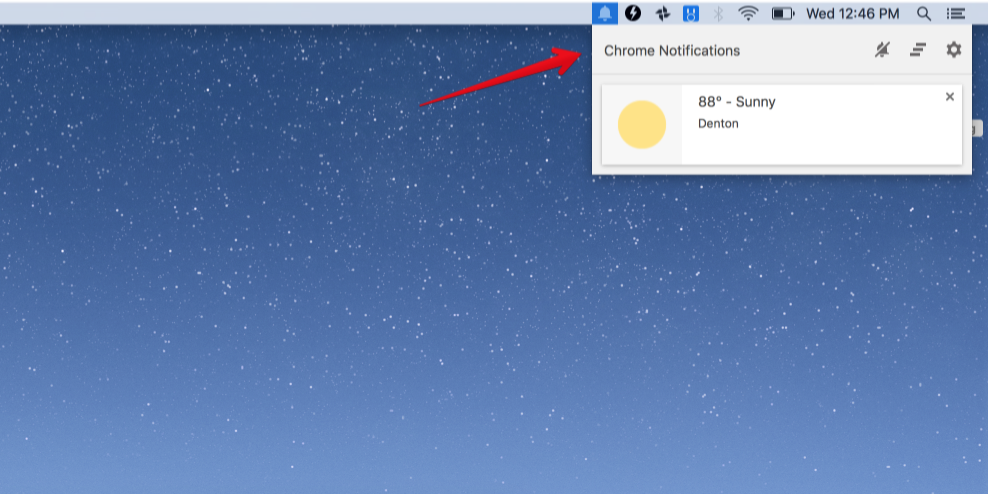
You probably know about this little notification center, but it’s very unlikely that you ever use it. That fact is according to data that Google itself has compiled, and — as is definitely not unusual — low usage means cutting features in the name of simplicity…
In some cases, these desktop notifications would appear while users were gone, so in 2013 Chrome launched the notification center, a place for users to find notifications from Chrome apps and extensions that they’d missed.
However, in practice, few users visit the notification center. To keep Chrome simple, it will be removed from Windows, Mac, and Linux in the upcoming release. The notification center on Chrome OS will remain unchanged.

Do you speak and write in more than one language – and often use them interchangeably? If so, you may know the frustration of having to constantly change the language Google Chrome uses for spellchecking. Fortunately, it looks like Chrome soon will be able to spellcheck in multiple languages simultaneously, as well as make it easy to quickly toggle spellchecking on and off for different languages.



Google has been working with Adobe to improve battery life drain caused by Flash and today flipped the switch on a new Chrome feature that does exactly that. The new feature aims to detect Flash on a webpage that is actually important to the main content and “intelligently pause content” that isn’t as important. The result is to hopefully make the web experience with Flash more power efficient to improve battery life on your laptop. Here’s how it works:
Expand
Expanding
Close
Google has today pushed Chrome 40 to the stable channel, specifically version 40.0.2214.91. This update, while packing only minor changes, is the first that has moved version 40 to stable from its beta stage (which it entered in late November of 2014). Of the changes are an updated app information dialog for the Windows and Linux versions of the browser, and a new message for when the clock is ahead or behind. The more important change in this update is the inclusion of 62 security fixes, which are all documented on the Chromium issue tracker.
The Chrome team is delighted to announce the promotion of Chrome 40 to the stable channel for Windows, Mac and Linux. Chrome 40.0.2214.91 contains a number of fixes and improvements, including:
- Updated Chrome app info dialog for Windows and Linux.
- A new clock behind/ahead error message.
A partial list of changes is available in the log.

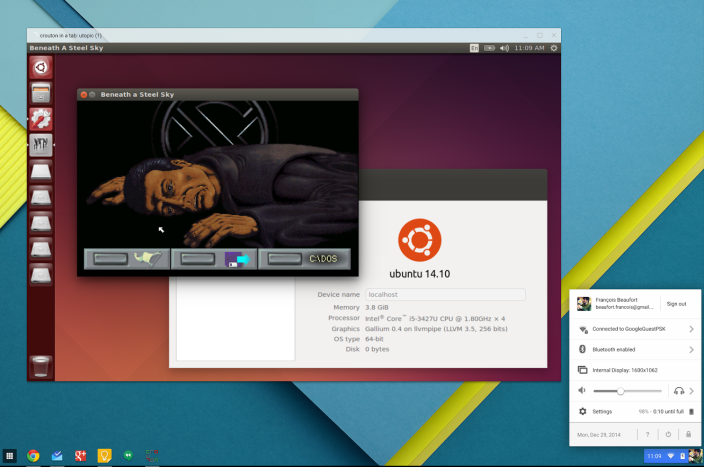
Google’s Francois Beaufort has revealed in a post on Google+ that Chrome OS users can now run Linux on their machines in a desktop window. This means that developers don’t have to switch back and forth between operating systems, but rather can run them side by side. This capability is made possible by the Crouton Chrome extension, which is available on the Chrome Web Store for free.

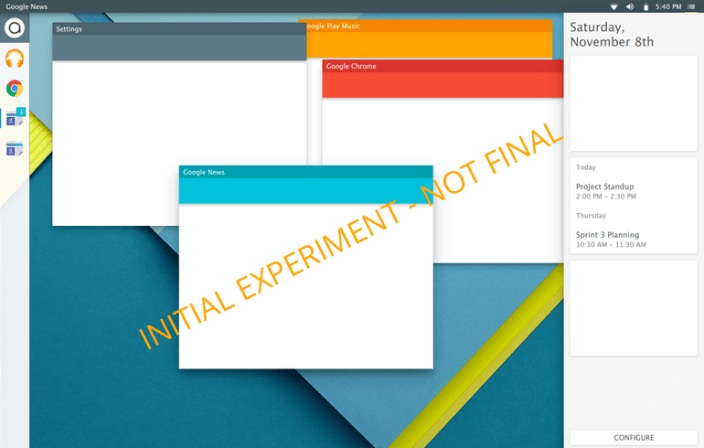
Google ushered in a new design language called Material Design as one of the biggest new elements of Android Lollipop, and an upcoming Linux distribution called Quartz OS aims to bring the clean and simplistic user interface to the desktop. Quartz OS is essentially the marriage of Material Design and Linux, aiming to harness the flexibility and power of the JavaScript-based markup language QML.
Expand
Expanding
Close
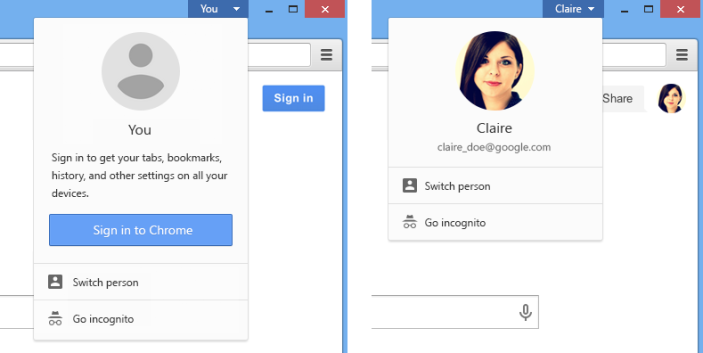
Earlier this week, Google released the stable version of Chrome 37 and now, just two days later, the company has announced the Chrome 38 beta for Windows, Mac, and Linux. The update adds a variety of new features, although, as always, it’s a mystery as to which will make it to the stable version when it’s released.

 If you’ve ever been frustrated by visiting a website on your smartphone or tablet and finding it won’t work because it uses Flash, you’ll welcome the latest Google initiative: it is now flagging Flash content in its search results, warning that the site may not work on your device.
Starting today, we will indicate to searchers when our algorithms detect pages that may not work on their devices. For example, Adobe Flash is not supported on iOS devices or on Android versions 4.1 and higher, and a page whose contents are mostly Flash may be noted
As Google notes, Android abandoned Flash support as of Jelly Bean due to reliability, security and performance concerns. Adobe has been forced to issue a succession of security updates to Flash, the most recent being two emergency updates earlier this year. Google says it hopes the move, coupled to Web Fundamentals and Web Starter Kit initiatives for developers will encourage the use of HTML5 in place of Flash.
Google has officially introduced Linux support for Chrome Remote Desktop and provided step-by-step instructions to setup the beta through its Help Center. Linux already supported remote assistance login via PIN passwords, but now it gains long-awaited full remote desktop capabilities. Chrome Remote Desktop is also available for Windows, OS X, Chrome OS, Android and iOS devices.
Expand
Expanding
Close


