Latest

Google+ for iOS updated with ‘Collections’ feature

Google+ Collections iOS

Google+ Collections, a feature that lets like-minded Google+ users connect in forums organized by topic, today comes to iOS devices after first rolling out for Android and web users a few months back.

Users can create Collections for topics they’re interested in and follow Collections created by other users to keep track of posts related to their interests. Google shared a few examples of popular Collections including Homebrewing, Climbing Junkie Photos, Magical, Mystical Mountains and Marine Life. It also features select Collections on a webpage here for easy searching.

When you post a Collection, Google notes that you’ll be able to customize who sees it thanks to recent improvements to the feature on Android that also come to iOS today. It also recently added the ability to add taglines to Collections and search for them on mobile devices. 

The Collections feature is available now in the updated Google+ iOS app with version 4.8.5.

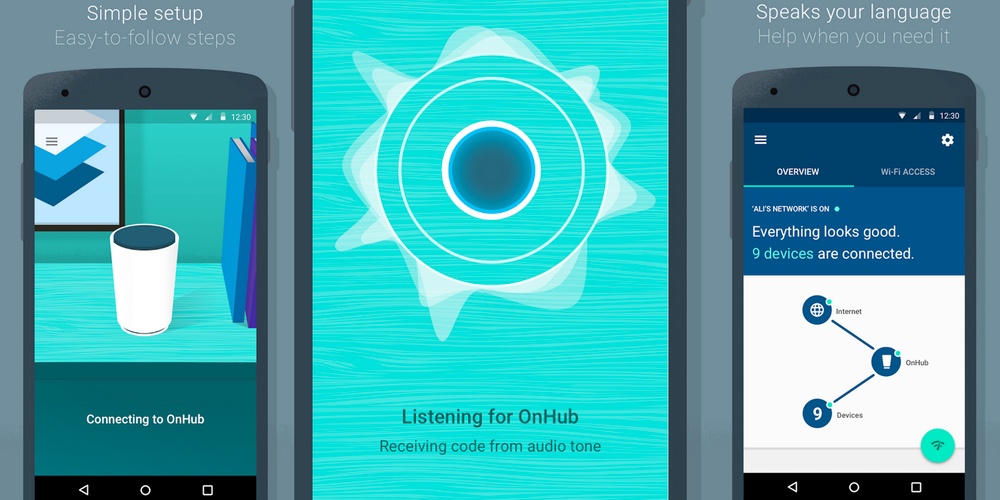
Google OnHub companion app hits the Play Store, boasts innovative setup and simple UI

google-on-hub-app

To coincide with the launch of its brand new OnHub wireless router, Google has released the companion app on the Play Store. The app is notable for several reasons. Firstly, it reveals some of the setup details and secondly, the router management options look so ridiculously simple, they almost seem too good to be true.
Expand
Expanding
Close

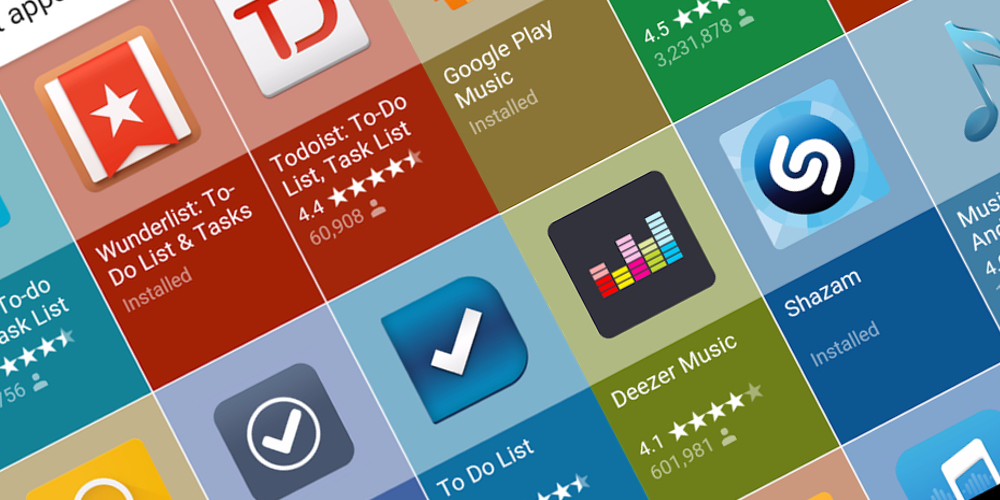
Google rolls out attractive, new apps search UI

new apps search feature

It looks like Google has been working behind the scenes to make searching for apps a much more intuitive and better-looking experience on Android. As spotted by the folks at Android Police, if you go searching for apps from the default search feature in Android, you’ll now get a very attractive, Material-themed grid of apps. Although it doesn’t work for every single term, simply search for anything followed by ‘apps’ and it’ll bring up a grid of downloadable options from the Google Play Store.


Expand
Expanding
Close

Pocket 6.0 rolls out for Android with new Recommendation feature

pocket-android

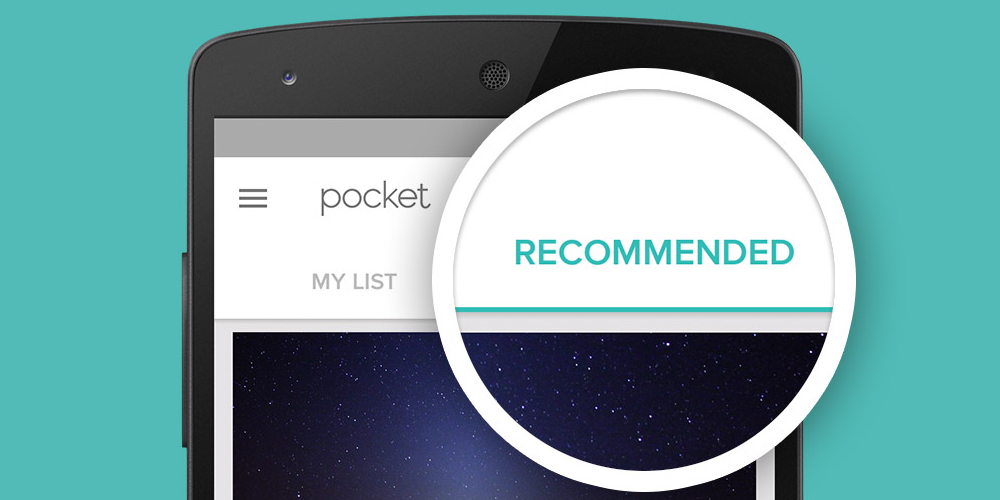
Pocket is one of the most popular read-it-later apps available on Android, and the service is about to get better (or perhaps worse depending on your viewpoint), with the public launch of recommendations. The feature has been tested in beta for some time, and is now officially out in the wild and will be available to users on Android, iOS and on the web. Pocket describes it as “high-quality content without the noise”.

Recommendations takes the absolute best content being saved across Pocket and tailors it to your own saving and reading habits. The result is a feed that’s completely unique and personalized to you, and is filled with the most interesting articles and videos you might have missed otherwise.

Instead of being a collation of the most viewed web pages from the web, recommendations are based on how popular stories are with people with your interests. Since they’re already curated by humans, the company hopes that helps tune out the noise. For instance, if you happen to save a lot of technology articles to read later in Pocket, you’ll be served up tech-based recommendations. What’s more, if you find a recommendation you don’t like, just press the ‘X’ and remove it from your feed.

Recommendations are currently available in English only currently, but the company states that it is working on a wider roll out in more languages. You can download Pocket 6.0 for Android from the Google Play Store for free.

Swype for Android receives Star Trek keyboard themes + new emoji keyboard

Nuance Communications is today releasing an updated version of its popular Swype Keyboard for Android, “the world’s most powerful keyboard,” which includes an all-new Swype Store with additional premium themes as well as an emoji keyboard. Swype is a popular alternative to the default Android keyboard due in part to its many customization options, like the ability to change the keyboard’s overall layout, key sizes, and a bunch more.
Expand
Expanding
Close

Use Vysor to easily control an Android device from your computer without rooting

Okay, this probably isn’t going to drastically change the lives of either casual users of Android or developers on the platform, but I still found it to be cool. There’s a new Chrome app on the block called Vysor, and it offers a super simple way to view and control an Android device from a desktop computer.


Expand
Expanding
Close

Google Classroom gets question-driven discussion, reusable posts, more

Back to school season is in full swing and Google is using it as an opportunity to release a bunch of new features and changes for those of its products geared towards educators. Google Classroom has been updated with question-driven discussions, reusable posts, calendar integration, and more.
Expand
Expanding
Close

Winter is coming: Yahoo Weather app adds near-term rain and snow alerts

Yahoo-weather-01

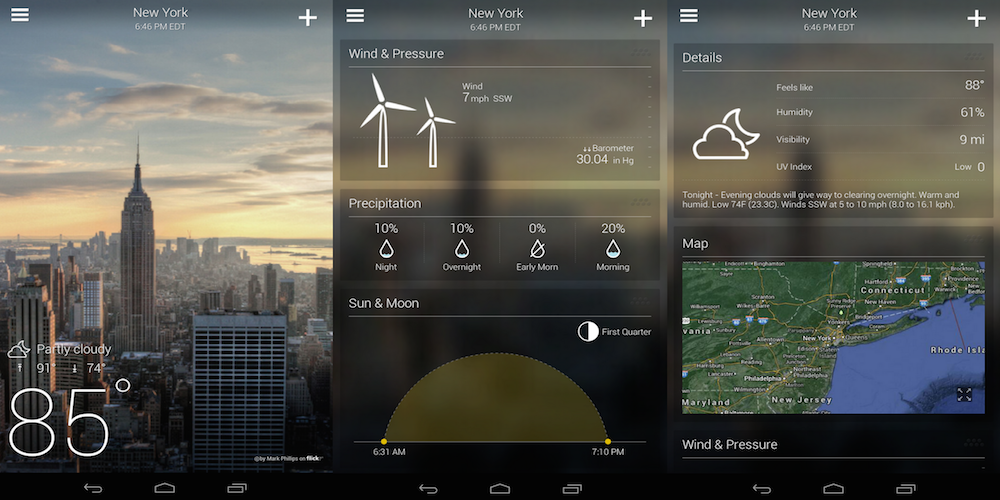
Yahoo is today updating its Yahoo Weather app for Android with near-term rain and snow alerts (not that we needed a reminder that summer is nearly over). With the updated app, users will receive alerts for rain and snow 15 minutes before an expected downpour.

In addition to the new weather alerts, Yahoo notes that the app is now more accurate with improvements made to the methods it uses to “determine and serve forecasts.” As an example, Yahoo says the app will now “even zoom in on microclimates.”

The updated Yahoo Weather app with rain and snow alerts, version 1.8, is available for Android on Google Play now.

What’s New in Version 1.8

Introducing new weather alerts around the world!

Yahoo Weather, our beautiful and intuitive weather app, will alert you 15 minutes before rain or snow is expected so you can grab your jacket, boots and umbrella!

K1_banner

Google Docs & Sheets for Android learn a few new useful tricks

Update: This post has been updated to include an APKMirror link to the Docs update which includes Print Layout.

Google Docs and Sheets, two of products that make up Google’s suite of online productivity tools, have received some small updates on Android that will come in handy for mobile warriors (sorry, had to say it).

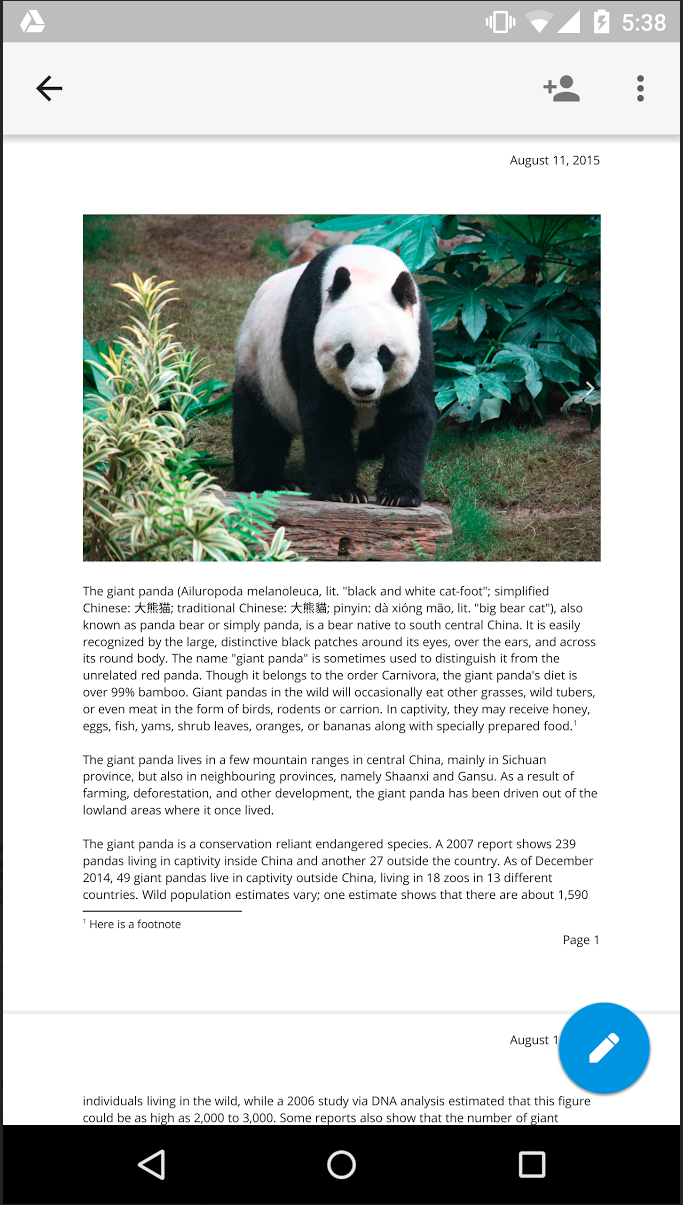
Let’s start with Docs. Now from the overflow menu of a document you’ll find a new Print Layout option that, when selected, will show you a fully paginated (each page labeled with its order in the document), read-only version of your document. This is what your document will look like printed on paper. Print Layout will continue to update in real-time as collaborators make changes. The ability to edit from within the Print Layout view will come in the future.

printlayout

The other new updates today come for Google Sheets. The first is a new “intuitive keyboard functionality.” Now when you tap a cell in a Sheets spreadsheet, either the alphabetic or numeric will open depending on which type of characters are in the cell. Tap a cell with only numbers in it, Sheets will open the numeric keypad so you don’t have to make another tap to switch to it. Nice touch.

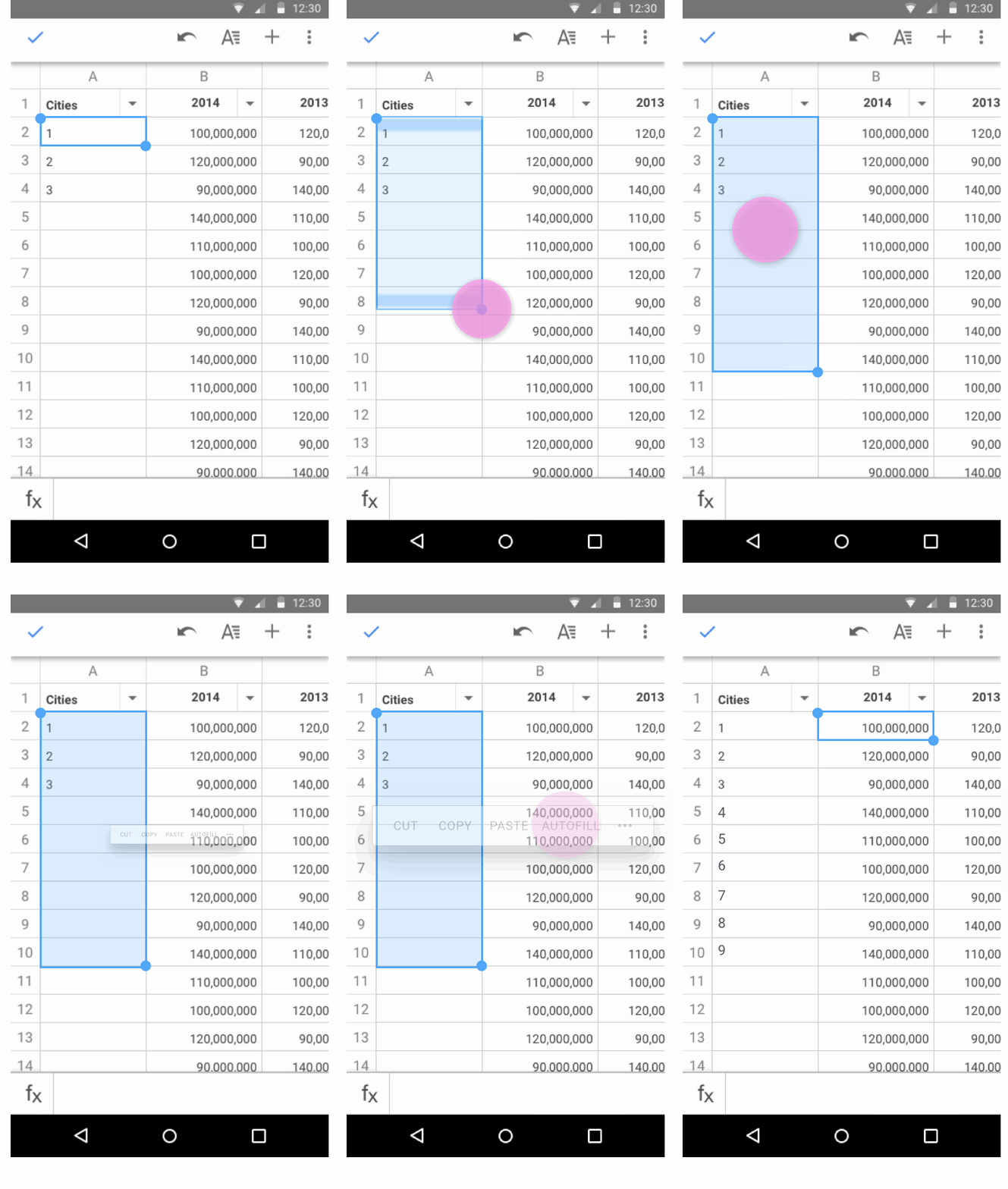
Autofill in SheetsThe final update to hit Sheets is autofill. As you can see in the GIF above, autofill makes it easy to complete a pattern without the tedium of going cell-by-cell and doing it yourself. Select the data you want to repeat and drag to the cells you’d like to repeat it in, and Sheets will fill in the cells using the pattern of your selected data.

The latter two updates for Sheets can be found in the latest update to the app for Android in Google Play, while an APK download of Docs including Print Layout can be found on APKMirror.

K1_banner

Bing app for Android updated, Marshmallow-like Now on Tap features in tow

bing-for-android-snapshot

As part of its Android M announcement, Google showed off its Now on Tap feature which will allow you to get contextual information within any app or screen just by pressing the home button for a few seconds. With Marshmallow not set to hit the public until later this year, it gave Microsoft a chance to beat Google to it. And it has done just that in its latest Bing app for Android.


Expand
Expanding
Close

AdSense v3.0 for Android receives Material Design treatment

AdSense, Google’s publisher ad network used by millions of websites across the web, has just seen its Android app brought up to the company’s Material design language standards.

The app itself is mostly read-only, meaning you can quickly see data on your performance like how much money you’ve made from your ad placements over different time periods, but you cannot create new ads to place on your site from within the app. That would be cumbersome from a mobile device, though, as it requires copying and pasting HTML code into your site’s backend.

AdSense 3.0 also brings with it a new logo the company unveiled back in June. It looks like this:

google-adsense-logo-1434711666

And for the curious, here’s what the app looked like before today’s update:

The update hasn’t propagated completely in Google Play yet, but it’s available as a direct download through APKMirror right now.

K1_banner

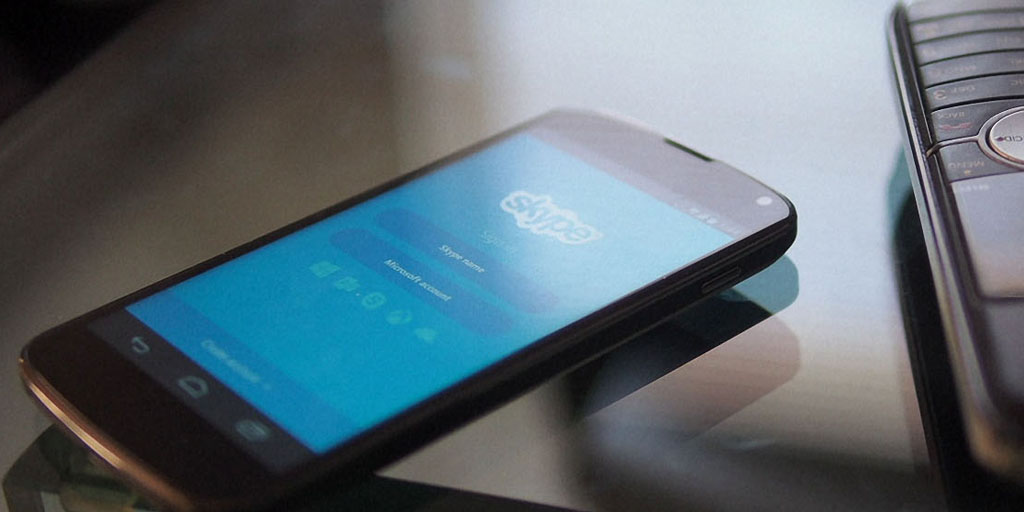
Skype for Android updated with personalized ringtones and easier photo sharing

Skype has updated its Android app to version 5.10, allowing you to create personalized ringtones for specific contacts, and making it easier to share photos.

Customize incoming call sounds for a contact by selecting a ringtone from your device. In a conversation, tap the lower right and select “Ringtone options” then “Set custom ringtone”.

Share photos from chats with other Skype friends and family who may not be in the conversation. Just tap and hold on the photo you want to share and select “Forward photo”.

Avatar colors for group chats have also been changed, to make it easier to tell your different conversations apart.

The last significant update was the visual refresh and performance boost last month. A week ago, the company made available to enterprise customers a preview of its updated Skype for Business Android app.

The new app is a free download from Google Play.

Photo: TNW

K1_banner

First look at Fallout for Android [Video]

fallout-shelter-android

Yesterday, Bethesda finally launched the long-awaited Fallout Shelter for Android and I couldn’t wait to get my hands on it. In this video, I take you on a brief walkthrough and tour of the initial game stages and how to play. If you haven’t already, you can download the game for free from the Google Play Store right now.


Expand
Expanding
Close

Trade stocks from your phone for free with Robinhood, available on Android now

Millennials have a grim financial outlook: It’s harder than ever to pay for college, making many delay settling down and starting a family, and almost half don’t even believe that United States Social Security benefits will be there for them when they retire. Fortunately an app called Robinhood is trying to make financial investment for the future cheaper, right now. The stock investing app launched on Android today after being available on iOS for over a year.


Expand
Expanding
Close

LastPass password manager now free on mobile devices, but going cross-platform still costs

Site default logo image

lastpass

LastPass, which claims to be the world’s most popular password manager, now offers the choice of free usage on either mobile or desktop platforms. Previously, desktop use was free while use on a mobile device required a $12 annual subscription.

You can now use for free on either platform – but still need to pay to get both mobile and desktop usage. LastPass told us that, seven years in, it was time to change its freemium pricing model … 
Expand
Expanding
Close

Microsoft’s Cortana voice assistant for Android can now be your home button shortcut

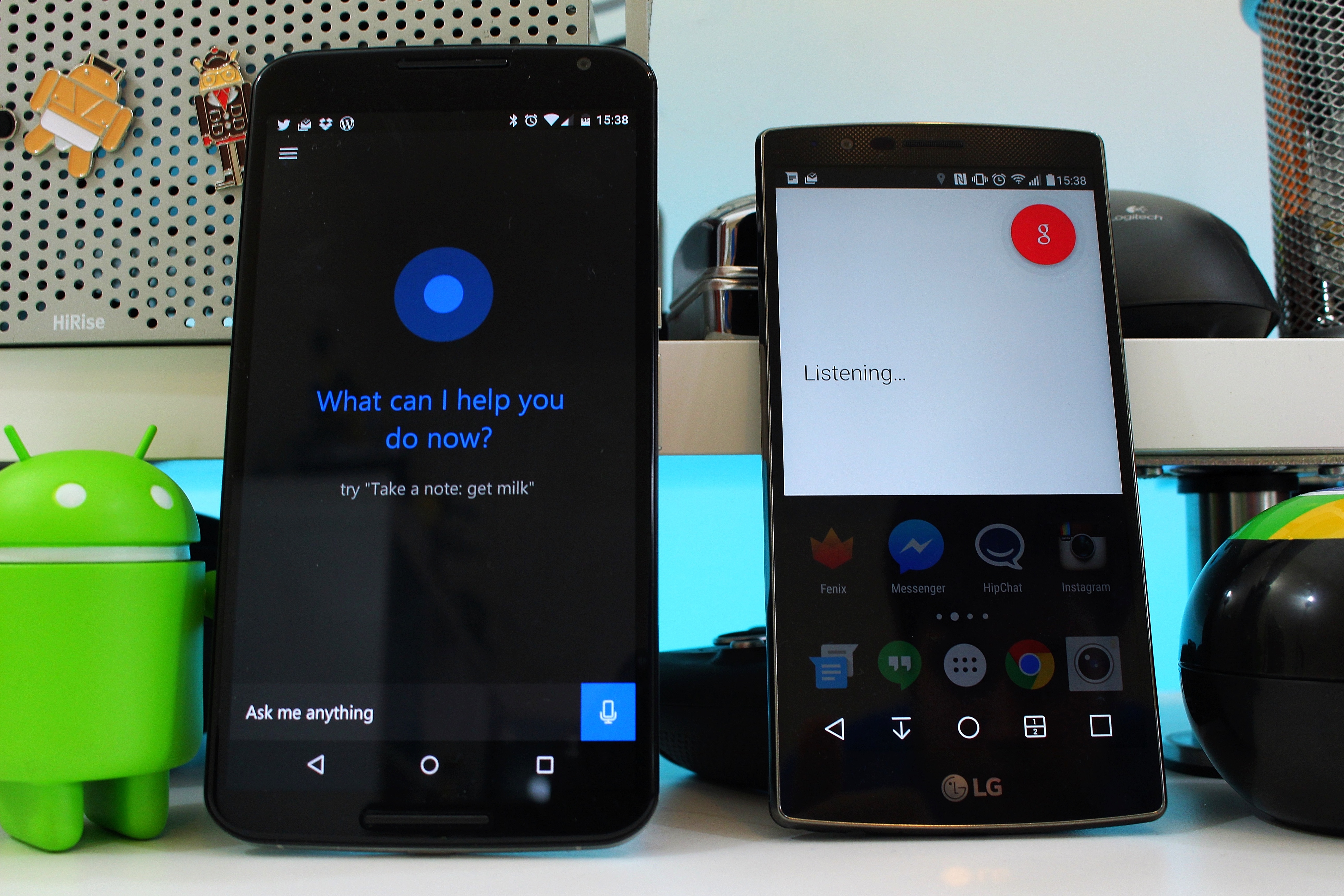
We first gave Cortana beta for Android a try a few weeks ago, and I just wasn’t impressed. Our own Cam Bunton went on to give it a deeper look and a comparison to Google Now and was a little less cynical than I, but overall neither os us were convinced that it is something that Android users need. I would argue that that’s still the case, but Microsoft clearly hasn’t given up yet. With a recent update to the app, you can now set Cortana as the home button shortcut.
Expand
Expanding
Close

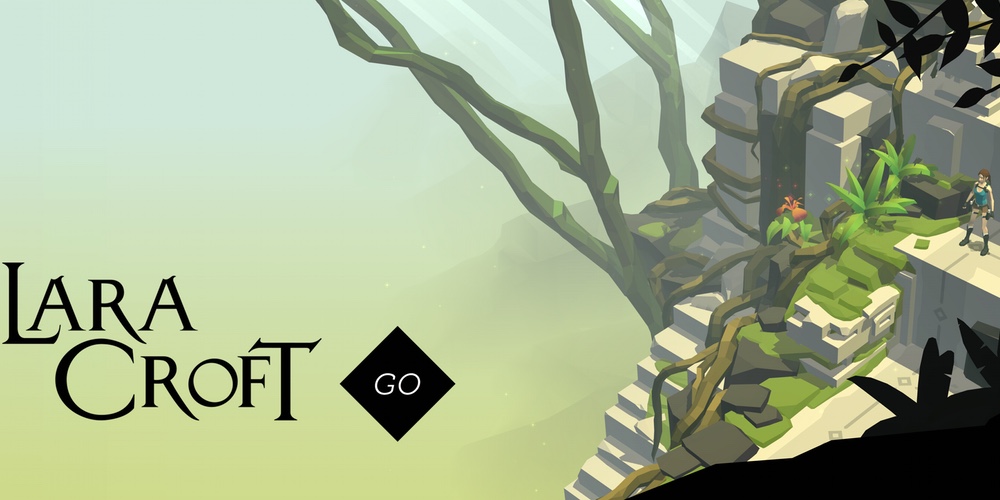
Lara Croft GO by Hitman creators Square Enix launching for Android on August 27

laracroftgo

Hitman creators, Square Enix are about to launch their next mobile title for Android. Lara Croft GO will hit the Google Play Store on August 27 and will feature similar gameplay to the popular Hitman GO title. The developers promise beautiful graphics and challenging stages:

Square Enix Montréal today announced that Lara Croft GO, the follow-up to the hugely successful Hitman GO® mobile game, will release on mobile platforms Aug. 27. The turn-based puzzle game offers a never-before-seen take on the iconic franchise, featuring challenging levels, gorgeous visuals and a mesmerizing soundtrack.

If it’s anything like the Hitman GO title, the Tomb Raider inspired version is going to be frustratingly addictive and could be one of the surprise hits of the year. Hitman GO was incredibly well reviewed. Just browsing through the Play Store listing shows glowing reviews. And — for once — it’s not a freemium game. So let’s hope Lara Croft’s version sticks to that pricing model.

As well as announcing the impending arrival of Tomb Raider GO, Square Enix has joined with Crystal Dynamics to launch an art contest. Artists are being invited to submit their own original Lara Croft GO-inspired artwork between now and August 21. The top 10 entries will be selected by a panel of “experts” and will be showcased during a party at PAX Prime in Seattle on August 28, one day after the game lands on the Play Store. Of these 10 entries, three will be selected to go to auction, with the proceeds going to Child’s Play, a “game industry charity”.

If you want to submit artwork, simply email info@square-enix-montreal.com with the subject line ‘Lara Croft GO Art Contest Submission’, along with your name.


Angry Birds 2 review: How Rovio wrecked a classic [Video]

Once upon a time there was a small Finnish game development company called Rovio. It wasn’t particularly famous, nowhere near the likes of EA Games, but then Angry Birds happened. The original title took the iOS App Store by storm before eventually landing on Android. Since those early days the brand has become one of the most recognizable brands in the world. There’s clothing, toys and even short animated shows as well as numerous movie tie-in games like Angry Birds Rio and Star Wars. What was once the popular darling of the App Store is now a digital behemoth.


Expand
Expanding
Close

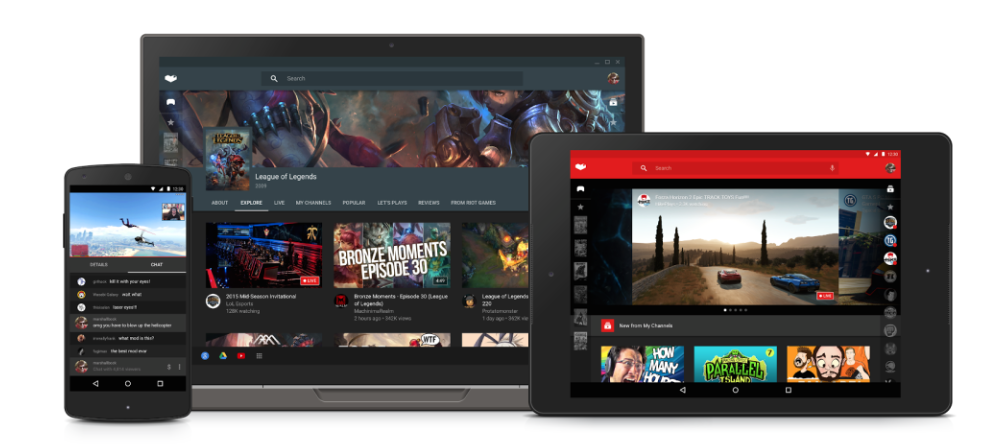
Google releases first Creator Preview version of YouTube Gaming for Android

youtube-gamingEarlier this year Google unveiled its new YouTube Gaming service to rival Amazon-owned video game streaming site Twitch after several months of speculation. Today, Google has released the version of the YouTube Gaming app for Android, albeit in an early “Creator Preview” form. The changelog of the app reveals that the app is capable of many of the features previously announced.


Expand
Expanding
Close