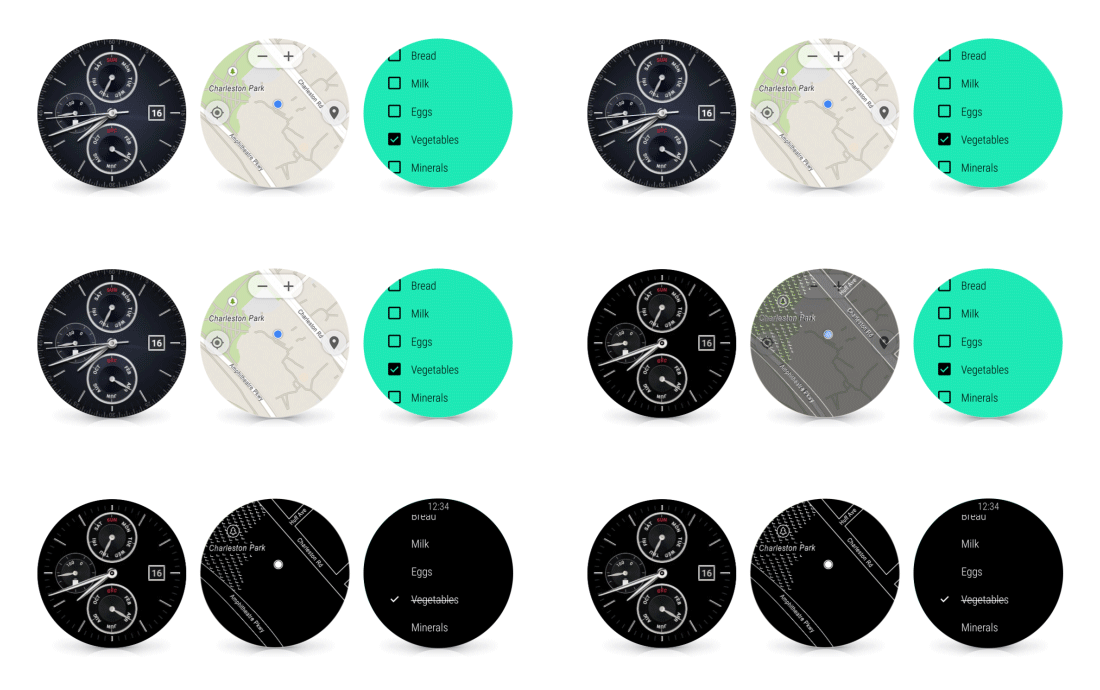
Google Maps was updated to version 9.9 today, and with this incremental update comes an actual Google Maps app on Android Wear devices (surprise, surprise?), a translucent status bar (finally!), and more…
Expand
Expanding
Close

Google Maps was updated to version 9.9 today, and with this incremental update comes an actual Google Maps app on Android Wear devices (surprise, surprise?), a translucent status bar (finally!), and more…
Expand
Expanding
Close


Instagram’s collage-making application Layout launched on the iPhone nearly two months ago, but without a counterpart on Android. Today that discrepancy has been fixed with the release of Layout for Android.
The app lets users easily create collages using up to nine of their pictures, or take new ones using the built-in Photo Booth feature, which can then be shared to the photo-centric social network or elsewhere. The Android version of Instagram itself also gained support for a new feature called “Structure,” which helps bring out details in photos.

Microsoft has this morning launched the smartphone counterpart of its previously tablet-only word processing suite for Android. Microsoft’s Word, Excel, and PowerPoint apps on the Play Store have now—appropriately—ditched the “for Tablet” part of their name, and beta testers now have access to these apps with smartphone support baked right in…
Expand
Expanding
Close

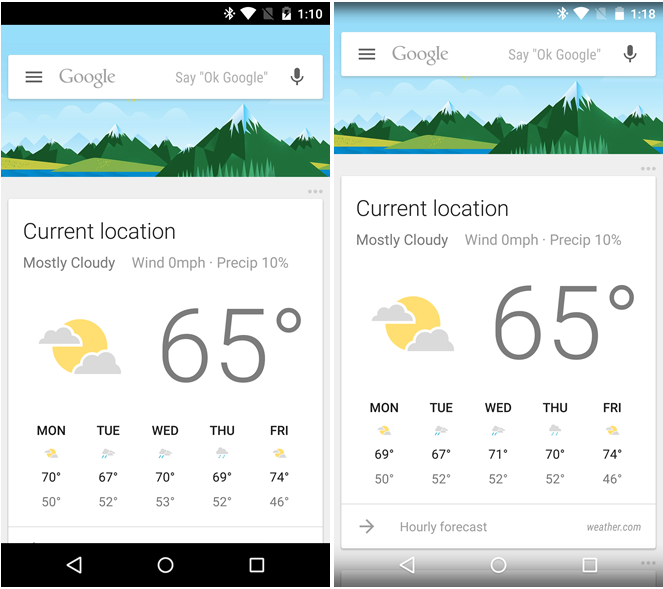
via <a href="http://www.androidpolice.com/2015/05/18/google-app-v4-6-enables-translucent-status-and-navigation-bars-for-google-now-screen-on-custom-launchers-apk-download/">Android Police</a>
With Google I/O right around the corner, the company is prepping its apps with minor updates ahead of the expected larger changes to come later this month. This evening, the Google App on Android received a minor update with a few visual changes. For users of custom launchers, the update enables full screen mode for Google Now.

Google’s Chromecast is picking up a lot of new content today with both FOX and FX adding support to their mobile apps. The updates come on the same day that CBS has added Chromecast support for its All Access service.
Expand
Expanding
Close
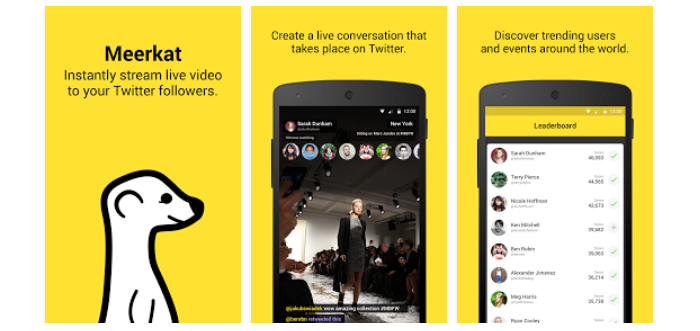
Livestreaming app Meerkat is out of beta on Android and now available to anyone who wants to try it out, the software’s developers announced today. The app was first released to a limited number of users a month ago for testing before going live to the public.
If you weren’t able to get in on the app’s beta, you can download it for free from the Play Store now. Meanwhile, Twitter is still hard at work on the Android-compatible version of its Meerkat competitor, Periscope, which is only available on iOS at the moment.

Coinbase today received an update on Android (and iOS) which allows users in the United States and Europe to sign up and link their bank accounts straight from the mobile app…
WhatsApp got Material Design in beta a few versions ago (and most avid users of the service have probably been on that version for a while), but now the official Play Store listing has been updated to version 2.12.84, bringing Material Design with it.
Other than a visual overhaul, this version doesn’t appear to pack any substantial changes. It was just recently, however, that the app was updated to bring voice calling to all users—another feature that WhatsApp had been testing for months before it was pushed to the masses.
You can grab the latest version of WhatsApp on the Play Store for free.
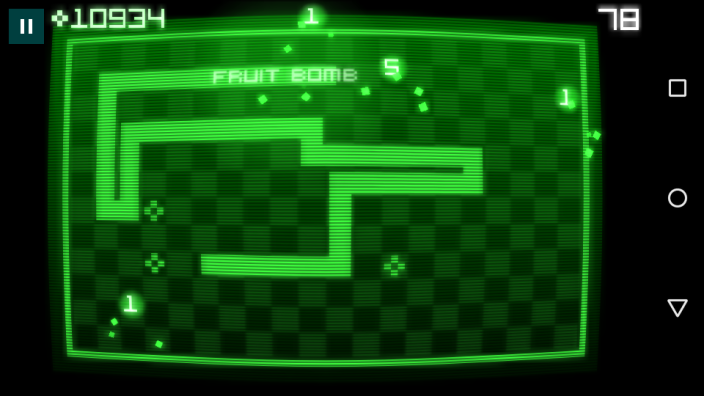
Snake Rewind has been getting a lot of hype, mostly because it was—at least partially—created by the maker of the original “Snake” mobile game from the 90s. Taneli Armanto in partnership with a game studio by the name of Rumilus Design announced the game earlier this month, but now it has officially landed in the Play Store.
The game is definitely inspired by the ancient dumbphone game, but this version has been updated to meet the tastes of a 2015 mobile gaming crowd. You’ll find a variety of fruit that the Snake can eat, 10 levels all with their own style and music, and the ability to compete against others via leaderboards and Facebook connect.
Here’s the full feature list:
– Rewind the snake to continue the game even after crashing!
– Many different types of special fruit, with unique powers and effects!
– 10 levels with distinct visuals and music, unlocked by completing fun and challenging missions!
– Fruit store where boosters and items can be upgraded and purchased, using fruit that you collect while playing!
– Compete against other players for higher scores and rankings on the leaderboards, connect with friends on Facebook and Game Center!
– Fill the whole screen with the snake and find out what happens then!
You can get Snake Rewind on the Play Store for free (but don’t be surprised if you stumble on a few in-app purchases along the way).
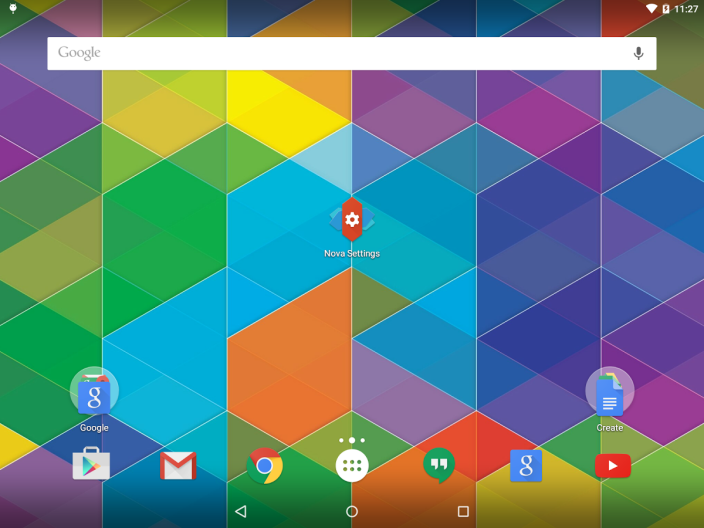
We told you back in March when the first Material-redesigned beta of Nova Launcher came out, but now Kevin Barry, the app launcher’s creator, has officially released the new Nova Launcher on its stable channel…
Expand
Expanding
Close

[youtube=https://www.youtube.com/watch?v=Rd9RQ07kcy0]
Timelapse videos are a great way to share experiences like cycle rides, hikes or road-trips, where you want to show all the scenery in a clip short enough that your friends will actually watch. But conventional timelapse video tends to look rather jerky – the problem Microsoft set out to solve with Hyperlapse.
The software is now available for beta-testing on Android, and early indications are that it produces impressive results – as you can see in the sample video above of a walk across London’s Millenium Bridge …
Expand
Expanding
Close

From 9to5Toys.com:

Amazon is back with another bunch of free Android apps and games. This time the booty is worth more than $110 and includes a few big name titles. All of these downloads will work on any Android device, but you’ll need to install the Amazon App Store for Android first. Once you do that you’ll be ready to start downloading. This promo ends May 16, 2015 at 11:59 PST. Here are our top picks:


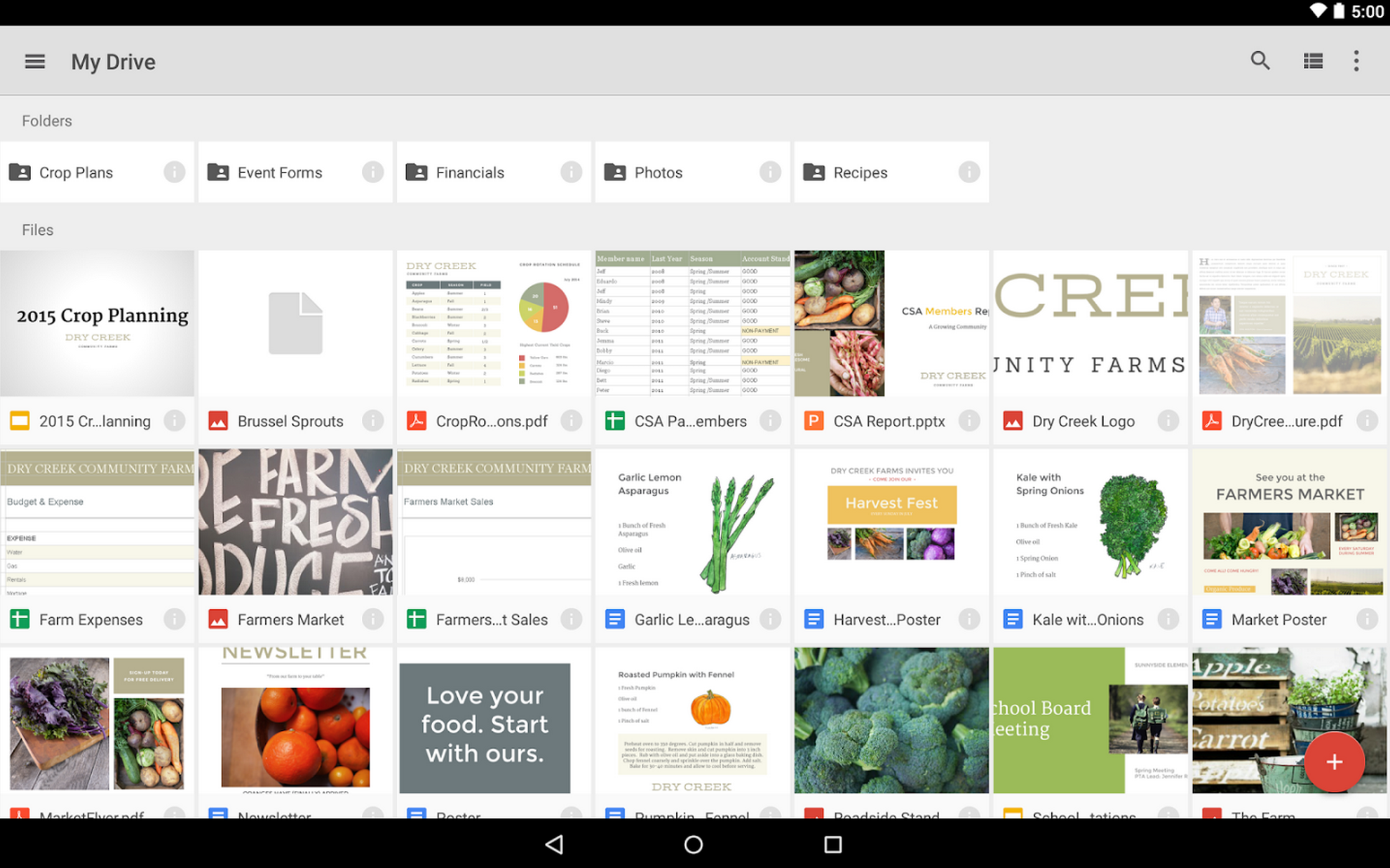
Google is rolling out an update for the Google Drive for Android app today that it says brings a long list of performance improvements and polish.
Google says the update also includes enhancements to PDFs with “the ability to see completed form data.”
The updated Google Drive for Android app, version 2.2.183.15, should be available to all through Google Play over the coming week.
Google released updates to other Android apps today including new features for Google Docs and Slides and improvements for Gmail.
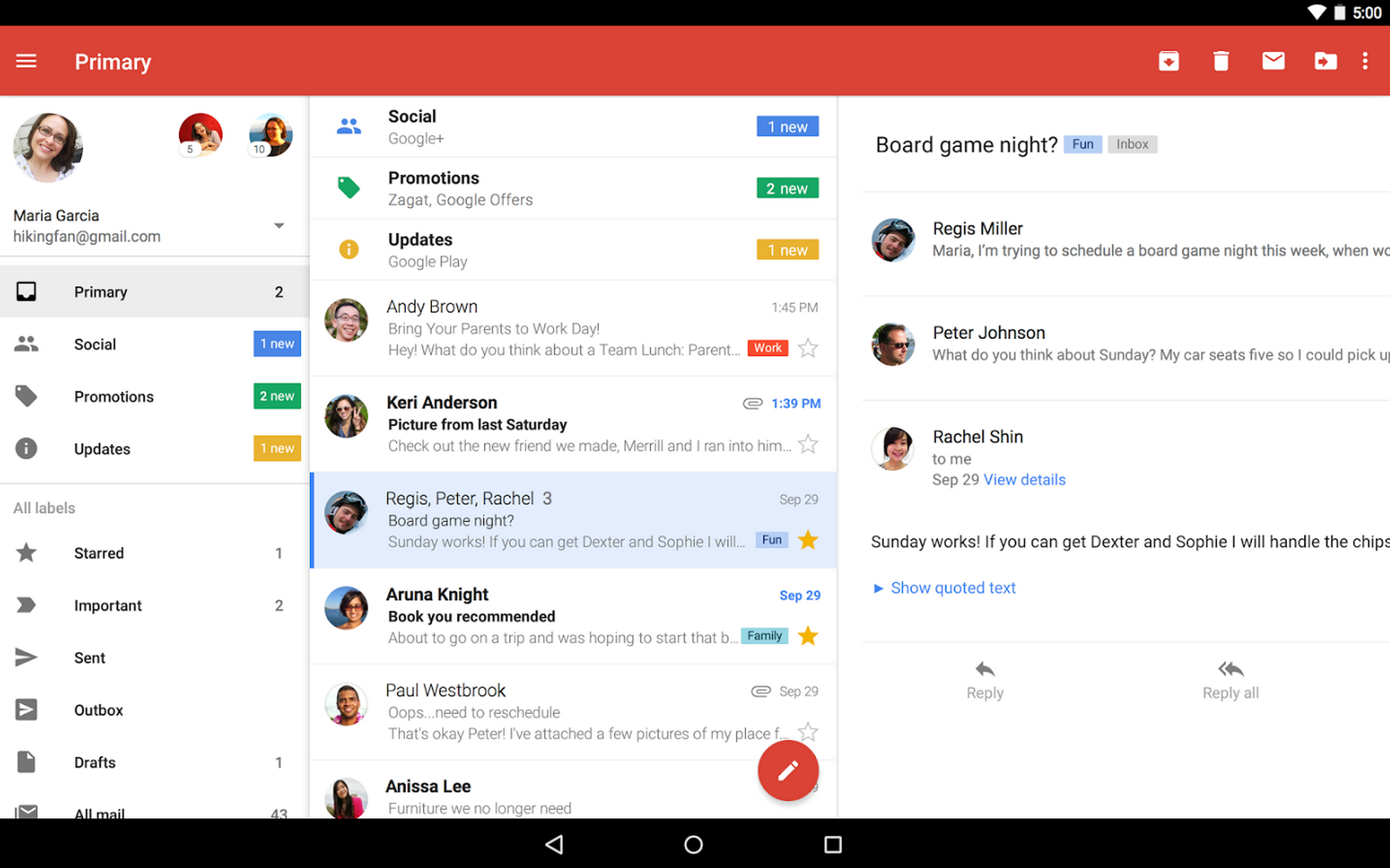
Google is rolling out some improvements to Gmail for Android that it says are based on recent feedback from users.
Updates include quick access to recent conversations, contact info and more by tapping on avatars, and improved support for non-Gmail addresses:
– Tapping on people’s avatars now lets you see recent conversations, contact info, and more.
-Support for non-Gmail addresses (IMAP) is now more reliable and adding additional accounts is a smoother experience.
The updates will be available in the latest Gmail for Android app for all in the coming days.
Earlier today Google rolled out updates to its Android apps for Google Docs and Slides.
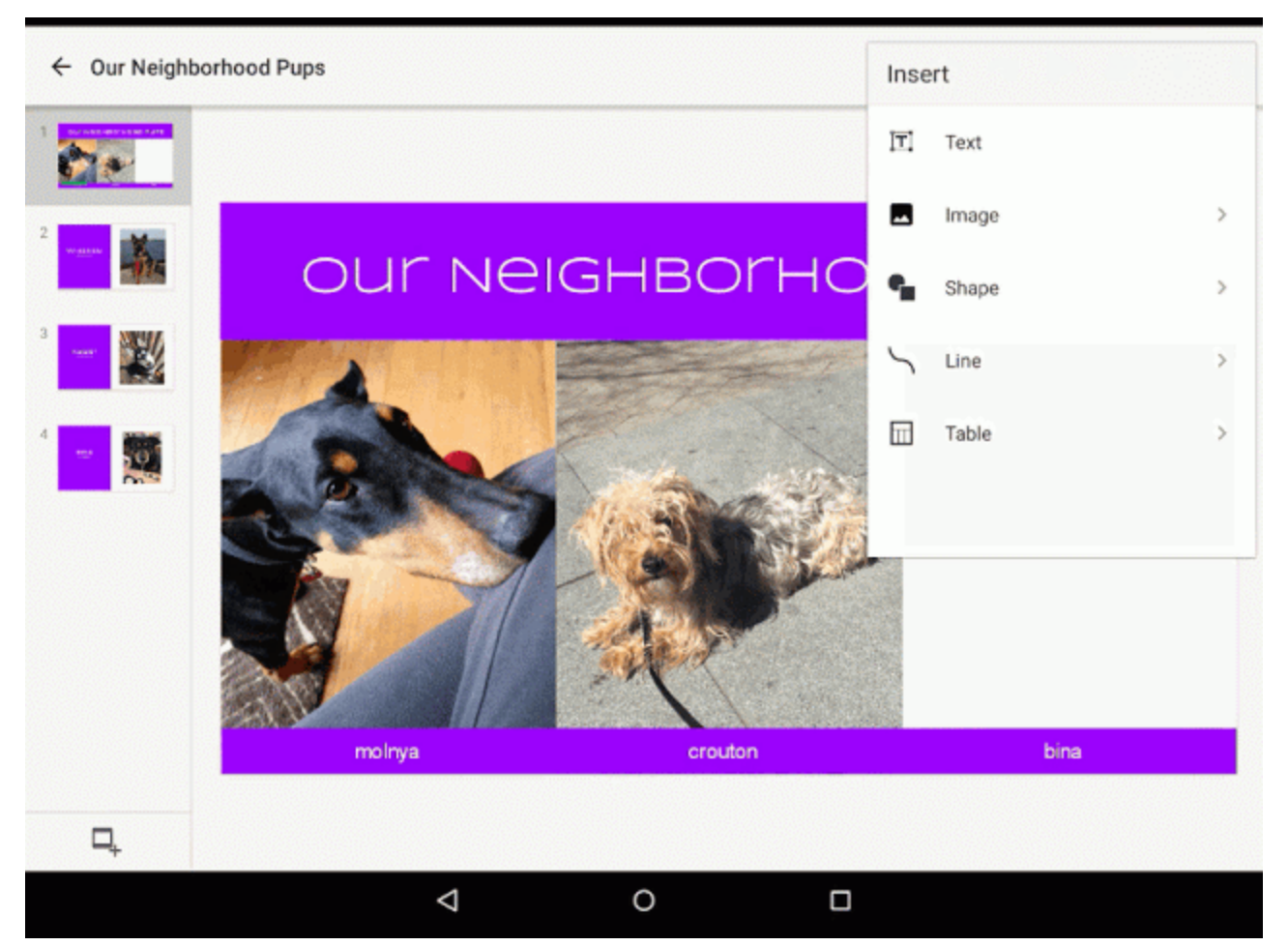
Google is today rolling out updates to its Google Docs and Slides mobile apps bringing the ability to insert images directly from the app on both phones and tablets.
Expand
Expanding
Close
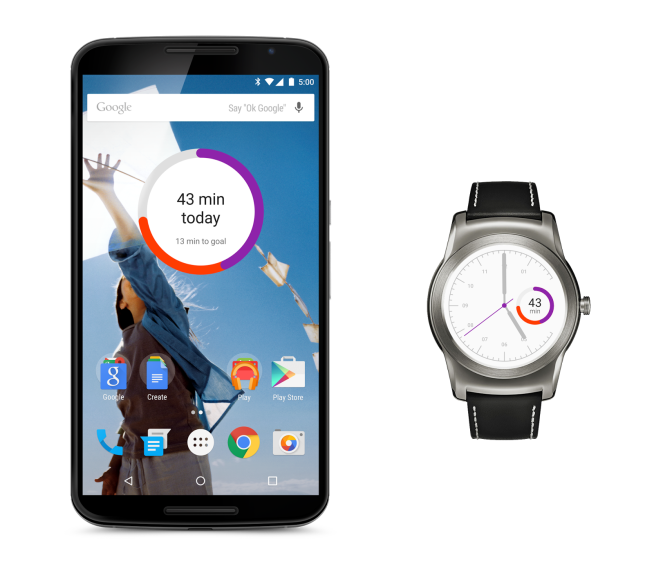
Google cares about your health and wants to help you stay in shape, which is why the company today released a set of updates and new features for the Google Fit platform across Android smartphones and Wear watches that make it easier to track your daily progress and fitness goals…
Update: Google has now updated the I/O app in the Play Store with the changes below ahead of May 28 – May 29 event. Grab it on the Play Store now.
The Google I/O app has received a few major updates over the last few years, each one landing right around the time of Google’s huge developers’ conference taking place in San Francisco, California. Now, some users who joined the beta channel of the Google I/O app last year have started receiving the update to its Google I/O 2015 version, and it packs a nifty super-Material redesign…
AppChat is a really interesting new app. First released just a week ago in a humble thread on XDA-Developers, the app—which creates little chatrooms for all of your currently-installed apps—has seen the creation of almost 80,000 of these rooms and more than 70,000 messages sent within them. The response has been pretty big, and the app has gone through 6 releases over the last week to make the experience as great as possible.
But what exactly is AppChat?
Expand
Expanding
Close
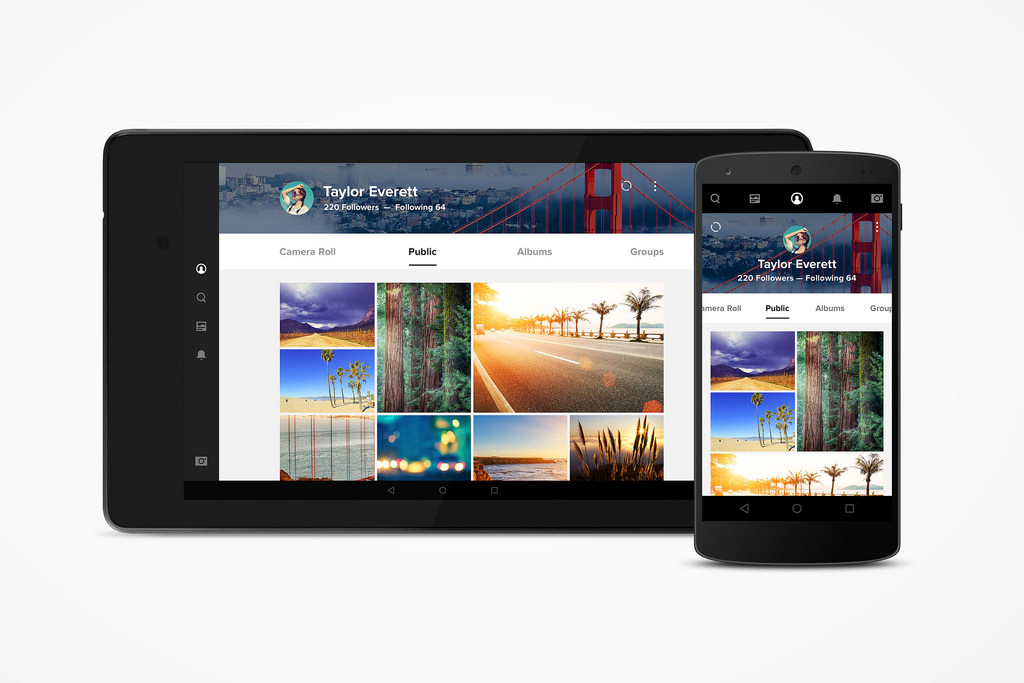
Flickr for Android was updated today with a new auto-upload feature that can privately upload every photo taken on your device to your account for safe keeping. Because Flickr gives users 1,000 GB of free photo storage, you won’t have to worry about running out of room any time soon. Even so, duplicate photos are automatically detected and removed to help save space.
YouTube Creator Studio, Google’s mobile app made for YouTube users to manage their channel, has today been updated with Material Design—including a new hamburger button and slide out drawer—among other minor changes.
Expand
Expanding
Close
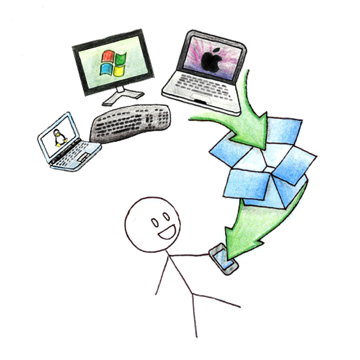 Dropbox has today updated its Dropbox for Gmail Chrome extension with several new features, including—most notably—the ability to attach folders and several files at once. The update also includes the ability to more easily send larger files, send files to anyone (regardless of if they have the extension or a Dropbox account), and the ability to quickly save files that you receive via Gmail to your own inbox.
Here’s the full change log:
- Easily send large files. Just click the Dropbox icon in the compose window, select files or folders, and click Insert Link(s). No waiting for uploads to complete, no file size limit, and no eating up space in your inbox.
- Say goodbye to zip files. Attach folders and multiple files instantly, without having to zip files up.
- Send files to anyone. Even if they don’t have Dropbox or the extension, recipients can see and download the attachments you send them.
- Quickly save files sent to you. Add files to your Dropbox with a click so you can access them anywhere.
You can grab the Chrome extension in the Chrome Web Store right now for free. It’s still in beta, so don’t expect everything to work perfectly, but it looks like the app is nearing a full release soon—as today’s release is version 0.9.6.
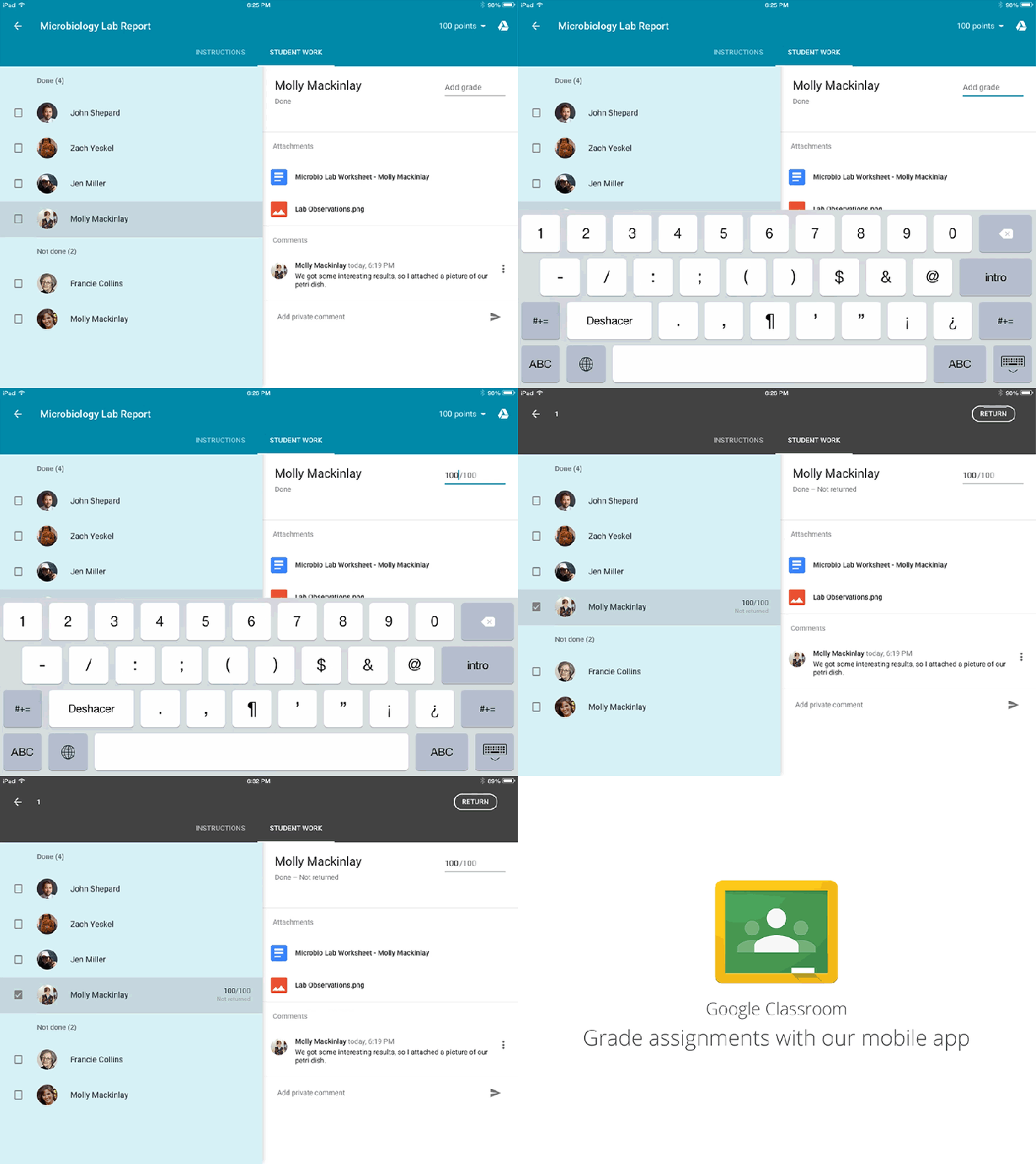
Google has announced today, in the midst of teacher appreciation week in the US, that it is bringing some new “Classroom treats” to its mobile app. Most notable among the changes is the ability to grade assignments from the app (as you can see above), and the ability to “add private feedback to give students guidance, encouragement, constructive criticism or personalized feedback.”
Other features are also being added, including the ability to create and edit assignments while on a mobile device, as well as the ability to create an assignment simply with the snap of a photo. Google says that teachers can learn more about how to use these features at its new Support page, which outlines how to create and modify an assignment within the app:
You can create an assignment in your class stream, attach materials to it, assign it to one or more classes, and grade and return it to students. After you create an assignment, all students in the class receive a notification by email (if they haven’t turned off notifications) and can see the assignment in the class stream.
These features should be rolling out “this week,” according to Google.
Google has long had Optical Character Recognition features in Google Drive, allowing scanned paper document uploaded to Drive to be indexed and edited. Now, Google just recently expanded the feature to more than 200 languages and 25 writing styles.
To make this possible, engineering teams across Google pursued an approach to OCR focused on broad language coverage, with a goal of designing an architecture that could potentially work with all existing languages and writing systems. We do this in part by using Hidden Markov Models (HMMs) to make sense of the input as a whole sequence, rather than first trying to break it apart into pieces. This is similar to how modern speech recognition systems recognize audio input…
Once you scan a document and upload it to Drive, you just need to right-click on it and select ‘Open with’ -> ‘Google Docs’.
Google adds that you don’t even need to set your language preference, Drive will automatically detect it when uploading a document.
You can access the OCR features both on the web and through the Google Drive app for Android.
Wearables are slowly but surely making their way into our daily lives, but one very critical aspect—health—is already helping to bring them mainstream. It’s something that every person is conscious of on a daily basis, and wearable device makers—as evidenced by the countless fitness trackers on the market—want to make it easier to stay on top of exercise, diet, and more. But another aspect of our health, chronic illness, is also big opportunity for wearables to make a difference—and they already are.
About half of all American adults have some kind of chronic illness, and diabetes is one of the most common. With the advent of smartwatches, we all now have quick access to at least one useful stat: our heart rate. But what if those with diabetes could just as easily monitor blood glucose levels? No mainstream smartwatch can monitor this alone, yet, but now one developer has released an app for Android Wear that will plug into a Dexcom CGM (continuous glucose monitor), providing glanceable updates every five minutes on blood glucose levels.