update

See All Stories

Android 5.1 Lollipop rumored to start rolling out ‘this week,’ update appears running on Moto G

According to “solid sources” for Artem Russakovskii, the long-awaited Android 5.1 update (which has been rolling out to Android One devices for about a month now), should be coming to an Android device near you sometime before the end of the week. Considering Russakovskii’s track record, it’s probably fairly likely that we’ll see the update start rolling out soon barring any unforeseen circumstances…


Expand
Expanding
Close

Hands-on with HTC One M9 appears leading up to MWC (Video)

The HTC One M9 is almost surely going to be one of the biggest stars of the Mobile World Congress this year, but it has also arguably been one of the most-leaked handsets ever. As HTC’s event approaches, the leaks have seemed to become only more and more prevalent, and that trend is continuing today as a hands-on video of the device has appeared on YouTube…


Expand
Expanding
Close

Google’s Ingress augmented reality game is on its way to Android Wear

Ingress was launched on Android in 2012, but after its introduction made its way to a few other platforms. The app has been available on iOS for a while and had a port made for Google Glass, but now the Mountain View company’s augmented reality game is officially coming to Android Wear (via Engadget) at some point next month. You’ll still need an Android phone—as is the case with most Android Wear apps—but it won’t be long before you’ll be able to play Ingress without taking that phone out of your pocket.

It makes sense considering the nature of the game, as the basic premise is that you’re exploring the real world while creating virtual missions, and defending and attacking portals. While using the smartphone works fine, it makes a lot more sense that users would be able to simply glance down on their wrists to play the game—hence why a Google Glass version of the game was put together as well (although that version is no longer available). Head over to the Google Play store to get the latest version of Ingress.


Google enabling new video-trimming feature in YouTube app for Android

When uploading a video to YouTube, especially from a mobile device, it’s pretty common not to want to upload a clip in its entirety. Now, Google says that it is updating the YouTube app for Android to fix this problem—you can now use a new video-trimming feature to cut off the beginning or end of your clip prior to upload.

We’re proud to introduce a new video-trimming feature and inline video previews for our app.  Now you can select the exact frame where the video starts and ends, giving you precise control of your trims in a simple, intuitive way.  Additionally, there is now an inline video preview before the video is uploaded.  And with faster upload capability, it’s never been easier to upload your YouTube videos on-the-go!

Simply drag the frame on both ends of the video to trim it where you’d like, as you can see above, and you can touch and hold the frame to get a closer view of where the video is being trimmed. Then you can tap “got it” when you’re done, and then the app will let you preview what your video will look like prior to publish.

The latest version of the app can be downloaded from the Play Store, but it’s not actually an app update that’s bringing this feature. Users who have already downloaded the YouTube app should see the feature turned on server-side. Notably, it doesn’t look like the iOS app has this feature quite yet.

VLC pushes new Android & Android TV apps as part of massive cross-platform release

VideoLAN has today launched several updates to VLC across its apps on iOS, Android, OS X, and every other platform where the app is available, marking the first time that the company has pushed such a massive coordinated release.  The new versions (with the main app numbered 2.2.0), include several features across the various platforms, and VLC says it took more than a year of volunteer work to put them together…


Expand
Expanding
Close

Google+ mobile web interface gets a facelift in latest update

Google announced last night that the web interface for Google+ has received a facelift, bringing many visual cues from the company’s Material Design language. The new design sports a hamburger menu that slides in from the left side, a bright red toolbar at the top of pages, and a floating material-y circle in the bottom right that should look familiar to those using Google’s latest mobile operating system…

As per Danielle Buckley‘s Google+ page:

Today we’re excited to announce the new and improved Google+ experience for mobile web. We focused on making everything faster, more beautiful, and more intuitive. To check out all the new updates, visit plus.google.com on your phone or tablet’s browser. As always, we’d love to hear what you think!

This update brings the app up to 2015 standards, but there’s a still a lot of disparity between Google+ on different platforms. We have a newly redesigned web interface that is now closer in functionality to the Android app (but not quite the same), an iOS app that is unique in its own ways, and a desktop experience that is completely different than the mobile apps. Hopefully we’ll see a more unified experience over time.

New search box user interface rolling out to Play Store Android app

A server-side update is rolling out the Play Store Android app that packs a pretty subtle-yet-big update to the way search works. Currently, there’s a large toolbar at the top of the app labeled “Play Store,” and searching for something means tapping the magnifying glass icon in the top-right corner. This update, which was first posted about on the Google+ page of Kirill Grouchnikov, replaces that toolbar with a much more prominent search box.

Additionally, users will notice that tapping the magnifying glass from elsewhere within the app will slide out the search box from the right. This update will bring the Play Store app more in line with the design of some of Google’s other apps, the one you’re most familiar with likely being the Google Now launcher:

According to another post on Grouchnikov’s Google+ page, the update is coming “soon”. And, as mentioned, this is a server-side update that Google will push over-the-air. Don’t bother checking the Play Store because the app is going to be updated behind the scenes. Like magic.

Pebble teases new model, sources say thinner watch with color screen in the works

Pebble hasn’t introduced new hardware (besides some pretty new colors) since it launched the Pebble Steel in January of last year, but now it appears that the company is about to introduce what’s next in the pipeline. Rather than just iterating on the device’s current hardware with a black-and-white epaper display, we’re hearing the next Pebble might be getting a brand new color display and an overall design that’s a bit thinner…


Expand
Expanding
Close

Google Inbox makes its way to iPad, now works with Firefox and Safari on the web

Google has this morning announced that its Inbox email app experience made for Gmail is officially expanding to tablets, and both the iOS (you can read more about the iOS update over at 9to5Mac) and Android versions of the app (which actually received the update in December) are now ready to go.

Since the app was launched, its web interface was tied down to Google’s own Chrome browser. But Google announced change to that requirement today as well…
Expand
Expanding
Close

Site default logo image

Google Docs for Android updated w/ Office Compatibility Mode improvements, more

Google today has started rolling out an update to the Google Docs app on Android with a few new enhancements. First off, the update adds support for selecting, cutting, copying, and pasting text, images, tables, and charts in Office Compatibility Mode. The update also adds the ability to insert links into Google documents.

From the Google Apps blog:

A new version of the Google Docs Android app is now available on Google Play. New features include:

  • Support for selecting, cutting, copying and pasting text along with images, tables, and charts in Office Compatibility Mode
  • Ability to insert links in Google documents

The update is available now via the Play Store, although it is a staged rollout and may take a little while to hit your device.


Expand
Expanding
Close

Google launches official AdWords app for Android, but it’s Canada-only for now

Google has today launched an official app for its AdWords platform, but sadly the company is restricting access to Canada for the time being. This news comes after Google launched its AdWords Express app last year, which was made specifically for the company’s automated AdWords service for small businesses.


Expand
Expanding
Close

HTC says next ‘maintenance release’ of Android coming in March

Site default logo image

HTC’s Vice President of Product Management Mo Versi has revealed in a tweet that Google will post the next maintenance release of Android in March of this year. The tweet from Versi was in response to a user inquiring about an issue centering around the capacitive button backlights on the Google Play Edition HTC One M7.


Expand
Expanding
Close

Android 5.0 Lollipop now rolling out to T-Mobile Galaxy S5

Site default logo image

Slowly but surely Android 5.0 Lollipop has been rolling out to Galaxy S5 variants in the United States, and now it appears to be T-Mobile’s turn. The carrier this morning has started pushing out the latest Android version to its variant of the Galaxy S5. The update carries the build number G900TUVU1DOB1 and comes in at 900MB (via SamMobile).


Expand
Expanding
Close

NBC updates Android app w/ live streaming in select markets & partial catalog of classic shows

Site default logo image

NBC has this morning released an update for its Android app that introduces live streaming of the network’s content directly to an Android phone or tablet. Like most things in the cable industry, the feature is only available in a few select cable markets that this time and requires a subscription to a cable or satellite partner.

All users will be able to take advantage of the other new feature added in version 3.0, however…

Google Play Music for iOS updated w/ Material Design, first ever iPad version

Site default logo image

Google this afternoon has begun rolling out a major update to the Play Music app on iOS. The update packs a handful of new features and enhancements, including a totally refreshed Material Design interface, and for the first time, an iPad optimized interface, as well.


Expand
Expanding
Close

Site default logo image

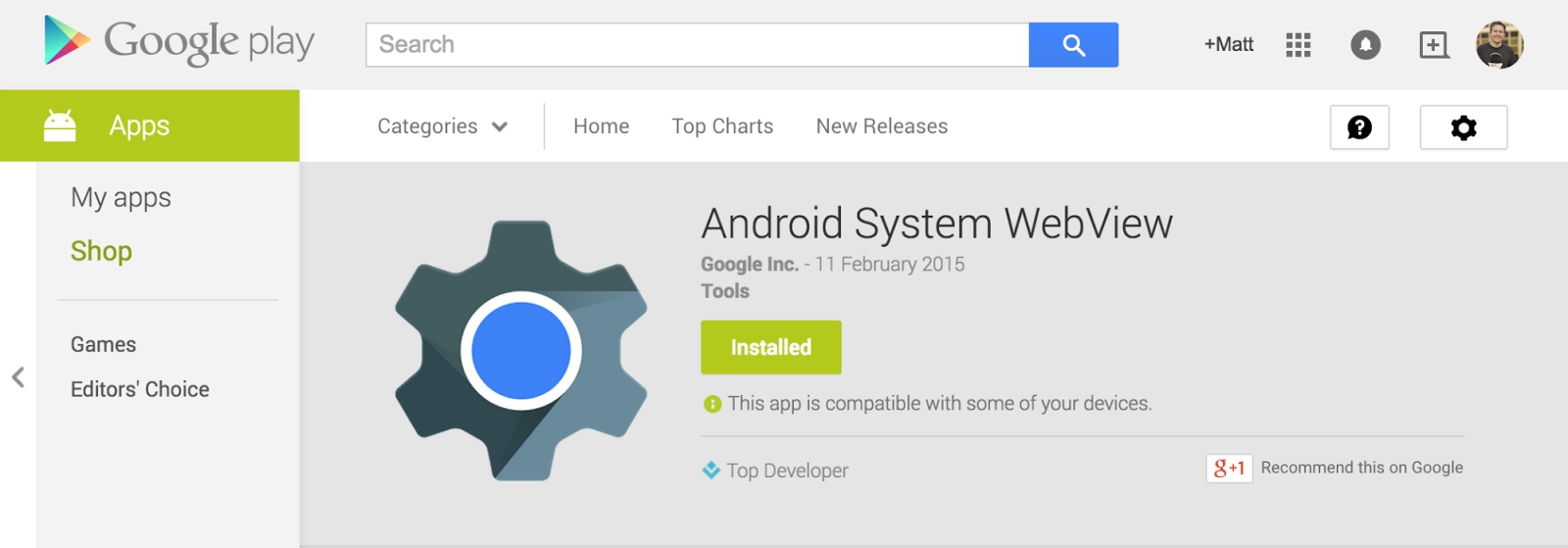
Google launches Android WebView beta channel for developers

Google today announced that it’s launching a beta channel or Android WebView, the API many apps use to display webpages. Google noted that with Android 5.0 Lollipop, it now “has the ability to update WebView independently.” It will begin to allow developers to use the new beta channel for testing the latest updates to WebView starting today:

WebView updates bring numerous bug fixes, new web platform APIs and updates from Chromium. If you’re making use of the WebView in your app, becoming a beta channel tester will give you an early start with new APIs as well as the chance to test your app before the WebView rolls out to your users.

Developers interested in becoming beta testers can join the community here in order to sign up for the program and install the WebView beta from Google Play.

Site default logo image

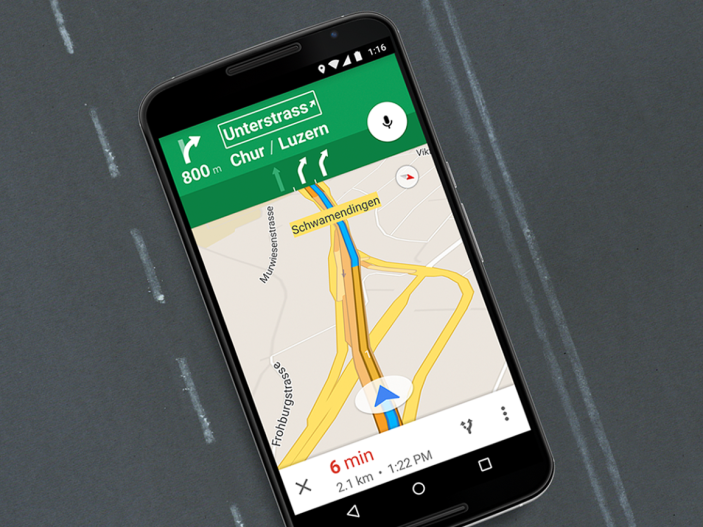
Google Maps lane guidance expands to 15 new European countries

3692305e-cbd3-4c3c-b45b-0bb1b2e45a88

Google today has announced that it is expanding support of lane guidance in Maps for Android to 15 additional European countries. The feature was launched in the United States and Canada last year, with Google promising expansion at a future date. Ireland, France, Germany, Italy, and the United Kingdom gained support for lane guidance in December.

Today’s update adds lane guidance to the following 15 European countries:
Expand
Expanding
Close

Galaxy Note 4 starts to receive Android 5.0 Lollipop in Poland

Site default logo image

With Galaxy S5 Lollipop updates in full swing, many have begun to wonder the status of updates for the Galaxy Note 4. Samsung, according to users in Poland, has today started rolling out Android 5.0 Lollipop to the Galaxy Note 4. The recipients of the update claim that it dramatically overhauls the TouchWiz interface, as expected. It also, of course, adds many of the features we’ve come to know and love in Lollipop (via SamMobile).


Expand
Expanding
Close

Google brings smooth Safari-like zoom to Chrome Canary for Mac

The latest build of Chrome Canary for Mac packs a great new feature that’s likely familiar to those who use Safari on a daily basis. While current stable builds of Chrome have a jaggedy pinch-to-zoom functionality that only zooms in 10% increments, the latest build of Chrome Canary provides a smooth buttery zoom experience like Apple’s browser.

As of right now, it looks like the feature works a little bit less fluidly than Apple’s offering, but that’s to expected in the most experimental public release version of Chrome. Zooming works the same way that it does in Safari and current versions of Chrome, so all it takes is pinching two fingers on the Trackpad.

If you’re sticking with Safari on your Mac for this reason or others (battery life, anyone?), it looks like this feature—once it makes its way to the stable release—will give you one more reason to switch over to Google’s browser. If you want to give it a try, head over and download the latest build of Chrome Canary.

Google introducing Upgraded URLs to improve tracking through AdWords

Google today announced a new feature for AdSense users called Upgraded URLs that aims to make managing and tracking information easier for advertisers. The new URL feature allows advertisers to update tracking info while avoiding having to reset ad stats. Specifically, Google says the new Upgrade URLs offer advertisers these benefits:

  • less time spent managing URL tracking updates
  • reduced crawl and load times on your website
  • new ValueTrack parameters that help you gain additional insights about your ads.

Google says it will begin rolling out its Upgraded URLs feature to advertisers this week while the company is encouraging advertisers that use tracking to upgrade to the new system by July 1, 2015. Google also mentions advertisers that use tracking platforms to manage URLs to work with them to take advantage of the new feature.

Site default logo image

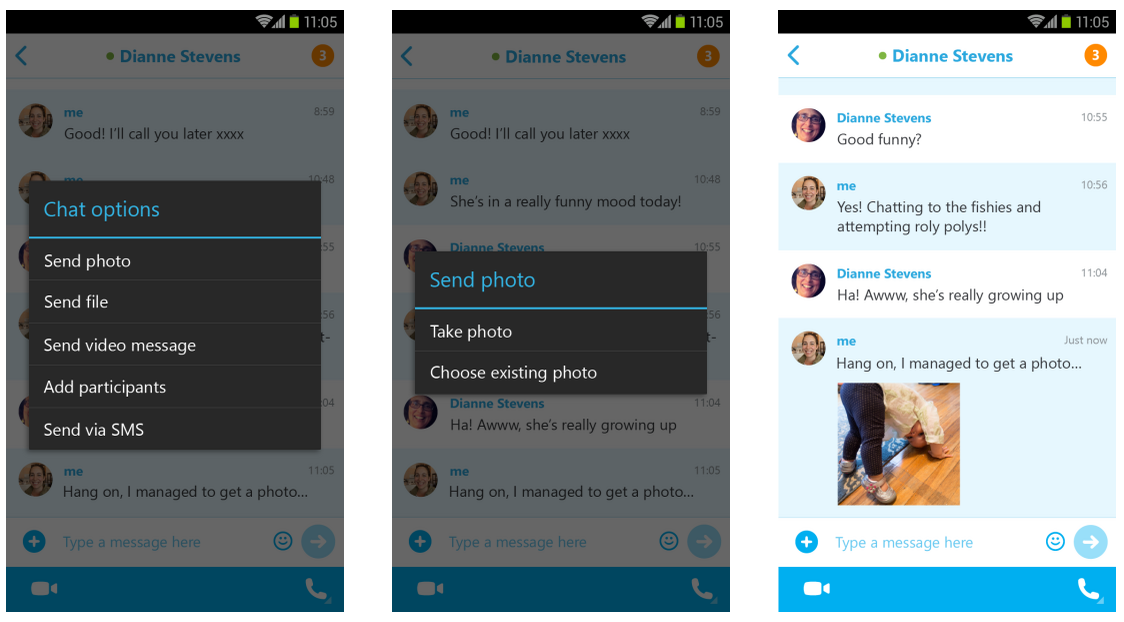
Skype 5.2 for Android lets you share photos with offline contacts, more

Skype is rolling out version 5.2 of its Android app today and with it comes the ability to share photos with offline contacts. Previously the app only let users share photos with contacts that were currently online.

Gone are the days when you and your contacts need to be online at the same time for you to share photos using Skype. With this update, you can now send photos to your Skype contacts at a time that’s convenient for you, regardless of your contacts’ online status. When they are back on Skype, photos you shared show up beautifully inline in the chat history, whether or not you’re online – allowing you to easily carry on the conversation.

The update adds other new features as well, including picture in picture view for smartphones and enhancements to chat load times, call quality, and more:

  • Picture in picture view is now supported on phones, too – letting you keep a video call going even when you navigate away to other applications
  • Chats load faster, especially when opened from a notification
  • Call quality improvements, especially in low bandwidth scenarios

The updated Skype app for Android, version 5.2, is rolling out on Google Play today.