Apps and Updates



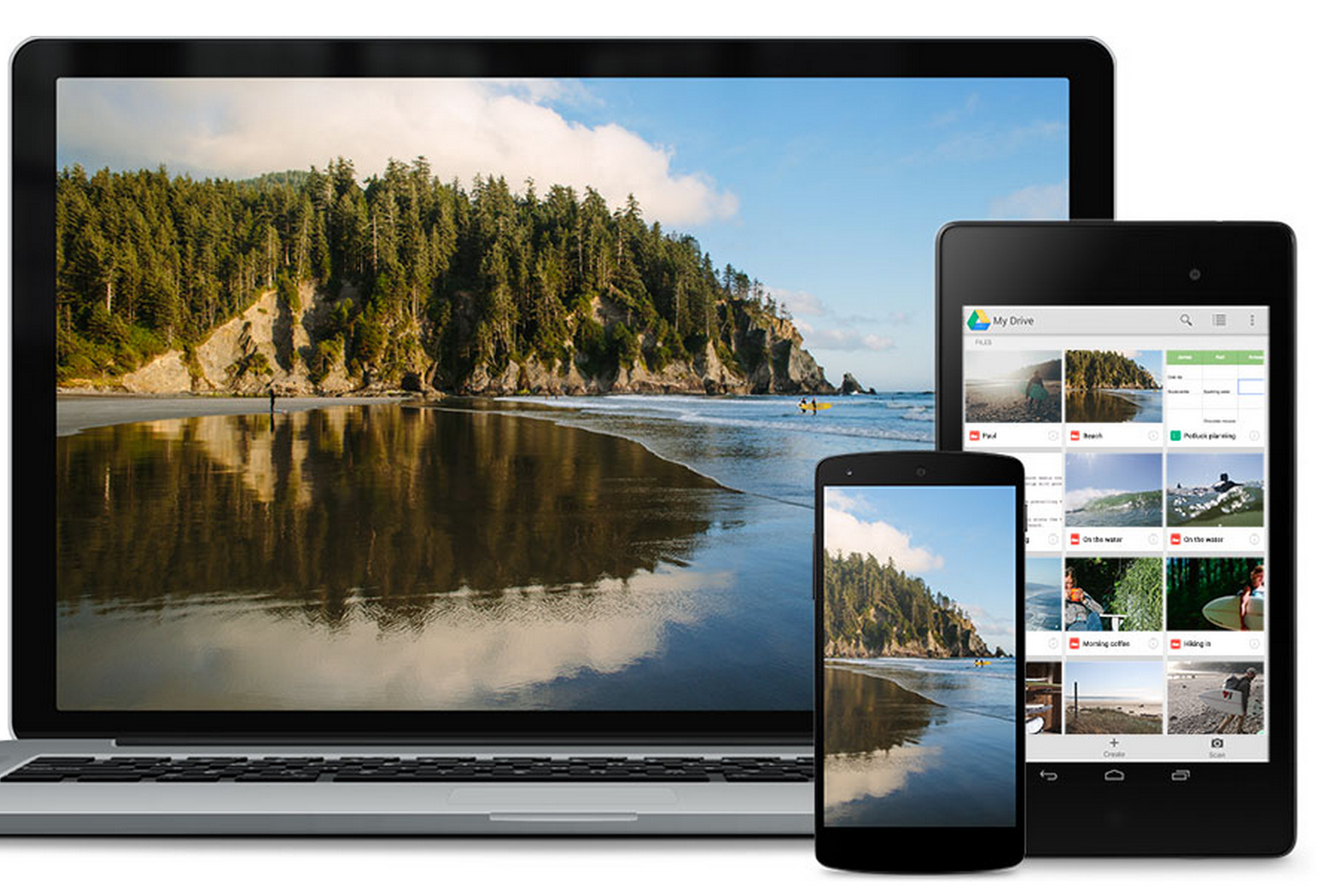
Google announced today that an update rolling out to its Google Drive Android and iOS app will allow users to search for files using the Google app with voice commands, access Google’s My Maps feature, and more. iOS 8 users will also now be able to upload files from other apps following today’s update.
On Android, you can now search for files in Drive from the Google app. For example, you could say “OK, Google — search for holiday letter on Drive” to get to your files without opening the app and typing keywords.
The ability to upload files from other apps into Drive is limited to iOS 8 users, and the Google My Maps integration is limited to viewing and sharing the custom maps currently.
For creating custom maps with Google My Maps, you’ll still need the desktop app. Earlier this month Google integrated the My Maps custom maps creation tool into the web version of Drive.
The updated Google Drive app for Android is rolling out over the next few days.


Pebble users have been left in the dust this year as Android Wear has taken hold over the smartwatch market–and offered some functionality that Pebble and other companies haven’t yet implemented. Today, Pebble has announced that they’re taking a step toward bringing their smartwatch offerings up to par with Wear, showing off a new upcoming software update that’s going to add actionable notifications and slew of other great features.
Instagram announced a few new features rolling out today including the addition of five new filters, slo-mo video uploads, and real-time comments.
The five new filters arriving today include Slumber, Crema, Ludwig, Perpetua, and Aden (pictured below). Instagram said the new filters are “more subtle” and take advantage of “higher image quality, while still giving you a simple way to capture the mood, tone and feelings of the moment.”
Inspired by the photography, art, fashion and design of the global Instagram community, we’re releasing five new filters that we believe are our best yet… They soften and subtly shift colors to achieve the look and feel you want for your each photo… To make it easier to choose between filters, we’ve updated how they’re displayed. When you go to apply a filter to your photo, each filter icon on the bottom now displays a blurred preview of your photo with its effect applied. This lets you see at a glance how your photo will appear with each filter applied.
In addition to the ability to upload slo-mo videos shot on your Android device, you’ll also no longer need to refresh to see new comments as Instagram said they will now appear in real-time following today’s update.
Other new features arriving today include “the option to adjust your photo’s perspective using the adjust tool” and the ability to customize the app’s filters tray based on your preferences via a new manage button.
The new features will arrive for users today in the latest version of the Instagram mobile apps.


Google released its Photo Sphere Camera app for iPhone users a few months back with the ability to capture 360º images right from your device and share them over social media or even Google Maps.
Photo Sphere Camera can also be used without ever publishing images anywhere or sharing photo spheres with anyone, so today Google added tabs to the app’s library separating public and private photos.
Expand
Expanding
Close
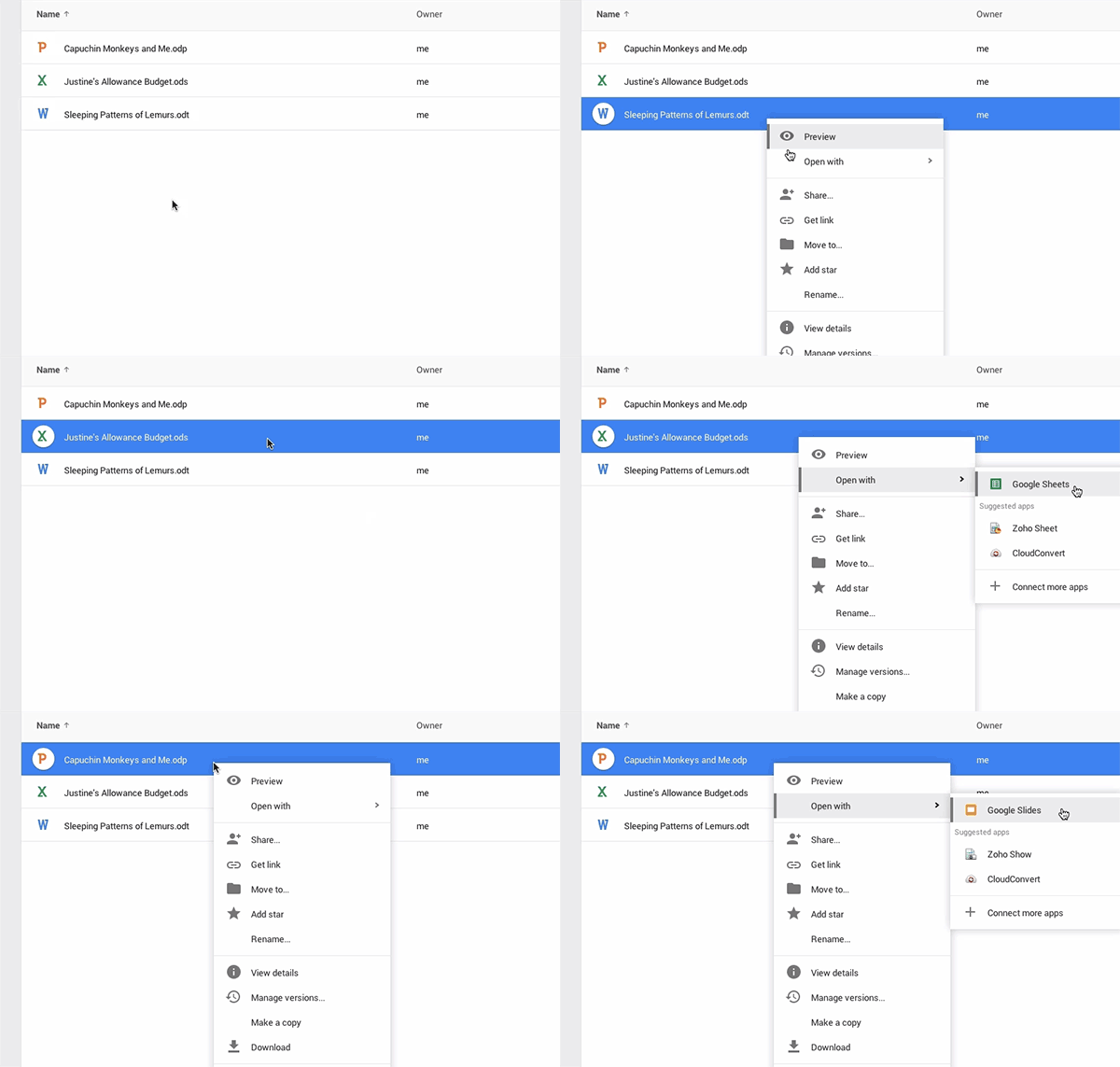
Google announced today that it’s now officially supporting ODF files in Google Drive allowing users to import all three major ODF file formats. That includes .odt files for documents, .ods for spreadsheets, and .odp for presentations, the file types used by applications like Open Office and others supporting the open platform.
Alongside announcing the new feature, Google noted a few other improvements headed to at least the web version of the Drive apps:
Expand
Expanding
Close

Apple Pay may be grabbing all the mobile payment attention right now, but Google isn’t neglecting its iPhone-owning Google Wallet users. It’s just updated its iOS app to support Touch ID, add optimization for the iPhone 6/Plus and enable users to split bills between friends.
One thing it can’t yet do, however, is allow contactless payment on the iPhone. Apple is for now keeping access to the NFC chip on the phone all to itself, so Touch ID only logs you into the Google Wallet app.
Version 8.174.19 of Google Wallet also allows access to loyalty and gift cards while offline. The app is a free download from iTunes.
It was last month revealed that Google Wallet appears to be benefiting from the publicity generated by Apple for mobile payment solutions, the number of users doubling since Apple Pay was launched. The company also launched a ‘Buy with Google’ promotion offering discounts at 14 different retailers if you use their app and pay with Google Wallet.

Netflix announced in a blog post this evening that it is pushing out an update to its Android app with a handful of new features. First off, the update introduces a new “Social Recommendation” capability, which has been available on iOS for some time now. This feature allows users to easily and privately recommend shows that they love to friends and family, right from an Android device.
HBO GO has made its way to most major platforms by now, including iOS, Chromecast, Apple TV, and more. But today, the streaming service has launched on yet another set-top box: Amazon’s Fire TV. According to Amazon, HBO GO was the most the platform’s most requested service.
Since launch, Amazon Fire TV has more than quadrupled its selection, with over 700 apps and games now available. With the addition of HBO GO, Fire TV customers now have access to over 1,700 titles including every episode of new and classic HBO series, as well as HBO original films, miniseries, sports, documentaries, specials and a wide selection of blockbuster movies.
Whether or not you plan on using the new streaming service doesn’t really matter if you don’t have a Fire TV. So if you’ve yet to get on the Fire TV bandwagon, Amazon’s trying to give you another reason. For a limited time, they’ve knocked $20 off the price of the Amazon Fire TV to celebrate the addition of HBO GO.

It was only a matter of time following Google’s acquisition of home automation company Nest earlier this year that users would begin receiving the best of both worlds. One of the first marriages of each company’s products and services is Google Now integration with Nest, allowing for users to control the smart thermostat using voice commands.
Expand
Expanding
Close
Earlier this month, YouTube for Android was updated to version 6.0 with Material Design, new search filters and several other features. One enhancement in YouTube 6.0 that wasn’t mentioned following the update is newly added support for live chat on streaming videos (via Android Police). The feature is accessible by tapping or dragging open the Live Chat menu at the bottom of the app on live streaming videos.
Expand
Expanding
Close
BlackBerry might have pioneered the smartphone industry, but the iPhone and Android-based devices have since captured the market and left the Canadian company in the dust. Looking to remain relevant with modern smartphone users, the company ultimately caved in and released its popular messaging app BBM for Android and iOS. Today, users checking the Play Store will find a major new update for the app in their queue.
Expand
Expanding
Close
Google Play Newsstand, which serves as the hub of all kinds of news and magazines for your Android device, is apparently coming to four new countries as of today. According to a post made by the Google Play team on Google+, those countries include Brazil, Mexico, Indonesia, and South Korea.
Prepare the comfy chair. Google Play Newsstand is now in Brazil, Indonesia, Mexico, and South Korea.
This addition, while expanding Play offerings to these countries, leaves a lot to be desired. Many of Google’s other Play services, like Play Music and Play Movies & TV, are still missing in a few of these countries. You can get Google Play Newsstand on the Play Store for free.
Plex, a popular app for streaming media from your personal computer or server to a smartphone, tablet or other device, has been updated (via Android Police) with support for playlists, improved usability of play queues, bigger art and a dismiss button for playback notifications, the ability to play unwatched TV shows and seasons by default, option to play episodes from On Deck continuously and more.
Expand
Expanding
Close
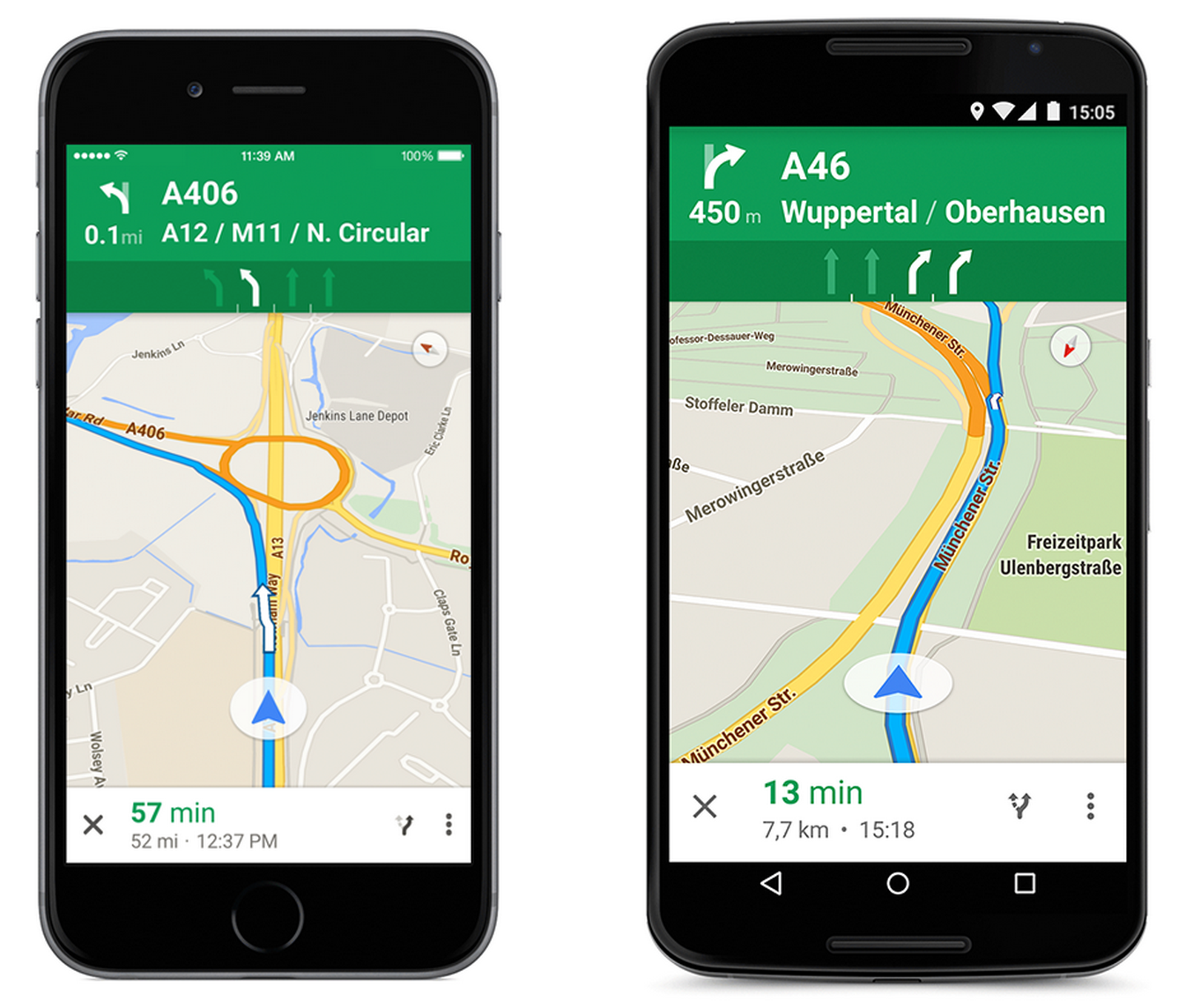
Google announced today that it’s adding the Google Maps lane guidance feature it rolled out to select locations earlier this year to additional countries just in time for the holidays. Google said today that Maps now includes lane guidance for highways in Germany, France, Italy, Spain, the UK, and Ireland.
When you’re in the turn-by-turn navigation mode, we can now make sure you don’t miss your next turn or exit by showing you which lane to stay in or move to so you’ll never find yourself darting across traffic at the last minute — or worse, driving for miles down the wrong road. When you approach a junction or exit with multiple lanes, voice guidance will suggest which lanes are best for your route. You’ll also have easy access to alternate routes while you’re navigating, so you can choose the best drive for you.
Google first announced the feature back in May, which offers real-time info to help drivers prepare for upcoming turns or necessary lane changes, and it’s been rolling out to select countries and locations since.
The lane guidance feature is available through turn-by-turn Navigation in the Google Maps app on Android and iPhone.

The popular third-party keyboard SwiftKey for Android has been updated today with minor performance enhancements and five new festive themes in time for the holiday season. The update arrives less than a month after the last major version of SwiftKey was seeded with faster performance and several new languages. The update should be rolling out on the Play Store now.
Expand
Expanding
Close

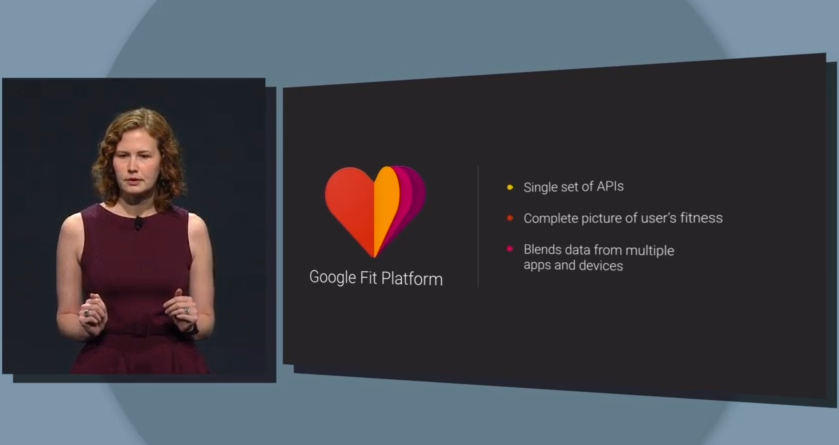
Google’s Fit application has been updated with support for tracking over 100 activity types, Android Wear, and a new way to track steps, as discovered by Android Police. The app is available as an APK right now, and is expected to appear on the Google Play store at some point in the near future.
The update introduces the ability to manually enter many, many new types of activity, ranging from biking to kickboxing, and even housework. Yes, you read that correctly. Google Fit can track your activity during housework.
Action Launcher has always been one of the better known launchers to hit the Play Store, and today, Android developer Chris Lacy has released an updated version of the app with a bunch of new features that takes everything that was already great about the app and brings it up to date for Android 5.0 Lollipop. But this update isn’t just an iterative Material Design update; it packs a bunch of great completely new features as well.
Google is rolling out a completely redesigned version of its iPhone and iPad app with its Material Design look and feel right down to the app icon.
The latest version of the search app now presents a bottom navigation bar (which can slide out of view) that presents a persistent Google button for searching for new information. The navigation bar also offers a button for quickly accessing recent search pages, something that feels similar to multitasking between apps on Android.
Also notable as part of the redesign is the optimization searching for photos has received. In the latest version of Google’s iOS app, image results now take on a full-screen, mosaic look for presenting larger results. The update also packs in deep Google Maps integration for location searches including support for Google Street View right in the app for iPhone users. You can read the full change log below:
Expand
Expanding
Close
It’s been a long time coming, but the maker of the famed Minecraft has released its much-anticipated card-collecting game, Scrolls. It’s been about 18 months since the game first entered beta, but during that time Mojang has spent countless hours perfecting the card-based strategy game that intends to give players an experience that mashes both card trading and board games into one medieval-themed adventure.
Here are the game’s main features according to the app’s description:
A UNIQUE EXPERIENCE: Building your army is only half the battle. Develop strategies and take control of the battlefield. The best bits of card and board games, combined.
BUILD YOUR ARMY: We currently feature over 350 scrolls spread across 4 unique factions. You can mix and match them as you please.
PLAY SOLO, OR WITH FRIENDS: Scrolls includes single player challenges along with online competitive and casual play.
CHAT AND TRADE: Trade with other scrolldiers on the black market, or spend your hard-earned gold in our store. Chat with other players both in and out of battle. Please be nice.
CROSS PLATFORM: Develop your skills and scrolls library by playing on Tablet, PC, or Mac. Battle with others, no matter which platform they’re playing on.
JUDGEMENT MODE: Build a unique deck in Judgement mode, then see how it fares against other’s creations.
The game is available today on the Play Store to download for free, but freemium content is available in-game ranging in price from $4.99 to $19.99 per item—and unlocking the full version of the game is going to run you that $4.99 price tag. Additionally, the game is available for Mac and PC and you can try it out for free as long as you have a Mojang account. Anyone who participated in Alpha or Beta testing of the game, or purchased Scrolls at any point in the past, will get the full version for free.
Mojang has said that an iPad version is also on its way, but won’t be available until sometime in 2015.
Here’s a gallery of screenshots:

Following the launch of its official iPhone and iPod touch app earlier this year, crowdfunding service Indiegogo has now launched an official Android app on the Play Store. Indiegogo promised that an Android app was coming back in July after its international traffic on mobile devices doubled in the previous year.
Expand
Expanding
Close
Microsoft released an entire suite of MSN apps for Android today, which includes MSN News, Money, Health & Fitness, Food & Drink, and Sports, and Weather.
The Health and Fitness app allows users to track their diet and fitness goals, keep track of health-related news, view an interactive map of the human body. The Food and Drink app will include videos and articles on cooking from top culinary sources. It also provides a shopping list feature and wine guide.
Sprint announced today that it will be adding a new app to its lineup of pre-installed software on “most” new Android phones: Uber. Sprint subscribers new to Uber in the month of December will also get a credit of up to $20 from Sprint to be used on their first ride through the service.
The ridesharing app will now be loaded on new devices from two of the four major US carriers, following AT&T’s similar announcement this summer.
Google, without any sort of announcement or waning, has released a new app to the Play Store this evening called “Live Channels for Android TV.” The app isn’t compatible with any current phone or tablet running Android, but rather with Android TV powered devices. The app is meant to offer an interface with which users can navigate live TV channels. It is currently only compatible with the Nexus Player.
DeviantArt is one of the largest creative hubs on the net, but until today, you were stuck with choosing between half a dozen third-party unofficial apps if you wanted to browse the site on your Android device. Now you can do so via DeviantArt’s brand new official app, and while it doesn’t come anywhere close to following the trendy Material Design scheme (because it didn’t want to), the app definitely gets the job done.