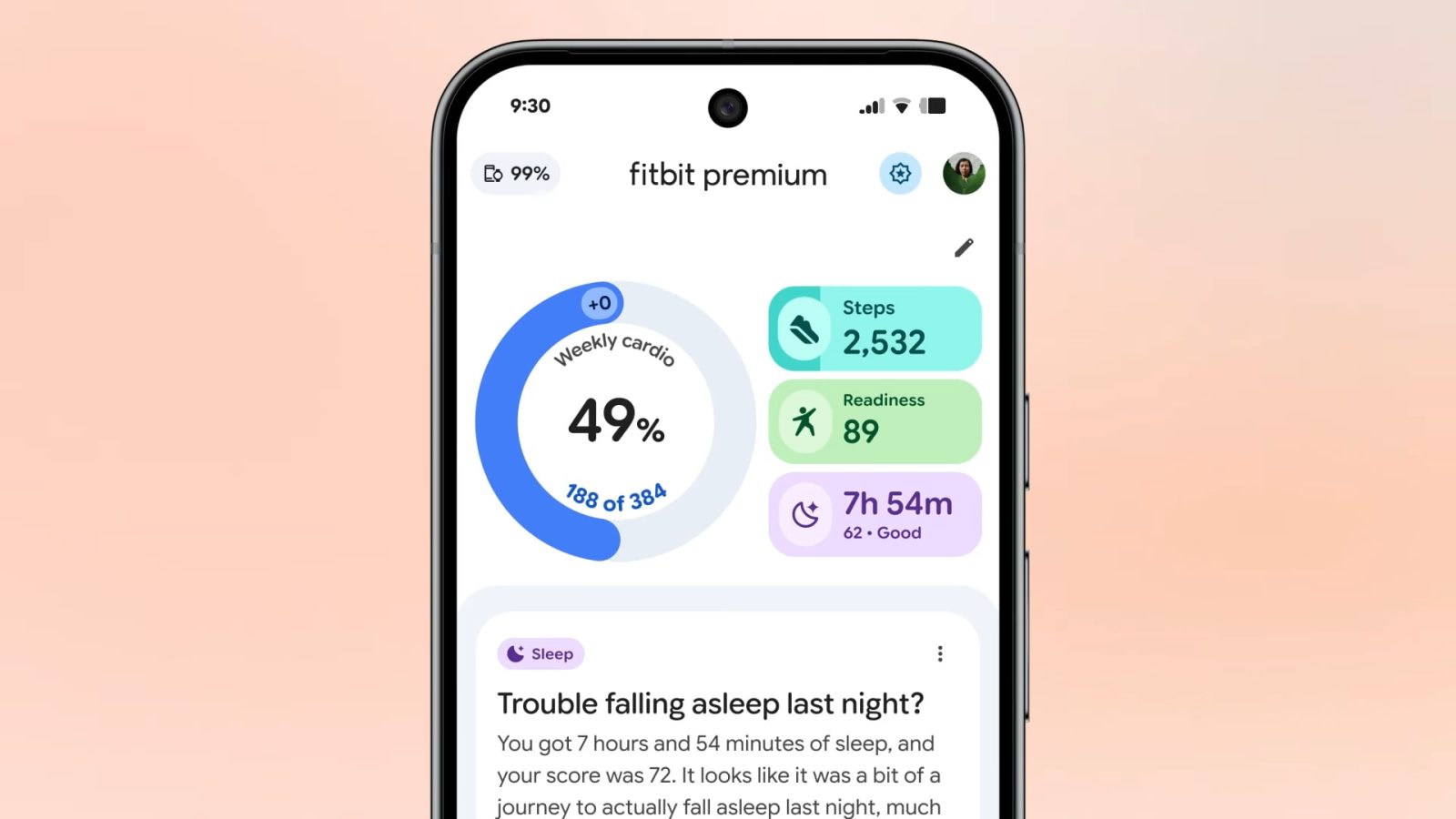
Fitbit Public Preview adds food & water logging, more as app redesign comes to free users

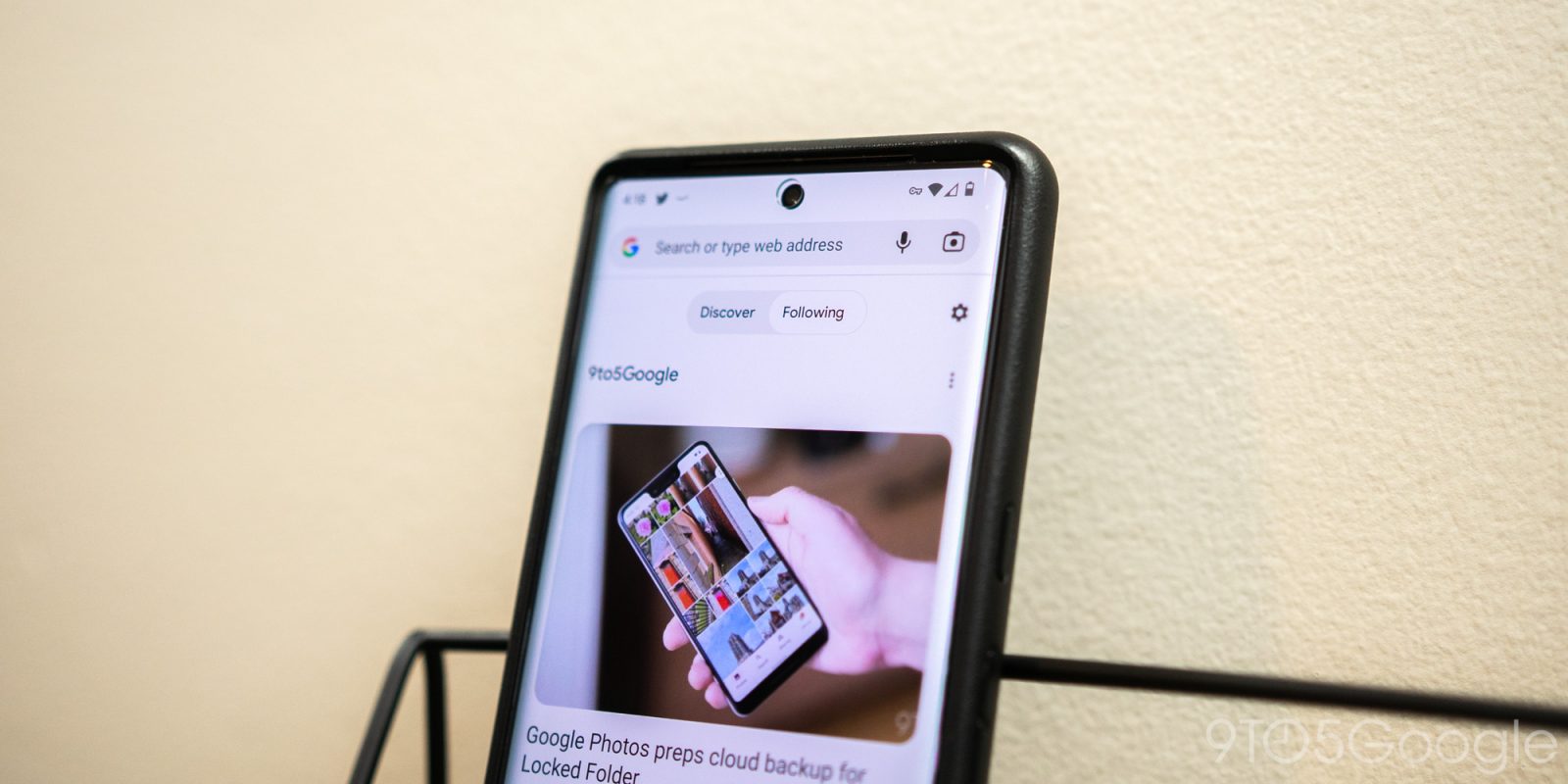

In order to keep up with the latest news, it’s vital that articles and content be easy to find. Chrome on mobile has a feature called “Follow” that allows users to add websites to a native RSS feed. This feature makes it much easier to see the content you want as it becomes available.
Expand Expanding Close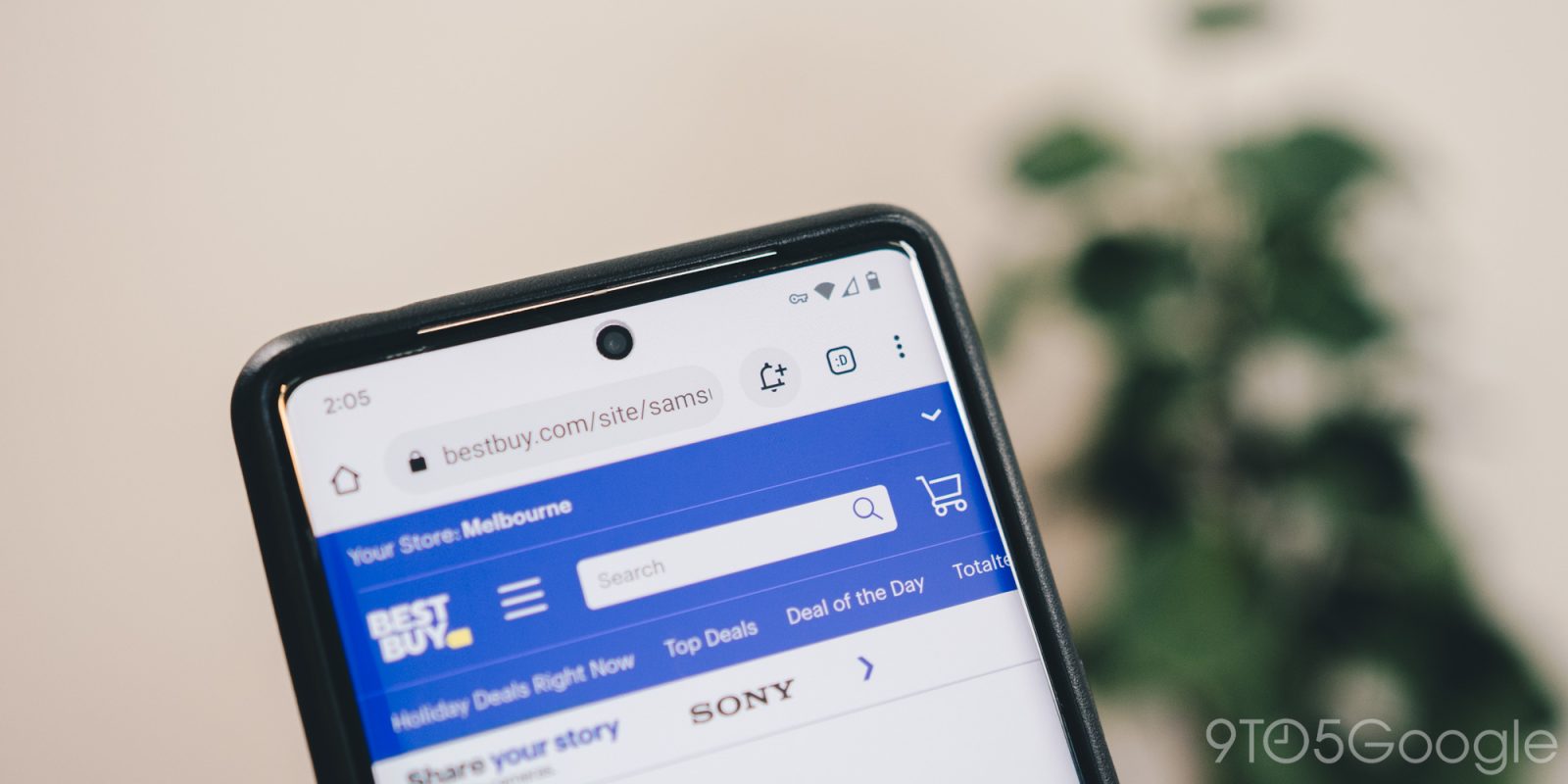
As part of a series of updates aimed at making holiday shopping easier, Google recently released a change that allows you to track prices right in Chrome. While that feature has been live on desktop for some time, Chrome’s price tracking feature is now available on Android.
Expand Expanding Close
To make your browsing even more secure, Chrome on Android has added a feature that lets you secure the mode behind a fingerprint. This guide will show you how to turn it on and off for Incognito mode in Google Chrome.
Expand Expanding Close
It looks as though Google Chrome for Android is testing a “download later” feature that will let you schedule downloads from the mobile browser.
Expand Expanding Close
Next year, the Play Store will stop serving 32-bit apps to 64-bit Android devices. Google is now working on a 64-bit version of Chrome for Android that will provide some performance improvements.
Google Chrome for Android has now gained quick word definition with just a single tap, which gives you faster access to detailed information.
If you have a OnePlus smartphone, are you experiencing issues with Google Chrome crashing or freezing? According to reports, the mobile browser is having some severe issues on OnePlus hardware.
For most of us, Chrome is as pervasive on our Android devices as it is on our desktops, which is why we’ve compiled 10 of our favorite tips and tricks for arguably the most popular mobile browser.
Back at I/O 2019, we saw the undoubted voice control potential of the brand new Google Assistant with the one device able to control certain apps with direct integration. We have good news, as you can now use the new Google Assistant to control the Google Chrome app on your Pixel 4 devices.

Over the past two years, Google has been trying a number of UI redesigns on Chrome for Android, some of which have worked decently, others have drawn complaints. The latest Chrome for Android redesign, called “Start Surface,” replaces the somewhat complicated “Duet” layout and adds a dedicated “Explore” tab.
Over the past few years, Chrome and our Google Accounts have become something of a central storage for secure information like passwords and, most recently, payment info. While it’s fairly easy to add and edit payment information, this hasn’t been the case for passwords saved in Chrome, but that may be changing soon.
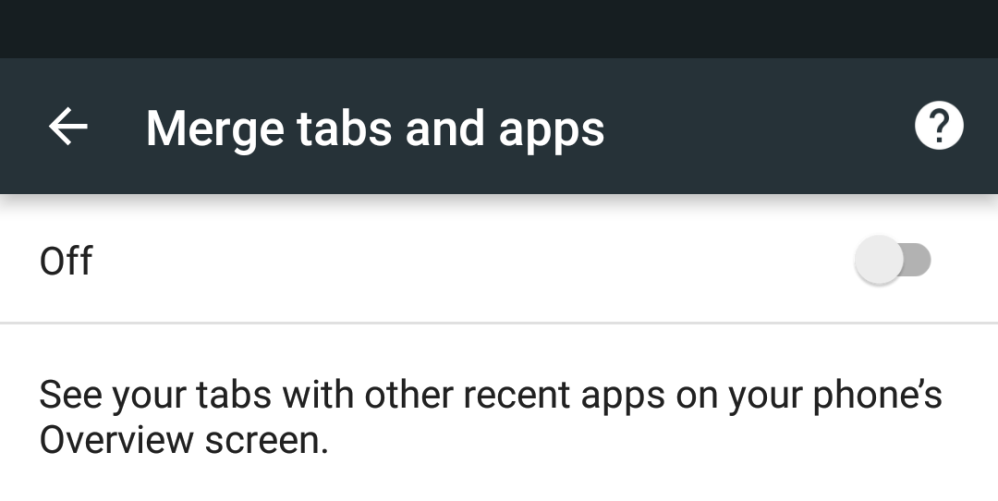
Starting with Android 5.0 Lollipop, Chrome tabs could exist individually in the app switcher. While it made websites feel more like apps, it was an annoyance that made it hard to keep track of open tabs. Google is now reversing that decision (as spotted by Android Central) and making merged tab the new default starting in version 49 of Chrome.
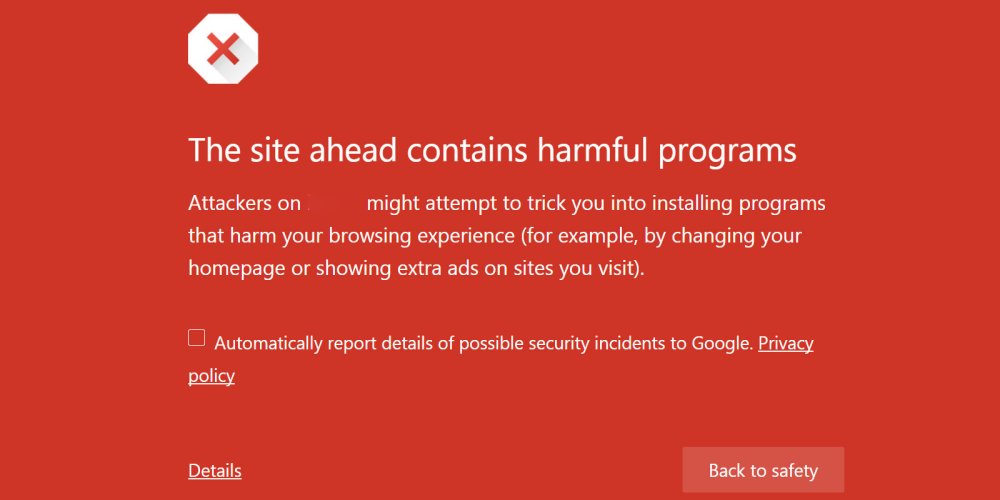
Google is extending their Safe Browsing feature that protects desktop users from malicious exploits on the web to mobile in Chrome for Android. Launched eight years ago, the feature has protected a billion desktop users from malware, unwanted software, and social engineering sites according to Google.
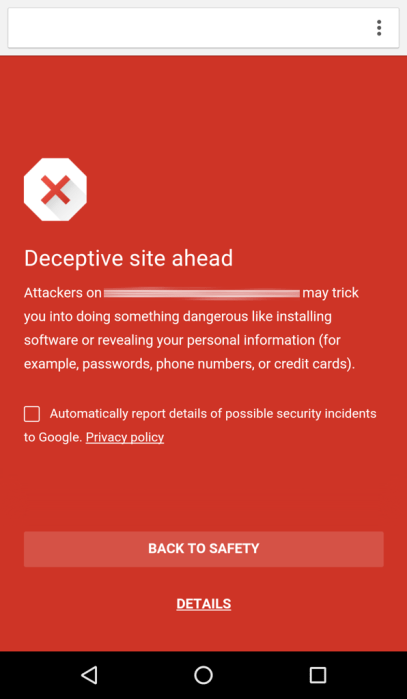
The feature was rolled out a long time ago as part of Play Services 8.1 and Chrome for Android 46, but was just officially announced today. It is enabled by default and users can check that it’s on by going to the Privacy menu in Chrome’s settings. When users come across an unsafe webpage, a bright red warning screen with a return to safety button will pop up first.
The team behind the feature notes the difficulties of bringing it over to mobile from desktop, mobile’s most limiting constraint being limited data and reduced data speeds. As such, every single bit of security data sent to the device is optimized. For instance, as social engineering attacks only happen in certain parts of the world, only devices in those regions will get those types of warnings. The security feature is also optimized from a memory and processor usage standpoint, making sure it does not reduce battery life.


With Chrome 47 currently rolling out to desktops and Android, Google has announced the Chrome 48 Beta and the new features that will come with it. Most are more developer-focused and geared towards Chrome for Android.

Google today has updated Chrome for Android to version 46 with a handful of under-the-hood bug fixes. These changes were originally introduced in the beta build of Chrome 46 but have now made their way to the stable version a little over a month later.
Google says that performance throughout the app has been greatly improved thanks to new optimized image loading and service worker instrumentation:
Tools like srcset allow developers to serve an optimized image variant in a responsive way, but it can be cumbersome and inefficient to use in practice. Developers can now negotiate with the server to download the best image variant for a device using straightforward HTTP request headers. These headers communicate DPR, Viewport-Width, and the intended display width of the resource being fetched to the server.
For developers, they can now animate any graphical object along an arbitrary path declaratively as a CSS property:
Previously, animating objects along an author-specified path required complex javascript code that could block important events like rendering and input. Developers can now animate any graphical object along an arbitrary path declaratively as a CSS property, allowing simpler code that doesn’t block rendering or input.
For the end user, this means that performance should be greatly improved with Chrome 46 on Android, as should stability. It’s available now on the Play Store.

Chrome v44 hit the beta channel last month and today the update is rolling out to the stable app via the Play Store. While Google isn’t very specific in what has changed, there are usually several hidden features in Chrome version bumps.


Popular iOS and Android apps from companies like Walmart, ESPN, Slack and SoundCloud have been found vulnerable to password cracking, according to a recent report from AppBugs. The security firm found that dozens of the most popular apps are lacking, in that they allow you to make any number of attempts to login without restriction. These clearly opens up a gap for attackers who have the means to guess those passwords and gain access to your accounts.

Not many apps have managed to hit 1 billion installs on the Play Store, but today another has been added to the list. Facebook Messenger became the 10th app to hit 1 billion installs early last month, Google Hangouts managed to hit the same milestone just a couple weeks ago, and now Google Chrome is following suit to become the 12th app to hit 1 billion.
Not many apps have reached this number, and third-party apps from Zuckerberg and Co. are the only outside of Google to do it. Only three, Facebook, Facebook Messenger, and WhatsApp, have managed to see this many users. As you might expect, other popular Google-made apps like Google Maps and Gmail passed 1 billion a while ago.
(via Android Police)

We learned back in March of an experimental feature the Chromium team was testing in its canary channel that replaces the thumbnails of your most frequently visited sites on the New Tab page with simpler large icons (the site’s respective favicon) for each site. The thinking goes that the screenshot Chrome takes of the sites you frequent don’t always look great, and sometimes the browser’s cache of screenshots doesn’t refresh for a while, so large icons prove to be a much cleaner solution.
Above you can see an example of the current desktop New Tab page on the left and the new suggested page on the right. Now, though, the change can be enabled in Chrome 44 beta for Android…
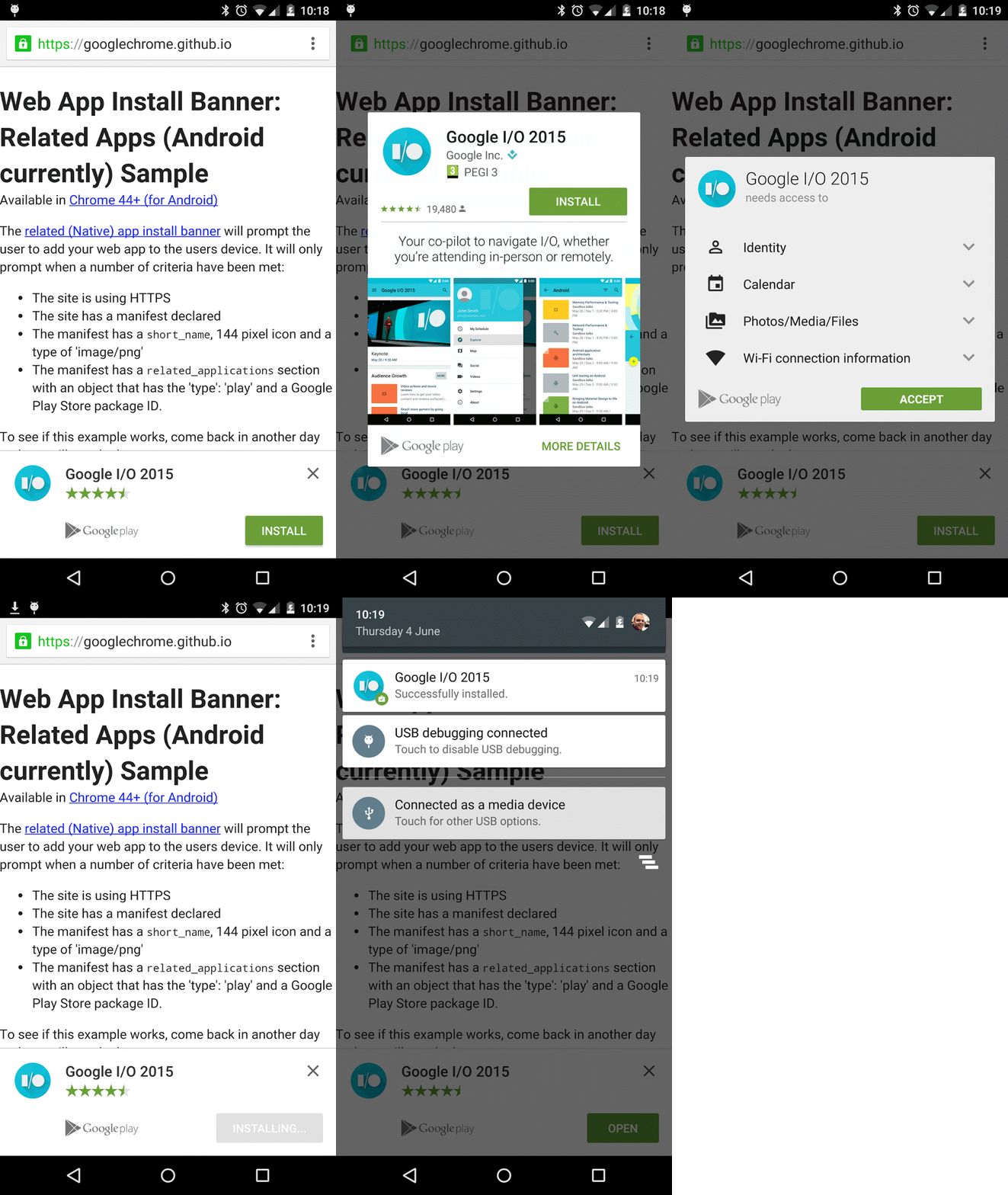
Thanks to the keen eye of one Google+ user, we now know that Chrome for Android beta 43 introduced banner ads for the installation of native apps. Chrome for Android 43 was released just last month. The functionality for web apps was introduced in beta 42 and rolled out in April.
Expand
Expanding
Close
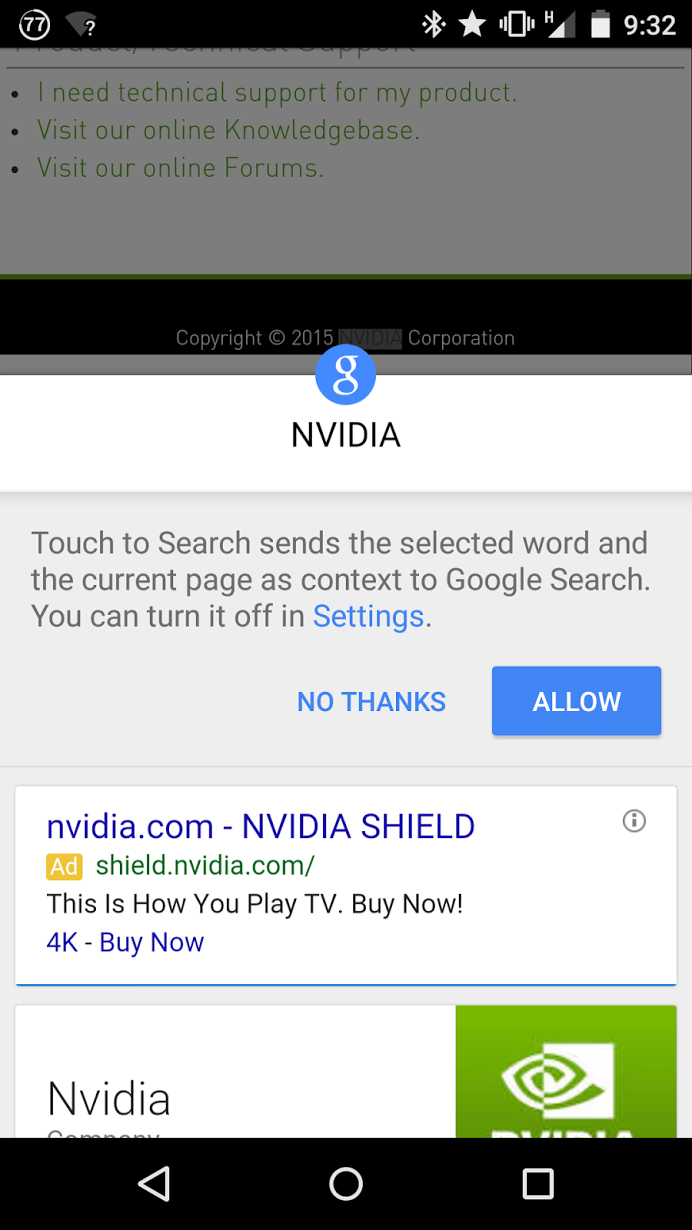
Thanks to a screenshot shared on Google+, we’ve learned that the previously experimental Touch to Search feature for the Chrome browser on Android seems to have been moved to the stable build and is now rolling out to users. Touch to Search “sends the selected word and the current page as context to Google Search,” according to Google. In other words, you see something in a webpage that you’d like to learn more about and can highlight and look it up in Google Search without leaving the page.
It’s notably similar to the recently announced Now on Tap, except it only works within the Chrome browser and, of course, you’re providing more context than Now on Tap requires. From the image above it seems that this feature is opt-in, which makes sense with many cautious of Google’s attempts to collect information on their every digital move.
According to Android Central they’ve been able to access the feature from Chrome on a 2014 Moto X without updating, so Google probably just enabled a flag for the feature on the public build server-side, but I just tested it on a 2nd generation Moto G and wasn’t able to bring it up. Does the new feature appear like in the image above when you highlight text in Chrome for Android? Leave a comment if so!

[youtube https://www.youtube.com/watch?v=ObvaD7EcDGM]
Google today launched a new version of its developer-focused YouTube channel, continuing the company’s expansion into the Chinese market. Ironically, YouTube is still blocked by China’s nationwide firewall, so users interested in taking advantage of the channel will need to find other ways to access its content.
The English-language version of the channel contains resources for developers creating Android apps, web content, and other software projects. The Chinese channel currently only features two introductory channels, but will likely contain localized versions of new videos from the English channel.

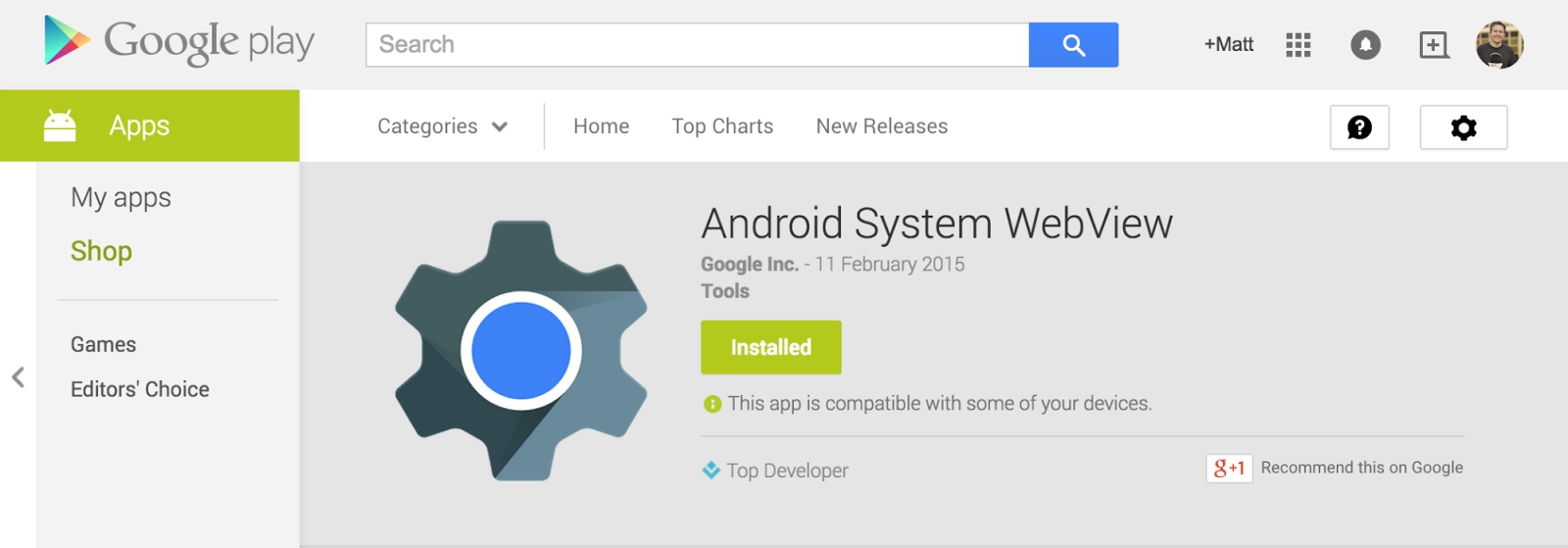
Google today announced that it’s launching a beta channel or Android WebView, the API many apps use to display webpages. Google noted that with Android 5.0 Lollipop, it now “has the ability to update WebView independently.” It will begin to allow developers to use the new beta channel for testing the latest updates to WebView starting today:
WebView updates bring numerous bug fixes, new web platform APIs and updates from Chromium. If you’re making use of the WebView in your app, becoming a beta channel tester will give you an early start with new APIs as well as the chance to test your app before the WebView rolls out to your users.
Developers interested in becoming beta testers can join the community here in order to sign up for the program and install the WebView beta from Google Play.
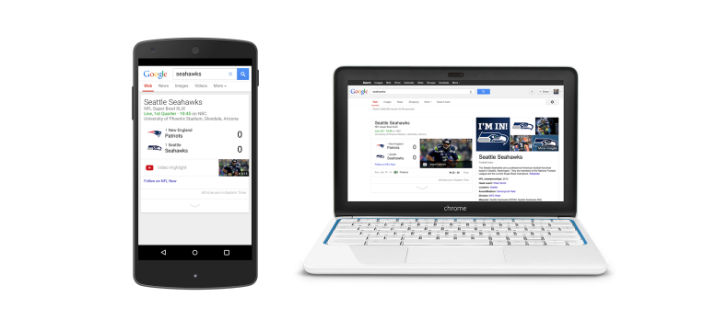
Google and the NFL have struck a deal—just in time for the Super Bowl—to bring a plethora of in-game footage to YouTube, and the Mountain View company says that it’s also putting some of that content directly in Google search results. This doesn’t mean you’ll be able to stream any entire games, but you will be able to catch some of the most important moments. Google says that “no way he caught that” plays from Odell Beckham Jr. will definitely be showing up on YouTube at one point or another.
It’s pretty simple: On any screen you watch YouTube, NFL’s YouTube channel will bring you the sights and sounds this week in Arizona, from pre-game analysis to the highlights that everyone will be talking about. After the Super Bowl, don’t let the worst Monday of the year get you down. NFL’s YouTube channel will post more videos all through the offseason.
Highlights from Super Bowl XLIX will be the first content to hit the channel, but Google says that the NFL will be posting plenty of content through the offseason. You’ll be able to pick up right where you left off at the beginning of the 2015-2016 season, when you can expect the channel to blow up with all kinds of new videos and analysis. And, as a bonus, Google says that it’s making it super easy to find this content; all you have to do is search for the name of your favorite team in a Google search.