Apps and Updates


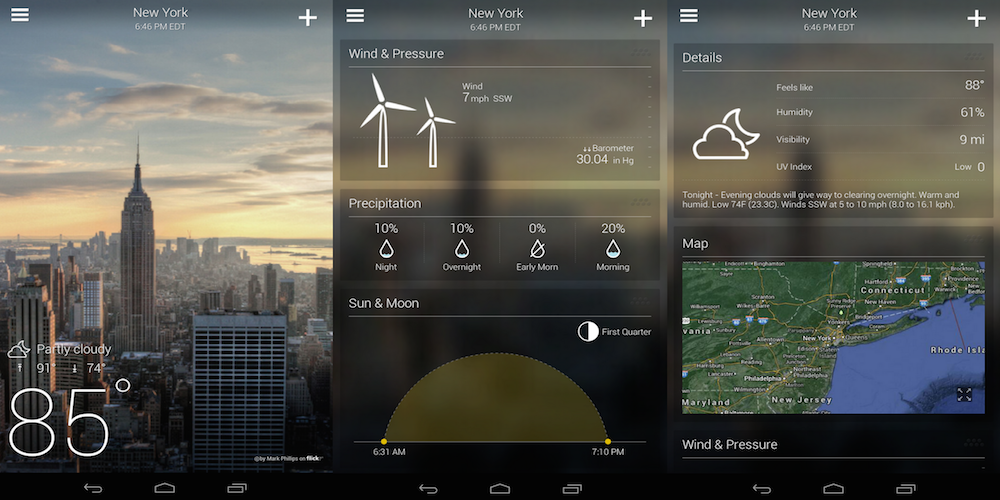
Yahoo is today updating its Yahoo Weather app for Android with near-term rain and snow alerts (not that we needed a reminder that summer is nearly over). With the updated app, users will receive alerts for rain and snow 15 minutes before an expected downpour.
In addition to the new weather alerts, Yahoo notes that the app is now more accurate with improvements made to the methods it uses to “determine and serve forecasts.” As an example, Yahoo says the app will now “even zoom in on microclimates.”
The updated Yahoo Weather app with rain and snow alerts, version 1.8, is available for Android on Google Play now.
Introducing new weather alerts around the world!
Yahoo Weather, our beautiful and intuitive weather app, will alert you 15 minutes before rain or snow is expected so you can grab your jacket, boots and umbrella!


Interactive watch faces aren’t the only goodie coming in Android Wear version 1.3, apparently. Google Translate is finally getting its own smartwatch app.
Android Wear is receiving an update with support for interactive watch faces (and WiFi support in LG’s G Watch R!). The new functionality allows developers to detect taps on their watch faces to reveal more information.
Update: This post has been updated to include an APKMirror link to the Docs update which includes Print Layout.
Google Docs and Sheets, two of products that make up Google’s suite of online productivity tools, have received some small updates on Android that will come in handy for mobile warriors (sorry, had to say it).
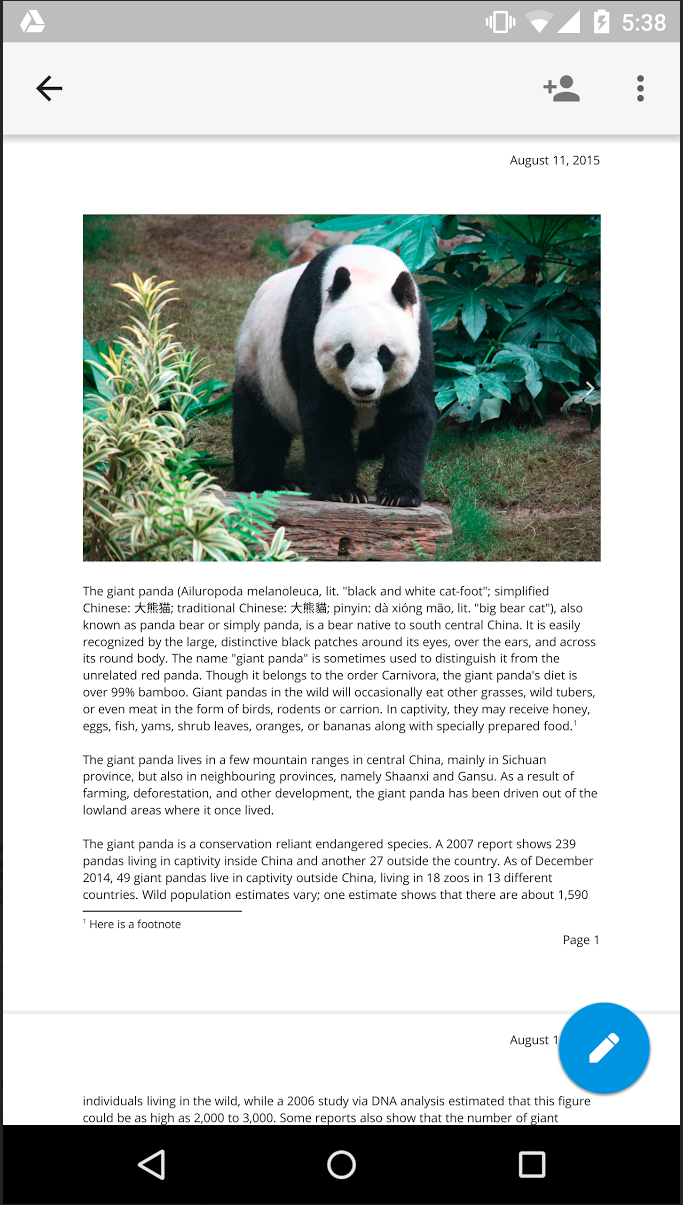
Let’s start with Docs. Now from the overflow menu of a document you’ll find a new Print Layout option that, when selected, will show you a fully paginated (each page labeled with its order in the document), read-only version of your document. This is what your document will look like printed on paper. Print Layout will continue to update in real-time as collaborators make changes. The ability to edit from within the Print Layout view will come in the future.
The other new updates today come for Google Sheets. The first is a new “intuitive keyboard functionality.” Now when you tap a cell in a Sheets spreadsheet, either the alphabetic or numeric will open depending on which type of characters are in the cell. Tap a cell with only numbers in it, Sheets will open the numeric keypad so you don’t have to make another tap to switch to it. Nice touch.
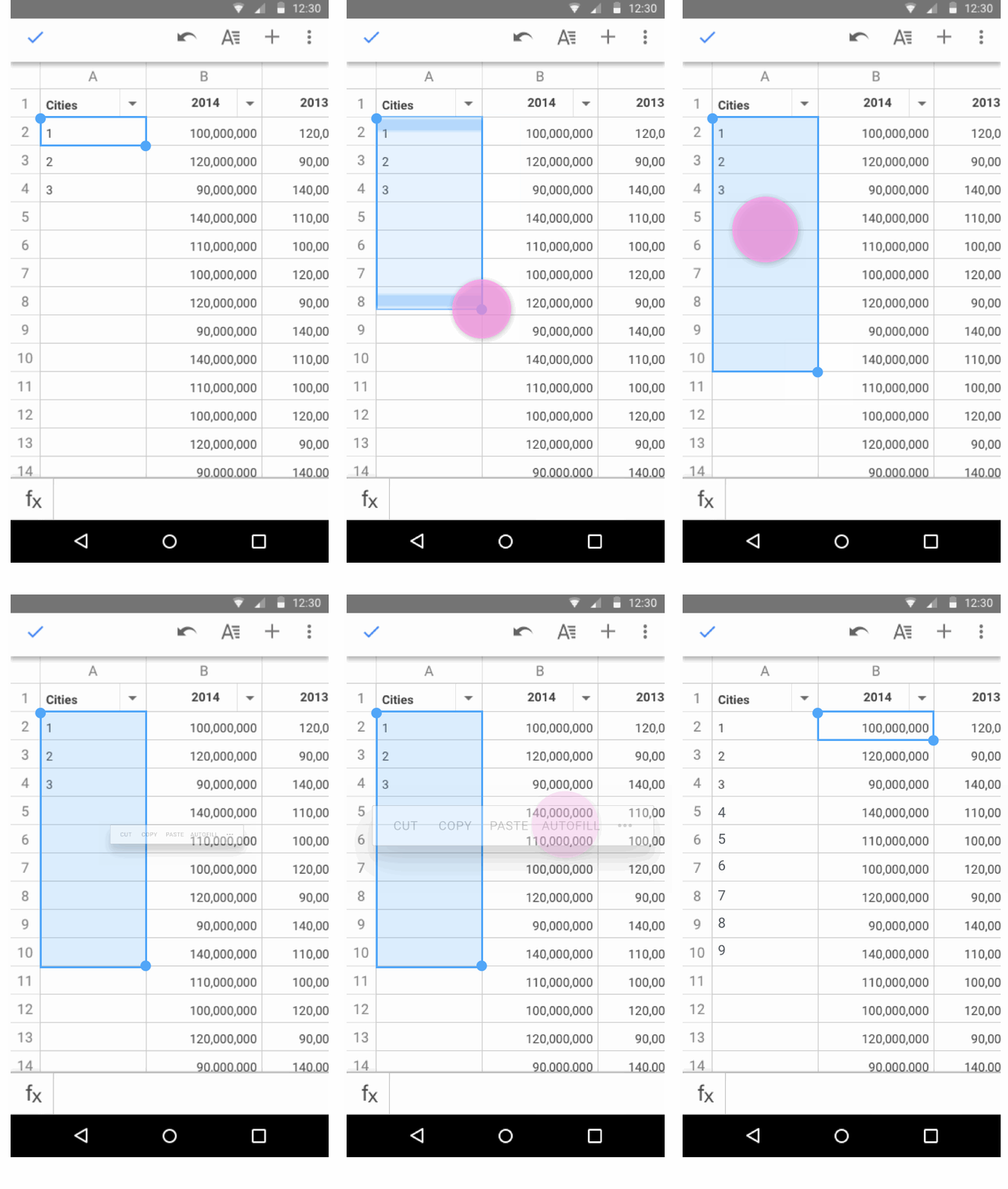 The final update to hit Sheets is autofill. As you can see in the GIF above, autofill makes it easy to complete a pattern without the tedium of going cell-by-cell and doing it yourself. Select the data you want to repeat and drag to the cells you’d like to repeat it in, and Sheets will fill in the cells using the pattern of your selected data.
The latter two updates for Sheets can be found in the latest update to the app for Android in Google Play, while an APK download of Docs including Print Layout can be found on APKMirror.

As part of its Android M announcement, Google showed off its Now on Tap feature which will allow you to get contextual information within any app or screen just by pressing the home button for a few seconds. With Marshmallow not set to hit the public until later this year, it gave Microsoft a chance to beat Google to it. And it has done just that in its latest Bing app for Android.
Good news for owners of the HTC One M9 on Verizon: Tomorrow the Taiwanese company is pushing Android Lollipop 5.1 to the flagship device. The news comes straight from Mo Versi, HTC’s VP of Product Management:
[tweet https://twitter.com/moversi/status/634105557234769920 align=’center’]
The update includes all the standard bug fixes and operating systems improvements that are baked into 5.1 — like improved Quick Settings and the new Device Protection tool — as well as a patch for the nasty Stagefright exploit. The 3 and 7 bands have also been activated, useful for when you find yourself roaming internationally.
Keep in mind that just because it begins rolling out over-the-air tomorrow, that doesn’t mean you’ll receive it right away. It could take a few days, and just to be sure the update hasn’t reached your device yet you can check for it manually by visiting Settings > About phone > System updates.
AdSense, Google’s publisher ad network used by millions of websites across the web, has just seen its Android app brought up to the company’s Material design language standards.
The app itself is mostly read-only, meaning you can quickly see data on your performance like how much money you’ve made from your ad placements over different time periods, but you cannot create new ads to place on your site from within the app. That would be cumbersome from a mobile device, though, as it requires copying and pasting HTML code into your site’s backend.
AdSense 3.0 also brings with it a new logo the company unveiled back in June. It looks like this:

And for the curious, here’s what the app looked like before today’s update:
The update hasn’t propagated completely in Google Play yet, but it’s available as a direct download through APKMirror right now.


Skype has updated its Android app to version 5.10, allowing you to create personalized ringtones for specific contacts, and making it easier to share photos.
Customize incoming call sounds for a contact by selecting a ringtone from your device. In a conversation, tap the lower right and select “Ringtone options” then “Set custom ringtone”.
Share photos from chats with other Skype friends and family who may not be in the conversation. Just tap and hold on the photo you want to share and select “Forward photo”.
Avatar colors for group chats have also been changed, to make it easier to tell your different conversations apart.
The last significant update was the visual refresh and performance boost last month. A week ago, the company made available to enterprise customers a preview of its updated Skype for Business Android app.
The new app is a free download from Google Play.
Photo: TNW
Pocket Casts, the popular podcast player for iOS and Android, has been updated on Android to take advantage of Google’s new Nearby technologies for enabling interactions between devices within a close proximity of one another.
Google has just published a blog post unveiling OnHub, a wireless router it has developed in partnership with popular router manufacturer TP-LINK, which it says provides a Wi-Fi experience that’s “that’s fast, secure, and easy to use.”
More than 75 million pages for private events were created on Facebook last year, and to keep its Events product growing the company is rolling out something that it believes will increase engagement for user-created events without much extra work on the part of the host: cover art themes.
If you’ve ever visited a group, event, or personal page on Facebook, you’ve seen cover art. The big photos which act as banners on these pages provide users with a little added personalization while keeping things within reason (*cough* MySpace *cough*). But at least in the case of events pages, it hasn’t been easy to add cover art from a mobile device — especially considering how the Events product is buried in a “More” menu within the Facebook app. And you have to find a good photo to use in the first place. With the addition of cover art themes to the Facebook app on Android, finding a beautiful, relevant photo to enhance your event is as easy as telling Facebook what the theme of your event is. The app will then present you with a pack of illustrations designed in-house and by outside designers.
The different cover art themes include everything from “Seasons,” which features illustrations of everything you might associate with the different seasons like summer and backyard BBQs, to “Recreation,” which within you might find an illustration of people jumping into a pool. There are 36 pieces of cover art to initially choose from, organized into categories like the aforementioned seasons and recreation. Facebook says it will periodically be adding new themes and illustrations over the coming months.
The big thing that Facebook wants to emphasize with the release of these cover art themes is engagement. The company says that it has found through feedback from users that adding a cover art photo to an event positively impacts the engagement (i.e. RSVPs) it sees. Launching this new Events product feature first on mobile makes sense simply because 55% of all Events activity (and most activity on Facebook period) happens from mobile devices. It’s Android and US-only for now, and will be coming to iOS soon.
Right on the heels of Google unveiling the official name for Android M — it’s Marshmallow — the company has released the final preview version of the operating system bump along with the Android 6.0 SDK and access to all the new APIs that Marshmallow includes…

Yesterday, Bethesda finally launched the long-awaited Fallout Shelter for Android and I couldn’t wait to get my hands on it. In this video, I take you on a brief walkthrough and tour of the initial game stages and how to play. If you haven’t already, you can download the game for free from the Google Play Store right now.

After what seems like an age waiting with anticipation, Fallout Shelter has finally been released for Android. The popular title landed on the Play Store this morning and is available to download for free.
Fallout Shelter’s basic concept is to build yourself a subterranean paradise in a post-apocalyptic wasteland. When I say paradise, I mean a vault where your responsibility is to build, repopulate and defend your world from attacks. Not exactly as glamorous as The SIMs, but perhaps more enjoyable for that very reason. As per the Play Store description:
BUILD THE PERFECT VAULT
Create a brighter future…underground! Select from a variety of modern-day rooms to turn an excavation beneath 2,000 feet of bedrock into the very picture of Vault Life.OVERSEE A THRIVING COMMUNITY
Get to know your Dwellers and lead them to happiness. Find their ideal jobs and watch them flourish. Provide them with outfits, weapons, and training to improve their abilities.PROSPER
A well-run Vault requires a variety of Dwellers with a mix of skills. Build a Radio Room to attract new Dwellers. Or, take an active role in their personal lives; play matchmaker and watch the sparks fly!EXPLORE THE WASTELAND
Send Dwellers above ground to explore the blasted surface left behind and seek adventure, handy survival loot, or unspeakable death. Find new armor and weapons, gain experience, and earn Caps. But don’t let them die!PROTECT YOUR VAULT
From time to time, idyllic Vault life may be disrupted by the dangers of post-nuclear life. Prepare your Dwellers to protect against threats from the outside…and within.Vault-Tec has provided the tools, but the rest is up to you. What are you waiting for? Get started building your Vault today for FREE.
If you want to try it out, be sure you’re running at least Android 4.1 or later and then head on over to the Play Store. It’s free, and supported by in-app purchases ranging from $1-$20.


Twitter is getting serious about messaging today. The social network has begun rolling out updates to its iOS, Mac, and Android apps, in addition to TweetDeck and its website, that remove the long-existing 140 character limit from individual direct messages. This change will roll out over the course of the next few weeks, so all users may not see the change immediately. The old 140 character limit for messages will remain for Tweets sent publicly and direct messages sent via SMS.
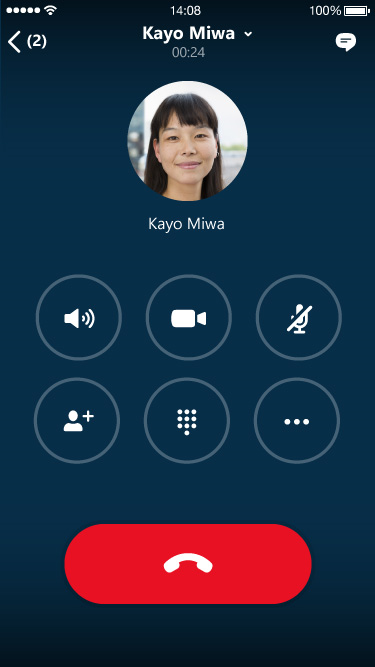 If you’ve felt that Microsoft’s Skype for Business Android app was lagging behind the consumer app in terms of visual appeal and ease of use, the company has been working on correcting that. Microsoft says that the latest version of its enterprise-oriented app is now available for preview, before its rollout later in the year.
Only a handful of users per company can get access to the preview, however, admins able to nominate up to four Android users to trial it. IT administrators can visit www.skypepreview.com to take part in the preview program.
Via Engadget
Rdio is today adding live streams of 460 traditional AM/FM radio stations, reports the Los Angeles Times.
The rollout, which starts Wednesday, includes 460 stations owned and operated by stakeholder Atlanta-based Cumulus Media Inc [including] long-running stations such as Cumulus’ KLOS-FM (95.5) in Los Angeles and KFOG-FM (104.5) in San Francisco, along with talk radio and sports outlets …


Firefox today has started rolling out an update to its Android app, bumping it to version 40.0. The update includes your normal host of bug fixes and performance improvements, as well as a pair of new features.
Like other megalithic technology giants including Facebook and even Xerox once upon a time, Google (Alphabet?) has many a skunkworks lab deep inside the halls of the company tasked with thinking creatively about execution and exploring non-traditional concepts, and which doesn’t have to worry about revenue or reaching the masses. One of those labs released three new apps for Android today, all of which center around using the device camera and sensors in (unsurprisingly) unique ways.
The popular messaging app Snapchat has received a new update for Android which includes both some fun changes in the form of a new emoji button, as well as some more utilitarian changes that will help save cellular data if you’re capped or traveling internationally…

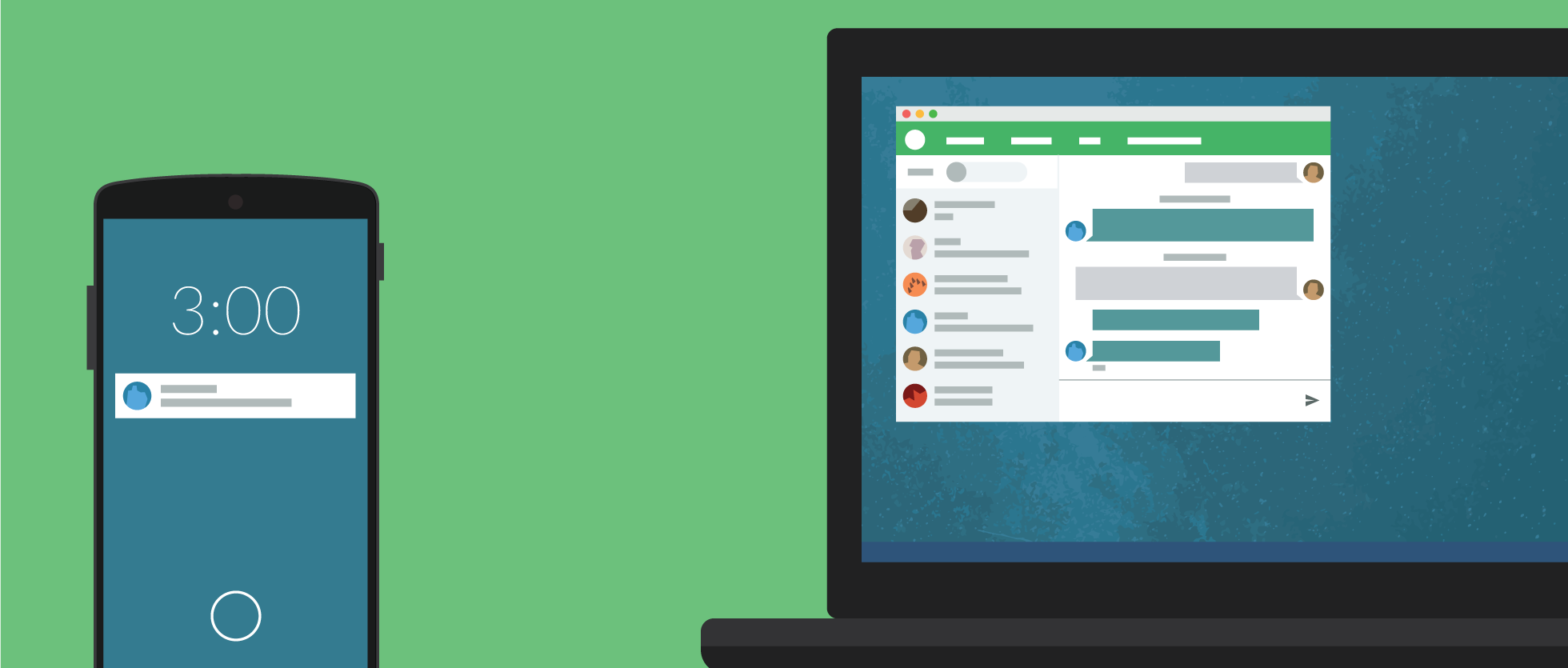
The latest Pushbullet update adds a handful of new features, but perhaps the most interesting is end-to-end encryption. For the longest time, many Pushbullet users have been hesitant to rely on its file-sending abilities due to the fact that a lot of data was sent unencrypted. As of today, Pushbullet for Android supports end-to-end encryption for Notification Mirroring, Universal copy & paste, and SMS…
And while that’s the big feature that Pushbullet is pushing (heh) on its blog, today’s update also packs some other minor changes. With version 16.5.4 of the app, you get improved SMS that’s faster and uses less data, the ability to select and delete more than push at a time, a new “Clear history” button on the Settings page, and the usual bug fixes and improvements.
Here’s the full changelog:
WHAT’S NEW
16.5.4• End-to-end encryption support!• More improvements to SMS, faster and uses less data• You can now select and delete multiple pushes at once!• “Clear history” button in Settings• Crash and bug fixes
LastPass, which claims to be the world’s most popular password manager, now offers the choice of free usage on either mobile or desktop platforms. Previously, desktop use was free while use on a mobile device required a $12 annual subscription.
You can now use for free on either platform – but still need to pay to get both mobile and desktop usage. LastPass told us that, seven years in, it was time to change its freemium pricing model …
Expand
Expanding
Close
As countless manufacturers of Android devices line up to release patches for the “worst Android vulnerability in the mobile OS history,” as some researchers have described it, the Galaxy Note Edge and Note 4 on Verizon are next up.
The vulnerability patch for the Galaxy Note Edge was spotted on Verizon’s support site by Droid-Life, then owners of the Note 4 reached out to the site to share that their devices are receiving a security update as well.
Verizon’s support document for the Note Edge security update is comically short at only one page long — their software update PDFs are usually at least a couple of pages long. We haven’t seen a similar document for the Note 4 yet.
For those who don’t know, Stagefright is what researchers have named a vulnerability that can see malicious software delivered to a device through MMS text messaging and executed automatically, as most messaging apps on Android automatically download rich media sent via MMS, regardless of whether or not the receiver opens the message. Google’s Messages and Hangouts apps both include the ability to disable auto-fetching of MMS content, though, and it’s pretty easy to toggle off.
We first gave Cortana beta for Android a try a few weeks ago, and I just wasn’t impressed. Our own Cam Bunton went on to give it a deeper look and a comparison to Google Now and was a little less cynical than I, but overall neither os us were convinced that it is something that Android users need. I would argue that that’s still the case, but Microsoft clearly hasn’t given up yet. With a recent update to the app, you can now set Cortana as the home button shortcut.
Expand
Expanding
Close