Stay up to date on news from Google headquarters. Be the first to learn about plans for Android, Google Plus, Google Apps, and more!
Stay up to date on news from Google headquarters. Be the first to learn about plans for Android, Google Plus, Google Apps, and more!


Google’s X lab is famous for its ambitious undertakings building self-driving cars and balloons that beam Internet to the furthest reaches of the planet. Now all of its life sciences projects are moving on to greener pastures.
Update: This post has been updated to include an APKMirror link to the Docs update which includes Print Layout.
Google Docs and Sheets, two of products that make up Google’s suite of online productivity tools, have received some small updates on Android that will come in handy for mobile warriors (sorry, had to say it).
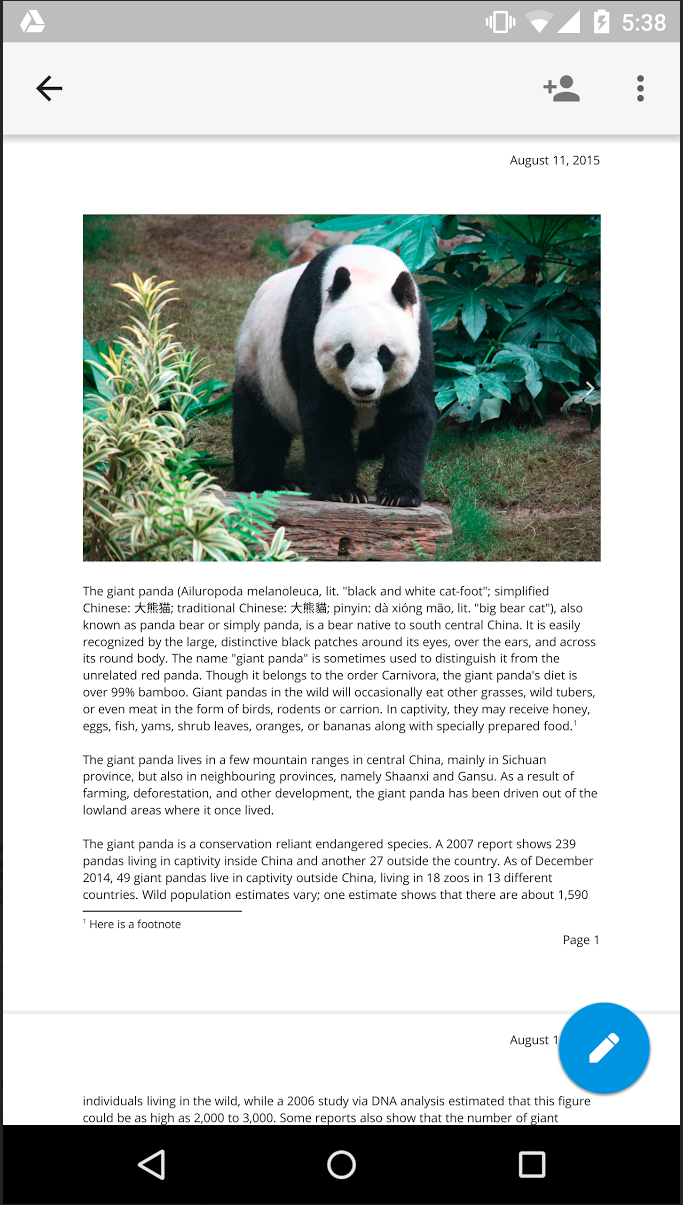
Let’s start with Docs. Now from the overflow menu of a document you’ll find a new Print Layout option that, when selected, will show you a fully paginated (each page labeled with its order in the document), read-only version of your document. This is what your document will look like printed on paper. Print Layout will continue to update in real-time as collaborators make changes. The ability to edit from within the Print Layout view will come in the future.
The other new updates today come for Google Sheets. The first is a new “intuitive keyboard functionality.” Now when you tap a cell in a Sheets spreadsheet, either the alphabetic or numeric will open depending on which type of characters are in the cell. Tap a cell with only numbers in it, Sheets will open the numeric keypad so you don’t have to make another tap to switch to it. Nice touch.
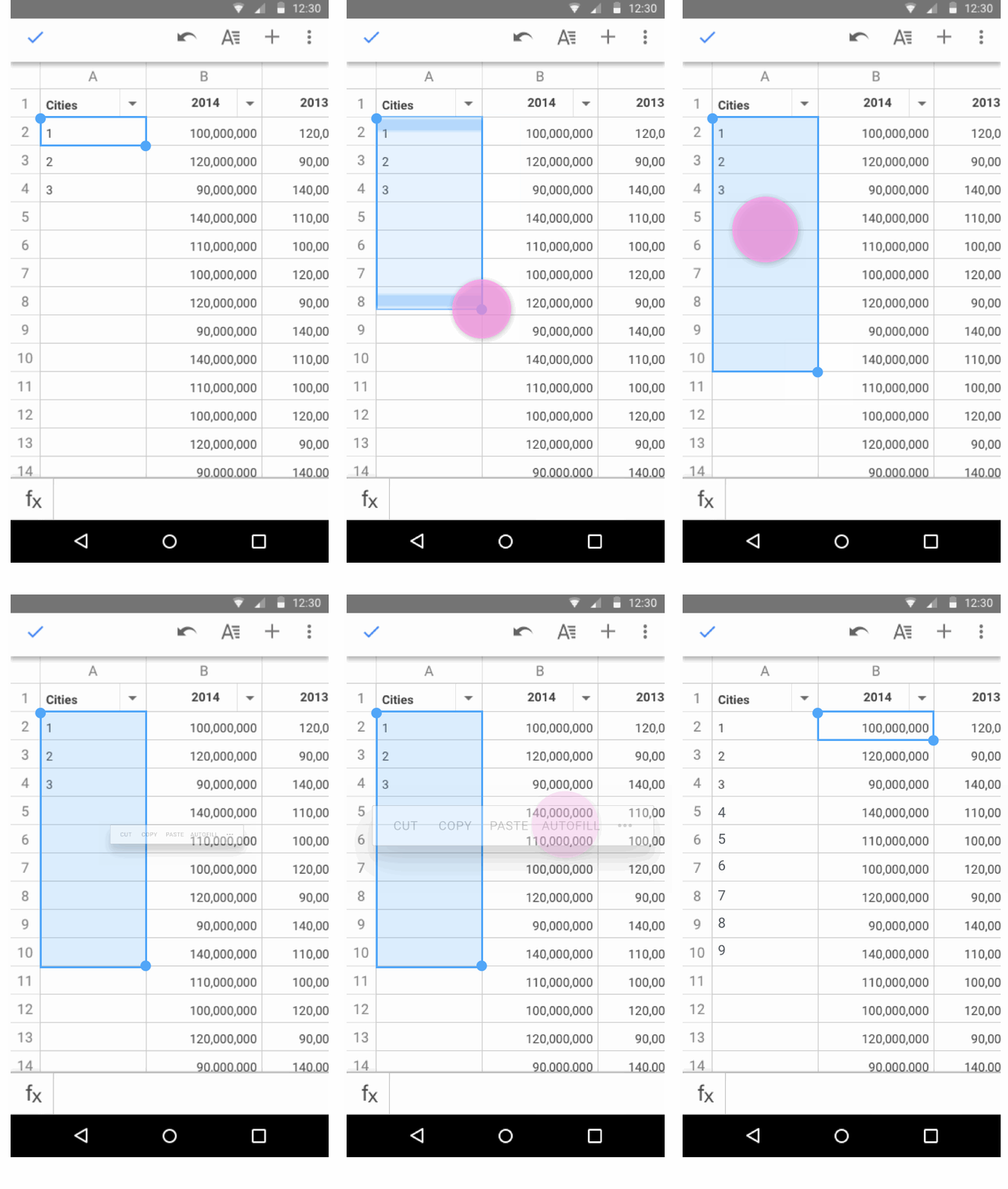 The final update to hit Sheets is autofill. As you can see in the GIF above, autofill makes it easy to complete a pattern without the tedium of going cell-by-cell and doing it yourself. Select the data you want to repeat and drag to the cells you’d like to repeat it in, and Sheets will fill in the cells using the pattern of your selected data.
The latter two updates for Sheets can be found in the latest update to the app for Android in Google Play, while an APK download of Docs including Print Layout can be found on APKMirror.

Good news for owners of the HTC One M9 on Verizon: Tomorrow the Taiwanese company is pushing Android Lollipop 5.1 to the flagship device. The news comes straight from Mo Versi, HTC’s VP of Product Management:
[tweet https://twitter.com/moversi/status/634105557234769920 align=’center’]
The update includes all the standard bug fixes and operating systems improvements that are baked into 5.1 — like improved Quick Settings and the new Device Protection tool — as well as a patch for the nasty Stagefright exploit. The 3 and 7 bands have also been activated, useful for when you find yourself roaming internationally.
Keep in mind that just because it begins rolling out over-the-air tomorrow, that doesn’t mean you’ll receive it right away. It could take a few days, and just to be sure the update hasn’t reached your device yet you can check for it manually by visiting Settings > About phone > System updates.

After sharing this morning a render of the slide-out keyboard on what is ostensibly an Android-powered BlackBerry Venice, a device which the Ontario-based company has teased but made no mention of what OS its powered by, respected leaker Evan Blass is back with more goodies for the BB faithful. This time he has tweeted out a short video that shows off a render of the smartphone from all angles, with dramatic transitions and animations in tow.

Update: Project Ara has just tweeted that the strength of the magnetic forces holding together the Ara phone modules is not, in fact, a problem — apparently that was a joke. We’ve since heard that the strength of the magnetic fields produced by the magnets being used is approximately 30 Newton-meters, more than enough strength to hold a 30 gram electronic module in place. The comments about building a better attachment/detachment solution still seem to be true, however, with the tweet also saying that, “We have been configuring a new solution. It’s better too.” The team is also working on improved camera and battery modules.
Google’s Project Ara, the name of the modular smartphone system the company is building that would enable anyone to put together a phone on their own, has run into problems that have impacted its public test roll-out. The team behind it has been cheeky and somewhat coy in explaining why it has delayed a test launch of the unique system, but a concise message posted to Twitter today might at least partly explain the delay.
AdSense, Google’s publisher ad network used by millions of websites across the web, has just seen its Android app brought up to the company’s Material design language standards.
The app itself is mostly read-only, meaning you can quickly see data on your performance like how much money you’ve made from your ad placements over different time periods, but you cannot create new ads to place on your site from within the app. That would be cumbersome from a mobile device, though, as it requires copying and pasting HTML code into your site’s backend.
AdSense 3.0 also brings with it a new logo the company unveiled back in June. It looks like this:

And for the curious, here’s what the app looked like before today’s update:
The update hasn’t propagated completely in Google Play yet, but it’s available as a direct download through APKMirror right now.

Google and Intel have developed what looks like the ultimate augmented reality smartphone, combining Google’s Project Tango tech to map and track 3D environments with Intel’s RealSense camera sensor, which isolates and scans 3D objects within those environments.
Engadget reports that the two companies have so far produced a developer prototype of the smartphone, with a consumer device expected to be released further down the line. While there will doubtless be serious applications for the technology, it’s augmented reality gaming that is likely to get the most attention …
Expand
Expanding
Close

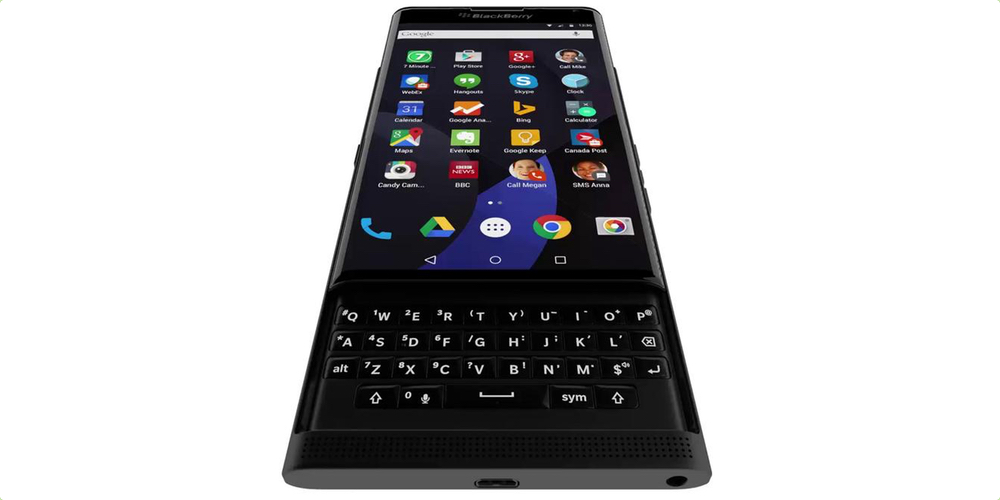
BlackBerry has been rumored to be working on an Android phone for quite some time. In fact, almost as soon as its CEO John Chen teased the portrait slider dubbed ‘Venice’, it was predicted it might run Google’s operating. We’ve seen a leaked render showing the front of the device with what looks like stock Android. We’ve even seen slides showing off some of the BlackBerry-inspired user interface elements. What we haven’t seen yet is that ever-elusive keyboard.
Pocket Casts, the popular podcast player for iOS and Android, has been updated on Android to take advantage of Google’s new Nearby technologies for enabling interactions between devices within a close proximity of one another.
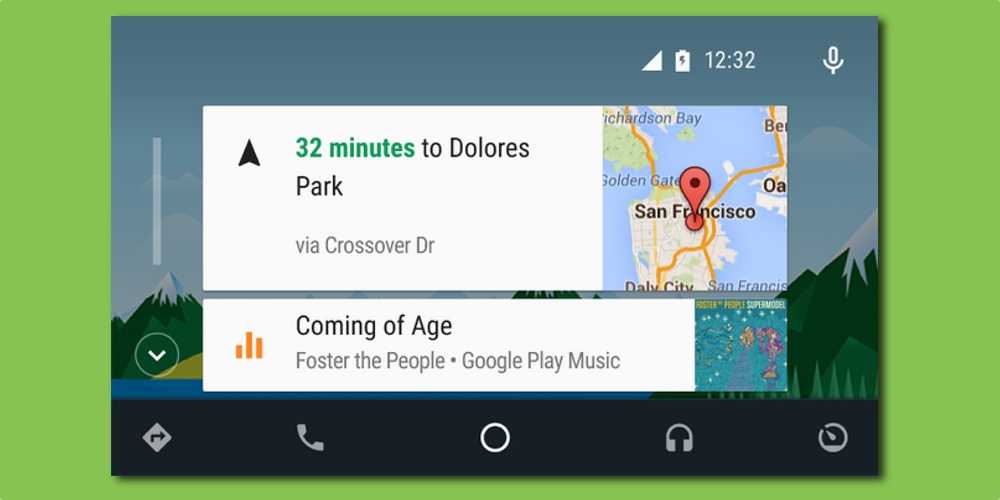
Google pushed an update to its Android Auto app today refreshing the home screen to bring bigger, easier to see cards, particularly when using navigation and playing music. Previously, all stacked cards were of equal height. Now, the top activity card is double the height of any of the cards below. Being bigger not only makes them easier to see, but also easier to interact with on the touch screen.
As well as the updated user interface, there are a few bug fixes and performance improvements. You can download the fresh update right now from the Google Play Store. It’s a free update and requires Android 5.0 or later to work. Obviously, you’ll also need a car with a compatible built-in system, or a compatible after-market system.
You can find out more about Android Auto, including compatible vehicles, over at android.com/auto.
Google has just published a blog post unveiling OnHub, a wireless router it has developed in partnership with popular router manufacturer TP-LINK, which it says provides a Wi-Fi experience that’s “that’s fast, secure, and easy to use.”

In a sign that its Hangouts messaging platform is becoming more important to the company, and that Google+ is becoming somewhat less important, Google has given Hangouts its own dedicated website found at hangouts.google.com.
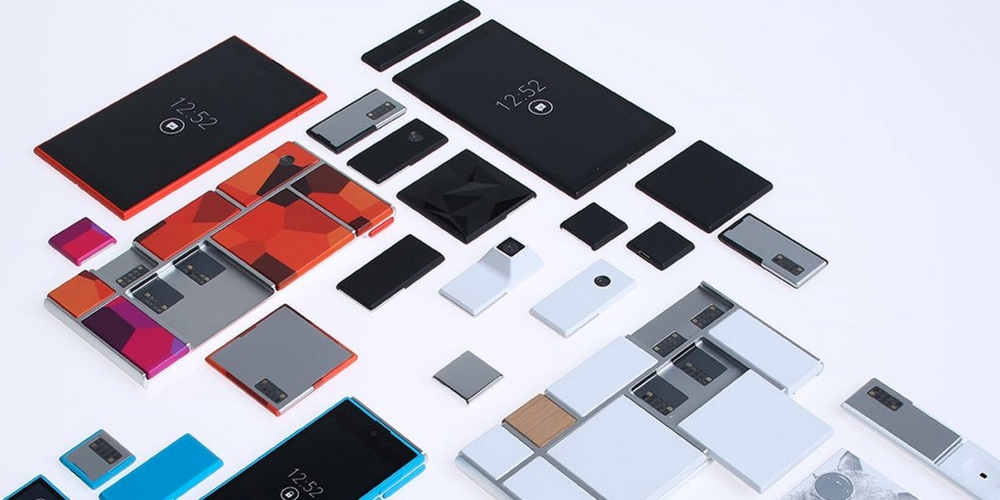
The Project Ara team just announced through its Twitter account that its modular smartphone won’t hit the public until next year. It had initially planned to get a test launch up and running towards the end of this year, but it seems Google has come up against some stumbling blocks. As it explained on Twitter, chief stumbling block was not being able to predict the number of variations possible. It stated there were far more iterations than they’d originally thought.
Just before announcing the delay, the company stated that it’s looking for new locations to test the product in the U.S:
Expand
Expanding
Close
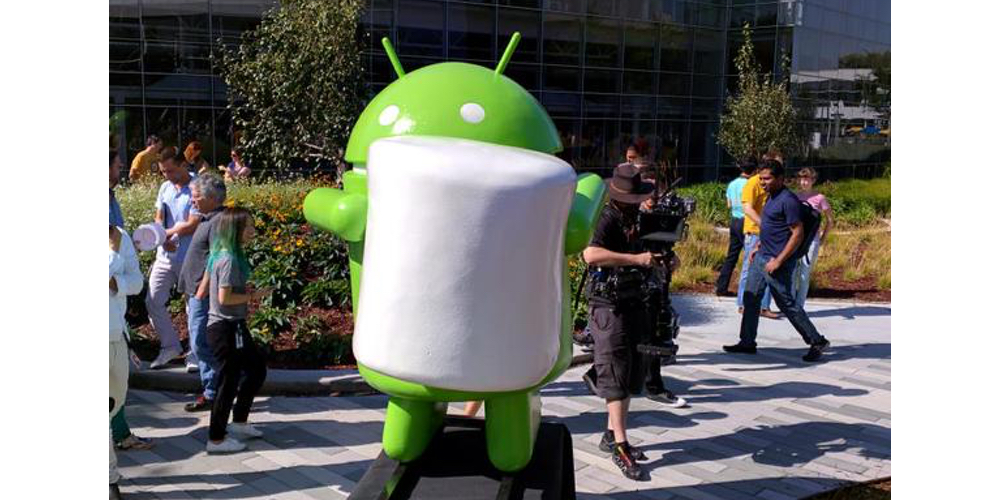
Android M’s software features have already been announced, but what hasn’t been announced is what the ‘M’ stands for. In our early poll, you decided Marshmallow was the most likely choice, and that’s what Google’s gone with. Earlier today, Jeff Sharkey shared a photo of the covered statue on Google Plus, and now the tarp is off! It’s our favorite green robot clutching on to a Marshmallow.
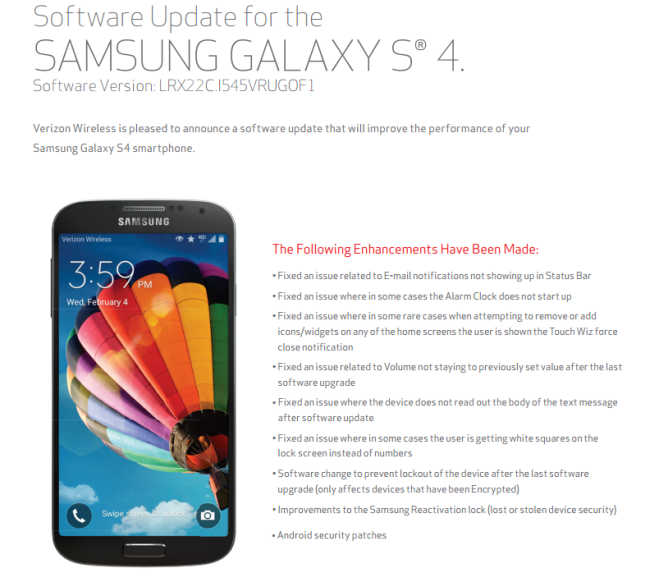
Stagefright isn’t totally a solved issue just yet, but device manufacturers and carriers have continued work on rolling out a patch that mitigates the OS vulnerability until another one of Google’s monthly security updates. Today we get an update for Verizon’s version of the Samsung Galaxy S4 which includes that patch and then some.
The update, rolling out over-the-air (OTA) and first spotted by Android Police, includes nothing new at all but quite a few fixes for software bugs to go along with addressing the Stagefright vulnerability. Device carriers and manufacturers that make them have felt almost unanimously responsible for rolling out fixes for the issue due to its sheer potential for damage and ease of exploitation, to name just two reasons.
If you own a Samsung Galaxy S4 on Verizon, expect to receive a notification when the update hits your device, sometime within the next few days. You can also check for it manually by visiting Settings > About phone > System updates.
Google today used a YouTube video to announce Project Sunroof, a website through which it is automating much of the process of researching and then purchasing solar panels for the home.
The gist of it is that while the cost of solar energy has been falling dramatically over the past few years, thanks in part to subsidies and economies of scale, the actual process of determining whether solar panels are right for you — logistically and economically speaking — is still complicated. Google is (still) a very data-driven company, though, and thinks that it can use data to provide just the right insights and information consumers are in need of, tailored specifically to each individual household.
Expand
Expanding
Close
Chromebooks are only four years old as a computing category, but they’ve helped give a new lease on life to a flagging PC industry in this ‘Post PC’ world. They’re almost always inexpensive and low maintenance, thanks to being almost entirely browser based. But now, four years later, there are so many options on the market, it’s hard to know what to buy. Here’s our guide on the best Google-powered notebooks out there…
If we want to understand why the percentage of women in working in the tech sector has dropped from 35% in 1990 to just 26% today, asking some women in tech for their thoughts on the issue seems like a smart thing to do. Re/code is doing just that, in a new video series entitled The 26%: Women Speak Out on Tech’s Diversity Crisis, and a Google X robotics expert was first in line …
Expand
Expanding
Close
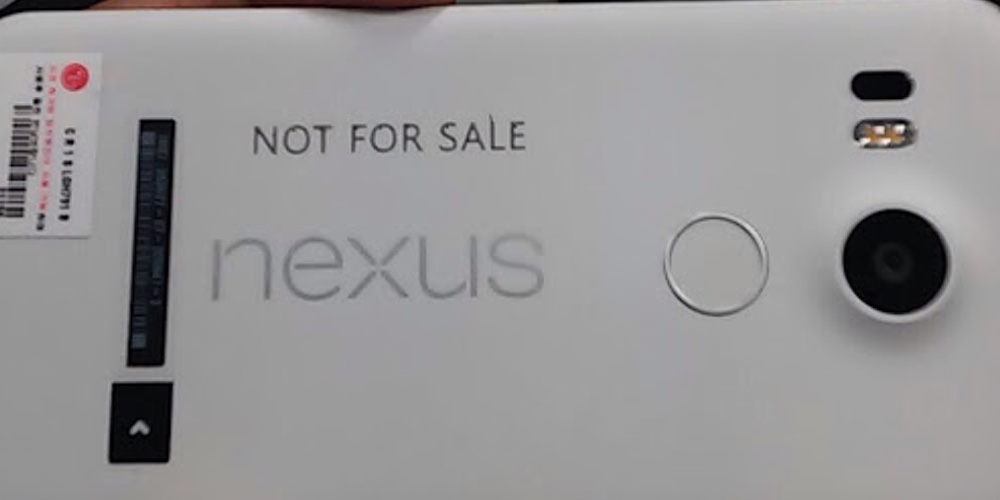
LG and Google are purportedly working together to release a revamped version of the Nexus 5 for 2015. We’ve already seen a number of supposed specifications, a case leak and a detailed 3D render based on detailed schematics. But we hadn’t seen any real evidence of the device being real. Until now.
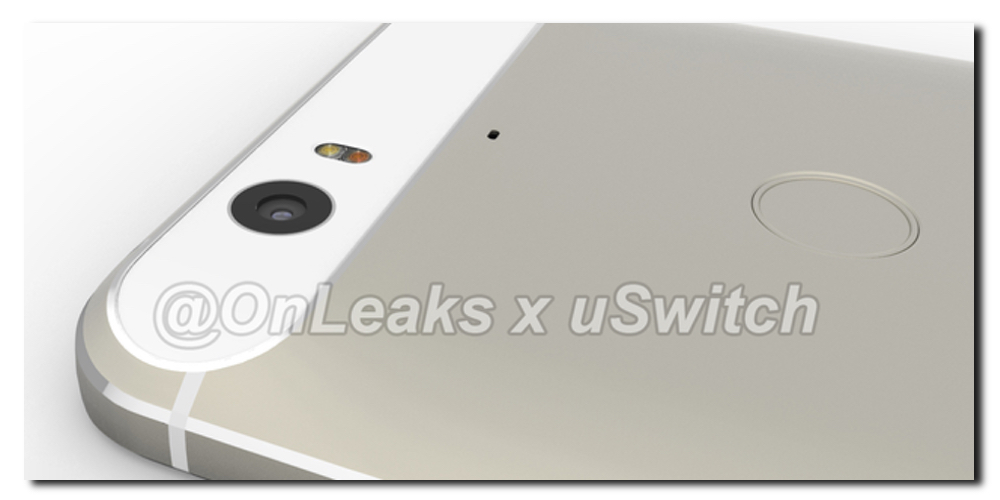
Yesterday the well-known leaker, Steve Hemmerstoffer teamed up with uSwitch to leak digital renders of the purported upcoming LG-made Nexus. Today, the two are back with their first look at what could be this year’s flagship Nexus device. As rumored multiple times, this device is expected to be manufactured by Huawei, one of China’s biggest Android OEMs.

Keep up with the best gear and deals on the web by signing up for the 9to5Toys Newsletter. Also, be sure to check us out on: Twitter, RSS Feed, Facebook, Google+ and Safari push notifications.


The beginning of a new school year is almost here and with it many stores have begun to fill their aisles with supplies and pepper the media with advertisements to get kids, and their parents, in the door. Many students can’t afford to get everything they may need, however, which could start the year off on a wrong, anxious foot. Google, in partnership with Volunteers of America Operation Backpack, is using its Google Express same-day delivery service to give away 10,000 backpacks full of supplies to disadvantaged children.
Operation Backpack® provides new backpacks and school supplies to disadvantaged kids, giving them a sense of confidence in knowing that their education is important and that somebody believes in them.
Here’s how it works: Spend at least $50 on Google Express between now and the 17th of this month, and Google will donate a backpack to Volunteers of America Operation Backpack, up to 10,000 backpacks. The website isn’t specific as to whether or not the $50 has to be in one transaction, but I assume so. And since there’s just a limit on the maximum amount of backpacks they’ll donate, you should be able to make multiple $50 orders and have a backpack donated each time until they hit that limit.
Google Express is Google’s same-day delivery service for getting everything from electronics to fruits and vegetables delivered right to your door within hours. It’s the same idea as the popular Instacart delivery service, except that Instacart delivers a more limited selection of items — mainly food and healthcare products. Express, like Instacart, procures its inventory from local stores which vary depending on the city you’re in, and you can either pay $5 for delivery, or a $95 annual membership fee to get unlimited free deliveries on orders of at least $15 in value. Google Express is only available in a few major US cities right now, though:

Like every other US carrier, Sprint has been working diligently to release a patch to the Stagefright vulnerability in Android to its lineup of phones, and today HTC One M8 owners get the fix.
The release notes for the update only list a “Patch for critical security vulnerability (‘Stagefright’)” as being included in this update, so don’t expect anything else.
Stagefright is a vulnerability spotted in Android’s default MMS behavior that makes delivering and executing code on an Android-powered smartphone as simple as delivering a rich text message. Android has the ability to fetch the contents of a message before the user even opens it (this functionality itself is called “Stagefright” in Android), and most messaging apps previously didn’t prevent this from happening because, why not? Pre-fetching contents would be ideal as it means the user doesn’t have to wait for something to download when they tap and open a message.
Unfortunately, however, it’s also an easy way for bad guys to gain control of your phone. Google’s default text messaging app on Android, Messages, as well as its Hangouts messaging app, have both received updates to solve this from happening. Other popular messaging apps have followed suite, but Google’s vulnerability patch means that more apps won’t need to do the same.
Since this is a carrier update it’s being rolled out in stages, so it could be a few days before you see it hit your device. You should receive a notification when it’s available, otherwise you can manually check by visiting Settings > About phone > System updates.
Engadget noticed that Google’s Project Ara team had posted a confusing series of tweets about its Project Ara modular smartphone, making it unclear how the company now plans to proceed.
After a long period of radio silence following a photo posted from Google I/O back in May, the project’s Twitter account posted first that it had some updates to share, then that there would be a “market pilot re-route” but “don’t worry, #ProjectAra isn’t going anywhere, #just recalculating” …
Expand
Expanding
Close