Stay up to date on news from Google headquarters. Be the first to learn about plans for Android, Google Plus, Google Apps, and more!
Stay up to date on news from Google headquarters. Be the first to learn about plans for Android, Google Plus, Google Apps, and more!

Keep up with the best gear and deals on the web by signing up for the 9to5Toys Newsletter. Also, be sure to check us out on: Twitter, RSS Feed, Facebook, Google+ and Safari push notifications.





Google has quietly launched a new iOS app today called Ivy that it describes as an experimental big number calculator.
Expand
Expanding
Close


YouTube Creator Studio is YouTube’s app through which creators can manage their accounts on the go. Now the company is creating a “Trusted Tester” program through which passionate Creator Studio users will be able to receive new updates to the app prior to their public release, and in return provide feedback and insights that will help YouTube improve the app.


Google and Facebook have each been slapped with a R$50,000 fine ($16k USD) in Brazil for not removing or blocking morbid images. The move comes after pictures of a Brazilian musician in a mortuary made their way online. Christian Araujo, the artist in question, died alongside his girlfriend in a car crash last month.
The Guardian reports that Judge Denise Gondim de Mendonca declared both companies had acted in “bad faith” after ignoring an earlier ruling. In response to today’s news, Google had the following statement prepared:
The Marco Cilvil of the Internet (local law which regulates removals) requires that any court order for content removal specify the URLs to be removed. In parallel, we have already taken down many of the videos which have been flagged by users due to YouTube’s policies regarding offensive content.
Facebook is yet to comment officially on the ruling, but Google has stated that it will be appealing the decision. In an age where it’s so easy to share any kinds of images online, it brings in to question how much of this can be blamed on Google and how much is down to those who took the photographs or shot the videos to begin with.
Not to be too crude or disrespectful, but I couldn’t think of much worse than someone pulling out their smartphone to snap a picture of my dead body lying in a morgue. The fact the picture is posted online afterwards is more of a side effect, surely?
That’s not to downgrade the severity of the companies supposedly not taking action. As huge corporations, they too have a responsibility to ensure these kinds of images aren’t seen by anyone. It certainly brings in to question where the line should be drawn.

Keep up with the best gear and deals on the web by signing up for the 9to5Toys Newsletter. Also, be sure to check us out on: Twitter, RSS Feed, Facebook, Google+ and Safari push notifications.
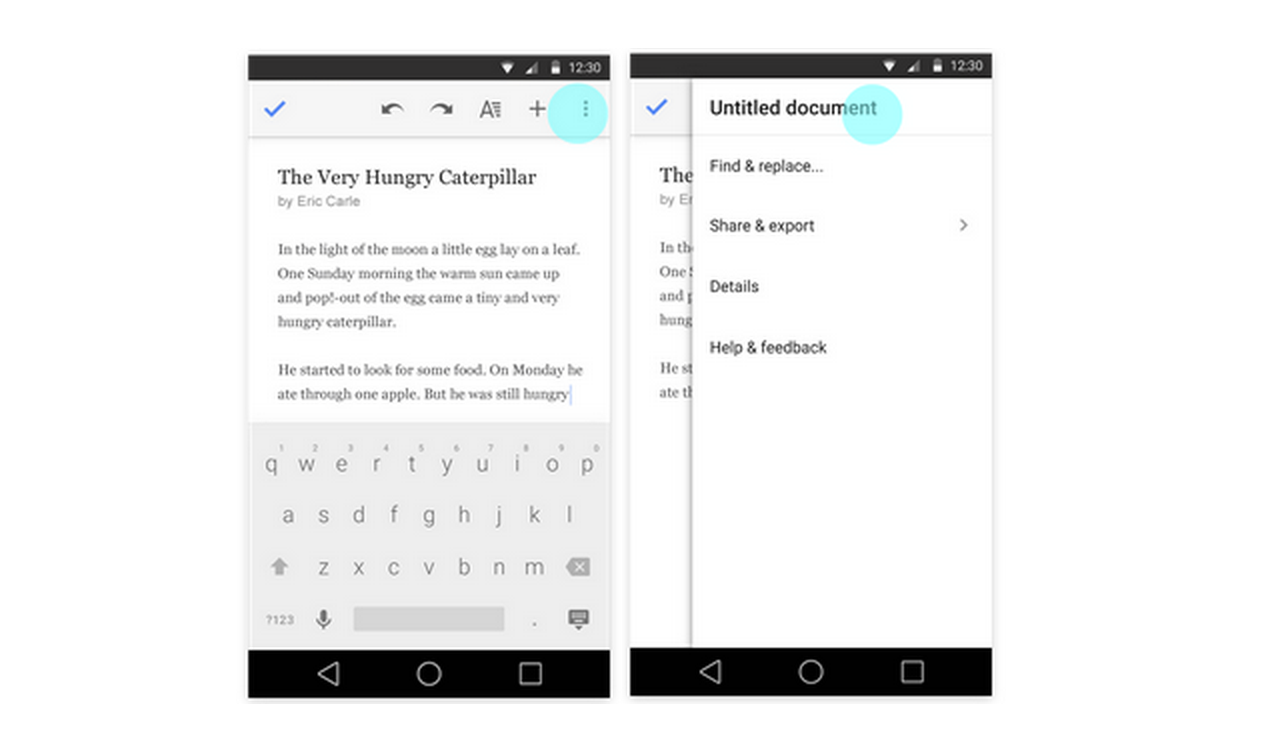 Google is rolling out updates today for its Docs, Sheets, and Slides apps for Android, bringing a few improvements to editing and collaboration features in the process.
First up, Google will now offer quick access to editing titles for documents, spreadsheets, and presentations directly from the app’s overflow menu in the top right corner of the UI across all three apps (as pictured above).
In addition, the Google Slides Android app gains the ability to switch layouts of existing slides: individuals can now change the layout of an existing slide to one of several predefined layouts, allowing them to update presentations on mobile more effectively.
Lastly, the Docs app get improved collaboration features for those using the Office Compatibility Mode:
People can now reply to comments when working in Office Compatibility Mode in the Docs app. In addition, when in OCM, suggestions and comments now appear in the Comments panel in the order they were made—rather than as all comments first and all suggestions second.
All three app updates should be arriving on Google Play for Android users sometime today.

Legendary Pictures is debuting its new Warcraft movie today, slated for a June 2016 theatrical release at San Diego Comic-Con. The company has partnered with Google to create a new app with virtual reality experiences based on the upcoming film as well as Crimson Peak, in theaters in October, and 2013’s Pacific Rim. To make sure people give it a spin and get excited for the new films, Legendary will also be giving out 50,000 branded Google Cardboard units (pictured above) throughout the expo this week.

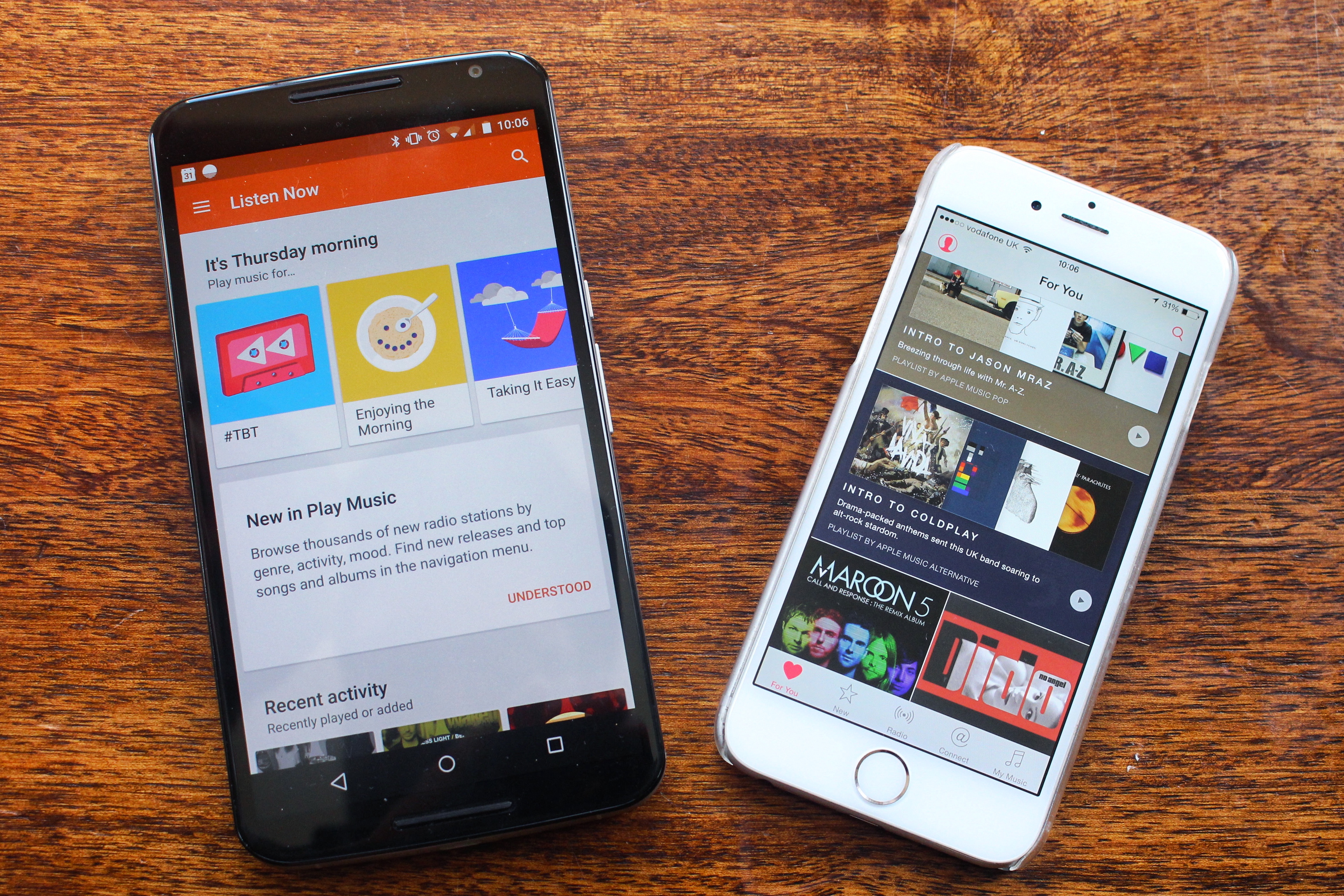
Until recently, Google’s Play Music streaming feature was one of the company’s few markets where it didn’t face strong, direct competition from Apple. But just like everything the Cupertino-company does, it has taken its own sweet time to finally launch a product we always knew was coming. And as always, the company claims it has done things differently, with a more human element.

Google announced today that all Project Fi phones will receive Android 5.1.1 within the coming days. The update will rollout over-the-air to users of Google’s wireless service gradually. Android 5.1.1. includes a handful of under-the-hood improvements and bug fixes for users. It’s slowly been rolling out to various devices following the release of the more significant Android 5.1 that brought a variety of new features.
Project Fi was officially announced earlier this year and is Google’s MVNO. For $20/month users get unlimited talk and text. Data runs $10/gigabyte and is sold at a pay for what you use method. The service is still invite-only at this point and wait times for invites are around the three-month mark.
Good news! Android 5.1.1 – an even sweeter version of Android Lollipop – is coming to all Project Fi phones over the next few days.
— Google Fi Wireless (@googlefi) July 9, 2015
Keep up with the best gear and deals on the web by signing up for the 9to5Toys Newsletter. Also, be sure to check us out on: Twitter, RSS Feed, Facebook, Google+ and Safari push notifications.
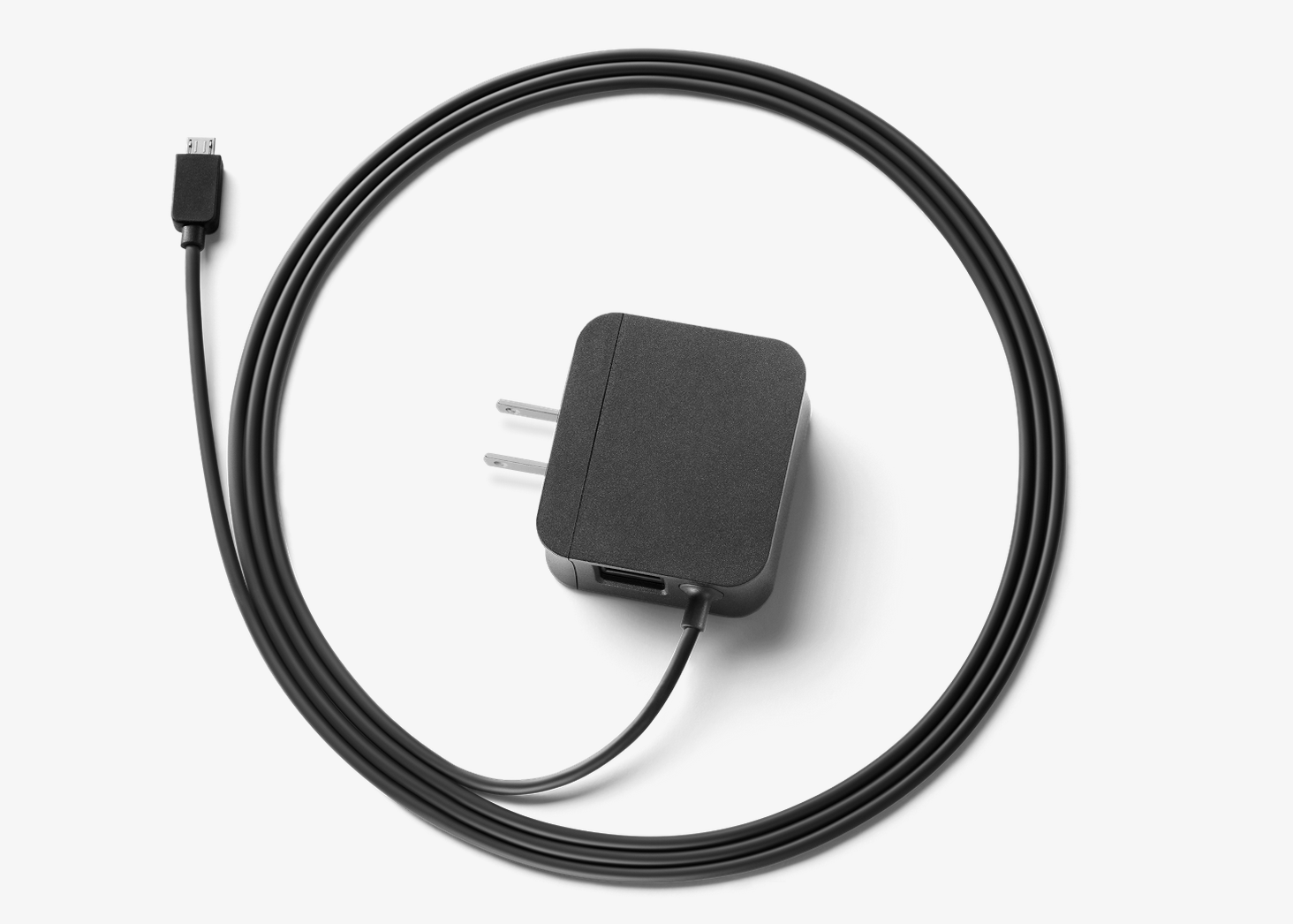
Remember ethernet? It’s that technology that can transmit an Internet signal to devices through a cable — so long as they have an ethernet port, that is. Many devices no longer do, to the dismay of a diminishing minority. But ethernet has its benefits, like not being susceptible to reliability issues when there are two walls between your device and your router and/or modem.
Fortunately, Chromecast users are in luck, as Google is now selling an ethernet adapter for the device.
Expand
Expanding
Close

In a recent video uploaded to the YouTube Creators channel, employees from the video platform outlined changes and new features coming soon across mobile and desktop including a new channel card. The purpose of the card is to add a heightened level of interactivity to videos by allowing creators to embed an inline link in the video player to another channel they may want to promote — maybe because they’re featured in the video, for example.
According to a tweet from YouTube, that card just went live for creators today.
Google has today updated its default Messenger app to version 1.4, bringing some minor enhancements along the way. In the new version, you’ll find you can now send cute little animated stickers as well as more easily send your location to others…
Expand
Expanding
Close

Windows Phone has not been the greatest success story in the world, and Microsoft’s purchase of Nokia to produce its own handsets looks to have been an even bigger flop. The company today announced that it is writing off $7.6B against the Nokia business – more than it paid for the company in the first place.
Microsoft has also revealed that it will be laying-off 7,800 staff – more than 6% of its workforce – over the next few months, mostly from the Phones business …
Expand
Expanding
Close
It was ruled as part of the ‘right to be forgotten‘ case in Europe last year that individuals could request to have links removed from Google search results, and now another group is calling for that right to be expanded to the United States. An activist group on Tuesday filed a complaint with the Federal Trade Commission that Google needs to expand the ‘right to be forgotten’ ruling to the United States, arguing that users should have the right to have inaccurate links removed from search results (via The Hill).
Google Glass Explorer Edition
We told you last week that Google is internally referring to its next iteration of Google Glass as “Enterprise Edition” or “EE,” and now we’ve uncovered information about the soon-to-be-launched device’s hardware. According to several sources familiar with advanced prototypes of the device, the Enterprise Edition includes a larger prism display, as well as an Intel Atom processor that brings better performance and moderately improved battery life…
Expand
Expanding
Close
Keep up with the best gear and deals on the web by signing up for the 9to5Toys Newsletter. Also, be sure to check us out on: Twitter, RSS Feed, Facebook, Google+ and Safari push notifications.
Ubisoft unveils the debut trailer for its new Rayman Adventures mobile game
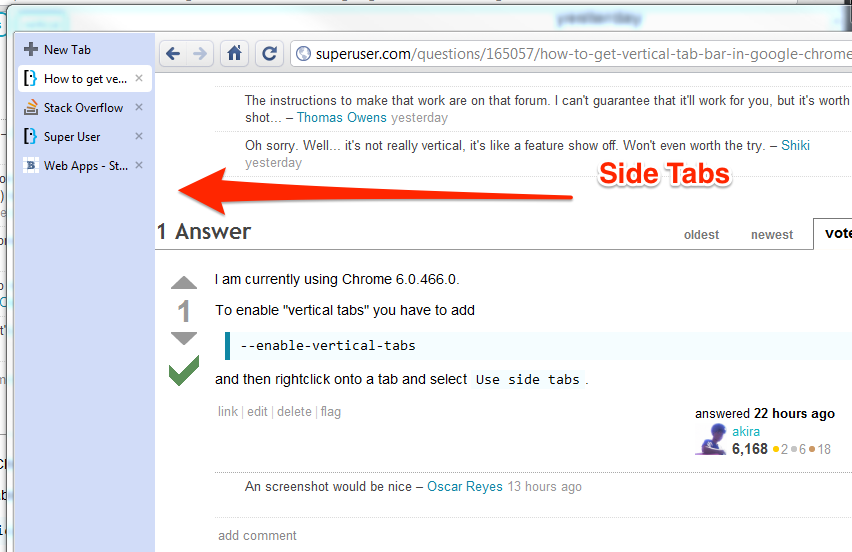
Longtime users of Google Chrome may remember a period when it was possible to display tabs vertically, in a bar on the left-hand side of the screen, rather than at the top above the address bar. That feature (pictured above) was experimental, and the Chromium team, which creates public forks of the source code behind Google’s commercial browser, eventually gave up on the idea because it was believed to be a niche feature and “nobody stepped forward to do the work to drive the feature to completion.” Sidebars may be coming back from the dead in a different but similar form, however…

https://www.youtube.com/watch?v=6tWsehRHHaw
You know what I haven’t once thought since purchasing my ASUS ZenWatch? “Man, I wish this thing had a software keyboard!” Nope, not even once. But someone clearly has, as the developers behind the 5-TILES keyboard for Android smartphones have brought their signature tile-based keyboard to Android Wear users in the form of a messaging app, called Wear 5-TILES.
If you live in Austin, Texas, and thought you spotted one of Google’s self-driving cars, you weren’t imagining things: the company confirmed today that it has chosen the city for the next phase of testing. Google said in a G+ post that it was important for the software to be tested in a variety of different driving environments.
We’ve chosen Austin, Texas, as a new testing location for our project, and one of our Lexus SUVs is there now, with safety drivers aboard, driving a few square miles north and northeast of downtown Austin. It’s important for us to get experience testing our software in different driving environments, traffic patterns and road conditions—so we’re ready to take on Austin’s pedicabs, pickup trucks, and everything in between.
Google first demonstrated the car to the city’s mayor, chief of police and other officials back in 2013 …
Expand
Expanding
Close
Keep up with the best gear and deals on the web by signing up for the 9to5Toys Newsletter. Also, be sure to check us out on: Twitter, RSS Feed, Facebook, Google+ and Safari push notifications.
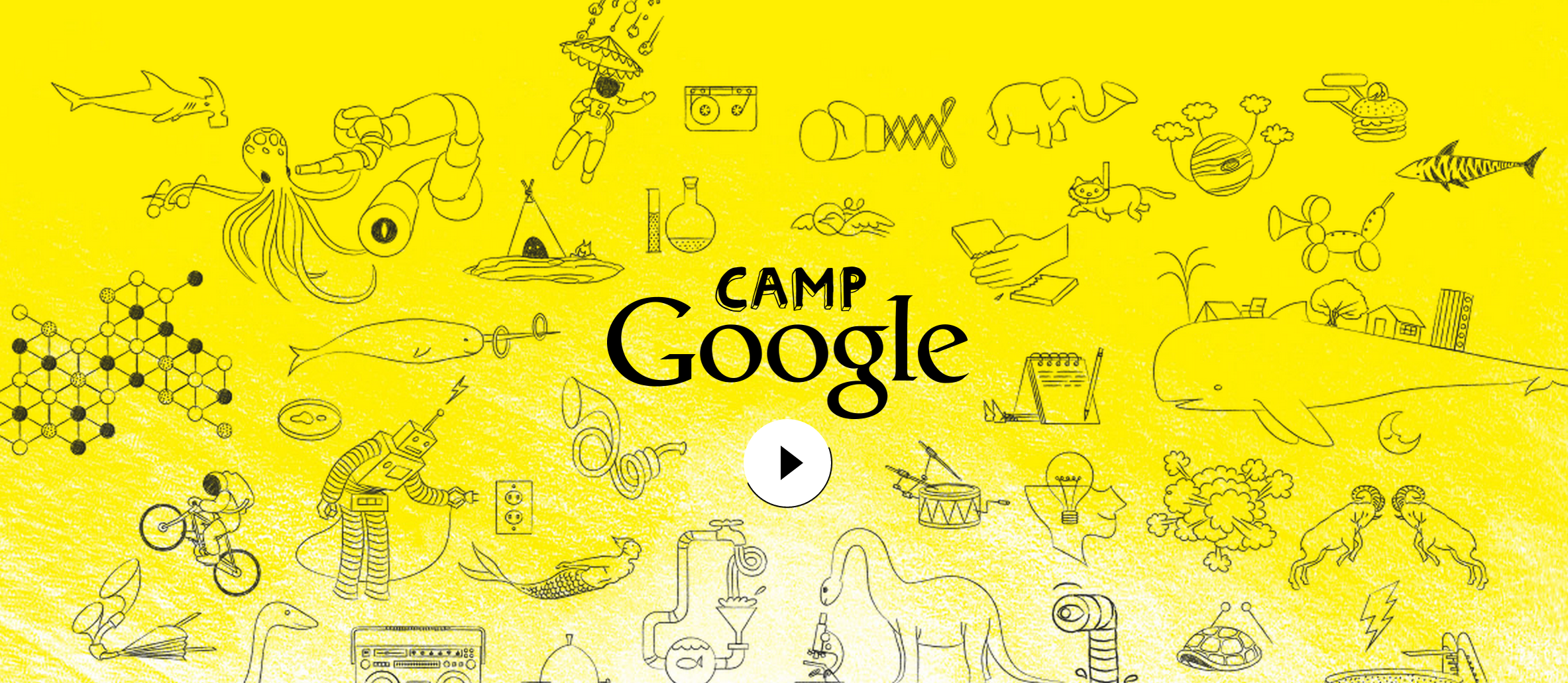
The Internet has changed the way we access, view, ingest, and share knowledge, and Google has played a big part in that, with its mission from day one being to organize the world’s information and make it universally accessible. Now through a new project called Google Camp, the company will train kids to utilize their services as early as possible — starting from the ages of 7-10 years old, specifically. The program seems to focus on online project-based science lessons…
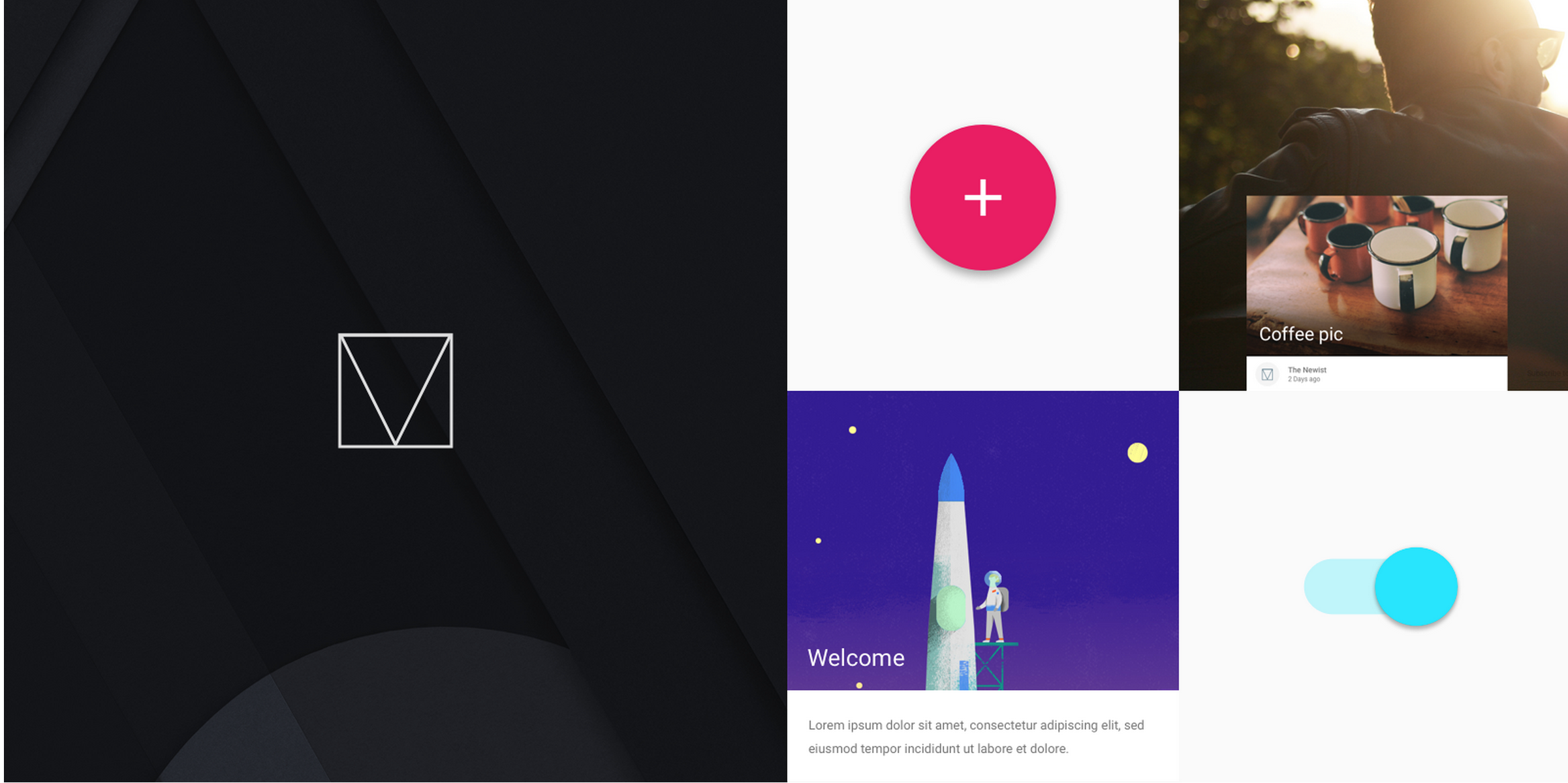
Google Developers, the team at Google which creates tools and learning materials for developers to take advantage of, has released a front-end web framework for building sites to the Material Design specification.
Google-owned Waze looks to have its sights set on competing with the ride-sharing service Lyft. Reuters reports that it is trialling a ride-sharing service, initially in Waze’s home market, Israel.
The new application, called RideWith, will use Waze’s navigation system to learn the routes drivers most frequently take to work and match them up with people looking for a ride in the same direction.
Waze is at pains to point out that it is not trying to compete with Uber, where drivers are able to operate full-time and make a profit. RideWith will limit drivers to just two journeys per day, allowing them to share the cost of their journey to and from work …
Expand
Expanding
Close