Stay up to date on news from Google headquarters. Be the first to learn about plans for Android, Google Plus, Google Apps, and more!
Stay up to date on news from Google headquarters. Be the first to learn about plans for Android, Google Plus, Google Apps, and more!


Google Maps on mobile has since last year had an Explore section where users can find the best restaurants to eat at and things to do in their area. With an update rolling out today to the Android app, it’s becoming a bit more easy to specify and narrow down exactly what you’re looking for.
Prior to today, Explore only used the inputs of distance and time of day to determine what to show you. Users can now, however, specify a nearby neighborhood, category, and type of cuisine to find, on top of the existing inputs. Tapping on a suggested place will bring up more detail like who the vibe is best, or least, suited for, and sometimes it’ll include why Google chose to recommend that place in particular.
It seems crazy to me that Explore in Google Maps was lacking this type of gradual search before, but it was. The new inputs make perfect sense, too — what if I specifically want to find a place to have drinks with friends, and also make sure it’s not too upscale of a place? You couldn’t narrow your results down that far before, but now you can. Well, that’s if you’re in the US or UK, where the Explore update is limited to for now. And if you happen to be in NYC, San Francisco or London, Google will even curate its suggestions into named sections like “Best places for classic Mission-style Mexican food.”
Aside from the new search, the UI has been updated a bit with a card-based interface for swiping through suggested places and their corresponding photos. This interface closely matches what Google rolled out to its search product on mobile for rich content results just a few days ago. Maps for Android also recently saw its directions interface updated with a similar tabbed design displaying duration estimates for every form of transportation to a given location.
Other location-based recommendation apps like Foursquare and Yelp have had what Google is rolling out now for quite a while, it’s worth noting. When I find an APK for this new update I’ll be sure to update this post.


[youtube=https://www.youtube.com/watch?v=QOxIdbNwpx0]
With the release of Chrome 45 yesterday for desktops and Android devices, Google introduced a new feature called Custom Tabs that it previously demoed at its Google I/O developer conference earlier this year. With the introduction of the new feature, Google today posted the Google Dev video above offering a walkthrough of the new features for developers and sharing some details on performance improvements for users.
Expand
Expanding
Close


Alto’s Adventure is one of those fad games that may or may not stick around in the long term, but it has been featured in the App Store a couple of times for good reason. It’s a tranquil and calm pick-up-and-play snowboarding game not all too different than the likes of Tiny Wings, but — just like Tiny Wings — it’s very addicting. Now, thanks to an announcement from NoodleCake (the game’s maker), we know that Alto’s Adventure is coming to Android.
We don’t yet know exactly when the game is making its way to Google’s mobile platform. “We are hoping to have the game out soon enough but we don’t have an exact launch date just yet,” the developers said in a blog post. Assumably, NoodleCake will also be pushing the device to the Amazon Appstore, as the company says that it is coming to Kindle Fire as well. We’ll keep you in the loop. As a fan of the game myself, I’m excited.
ASUS just wrapped up its IFA Berlin keynote address during which it showed off a range of new devices like the “world’s fastest Wi-Fi router,” plus some we’ve already seen like the Zenfone Selfie and Zoom. Afterwards we got a chance to take a hands-on look at the Android-powered ZenWatch 2.
Expand
Expanding
Close


Earlier today Google officially unveiled its playful new logo and began replacing the classic logo with the new one around the web and at brick-and-mortar locations. Now, the company is rolling out updates to its Android apps with the refreshed logo.
Google has updated Maps, Translate, and Search on Android with the new logo. The Search update also included a handful of other changes, which we told you about earlier today. The Maps update also includes the ability to more easily compare ETAs across driving, transit, walking, and biking.
Google will undoubetedly continue to rollout updates to its other Android apps with its revised logo and if the speed at which its been updating the logo in other places in any indication, it won’t take long before the classic logo is entirely phased out.
The updates to Maps, Translate, and Search are rolling out now via the Play Store, but as usual, they may take a few days to hit every device. In the meantime, you can download the APKs from APKMirror at the links below:

In addition to unveiling its all new logo today, Google has announced some changes coming to its Search experience on mobile devices and its Google Now homepage on Android. Google notes that it’s made the search results page for mobile devices easier to navigate with a new swipeable and tappable UI. Google offered a look at the new UI for images, videos and news stories in the video below.
Expand
Expanding
Close
Through this big shift we’re in the middle of to a mobile world where native apps reign king, Google has held strong in its devotion to improving the user experience of the web. Today another example of that is a shift it’s making to penalize those sites which display app install interstitials that hide a significant amount of content.
Expand
Expanding
Close
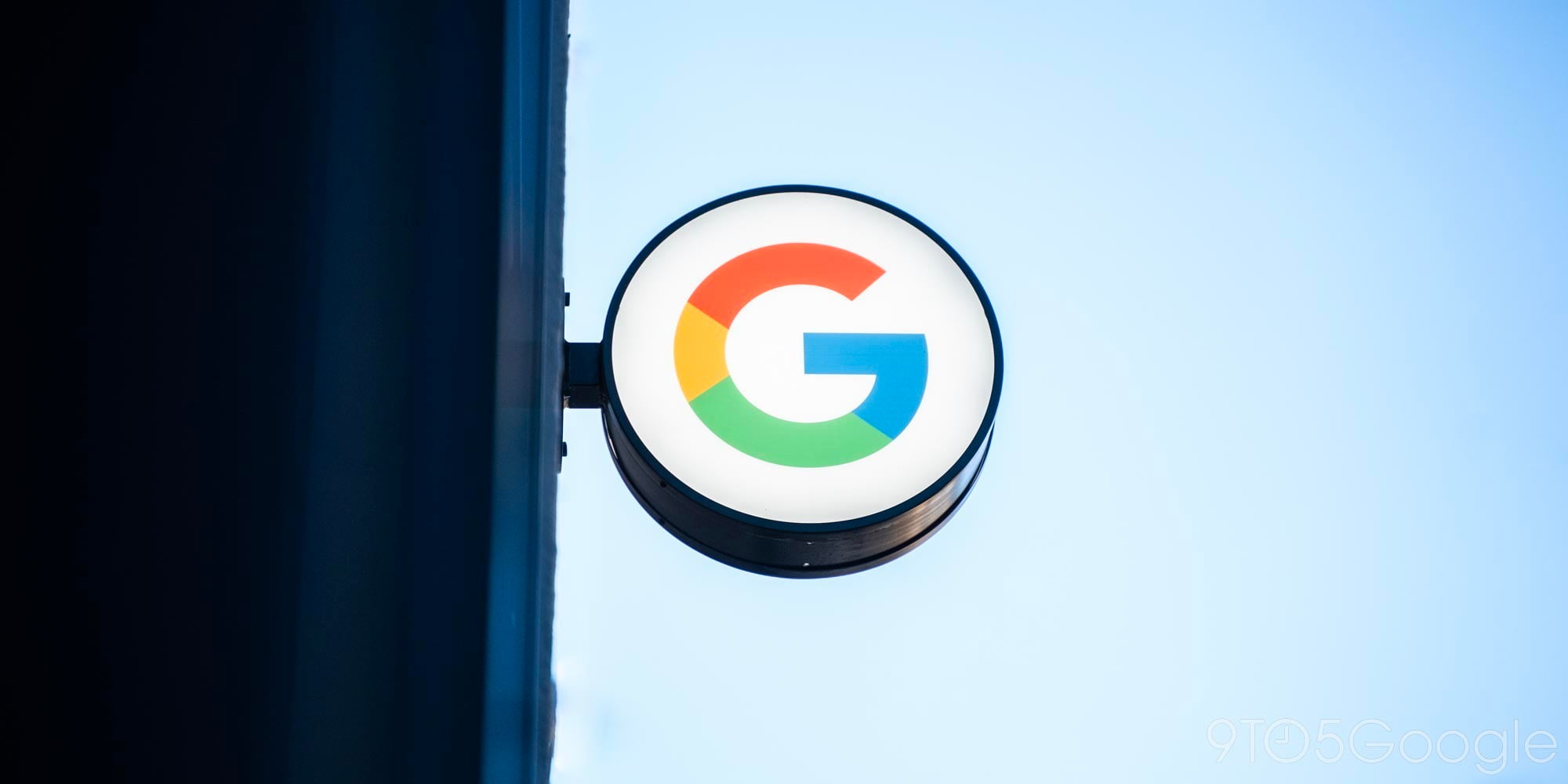
HTC has come out on its official Weibo account to post a picture teasing what looks to be a smartphone of some kind. Notably, September 6th would put the announcement during IFA, so the date seems a bit more than plausibly realistic. Also, HTC has been saying since the flop that was the HTC One M9 that it is planning to try and take at least one more stab at the smartphone market…
HTC’s CEO Cher Wang having promised a new “hero product” coming in October, and most recently, images of what is purportedly an “HTC One A9” (otherwise known as “Aero”) leaked out. There’s no way to know if those images are genuine, but if they are, it’s definitely an unashamed copy of Apple’s iPhone 6. They do, however, match up with another image leaked purporting to show the A9.
I guess we’re only a few days away from knowing the truth. Here’s the tease:
Update: A member of Moto Makers says that the phone will ship starting September 13th.
Update 2: Moto X Pure Edition pre-orders are now live!
Tomorrow, September 2nd, Motorola’s much-anticipated Moto X Pure Edition — also known as Moto X Style, also known as Moto X (3rd generation) — becomes available for pre-order. That’s the word from the official Motorola Google+ page, at least…
Clear your schedule tomorrow! Those of you in the US can finally pre-order the new #MotoX Pure Edition, the phone that loves you back. It’s got a top rated camera, water repellent coating and all-day battery life. Learn more at http://bit.ly/1Fg9CJi. US only.
Up to now, the Moto X Pure Edition web page has only offered potential buyers the chance to sign up for updates. If you did sign up for updates, this was probably the update you were waiting for. Sadly, this is only for US customers at the moment.
Head over to the Moto X Pure Edition page on Motorola’s website tomorrow to hand over your credit card information and get yourself set for the Pure Edition. The phone starts at just $400, and you can only buy it unlocked at the moment.

The original Moto 360 in champagne gold
The Moto 360 leaks just won’t stop. We’ve seen images front, back and all-around of the smaller Moto 360S and larger Moto 360L, but now Evleaks (by the way, didn’t he retire or something?) has shared images of what could be one of the more expensive Moto 360 variants. They’re probably not Apple Watch Edition-level expensive, but more likely close to the price range of the Huawei Watch (another Android Wear device that’s slated to have its availability and pricing detailed at IFA).
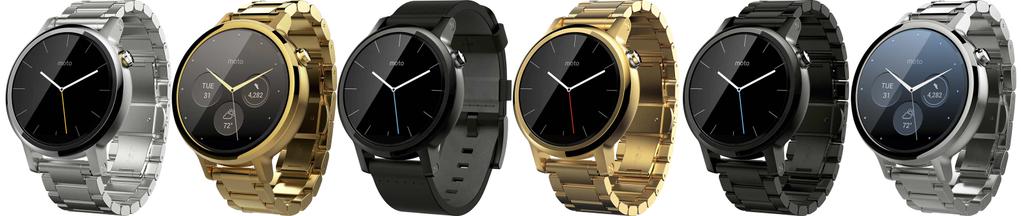
As you can see above, there looks to be at least a couple of what are assumably gold-plated models in both the “small” and “large” sizes. As we told you yesterday, the small device is slated to have a 42mm body, while the large is expected to sport a 46mm case. All of the above watches have link bracelets,but Motorola could still offer these with a leather band, perhaps through Moto Maker. We saw a lot of watches leaked in renders yesterday, but none of them looked quite like the gold ones above.
Based on an image we shared with you earlier today, it seems Motorola is prepping to show off the Moto 360 on September 8th. We’re on the ground in Berlin already, and we’ll be keeping you up to the minute on the latest in the world of Android, Android Wear, and anything else that might catch us by surprise over the next week.
Update: Google has published an article outlining the changes and the ideology that inspired them.
Update 2: Yep, Google has already updated their brick-and-mortar logos.
Today, Google has announced that it’s introducing a brand new look and brand identity for the company. Gone is the logo based on the Catull serif type face, as the Mountain View company introduces a new, more playful, logo that looks made with a font similar to the “LTCircular” face used on the Alphabet announcement page…
Expand
Expanding
Close

Fortune reports that Google has abandoned plans to beam location-based retail messages to both Android and iOS smartphones, shortly before launch. The project was reportedly named Google Here, and would have used beacons in retail stores like Starbucks to display offers and reward cards on the lockscreens of smartphones when they entered the store.
Google Here worked by sending a notification to a smartphone user’s lock screen within five seconds of their entering a partner’s location. If the user clicked on the notification, a full screen HTLM5 “app” experience would launch. Google Here would know when to send the notification via Google Maps and beacons placed in the stores of participating partners …

A week ago we reported that Google’s, err, Alphabet’s Nest had a new smart thermostat in the works per FCC filings, and today Nest is ready to unveil its 3rd-gen Learning Thermostat. Nest already automates heating and cooling, offers remote access, and aims to lower energy costs, so what’s new in the third version? The already sleek designed Learning Thermostat now has a bigger and sharper display that looks even better and it’s gained some new smarts behind it.
Expand
Expanding
Close
It seems Google’s legal woes in Europe will never end. The European Commission has long been running an investigation into whether Google was guilty of anti-competitive behaviour in Europe, which finally resulted in a filing of charges in April and a warning of large fines in June. It may be next year – some six years after the investigation began – before the final ruling.
A second anti-trust investigation into Android followed, and a third one not long afterwards, this time into its web advertising business. As if all that weren’t enough, the NY Times reports that a US law firm and European public affairs company have created a joint venture to help companies file civil claims against Google in the event that the EC finds it guilty of the first set of charges …
Expand
Expanding
Close
Google today has announced that it is expanding its custom self-driving car project to Austin, Texas. Previously, the company had only been allowing the car to roam the streets of California. Google now says, however, that it is brining “a few” of its self-driving cars to Texas. The cars will stay in the northern part of Austin, like its modified Lexus vehicles have been for the last several months.

Android Wear finally has iOS support after Google pushed its iPhone-compatible software to the App Store. This means that Android has beaten Apple Watch to the cross-platform game. Or, at least it would, if iOS didn’t restrict it to a state of almost uselessness. The only device officially supported is the LG Watch Urbane although — as we previously revealed — the older generation Android Wear watches do work. I got it set up with my Moto 360, and have been mostly disappointed by my experience so far.
Samsung has — notably 4 days before IFA 2015 is set to kick off in Berlin — announced its round Gear S2 smartwatch by way of a press release. The device, which is absent of any hint of Google’s Android Wear smartwatch operating system, has a circular 1.2-inch screen, sports Tizen-based software, has 4 GB of onboard storage, and packs fitness features like S Health and Nike+ Running. Also, there’s a 3G model…
Expand
Expanding
Close
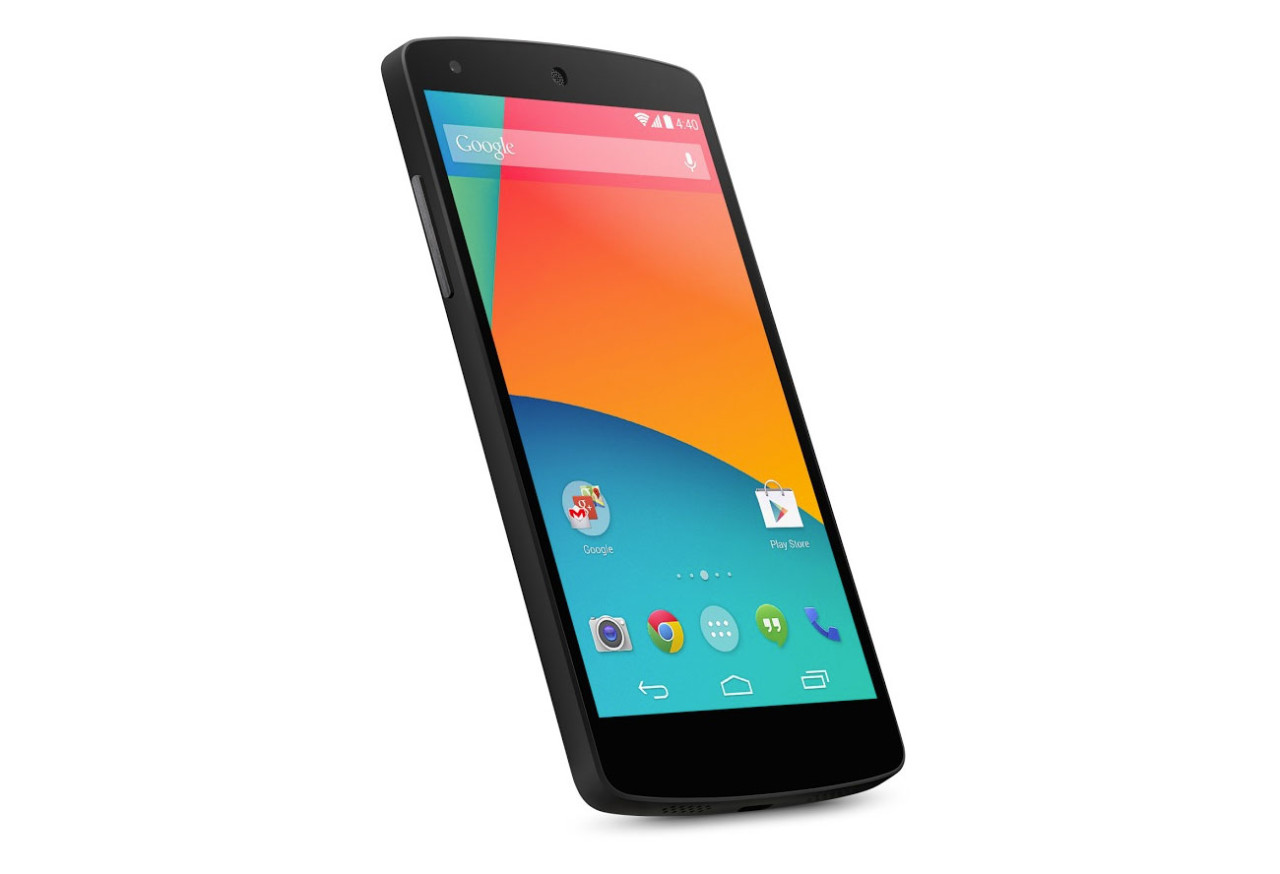
The original Nexus 5
According to a report earlier today out of Android Police citing a “reliable source,” LG’s upcoming to “Nexus 5” (which reportedly isn’t firmly the device’s name yet), will sport a Snapdragon 808, a 5.2-inch 1080p Display, 3 GB RAM, a 2700 mAh battery, USB-C support, a 12.3-megapixel main sensor, and a 5-megapixel front camera…
Expand
Expanding
Close
If you’ve been waiting patiently to get your grubby hands on Android Pay, it looks like your time is coming. While it’s not exactly functional quite yet, the latest version of Google Play Services — version 8.1 — includes most of the Android Pay infrastructure baked in. You can launch a lot of the functionality, but as of this writing, setting up your credit cards is going to fail before you get a chance to use them…
Expand
Expanding
Close
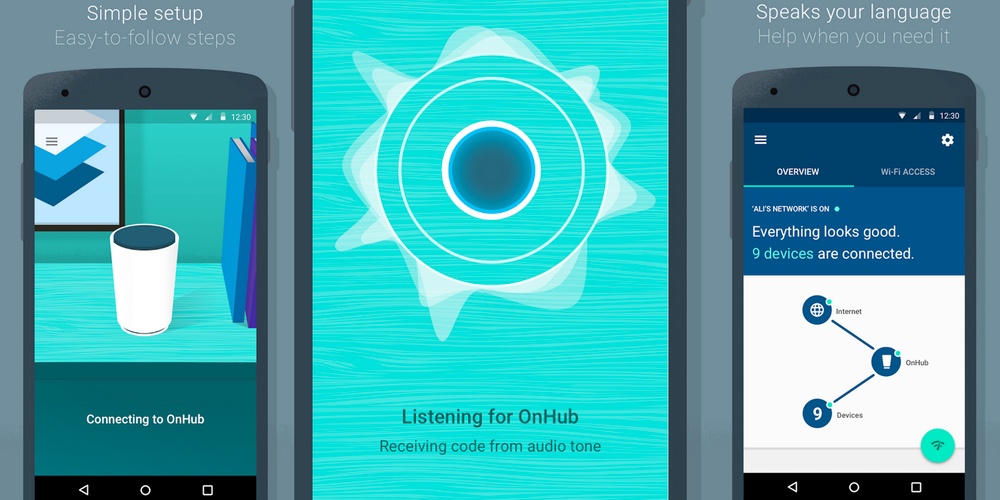
To coincide with the launch of its brand new OnHub wireless router, Google has released the companion app on the Play Store. The app is notable for several reasons. Firstly, it reveals some of the setup details and secondly, the router management options look so ridiculously simple, they almost seem too good to be true.
Expand
Expanding
Close
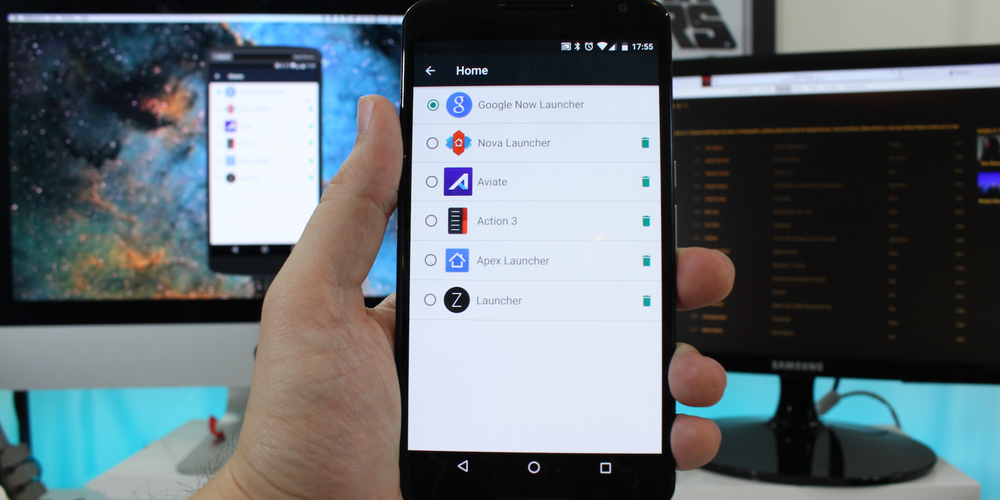
One of Android’s best features is the ability to download and install custom third-party launchers. Don’t like the way your phone home screen looks or how the apps are organized? Fine. Change it. But finding the best one, or a good one for that matter, can sometimes be a daunting challenge. And which one you think is the best ultimately depends on what you value most: aesthetics, organization or productivity? I’ve rounded up what I think are some of the best launchers out there, as well as a wild card for you to consider in your quest for the perfect Android experience.
Adobe Flash is notoriously both resource intensive and ubiquitous on the web, which hasn’t helped the open web survive in the consumer shift to mobile devices that have smaller screens and processors. Flash isn’t even supported in most mobile environments anymore because of its poor performance. Google is as a result working hard to eliminate Flash content from its ad network and create a better web browsing experience. Today it announced September 1st is when it will begin pausing many of the Flash ads seen around the web for users of its Chrome web browser.
Fortunately for Google, it’s able to convert most of the Flash ads uploaded to its AdWords advertiser network to the less intensive HTML5 automatically. The company provides a section on its support site where advertisers can go to see what Flash ads are eligible for this conversion, and it has even made a step-by-step tool for converting ads which can’t be automatically converted or haven’t already been uploaded to Google’s servers.
Google first announced this shift back in June, and while the company has its own mobile operating system with a massive amount of native apps in the form of Android, it’s still a big proponent of the web. Perhaps because that’s where it was born, but really because the web isn’t closed off like mobile operating systems, and the underlying hypertext language of the web allows the company to easily scrape and index it for its Search business, among other things. The company introduced a setting to its Chrome browser in March which enables this disabling of Flash plugin content. Chrome for Android and iOS doesn’t support it at all.
If you’ve felt like the email reply functionality for Inbox on the web has been a bit too light on features, you’re definitely not alone. Thankfully, Google is one of many companies in Silicon Valley that does a pretty good job of listening to their users’ feedback. As of a recent update, you can now find inline formatting options while replying to emails in Inbox by Gmail.
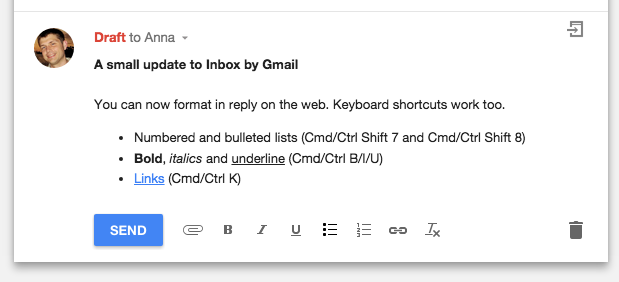
The announcement was recently made on Google+, mentioning that you can now do numbered and bulleted lists, as well as bold, italicize, and underline text. Additionally, you can create links as you have long been able to do in almost all email clients since the dawn of time. There are still lots of features that Inbox could benefit from, but it’s nice that Google responded to constant pleas for more robust reply functions.
You can head over to the Inbox website to try it out.
Whether or not you believe Starbucks coffee tastes burnt (I don’t), there’s always a reason to be happy when a popular app from a major company adopts Google’s new Material Design language. That’s just what the company did today with a new update.
Starbucks version 3.2 for Android is a gentle introduction to Material Design — the app continues to fall in line with the muted colors of the Starbucks brand, not too bright and bold like many early Material Design apps I’ve seen, and animations are subtle, like how the hamburger menu icon shifts during the transition of opening and closing the menu. Small details like elements appearing to open from a touch point remind you that it’s Material. It looks good.
Sadly, however, the app still lacks the new Order & Pay functionality Starbucks recently added to its iOS app and began promoting in stores, which allows customers to order menu items from their phone and pick them up when they arrive. Starbucks still labels that functionality as being in beta, though, so I’ll give them some slack. As a Starbucks loyalist I’m just glad to see them recognizing Android as a legitimate place to have a presence.
This update also brings added menu details so you can see all the menu items currently available at US stores (PSL, anyone?), and the obligatory “bug fixes.” It’s available on Google Play now.