Latest

PSA: Microsoft’s ‘Hyperlapse Mobile’ is now out of beta

imagee

We told you in May about a new app from Microsoft called “Hyperlapse Mobile” (not to be confused with Instagram’s Hyperlapse), but it was at the time only available to an exclusive set of beta testers. Now, the app is publicly available to any and all that might want to give it a try, and — aside from its horrendous icon — I’m decently impressed.

Not much has changed since it was first introduced, and it’s still a little on the buggy side according to reviews, but overall users — myself included, briefly — are satisfied with the app’s resulting video footage.  You can import existing video into the app, choose between multiple speeds, create selfie hyperlapses, and more.

You can get Microsoft Hyperlapse Mobile right now on the Play Store for free.


Microsoft’s Cortana for Android beta leaks a bit early, we try it out [Gallery]

Microsoft announced last month that its Cortana voice assistant would be coming to Android in beta at some point in July, but it looks like the APK has managed to leak out a bit early. We grabbed it as soon as we could, and decided to give it a look. And our first impression, frankly, is that there’s not really anything special about Cortana — especially when Android has Google Now, Hound, and other competitors to pick from.


Expand
Expanding
Close

VLC beta updated to 1.5.0 w/ better Material looks, USB auto-detection, more

videolan-official-page-for-vlc-media-player-the-open-source-video-framework-2015-02-27-09-32-14

VLC pushed a major cross-platform release in February, and at that point the company’s Android app finally left beta for the first time. VLC for Android has definitely been getting a lot of attention since then, though, and version 1.5 — which packs some notable improvements — was released today.
Expand
Expanding
Close

Dozens of popular apps found ‘vulnerable to password cracking’

aapps

Popular iOS and Android apps from companies like Walmart, ESPN, Slack and SoundCloud have been found vulnerable to password cracking, according to a recent report from AppBugs. The security firm found that dozens of the most popular apps are lacking, in that they allow you to make any number of attempts to login without restriction. These clearly opens up a gap for attackers who have the means to guess those passwords and gain access to your accounts.


Expand
Expanding
Close

Google announces enhanced snooze functionality for Inbox by Gmail

Site default logo image

Screen Shot 2015-07-16 at 7.45.09 PM

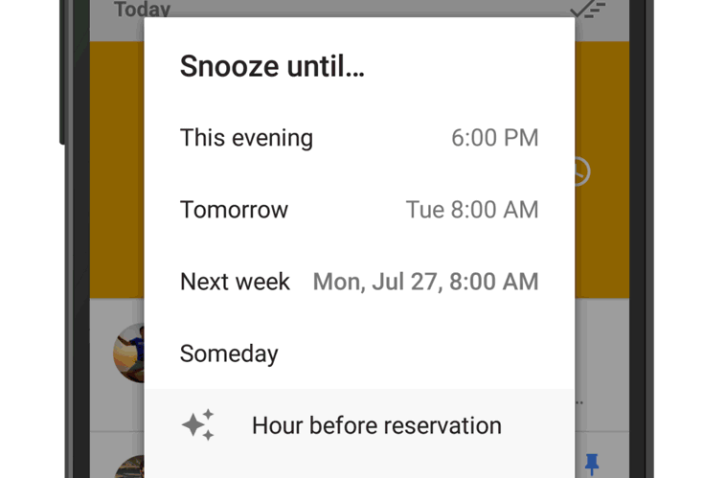
Google today announced a useful new feature that is now available in its Inbox email app. Starting today, when users “snooze” an email that has dates and times, they will be presented with a one-tap option to snooze to a specific time further in the future. For instance, you can snooze an event confirmation email until the day of the event. Another possible instance is snoozing a shipment confirmation email until the day of the package’s arrival.


Expand
Expanding
Close

Google rolling out Classroom notifications to Android and iOS apps

Site default logo image

We shared last month that a number of changes were coming to Google’s Classroom service for educators and students, and now Google says that one of those changes is rolling out now: mobile alerts. Google says that the Classroom app for both Android and iOS will gain support for mobile notifications this week.

For instance, students will be alerted immediately when they receive new assignments or grades, notes from teachers, comments from fellow classmates, and more—allowing them to stay on top of their schoolwork even more easily.

To support the new notifications feature, Google released an updated version of its Classroom app for Android on the Play Store and iOS on the App Store this week. Google first announced the new alerts feature for Classroom, which it launched last year to help teachers and students manage classwork, alongside other upcoming changes coming to Classroom including a new developer API, a share button for sending work to other services, and the ability to re-use assignments.

It’s official – Angry Birds 2 is coming on July 30th


AB2 key artIt seems an age since Angry Birds first rose to prominence as the best-selling mobile game going. After countless spin-offs and movie tie-ins, it’s about to get its first proper sequel. Rovio announced in a blog post this morning that Angry Birds 2 will officially launch on July 30th.

With 3 billion game downloads, millions of fans across the globe, multiple mashups and spin-offs, collaborations with A-list celebrities and much more, we’re really proud that Angry Birds is the mother of all mobile game apps. And now we’re proud to announce the mother of all sequels – Angry Birds 2!

Rovio hasn’t announced exactly what to expect or which platforms it’ll be available on, but it does say that it will make its way to “app stores worldwide” in two weeks, suggesting that it will almost certainly be available on the most popular platforms: Android and iOS.

Hit the Angry Birds 2 website to sign up and be notified as soon as it’s available. In the mean time, you can grab a bunch of the more popular Angry Birds titles for free, or just $1 in Rovio’s iOS sale.

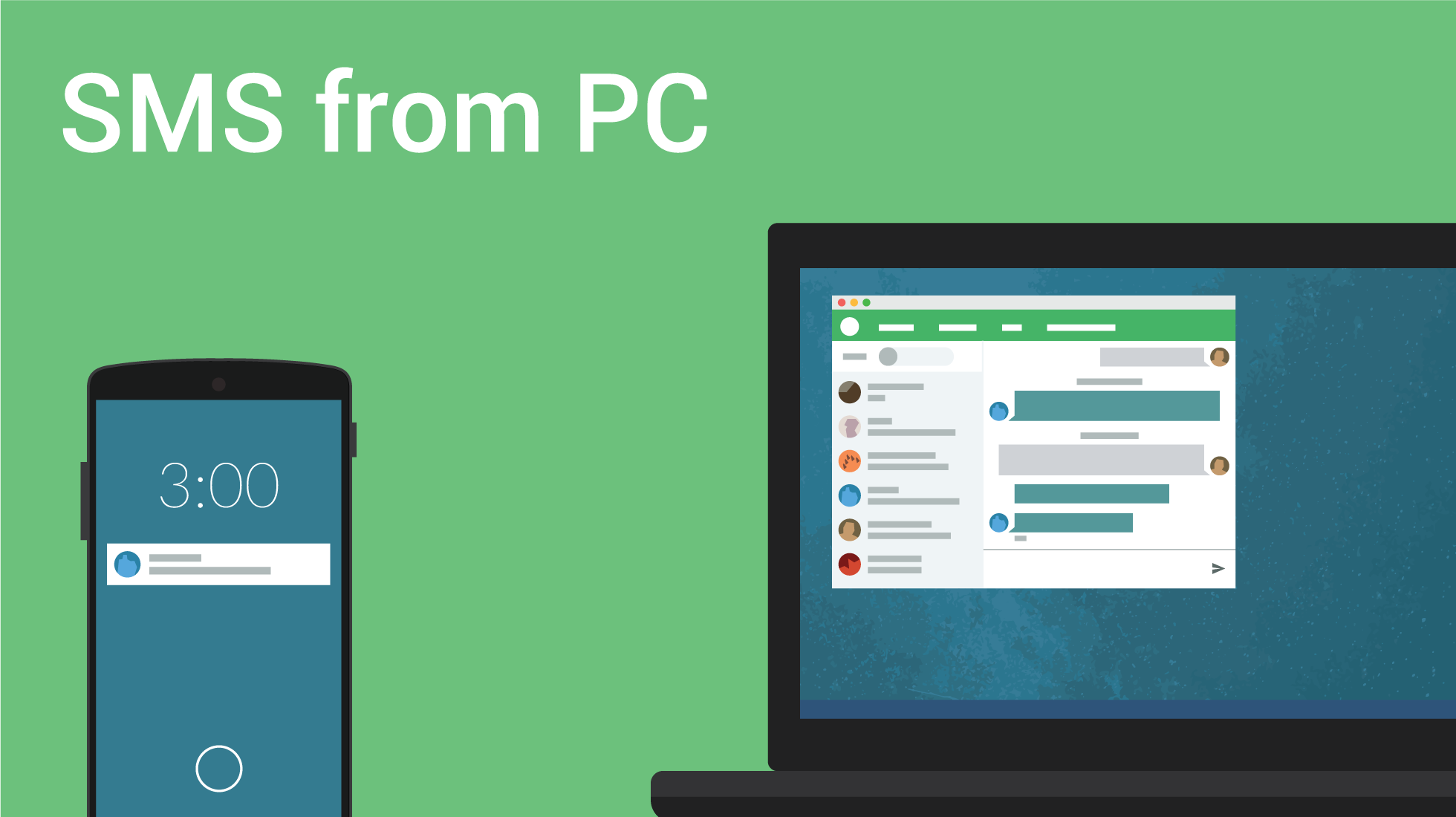
Pushbullet for Android gains full-fledged SMS conversations on desktop

banner

Pushbullet has to be one of the most widely adopted apps for Android. It lets you share links, notifications, images, and more across your smartphone and virtually any other device. Today, the company announced that it has added a new SMS UI to its desktop presence. With today’s update, you can now you can see entire conversations on your computer.
Expand
Expanding
Close

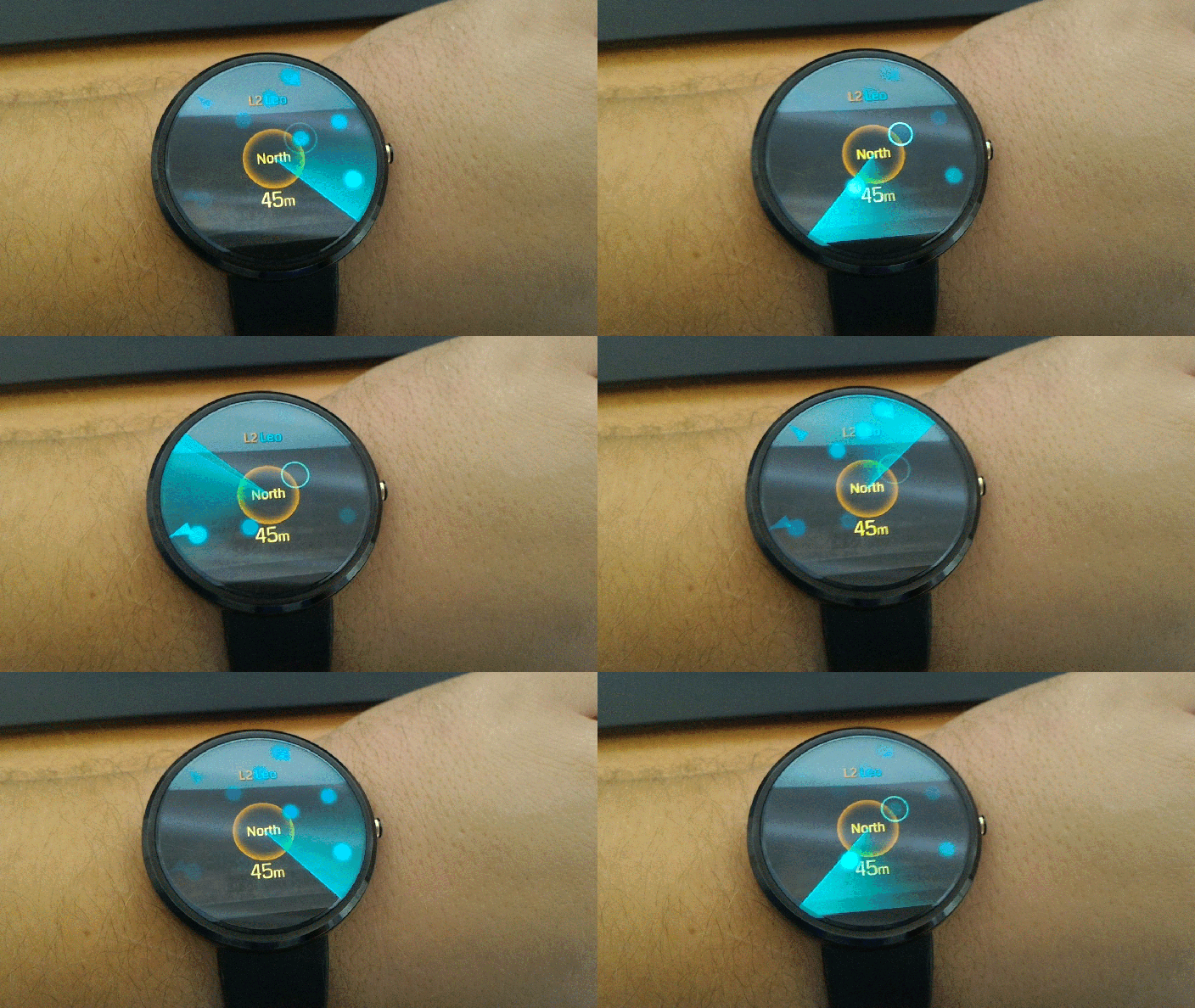
Ingress updated, lets you hack portals from your Android Wear smartwatch

P_20150714_110214

Google said back in February that Android Wear support would be coming to Ingress sometime “soon” (with some assuming March), but it looks like the app missed that launch date by, well, a lot. As of today, version 1.81.0 of Ingress is starting to roll out on the Play Store, and with it comes Android Wear support as well as the usual bug fixes…
Expand
Expanding
Close

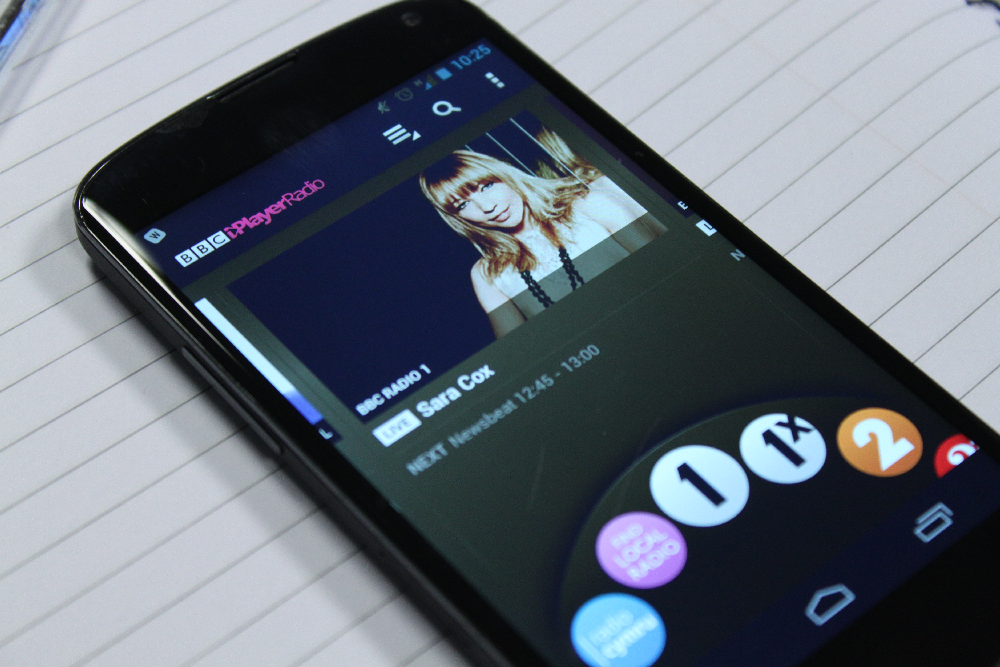
BBC iPlayer Radio app for iOS and Android gets offline listening at last

BBC-iPlayer-Radio-Android

The BBC announced in a blog post this morning that mobile downloads are coming to its iPlayer Radio app just in time for the BBC Proms. For the first time – using the iPlayer Radio app – customers will be able to download radio shows (and the Proms) to listen offline and keep them for up to 30 days.  To make use of this new service, all you need to do is ensure you have the latest version of the BBC iPlayer Radio smartphone or tablet app for iOS, Android or Kindle.


Expand
Expanding
Close

AdWords Express for Android updated w/ Material Design makeover, other tweaks

Site default logo image

Google today has released version 2.0 of AdWords Express for Android. For those unfamiliar with the app, AdWords Express allows users to quickly create ads via their smartphone. Google says ads can be created in less than 15 minutes, and advertisers only pay when potential customers click the ad. Today, AdWords Express has been updated with a new, Material Design interface to fall more in line with Google’s other applications for Android.


Expand
Expanding
Close

Google Maps tip: Send directions to your Android phone from your desktop (Video)

maps-send-to-device

Late last week, Google updated its Maps Android app to version 9.11.0. Although its user interface remains the same, it has one new, awesome feature: you can now send locations, navigation instructions and directions straight to your Android phone.

We put together a short video to guide you through the very quick and painless method. This feature competes directly with that built in to the Mac Maps app included in OS X Mavericks which allows iPhone users to send directions direct from Mac to their phones.


Expand
Expanding
Close

Site default logo image

Google releases ‘Ivy’ app for iOS, an experimental big number calculator

Google has quietly launched a new iOS app today called Ivy that it describes as an experimental big number calculator.
Expand
Expanding
Close

Site default logo image

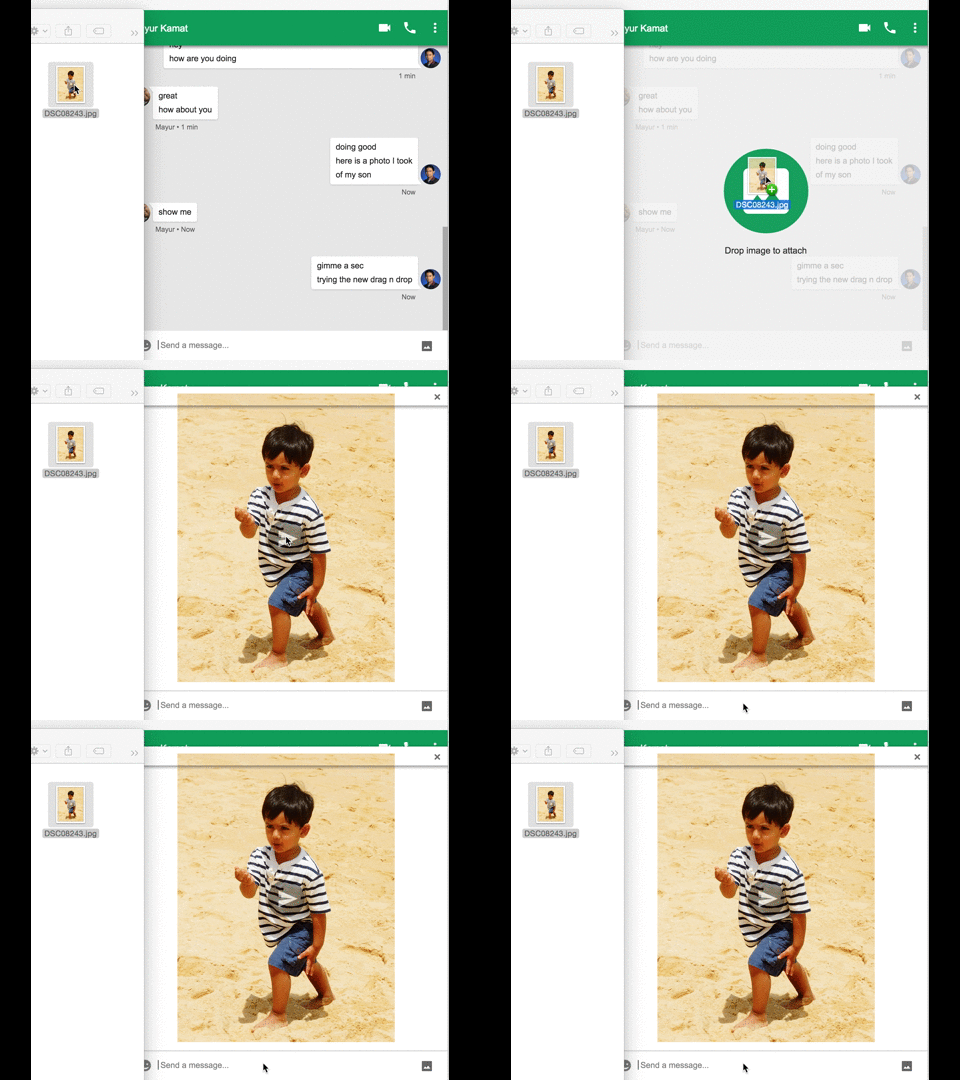
Google Hangouts now lets you drag and drop images on the web

hangouts-drag-drop

Google Hangouts on the web now lets users drag and drop images directly from their computer or web browser. That goes for the little chat window within your Gmail inbox and through the standalone Hangouts Chrome app. Googler Mayur Kamat shared the news and the image above demonstrating the new feature through a post on Google+ today.
Expand
Expanding
Close

Site default logo image

Google Docs, Sheets, & Slides for Android get improved editing, collaboration features

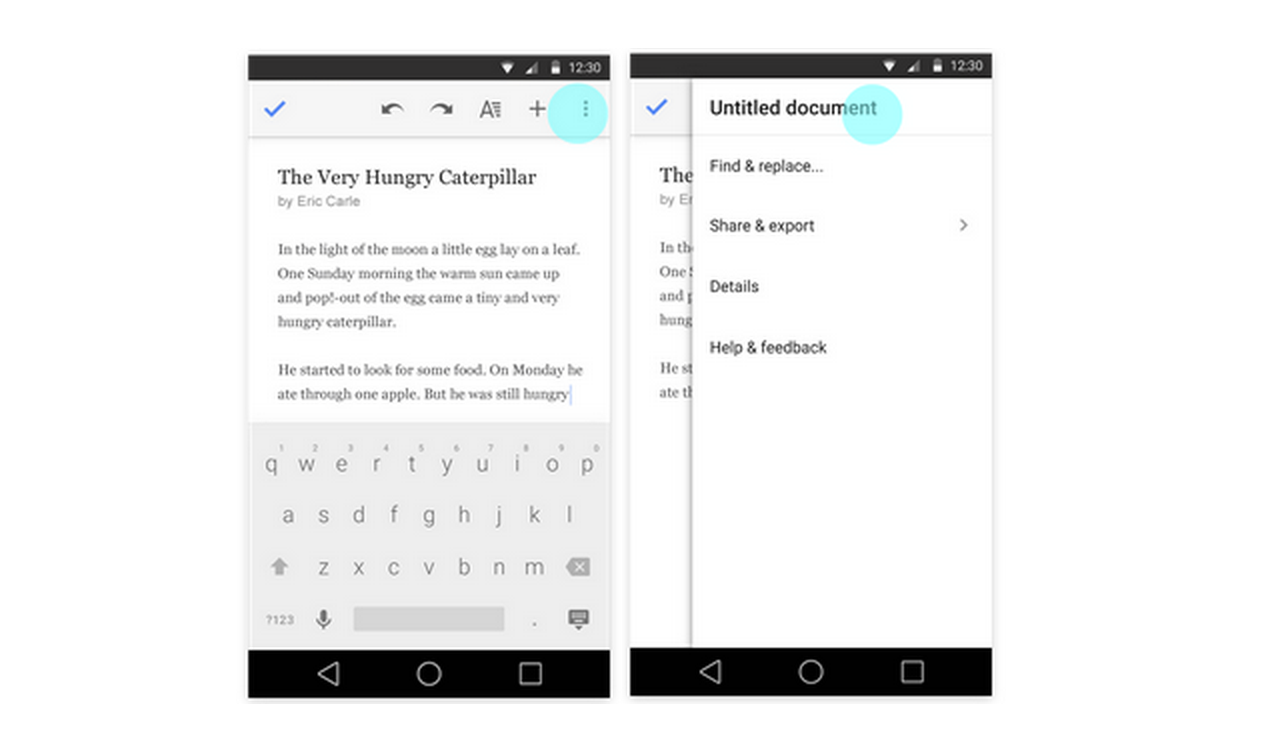
Google-docs-update-july-2015Google is rolling out updates today for its Docs, Sheets, and Slides apps for Android, bringing a few improvements to editing and collaboration features in the process.

First up, Google will now offer quick access to editing titles for documents, spreadsheets, and presentations directly from the app’s overflow menu in the top right corner of the UI across all three apps (as pictured above).

In addition, the Google Slides Android app gains the ability to switch layouts of existing slides: individuals can now change the layout of an existing slide to one of several predefined layouts, allowing them to update presentations on mobile more effectively.

Lastly, the Docs app get improved collaboration features for those using the Office Compatibility Mode:

People can now reply to comments when working in Office Compatibility Mode in the Docs app. In addition, when in OCM, suggestions and comments now appear in the Comments panel in the order they were made—rather than as all comments first and all suggestions second.

All three app updates should be arriving on Google Play for Android users sometime today.

Site default logo image

Pinterest announces IFTTT & Polyvore apps as first developer platform integrations

Pinterest_Polyvore Integration _1

After introducing a new developers platform and SDK in May, Pinterest is today announcing a couple of the first integrations developers have come up with starting with popular automation platform IFTTT and community based shopping/fashion site Polyvore.

For IFTTT, the service that lets users automate common web and app-based tasks based on a set of rules known as “recipes”, users will now be able to link products and devices on Pinterest to their automated workflows. The company shared some examples: automatically save Pins to a board from simple actions in other apps such as liking a photo on Instagram, upvoting a post on Reddit or favoriting an item on Etsy. There are more than 20 Recipes to choose from starting today. The Pinterest integration for IFTTT is available through desktop and the service’s mobile apps including Android.

For Polyvore, users can login to the site using their Pinterest account to quickly and easily get access to pinning items from the fashion community/shopping site to Pinterest boards via the company’s iOS app. Support through the Android app, however, is coming soon. 

In addition, Pinterest noted that new SDKs and documentation for developers are available to all through the company’s new developers site. The new SDKs give devs access to the Pin It button and JS and OAuth support.

Google’s Messenger 1.4 lets you send animated stickers, quickly share your location

Google has today updated its default Messenger app to version 1.4, bringing some minor enhancements along the way. In the new version, you’ll find you can now send cute little animated stickers as well as more easily send your location to others…
Expand
Expanding
Close

Falcon Pro 3 v1.3 brings new live streaming options, FAB behavior

Falcon Pro 3, the “ultimate” Twitter experience for Android, has received a new update that brings some changes for avid users of the real-time communication network.
Expand
Expanding
Close

Site default logo image

Fleksy keyboard gets new features & themes as app goes free indefinitely

Fleksy_beautyshots-730x346

After around seven million downloads of its popular third-party keyboard app, Fleksy is today announcing that its mobile apps will be completely free for all going forward.

The company was originally charging $4 for the app but had dropped the price to $1 and even made the app free temporarily a couple times in the past. Starting today, however, Fleksy says its apps for both iOS and Android will be free forever.

For everyone that has paid for the app and feels left out, Fleksy is offering a free gift that it says is worth $8 to make up for it. The in-app download includes a selection of new themes and extensions, which also arrive with today’s update. While the app is going free for all to download and use, the company will continue offering premium themes and extensions as paid in-app purchases.

In addition to going free, the company highlighted some other new features and improvements arriving today:

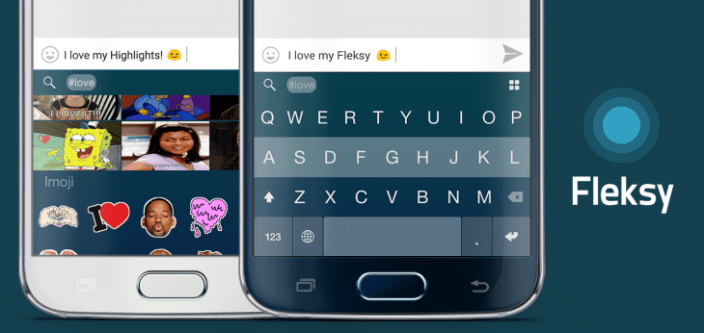
Going free is not the only big update today.  We also launched an improved rich content view called Highlights. Meaning, Fleksy will better assist with GIF, sticker and other content discovery based on what you type. Instead of manually searching for stickers and GIFs on separate pages, now you’ll only need to tap on the auto-recommended hashtag (Highlight) and Fleksy will take you to an integrated page of relevant content all in one convenient place.

The Fleksy Keyboard app for Android is available now. A full list of what’s included in the update below:

What’s New

Fleksy 6.0
INTRODUCING
★ 10 new themes!!
★ All new Emoji, Gif and imoji navigation
Just pull down to go back
EXTENSIONS
★ Consolidated Gifs, imoji and Fleksy #highlights to one view for faster and smarter media content
OPTIMIZED
★ Blazing fast keyboard pop
★ Smoother emoji scrolling
★ Reduced APK by another 3 MBs
★ HD theme images
★ Consolidated notifications
★ Localized app in 8 languages
BUGS SQUASHED
★ Way too many…

Sony and Twitch partner to offer live game broadcasting from Xperia devices

xperia twitch

In a blog post this morning, Sony announced that it has partnered with Twitch to let select Xperia smartphones broadcast live gameplay to the popular game broadcasting service. While Twitch has offered Android users the ability to watch live broadcasts for some time, this will be the first time you’ll be able to broadcast your mobile gameplay live to Twitch watchers.


Expand
Expanding
Close

Adobe’s Creative Cloud apps for Android receive enterprise support

cc_0

Adobe recently discontinued its original Photoshop Touch app in favor of a new generation of mostly single-use applications for Android (and iOS) including Photoshop Mix, Brush CC, Shape CC, and Color CC. Now large corporate customers subscribed to Creative Cloud for enterprise can take advantage of the new apps in conjunction with the high-bandwidth features that come with their tier of service, including fast deployment of these new products to teams within their companies on a case-by-case basis and 24/7 dedicated IT support. Updates with enterprise support for the aforementioned apps hit Google Play today.

This new suite of mobile apps for Android allows users to connect to the Creative Cloud platform and save new content to be used on whatever platform they choose to use to access Adobe’s suite of products. For example, Color CC allows users to pick colors from imported images and save them to a color palette which then be accessed from desktop, tablet, or wherever else Creative Cloud apps are available. Maybe a marketing employee comes across a color in the real world that they’d like to consider using for their next campaign. Now they can rest assure that prying eyes won’t be able to steal their inspiration from them.

Along with the features mentioned above including quick deployment of new Adobe tools and services to employees and priority 24/7 support, Creative Cloud for enterprise puts more power (read: liability) in the hands of corporations by allowing them to store assets – new designs, marketing campaigns, etc – on their own servers, behind their own firewalls. Large businesses are typically slow to adopt new technologies due to stringent security requirements put in place by the same employees who are tasked with considering what new technologies to introduce to their workforces. That’s just to name a few of the additions that come with that costly tier of service, though.

The updates are available now in Google Play. For those who want the APK downloads, they can be found below.