Apps and Updates


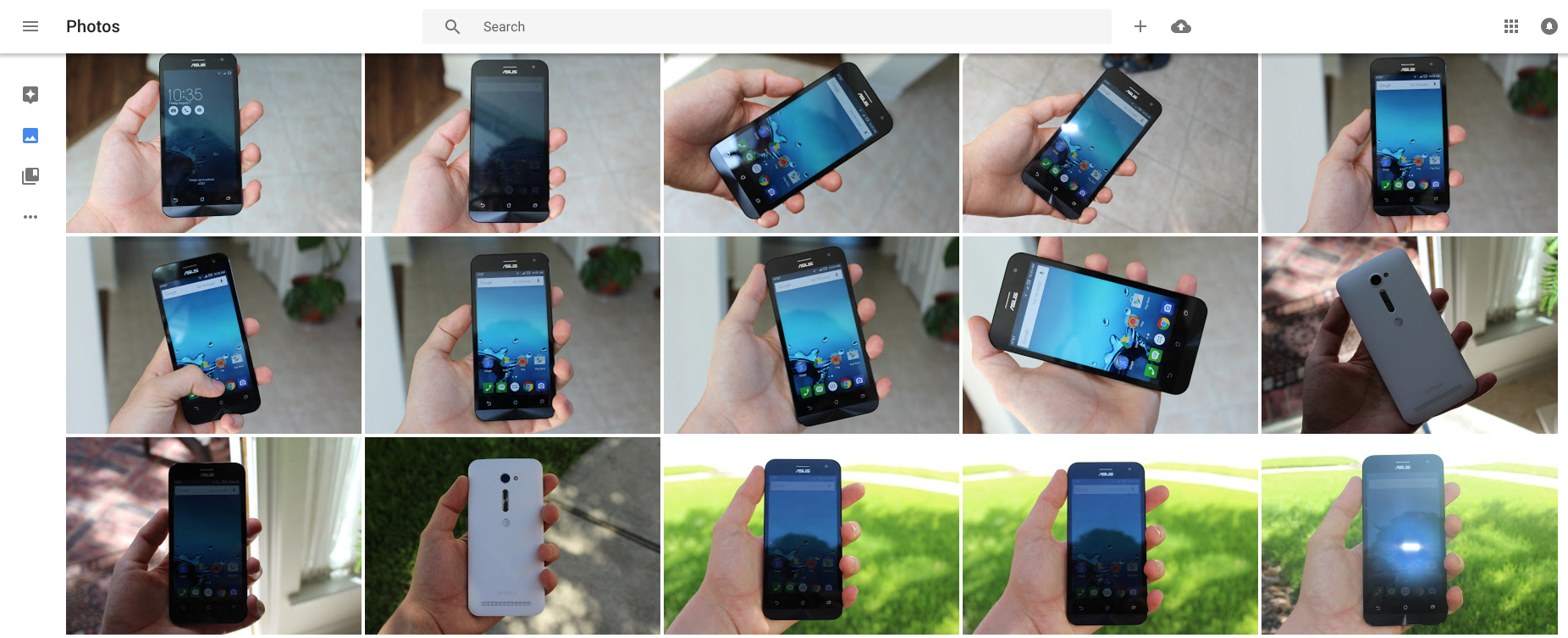
Google released version 1.5 of Google Photos for Android last week, and there weren’t any notable user-facing features. But that doesn’t mean that there aren’t any additions at all in the new app — these updates very often lay the groundwork for features set to launch in the near future. Cody Toombs pulled this update apart himself, revealing that Photos is preparing for quite a few new additions including album collaboration, people labeling, Chromecast support, and more…
Expand
Expanding
Close



Since the rise of science fiction movies, we’ve dreamed of being able to communicate to people through our wrists. In almost every case of wrist-worn gadgetry, fictional or real, that dream is met by voice dictation, or video calling. We don’t get excited by the prospect of typing in long messages to people using a tiny onscreen keyboard. Despite several attempts by tech companies in the past, it just hasn’t caught on. So it’s a little baffling when a company decides to release an app for smartwatches with the keyboard as its primary input method. I went hands on with Messages for Android Wear to find out if it was any good…
As we told you yesterday, Google is preparing several big Chromecast announcements for its September event later this month. According to the internal documents that 9to5Google has obtained, the company is planning to launch not only brand new Chromecast hardware and Spotify support, but an updated companion app for the streaming device as well. The new app seems to build on the previous, packing suggested content features, a new design, and more…
Expand
Expanding
Close
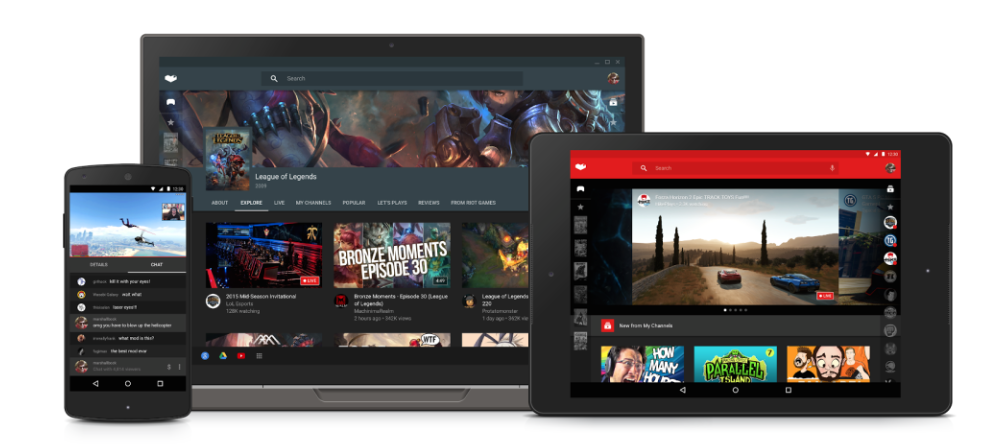
The YouTube Gaming app launched on Android about a month ago, but now we’re already hearing about a significant update that’s on the way. As was first revealed in a teardown done by Android Police earlier this month, Google has now confirmed that it is preparing to introduce Android game broadcasting straight from the app itself…
Expand
Expanding
Close
Google has this morning pushed an update to AdSense for iOS, bringing many features that other apps in the Mountain View company’s catalog received months ago. While it may not be the most popular app outside of publishing and creative circles, the AdSense app has today been updated with support for Native iPhone 6 and 6 Plus resolution, Material Design, and more.
Rounding out the update is support for Hindi and Malay, a new icon for the Home Screen, more metrics, and a today center widget. The last of these, in case you aren’t aware, is a new widget for the Today section of Notification Center. On it, you’ll find four metrics for quick access: Today so far, Page views, Clicks, and Page RPM. It also tells you when the widget was last updated.
While Google’s apps for iOS have always been known for being well-polished (and sometimes just generally better than their Android counterparts), they usually come at a much slower pace. AdSense 3.0 for Android with many of the same new features was released on Android four weeks ago, and you can read more about that update here.
Here’s the full change log:
What’s New in Version 3.0
This time we’re bringing you:
– Support for Hindi and Malay;
– Native iPhone 6 and 6+ resolution;
– A today center widget;
– Our lovely new AdSense logo;
– More metrics!
– A little something we like to call Material Design.
Head over to the App Store to grab the latest version for free.
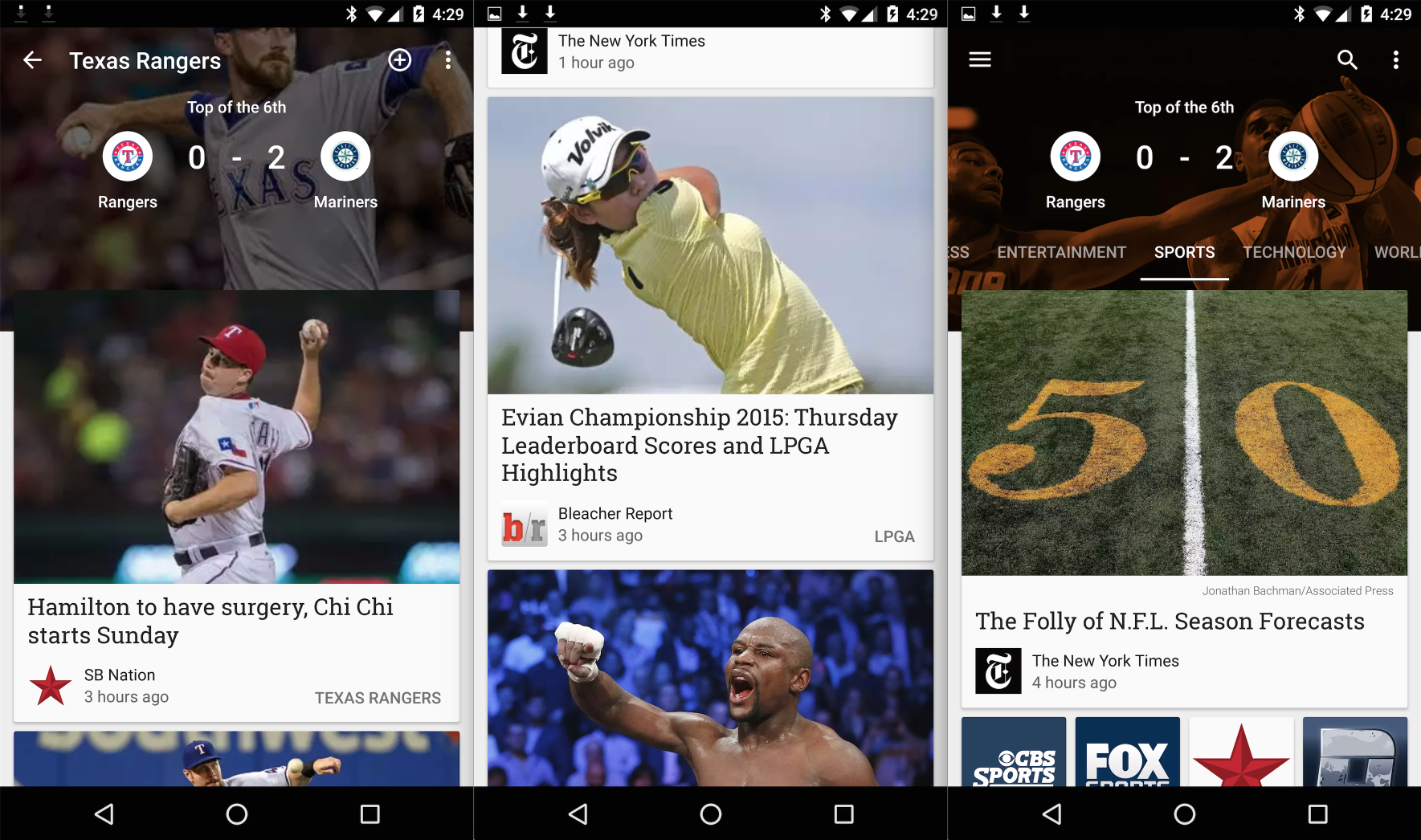
Google Play Newsstand is definitely my least used Google Play app. That’s not saying much, though, because Google Play Music is really the only one that I use. Play Books, Play Games, and Play Movies might as well not exist in my eyes. That said, if you do use Newsstand, you might be interested in today’s new update. Within, you’ll find new support for sports scores for your favorite NFL, NBA, NHL, and MLB teams…
Expand
Expanding
Close


From 9to5Toys.com:
Today, the Pokémon Company has announced that it is partnering with Nintendo and Alphabet-owned Niantic to produce a new upcoming mobile game called Pokémon Go. This title will be available on both iOS and Android devices for free. The main focus of the game is collecting, training and battling Pokémon characters against other users based on their GPS location.
However, this new adventure will be supplemented by an optional wearable. Imagine a Pokémon smart watch of sorts.
This new wearable is called Pokémon Go Plus. It connects to your smartphone via Bluetooth and flashes its built-in LED light to notify you of nearby players as well as virtual Pokémon you can catch. For example, say you’re on your morning commute on the subway. Pokémon Go Plus will ping your wrist to let you know that a virtual Charizard is closely located. After capturing, you’ll be able to train and battle with that new character.
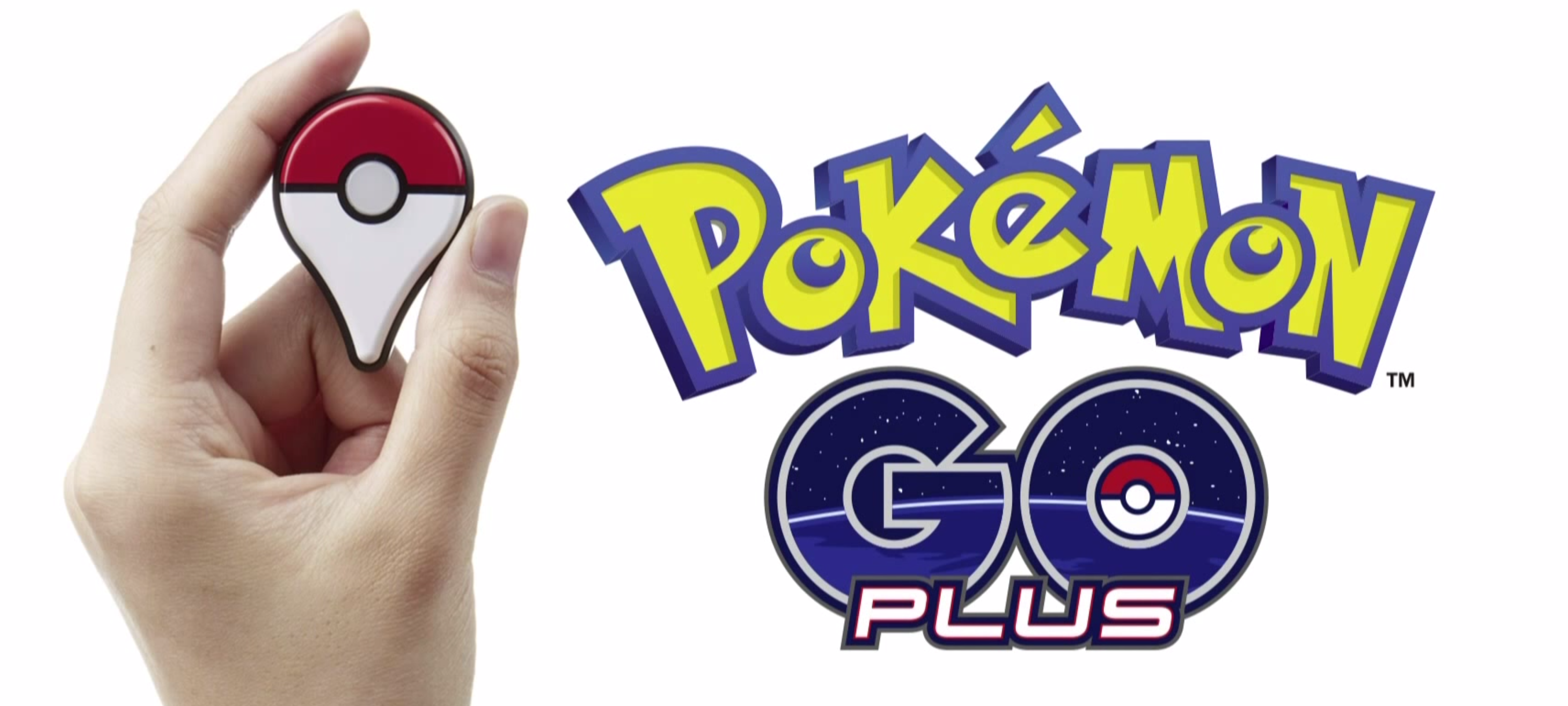
The wearable isn’t required to play the game but it is an unique add-on that bring another level to the experience. Be sure to check out the video above for a visual representation of how game play works. Pokémon Go will be released on iOS and Android in 2016 as a free download with in-app purchases. Pricing has yet to be released for the Pokémon Go Plus Wearable. The entire press conference and announcement has been uploaded to YouTube for viewing, as well.
Source: The Pokémon Company

When Twitter launched Periscope earlier this year, the live broadcasting app embraced the natural way to hold smartphones: it portrait mode. But video wants to be shot in landscape as it looks best on TVs and computer displays, and Periscope doesn’t want to be trapped in your phone.
Paving the way for expanding to smart TVs and immediately creating a better viewing experience on the web, Periscope is adding support for broadcasting in landscape for the first time in its latest update for Android. The update lets broadcasters shoot in either landscape or portrait mode and viewers can continue to view new landscape streams in portrait orientation.
There’s also a new Android-only enhancement called Mutual Follow:
Expand
Expanding
Close
Google Apps has offered Mobile Application Management (MAM) on Android for quite some time, but today the Mountain View company is introducing the same functionality on iOS. As was the case with the Android version, MAM lets Google Apps administrators suggest the apps that it would prefer their employees install on Apps-managed iOS devices…
Expand
Expanding
Close
In celebration of its 20th birthday, eBay has launched a brand new mobile app with a new focus on selling and a more attractive and intuitive user interface. eBay describes the app as having a “more browsable design” with much easier access to features like top deals, promotions and events. What’s more, the seller dashboard has been refreshed to offer a more personalized look at how well you’re doing and give you relevant tools, tips and guides on how to improve.
Focused on creating more vibrancy in our marketplace, we’ve elevated selling within eBay 4.0, and have designed a more personalized experience based on a seller’s level and activity. The new app offers more information to help first-time and new sellers be successful, and a new dashboard for more regular sellers with at-a-glance activity updates. We are passionate about creating a great experience for our buyers and enabling the continued success for our sellers.
eBay 4.0 offers a new Activity feed giving consumers personalized updates on the objects and goods that are important to them. Alongside that is the new Shop tab, with a bespoke feed of items tailored for each individual user. eBay 4.0 will be available to download from the Google Play Store from today.
[vimeo 138589685 w=500 h=281]

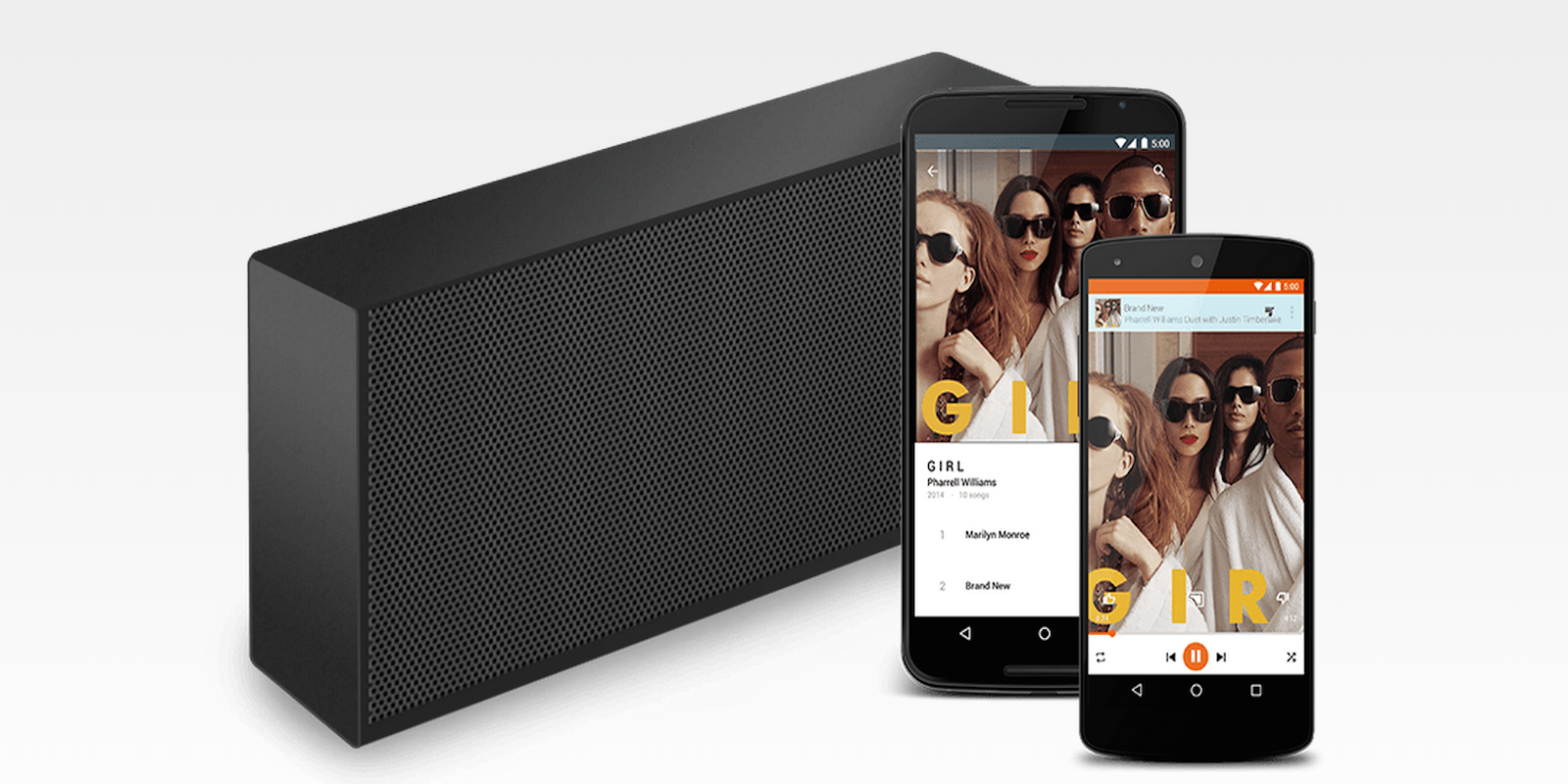
Popular music streaming service Rdio is today announcing an expansion of its support for connected speaker systems and smart TVs, including Google’s new Google Cast for Audio platform introduced earlier this year.
In addition to supporting speakers that integrate Google’s Cast for audio platform, the music service is now available on Harman/Kardon, Denon, and the DTS Play-Fi Whole-Home Wireless ecosystem featuring leading brands such as Definitive Technology, Phorus, Polk Audio and Wren. The company also noted that it’s now available on Samsung smart TVs and arriving soon on smart TVs from LG and Hisense.
Previously Rdio was only available on Sonos speakers and setup boxes like the Apple TV and Google Chromecast.
Rdio is available free with ads or as an ad-free service for $9.99/month unlimited or on certain devices for $3.99/month with a limited number of on demand songs per day.


If you, like me, have been wondering when Netflix is finally going to get around to allowing offline viewing, so we can stock up our tablet when traveling, the answer would appear to be: not anytime soon. When Gizmodo asked the company why, when Amazon Instant Video does so, a company spokesman gave the unconvincing reply that it thinks we can’t handle the awesome complexity of clicking a download button.
According to Neil Hunt, Netflix’s Chief Product Officer, Netflix users won’t be able to handle the complexity the added choice will bring […]
“Undoubtedly it adds considerable complexity to your life with Amazon Prime – you have to remember that you want to download this thing. It’s not going to be instant, you have to have the right storage on your device, you have to manage it, and I’m just not sure people are actually that compelled to do that, and that it’s worth providing that level of complexity.”
There’s also the content owners who may not have stipulated that their content can be downloaded. Hunt didn’t discuss that but its likely a big concern.
There is some small hope of being able to view Netflix content when traveling, says Hunt.
As an example, what if we can put Netflix in a rack box that essentially contains all of Netflix content that you could imagine putting in an airplane server, right along with our existing offerings? That for me is a more interesting thing; can we make Netflix work on a plane, can we make it work on a train, in hotels?
But that seems to me a ridiculous way to offer a half-assed solution, and it’s merely an idea, not a plan.
Hunt did make one good point: not all of Amazon’s content is available for downloading, and it can be frustrating when one show is and another isn’t. Amazon already has enough issues with its seemingly-random selection of videos available to Prime members on desktop but not mobile, mobile but not desktop or only for purchase.
But with Netflix increasingly focusing on producing exclusive content, it could at least make a decent start by offering its own shows available for downloading.
Chrome beta has been updated to version 46 across Android, Windows, Mac, Linux, and Chrome OS. According to Google, this version of the browser is getting some “new CSS animation features, improved performance controls, and a large number of API tweaks.” In other words, this update doesn’t include any exciting user-facing features — it’s mostly a developer-focused update.
Here’s what Google had to say about the update in its blog post:
Animating objects along author specified paths
Previously, animating objects along an author-specified path required complex javascript code that could block important events like rendering and input. Developers can now animate any graphical object along an arbitrary path declaratively as a CSS property, allowing simpler code that doesn’t block rendering or input.
Optimized image loading and service worker instrumentation
Tools like srcset allow developers to serve an optimized image variant in a responsive way, but it can be cumbersome and inefficient to use in practice. Developers can now negotiate with the server to download the best image variant for a device using straightforward HTTP request headers. These headers communicate DPR, Viewport-Width, and the intended display width of the resource being fetched to the server.
In addition to improving image loading, developers can now instrument service workers to gather detailed fetch and script timing. Developers can also measure the startup time of service workers more accurately.
If you’re an avid user of the beta channel of Chrome on Android, you’ll notice that the update is rolling out right now. If you would rather manually update your app, you can do that too.
Runtastic, the maker of popular fitness apps that was acquired by Adidas earlier this year, is today announcing the launch of its latest companion hardware with the new Runtastic Moment fitness tracking smart watch.
Expand
Expanding
Close
A new update to Google Drive for iOS brings a couple notable, highly-requested features to the app. Included in the update, users will now be able to select multiple files at once in order to perform an action like saving for offline, adding a star to important files, or rearranging and organizing. The new feature is something that has long been requested by users and makes managing and sharing multiple files at once much easier than in the past.
In addition, the update includes the ability to share, rename or view file details much quicker with new quick share buttons when tapping on a file.
And lastly, Google says the updated app will include the usual performance improvements.
The updated Google Drive app for iOS is available on the App Store now.
It was only a month ago that Skype for Android was hit with a slight visual refresh, and today Microsoft is pushing out a much bigger redesign to the messaging app that it says was inspired by Google’s Material design. Skype 6.0 for Android replaces the custom action bar along the bottom of the app with a new floating action button that should be familiar to other modern Android apps. The action button ties in shortcuts to video messages, video calls, voice calls, and conversation chats.
Expand
Expanding
Close
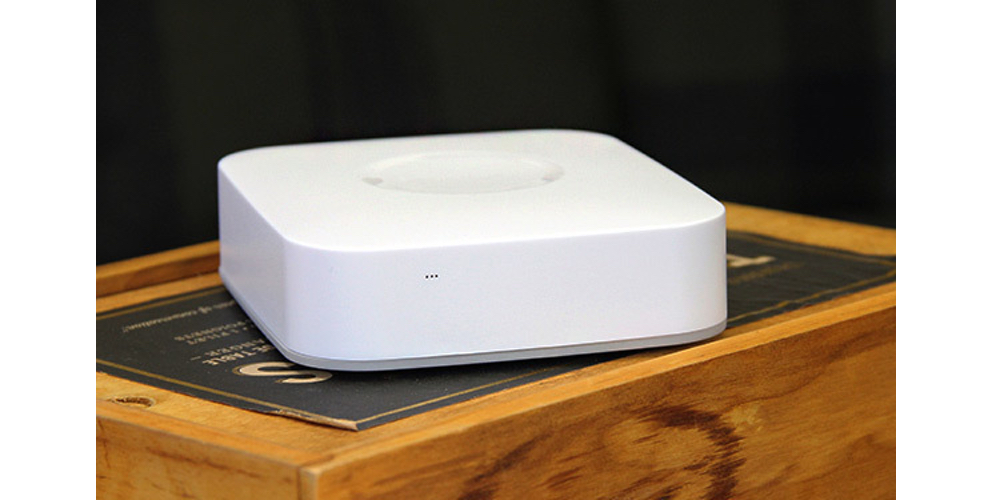
Samsung’s answer to Apple’s HomeKit, SmartThings got some valuable stage time at IFA in Berlin this morning, with the announcement of a brand new SmartThings Hub. The hardware has been revamped, and no longer needs a connection to the cloud in order to work. What’s more, it’s got a built in backup battery capable of giving you 10 hours use in the event that you have a power cut. The new Hub is available to order today and was launched alongside a handful of complimentary sensors for tracking water leaks and motion among other things.
Whether you have two smart devices or 200, all you need is one Hub to create a smart home. Like a live-in translator, the Hub communicates with all of your different connected products—regardless of their wireless protocol—so that you can easily monitor and control them from the SmartThings app.
Samsung’s new SmartThings hub has a more powerful processor enabling it to handle video streaming and sensor monitoring tasks without the cloud. With this feature in mind, Sammy also introduced its new Smart Home Monitor which lets users access a continuous vide live-stream and can trigger video recording when something unexpected happens. Only important video is saved for viewing, and early detection enables it to capture the footage before the event.
[vimeo 138101882 w=500 h=281]
As well as new hardware, Samsung has released a new app for Android from today. You can organize and control your connected devices by room, view live streaming from cameras and manage the routines right from the app.
SmartThings is compatible with nearly 200 products, including the Amazon Echo, and devices from manufacturers like Bose, D-Link and Honeywell. The SmartThings hub is available to buy from today for $99 from SmartThings.com or Amazon, with sensors priced between $30-$55.

Google Maps on mobile has since last year had an Explore section where users can find the best restaurants to eat at and things to do in their area. With an update rolling out today to the Android app, it’s becoming a bit more easy to specify and narrow down exactly what you’re looking for.
Prior to today, Explore only used the inputs of distance and time of day to determine what to show you. Users can now, however, specify a nearby neighborhood, category, and type of cuisine to find, on top of the existing inputs. Tapping on a suggested place will bring up more detail like who the vibe is best, or least, suited for, and sometimes it’ll include why Google chose to recommend that place in particular.
It seems crazy to me that Explore in Google Maps was lacking this type of gradual search before, but it was. The new inputs make perfect sense, too — what if I specifically want to find a place to have drinks with friends, and also make sure it’s not too upscale of a place? You couldn’t narrow your results down that far before, but now you can. Well, that’s if you’re in the US or UK, where the Explore update is limited to for now. And if you happen to be in NYC, San Francisco or London, Google will even curate its suggestions into named sections like “Best places for classic Mission-style Mexican food.”
Aside from the new search, the UI has been updated a bit with a card-based interface for swiping through suggested places and their corresponding photos. This interface closely matches what Google rolled out to its search product on mobile for rich content results just a few days ago. Maps for Android also recently saw its directions interface updated with a similar tabbed design displaying duration estimates for every form of transportation to a given location.
Other location-based recommendation apps like Foursquare and Yelp have had what Google is rolling out now for quite a while, it’s worth noting. When I find an APK for this new update I’ll be sure to update this post.

Alto’s Adventure is one of those fad games that may or may not stick around in the long term, but it has been featured in the App Store a couple of times for good reason. It’s a tranquil and calm pick-up-and-play snowboarding game not all too different than the likes of Tiny Wings, but — just like Tiny Wings — it’s very addicting. Now, thanks to an announcement from NoodleCake (the game’s maker), we know that Alto’s Adventure is coming to Android.
We don’t yet know exactly when the game is making its way to Google’s mobile platform. “We are hoping to have the game out soon enough but we don’t have an exact launch date just yet,” the developers said in a blog post. Assumably, NoodleCake will also be pushing the device to the Amazon Appstore, as the company says that it is coming to Kindle Fire as well. We’ll keep you in the loop. As a fan of the game myself, I’m excited.

Earlier today Google officially unveiled its playful new logo and began replacing the classic logo with the new one around the web and at brick-and-mortar locations. Now, the company is rolling out updates to its Android apps with the refreshed logo.
Google has updated Maps, Translate, and Search on Android with the new logo. The Search update also included a handful of other changes, which we told you about earlier today. The Maps update also includes the ability to more easily compare ETAs across driving, transit, walking, and biking.
Google will undoubetedly continue to rollout updates to its other Android apps with its revised logo and if the speed at which its been updating the logo in other places in any indication, it won’t take long before the classic logo is entirely phased out.
The updates to Maps, Translate, and Search are rolling out now via the Play Store, but as usual, they may take a few days to hit every device. In the meantime, you can download the APKs from APKMirror at the links below:


In addition to unveiling its all new logo today, Google has announced some changes coming to its Search experience on mobile devices and its Google Now homepage on Android. Google notes that it’s made the search results page for mobile devices easier to navigate with a new swipeable and tappable UI. Google offered a look at the new UI for images, videos and news stories in the video below.
Expand
Expanding
Close
Through this big shift we’re in the middle of to a mobile world where native apps reign king, Google has held strong in its devotion to improving the user experience of the web. Today another example of that is a shift it’s making to penalize those sites which display app install interstitials that hide a significant amount of content.
Expand
Expanding
Close

The official GoPro app for Android gets an update today which brings a new smart editing feature to let users create and share clips instantly from within the app. Previously users resorted to third-party apps for similar functionality with GoPro camera hardware.
The new feature will let users instantly create edited versions of their videos that come in at 5, 15, or 30 seconds. You’ll be able to drag the timeline to select what 5, 15, or 30 second portion of your video you want to isolate. Once you’ve selected your clip, you’ll be able to instantly share to Facebook, YouTube, Instagram and other social sharing options available in the app.
The updated app, version 2.9, also receives an “improved camera software update process” and a number of bug fixes and other improvements.
You can grab the updated app for Android on Google Play.
After mostly letting it sit stagnant for nearly two years, Instagram is ready to show its Direct messaging feature some love. Instagram Direct, which lets you share photos, videos, and messages privately with other Instagram users, was seen as a play at Snapchat and similar apps when it launched in 2013, but it’s so far experienced limited appeal within the photo sharing app. Now Instagram hopes to change that with new features including message threads, giant emoji, sharing from your timeline, and more.
Expand
Expanding
Close