Apps and Updates




Google today announced a useful new feature that is now available in its Inbox email app. Starting today, when users “snooze” an email that has dates and times, they will be presented with a one-tap option to snooze to a specific time further in the future. For instance, you can snooze an event confirmation email until the day of the event. Another possible instance is snoozing a shipment confirmation email until the day of the package’s arrival.

We shared last month that a number of changes were coming to Google’s Classroom service for educators and students, and now Google says that one of those changes is rolling out now: mobile alerts. Google says that the Classroom app for both Android and iOS will gain support for mobile notifications this week.
For instance, students will be alerted immediately when they receive new assignments or grades, notes from teachers, comments from fellow classmates, and more—allowing them to stay on top of their schoolwork even more easily.
To support the new notifications feature, Google released an updated version of its Classroom app for Android on the Play Store and iOS on the App Store this week. Google first announced the new alerts feature for Classroom, which it launched last year to help teachers and students manage classwork, alongside other upcoming changes coming to Classroom including a new developer API, a share button for sending work to other services, and the ability to re-use assignments.

Update: The app is now available on the Play Store. Link below.
At long last, HBO is bringing HBO NOW, which first launched first on the Apple TV, to Android.
Additionally, Amazon has today announced that the online-only service is now available on the company’s line of Fire tablets, and that NOW will be making its way to the Amazon Fire TV and the Fire TV Stick very soon.

 It seems an age since Angry Birds first rose to prominence as the best-selling mobile game going. After countless spin-offs and movie tie-ins, it’s about to get its first proper sequel. Rovio announced in a blog post this morning that Angry Birds 2 will officially launch on July 30th.
With 3 billion game downloads, millions of fans across the globe, multiple mashups and spin-offs, collaborations with A-list celebrities and much more, we’re really proud that Angry Birds is the mother of all mobile game apps. And now we’re proud to announce the mother of all sequels – Angry Birds 2!
Rovio hasn’t announced exactly what to expect or which platforms it’ll be available on, but it does say that it will make its way to “app stores worldwide” in two weeks, suggesting that it will almost certainly be available on the most popular platforms: Android and iOS.
Hit the Angry Birds 2 website to sign up and be notified as soon as it’s available. In the mean time, you can grab a bunch of the more popular Angry Birds titles for free, or just $1 in Rovio’s iOS sale.

It wasn’t that long ago that Google opened up its Clock app to be downloaded on just about any Android device, and now a very minor update released today has refreshed the app’s color scheme. While the previous version sported a pink-and-blue look that was reminiscent of cotton candy, the app now looks a lot more like a patriotic red, white, and blue.
Those who weren’t avid users of the previous version might not notice the difference, because in the grand scheme of things it’s definitely not a huge change. But if you were a fan of the light-hearted and unique colors of the app, you might be disappointed that Google has now gone with something more “neutral” in version 4.0.2. The update also packs a few bug fixes.
You can get the latest version of the Clock app over at APKMirror right now, or you should see it rolling out via the Play Store any minute now.
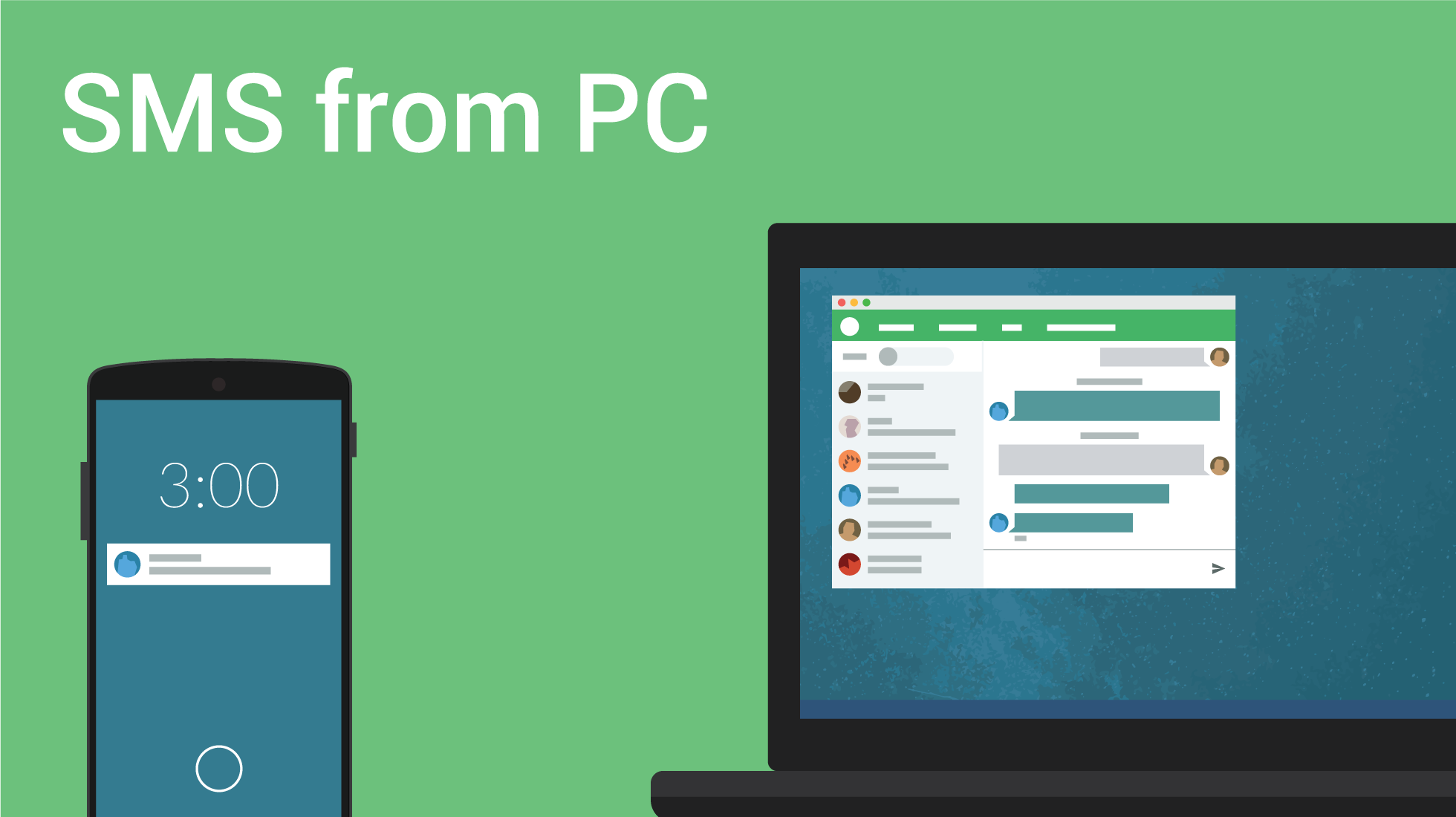
Pushbullet has to be one of the most widely adopted apps for Android. It lets you share links, notifications, images, and more across your smartphone and virtually any other device. Today, the company announced that it has added a new SMS UI to its desktop presence. With today’s update, you can now you can see entire conversations on your computer.
Expand
Expanding
Close

Skype for Android is getting an update today that brings two notable new features. The app now remembers log-in details making it faster and easier to sign-in, while chat gets the web link previews feature that first arrived on the Mac and iOS.
With the improvements we’ve made to battery use and notifications, you can comfortably leave Skype running on your Android devices without signing out. However, for those of you who still want to sign out, we’ve made it easier for you to sign back into the app.
With the app’s new ability to remember log-in details, users will be to decide whether or not a password is required for each log-in. The app will remember your password by default, but you can switch it off in Settings in the Privacy section.
Skype also notes that web link previews, a thumbnail showing a preview of webpages for links shared in chat windows, will start appearing for Android users over the next few weeks with the latest update.
Version 5.5 of Skype for Android is available on Google Play now.
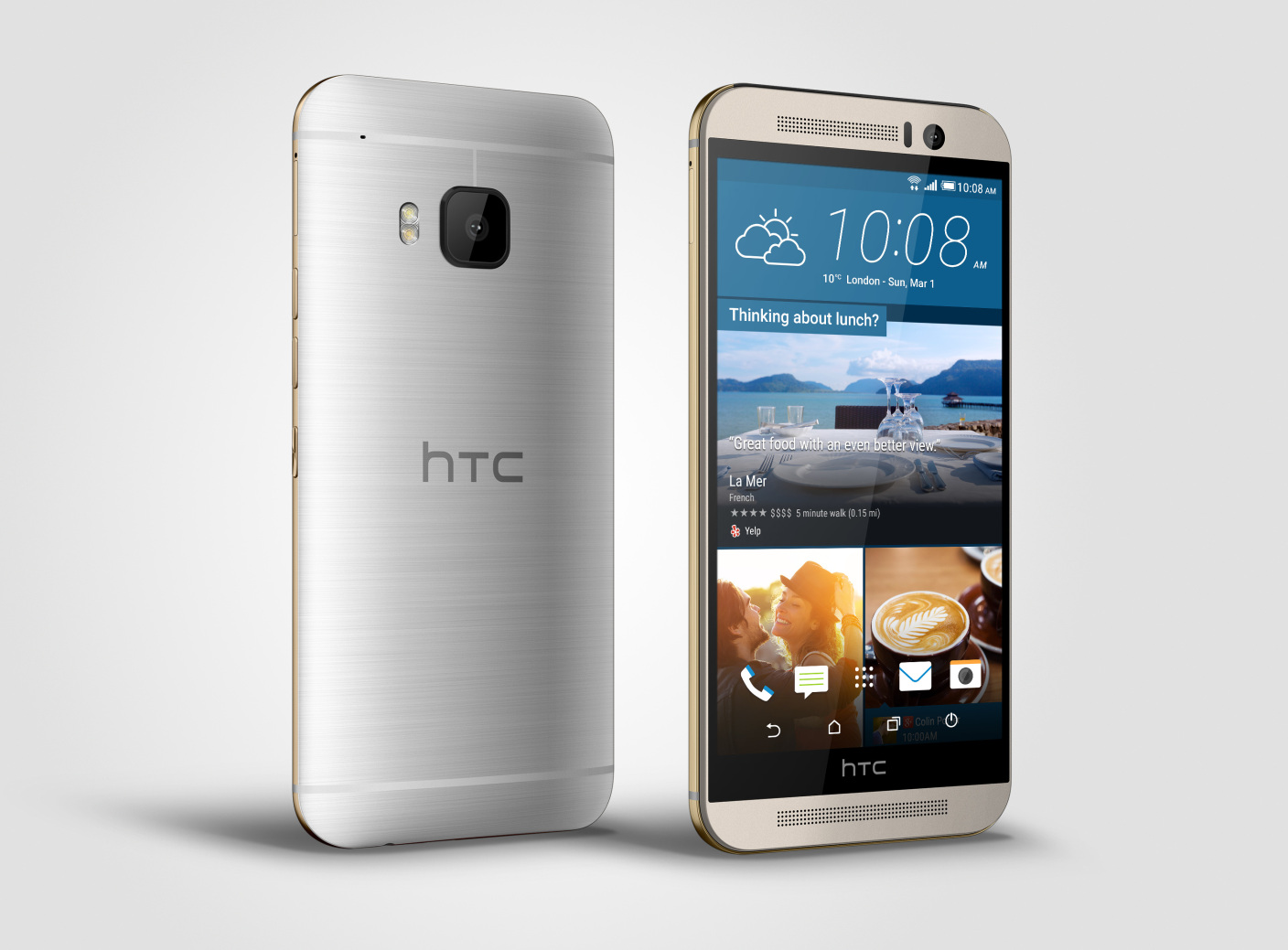
Good news for HTC One M9 users with the AT&T and T-Mobile variants: Your Android 5.1 software update should be landing on your devices very soon. Mo Versi, the manufacturer’s VP of product management announced that AT&T owners should see it arrive from tomorrow, July 15th.
The update has passed technical approval and will come alongside some camera improvements:
HTC One (M9) AT&T Owners! We have received technical approval on Lollipop OS 5.1 which includes camera improvements. OTA to start on 7/15!!
— Mo Versi (@moversi) July 14, 2015
Of course, a T-Mobile customer replied to the tweet asking when #TeamMagenta subs might see the software arrive on their phones. Turns out, that’s pretty soon too. As of right now, the OTA update for HTC One M9 on T-Mo is on course to arrive on July 20th, just six days away.
@a_ferriola on track for 7/20
— Mo Versi (@moversi) July 14, 2015
Big Blue users, be sure to check your phones for updates from tomorrow if you don’t get a notification informing you of its availability. T-Mo customers, hold on tight, you have less than a week to wait.

In an effort to update the old DVD mailer experience, the Television Academy has teamed up with Google to distribute Emmy-nominated films to voting members for this year’s awards. The two announced the partnership today that will see Google sending out Chromecasts to all voting members of the Academy:
Expand
Expanding
Close

Google said back in February that Android Wear support would be coming to Ingress sometime “soon” (with some assuming March), but it looks like the app missed that launch date by, well, a lot. As of today, version 1.81.0 of Ingress is starting to roll out on the Play Store, and with it comes Android Wear support as well as the usual bug fixes…
Expand
Expanding
Close

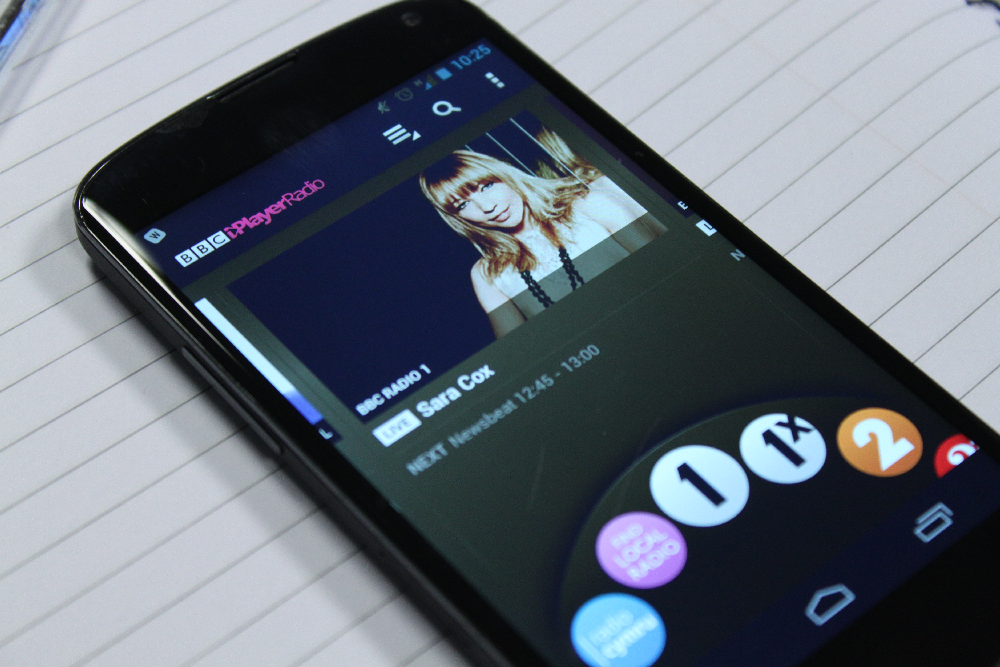
The BBC announced in a blog post this morning that mobile downloads are coming to its iPlayer Radio app just in time for the BBC Proms. For the first time – using the iPlayer Radio app – customers will be able to download radio shows (and the Proms) to listen offline and keep them for up to 30 days. To make use of this new service, all you need to do is ensure you have the latest version of the BBC iPlayer Radio smartphone or tablet app for iOS, Android or Kindle.

After taking on messaging, cash transfers, and more, Facebook is preparing to challenge Google in the virtual assistant arena. The social company is in the process of developing a Messenger-based Google Now competitor called Moneypenny, a new report indicates.
Google today has released version 2.0 of AdWords Express for Android. For those unfamiliar with the app, AdWords Express allows users to quickly create ads via their smartphone. Google says ads can be created in less than 15 minutes, and advertisers only pay when potential customers click the ad. Today, AdWords Express has been updated with a new, Material Design interface to fall more in line with Google’s other applications for Android.

Customers of Google’s Internet-based productivity suite, this one’s for you: As an Apps for Business or Education admin, you can now whitelist specific outside domains to share files with people across organizations.
Over the past day or so we’ve seen a number of reports across the web claiming that Google’s Photos app is uploading photos even after it’s been uninstalled. Of course the worry is that customers could be racking up huge cellular data overages from having it “switched on without them knowing it”. The truth is, having the Photos app installed or uninstalled makes no difference to whether or not your snaps are being uploaded to Google’s drive in the sky.

Late last week, Google updated its Maps Android app to version 9.11.0. Although its user interface remains the same, it has one new, awesome feature: you can now send locations, navigation instructions and directions straight to your Android phone.
We put together a short video to guide you through the very quick and painless method. This feature competes directly with that built in to the Mac Maps app included in OS X Mavericks which allows iPhone users to send directions direct from Mac to their phones.
Google has quietly launched a new iOS app today called Ivy that it describes as an experimental big number calculator.
Expand
Expanding
Close
Twitch has an interesting new update out that lets anyone on Android view live streams from anywhere on their device (pictured above). The common term for this is “picture-in-picture” – Twitch calls it “Pop Out” – or displaying one thing on the whole screen and another, completely separate feed of content or video inside a smaller viewer simultaneously, still within the main screen. Users of the app have for some time had the ability to continue watching streams while browsing the rest of the app, and this is a continuation of that.
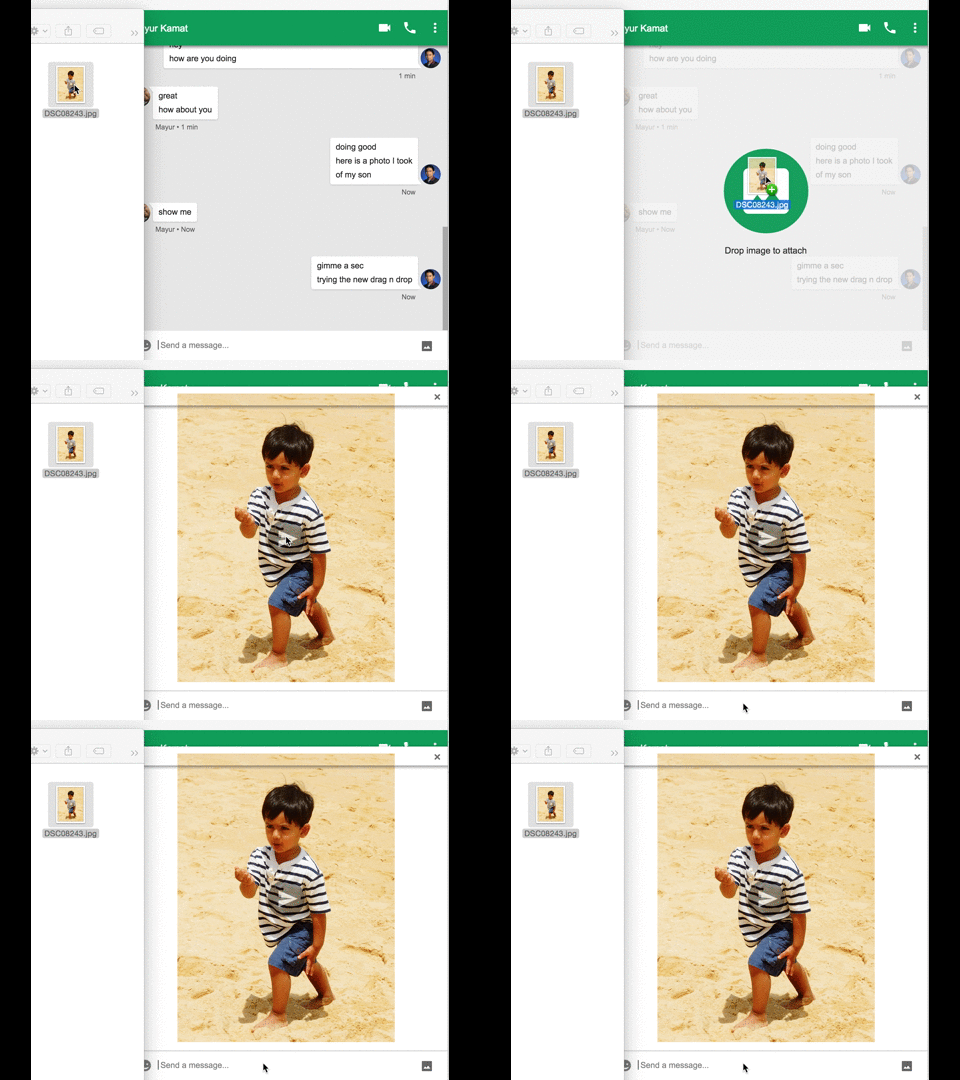
Google Hangouts on the web now lets users drag and drop images directly from their computer or web browser. That goes for the little chat window within your Gmail inbox and through the standalone Hangouts Chrome app. Googler Mayur Kamat shared the news and the image above demonstrating the new feature through a post on Google+ today.
Expand
Expanding
Close
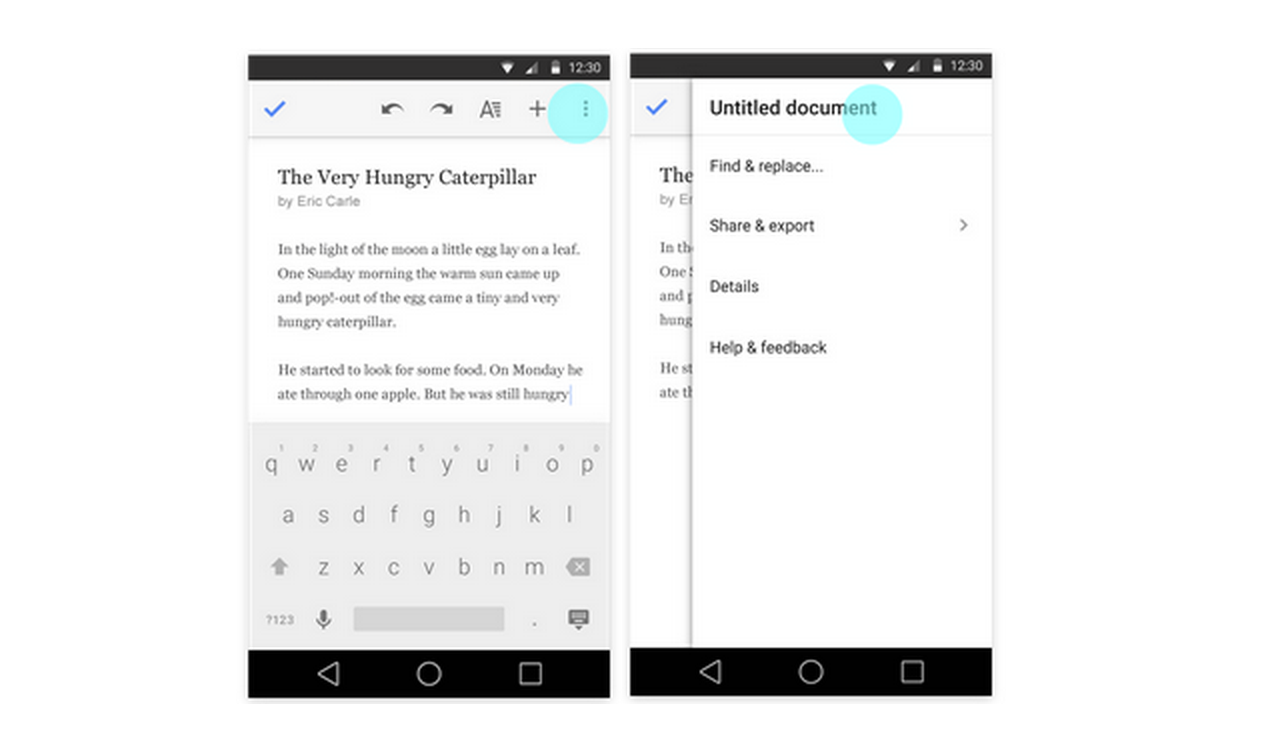 Google is rolling out updates today for its Docs, Sheets, and Slides apps for Android, bringing a few improvements to editing and collaboration features in the process.
First up, Google will now offer quick access to editing titles for documents, spreadsheets, and presentations directly from the app’s overflow menu in the top right corner of the UI across all three apps (as pictured above).
In addition, the Google Slides Android app gains the ability to switch layouts of existing slides: individuals can now change the layout of an existing slide to one of several predefined layouts, allowing them to update presentations on mobile more effectively.
Lastly, the Docs app get improved collaboration features for those using the Office Compatibility Mode:
People can now reply to comments when working in Office Compatibility Mode in the Docs app. In addition, when in OCM, suggestions and comments now appear in the Comments panel in the order they were made—rather than as all comments first and all suggestions second.
All three app updates should be arriving on Google Play for Android users sometime today.

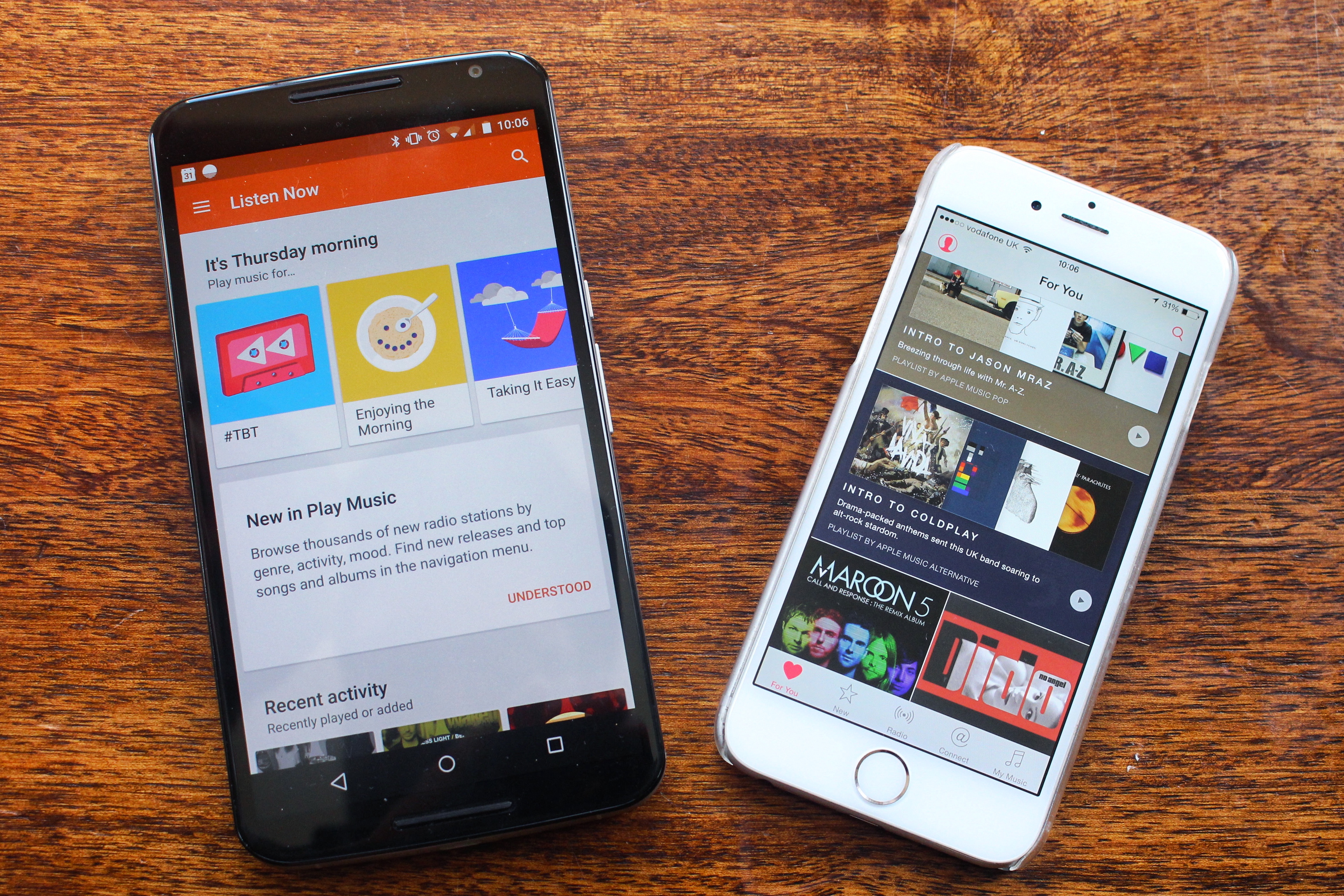
Until recently, Google’s Play Music streaming feature was one of the company’s few markets where it didn’t face strong, direct competition from Apple. But just like everything the Cupertino-company does, it has taken its own sweet time to finally launch a product we always knew was coming. And as always, the company claims it has done things differently, with a more human element.

Android 5.1 is available to download over-the-air on to the unlocked original Moto G LTE smartphone for the first time. Motorola started rolling out the update for the 1st gen Moto G over the past 24 hours or so. As with almost every modern Motorola device, the software is essentially stock Android.
Motorola states in the release notes that you can’t downgrade to a previous version after installing and that it contains a number of improvements and fixes. Along with some of the user interface changes in 5.1, the new software also includes a bunch of bug fixes including:
If the update doesn’t show up for you right away, be sure to check your settings menu and search for updates manually. It appears that only unlocked Moto G LTE models in the U.S. are receiving the update right now. If you’re in another country, be sure to let us know when it lands for you.
After introducing a new developers platform and SDK in May, Pinterest is today announcing a couple of the first integrations developers have come up with starting with popular automation platform IFTTT and community based shopping/fashion site Polyvore.
For IFTTT, the service that lets users automate common web and app-based tasks based on a set of rules known as “recipes”, users will now be able to link products and devices on Pinterest to their automated workflows. The company shared some examples: automatically save Pins to a board from simple actions in other apps such as liking a photo on Instagram, upvoting a post on Reddit or favoriting an item on Etsy. There are more than 20 Recipes to choose from starting today. The Pinterest integration for IFTTT is available through desktop and the service’s mobile apps including Android.
For Polyvore, users can login to the site using their Pinterest account to quickly and easily get access to pinning items from the fashion community/shopping site to Pinterest boards via the company’s iOS app. Support through the Android app, however, is coming soon.
In addition, Pinterest noted that new SDKs and documentation for developers are available to all through the company’s new developers site. The new SDKs give devs access to the Pin It button and JS and OAuth support.
Google has today updated its default Messenger app to version 1.4, bringing some minor enhancements along the way. In the new version, you’ll find you can now send cute little animated stickers as well as more easily send your location to others…
Expand
Expanding
Close