Latest

Google Hangouts adds guest access allowing users without Google accounts to join chats

Google-hangouts-invites-02

Google announced today that it’s adding “guest access” to Hangouts, allowing users without Google accounts to join a Hangouts video call.

Google notes that the feature is something that has been highly requested by businesses, giving them an option to easily invite clients and others that may not already be hooked into Google’s ecosystem.
Google-hangouts-invites

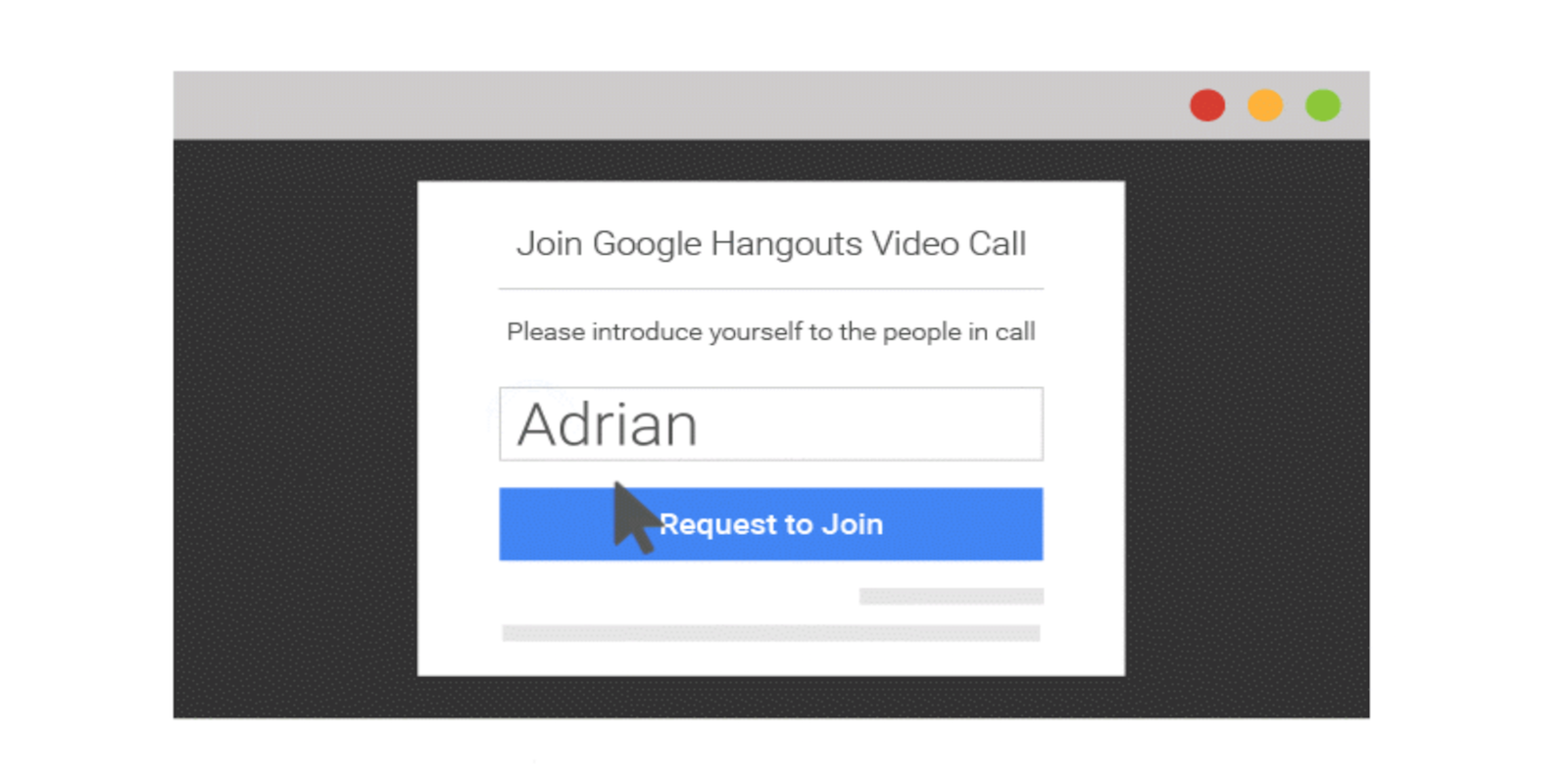
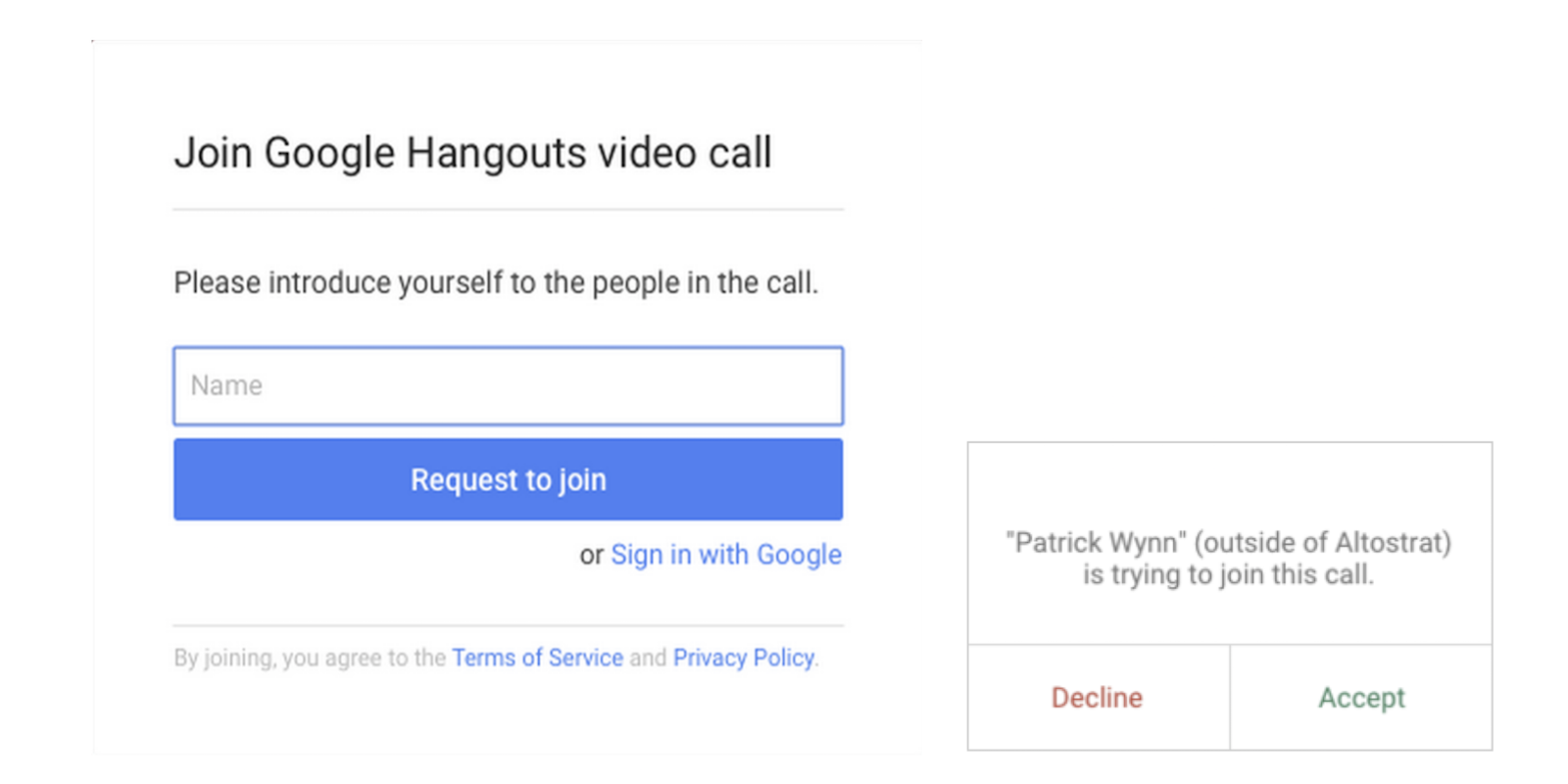
Previously inviting users without Google accounts to a video call would prompt them to create one before joining. With today’s changes, non-Google account holders can join a chat straight from a Google Calendar invite by only entering their name:

Say you’re a business about to talk through new product plans with your supplier, and you decide it’d be great to also get the thoughts of a key customer.  No problem. Invite your external guests with Google Calendar… They click a link in the event description and fill in their name

With the update, Google notes joining video calls are now one click away and won’t require filling out forms or creating accounts. The feature is available now for users joining Hangouts through a web browser.

unnamed

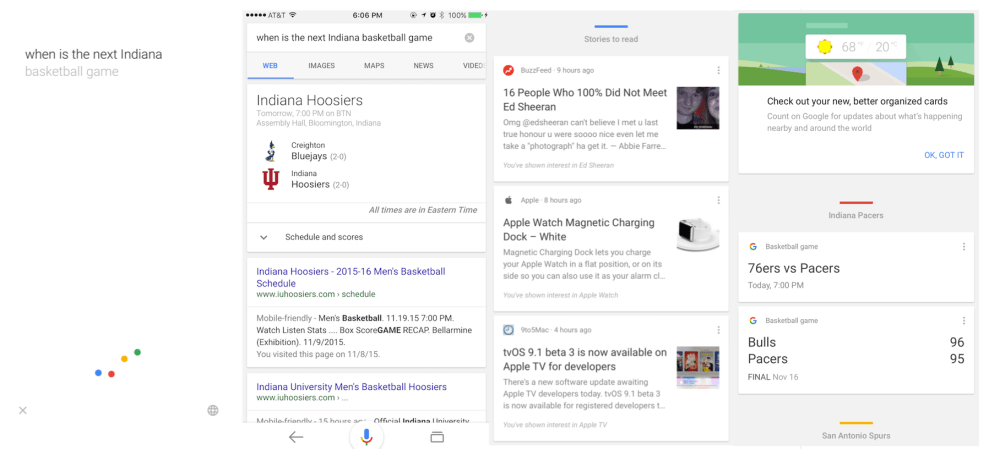
Official Google iOS app updated w/ interface tweaks, better organization of Google Now cards

Screen Shot 2015-11-18 at 6.26.54 PM

Google today is rolling out an update to its iOS app that brings the app to version 10.0 and includes a handful of visual changes. With today’s update, the voice search feature has been redesigned to be more inline with Google’s Material Design aesthetic, while the Google Now cards in the app are now organized in a much more straightforward way.


Expand
Expanding
Close

Outlook 2.0.0 for Android APK is available to download, here’s what it looks like

outlook-2-android-lead

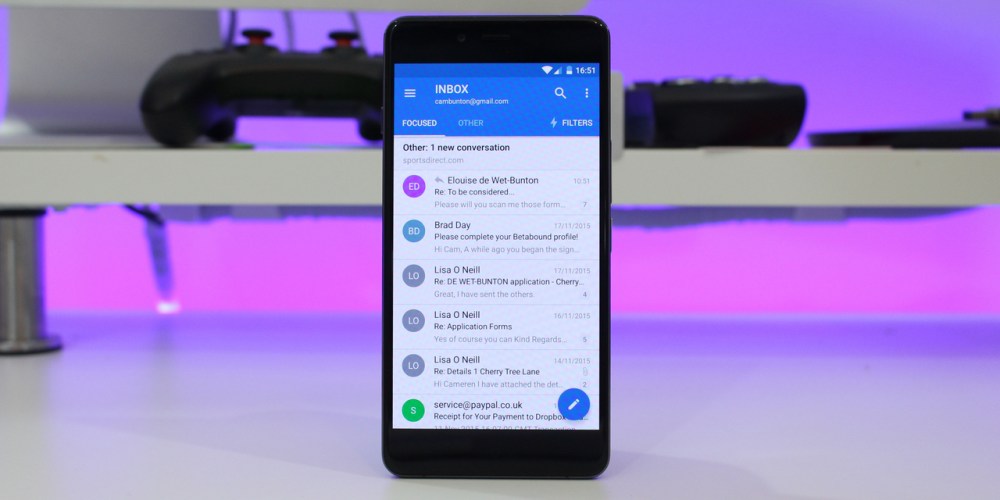
Not long ago, Microsoft announced it would be bringing an updated look to its Outlook app for Android, killing Sunrise in the process. While iPhone users got the updated redesign almost immediately, Android users had to wait a little. Today, Outlook 2.0.0 is finally available to download with some refreshed user interface design and a couple of new features. You can download the app directly from APK Mirror, or wait for it to hit the Play Store officially (it shouldn’t be too long until the update hits).


Expand
Expanding
Close

Pushbullet needs money, so they’re asking users to start paying for free features

pushbullet

The Pushbullet you know and love isn’t going to be the same for much longer, at least for those that don’t want to throw $40 at the company for a year-long “Pro” subscription (or $5/month). Today, the company announced a “Pro” version of its app, which sadly doesn’t add any new features at all. Instead, Pushbullet is simply using emotional appeals and asking for users to start paying for features that were — until today — free.

What’s more, it looks like the original Pushbullet creator, a man by the name of Ryan Oldenburg, once promised that exactly this kind of thing would never happen happen…
Expand
Expanding
Close

Google drops minimum premium app and IAP price in 17 countries

google-play-lead

Google has announced today that — following a successful trial in India — it will allow developers in 17 more countries to charge a lower price for its premium apps and in-app purchases. This news comes a couple of weeks after the company raised the maximum price, now giving developers much more flexibility in what they can charge customers, and hopefully enabling them to reach more customers.

The full list of countries this reaches, and the minimum prices:

  • Brazil: R$ 0.99 (was R$2.50)
  • Chile: CLP $200.00 (was CLP $500.00)
  • Colombia: COP$ 800.00 (was COP$ 2000.00)
  • Hungary: Ft 125.00 (was Ft 225.00)
  • Indonesia: Rp 3,000.00 (was Rp 12,000.00)
  • Malaysia: RM 1.00 (was RM 3.50)
  • Mexico: MXN$ 5.00 (was MXN$ 9.90)
  • Philippines: ₱15.00 (was ₱43.00)
  • Poland: zł1.79 (was zł2.99)
  • Peru: S/. 0.99 (was S/. 3.00)
  • Russia: руб 15.00 (was руб 2.00)
  • Saudi Arabia:﷼ 0.99 (was 2.00﷼)
  • South Africa: R3.99 (was R10.00)
  • Thailand: ฿10.00 (was ฿32.00)
  • Turkey: ₺0.59 (was ₺2.00)
  • Ukraine: ₴5.00 (was ₴8.00)
  • Vietnam: ₫6,000 (was ₫21,000.00)

If you’re a developer in one of these countries, you can lower the prices of your app by going to the Google Play Developer Console and clicking “Pricing and Distribution” or “In-app Products” for your apps.

Google Fit update brings new challenge mode, digital watch face to Android Wear

google-fit1

After nearly seven months, Google Fit received an update today that introduces a personal trainer feature for Android Wear. The Fit Challenge app allows users to select a push-up, sit-up, or squat and a difficultly level. It then runs you through a rather detailed tutorial of the exercise you’ve selected, showing text and pictures of how to do it properly…
Expand
Expanding
Close

Google publishes support docs detailing new wrist gestures, speaker support in Android Wear 1.4

Huawei Watch Top 5 2015-09-24 11-16-30

To the surprise of pretty much no one, LG’s recently-launched Watch Urbane 2nd gen. LTE runs the latest version of Android Wear, based on Android 6.0 Marshmallow. This version is certain to be rolling out to the current line of Android Wear devices soon, and as was revealed in the recently-updated Android Wear companion app, the update will bring some features to other watches that are currently exclusive to the new Watch Urbane. Now, Google has published some support documents detailing the two major features coming in this version: new wrist gestures, and support for hardware speakers…
Expand
Expanding
Close

Google expands Local Guides in Maps with new rewards

Google-Maps-local-guides

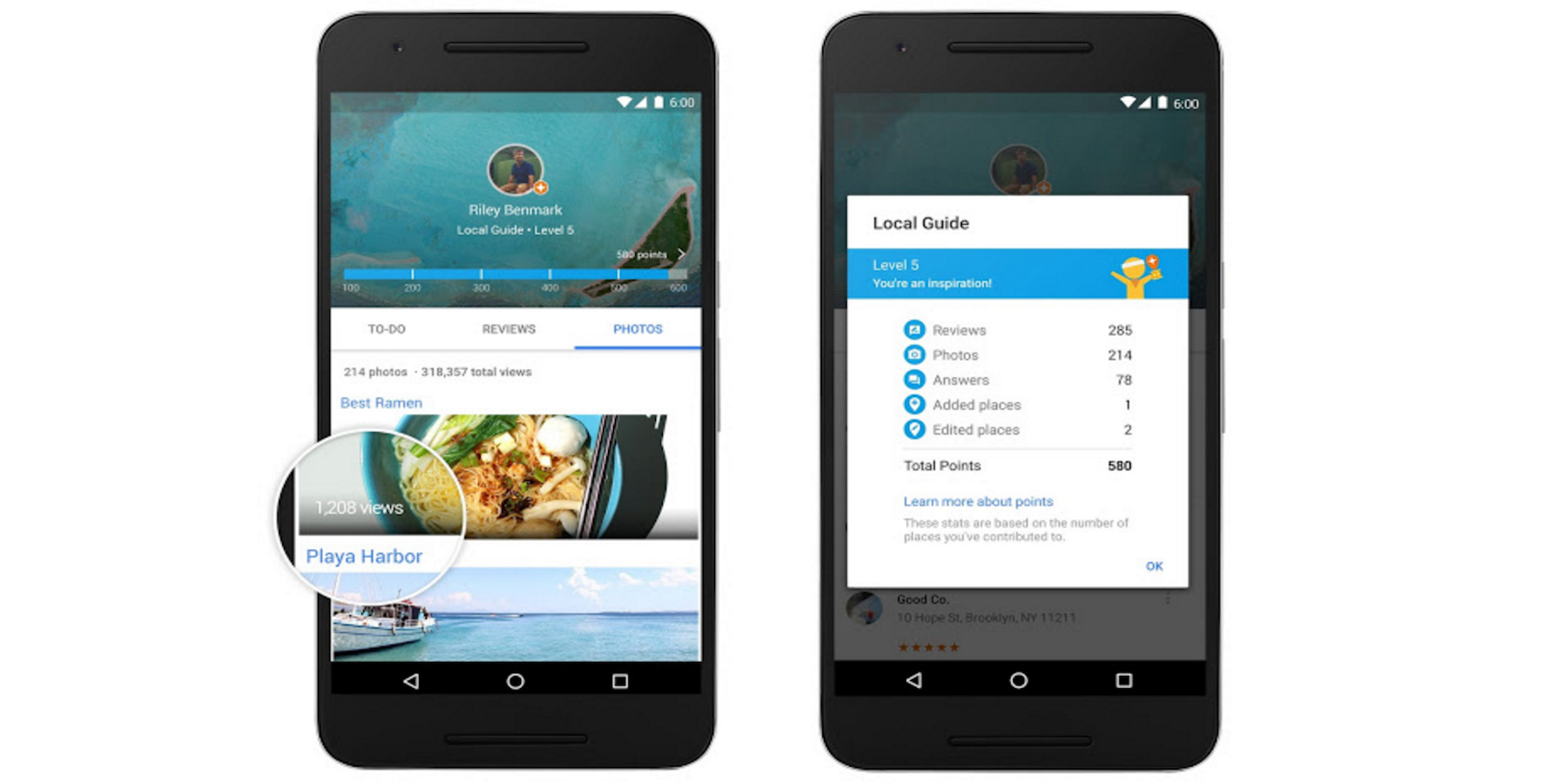
Google announced today that it’s expanding the Local Guides feature it has for Google Maps that aims to act as a community-driven virtual guide for points of interest with an integrated rewards program (which it could position as a Yelp competitor).

Among the biggest update for the expansion is new rewards for users, allowing access to upgraded Google Drive storage, early access to Google products and features, and more.

Google detailed the new rewards, which include the ability for users to earn a free 1 TB upgrade of Drive storage by accumulating a certain number of points. The top reward will make users eligible to attend Google’s inaugural summit in 2016: “… you’ll be able to meet other top Guides from around the world, explore the Google campus, and get the latest info about Google Maps. Look out for details early next year.”

Here’s a look at the new rewards:

Level 1 (0 – 4 points): Enter exclusive contests (think new Google devices!) in select countries.

Level 2 (5 – 49 points): Get early access to new Google products and features.

Level 3 (50 – 199 points): Show up in the Google Maps app with your official Local Guides badge.

Level 4 (200 – 499 points): Receive a free 1 TB upgrade of your Drive storage, allowing you to keep all the stories, photos, and videos from your travels in one safe place.

Level 5 (500+ points): The very top Local Guides will become eligible to apply to attend our inaugural summit in 2016, where you’ll be able to meet other top Guides from around the world, explore the Google campus, and get the latest info about Google Maps. Look out for details early next year.

Users can earn points by using the feature in Google Maps to do things like leaving a review, answering questions, uploading photos, and submitting fixes.

The expansion also includes an update that makes it easier for contributors to view and track local guides they’ve submitted.

[youtube=https://www.youtube.com/watch?v=puDNfWfILl4]

Google quietly launches Chrome beta for iOS through Apple’s TestFlight

Chrome-beta-iOS

Google has quietly launched a Chrome beta for iOS through TestFlight, the beta distribution service Apple acquired last year and integrated into its own developer services. Google has yet to make an official announcement for the beta release, but users can already sign-up and download the beta when visiting Google’s Chrome beta download page on iOS.
Expand
Expanding
Close

Updates arrive for Google Docs & Sheets for Android, Drive on the web

Drive-web-smart-sorting

Google is rolling out updates this week for Google Docs and Sheets for Android as well as Google Drive on the web, the company announced in two separate blog posts today.

For Sheets, the update brings the ability to “add new and reply to existing comments,” while the updated Google Docs for Android app gets the ability to see suggestions and comments when in the app’s Print Layout view. “resolve, close, accept, or reject those comments and suggestions—making it simpler to move between their desktop and mobile devices.”

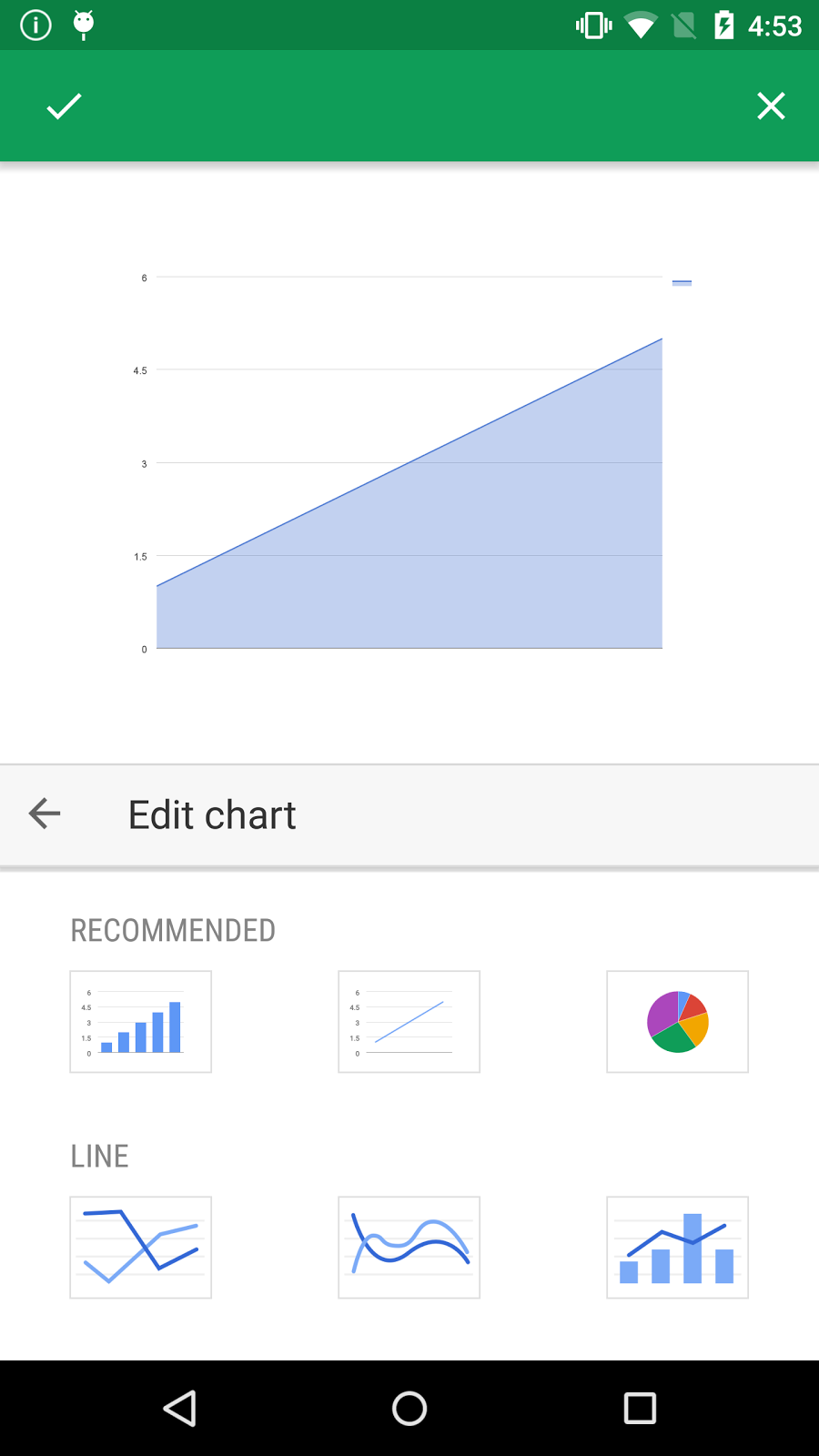
exp1-recomGoogle also highlighted improvements to editing charts in the Sheets app on Android:
…if a user a selects a single cell and inserts a chart, we’ll automatically expand that data selection to include the immediately surrounding cells. This will make it easier for users to create robust charts with relevant information. In addition, when an employee creates a new chart, they’ll now see three recommended chart types, which we’ll suggest based on the data they’ve selected.

And lastly for Sheets, users will start to notice the 400 new fonts Google began rolling out to Sheets on the web this week.

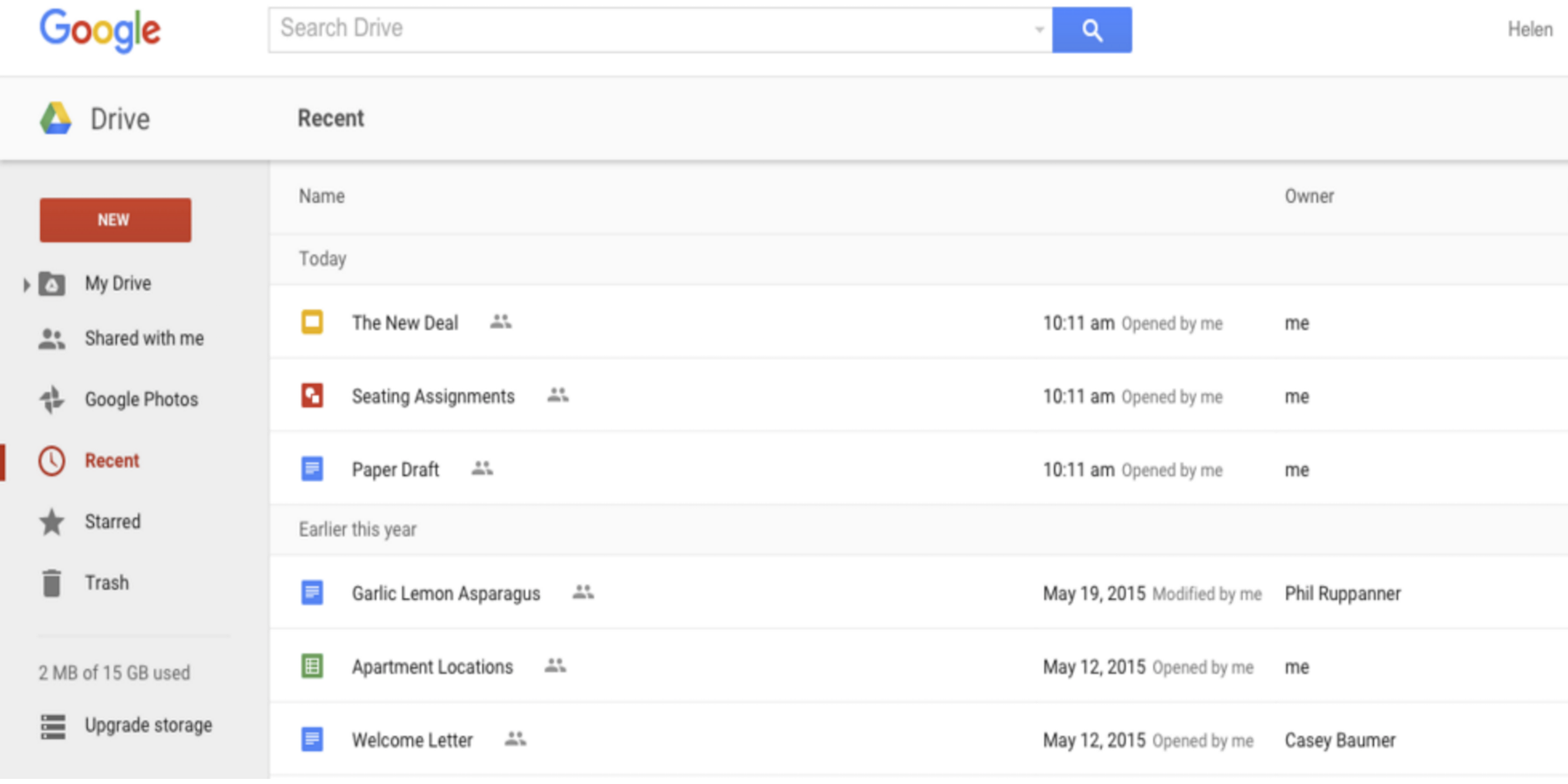
As for Google Drive, the web app gets improved organization with new smarter sorting in the app’s ‘Recent’ view:

The new sorting experience removes the existing sorting dropdown options (‘Last modified,’ ‘Last modified by me,’ and ‘Last opened by me’) and replaces them with a dynamically-generated view based on the actions of the person using Drive. Items will continue to be segmented into time-based sections (‘Today,’ ‘Earlier this week,’ etc), and will now indicate whether each item was opened, modified, or uploaded by the user directly in the UI. The smarter sorting ensures that items acted upon by the user are more likely to be shown than items acted upon by other collaborators.

The updated Google Sheets and Docs apps are rolling out now.

SwiftKey 6.0 for Android lands on the Play Store, complete with new languages, themes & two-word prediction

swiftkey-6-lead

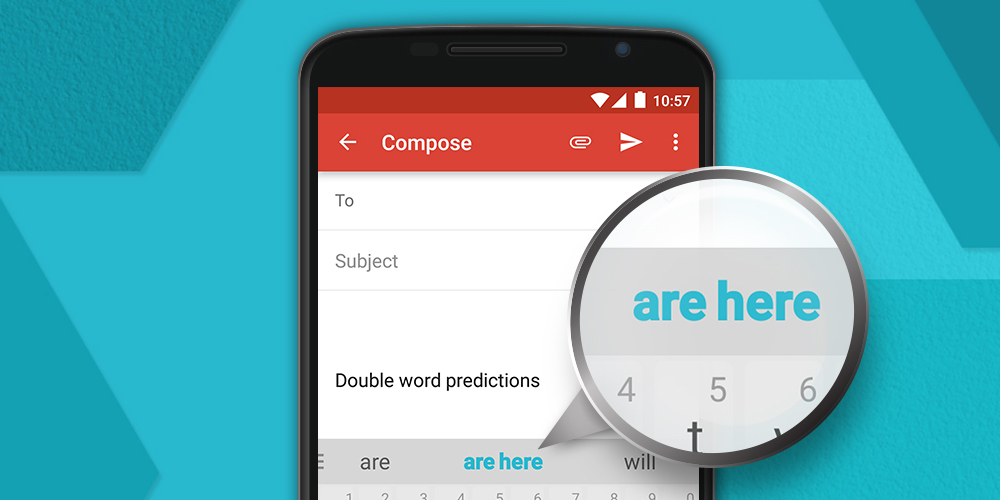
A couple of weeks ago, SwiftKey brought a number of new features to its beta app for Android. Perhaps the biggest on the usability side was the addition of double-word predictions. With this improvement, users can select two words at once which SwiftKey predicts are coming next. This feature — along with many others — has been added to the public SwiftKey 6 app…


Expand
Expanding
Close

Spotify for Android now recommends local live concerts

spotify-concerts-lead

Spotify has updated its Android app to include local live concert discovery. The new feature, named Concerts, arrived on the popular streaming app this morning and uses similar technology to the Discover Weekly feature. It uses its knowledge of your favorite artists and listening habits to recommend live acts worth seeing nearby.

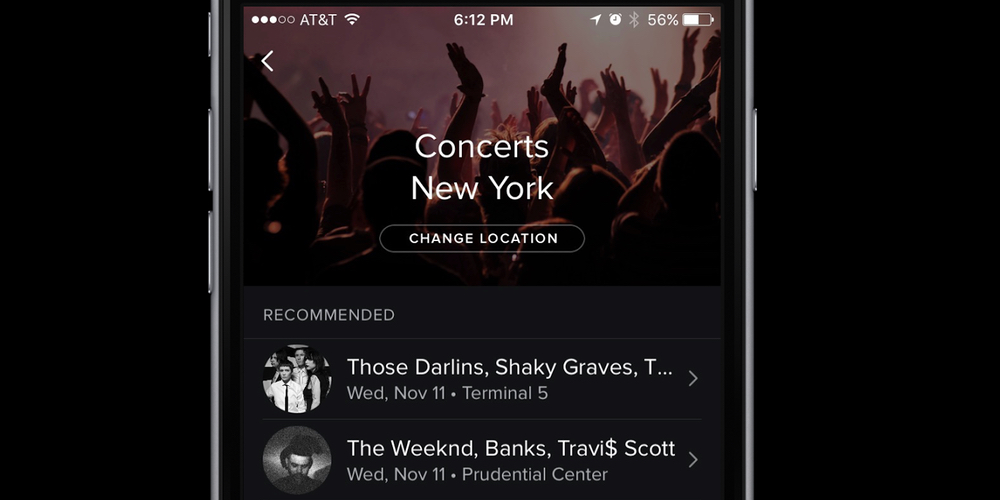
Our new Concerts feature lets you know when your favorite artists announce new concerts near you so you’ll never miss another show. And for artists, it’s easier than ever to get the word out to fans about new concerts. On your phone, simply open the Browse tab on Spotify and select Concerts to see a personalized list of what’s playing nearby.

If you’re travelling you can hit ‘change location’ and find concerts for the artists you enjoy all over the world. The Concerts feature uses Songkick’s services to gather information, and uses knowledge of your music listening patterns to determine the bands and singers you like, and those you might like to discover.

As with any location-based service, how great this is depends heavily on where you live. Sadly if, like me, you live in a remote city miles from anywhere, you’re likely just to be reminded that there are no concerts near you. Ever.

You can download the update app from the Play Store now.

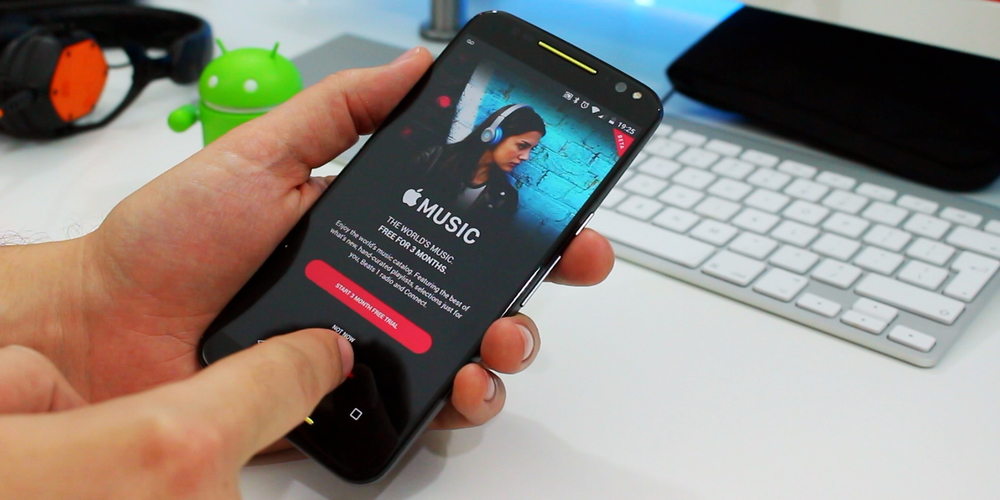
Apple Music on Android: Setup and first impressions [Video]

APPLE-MUSIC-ANDROID-WP

Apple Music is finally available to download for Android, so I wanted to give you a quick setup tour and first impressions of Apple’s second app for Google’s mobile platform. It’s free to download and offers almost all of the same features and services found in the iOS and OS X apps, including the option to sign up for a free three-month trial…

Expand
Expanding
Close

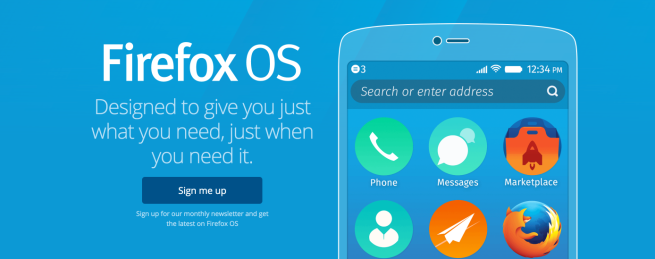
You can now try Firefox OS 2.5 on your Android device with a quick APK install

Firefox OS — Just what you need — Great smartphone features, apps and more — Mozilla 2015-11-10 17-17-18

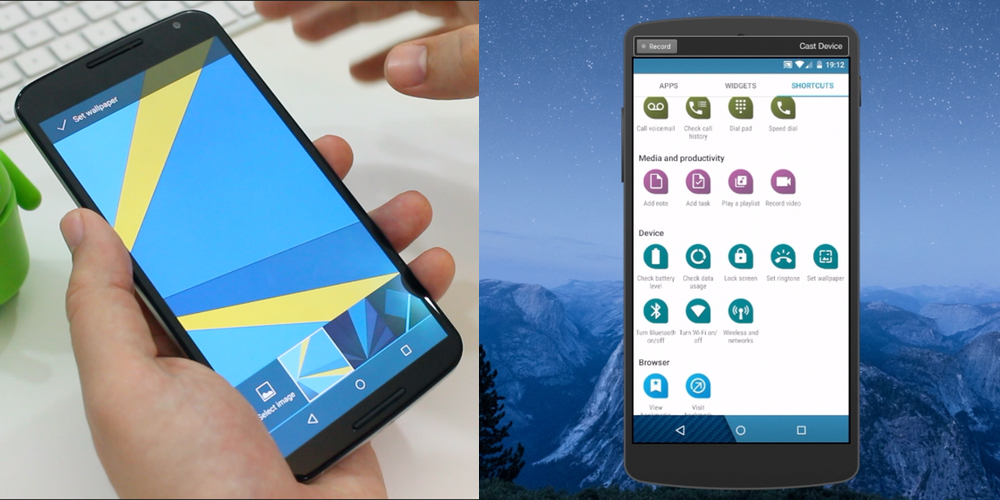
Bored with your current flavor Android, but don’t want to flash a new ROM? You’re in luck. Firefox has today released an interesting “Developer Preview” version of their web-based Firefox OS.

The Firefox OS 2.5 Developer Preview is an experimental app that lets you use an almost-complete version of Firefox OS your device — without having to flash anything. The 88 mb APK behaves like any launcher you would find on the Play Store. However, it also has several system apps for making phone calls, messaging, sending emails, an app store etc. Of course, you can still launch your regular apps.

It’s a Developer Preview for a reason and the animations are rather slow on the device I was testing on (but it is much stable than you’d expect). There are some interesting UI ideas and features in Firefox OS, and since Firefox OS is catered towards lower end devices, it’s unlikely most people have tried Firefox OS. It makes for an interesting exploration. Head on over to the site to download the APK. There’s also an option to flash the OS if you want the full experience.

Monument Valley makers release Land’s End, a Gear VR game for Galaxy S6

LandsEnd_03

The makers of the smart and visually stunning Monument Valley have released their first virtual reality game for Samsung’s Gear VR platform. Land’s End has the same stunning visuals, hypnotic soundtrack, good story, and smart game mechanics that earned its predecessor such high praise.


Expand
Expanding
Close

Apple Music for Android now available in the Google Play Store

apple-music

After first being announced and previewed in screenshots at WWDC in June, Apple has officially brought its subscription music service Apple Music to Google’s Android platform. Apple Music joins the iPhone maker’s other Android apps Move to iOS and the Beats Pill+ companion app on the Google Play Store.

Apple Music offers access to a large catalog of streaming music and music recommendations. Music and music videos can be saved for offline listening as well. Memberships costs $9.99/month for individuals, the same as Beats Music subscriptions which Apple Music replaces, after a three-month free trial period. Apple Music family plans for up to five different accounts is available through Family Sharing on iOS and Mac for $14.99/month.
Expand
Expanding
Close

Hangouts hits version 6.0 on iOS with performance improvements, not much else

hangouts-logo

Google has kept Hangouts for iOS just slightly ahead of its Android counterpart when it comes to its version number, and today that tradition continues. Hangouts on Apple’s platform just got a not-so-big update to 6.0 (which you would think would be a major upgrade), but there only seems to be general performance improvements in this one…

Here’s the full — and very disappointing — change log:

What’s New in Version 6.0.0

• Other general notification improvements.
• Accessibility bug fixes.
• Fix for iPhone 6s sound quality.

You can head over to the App Store to grab the new version, but if you’re like me, updates to the Android app would be much more welcome. Actually, I wouldn’t be upset if we just got bug fix & performance improvements for the Android version for the next few releases. I will say, though, that the app has become much more usable in recent months.

Google Maps for Android is rolling out offline navigation and downloadable data

Google Maps offline 16-9

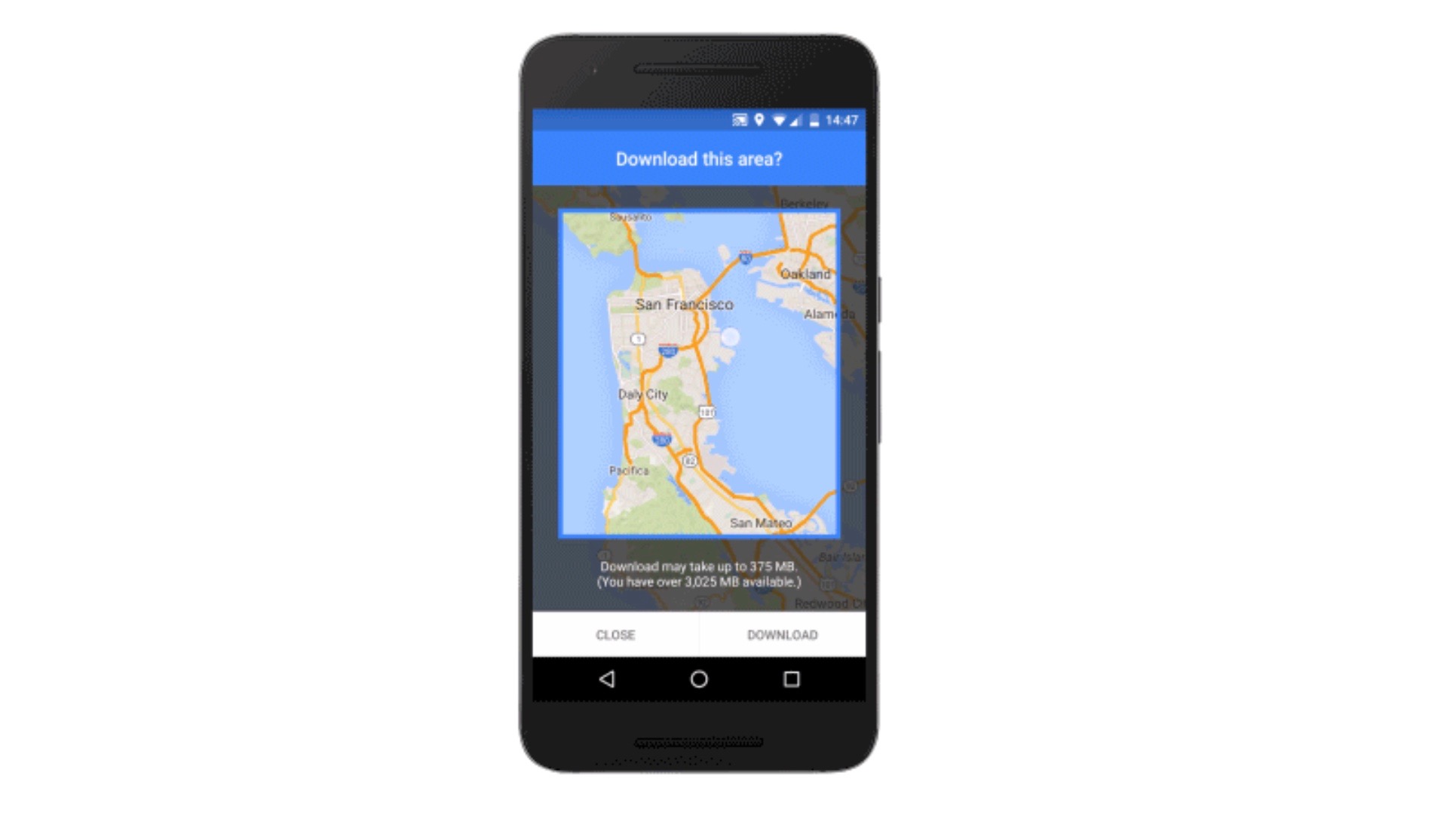
Google is now rolling out a major new feature to its Maps app for Android: full offline support. Google Maps has some utility already when used offline, but an update coming as soon as today will make it much more robust when used without Internet access. For example, before you could see an area on Google Maps offline but not do much else with it. With the latest version, Google will enable features including navigation and business information lookup without requiring an active Internet connection.
Expand
Expanding
Close