Latest

Instagram intros Boomerang, a new 1-second video looping app for Android

boomerang-leadInstagram is expanding its range of apps further today by introducing a new video-looping service to rival the likes of HTC Zoe and the iPhone’s baked-in Live Photos. Boomerang takes a quick burst of photos in-app, and then turns them in to a moving photo, or video, that loops forward and backward. Don’t call it a GIF though, it’s a Boomerang…
Expand
Expanding
Close

Google Maps for Android gets handy gas price comparisons, points of interest when navigating

Google-Maps-Android

Google is rolling out an update to Maps for Android over the coming weeks that adds quick access to gas station price comparisons and other nearby points of interest when navigating. The new feature allows drivers using the app for turn-by-turn navigation to search for points of interest without having to exit the navigation screen.

When the update lands, a new magnifying glass in the upper right corner of the screen will allow users to search for the usual points of interest like gas stations, restaurants, coffee shops and more. Alongside the quick shortcuts, you’ll also see a microphone icon and search option for both voice and text searches for additional points of interest.

Google says the update is rolling out for all Maps users on Android over the next few weeks.

Over the next few weeks, we’re rolling out an update to Google Maps on Android that will make your next gas stop more convenient and affordable. Now you can check out gas prices and add detours to your route, without having to exit out of navigation… When you’re driving in navigation mode and you get that call from your spouse to pick up some more milk on your drive home or if you’re on a road trip and want to find a great restaurant option along your route, simply tap the magnifying glass at the top right corner of the screen. You’ll see a drop-down menu with helpful options, like gas stations, grocery stores, or restaurants. If the drop-down options aren’t what you need, you can always add a detour to your favorite coffee shop by tapping the search icon or by using voice commands.

Google now eats Google Apps fees for switchers w/ previous enterprise agreements

google-apps

According to a post made on the Google for Work blog this morning, Google is now giving enterprises a new opportunity to try Google Docs. Google knows that many enterprises likely have previous enterprise agreements with other companies that would make trying out Docs for their organizations difficult, so the company is now offering to pay the usual Google Apps fees until those contracts run out:

In fact, we’re so confident that Docs has all the features you need, without the ones you don’t, that we’re making it even easier to give it a try. If you’re worried about switching to Docs because you still have an enterprise agreement (EA) with another provider, we’ll cover the fees of Google Apps until your contract runs out. We’ll even chip in on some of the deployment costs and set you up for success with one of our Google for Work Partners.

Google says that once your enterprise agreement is runs out, companies can sign up on a simple contract “with no traps or gotchas,” and that many businesses find that Google Apps is cheaper, as well. The company, additionally, points out that many of the features that businesses think are missing from Google Docs are actually present, and that more and more useful tools are being added constantly.

Businesses can head over to the Google Apps‘ website to learn more.

Yahoo releases redesigned Mail app for Android w/ Outlook, Hotmail, AOL Mail integration

Yahoo-Mail-Android

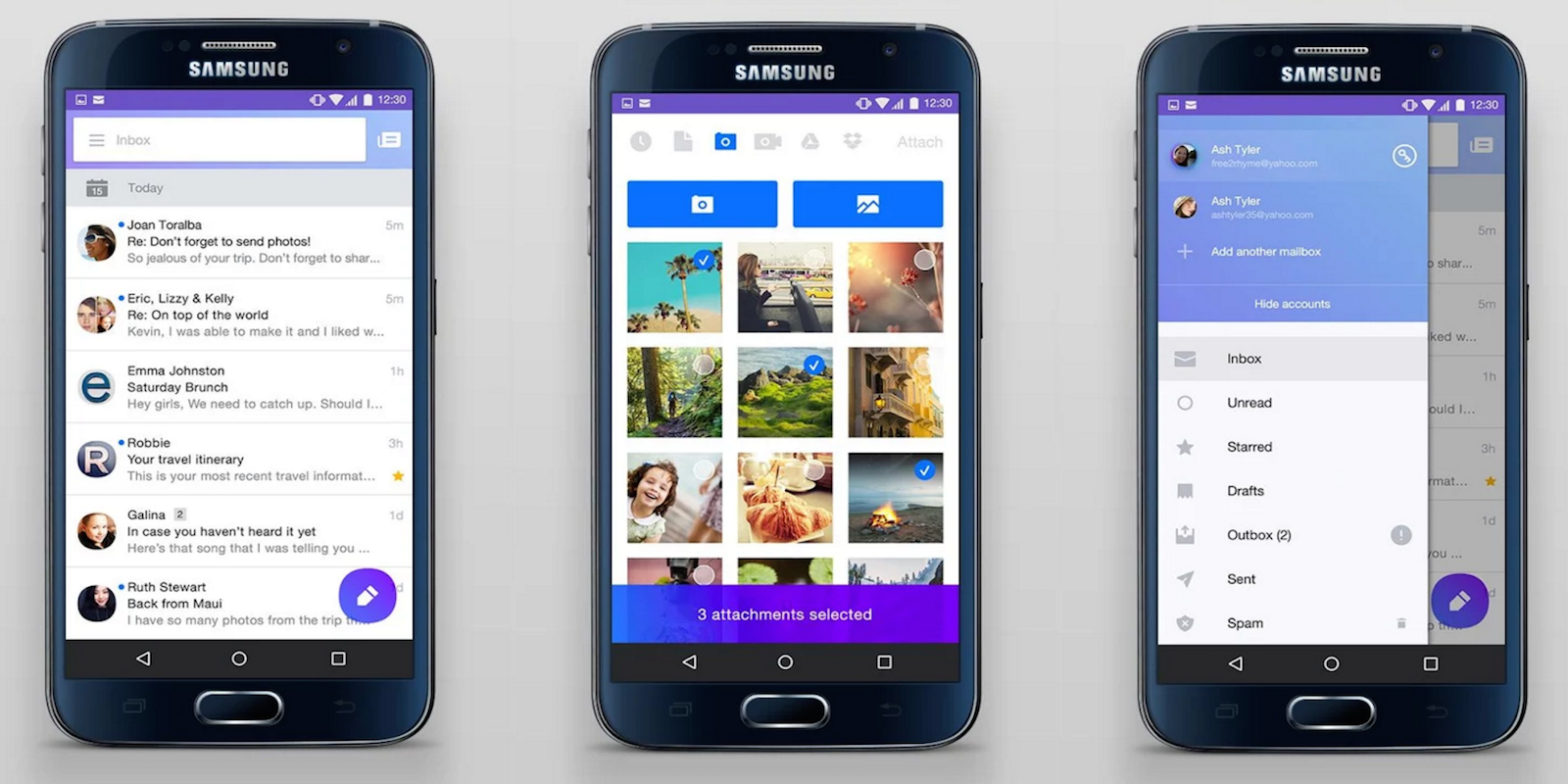
Yahoo is rolling out an update to its Mail app for Android that introduces a refreshed design, as well as new features including smarter search, contacts management and rich compose. Alongside the updated app, Yahoo Mail is for the first time introducing account integration for third-party email services including Outlook.com, Hotmail, and AOL Mail.
Expand
Expanding
Close

Google releases Hangouts 5.0 w/ splash screen, performance improvements, more

hangouts-logo

The well-connected Derek Ross took to Google+ last week to tease the latest update to Hangouts, version number 5.0. And while 4.0 — the update that brought a long-awaited visual overhaul — hasn’t even been around that long, this version makes a lot of improvements to the app’s performance, brings full-working GIFs, a splash screen, and more…
Expand
Expanding
Close

Here’s how to download the WhatsApp APK and enable Google Drive backups

whatsapp-lead

Last week, WhatsApp announced that it will be bringing a much-needed feature to its Android app: Google Drive backups. While the updated version of the app hasn’t hit the Google Play Store yet, you can already download it directly from WhatsApp and install the Drive backup-equipped app on your phone now. Installing it couldn’t be simpler:
Expand
Expanding
Close

Google rolling out redesigned Maps for web inspired by Material Design, mobile apps

Google-maps-material-design-02

Google looks to be rolling out a redesigned version of Google Maps on the web that introduces a tweaked user interface that in many ways mirrors its mobile app experience on both Android and iOS. As pictured above, Maps gets a redesigned menu/sidebar/search UI that is clearly inspired by Material Design and the user interface of its mobile apps.
Expand
Expanding
Close

Google’s app indexing links coming to Safari on iOS by end of month

Google-iOS-app-indexing

Google first introduced app indexing for iOS apps in search back in May, allowing in-app content to appear in search results with links that send users directly to an app. The feature was originally only available in the Google app and Chrome browser, but now Google is launching an updated version of the framework that will make the app links also appear in Google search results in Safari.

Getting your app content found on Google just got easier. App Indexing is now compatible with HTTP deep link standards for iOS 9, as it has been on Android from the beginning. That means that you can start getting your app content into the Search results page on Safari in iOS, simply by adding Universal Links to your iOS app, then integrating with our SDK.

Developers simply need to support the Universal Links standard to get their apps to show up in search results. Users will begin to see the app indexing links showing up in Safari on iOS by the end October.

Devs can read more on how to support the feature here.

SwiftKey launches world’s first AI-powered software keyboard for Android

swiftkey-neural

If you thought SwiftKey for Android was already smart and intuitive, you’ll be excited to know the company has just finished working on a product which it claims is even smarter. SwiftKey Neural Alpha has made its way to the Google Play Store, and instead of using word frequency calculators (n-gram model) to predict your next words, it’s more contextually aware of the sentence you’re typing…


Expand
Expanding
Close

Facebook experimenting with letting friends easily send “Happy Birthday!” videos on mobile

Facebook birthday videos

One of the many things Facebook does well is make it nearly impossible to miss when one of your friends turns another year older. On the web, birthday reminders are placed prominently near the top right with links to easily wish your pal a happy birthday, and on mobile Facebook has experimented with alerts and other ways to help you not forget someone’s big day.

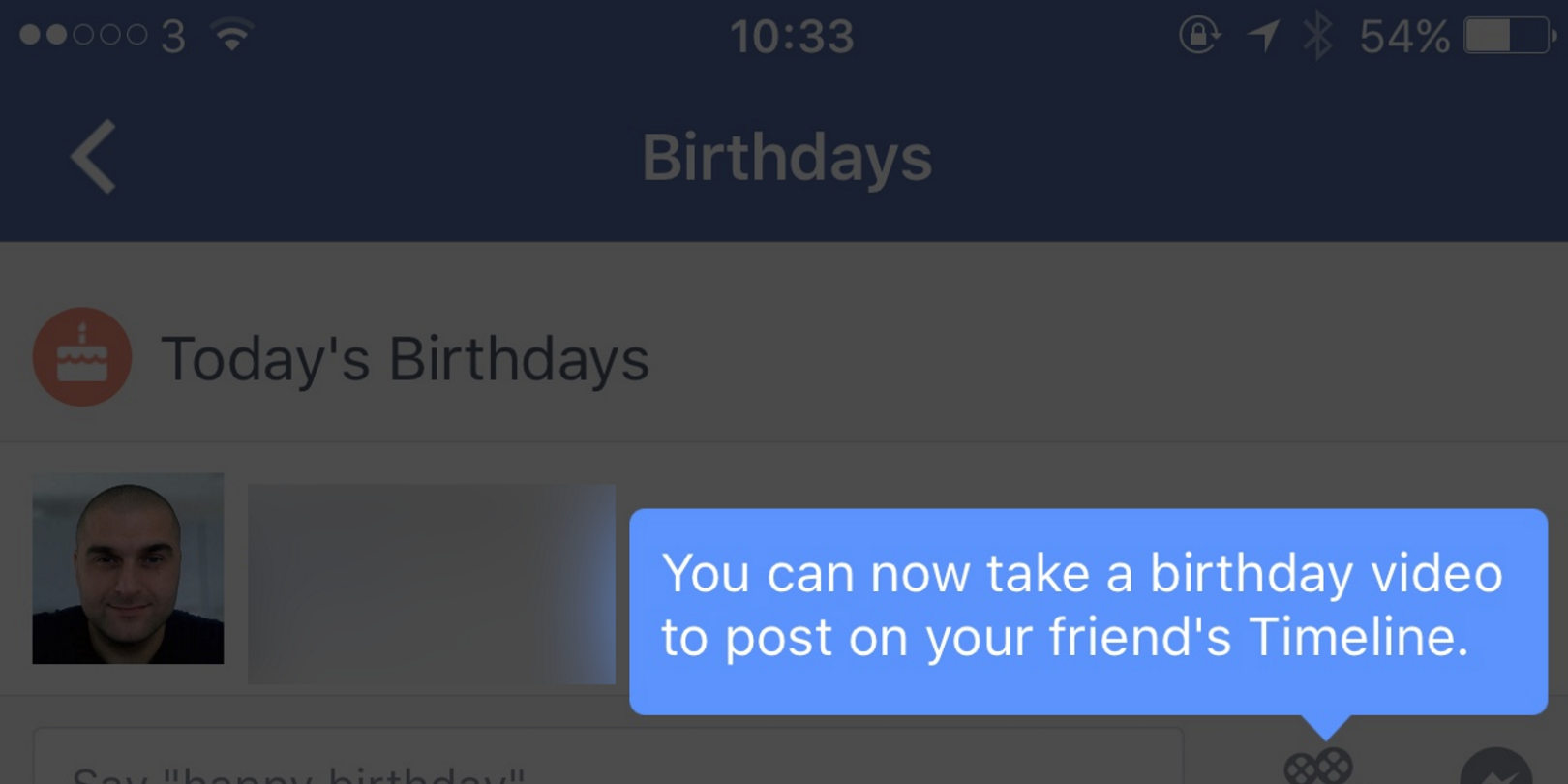
Now Facebook appears to be testing an even more personal way to make your birthday wish stand out: video messages. The Next Web reports that some mobile users have seen a new ‘birthday video’ option appear under Facebook’s Birthdays section (although don’t worry if you don’t see it yet, I don’t have it either).
Expand
Expanding
Close

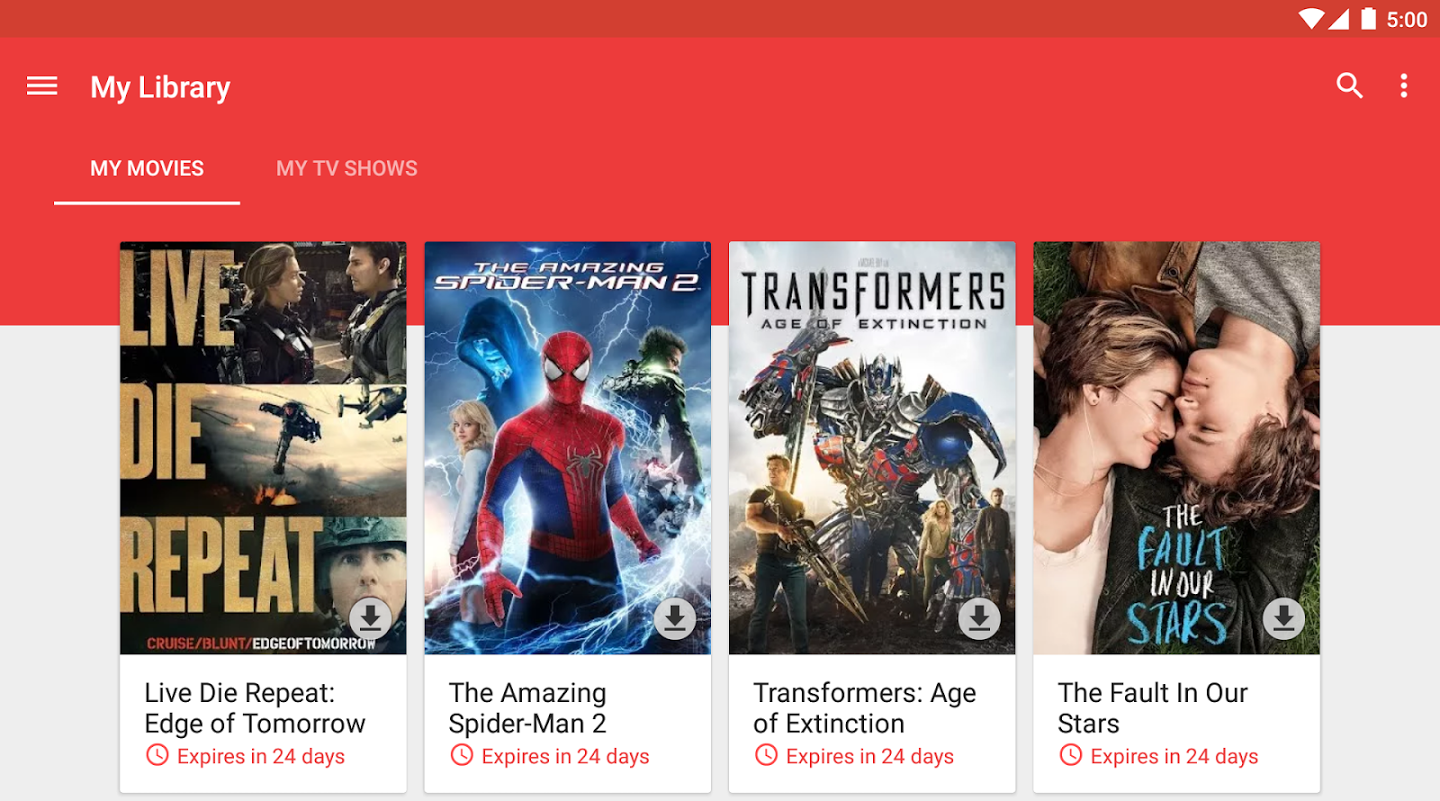
Google Play Movies & TV hits 1 billion installs on the Play Store

unnamed

Just a couple weeks ago, Google Play Newsstand hit the 1 billion install mark on the Play Store, and now another one of Google’s apps has achieved the same milestone: Google Play Movies & TV. As you might expect, other more-popular Google-made apps like Google Maps and Gmail, alongside Hangouts, Play Music, and others, managed to pass the 1 billion mark a while ago.

Outside of Google, however, not many apps have reached this number. There are a few third-party apps from Facebook — like Messenger, the Facebook app itself, and Whatsapp — that have accomplished this feat, but that’s about it.

Passing 1 billion installs isn’t surprising for Play Moves & TV considering the app comes pre-installed on most Android phones, but it’s worth noting that not all of Google’s stock apps have come anywhere close to this milestone. Google Docs, for example, which comes shipped on all Nexus devices and others, is only in the 50-100 million range.

Google’s standalone Street View app adds Google Cardboard support in latest update

Screenshot_20151007-105302

If you aren’t yet aware, Google released a standalone Street View app for Android last month — and with it comes a showcase of all the best Street View imagery right at your fingertips. While previous versions of the app have allowed you to use your phone’s gyroscope to look at the Street View photography in 3D, the latest version of the app brings a great feature for VR fans: Google Cardboard support…

To access the feature, all you have to do is make sure you have the latest version of the app (which is rolling out now on Google Play, and alternatively available now over at APKMirror). Once you open the app, all you have to do is navigate your way to a view that you’d like to look at, rotate your phone 90 degrees, and tap the new Google Cardboard icon at the top-right of the screen.


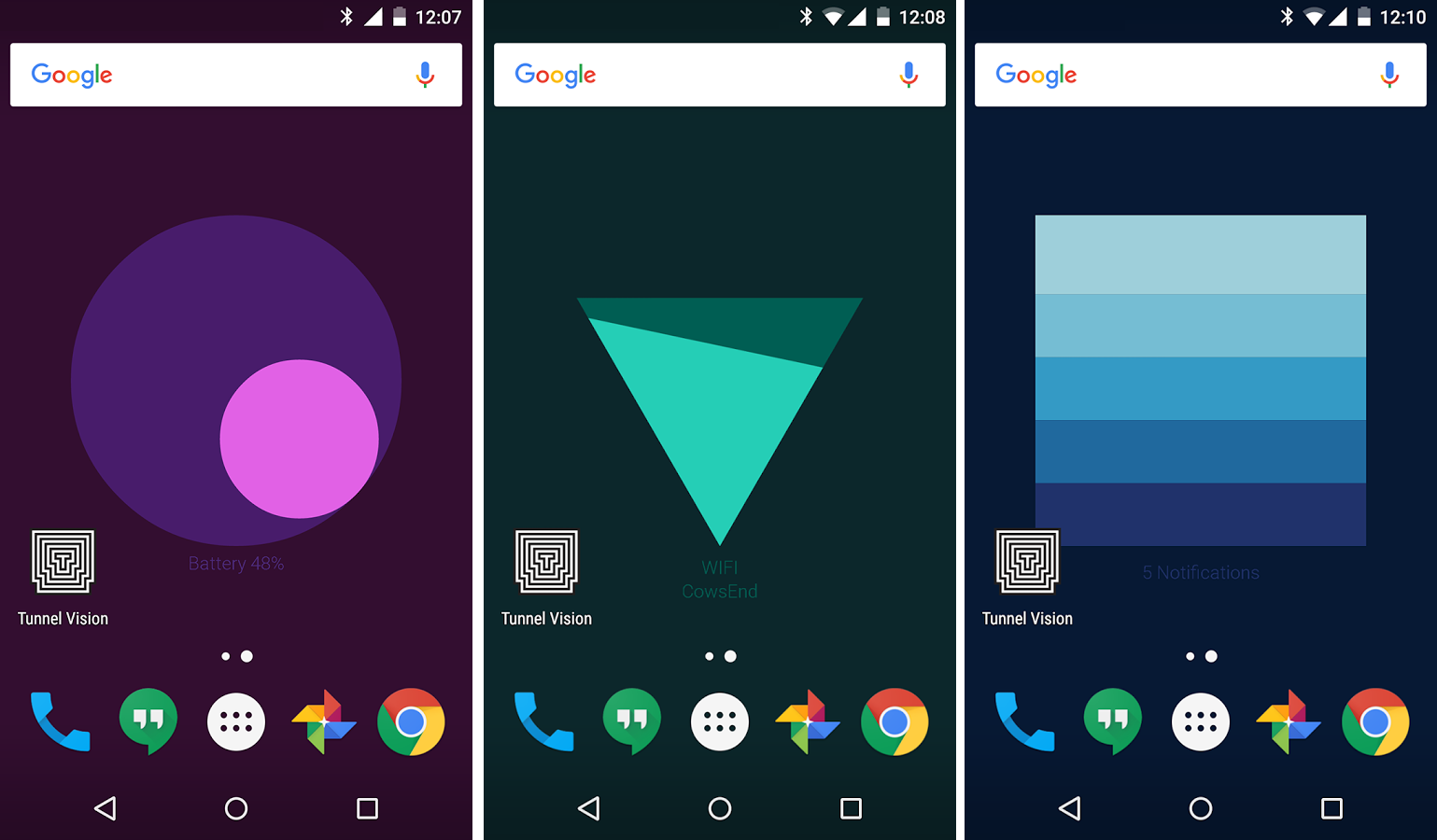
Google Creative Lab launches Meter, a live wallpaper that shows battery, WiFi, and notification info

image

Google Creative Lab, the same group responsible for a few quirky photo and location-based apps that we told you about earlier this year, has released a new live wallpaper for your Android phone that shows you some useful info about your device. There are three different status indicators shown with this wallpaper: Battery, WiFi, and Notifications…

Based on my initial testing, it seems that the wallpaper randomly switches between these three indicators. Locking and unlocking your phone, as well as opening and closing apps, will rotate between them so that you’re always up to date. Also, they all respond to the tilting of your device for some added phone — the battery one reminds me a lot of calibrating the iPhone’s compass app.

You can grab the app for free on the Google Play Store right now.


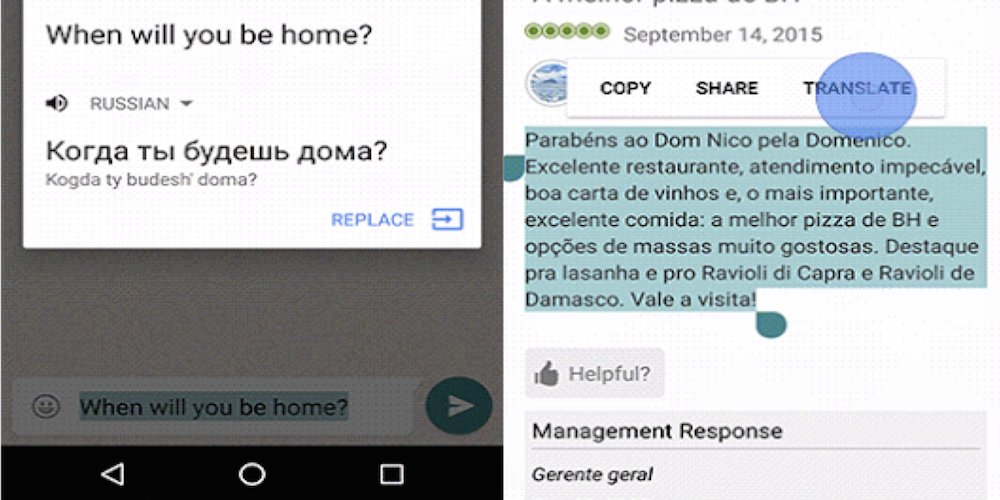
Google begins rolling out in-app translations for Android Marshmallow users

Android-marshmallow-inapp-translate

Google today announced that it’s tapping into Google Translate to bring in-app translations to Android 6.0 Marshmallow users beginning this week. With the new feature, anyone running the latest version of Android that also has the Google Translate app downloaded will have the ability to translate text into 90 languages right from within supported apps.
Expand
Expanding
Close

Latest Google Play Movies & TV app update makes binge watching shows even easier

Screen Shot 2015-10-05 at 11.07.55 PM
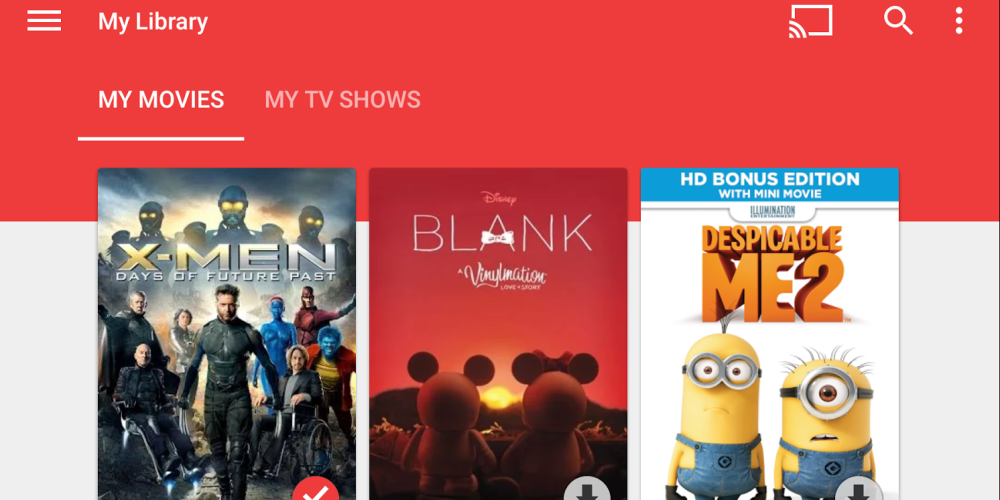
Google today has updated its Play Movies & TV app to version 3.9 with a couple of new features and bug fixes. The standout new feature of the app with this update is a new feature called binge watch. Binge watch is a capability that will automatically plays the next episode in the season of a show a user is watching.

Once the credits of the show start to play at the end, a small thumbnail will appear in the lower right corer of the display with the number and title of the next episode, as well as a timer. Once the timer hits zero, the next episode will automatically begin to play. Users can also tap on the thumbnail to immediately jump to the next episode, or swipe right to stop autoplay (via Android Police).

Next up, the update improves the process of setting up a Roku device through the app. Users can now setup a Roke through a new “Connect a device” option in the Settings menu. Google also notes that the update adds support for Android 6.0 Marshmallow and includes a variety of bug fixes and under-the-hood improvements.

  • Android Marshmallow support
  • Bug fixes and stability improvements
  • Easier setup for Roku devices
  • Binge watch for TV episodes

The latest version of the Play Movies & TV app is available now on the Play Store.

Asus releases new app that allows quick creation of custom watchfaces

Screen Shot 2015-10-05 at 5.53.01 PM

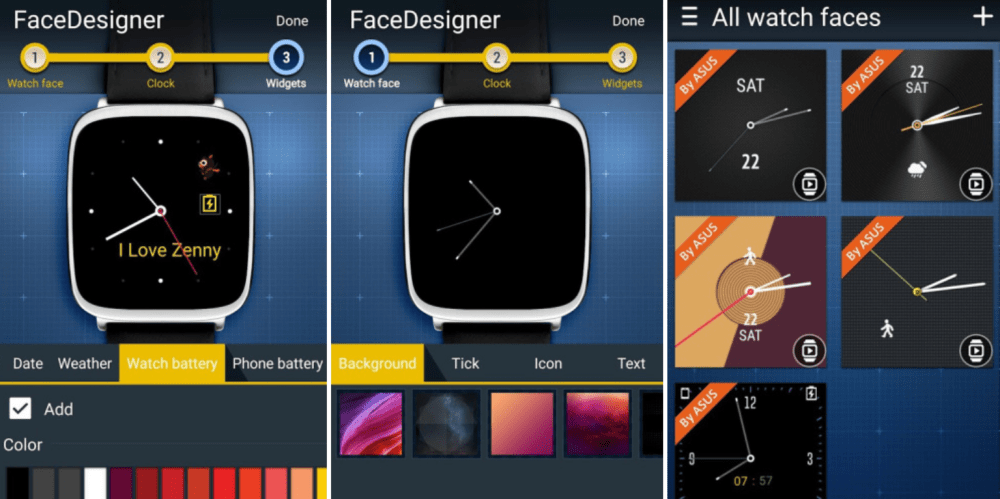
The same day as its ZenWatch 2 became available via the Google Store, Asus has this evening launched a new app that allows users to design custom watchfaces. The app, cleverly called the ZenWatch FaceDesigner, is compatible with both the ZenWatch and ZenWatch 2.

ZenWatch FaceDesigner allows users to easily design their own watchfaces. Users can choose from a variety of pre-designed backgrounds and add layers of texts, clocks, and widgets to the background. Widgets include things like weather info, battery life, and app shortcuts. As far as backgrounds go, you can also add your own image to the app and design a watchface based on it.

ZenWatch FaceDesigner is an ASUS wearable application that’s fully-compatible with Android Wear. It lets you create exclusive watch faces for your ZenWatch in three easy steps:

1. Choose your watch face.
2. Choose your clock type.
3. Finish it up by choosing your information widget.

Aside from its simplicity, the ZenWatch FaceDesigner also offers a variety of options for you to choose from such as background image and color, tick, icon, text color, date info, weather info, battery info, missed call info, time zone info, tep count, burned calories, plus more. You can even pick your own favorite image as your watch’s background or icon for a more personalized touch.

The new ZenWatch FaceDesigner app is available now on the Play Store for free and is compatible with the ZenWatch and ZenWatch 2.
 

Nexus Camera app adds support for slo-mo videos, new Smart Burst feature, more

Screen Shot 2015-09-29 at 17.10.45
Google made the cameras on both of its new Nexus devices this year a main selling point. Both the Nexus 6P and Nexus 5X feature 12.3 megapixel sensors with dual LED flash and an f/2.0 lens. The front facing cameras are also both 8 megapixels with HDR+ support. To go along with today’s new hardware, Google has announced changes to its Camera app, as well.


Expand
Expanding
Close

Hands-on: Google releases new Chromecast app w/ What’s On, social backdrop feeds, more

Screenshot_20150929-142336

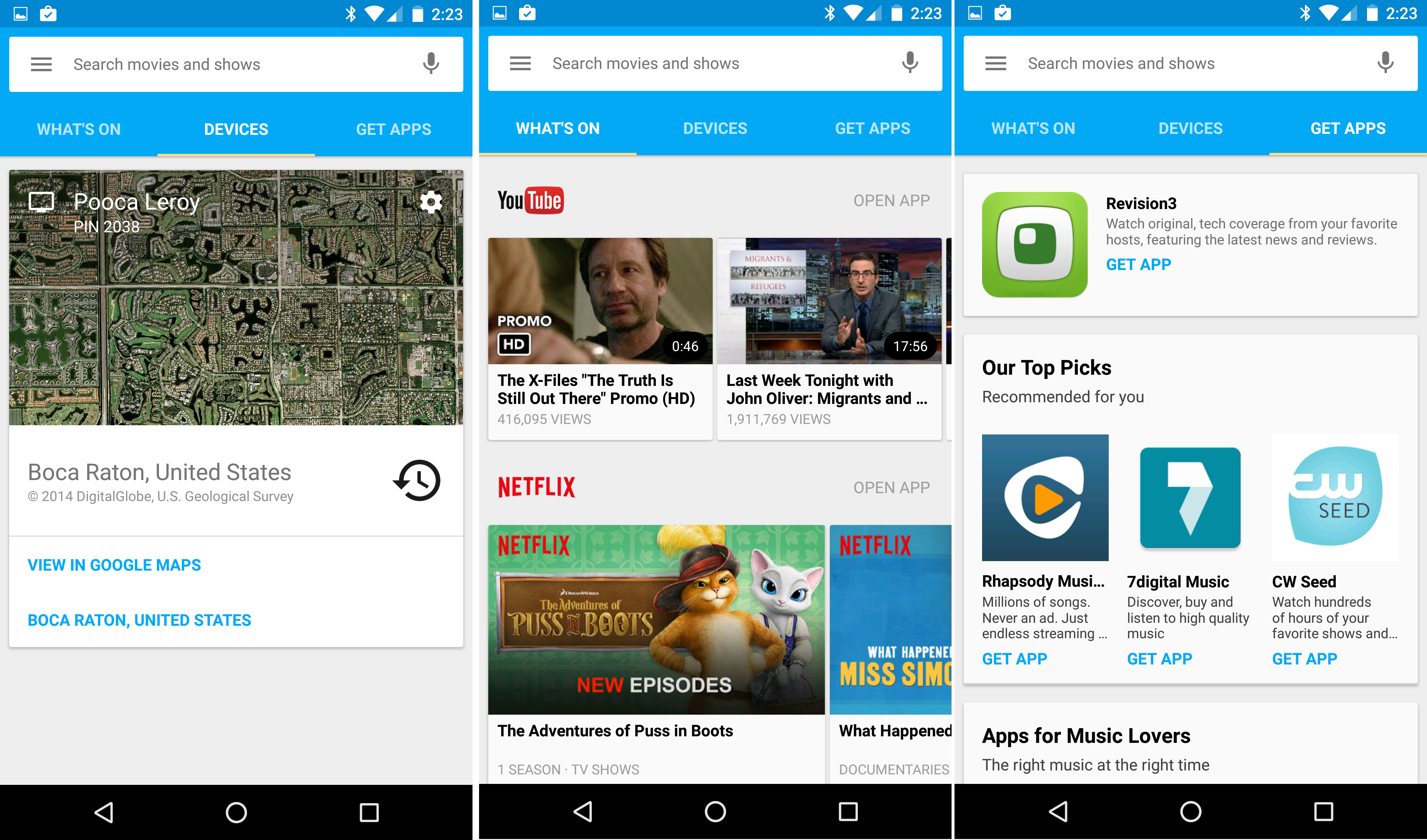
Alongside the new Chromecast and Chromecast Audio, Google also today introduced a new version of its Chromecast app. It’s not a drastic departure from the previous version, but it does bring some notable new features including a new “What’s On” section that suggests content from the apps you have installed, support for image feeds from Facebook, Flickr, and other sources, voice search for content, and more…
Expand
Expanding
Close

New Google Photos features announced: Shared albums, people labeling, Chromecast support

Screen Shot 2015-09-29 at 17.42.00

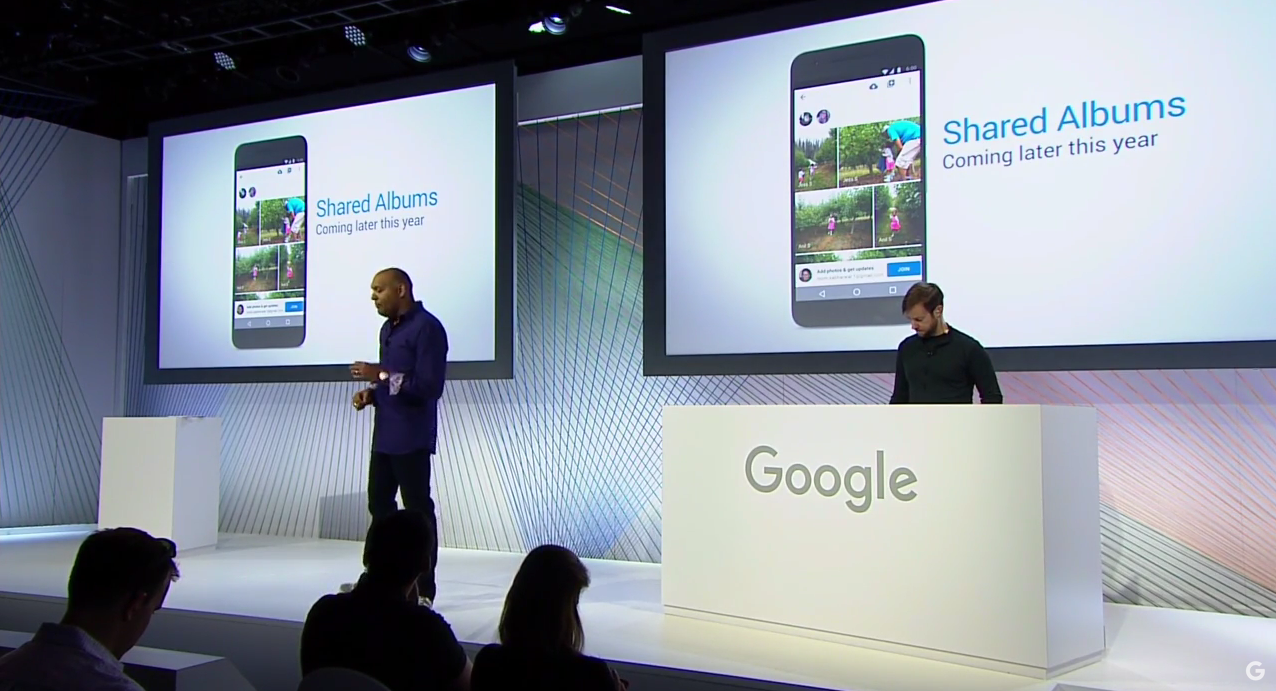
Last week we told you that a teardown of the latest version of Google Photos revealed some interesting new features: album collaboration, people labeling, Chromecast support, and more. Now, Google has announced today at its September 29th event that it is making these exact three features official…
Expand
Expanding
Close

Google Play ups app size limit for devs from 50MB to 100MB

Google-Play-Store

Google today announced that it’s increasing the size limit for apps on Google Play allowing developers to upload APK files (Android application package) up to 100MB in size. That’s up from the old limit of 50MB and will allow developers to push out bigger app packages without a warning to the user, which will now only appear when apps are over the 100MB quota.

While Google notes that the increase will help developers with rich apps or graphically intensive games that need a bigger app package, it also warns developers to keep in mind mobile data connectivity and caps, app performance, and install times for users.

Not much changes for users, however, as Google points out that auto-updating of apps will remain “over Wi-Fi only, enabling users to access higher quality apps and games while conserving their data usage.”

Developers can find out more here.

Latest Google Photos update hints at album collaboration, people labeling, Chromecast support, more

Photos - Google Photos 2015-09-21 11-22-14

Google released version 1.5 of Google Photos for Android last week, and there weren’t any notable user-facing features. But that doesn’t mean that there aren’t any additions at all in the new app — these updates very often lay the groundwork for features set to launch in the near future. Cody Toombs pulled this update apart himself, revealing that Photos is preparing for quite a few new additions including album collaboration, people labeling, Chromecast support, and more…
Expand
Expanding
Close

Stick with Android app is the perfect response to Apple’s ‘Move to iOS’ software

stick-with-android

Apple caused something of a stir when it launched its first app for Android. ‘Move to iOS’ is an app designed to help us poor users stuck in the ‘toxic hellstew’ (in their view) that is Google’s mobile operating system. Hilariously, most Android users who noticed the app shared their feelings clearly in the Google Play Store ratings, with thousands of users giving it a 1-star review. They may perhaps have been kinder if Apple had released software on Android before, but the fact that this is the company’s first was the salt in the wound.

Screenshot_20150918-160707

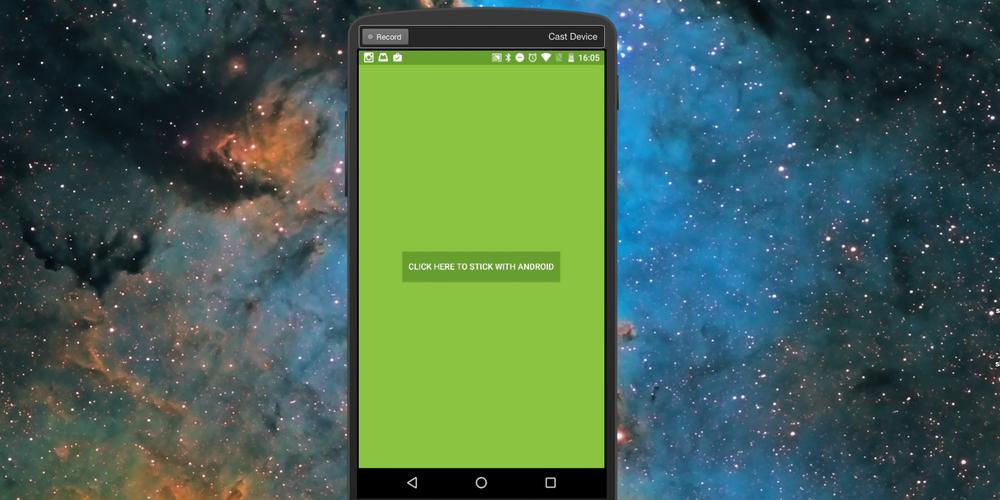
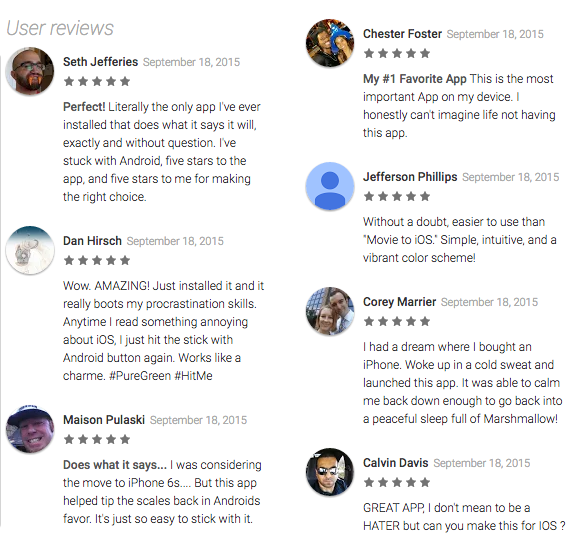
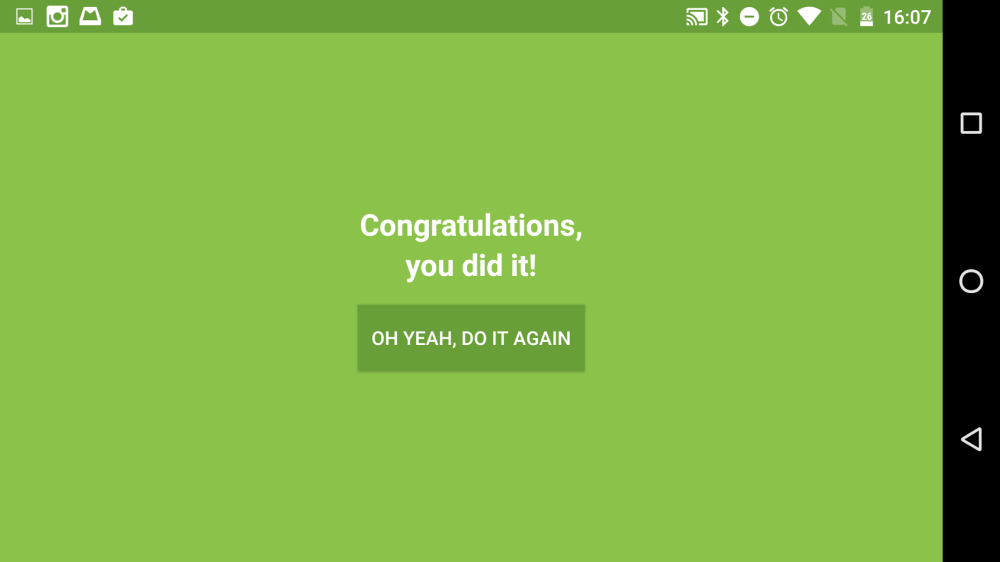
One developer had the perfect response to Apple’s app. Jonotthias launched an app called ‘Stick with Android’, which does exactly what you expect it to. Except it doesn’t do anything as such, apart from making you feel totally awesome for not switching to the dark side. Upon launching, you get a green screen with an icon telling you ‘click here to stick with Android’, tap it and you’ve successfully stuck with Android. Tap it again, and you’re still with Android. Unsurprisingly, early reviewers enjoyed the app very much. It’s available to download from the Play Store for free and is — unsurprisingly — compatible with every Android device running 4.0.3 or later.

Screen Shot 2015-09-18 at 15.57.19