Latest

Microsoft’s ‘Send’ instant messaging app is now available on Android

Microsoft today has made its Send instant messaging app available on Android. The service initially launched earlier this summer on iOS, but today has made its way to Android, as well. Send, for those unfamiliar, is Microsoft’s attempt at a WhatsApp-like messaging service. Microsoft touts that Send takes the best of Outlook and morphs it into an easy to use messaging app.


Expand
Expanding
Close

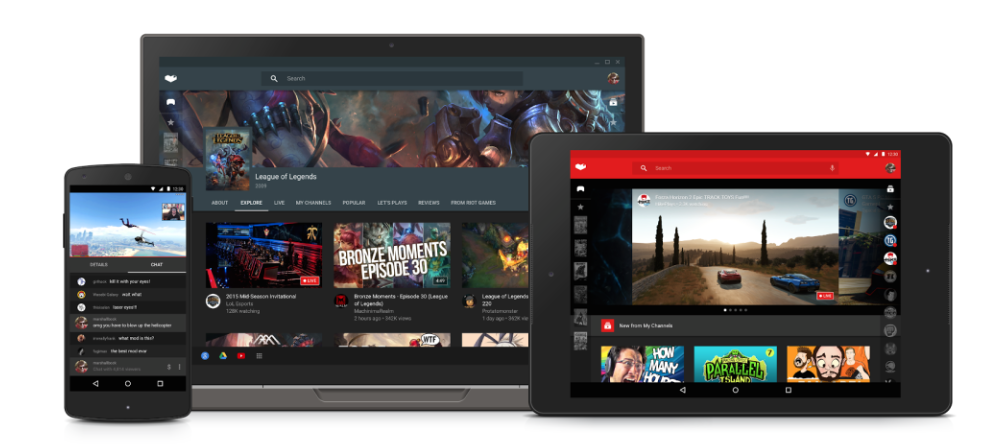
YouTube Gaming will soon let you broadcast straight from your Android phone

youtube-gaming

The YouTube Gaming app launched on Android about a month ago, but now we’re already hearing about a significant update that’s on the way. As was first revealed in a teardown done by Android Police earlier this month, Google has now confirmed that it is preparing to introduce Android game broadcasting straight from the app itself…
Expand
Expanding
Close

Apple’s new ‘Switch to iOS from Android’ app hits the Google Play Store

screen-shot-2015-09-16-at-1-34-14-pm

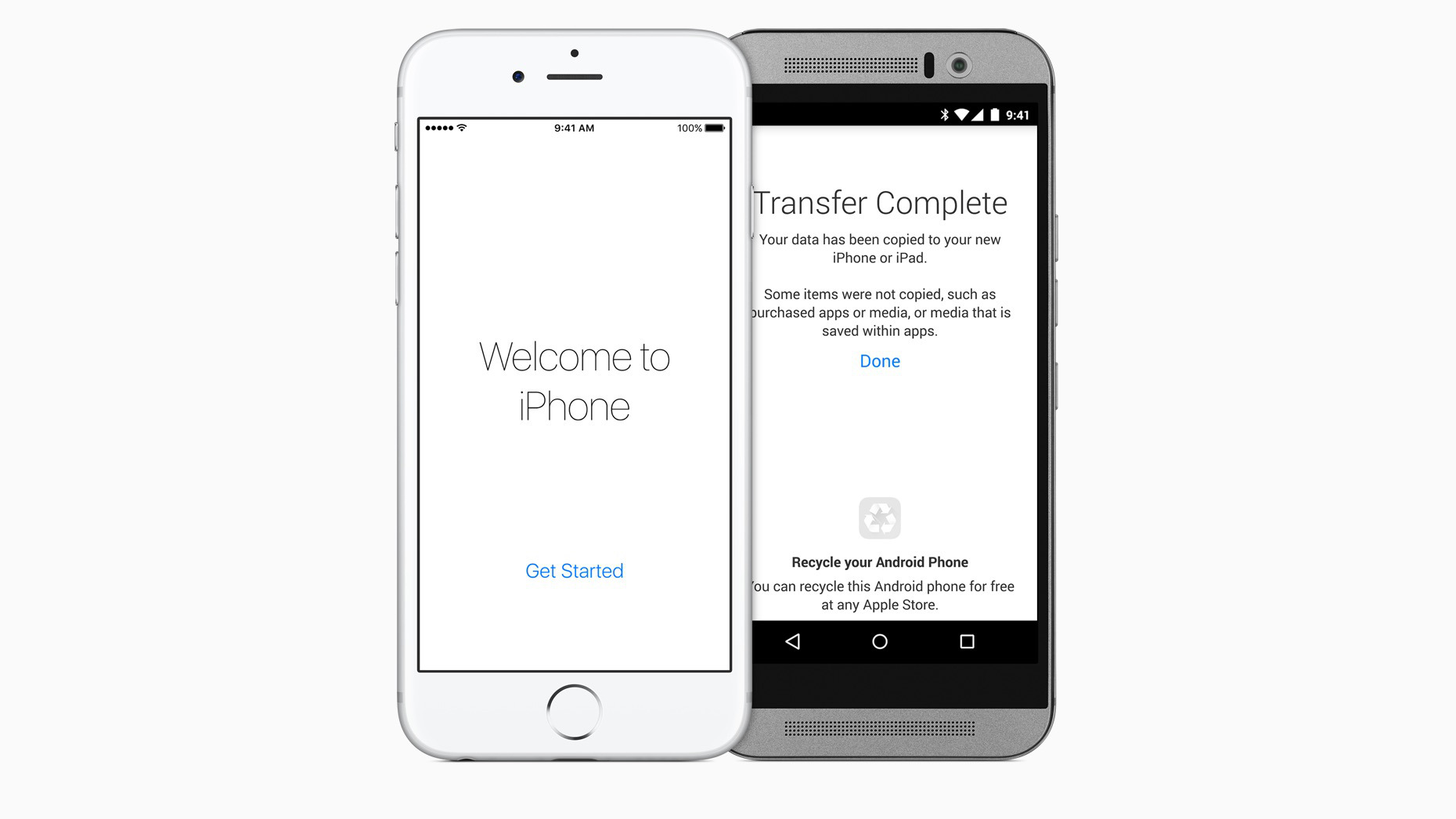
Sure, technically Apple’s first Android app was the now discontinued Beats Music which it picked up through acquisition last year and it’s developing Apple Music for Google’s platform, but it’s very fitting that Apple’s first in-house app is called Switch to iOS from Android. Apple first announced the new Android app this year alongside iOS 9 at its developer conference, and today with iOS 9’s official launch the Move to iOS app is officially available on the Google Play Store. Here’s how it works:
Expand
Expanding
Close

Spotify’s Running feature lands on Android after 3 months in beta

Spotify Running, which originally launched on iOS a whole 4 months ago, has finally made it to Android. From today, Android users will be able to fire up the Spotify app, open the Running feature, and have the music streaming service find music that matches tempo with the pace of their jog…

It’s yet another example of Android support getting put on the back burner, but at least it’s here, right?

As per the official Spotify blog:

Since the launch of Spotify Running, millions of you have laced up and hit the road together with the best musical motivation out there.

Today we’re thrilled to be bringing the same great experience to our Android users.

With Spotify Running, we’ve combined the best music on the planet with recommendations based on your listening history, multiple-genre playlists as well as original running compositions.

Simply select your tempo and start running. We’ll match the perfect music in time to your step to help you go the extra mile.

Spotify Running has been available in the beta version of the Spotify app on Android for a few months now — it’s somewhat odd that it took that long for the feature to be graduated to the full version of the app. Nonetheless, users of the main Spotify app should start seeing the feature roll out today.

https://www.youtube.com/watch?v=0fZBqV_yMq4

CBS All Access content is now available on Android TV

Site default logo image

CBS-android-tv

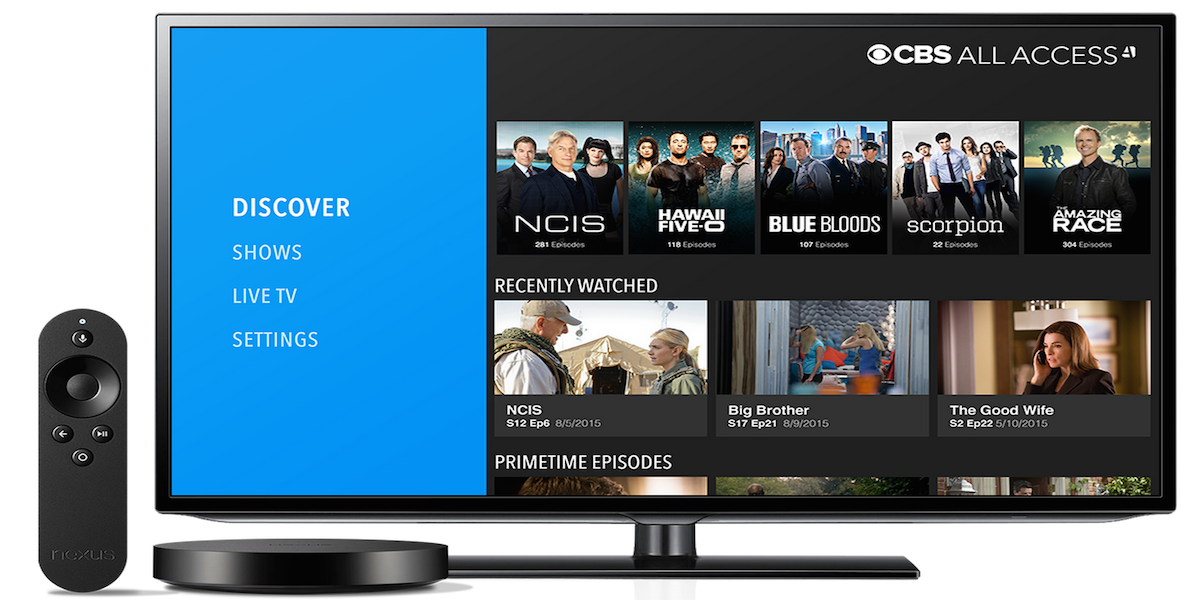
The CBS All Access subscription service, which offers access to full seasons of CBS shows on-demand, is now available to Android TV users.

For $5.99/month, subscribers get access to “thousands of episodes from the current season, previous seasons and classic shows on demand,” but also the ability to stream local CBS TV stations, available in more than 85 markets. In addition, the service has mobile apps as well as Chromecast and Roku support.

CBS shared a sampling of the content:
Expand
Expanding
Close

Google AdSense for iOS hits 3.0 w/ iPhone 6 & 6 Plus support, Material Design, more

IMG_0799.PNG 2015-09-14 10-05-02

Google has this morning pushed an update to AdSense for iOS, bringing many features that other apps in the Mountain View company’s catalog received months ago. While it may not be the most popular app outside of publishing and creative circles, the AdSense app has today been updated with support for Native iPhone 6 and 6 Plus resolution, Material Design, and more.

Rounding out the update is support for Hindi and Malay, a new icon for the Home Screen, more metrics, and a today center widget. The last of these, in case you aren’t aware, is a new widget for the Today section of Notification Center. On it, you’ll find four metrics for quick access: Today so far, Page views, Clicks, and Page RPM. It also tells you when the widget was last updated.

While Google’s apps for iOS have always been known for being well-polished (and sometimes just generally better than their Android counterparts), they usually come at a much slower pace. AdSense 3.0 for Android with many of the same new features was released on Android four weeks ago, and you can read more about that update here.

Here’s the full change log:

What’s New in Version 3.0

This time we’re bringing you:
– Support for Hindi and Malay;
– Native iPhone 6 and 6+ resolution;
– A today center widget;
– Our lovely new AdSense logo;
– More metrics!
– A little something we like to call Material Design.

Head over to the App Store to grab the latest version for free.

Speck_DFI_Ad_CS-Stacked-Cube_728x90_v1[2]

Google Play Newsstand get sports information in latest update

Screenshot_20150910-162953.png 2015-09-10 16-48-03

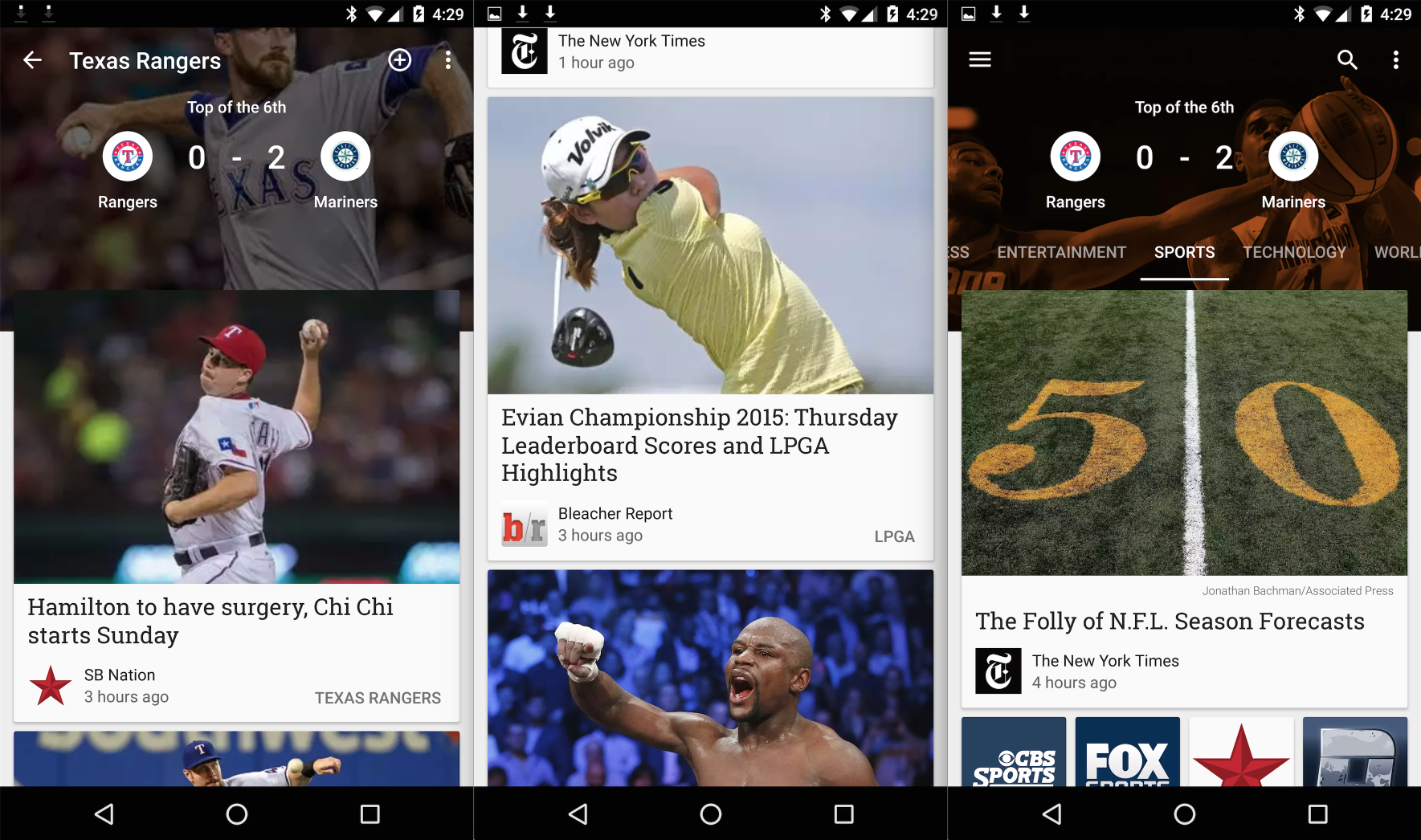
Google Play Newsstand is definitely my least used Google Play app. That’s not saying much, though, because Google Play Music is really the only one that I use. Play Books, Play Games, and Play Movies might as well not exist in my eyes. That said, if you do use Newsstand, you might be interested in today’s new update. Within, you’ll find new support for sports scores for your favorite NFL, NBA, NHL, and MLB teams…
Expand
Expanding
Close

Pokémon Go brings the game to real life on Android with new wearable device

pokemon-go-ios-android

From 9to5Toys.com:

Today, the Pokémon Company has announced that it is partnering with Nintendo and Alphabet-owned Niantic to produce a new upcoming mobile game called Pokémon Go. This title will be available on both iOS and Android devices for free. The main focus of the game is collecting, training and battling Pokémon characters against other users based on their GPS location.

However, this new adventure will be supplemented by an optional wearable. Imagine a Pokémon smart watch of sorts.

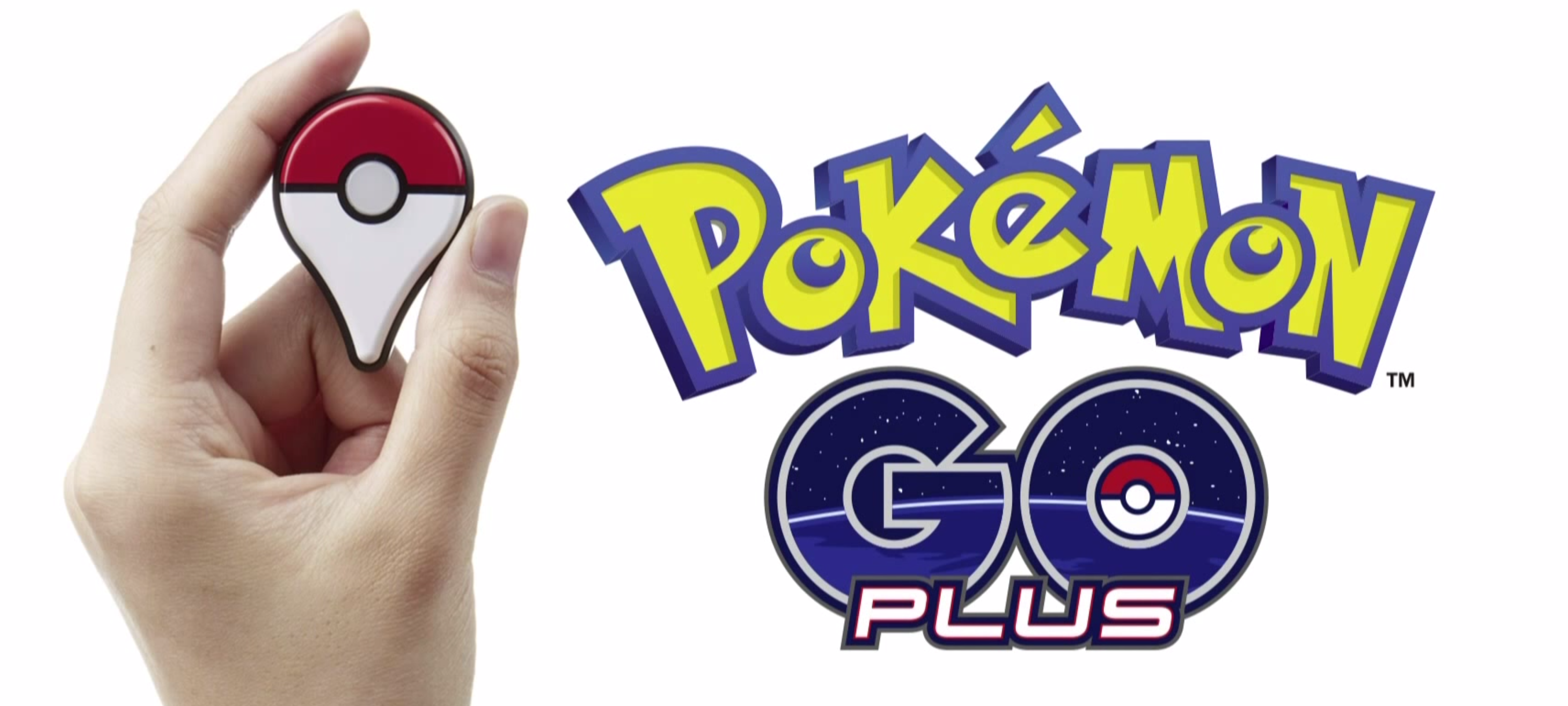
This new wearable is called Pokémon Go Plus. It connects to your smartphone via Bluetooth and flashes its built-in LED light to notify you of nearby players as well as virtual Pokémon you can catch. For example, say you’re on your morning commute on the subway. Pokémon Go Plus will ping your wrist to let you know that a virtual Charizard is closely located. After capturing, you’ll be able to train and battle with that new character.

pokemon-go-plus-wearable

The wearable isn’t required to play the game but it is an unique add-on that bring another level to the experience. Be sure to check out the video above for a visual representation of how game play works. Pokémon Go will be released on iOS and Android in 2016 as a free download with in-app purchases. Pricing has yet to be released for the Pokémon Go Plus Wearable. The entire press conference and announcement has been uploaded to YouTube for viewing, as well.

Source: The Pokémon Company

Speck_DFI_Ad_CS-Stacked-Cube_728x90_v1[2]

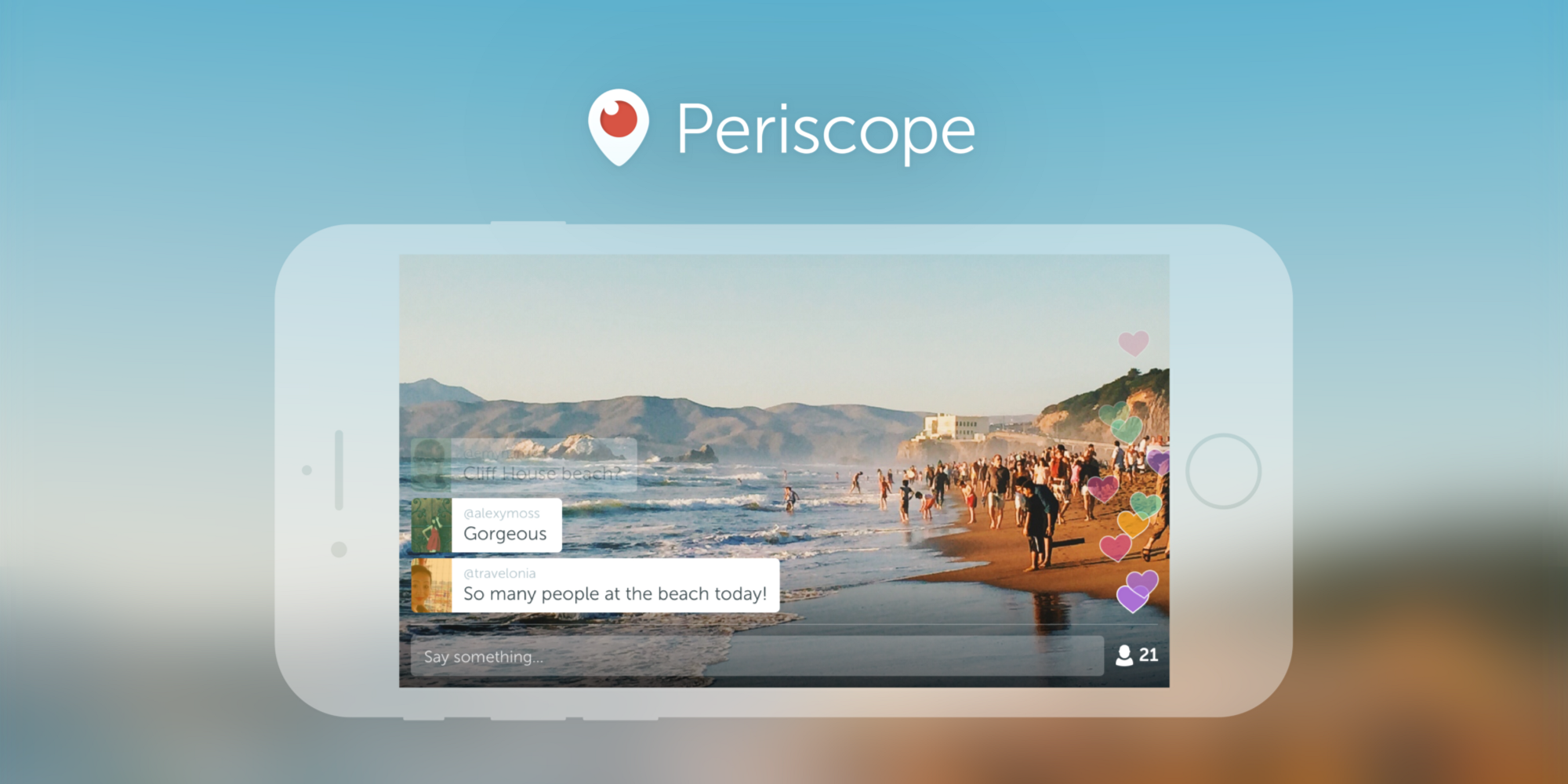
Twitter’s Periscope for Android adds landscape live broadcasting support

Periscope

When Twitter launched Periscope earlier this year, the live broadcasting app embraced the natural way to hold smartphones: it portrait mode. But video wants to be shot in landscape as it looks best on TVs and computer displays, and Periscope doesn’t want to be trapped in your phone.

Paving the way for expanding to smart TVs and immediately creating a better viewing experience on the web, Periscope is adding support for broadcasting in landscape for the first time in its latest update for Android. The update lets broadcasters shoot in either landscape or portrait mode and viewers can continue to view new landscape streams in portrait orientation.

There’s also a new Android-only enhancement called Mutual Follow:
Expand
Expanding
Close

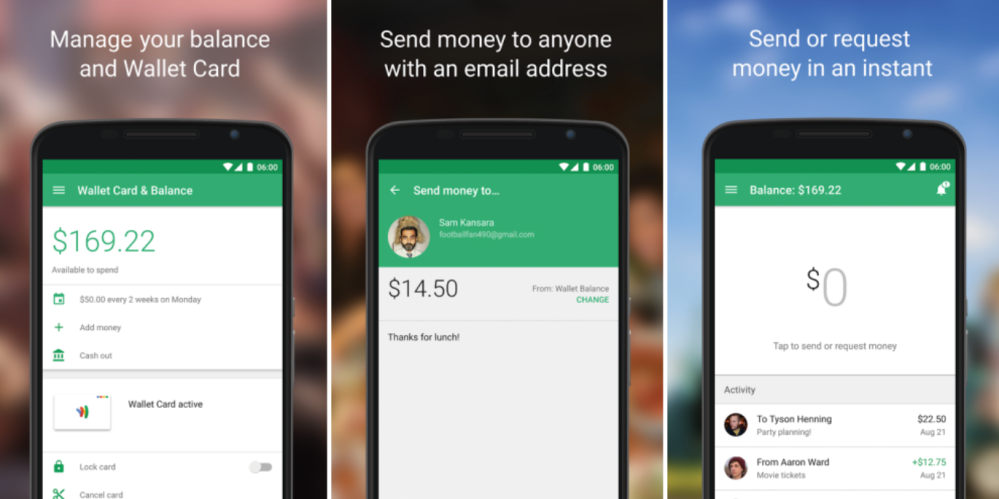
Google releases new Wallet app with refreshed interface ahead of Android Pay launch

Screen Shot 2015-09-09 at 8.32.10 PM

Update: Google has officially announced the new app.

Today, we’re announcing a new Google Wallet app — now focused exclusively on sending and receiving money. You can use Google Wallet with your Android or iOS device to send money to anyone in the US with an email address, even if they are not a Wallet user. And now, when you receive money through Google Wallet, you can quickly cash out to a debit card or linked bank account.

Google today unexpectedly released a new Google Wallet app on the Play Store. Instead of updating the original Wallet app, the company released an entirely new app with an entirely new interface. At this point, it appears that the original Wallet app will be converted to Android Pay when it launches, while Wallet itself will live on in the form of today’s new app.


Expand
Expanding
Close

Play Store updated w/ support for uninstall manager, fingerprint sensors, and more

Ahead of the release of Android 6.0 Marshmallow, Google has updated the Play Store app to version 5.9 with a handful of new features and hints at future features and capabilities. First off, apps are now beginning to display popups that ask for permissions the first time they are opened after being downloaded.


Expand
Expanding
Close

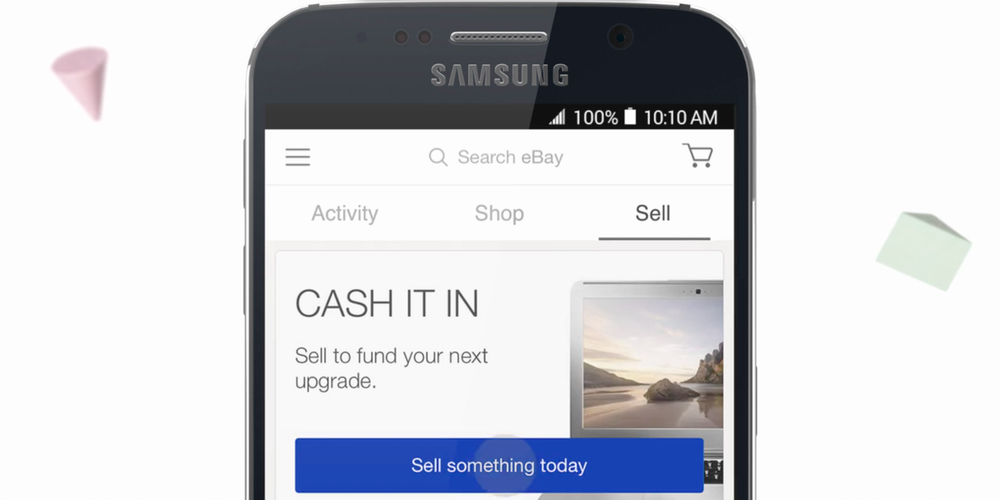
eBay 4.0 arrives on Android, offers simplified selling and revamped UI

ebay-4-app

In celebration of its 20th birthday, eBay has launched a brand new mobile app with a new focus on selling and a more attractive and intuitive user interface. eBay describes the app as having a “more browsable design” with much easier access to features like top deals, promotions and events. What’s more, the seller dashboard has been refreshed to offer a more personalized look at how well you’re doing and give you relevant tools, tips and guides on how to improve.

Focused on creating more vibrancy in our marketplace, we’ve elevated selling within eBay 4.0, and have designed a more personalized experience based on a seller’s level and activity. The new app offers more information to help first-time and new sellers be successful, and a new dashboard for more regular sellers with at-a-glance activity updates. We are passionate about creating a great experience for our buyers and enabling the continued success for our sellers.

eBay 4.0 offers a new Activity feed giving consumers personalized updates on the objects and goods that are important to them. Alongside that is the new Shop tab, with a bespoke feed of items tailored for each individual user. eBay 4.0 will be available to download from the Google Play Store from today.

[vimeo 138589685 w=500 h=281]

Google Drive for iOS update brings multiple file select, quick sharing, and more

Google-Drive

A new update to Google Drive for iOS brings a couple notable, highly-requested features to the app. Included in the update, users will now be able to select multiple files at once in order to perform an action like saving for offline, adding a star to important files, or rearranging and organizing. The new feature is something that has long been requested by users and makes managing and sharing multiple files at once much easier than in the past.

In addition, the update includes the ability to share, rename or view file details much quicker with new quick share buttons when tapping on a file.

And lastly, Google says the updated app will include the usual performance improvements.

The updated Google Drive app for iOS is available on the App Store now.

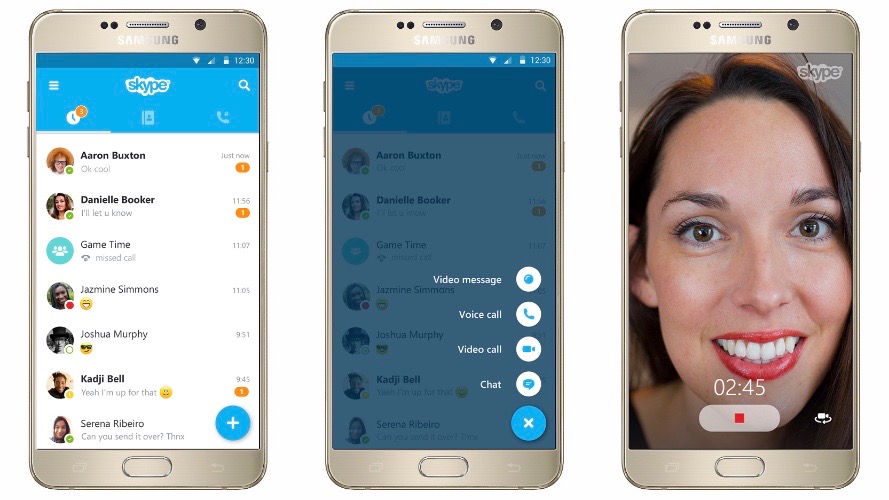
Skype 6 for Android adds floating action button and improved messaging in latest redesign

Skype 6 Android 16-9

It was only a month ago that Skype for Android was hit with a slight visual refresh, and today Microsoft is pushing out a much bigger redesign to the messaging app that it says was inspired by Google’s Material design. Skype 6.0 for Android replaces the custom action bar along the bottom of the app with a new floating action button that should be familiar to other modern Android apps. The action button ties in shortcuts to video messages, video calls, voice calls, and conversation chats.
Expand
Expanding
Close

Google Maps for Android gains richer local recommendation search

Google Maps 16-9

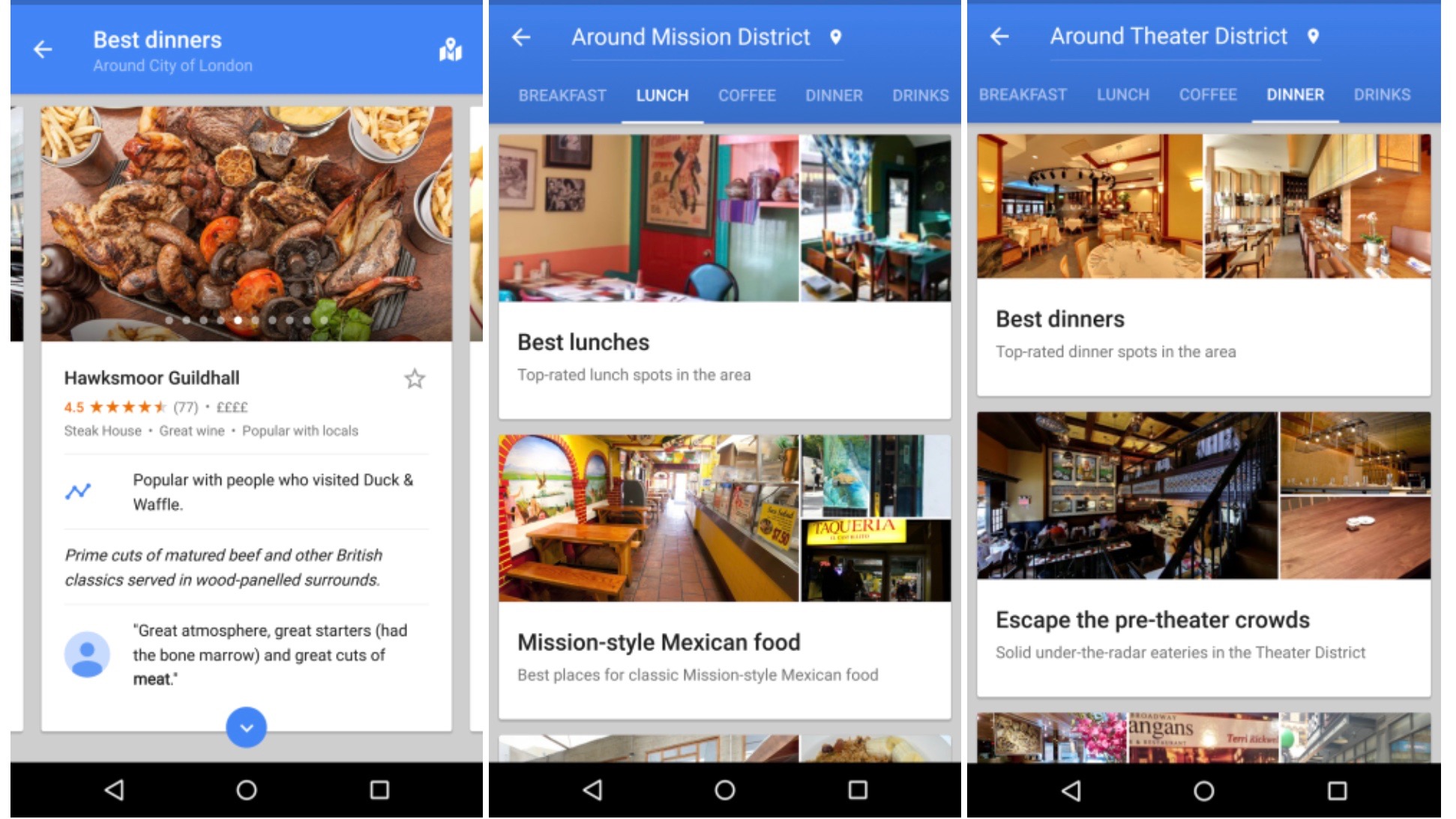
Google Maps on mobile has since last year had an Explore section where users can find the best restaurants to eat at and things to do in their area. With an update rolling out today to the Android app, it’s becoming a bit more easy to specify and narrow down exactly what you’re looking for.

Prior to today, Explore only used the inputs of distance and time of day to determine what to show you. Users can now, however, specify a nearby neighborhood, category, and type of cuisine to find, on top of the existing inputs. Tapping on a suggested place will bring up more detail like who the vibe is best, or least, suited for, and sometimes it’ll include why Google chose to recommend that place in particular.

It seems crazy to me that Explore in Google Maps was lacking this type of gradual search before, but it was. The new inputs make perfect sense, too — what if I specifically want to find a place to have drinks with friends, and also make sure it’s not too upscale of a place? You couldn’t narrow your results down that far before, but now you can. Well, that’s if you’re in the US or UK, where the Explore update is limited to for now. And if you happen to be in NYC, San Francisco or London, Google will even curate its suggestions into named sections like “Best places for classic Mission-style Mexican food.”

Aside from the new search, the UI has been updated a bit with a card-based interface for swiping through suggested places and their corresponding photos. This interface closely matches what Google rolled out to its search product on mobile for rich content results just a few days ago. Maps for Android also recently saw its directions interface updated with a similar tabbed design displaying duration estimates for every form of transportation to a given location.

Other location-based recommendation apps like Foursquare and Yelp have had what Google is rolling out now for quite a while, it’s worth noting. When I find an APK for this new update I’ll be sure to update this post.

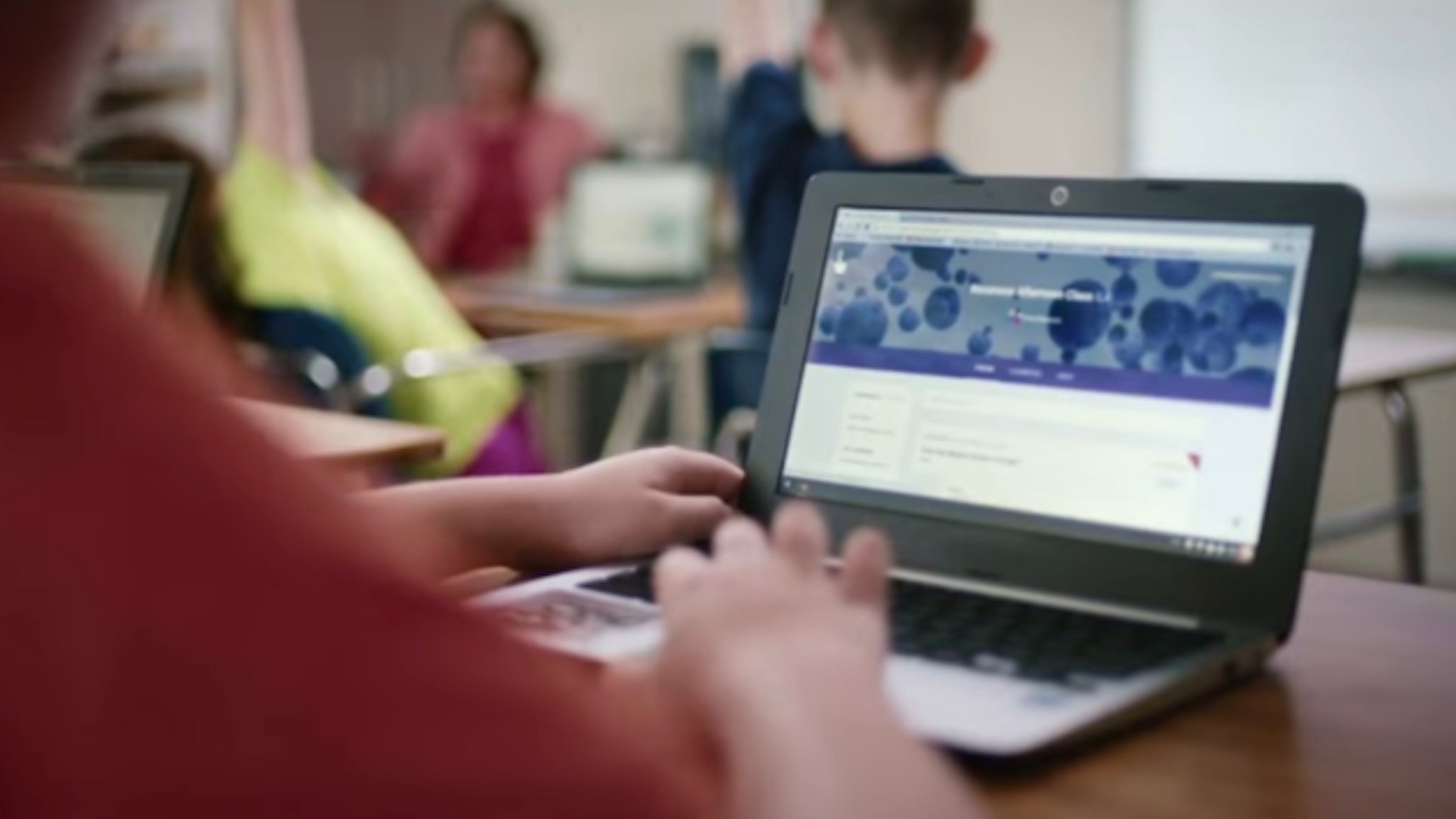
Google Docs gains speech to text, new templates, smart sheets, more

Screen Shot 2015-09-02 at 1.57.36 PM

Update: Two other minor updates targeted to business customers have also been included. Text inside a Sheets cell can now be partially formatted, rather than formatting all the text to one font style (i.e. italics), and Google’s fonts are preserved when opening a Docs or Sheets file in Microsoft Word and PowerPoint.

Google has today pushed a bunch of new features and general improvements to its Docs suite of web-based productivity apps. It’s the beginning of the school year so it’s no surprise that the company’s post on the changes is targeted towards teachers, but anyone using Docs will benefit.


Expand
Expanding
Close

IFTTT’s powerful DO Button app adds Android Wear support

The DO Button is a great accessory app to the powerful “If This Then That” service, and now you can use the app with your Android Wear device. Thanks to an update that’s rolling out (via Android Police) on the Play Store right now, you’ll be able to control hundreds of IFTTT-compatible apps — like Tumblr, Drive, Evernote, and more — from your wrist…

DO Buttons are simplified, quick one-tap access to your IFTTT recipes. For example, paired with a Nest thermostat, you can create a recipe that sets your home’s temperature to 72 degrees. These have long been accessible via the Android and iOS apps, but today’s update will put them on your watch. Also, the update packs support for new channels.

Here’s the full change log:

Introducing DO Button for Android Wear!
Designed for simplicity and ease of use, DO for Android Wear places the control of hundreds of apps right on your wrist.
+ New Channels include: Adafruit, Amazon Cloud Drive, Camio, dondeEsta Family, iSecurity+, Wattio, Wolfram Data Drop
+ A few wrinkles were ironed out
—The IFTTT Team
If you want to grab the update, just keep your eye on the Play Store listing. The app is free, of course, and the update should be rolling out now.


PSA: Popular iOS game Alto’s Adventure is coming to Android

altos-adventure-b06camppng-daaa3f

Alto’s Adventure is one of those fad games that may or may not stick around in the long term, but it has been featured in the App Store a couple of times for good reason. It’s a tranquil and calm pick-up-and-play snowboarding game not all too different than the likes of Tiny Wings, but — just like Tiny Wings — it’s very addicting. Now, thanks to an announcement from NoodleCake (the game’s maker), we know that Alto’s Adventure is coming to Android.

We don’t yet know exactly when the game is making its way to Google’s mobile platform. “We are hoping to have the game out soon enough but we don’t have an exact launch date just yet,” the developers said in a blog post. Assumably, NoodleCake will also be pushing the device to the Amazon Appstore, as the company says that it is coming to Kindle Fire as well. We’ll keep you in the loop. As a fan of the game myself, I’m excited.

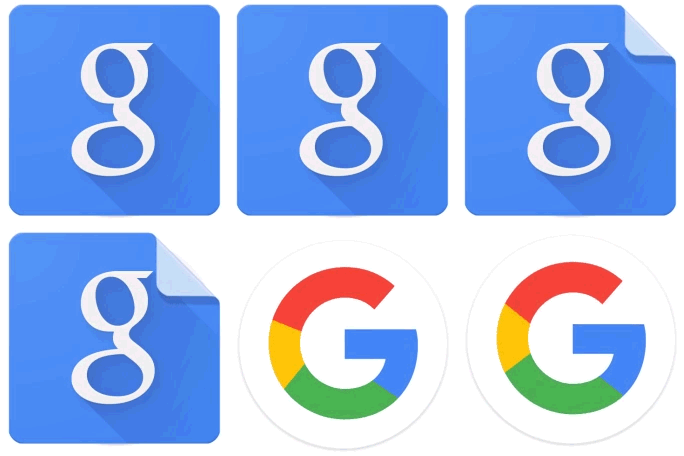
Google begins updating Android apps with its new logo

Earlier today Google officially unveiled its playful new logo and began replacing the classic logo with the new one around the web and at brick-and-mortar locations. Now, the company is rolling out updates to its Android apps with the refreshed logo.

Google has updated Maps, Translate, and Search on Android with the new logo. The Search update also included a handful of other changes, which we told you about earlier today. The Maps update also includes the ability to more easily compare ETAs across driving, transit, walking, and biking.

Google will undoubetedly continue to rollout updates to its other Android apps with its revised logo and if the speed at which its been updating the logo in other places in any indication, it won’t take long before the classic logo is entirely phased out.

The updates to Maps, Translate, and Search are rolling out now via the Play Store, but as usual, they may take a few days to hit every device. In the meantime, you can download the APKs from APKMirror at the links below:

GoPro app for Android gets smart editing feature to create & share clips

GoPro-Android

The official GoPro app for Android gets an update today which brings a new smart editing feature to let users create and share clips instantly from within the app. Previously users resorted to third-party apps for similar functionality with GoPro camera hardware.

The new feature will let users instantly create edited versions of their videos that come in at 5, 15, or 30 seconds. You’ll be able to drag the timeline to select what 5, 15, or 30 second portion of your video you want to isolate. Once you’ve selected your clip, you’ll be able to instantly share to Facebook, YouTube, Instagram and other social sharing options available in the app.

The updated app, version 2.9, also receives an “improved camera software update process” and a number of bug fixes and other improvements.

You can grab the updated app for Android on Google Play

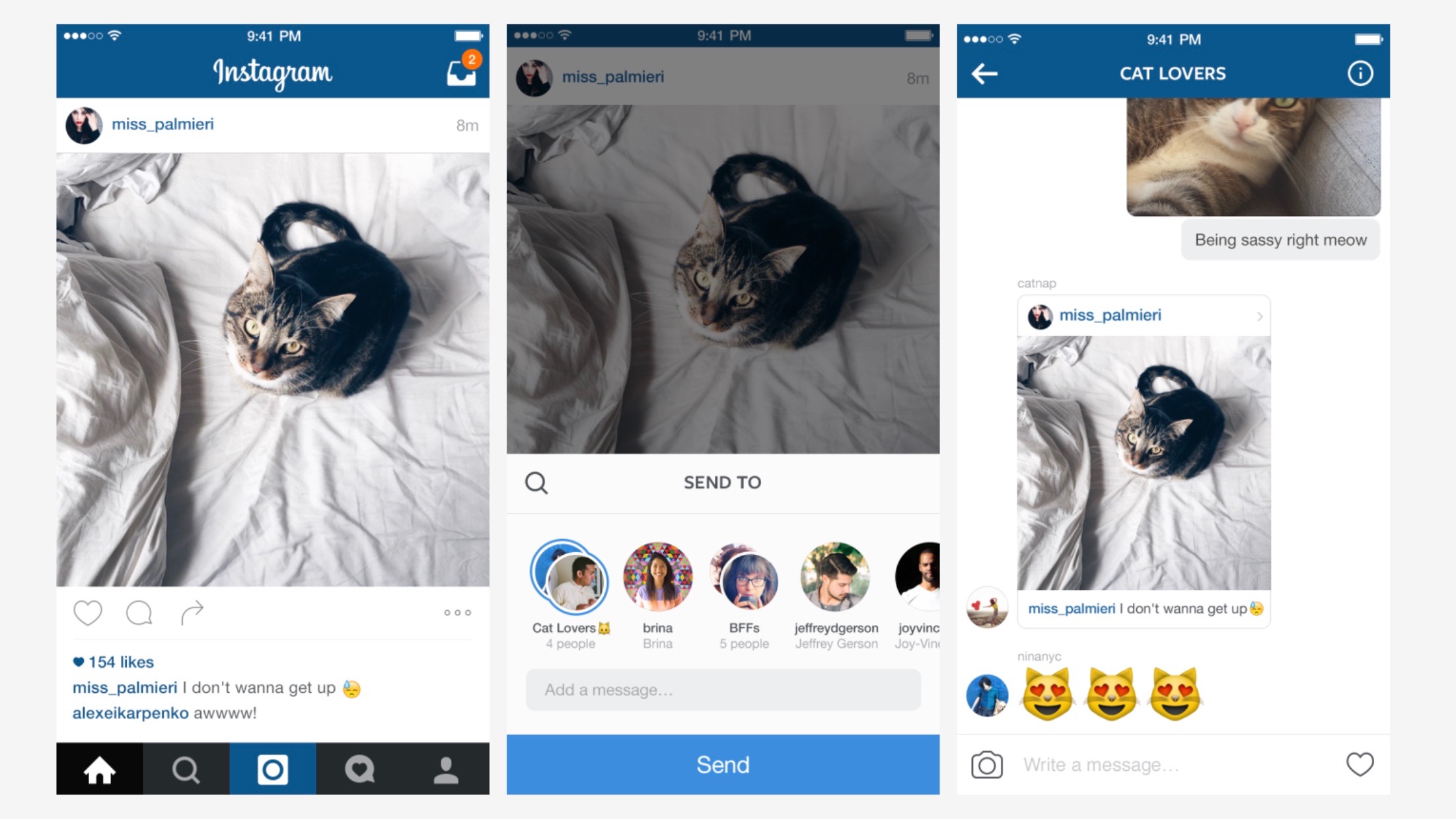
Instagram enhances its Direct messaging feature w/ chat threads, giant emoji, more

Instagram Direct

After mostly letting it sit stagnant for nearly two years, Instagram is ready to show its Direct messaging feature some love. Instagram Direct, which lets you share photos, videos, and messages privately with other Instagram users, was seen as a play at Snapchat and similar apps when it launched in 2013, but it’s so far experienced limited appeal within the photo sharing app. Now Instagram hopes to change that with new features including message threads, giant emoji, sharing from your timeline, and more.
Expand
Expanding
Close

LinkedIn revamps messaging experience on Android with redesigned app

linkedin-messenger

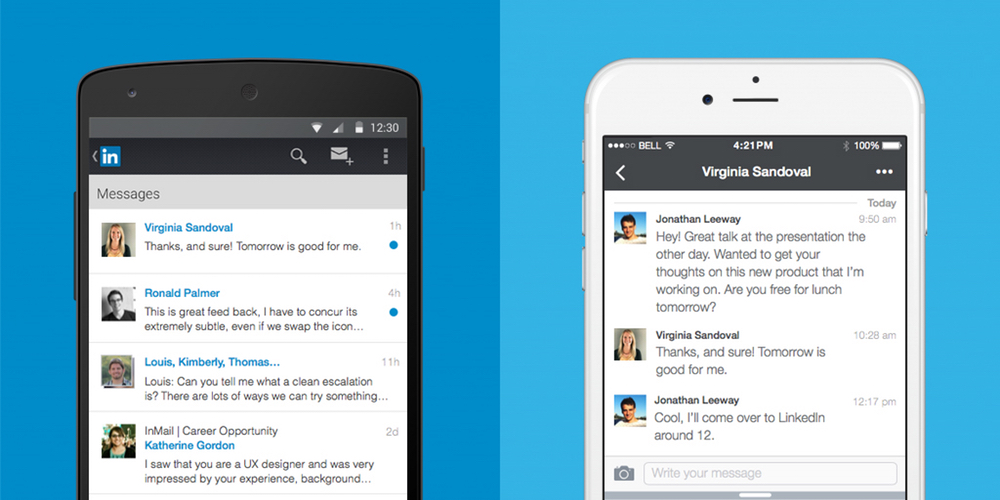
LinkedIn, the popular social network for connecting business people, has announced that its messaging experience is getting a serious design overhaul from today. Unlike the previous inbox, messages will no longer follow a traditional email format. Instead, it’s turned towards a messaging app design similar to Facebook Messenger.

LinkedIn has built everything from scratch, from the ground up with a cleaner, streamlined look with a brand new chat-style user interface. You can chat with contacts individually or send group messages, and conversations are organized around the people who are important to you. What’s more, you’ll be able to send documents, images, stickers, emojis and GIFs in your messages.

Starting today, we are rolling out a new messaging experience on LinkedIn that offers an easier and more lightweight way to have professional conversations with your connections.  We know many of you have been asking for this ability and we’ve taken a thoughtful approach to reflect the evolving ways professionals are communicating with one another today, as well as, the different ways our members are interacting with each other across our international markets.

From today, the new messaging experience will by rolling out to English-speaking LinkedIn members across the globe on iOS, Android and on the web. If you have LinkedIn installed on your Android smartphone, check the Play Store for updates and you should find one waiting for you over the coming days or weeks.