Android

See All Stories

Breaking news for Android. Get the latest on apps, carriers, devices, and more!
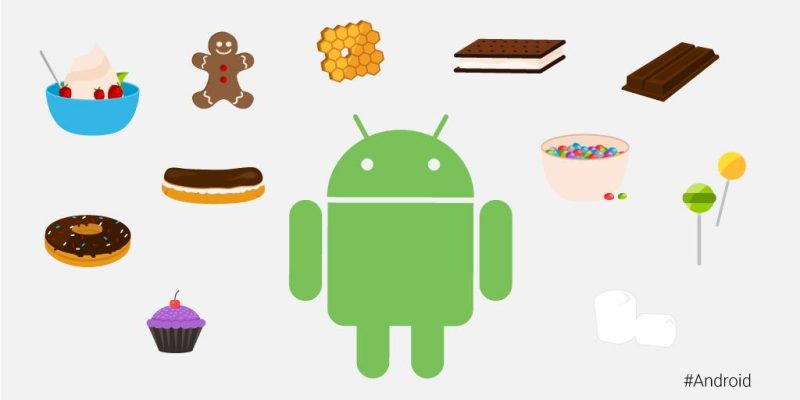
Android is Google’s mobile operating system, launched in September 2008, although its history technically began with the release of the Android alpha in November 2007. To this day, Android powers the majority of the world’s smartphones and comes in several different flavors across many phone makers.

What is Android?

Android Inc.

Android, before it was Android, was a company called Android Inc. That company was founded in Palo Alto, California, in 2003 by a crew of four: Andy Rubin, Rich Miner, Nick Sears, and Chris White. The company and its project was acquired by Google in 2005 for a sum of more than $50 million, although the exact number is unknown. The company’s founders joined Google as part of the deal.

In its infancy, Android was an operating system built not for touch screen smartphones like the iPhone, but rather BlackBerry-like devices with physical keyboards. It’s well documented that after Apple shocked the world with the iPhone, ahead of its nearest competition by at least a couple years, Google and Android Inc. had to go back to the drawing board to build something competitive.

Adoption by third-party makers

It didn’t take long after the launch of the iPhone for various manufacturers to enter the market with their alternatives — and Google’s Android immediately became the obvious platform of choice for just about everyone except Microsoft. HTC was the first manufacturer on board, and introduced the T-Mobile G1 running Android in September 2008. Soon after, HTC, Motorola, Samsung, and carriers like Sprint and T-Mobile jumped on board to form the Open Handset Alliance.

Android makers across the world

Iconic Android handsets

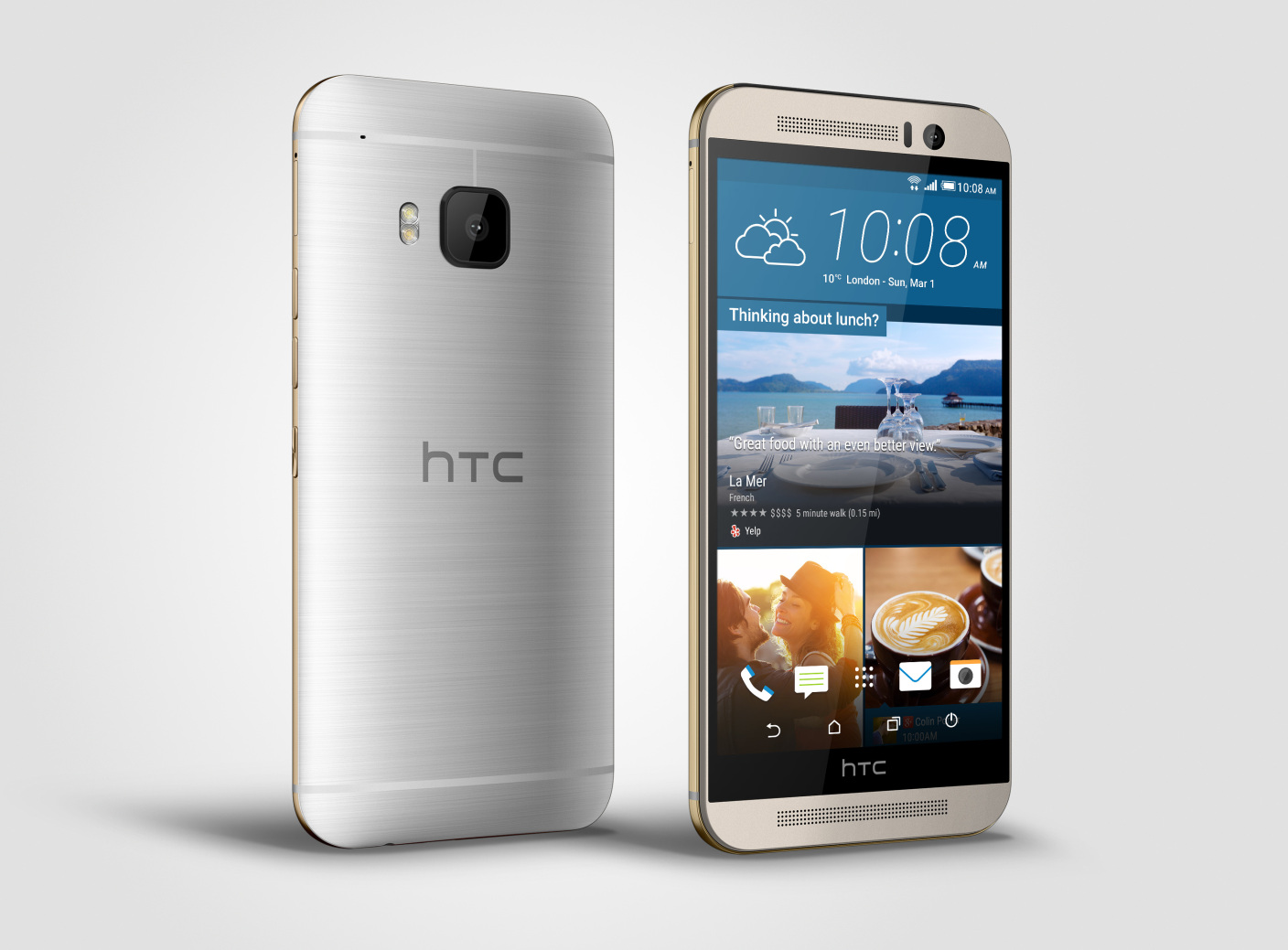
There have been thousands of Android phones released since Android’s inception, but some have been more important to the platform’s history than others. There was the original T-Mobile G1, as mentioned, but there was also the HTC One Google Play Edition, Moto G, Samsung Galaxy S4, and others. Some of the most iconic Android handsets include:

  • HTC G1
  • HTC Nexus One
  • Samsung Galaxy S, S2, S3, S4, and their successors
  • HTC Incredible S
  • Samsung Nexus S
  • Samsung Galaxy Nexus
  • Samsung Galaxy Note
  • Nokia 8
  • BlackBerry KeyOne
  • Google Pixel and its successors

In more modern times, there are several Android smartphones makers that popped up across various niches and in several international markets. Huawei is a dominant Android maker in China and many European markets, while Samsung is by far the most popular maker in the United States by far — effectively creating a duopoly with Apple. Today, there are dozens of major device makers contributing to the Android ecosystem.

Full list of Android OEMs

History of major Android versions

Android has seen countless software revisions over the course of its life, but in modern times the OS usually sees a major release on an annual cadence. In the earlier days, Google famously gave its major software releases dessert-themed codenames, but retired that practice in 2019 with the release of Android 10.

VersionNameReleaseDevices
2.3GingerbreadFebruary 9, 2011Nexus S
4.0Ice Cream SandwichOctober 19, 2011Galaxy Nexus
4.1Jelly BeanJuly 9, 2012Nexus 7
4.2Jelly BeanNovember 13, 2012Nexus 4, 10
4.3Jelly BeanJuly 24, 2013Nexus 7 (2013)
4.4KitKatOctober 31, 2013Nexus 5
5.0LollipopNovember 3, 2014Nexus 6, 9
5.1LollipopMarch 9, 2015Android One
6.0MarshmallowOctober 5, 2015Nexus 5X, 6P
7.0NougatAugust 22, 2016Nexus 5X, 6P
7.1NougatOctober 4, 2016Pixel, Pixel XL
8.0OreoAugust 21, 2017Pixel, Pixel XL
8.1OreoDecember 5, 2017Pixel, Pixel XL
9PieAugust 6, 2018Pixel 2, Pixel 2 XL
1010September 3, 2019Pixel 3, 3a
1111September 8, 2020Pixel 4

List of major Android OS platforms

While Android proper is certainly the most widespread of Google’s Android operating systems, the company has also launched many offshoots of the main OS over the years. There’s Android Auto, Android Wear (now Wear OS), Android TV (now rebranded to Google TV), as well as versions of Android built for tablets and Android Things (now defunct).

Newly leaked renders almost certainly show the 2015 Moto G in the flesh

The Moto G is set to get a refresh sometime over the next couple of months, likely alongside the company’s flagship Moto X. We first saw some leaked shots of this Moto G (2015) a couple of weeks ago, but that was a sketchy (and blurry) barely-lit picture taken with a potato. Now, we have our first look (via TechnoBuffalo) at what look to be PR renders of the refreshed budget handset…


Expand
Expanding
Close

Site default logo image

Hangouts for iOS gets Material Design UI tweaks, multiple photo attachments, Android update incoming

Google has updated Hangouts for iOS today with a handful of new features and what it says is an overall improved user experience. While iPhone and iPad users get the update today, Google says an Android version will arrive in the near future. 
Expand
Expanding
Close

9to5Toys Lunch Break: Toshiba 13-inch Chromebook $250, Gear Fit $70, Samsung 128GB microSD $73, more

Keep up with the best gear and deals on the web by signing up for the 9to5Toys Newsletter. Also, be sure to check us out on: TwitterRSS FeedFacebookGoogle+ and Safari push notifications.

Today’s can’t miss deals:

Toshiba 13.3-inch Chromebook 2 Intel 16GB SSD: $250 shipped (Reg. $300)

Samsung refurbished Gear Fit Fitness watch: $70 shipped (Reg. $150)

Samsung 128GB MicroSDXC EVO+ Flash Card: $73 shipped (Orig. $130)

M-Audio Studiophile 4-inch Powered Monitor Speakers $80 shipped (Reg. $149)

Quick Review: Eton Scorpion II is a rugged solar electronic survival kit for $50


More new gear from today:


Daily Deals: Sony Cyber-shot 20MP Camera $600 w/ Free $50 Gift Card, iPhone 6 sweat-proof armband $7, more

More deals still alive:

Free Xbox Gold Games for July: Assassin’s Creed IV Black Flag, more

New products & more:

Molson and Google team up on voice activated fridge that dispenses free beer

Amazon’s Treasure Truck brings daily deals to the streets

Site default logo image

New build of Android 5.1.1 Lollipop shows up for the 2013 Nexus 7 (WiFi)

We aren’t sure at the moment what — if anything — is tangibly new in this firmware, but a new build of Android 5.1.1 Lollipop, LMY48G, has just showed up for the 2013 Nexus 7 (WiFi). We’ve seen hundreds of scattered reports that OTA Lollipop updates are effectively bricking 2013 Nexus 7 devices, so maybe this new build is some kind of remedy for that situation.
Expand
Expanding
Close

OnePlus confirms that the OnePlus 2 will indeed sport a fingerprint sensor

Site default logo image

OnePlus, in its parade of announcing each and every specification of the upcoming OnePlus 2 flagship in separate posts, has announced today that the phone will sport a fingerprint sensor. It was a much-rumored feature of the device (and will probably be coming to the upcoming line of Nexus devices as well, thanks to official support in Android M), and now it’s confirmed.
Expand
Expanding
Close

Force Chrome desktop to remove images with Data Saver in new dev build

Google Chrome has a neat experimental mode called Data Saver that, when enabled, will purportedly cut your browser bandwidth usage by up to 50%. You can download a beta of Data Saver from the Chrome Web Store. Now the browser tool has a new ability in the dev channel build of Chrome to replace images.

Chrome evangelist and ex-leaker François Beaufort shared the info to Google+, explaining that Data Saver mode is intended for mobile users on very low bandwidth networks. It works by sending your requests to visit a site through Google server’s which then runs the webpage through a compression technology (more info here) that removes anything that isn’t crucial to the webpage. Data Saver Lo-Fi, a flag that can be enabled for Data Saver, specifically removes images, replacing them with placeholder colorful graphics, and the images can be forced to load by long tapping one of the placeholders and pressing “Load image.” Google recently began rolling out the Data Saver compression technology to Android users in India and Brazil, both emerging markets where data reception is still spotty and unreliable. The technology only works on sites requested over HTTP, so sites where HTTPS is required won’t be compressed.

To enable Data Saver in your desktop version of Chrome you first need to switch your version of the browser to the developer channel (instructions here), install the Data Saver extension, and then visit chrome://flags/#data-reduction-proxy-lo-fi and toggle “Data Saver Lo-Fi mode” to “Always on.”

Typically desktop users already use much more bandwidth than mobile users, and this tool won’t be as big of a deal for those in developed nations with high caps on their broadband usage, but it could come in handy in places like hotels or on in-flight WiFi where data is either capped really low or just slow, or both. Some may be wary to use the tool, however, as it sends the pages you request to Google’s servers for modification before they reach the user.

Site default logo image

Leaked dimensions & battery capacity match earlier rumors of Samsung Galaxy S6/edge Plus

Rumors that Samsung plans to launch a larger-screened version of the the Galaxy S6 edge kicked off at the beginning of the month, with the first alleged image appearing a day later. A later claimed image seemed to suggest a display size of around 5.5-inches, and dimensions and battery capacity reported today by SamMobile are in line with this kind of screen size.

It is around 151 mm tall and around 73 mm wide, which makes it 9 mm taller and 3 mm wider than the Galaxy S6 edge […] According to the insider information that we’ve received, the device will house a 3,000 mAh battery.

The phablet, which may be called the Samsung Galaxy S6 Plus or Samsung Galaxy S6 edge Plus, is said to go by the internal codename of Project Zero 2. Earlier rumors had suggested the device would have a hexa-core Snapdragon 808 processor, 32GB storage, 16MP rear camera and 5MP front camera.

While the rumored device is gaining in credibility, there’s no word yet on when it may launch.

Purported OnePlus 2 w/ metal build leaks, looks like rumored 3rd gen. Motorola phones

Site default logo image

The OnePlus 2 isn’t scheduled to be unveiled for about a month, but PhoneArena has apparently come into some nice new shots of both the back and front of the device. They’re a little bit blurry — what leak isn’t? — but they do give us a relatively clear look at the overall build of the phone and an early peek at its software as well…
Expand
Expanding
Close

Evidence of offline ‘OK, Google,’ other features found in Google app version 4.8

The Google app — previously known as “Search” — was updated to version 4.8 last week, and now a new teardown has revealed some interesting new details about some features that might be coming in future versions. Most notably, it looks like offline support for “OK, Google” is likely to be on the way, letting you give your device some voice commands without having a connection to the Internet…
Expand
Expanding
Close

Self-driving car project head Chris Urmson on how the cars see the world (Video)

Chris Urmson is head of the self-driving car project at Google, and as you may know, the Mountain View company just announced that the latest prototype of its car — the one that’s super adorable — is now on the roads of Mountain View. But one thing that many just can’t wrap their head around is how these cars can manage to navigate the roads themselves, without any human assistance. Urmson does a great job of explaining that in this TED Talk video…
Expand
Expanding
Close

Here’s what happens when you open 100 tabs in Chrome for Android

Google employs a lot of engineers. Most software engineers know that when you have a box which can contain a variable amount of content – say, an input field or the title section of a blog post like the one above – that you need to make a decision as to what happens when more content than can initially fit into the box is inputted. Maybe you take the lazy way out and simply limit what the user can do so that their input doesn’t end up exceeding the character limit of the box, for example. Google has done something even lazier in Chrome for Android.

Let me preface this by saying that what I’m about to show you isn’t new, but I just learned about it so I’m sure it’ll be new to some of you too. Also it’s Friday, so why not see some neat stuff. With that out of the way, here’s what it looks like when you have any amount of tabs open in Chrome for Android under 100 tabs (images courtesy of Reddit user /u/Hamsna):


Normal, right? Right. Here’s what it looks like when you have 100 or more tabs open:


Let me help in the event that you haven’t noticed anything different in that second image:


It seems that someone at Google decided that it’d just be more work than it’s worth to come up with a more pragmatic solution, so it used an emoticon instead to say¯\_(ツ)_/¯ And how many people actually use more than 100 tabs, in a mobile browser no less? Only psychopaths, probably.

Google Apps admins can now see download events in Google Drive audit logs

Google lets the administrators of Google Apps accounts view an auit log of all the activity happening in their company’s Google Drive account. Before today, you could see in these logs all of the events when someone would view, create, update, delete, or share Drive content. Starting today, Google says that admins can now see download events in these logs as well.

To help analyze and monitor the use of Google Drive content in their organizations, Drive for Work and Google Apps for Education admins are able to access audit logs in the ‘Audit’ section of the Admin console Reports area and via the Reports API. The current Drive audit logs include events such as create, view, and delete, among others. With today’s launch, we’re adding download event support to the Drive audit logs.

Google says that these new “download events” will include user file downloads for both Google and non-Google file formats. As if the case with other types of audit events, admins will be able to filer by document name, user name and timestamp. Finally the company says that they’ll add more sources in the future including “Sync Client downloads and exports of documents through the Google Docs editors.”

Google ending support for Android Developer Tools in Eclipse later this year

Android Studio was first announced at Google I/O 2013, and now Google is making one of the last pushes to get developers to move over to the new development environment. According to a post on the Google Developers blog, the company is planning to retire support for Android Developer Tools in Eclipse later this year:

To that end and to focus all of our efforts on making Android Studio better and faster, we are ending development and official support for the Android Developer Tools (ADT) in Eclipse at the end of the year. This specifically includes the Eclipse ADT plugin and Android Ant build system.

Google then goes on to detail how to migrate over to Android Studio if you haven’t yet. Obviously, the first step is to download Android Studio. After this, most developers will be able to easily migrate by importing existing Eclipse ADT projects into Android Studio via the Import Project window (as shown above).

9to5Toys Lunch Break: Moto 360 $155-$185, ASUS ZenWatch $150, Monoprice Action Camera $60, more

Keep up with the best gear and deals on the web by signing up for the 9to5Toys Newsletter. Also, be sure to check us out on: TwitterRSS FeedFacebookGoogle+ and Safari push notifications.

Today’s can’t miss deals:

Motorola Moto 360 Android Wear watches: $150$180 + $5 shipping (Reg. $250+) | Woot

Asus ZenWatch silver/rose gold/brown: $150 shipped (Reg. $200) | Best Buy

Monoprice MHD 2.0 1080p Action Camera: $60 shipped (Reg. $90)

Sprint HTC Desire 510 no-contract smartphone: $50 shipped (Reg. $100) | Best Buy

Samsung Galaxy Alpha 32GB unlocked new: $230 shipped (Reg. $300) | eBay

Save $50 on any Dell Outlet Home Chromebook 11 through Sunday, June 28th w/ code “CHROMEBOOK$50

Amazon’s Treasure Truck brings daily deals to the streets

Giveaway: Grovemade’s latest wooden creation provides a luxurious home for your Magic TrackPad

More new gear from today:

Daily Deals: Canon Multifunction Laser Printer $95, Insignia 65-inch LED 1080p HDTV $700, more

More deals still alive:

LG 49-inch 4K 60Hz Smart LED UHDTV: $600 shipped (Reg. $900)

New products & more:

LEGO unveils the highly detailed new Ferrari F40 Creator series set

E3:

Earn Google Play credit with Google Opinion Rewards, now available in Mexico and Brazil

Google Opinion Rewards is a neat app through which anyone can earn credit to spend on anything in Google Play – so long as you’re in the United States, United Kingdom, Canada, Australia, Germany, Italy, Netherlands, or Japan. At least, until now. According to the changelog for an update released to the app today, now owners of Android phones in Mexico and Brazil can join in on the opportunity.

The survey questions that you may be asked to answer through Opinion Rewards, which can be alerted to you through push notifications, are sourced from market researchers who run the surveys through Google Consumer Surveys. Consumer Surveys gives these marketers some of the same tools and platform reach that those advertising products and services through Google get but to instead use to get answers to questions.

Companies who run these surveys get back anonymous and aggregated response data, so they won’t know who you are, and Google says questions that contain mature content, hateful or intolerant speech, or vulgar language are not allowed.


Samsung breakthrough nearly doubles lithium-ion battery capacity

Samsung’s research team has found a way to effectively almost double the capacity of its lithium ion batteries, according to a report from Business Korea. Specifically, the research arm of the company has supposedly developed a technology to make a new “silicon cathode material” for coating the graphene of the battery’s silicon surface, which allows it to support new levels of energy density — up to twice that of currently-available batteries.

You can read the details of the technology at Nature.com:

The graphene layers anchored onto the silicon surface accommodate the volume expansion of silicon via a sliding process between adjacent graphene layers. When paired with a commercial lithium cobalt oxide cathode, the silicon carbide-free graphene coating allows the full cell to reach volumetric energy densities of 972 and 700Whl−1 at first and 200th cycle, respectively, 1.8 and 1.5 times higher than those of current commercial lithium-ion batteries.


Expand
Expanding
Close

Site default logo image

Meerkat continues to fight for live-streaming ubiquity, releases an embeddable player

Meerkat, the mobile live-streaming app that competes with Twitter-owned Periscope, continues to move fast with new products that make its streams more accessible, today releasing an embeddable player.

Embeddable players allow anyone with some basic understanding of how to add HTML to a website to include widget-like objects on their sites. What this means in regards to Meerkat is that anyone who live streams using the company’s mobile app can now have their streams viewable from their own websites. We could, for example, host a 9to5 live stream on Meerkat and include the stream in this very post so you wouldn’t have to download an app to see it.

One of Meerkat’s partners with this launch is Discovery Channel, the media giant behind behind Shark Week, the annual week-long programming block all about, well, sharks. And since Shark Week starts on July 5th, the partnership includes Discovery Channel streaming clips all throughout the week of shark-based festivities from their @SharkWeek Meerkat account and through an embedded player on their website. The new embedded web player looks like this:

The player can be customized before it’s embedded – comments can be shown or hidden, there are three sizing options for the player, and if you’re not live it will show your next upcoming stream if you’ve scheduled one. Otherwise if you haven’t scheduled an upcoming stream it’ll show the stats from your last stream.

Even though competitor Periscope is owned and has its salaries paid by Twitter, who’s public market value is $22 billion, Meerkat has managed to stay nimble and ahead in the race to build out features that expand the potential audience of its streams. The company back in May released a developer platform and API upon which others could build their own Meerkat experiences – maybe a full-screen, leanback experience like YouTube TV, for example. The company also released its Android app ahead of Periscope.

The company has been fighting an uphill battle against Periscope ever since the Twitter-owned product launched, however, even though it had a month head start. In many countries including the United States, Periscope ranks much higher in overall downloads as well as in the social networking category, in both Google Play and Apple’s App Store.

It’s hard to say whether mobile live streaming is a winner-takes-all space, or both can live alongside each other in harmony. Periscope has the benefit of one today being more closely integrated with Twitter’s social network, the best in the world for following real-time news. But at the same time it only has roughly 300 million monthly actives, much less than Facebook and on-par with Instagram. How much of a competitive advantage that may be is uncertain. Only time will tell.

Hugo Barra talks Xiaomi’s long-term U.S. plan, challenges in interview with Re/code (Video)

Hugo Barra, perhaps best known for his involvement with the Android team in its earlier days at Google, is now based over in China working at a company late last year named as the most valuable startup in the world. Known for its high-quality budget Android phones, TV sets, smart device accessories, wearables, and more, Xiaomi hasn’t yet officially launched any of these products in the US. Barra spoke to this at Re/code‘s Code Conference recently, mentioning the company’s long-term plan to eventually make it to United States shores despite many challenges…
Expand
Expanding
Close

Site default logo image

Android 5.1 rolling out in USA to all 2nd-gen (2014) Moto X Pure Edition handsets today

While Moxo X Pure Edition owners on T-Mobile have had Android 5.1 for almost a month now, and owners of carrier models started seeing it in the past few days, some owners have still been waiting. That wait is now over, according to a Google+ post by Motorola’s David Schuster.

I am happy to announce that we have been approved to start full deployment of the Android 5.1 Lollipop upgrade for Moto X (2nd Gen) Pure Edition in the US.

The updated version of Lollipop brings with it a bunch of worthwhile improvements, including quick access to Bluetooth and WiFi settings, better notifications and improved performance and security.

Via Android Central

Site default logo image

Final snapshot releases of CyanogenMod 11.0 and 12.0 going live tonight

CyanogenMod today announced that it is pushing the final snapshot releases of both CM11.0 and 12.0 live. In a blog post, the company notes that both the CM11.0 and CM12.0 have seen improvements in stability and security, but not much else as focus has shifted to CM12.1.

The company defended its release of another CM11.0 build, which is based on Android 4.4 KitKat, by saying that many users have been slow to update to CM12.0 for whatever reason. Nightly builds for CM11 and CM12 will be slowly phased out as development further shifts to CM12.1, which is based on Android 5.1.

Why another CM11 build? Rather surprisingly, many users have been slow to upgrade to L – whether due to the lack of a snapshot release or adverse reaction to the Material design, we don’t know. The meager stats that we have show that there is a rather large contingency of users who are sticking to CM11 as their release channel of choice, so we felt compelled to give a release showcasing all the work that went into that branch to make it ship ready.

More details can be found in the blog post on the CyanogenMod website.


Expand
Expanding
Close

Site default logo image

Brand new LG G4 w/ 32 GB flash, GSM 4G LTE (factory unlocked): $500 shipped (Reg. $600)

You can now get LG’s most recent flagship, the LG G4, on eBay via seller breed (97.9% positive feedback) for $500 unlocked. That’s $100 less than the nearest low price for the device, and the lowest we’ve seen. The device comes with 32 GB of flash storage, and is factory unlocked for 4G LTE GSM networks.
Expand
Expanding
Close

Site default logo image

9to5Toys Lunch Break: Logitech UE MINI BOOM $50, $50 in free Android apps, Bluetooth 4.1 earbuds $20, more

Keep up with the best gear and deals on the web by signing up for the 9to5Toys Newsletter. Also, be sure to check us out on: TwitterRSS FeedFacebookGoogle+ and Safari push notifications.

Today’s can’t miss deals:

Logitech UE MINI BOOM Wireless Portable Speaker (multiple colors) $50 shipped (Orig. $100)

Google Play free app of the week: Dr. Panda & Toto’s Treehouse (Reg. $4)

Over $50 in paid Android apps for free: Monument Valley, Weather Live, Bard’s Tale, Quell, many more

Headphones: Qy7 Bluetooth 4.1 Earbuds $20 Prime shipped (Reg. $30), Sennheiser HD439 $40 (Reg. $55+), more


Sprint HTC Desire 510 no-contract smartphone: $50 shipped (Reg. $100) | Best Buy

Samsung Galaxy Alpha 32GB unlocked new: $230 shipped (Reg. $300) | eBay

Save $50 on any Dell Outlet Home Chromebook 11 through Sunday, June 28th w/ code “CHROMEBOOK$50

Amazon’s Treasure Truck brings daily deals to the streets

Giveaway: Grovemade’s latest wooden creation provides a luxurious home for your Magic TrackPad

More new gear from today:

Games/Apps: Dragon Age Inquisition $30, Skylanders Trap Team Wii U $30, Jump Out free, more iOS freebies

More deals still alive:


HooToo Wireless N Travel Routers w/ file sharing 20% off: TripMate Nano $15 Prime shipped (Reg. $25), more

New products & more:

Polaroid’s mini 1-inch 1080p action camera refreshed with Wi-Fi integration for iOS

E3:

Google Drive for Android 2.2.23 brings ability to download/send multiple files at once

Google Drive for Android, the cloud storage service by Google, received an update yesterday that brings a helpful new improvement for those who rely on the service to access files across devices and share them with others.

Version 2.2.23, which hasn’t propagated completely in Google Play but can be pulled from APKMirror (click here), includes the ability to send and/or download multiple files at once. All you need to do to select multiple files is hold down on one file, and then a blue checkmark will appear indicating the file has been selected. After that just tap the checkmark for every file you want to include and the menu at the bottom of the screen will allow you to choose what you want to do with the selected files.

This should be useful for those who may have a lot of photos, music, and other files stored in Drive that they want to download to a new device, upload to a network like Tumblr, or whatever else. For reference, here’s what the previous version of Drive looked like when you selected multiple files:


No option to download or send the files is present when multiple photos are selected (the overflow menu doesn’t include them either). To do so you had to visit the info page of each file individually and send or download from there. A nice little update that avid Drive users will surely appreciate.