Apps and Updates



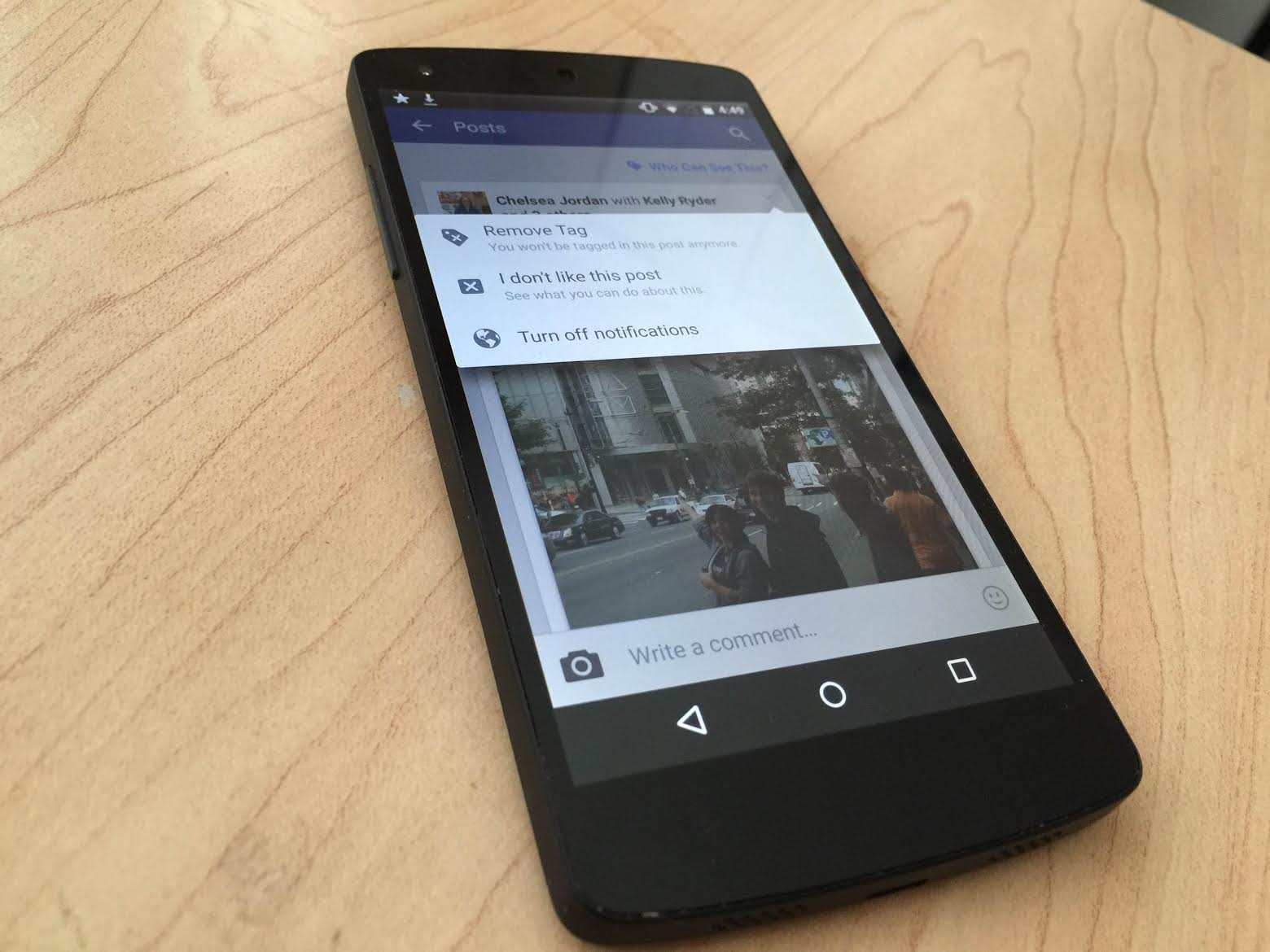
Facebook for Android has received an update which sees it gain a couple handy new features for keeping up with your wide network of “friends” (sorry, not sorry). Let’s go through them.
The first change is an odd one which lets you “Like” posts, photos, and pages even when you’re offline. These will presumably have to already have been loaded up in the app prior to going offline, and the Like will simply be queued up for delivery to Facebook’s servers once you get back onto a data connection, but it’s an interesting addition nonetheless.
Google killed its stock email app in favor of Gmail with the release of Android 5.0 Lollipop, but they also made it possible to connect email accounts from other providers including Microsoft and Yahoo. Today they’ve gone ahead and added OAuth support for both of these third-party providers, which means increased security and added features including two-step verification and account recovery. The change will be rolling out to users over the next few days.
OAuth is an open-source standard used for authorization by many large services including Twitter, PayPal, and a bevy of others. In layman’s terms OAuth is used by these service providers to give applications like Gmail for Android a token they can use to access a user account on company servers. It’s considered much safer than simply giving out email-password combinations to apps which could be targeted by outside attacks.
Back in March, Facebook made much noise with its unveiling of Facebook Messenger Platform, a way through which developers can integrate their third-party apps into the company’s popular Messenger app, creating new uses and features for the messaging service. Now, the platform is seeing its first Android game in the form of Doodle Draw.

 In a teardown of the official Camera app’s most recent update, evidence has surfaced that Google is likely working on introducing a new “Smart Burst” mode. Taking “burst” photos isn’t a new concept, usually leaving the user with dozens of slightly-different images to sift through (and manually pick the ones that are worth keeping). As its name suggests, “Smart Burst” is probably a smarter version of burst photography, picking the best photos for you based on a variety of metrics.
Of the metrics that Google will reportedly be using to grade photos are the number of faces in the photo, streaking, facial expressions, whether eyes are open, and more.
While bringing a burst mode to the Camera app isn’t exactly groundbreaking (especially as this feature has been done by countless Android OEMs, Apple, and others), it’s nice to see Google bringing more features to its feature-light Camera app. And rather than just copying what others have done, it looks like Google is really trying to improve on an already-existing feature.
But maybe the app’s straightforward and low-bloat interface—with limited features—is one of the reasons the Camera app is so popular. Either way, this feature is almost certainly on the way, and it would make sense that Google would maybe tie it in with better camera hardware in a future Nexus (now wouldn’t that be great?).
For now, you can get version 2.5 of the Camera app, which is where all of this information was pulled from, via the Play Store.

Google announced in a blog post this evening a new feature called iOS Account Wipe. This feature allows Google Apps admins to easily delete an employee’s corporate account and data from their iPhone or iPad without affecting their personal data, such as photos or music.
Prior to today, Google offered a Remote Wipe functionality, but it erased the entire device, including the employee’s personal data. Remote Wipe will still be available, however, and will simply live alongside iOS Account Wipe.
Google also revealed that it is launching enhanced functionality for Android Mobile Application Management:
These new features can help admins get their employees up and running on Android for Work faster (with auto-install into an employee’s Work Profile) and stay productive (by preventing employees from uninstalling certain apps)—while at the same time keeping data protected (with widget control).
Following Google Play Books passing 1 billion installs earlier today (the 9th app on that list), Facebook Messenger has now officially passed the same landmark, making it the 10th app on the Play Store to do so. I think it’s fair to attribute this to Messenger’s growing adoption since Facebook required that it be installed on iOS devices. It’s still not required for messaging on Android, however.
While several other apps have also passed this mark, only two other apps not created by Google have done so. Facebook’s own official Facebook client is one, while the other is the Facebook-owned WhatsApp client (which notably passed the 1 billion install mark long before Messenger). It’s clear that Zuckerberg and co. have a foothold on the Play Store that no other company does.
Update: Facebook’s Messenger has also now passed 1 billion.
Google Play Books, an app that comes pre-installed with stock Android, has now become the ninth app to pass the 1 billion install mark. It’s not exactly an amazing achievement considering it ships with most Android phones, but it’s a huge number nonetheless.
Notably, only two non-Google apps, Facebook and WhatsApp, have ever passed this milestone. As you might expect, some of the more popular Google-made apps like Google Maps and Gmail passed 1 billion at various times over the last couple of years.
We first heard about Google’s “Designed for Families” Play Store program in mid-May, and Google officially announced that it would be adding new family-focused features to the Play Store at Google I/O 2015. Now, a new section labeled as “New Family Fun” is popping up on the Play Store, featuring the friendly star mascot, iconic character categories, and more…
Expand
Expanding
Close

Yesterday, at WWDC 2015, Apple introduced transit directions to its native Maps application for the first time. It’s a feature that has long been in the works, and it’s still not actually coming to consumer devices until later this year. But those who have access to the iOS 9 beta can try out the feature in select cities, including New York City, San Francisco, and others.
Transit directions aren’t new, though, and you probably know that Google has offered them in its own official Maps app for many years. But since Apple split off from using the Google-powered Maps app with iOS 6, the company has been struggling to match Google’s offerings. Here, we take a look at Google’s transit directions in comparison to Apple’s new offering…
Expand
Expanding
Close
Update: Google has contacted us to clarify how the feature works on iOS devices.
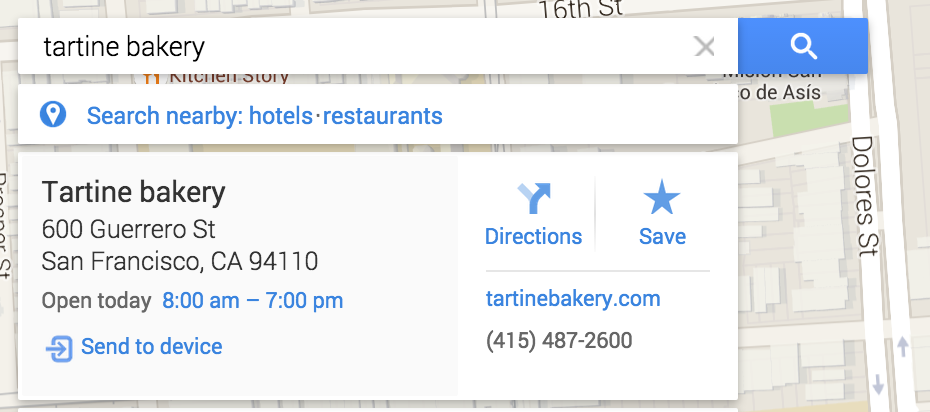
Google Maps for iOS has been updated today to 4.7.0 and includes a neat new feature introduced on Android back in April which allows users to send directions and turn-by-turn navigation to places they find on their desktop to Google Maps on their mobile device, among other things.
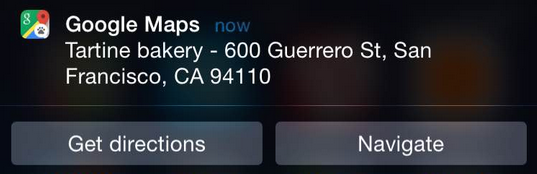
The new feature, once enabled properly (you need Google Maps installed and to be signed-in on both devices), works by presenting a “Send to device” prompt in the answer card for places found on Google Maps desktop (pictured above). Clicking “Send to device” presents the user with a choice of which linked device to send the location to, and then triggers a notification on the chosen device with the option to get directions or turn-by-turn navigation to the place.
Two smaller capabilities coming with this update to Maps for iOS are the ability to add or edit the business hours of places, and view all of the reviews and photos you’ve shared of places from the “Your profiles profile. Also included in this update are, of course, the usual “bug fixes.”
Apple today announced its self-branded music streaming service, and the Cupertino company also mentioned that—for the first time ever—it is launching an Android app made in-house. While the Beats Music app has remained on the Google Play Store since the Apple acquisition, the fruity company didn’t create it and has barely updated it and mostly ignored its existence. Now, though, Apple is planning to launch an official Android app made for Apple Music to be released later this year—specifically in the “fall”.
Expand
Expanding
Close
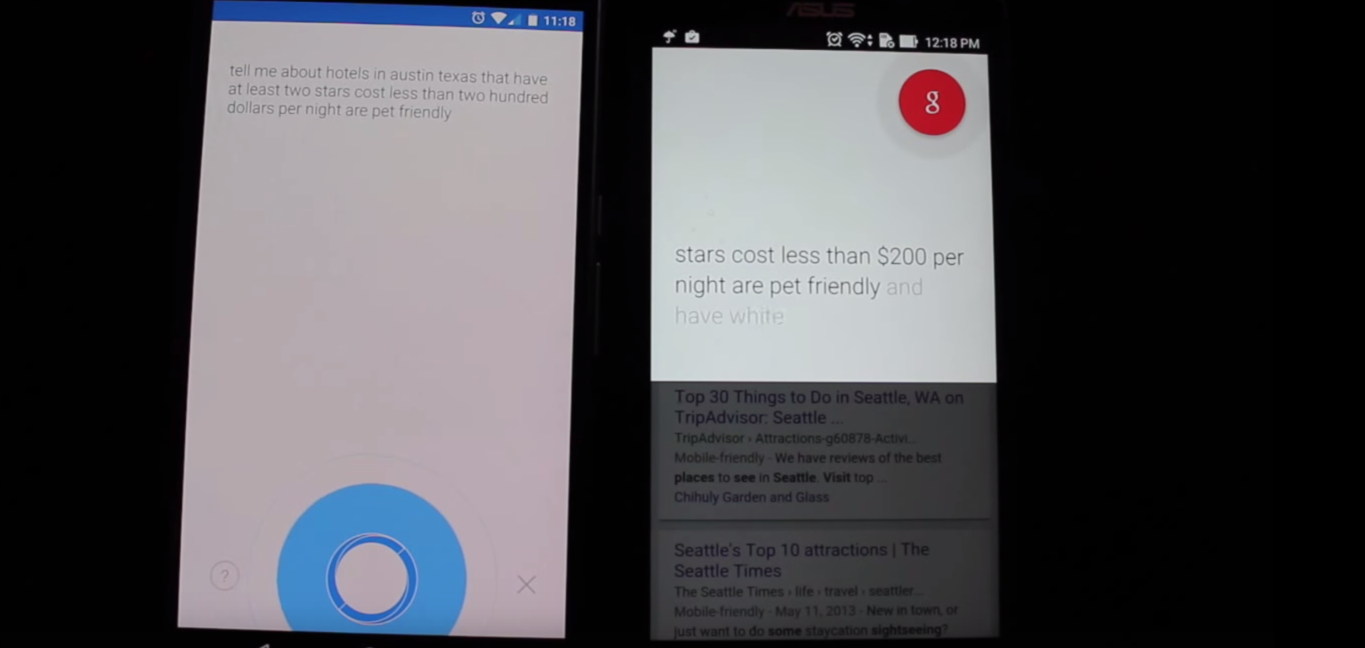
We told you earlier this week about a new voice assistant called Hound, and if you take SoundHound’s internal demo at face value, the app seems like it’s almost too impressive to be true. That video actually went somewhat viral (despite being recorded with a potato), and we wanted to put Hound through the paces to see if it lives up to the hype. We decided it wouldn’t hurt to put Google Now in the mix too and see how SoundHound’s new app compares to Google’s trusty voice assistant…
Expand
Expanding
Close
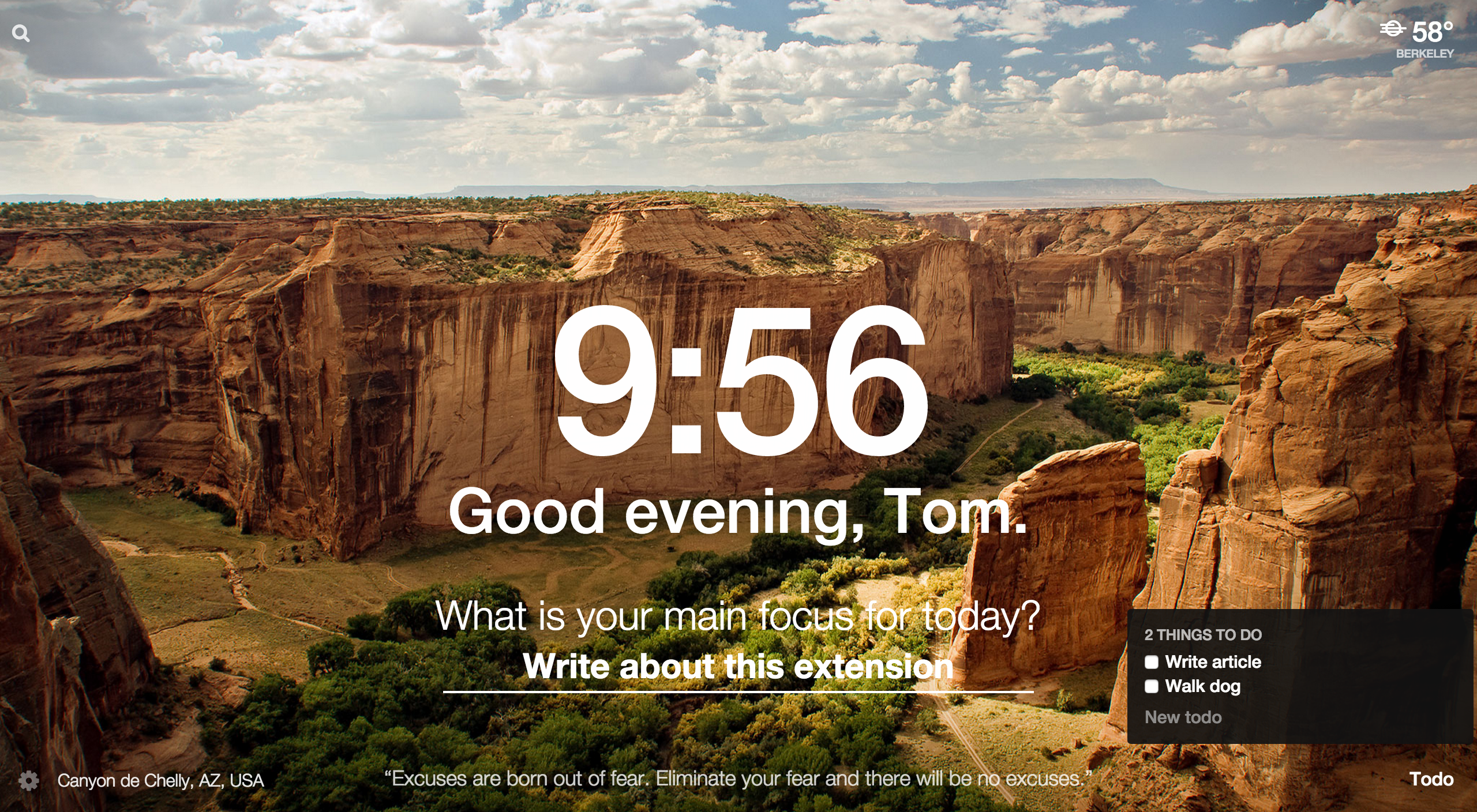
The Internet can be a double-edged sword – a window to the world’s knowledge at one end, and at the other a window to the world’s favorite cat pictures. And since on the web all sites are treated equally (save for the “deep” web, I guess) if we don’t have a strong, lasting motivation to get work done it can prove all too easy to get distracted browsing places that aren’t a valuable use of our time. While that lasting motivation must come from within, there are certain tricks and tools you can try that may just give you the boost you need to power through that next email or essay. The one I’d like to share with you today is an extension for Chrome called Momentum.
Momentum quite simply replaces the default New Tab page of Chrome with a “personal dashboard,” as the developer calls it, like the one you see above. For reference, here’s the New Tab page:
Expand
Expanding
Close
While Sony has yet to officially announce a second generation SmartBand fitness tracker, it briefly released a companion Android app this evening for the device before quickly taking it down. The app, no longer available in the Play Store, was simply titled SmartBand 2 and gave a handful of features we can expect to find in Sony’s upcoming wearable (via Xperia Blog).

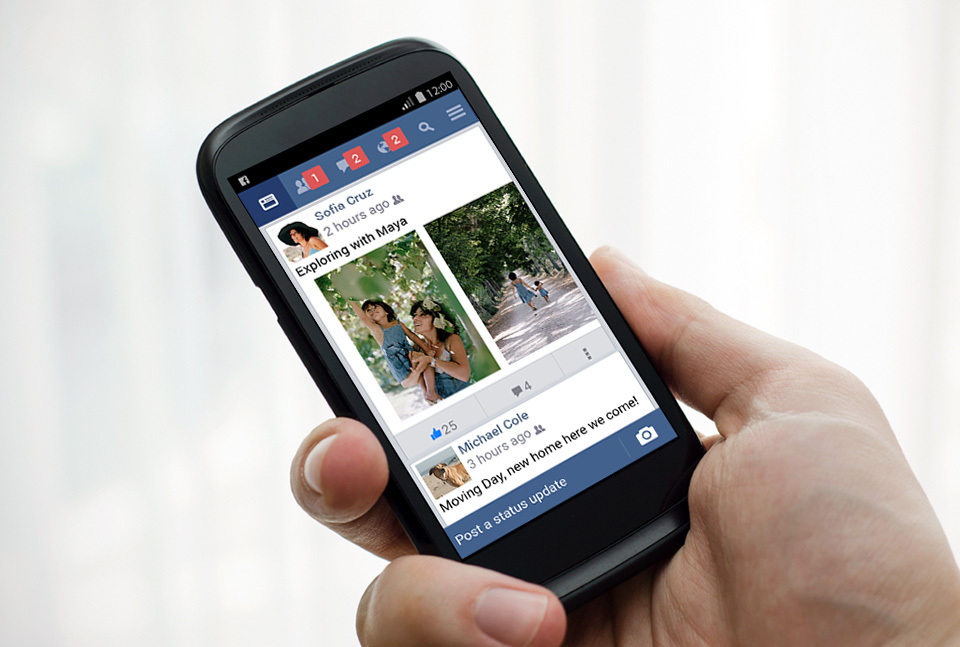
A couple Facebook announcements today for Android users: Those in the developing world get a new “Lite” version of Facebook that brings a scaled-back but much faster experience when using the app on slower networks. In addition, all Facebook Messenger users on Android are getting new and improved features for sharing their location.
Facebook notes that the new Lite app is “is less than 1MB so it is fast to install and quick to load. It includes Facebook’s core experiences like News Feed, status updates, photos, notifications and more.”
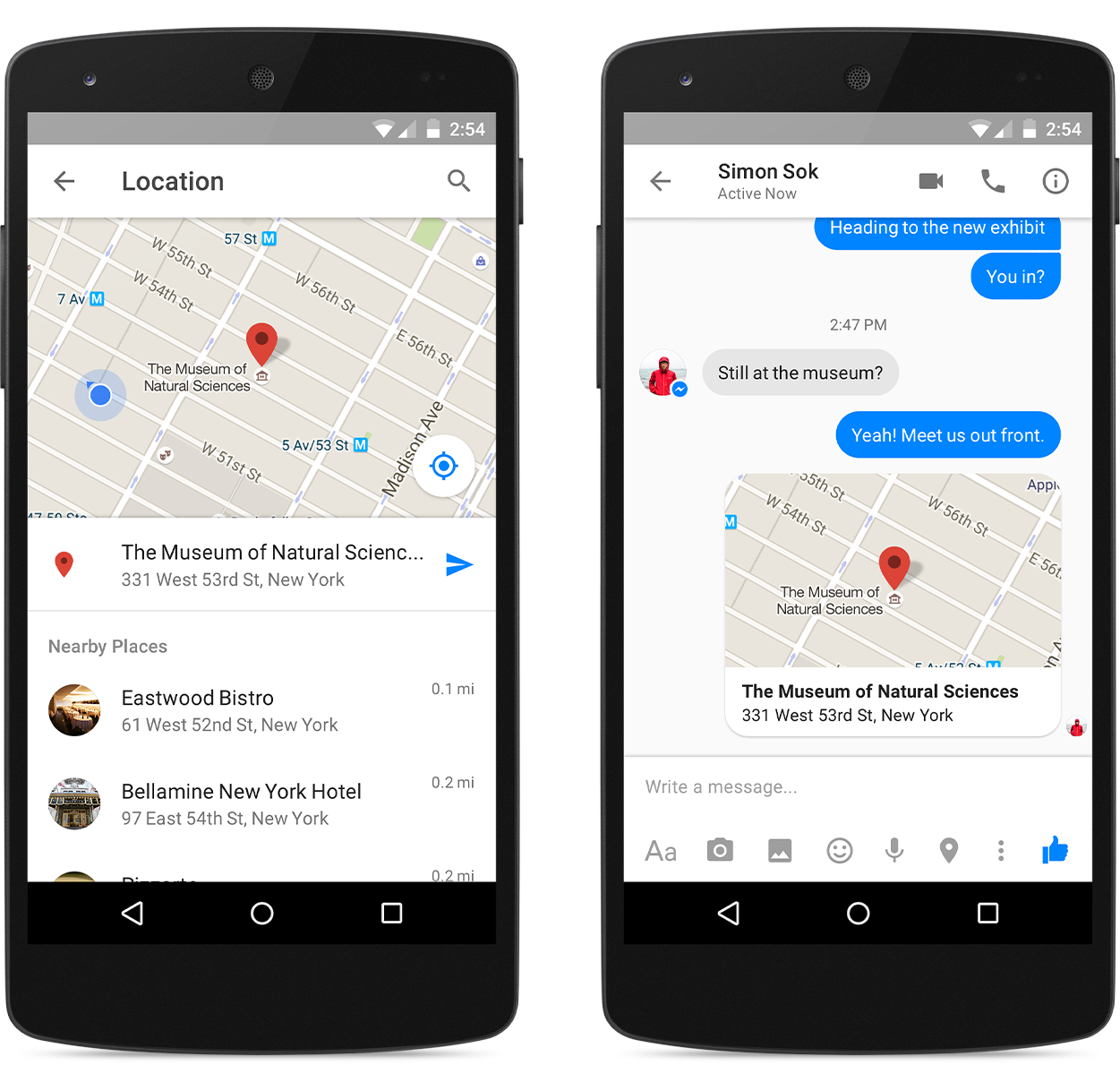
And here’s the company’s description of the new location sharing features rolling out to Messenger users today:
Today, we’re excited to start rolling it out in place of our previous location sharing feature. Now you can choose to explicitly send a map of your location or another particular place as a separate message… With this update, you have full control over when and how you share your location information. You only send a location when you tap on the location pin and then choose to send it as a separate message. You can also share a location—like a meeting spot—even if you’re not there.
Here’s a look at the new location sharing features on Android:
The new Facebook Lite app is already available on Google Play for users in Asia while users in parts of Latin America, Africa, and Europe will get access over the coming weeks.
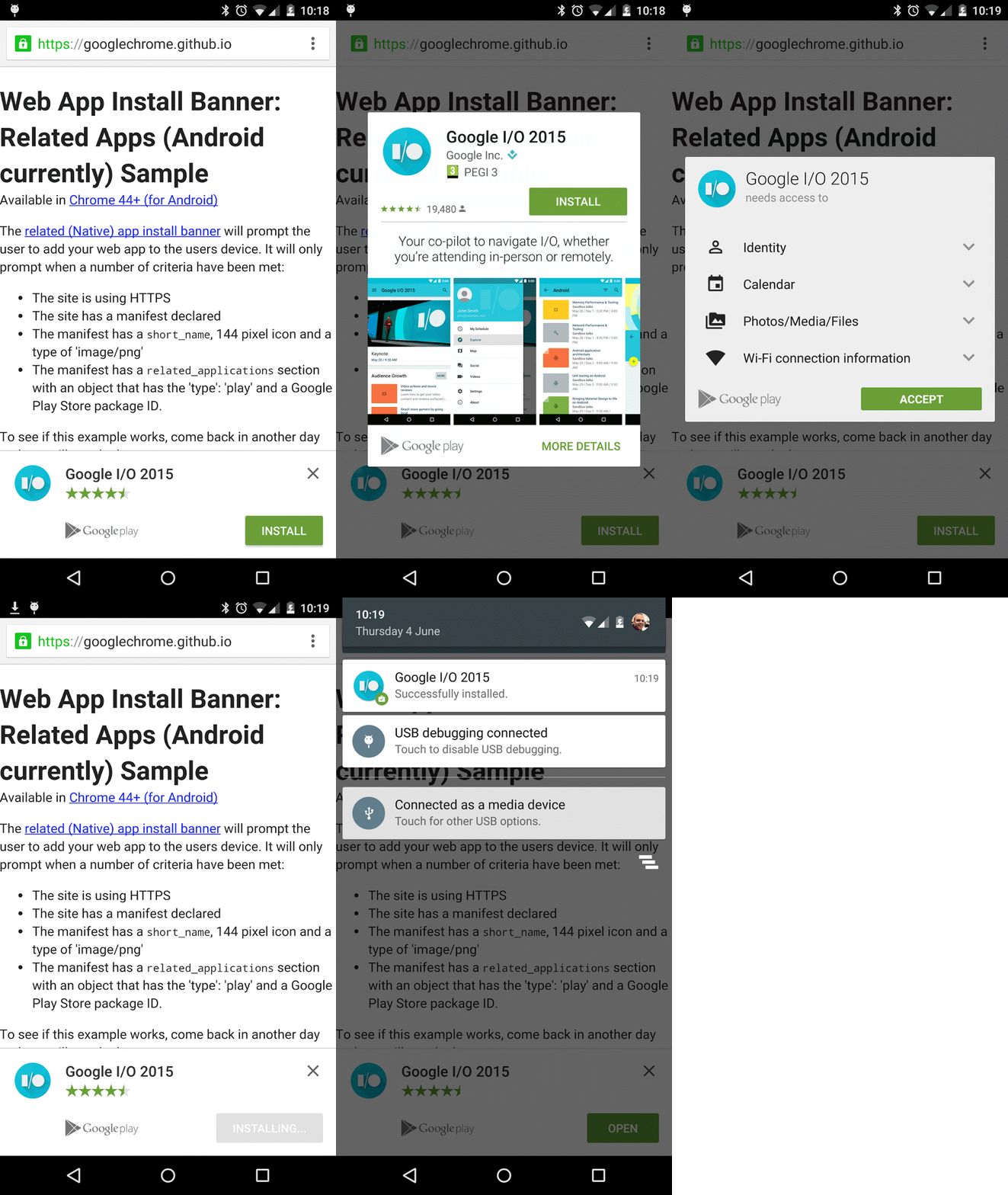
Thanks to the keen eye of one Google+ user, we now know that Chrome for Android beta 43 introduced banner ads for the installation of native apps. Chrome for Android 43 was released just last month. The functionality for web apps was introduced in beta 42 and rolled out in April.
Expand
Expanding
Close
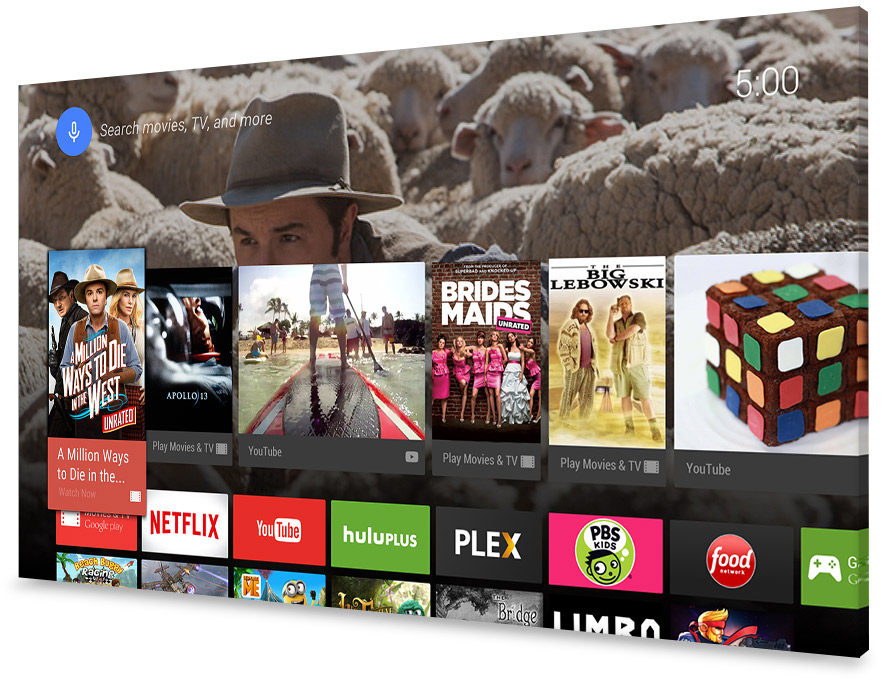
Android TV is getting a ton of new content today as Google revamps app discovery for the platform making around 600 new apps for the platform discoverable in the Google Play Store. The new update comes alongside Android TV update 5.5.15 that offers better organization for Android TV apps with new sections, categories, and improved navigation, opposed to just the selection of curated app lists that were previously available.
The new apps span across many categories from movies to news apps and games:
Google today released a new version of the official Google Keyboard to the Play Store, most notably bringing along with it dictionary syncing to Google accounts (Apps for Business accounts excluded, it seems) and the ability to access emoji from physical Bluetooth keyboards.
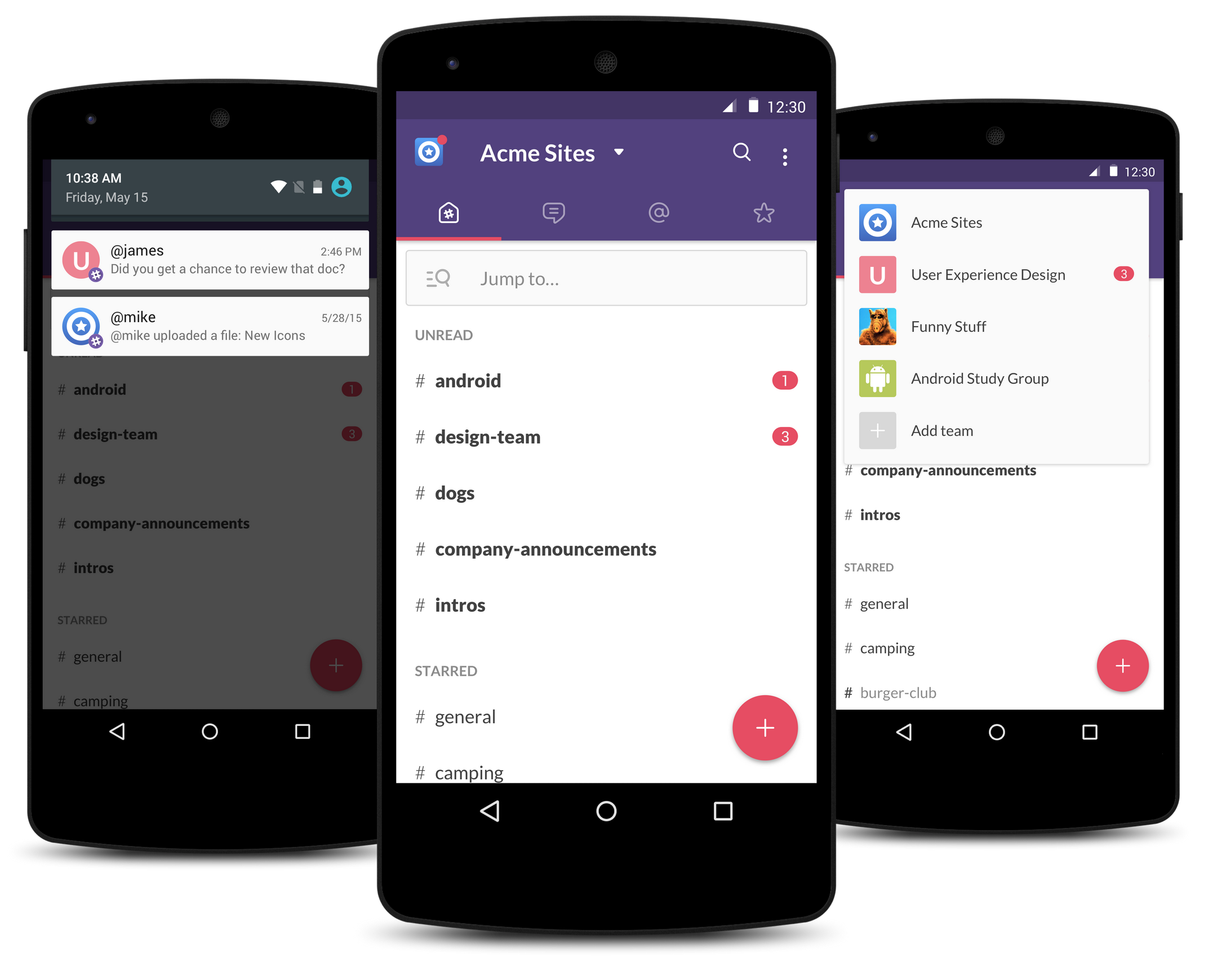
Slack, the workplace communication service that has taken the corporate communications space by storm, has released what is says is a “better, faster, and all around Android-ier” Slack app for Android, rewritten from the ground up. The biggest changes to come with this new version are a faster user experience for navigating around the app and the introduction of new user interface elements which follow the Material Design guidelines set forth by Google.
Tidal is today announcing big updates to the Jay-Z backed streaming music service, including a refreshed Android app design with UI tweaks and Ticketmaster integration alongside new desktop app betas for Mac and Windows.
Expand
Expanding
Close
SoundHound’s first app is known as one of the best offerings when it comes to recognizing sounds. You could hum a song and the app could, fairly reliably, tell you which one you were humming. Now, the same company has released a new app, called Hound, which attempts to usurp the Google Now throne with some really impressive voice assistant technology…
Expand
Expanding
Close

A text-parsing bug is causing Android, iOS and Windows Skype apps to repeatedly crash when they receive a simple text string. On all these devices, chat history is loaded when the app re-opens, causing it to immediately crash again.
The text string is simply the first part of an URL, on its own: http:// …
Expand
Expanding
Close
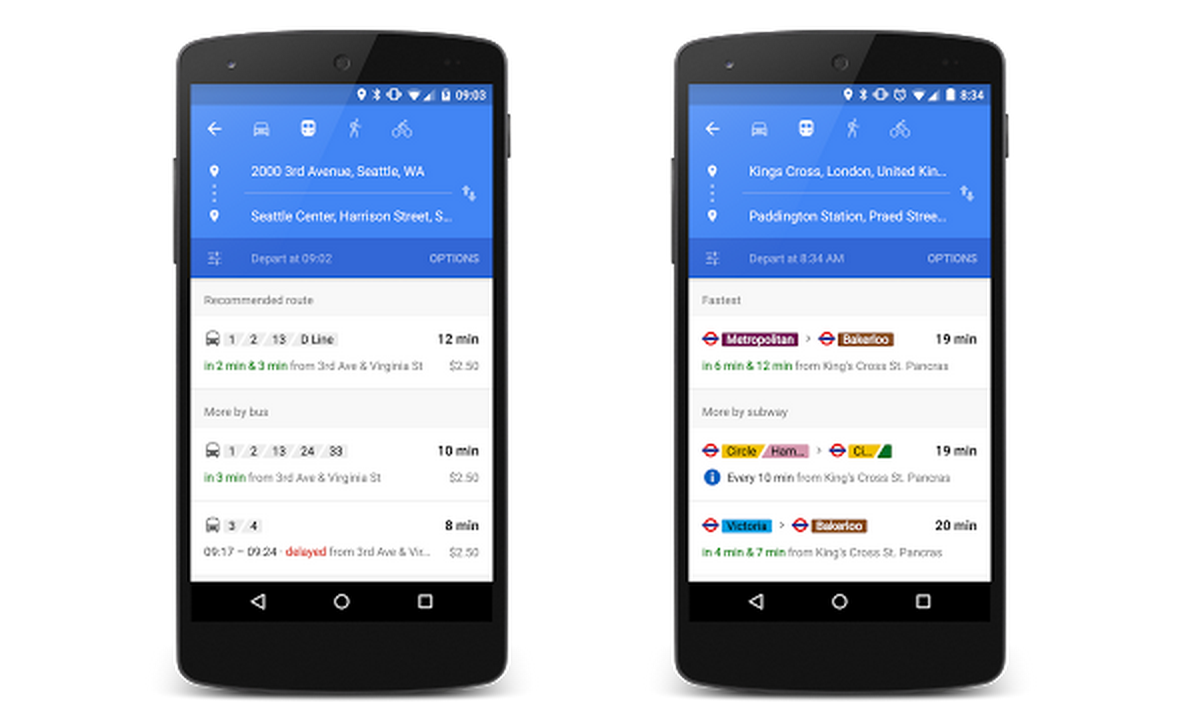
Google announced today that it’s improving transit data in Maps with real-time updates showing a summary of your journey that’s easily accessible.
It also announced that it’s adding 25+ new partners to the 100+ it works with to gather real-time transit data. The new additions bring more transit data to customers in the U.K., Netherlands, Budapest, Chicago, San Francisco, and Seattle.
Expand
Expanding
Close
Dexcom, the company behind one of the leading continuous glucose monitor solutions for diabetes patients, has announced today that their “Follow” mobile app—which has long been available on iOS—is now available for Android devices. There have been many unofficial solutions available in the past, but now Dexcom’s system is officially supported on Google’s mobile OS…
Expand
Expanding
Close