Stay up to date on news from Google headquarters. Be the first to learn about plans for Android, Google Plus, Google Apps, and more!
Stay up to date on news from Google headquarters. Be the first to learn about plans for Android, Google Plus, Google Apps, and more!

Most pretty much universally agree at this point that Google+ didn’t work out the way the Mountain View company hoped it might. I would definitely agree with this narrative to some extent, but I — unlike most — wouldn’t go as far as to say that Google+ is dead. While it definitely doesn’t have the mainstream appeal of Twitter or Facebook by any stretch of the imagination, Google+ most often appeals to a very specific breed: those who are devout users of Google’s products…
Expand
Expanding
Close
The Google app — previously known as “Search” — was updated to version 4.8 last week, and now a new teardown has revealed some interesting new details about some features that might be coming in future versions. Most notably, it looks like offline support for “OK, Google” is likely to be on the way, letting you give your device some voice commands without having a connection to the Internet…
Expand
Expanding
Close


A study commissioned by Yelp and carried out by two prominent U.S. academics has quantified the impact of Google giving prominence to its own services over organic results, reports the WSJ.
The study’s authors— Michael Luca of Harvard Business School and Tim Wu of Columbia Law School—found that users were 45% more likely to click on results that were ranked purely by relevance, rather than as Google ranks them now, with its own services displayed prominently.
The study of 2,500 Internet users said that the results provided empirical evidence that Google’s promotion of its own services resulted in lower-quality search results for consumers. Google, in contrast, had argued that its own specialist services can provide consumers with more precise answers to their queries.
Yelp was one of a number of companies that filed European antitrust complaints against Google five years ago, leading to a European Commission investigation that has been running ever since – with various attempts by Google to bring proceedings to and end. Some of these were rejected while others were accepted, but the EC finally decided in April to file charges against Google, before being told to expect large fines.
The results of this study may influence the level of these fines.
Photo: AP
Chris Urmson is head of the self-driving car project at Google, and as you may know, the Mountain View company just announced that the latest prototype of its car — the one that’s super adorable — is now on the roads of Mountain View. But one thing that many just can’t wrap their head around is how these cars can manage to navigate the roads themselves, without any human assistance. Urmson does a great job of explaining that in this TED Talk video…
Expand
Expanding
Close


Google employs a lot of engineers. Most software engineers know that when you have a box which can contain a variable amount of content – say, an input field or the title section of a blog post like the one above – that you need to make a decision as to what happens when more content than can initially fit into the box is inputted. Maybe you take the lazy way out and simply limit what the user can do so that their input doesn’t end up exceeding the character limit of the box, for example. Google has done something even lazier in Chrome for Android.
Let me preface this by saying that what I’m about to show you isn’t new, but I just learned about it so I’m sure it’ll be new to some of you too. Also it’s Friday, so why not see some neat stuff. With that out of the way, here’s what it looks like when you have any amount of tabs open in Chrome for Android under 100 tabs (images courtesy of Reddit user /u/Hamsna):
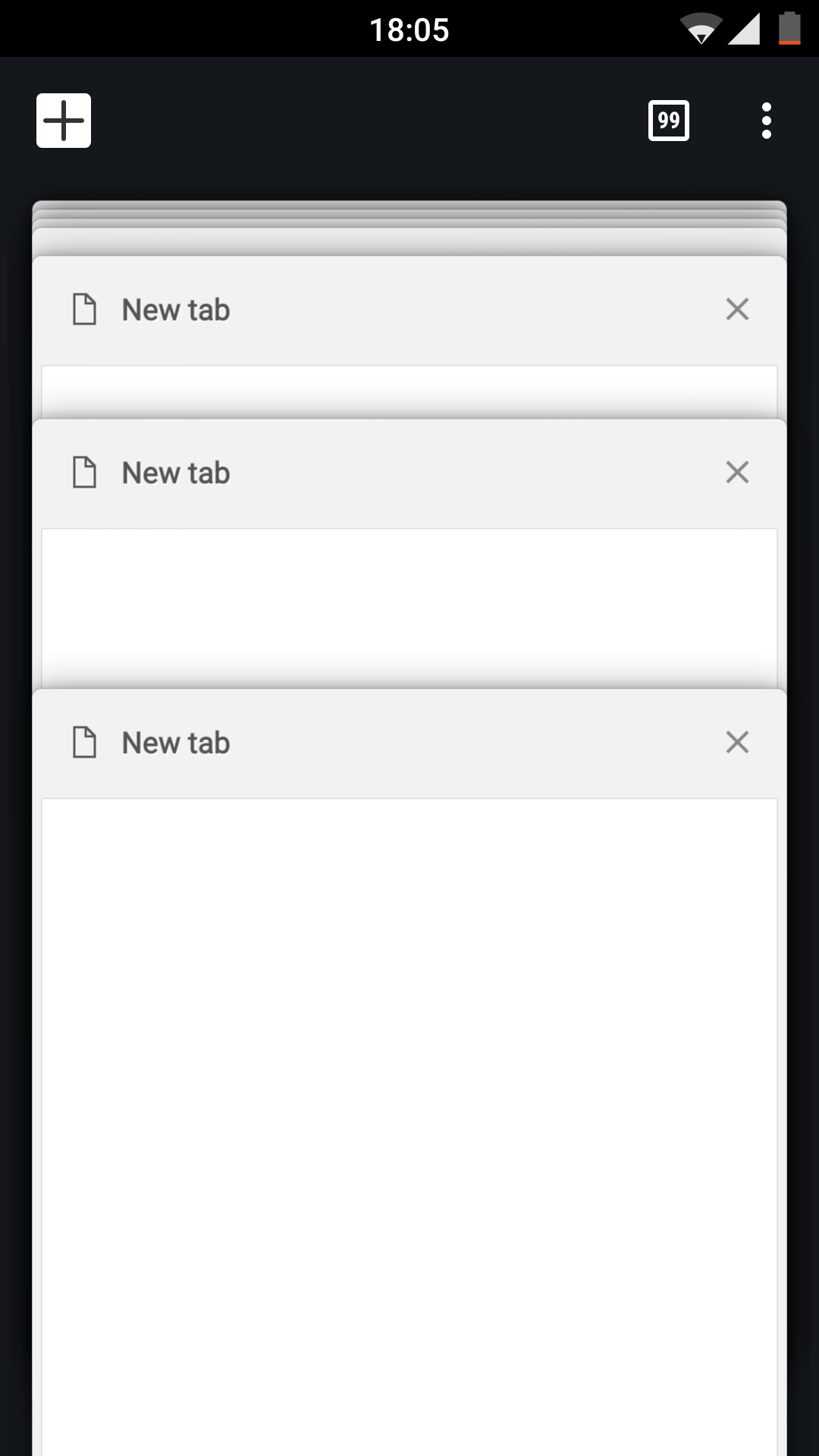
Normal, right? Right. Here’s what it looks like when you have 100 or more tabs open:
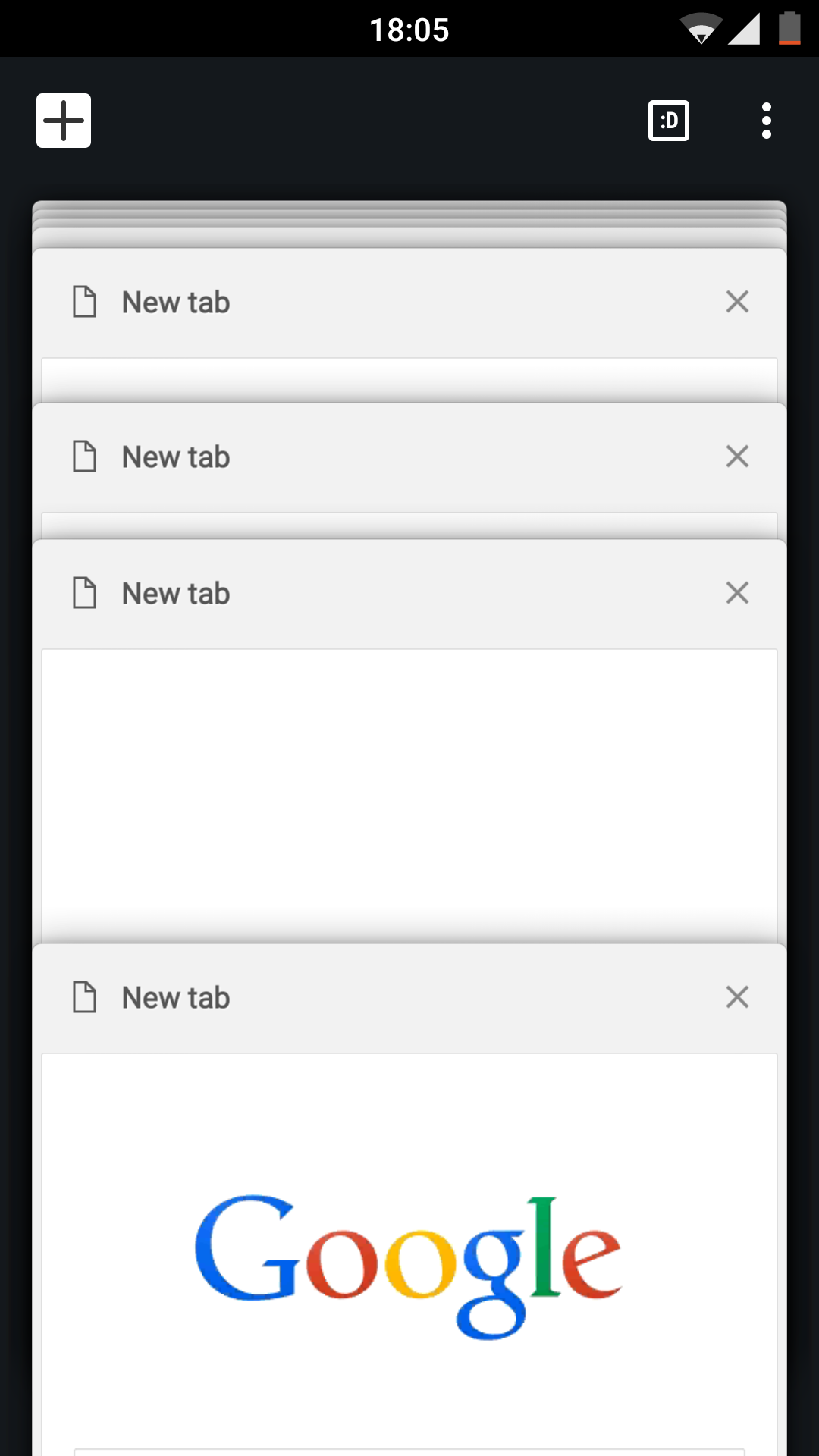
Let me help in the event that you haven’t noticed anything different in that second image:

It seems that someone at Google decided that it’d just be more work than it’s worth to come up with a more pragmatic solution, so it used an emoticon instead to say¯\_(ツ)_/¯ And how many people actually use more than 100 tabs, in a mobile browser no less? Only psychopaths, probably.

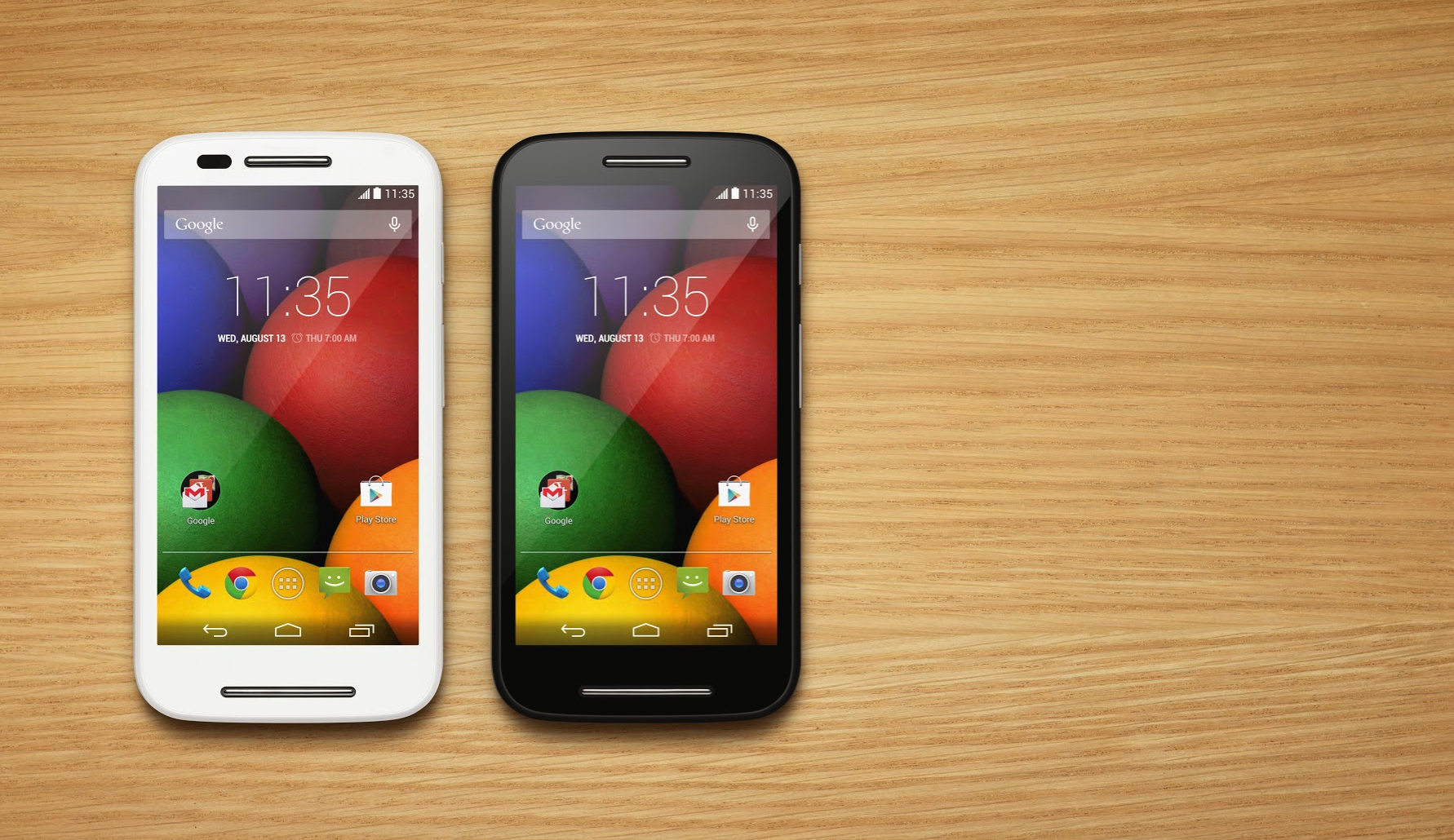
The Motorola update train continues rolling on. Today, we’ve got more information on updates to two of the company’s 1st-generation budget phones, the Moto E and Moto G.
Google lets the administrators of Google Apps accounts view an auit log of all the activity happening in their company’s Google Drive account. Before today, you could see in these logs all of the events when someone would view, create, update, delete, or share Drive content. Starting today, Google says that admins can now see download events in these logs as well.
To help analyze and monitor the use of Google Drive content in their organizations, Drive for Work and Google Apps for Education admins are able to access audit logs in the ‘Audit’ section of the Admin console Reports area and via the Reports API. The current Drive audit logs include events such as create, view, and delete, among others. With today’s launch, we’re adding download event support to the Drive audit logs.
Google says that these new “download events” will include user file downloads for both Google and non-Google file formats. As if the case with other types of audit events, admins will be able to filer by document name, user name and timestamp. Finally the company says that they’ll add more sources in the future including “Sync Client downloads and exports of documents through the Google Docs editors.”
Google is known for historically having a goal with search to get people to the information they want as quickly as possible. Search engines by design are intended to get you what you’re looking for on the first try, so it makes total sense that Google optimizes ruthlessly in hopes that you don’t have to click the next page link. But ever since the company introduced search cards it’s been evident that it wants to be the host of the information you’re looking for whenever possible. A new small change today adds on that.
Keep up with the best gear and deals on the web by signing up for the 9to5Toys Newsletter. Also, be sure to check us out on: Twitter, RSS Feed, Facebook, Google+ and Safari push notifications.
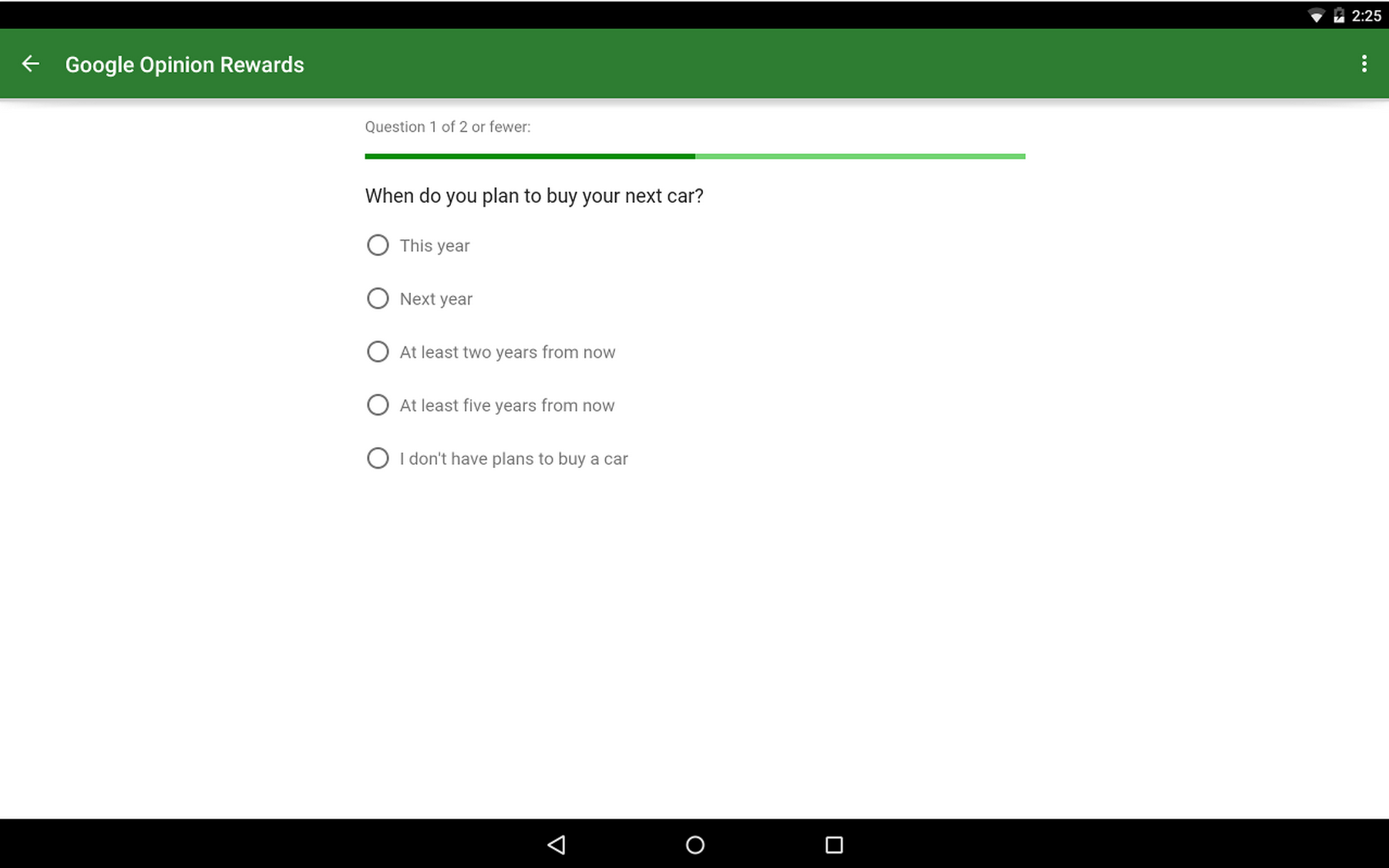
Google Opinion Rewards is a neat app through which anyone can earn credit to spend on anything in Google Play – so long as you’re in the United States, United Kingdom, Canada, Australia, Germany, Italy, Netherlands, or Japan. At least, until now. According to the changelog for an update released to the app today, now owners of Android phones in Mexico and Brazil can join in on the opportunity.
The survey questions that you may be asked to answer through Opinion Rewards, which can be alerted to you through push notifications, are sourced from market researchers who run the surveys through Google Consumer Surveys. Consumer Surveys gives these marketers some of the same tools and platform reach that those advertising products and services through Google get but to instead use to get answers to questions.
Companies who run these surveys get back anonymous and aggregated response data, so they won’t know who you are, and Google says questions that contain mature content, hateful or intolerant speech, or vulgar language are not allowed.

Samsung’s research team has found a way to effectively almost double the capacity of its lithium ion batteries, according to a report from Business Korea. Specifically, the research arm of the company has supposedly developed a technology to make a new “silicon cathode material” for coating the graphene of the battery’s silicon surface, which allows it to support new levels of energy density — up to twice that of currently-available batteries.
You can read the details of the technology at Nature.com:
The graphene layers anchored onto the silicon surface accommodate the volume expansion of silicon via a sliding process between adjacent graphene layers. When paired with a commercial lithium cobalt oxide cathode, the silicon carbide-free graphene coating allows the full cell to reach volumetric energy densities of 972 and 700 Wh l−1 at first and 200th cycle, respectively, 1.8 and 1.5 times higher than those of current commercial lithium-ion batteries.
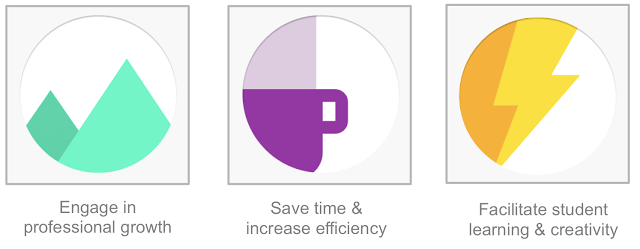
Google wants schools to take advantage of its Apps for Education suite of productivity tools and services, but it also recognizes that proper professional development is essential to enabling educators and transforming education. The company today announced the release of a free training platform that provides interactive lessons with a focus on how to successfully complete real classroom tasks and objectives using Google products.
The new platform is called Google for Education Training Center and builds upon a recent survey by the American Federation of Teachers which found that 71% of educators and administrators surveyed cited “adoption of new initiatives without proper training or professional development” as a primary source of stress in their work lives. The new tools are supposed to help teachers apply Google’s tools in the classroom and beyond.
The lessons, like how to get students collaborating using Drive and Docs, are organized around the three themes above and range in difficulty from beginner courses to those targeted at teachers who already know their way around Google’s products quite well but might inspiration on how to differently using the products with their students.
As part of the announcement, Google says that it has brought on the Chicago Public Schools, a school district including over 600 schools and 400,000 students, as a launch partner for the Training Center. The district will use Training Center as a part of its technology professional development program, and the course will count towards its teachers’ professional development hours.
“The Training Center reflects what we value most about education, focusing on the process of learning rather than the tools themselves,” the company says. More information about the Training Center and to try the lessons, Apps for Education customers can visit g.co/edutrainingcenter.

Google’s AdWords team has highlighted three important changes to how users can interact with mobile ads and in-app interstitial ads. The changes are part of an effort to reduce the chance that a user may accidentally click an ad when browsing the web or trying to dismiss the ad.
Expand
Expanding
Close
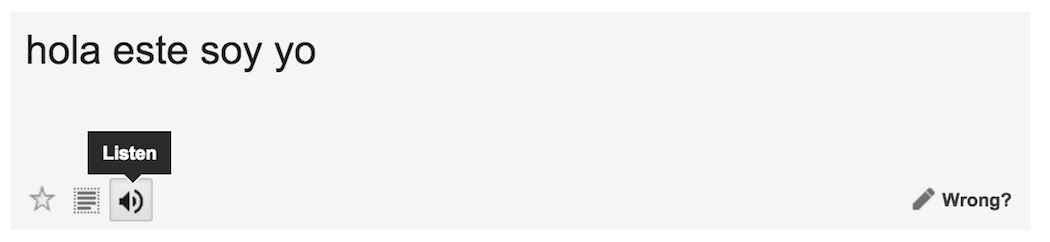
Noticed by a tipster speaking to the (unofficial) Chrome Operating System blog, Google Translate, the multilingual translation tool, has a neat way of converting text translations to speech.
Translate’s text-to-speech function can be used on both the original text and the translated version of the inputted text, which can be helpful when you’re not quite sure how to pronounce a phrase out loud. But maybe you’re trying to get the pronunciation exactly as its spoken by the text-to-speech and you’re having trouble hearing it clearly. I know I’ve experienced that before. Interestingly, the team behind the product seems to have recognized this frustration and programmed the function to slow down its enunciation when you click “Listen” a second time for the same text. Clicking it a third time consecutively will enunciate at the original speed, however.
This seems like something that would be cool to be able to explicitly toggle on and off, rather than simply alternating like it does now. A nice detail nonetheless, however.

Adam Savage of MythBusters fame gave an interesting interview with Google X’s Astro Teller back in October and you can now view the full video thanks to Tested. In the 25-minute video interview, which can be seen above, the two talk about a variety topics, ranging from Astro Teller’s childhood to Google’s self-driving cars. Another interesting topic discussed are the smart contact lenses the company is developing, as well as its goal to bring internet connectivity to everywhere.
Adam Savage welcomes Astro Teller to The Talking Room! Astro is Google’s ‘Captain of Moonshots’, directing the Google X lab where self-driving cars, smart contact lenses, and other futuristic projects are conceived and made real. Adam sat down with Astro at the Tested Live Show this past October to chat about the benefits of thinking big and failing quickly.
You can view the full video interview above.
You can now get LG’s most recent flagship, the LG G4, on eBay via seller breed (97.9% positive feedback) for $500 unlocked. That’s $100 less than the nearest low price for the device, and the lowest we’ve seen. The device comes with 32 GB of flash storage, and is factory unlocked for 4G LTE GSM networks.
Expand
Expanding
Close
Keep up with the best gear and deals on the web by signing up for the 9to5Toys Newsletter. Also, be sure to check us out on: Twitter, RSS Feed, Facebook, Google+ and Safari push notifications.
Google Drive for Android, the cloud storage service by Google, received an update yesterday that brings a helpful new improvement for those who rely on the service to access files across devices and share them with others.
Version 2.2.23, which hasn’t propagated completely in Google Play but can be pulled from APKMirror (click here), includes the ability to send and/or download multiple files at once. All you need to do to select multiple files is hold down on one file, and then a blue checkmark will appear indicating the file has been selected. After that just tap the checkmark for every file you want to include and the menu at the bottom of the screen will allow you to choose what you want to do with the selected files.
This should be useful for those who may have a lot of photos, music, and other files stored in Drive that they want to download to a new device, upload to a network like Tumblr, or whatever else. For reference, here’s what the previous version of Drive looked like when you selected multiple files:
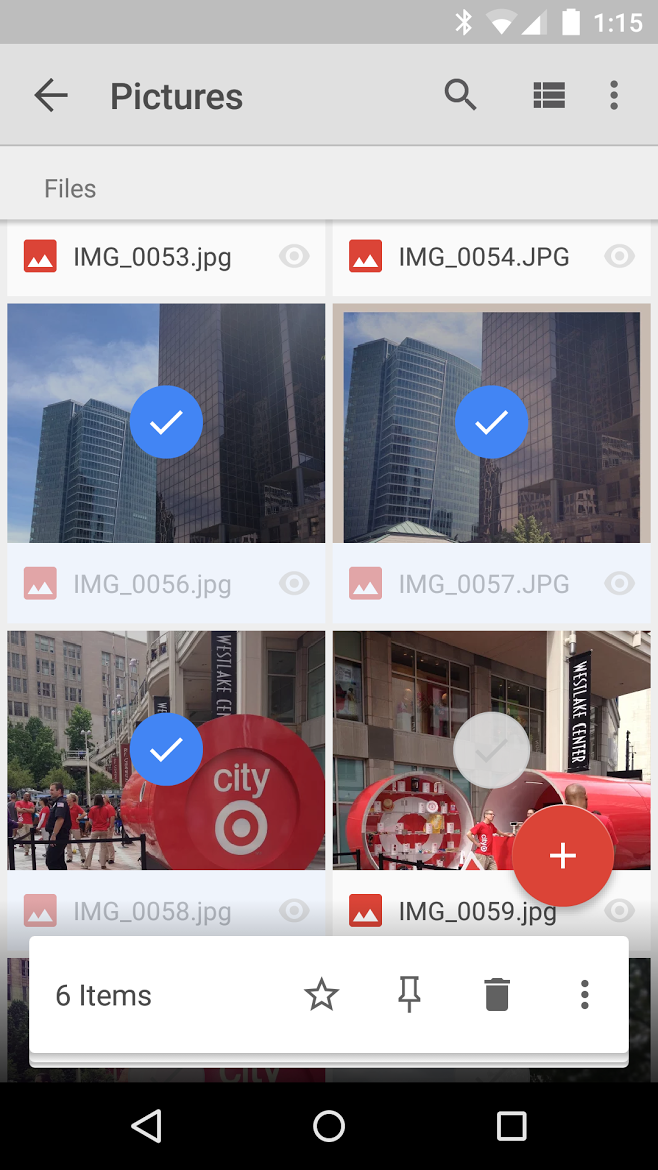
No option to download or send the files is present when multiple photos are selected (the overflow menu doesn’t include them either). To do so you had to visit the info page of each file individually and send or download from there. A nice little update that avid Drive users will surely appreciate.
According to a recent post on Google+, Google’s new cute self-driving car prototypes are now driving the roads of Mountain View. As was mentioned previously, they’re taking some cues from how the company’s previous line of Lexus self-driving vehicles. This first run of a few of the new ‘Koala’ prototype will have a safety driver on board with a “removable” steering wheel, accelerator, and brake — just in case…
These prototype vehicles are designed from the ground up to be fully self-driving. They’re ultimately designed to work without a steering wheel or pedals, but during this phase of our project we’ll have safety drivers aboard with a removable steering wheel, accelerator pedal, and brake pedal that allow them to take over driving if needed. The prototypes’ speed is capped at a neighborhood-friendly 25mph, and they’ll drive using the same software that our existing Lexus vehicles use—the same fleet that has self-driven over 1 million miles since we started the project.
According to Google, the speed of the cars is currently capped at a pretty conservative 25 miles per hour, and they’re driving around at that “neighborhood-friendly” speed using the same software that powered the Lexus line. Ultimately, the goal is for them to be completely autonomous, but it would make sense that Google wants to take that slow to avoid any more sensationalized stories about their safety…
Expand
Expanding
Close
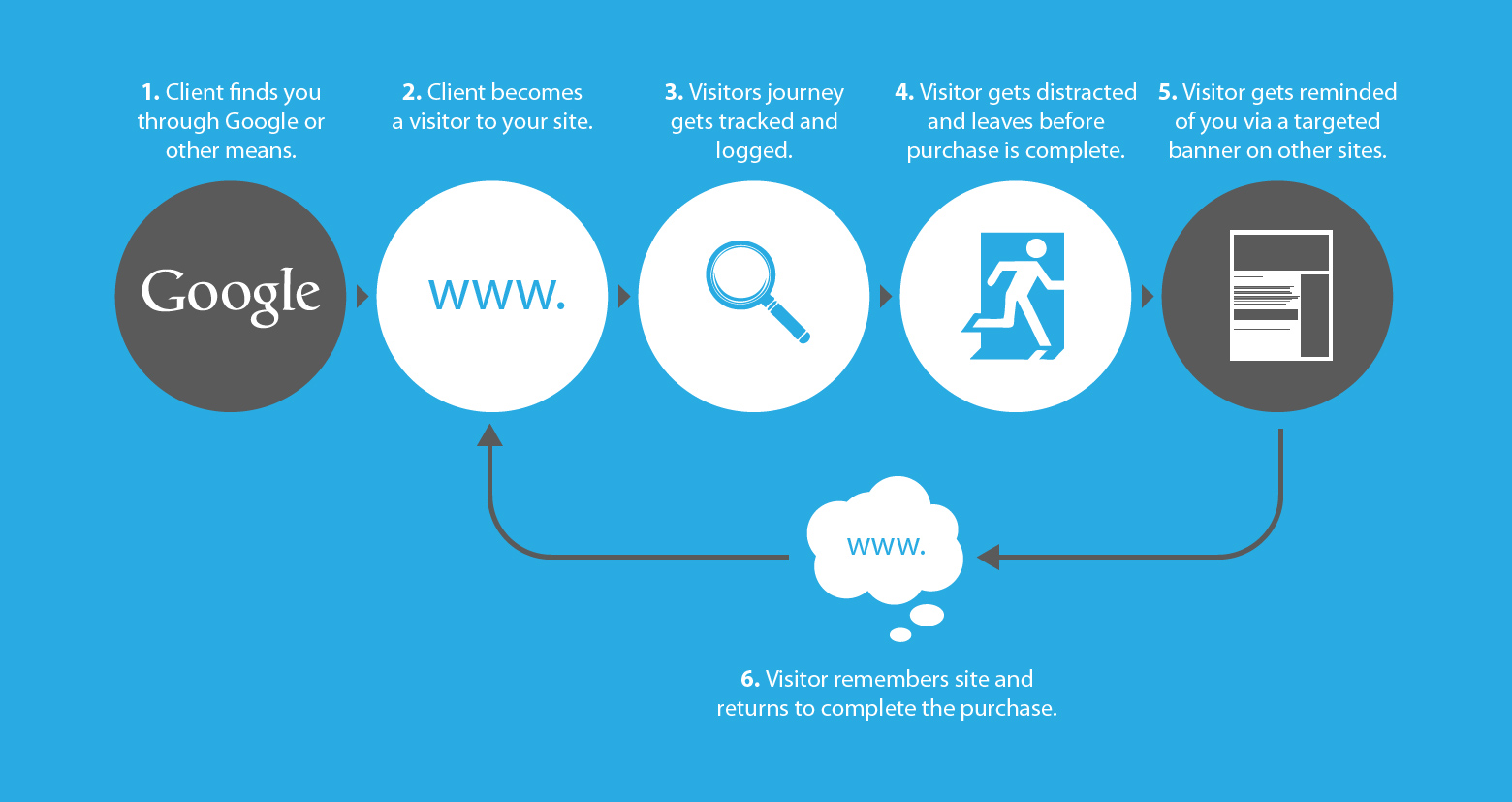
Google has a new update out to its Remarketing Lists for Search Ads product that will make it easier for marketers to use Analytics to target the right potential customers and in the process get a higher return on their advertising dollar investment. And while these terms might sound like complete gibberish to you, from a high-level it’s actually not too complicated.
The familiar Google App Launcher that you may or may not use on a daily basis — found on Google’s many web properties — has four rows of icons and the ability to move them around to organize them the way you’d like. You probably didn’t even notice when these features were added, but they’re nice to have. If you have a Google Apps account too, though, you may know that the App Launcher is stuck in the past for Apps users.
Expand
Expanding
Close
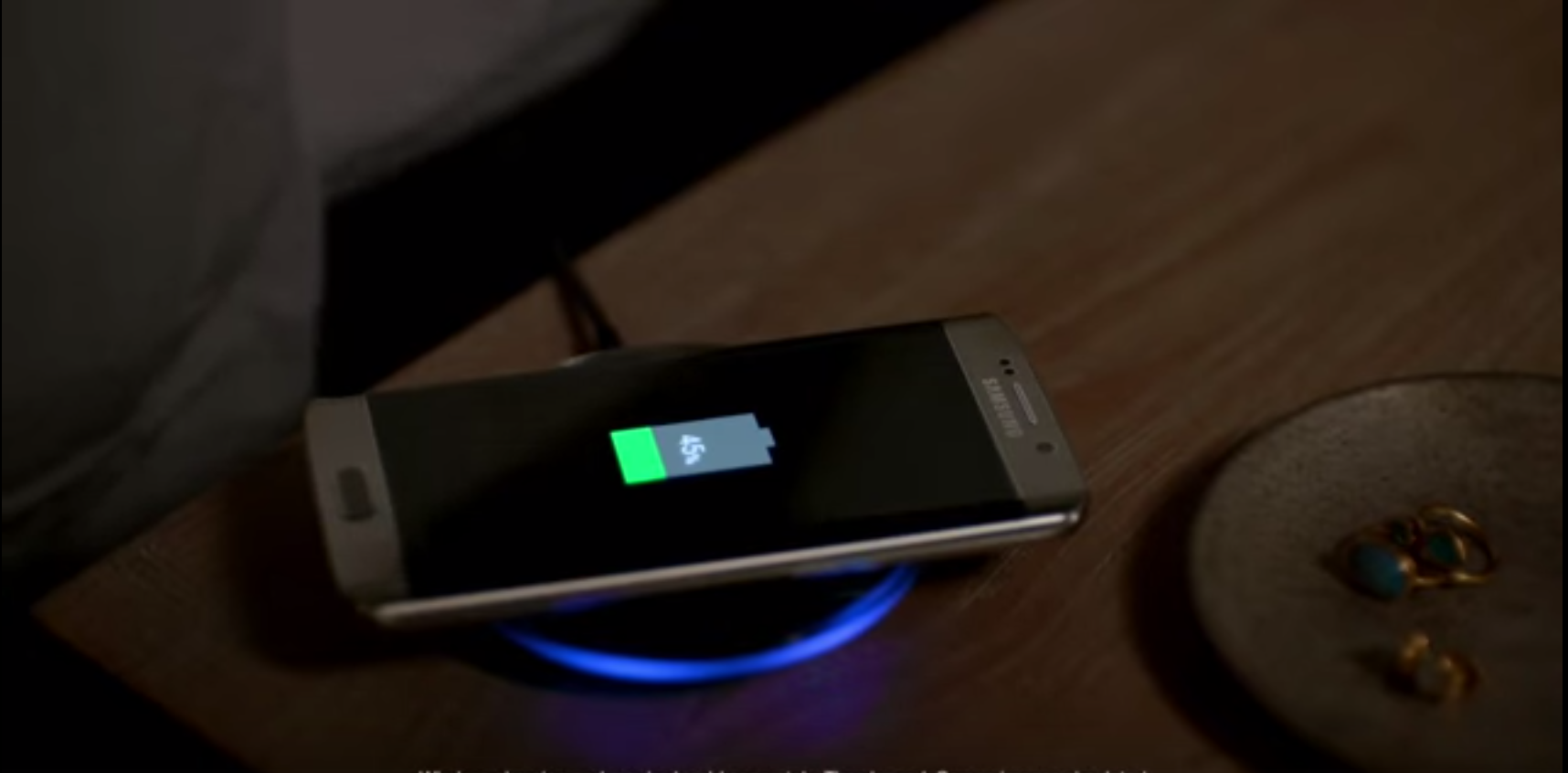
Samsung’s flagship Galaxy S6 and S6 Edge models include two technologies that are supposed to make charging your device less of a hassle – Fast Charging and both the Qi and PMA wireless charging standards. That’s great! But Samsung’s new ad out yesterday that attempts to subtly throws shade at Apple (the phone alarm in one scene is clearly an iOS tone) and other device makers without built-in wireless charging might be a little too much.
Keep up with the best gear and deals on the web by signing up for the 9to5Toys Newsletter. Also, be sure to check us out on: Twitter, RSS Feed, Facebook, Google+ and Safari push notifications.
If you send email with Gmail, host your school papers on Google Drive, or watch YouTube videos, you’ve taken advantage of one or more of Google’s many data centers. Today, Google has announced that it’s opening up its 14th site globally, but they’re planning to do something interesting — they’re planning to rework the existing infrastructure of the soon-to-be shut down Widows Creek coal power plant in Alabama…
Expand
Expanding
Close