Apps and Updates


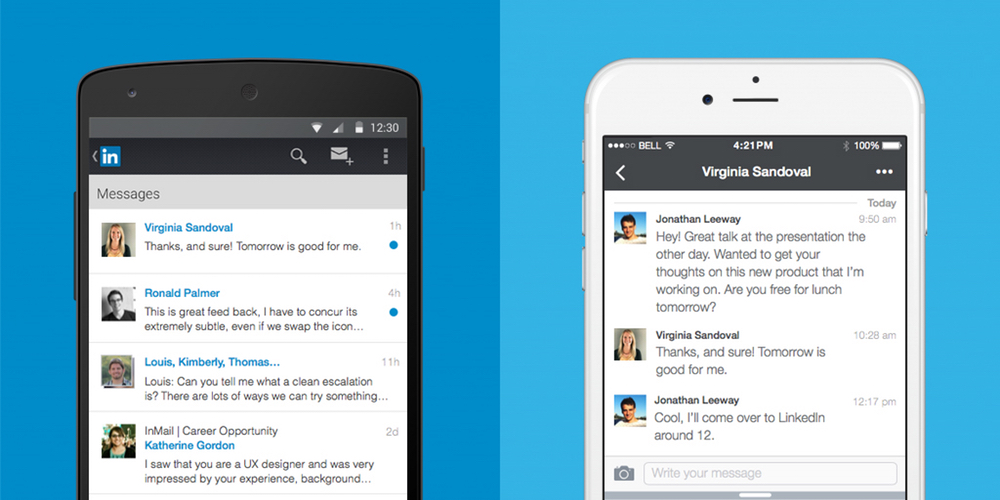
LinkedIn, the popular social network for connecting business people, has announced that its messaging experience is getting a serious design overhaul from today. Unlike the previous inbox, messages will no longer follow a traditional email format. Instead, it’s turned towards a messaging app design similar to Facebook Messenger.
LinkedIn has built everything from scratch, from the ground up with a cleaner, streamlined look with a brand new chat-style user interface. You can chat with contacts individually or send group messages, and conversations are organized around the people who are important to you. What’s more, you’ll be able to send documents, images, stickers, emojis and GIFs in your messages.
Starting today, we are rolling out a new messaging experience on LinkedIn that offers an easier and more lightweight way to have professional conversations with your connections. We know many of you have been asking for this ability and we’ve taken a thoughtful approach to reflect the evolving ways professionals are communicating with one another today, as well as, the different ways our members are interacting with each other across our international markets.
From today, the new messaging experience will by rolling out to English-speaking LinkedIn members across the globe on iOS, Android and on the web. If you have LinkedIn installed on your Android smartphone, check the Play Store for updates and you should find one waiting for you over the coming days or weeks.

Amazon’s Prime Video streaming service previously only allowed users of Amazon’s own Fire-branded Android devices to download content for offline viewing, but today the company announced it’s expanding that privilege to all iOS and Android users.
Expand
Expanding
Close
Google+ Collections, a feature that lets like-minded Google+ users connect in forums organized by topic, today comes to iOS devices after first rolling out for Android and web users a few months back.
Users can create Collections for topics they’re interested in and follow Collections created by other users to keep track of posts related to their interests. Google shared a few examples of popular Collections including Homebrewing, Climbing Junkie Photos, Magical, Mystical Mountains and Marine Life. It also features select Collections on a webpage here for easy searching.
When you post a Collection, Google notes that you’ll be able to customize who sees it thanks to recent improvements to the feature on Android that also come to iOS today. It also recently added the ability to add taglines to Collections and search for them on mobile devices.
The Collections feature is available now in the updated Google+ iOS app with version 4.8.5.
Whether or not you believe Starbucks coffee tastes burnt (I don’t), there’s always a reason to be happy when a popular app from a major company adopts Google’s new Material Design language. That’s just what the company did today with a new update.
Starbucks version 3.2 for Android is a gentle introduction to Material Design — the app continues to fall in line with the muted colors of the Starbucks brand, not too bright and bold like many early Material Design apps I’ve seen, and animations are subtle, like how the hamburger menu icon shifts during the transition of opening and closing the menu. Small details like elements appearing to open from a touch point remind you that it’s Material. It looks good.
Sadly, however, the app still lacks the new Order & Pay functionality Starbucks recently added to its iOS app and began promoting in stores, which allows customers to order menu items from their phone and pick them up when they arrive. Starbucks still labels that functionality as being in beta, though, so I’ll give them some slack. As a Starbucks loyalist I’m just glad to see them recognizing Android as a legitimate place to have a presence.
This update also brings added menu details so you can see all the menu items currently available at US stores (PSL, anyone?), and the obligatory “bug fixes.” It’s available on Google Play now.
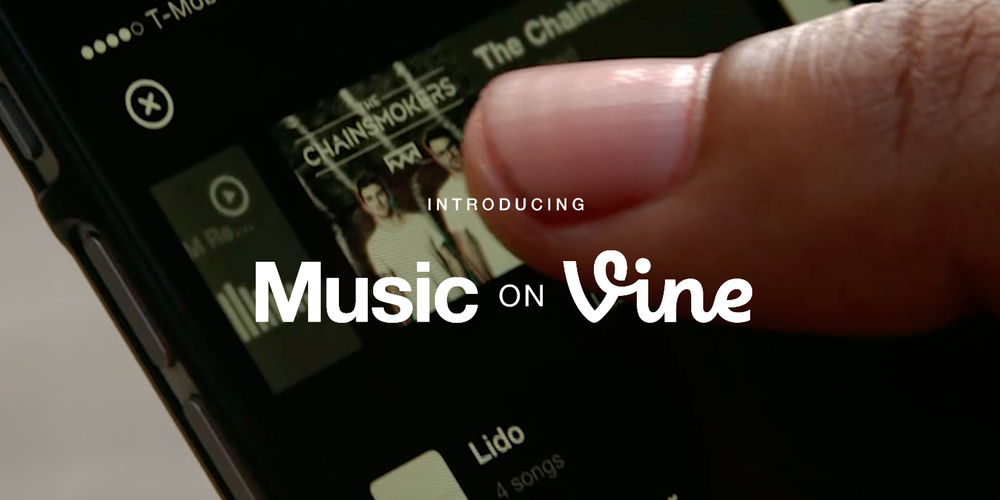
Last night, Vine announced that it’s bringing greater music controls to its popular video-looping app on Android. While users have always had the ability to include audio of any kind in their Vines, this new update makes it far more precise. The biggest update is a feature called ‘Snap to Beat’ which enables users to more easily create a seamless loop, or perfect loop where you can’t tell the beginning of the audio from the end.
To get Snap to Beat working for you, choose a song by tapping on the music note in the ‘Details’ screen. Snap to Beat automatically identifies how much of the song to use to make a seamless loop, then trims the video to fit that music clip. If you don’t want it happening auto-magically, you can switch off Snap to Beat and edit the audio manually yourself. This gives the user complete control over how much sound to include in the Vine, and which part of the video it should play over.
[protected-iframe id=”d900916b42d3ba16839a9ad6ea03cd99-22427743-89100566″ info=”https://vine.co/v/ejVEvtP0l0O/embed/simple” width=”600″ height=”600″ frameborder=”0″]
As a part of Vine’s new-found focus on music, there’s also a new audio discovery tool within the app. First up is a new ‘Featured Tracks’ section which you can explore when you create a new Vine and tap on the music note to add a song. What’s more, you can use Vine to detect what you’re listening to while watching other Vines. If a musical note icon appears beneath a Vine, tap on it, and it’ll show you the name of the track, and the name of the artist performing.
[protected-iframe id=”f27ac4650c551da7488dfbe008f3d023-22427743-89100566″ info=”https://vine.co/v/ejVEavAvKvA/embed/simple” width=”600″ height=”600″ frameborder=”0″]
The Music on Vine updates will be rolling out to Android from today and will be available to download from the Play Store for free.
There might not be any topic more heated in today’s digital space than advertising. In most cases, no ads is better than any ads at all. The reality right now is, however, that no ads still also means no money to pay writers at sites like this one. With all that said, Google’s AdWords team has beautified its full-screen in-app ads (don’t worry, we don’t use these).
It seems crazy that this didn’t exist before, but today Google released Desktop Head Unit (DHU), a testing tool which emulates the Android Auto in-car experience on desktop computer hardware.
Once installed, you can connect your phone to your computer over USB and the companion app will behave as if it’s connected to a car which has Android Auto installed, while the emulator will display the Auto app you’re testing just like it would in a car with Android Auto.
Here’s my favorite part of the post, emphasis mine:
Now you can test pre-released versions of your app in a production-like environment, without having to work from your car. With the release of the DHU, the previous simulators are deprecated, but will be supported for a short period prior to being officially removed.
Auto developers who want to go back to working at their desks can head over to the blog post on the official Android Developers Blog to see all the details on how to get started with DHU.
Instagram today announced that it’s rolling out two new orientations for photos and videos including portrait and landscape formats to add to the old square photo format that was previously the only option for users uploading content.
Expand
Expanding
Close
From 9to5Toys.com:
After being announced back at E3, Lara Croft GO has officially been released on iOS and Android. The turn-based puzzle game will offer a new look into the world of Tomb Raider with its animation based design. Square Enix leans heavily on the success of Hitman GO, melding its board game style navigation with the world of Tomb Raider. The gameplay is based around simple puzzles with beautiful graphics.
While Rise of the Tomb Raider is still a few months away for console gamers, with some pretty sweet bundles available, Lara Croft fans can get their fix on the small screen for now. Lara Croft GO is available on iOS as a Universal app and on Android for $4.99. Late to the party? iOS users can grab all three previous releases with the Tomb Raider Pack featuring Lara Croft for $4.99.
Be sure to check out our daily apps/games roundup for the best deals.
Description
Lara Croft GO is a turn based puzzle-adventure set in a long-forgotten world. Explore the ruins of an ancient civilization, discover well-kept secrets and face deadly challenges as you uncover the myth of the Queen of Venom.
• Experience lush visuals and a captivating soundtrack
• Navigate using simple swipe-to-move controls
• Fight menacing enemies, overcome dangerous obstacles and escape deadly traps
• Solve more than 75 puzzles split into 5 chapters
• Collect ancient relics and unlock new outfits for LaraFollowing the award-winning Hitman GO, Square Enix Montréal brings yet another beloved franchise to mobile with this unique take on the iconic heroine’s adventures.
Please note:
Lara Croft GO is not compatible with the iPhone 4.
Sorry, Android users: Popular online food ordering service Eat24 has determined that you are less healthy on a nutritional basis than owners of Apple’s iPhone. That’s based on data it collected from its mobile app over a three month period, tracking information regarding how ordering habits differed across the rival platforms.
Pocket is one of the most popular read-it-later apps available on Android, and the service is about to get better (or perhaps worse depending on your viewpoint), with the public launch of recommendations. The feature has been tested in beta for some time, and is now officially out in the wild and will be available to users on Android, iOS and on the web. Pocket describes it as “high-quality content without the noise”.
Recommendations takes the absolute best content being saved across Pocket and tailors it to your own saving and reading habits. The result is a feed that’s completely unique and personalized to you, and is filled with the most interesting articles and videos you might have missed otherwise.
Instead of being a collation of the most viewed web pages from the web, recommendations are based on how popular stories are with people with your interests. Since they’re already curated by humans, the company hopes that helps tune out the noise. For instance, if you happen to save a lot of technology articles to read later in Pocket, you’ll be served up tech-based recommendations. What’s more, if you find a recommendation you don’t like, just press the ‘X’ and remove it from your feed.
Recommendations are currently available in English only currently, but the company states that it is working on a wider roll out in more languages. You can download Pocket 6.0 for Android from the Google Play Store for free.
Update: Google has posted a vague tweet to its Android account on Twitter, presumably in response to these reports. It simply says to “stay tuned” and ends with a #soon hashtag. Hard to draw many assumptions.
Android Pay will not go live today despite signals of otherwise from major fast-food chain Subway, and a purported leaked staff memo from McDonald’s, TechCrunch is now reporting.

Nuance Communications is today releasing an updated version of its popular Swype Keyboard for Android, “the world’s most powerful keyboard,” which includes an all-new Swype Store with additional premium themes as well as an emoji keyboard. Swype is a popular alternative to the default Android keyboard due in part to its many customization options, like the ability to change the keyboard’s overall layout, key sizes, and a bunch more.
Expand
Expanding
Close
Facebook today confirmed previous rumors that it was developing a Messenger-based virtual assistant codenamed “Moneypenny.” The software was debuted today under the name “M,” and will be available in a very limited release to users in the Bay Area starting today.
Good news, fans of live-streamed gaming: YouTube Gaming is now available for Android from Google Play. YouTube announced that it would be releasing a dedicated app for watching gaming-related live streams and videos hosted on the platform several months back, shortly after Amazon acquired competitor Twitch for nearly $1 billion. Downloading the app from the Play Store is limited to US and UK residents initially.

From 9to5Toys.com:
Amazon has launched a new service for Android users that will deliver “over $10,000 in paid apps, games and in-app items” for free. Amazon Underground is replacing the popular Free App of the Day promotion. The promotion page teases Frozen Free Fall, Star Wars Rebels: Missions, and Goat Simulator amongst others that will be available as a part of this promotion.
Here is how you claim your free apps:

First, visit this page and enter your phone number or email address to have the Amazon Underground for Android app sent to your device. After you have received the app invitation, go to your phone settings, tap security or applications, check the Unknown Service Box and hit ‘OK’. Then open your downloads by going to My Files or Files and tap on the Amazon App file. Tap ‘install’ when prompted. Finally, tap ‘Open’ on the Amazon Undergound App and use the menu on the left to navigate to Apps & Games.
Amazon currently lists over 470 games that are apart of this promotion on the Underground page. You’ll find top apps from Disney, ZeptoLab, Zynga and more.

WhatsApp for Android has received a worthwhile set of improvements in the latest update, now available via Google Play.
You can now set custom notifications for individual contacts and/or groups, allowing you to choose tone, vibration, popup notification and light settings for particular contacts. You can also mark a chat as unread, and there’s a low data usage option for voice calls. As noted by NDTV, there are also a few more enhancements …
Expand
Expanding
Close
Okay, this probably isn’t going to drastically change the lives of either casual users of Android or developers on the platform, but I still found it to be cool. There’s a new Chrome app on the block called Vysor, and it offers a super simple way to view and control an Android device from a desktop computer.
Facebook Moments, the app for exchanging photos amongst friends who all find themselves at the same place at the same time (i.e. at a party), has been updated with a neat new way to relive a moment in the past.
Back to school season is in full swing and Google is using it as an opportunity to release a bunch of new features and changes for those of its products geared towards educators. Google Classroom has been updated with question-driven discussions, reusable posts, calendar integration, and more.
Expand
Expanding
Close

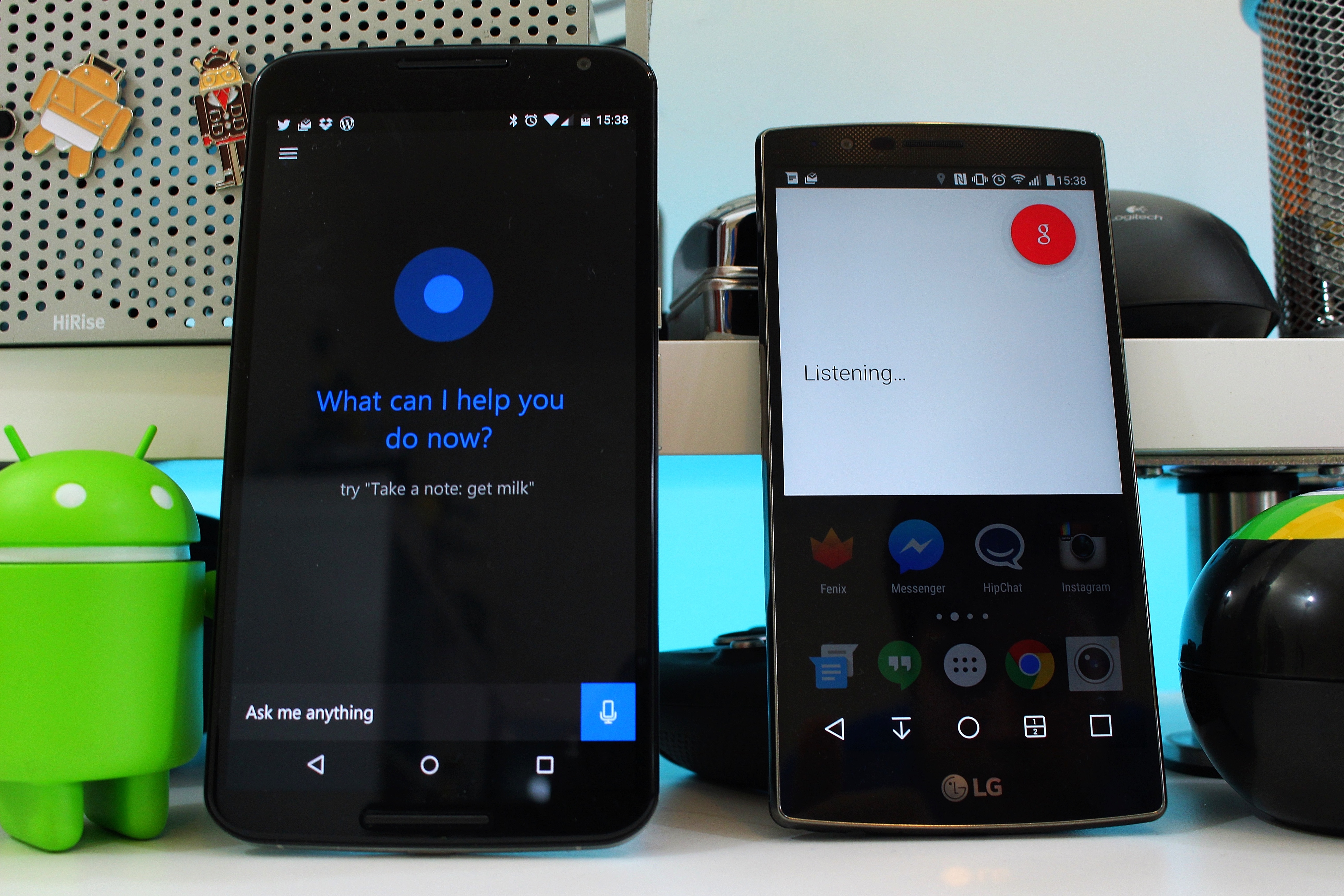
Cortana, Microsoft’s cross-platform voice assistant not dissimilar from Google Now, is today becoming available as an official public beta through Google Play.
If you’re like me, you sometimes use the Street View feature of Google Maps to see a place you’re about to visit and what its surrounding area looks like. Maybe you’re apartment hunting and want to see if the neighborhood looks safe. Regardless of why you do it, Google understands us and has made this previewing a tad easier.
Google Maps version 9.13.0 for Android places a thumbnail preview of a location in the bottom left corner of the screen for inputted addresses and places for which you’ve pressed and held on the map. It looks like this:

Tapping one of these previews brings up your standard Street View:

This version is available from Google Play, and an APK can be downloaded from APKMirror.
Location check-in app Swarm continues to become a bit more like the Foursquare app of yesteryear, this time gaining a leaderboard system identical to the original one that helped to make Foursquare so addictive in the first place.
Google Photos now has a feature that will show you all the photos and videos you took on this same day last year. It’s opt-in, and the content will appear within a card in the Assistant view.


