Apps and Updates



Avid Foursquare junkies (myself included), rejoice – mayorships are back, just now in the Swarm app. You can become the mayor of a place by checking into it more than anyone else in the last 30 days, and only one check-in per day counts towards your rank.

Instapaper, the popular service for saving articles that you find across the web to read later, has been updated to version 4.2 on Android and introduces two new features bringing it up to parity with its desktop and iOS counterparts.
The first feature is called Speed Reading and what it does is display your articles one word at a time, transitioning word by word at whatever word-per-minute speed you set. Here’s the before and after of enabling Speed Reading side-by-side, along with what it looks like to set your reading speed:
Instapaper in its blog post announcing the Speed Reading feature back when it launched on iOS said that it utilizes a common speed reading technique called rapid serial visual presentation (RSVP). The goal, they say, with using this method is to eliminate subvocalization, or the voice in the back of your head that repeats words as you read them, and reduce time lost scanning between words. I haven’t found that Speed Reading works well for me, but if you’re an Instapaper user it’s worth playing with the speed to try and find if you can still comprehend articles well enough with it guiding you – the developer says it can increase reading speed by up to 3x.
The second feature added in v4.2 is the ability to create tweetshots, or snippets of text that are turned into images that can be shared on Twitter. If you’ve used a network like Twitter or Instagram in the past year you’ve probably seen these – people bypassing character limits by writing out what they want to say in a text editor, or highlighting a full paragraph they like from an article, and sharing a screenshot of that. The tweetshots tool productizes this, displaying a button in the contextual text highlighting action bar. It looks like this:
Lastly, of course, is the standard “many bug fixes” note. All-in-all, though, these are two solid features that Instapaper fans like myself will be glad to now have on Android. The update is available in Google Play now, so hit it up for the download.


After first announcing a handful of new features and redesigned apps last month for iOS users, today most of those features are arriving for the Spotify beta for Android ahead of a public release. The highlight changes include Spotify’s new Running feature that automatically detects an ideal tempo to creates playlist based on your running pace, more content, and a redesigned Now start page.
The update, version 3.1, also brings audio and video shows that were first introduced to web and iOS users last month in addition to other new content and UI tweaks throughout the app. The new content includes videos and podcasts from ABC, BBC, Comedy Central, Condé Nast Entertainment, ESPN, Fusion, Maker Studios, NBC, TED, Vice News, and more.
The new features are currently only available to users in the US, UK, Sweden and Germany, and will likely roll out to all users beyond Spotify’s beta channel in the near future.
(via AndroidPolice)

Amazon’s Fire brand of tablets and smartphones has mostly been panned as a flop. The company’s intense focus on being cheap and transferring every last penny of saved value onto the customer seemingly doesn’t translate into a culture good at building attractive devices, it seems. Nonetheless, Amazon has an updated version of the Fire OS that powers these things out and available for developers to test their apps on.


I don’t own a Sonos speaker – I used to, and an update today to the Sonos Controller really makes me wish I still did: Spotify users now get access to a ton a great discovery features that were previously missing.
Burner, the popular app for creating throwaway phone numbers that can be used for making calls and sending text messages, has received a large update to its Android app today. The new app has three key additions, so let’s go through them.
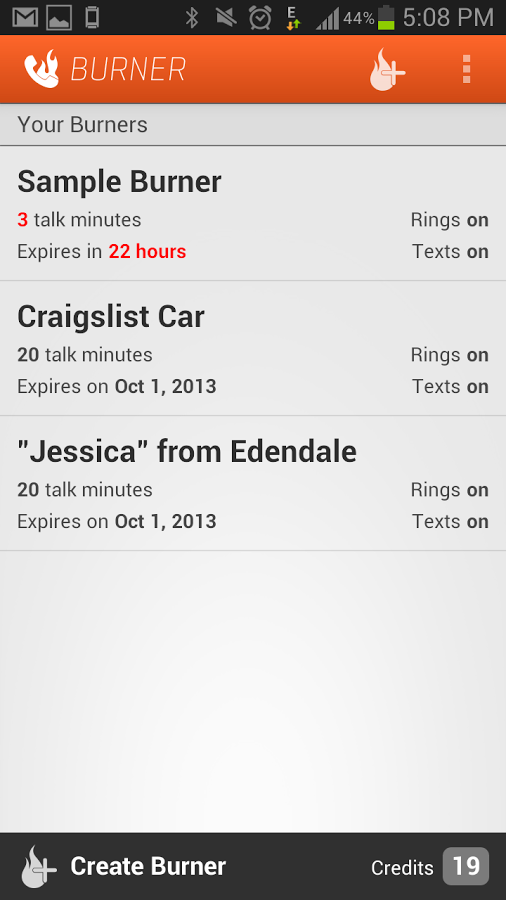
The first major change you’ll notice upon updating the app is that it’s been completely redesigned. FABs (floating action buttons), new colors, transitions – the app now adheres to Google’s Material Design guidelines. You can see what the new app looks like above, but here’s a taste of what the app looked like before today’s update:
The next big change is the addition of unified inboxes. These will come in handy for Burner users who have more than one number in the app, placing all messages and missed calls into one inbox with color-coding so as you scroll through all your calls and messages or start replying to one, you’ll know which Burner number the message came through.
Finally, there’s now also an Android Wear app. But don’t worry, there’s no keyboard access – the app allows you to view notifications and messages, and reply using voice commands.
The company behind the app says that this update was built upon the feedback they’ve received from users, and that this is just the beginning of “a ton of new features that will be coming to Android.”
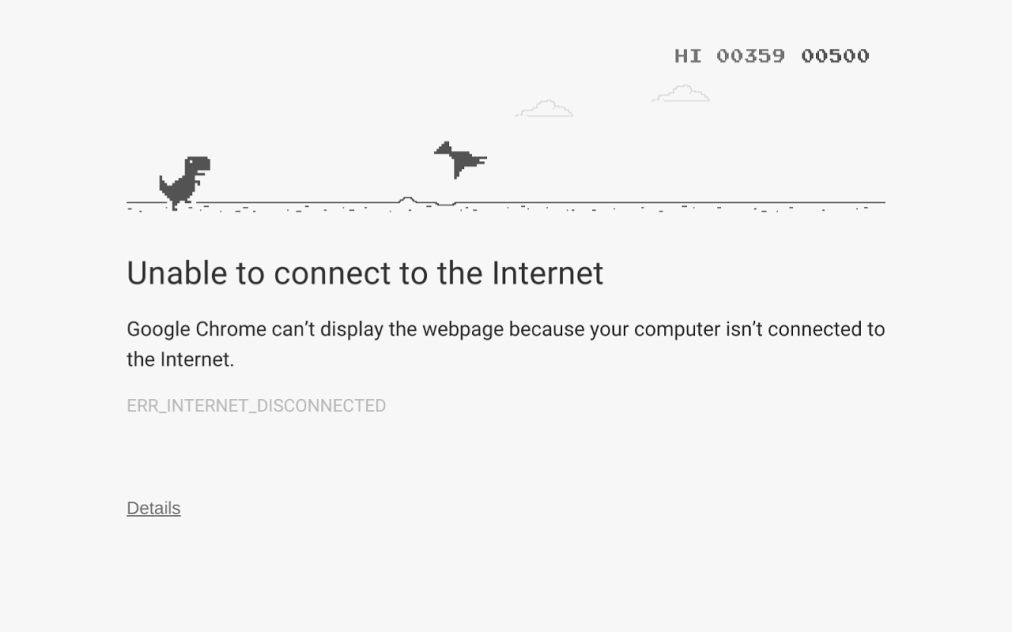
Have you come across the Easter egg in Google Chrome that alleviates the frustration of your Internet going down with a fun side-scrolling game? You’re a dinosaur running and your objective is to jump and avoid hitting obstacles like rocks, ditches, and cacti, getting the highest score you can in order show off and brag to your friends (or earn their pity on you). Recently, that game has become a bit more difficult with the introduction of a new obstacle — a dinosaur that can fly.
Chrome evangelist François Beaufort posted to his Google+ account yesterday to show off what the new dinosaur, a pterodactyl, looks like in action in the game, saying it was added in a recent update to Chromium. You won’t face off against the dinosaur until your score nears 500 and, to be honest, I was having trouble reaching that score so I just used the image he shared, pictured above.
If you haven’t seen this Easter egg in Chrome before, next time you try and load a website in Chrome and get the “Unable to connect to the Internet” page, click on the dinosaur and then press either the <Up> or <Left> key on your keyboard and the game will begin. Or you can just disable the Internet connection on your computer and try to refresh a page.


According to The Information, Google secretly bought “app streaming” startup Agawi late last year, an acquisition that wasn’t reported until today. The company built technology that is basically the Netflix or Spotify of apps—letting users stream games and apps to their phone without having to necessarily “download” them:
The search giant last fall secretly acquired an “app streaming” startup called Agawi whose technology allows people to access apps on their smartphone without downloading them first.
The acquisition, which hasn’t been previously reported, provides strong clues about the direction that Google is trying to move mobile software development.
Google has today released its stock Android Clock app on the Play Store, providing a new avenue to update it on devices that include it. The app is following in the footsteps of many other Google apps and services that have made their way to the Play Store, and — as is the case with the rest of them — the app is completely free.
Also, as you may already know, this means that those with devices that don’t ship with this app can simply download it from the Play Store. It’s well-regarded as being one of the best Clock apps available, sporting the ability to set alarms and timers, add cities to the World Clock, and connect with Android Wear for alarm snoozing.
It seems that the app is the same as the version currently available, albeit with a minor upgrade to version 4.0.1.

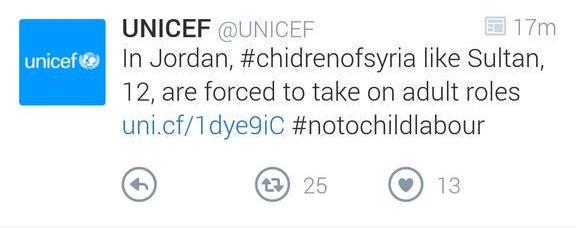
Image via <a href="https://twitter.com/manuisfunny/status/611249313172332544" target="_blank">@manuisfunny</a>
Twitter has tested new design ideas in its Android app for a while now, and today the company rolled out a new experiment that swaps out the “favorite” star icon with a new heart. Some users have started seeing the change today, while others will still see the old star while Twitter measures the impact that the change has on users’ usage habits.
There are at least two different versions of this design appearing to select users. One uses circled icons for replying, retweeting, and favoriting (as seen above), while the other uses borderless icons like the ones currently seen in the app.
Depending on how the test goes, the change may never roll out to the general public.
[tweet https://twitter.com/burgessanthem/status/611243193217232896 align=’center’]
[tweet https://twitter.com/Magnus_Jamieson/status/611244975196651521 align=’center’]
[tweet https://twitter.com/keeltyc/status/611264657354059776 align=’center’]
[tweet https://twitter.com/manuisfunny/status/611249313172332544 align=’center’]

Update: Google has uploaded a video to its Android YouTube account, embedded at the bottom of this post, to formally announce the campaign, which it’s calling “And Proud,” with lots of people on Twitter using the #andproud hashtag to share their Android.
Androidify, the cutesy undercover app part of Google’s “Be together, not the same” campaign, has received a small update today — but only in terms of its download size. The update brings a lot of LGBT pride focused clothing and moves that you can add to your custom Android character. The update seems to align well with the annual San Francisco Pride Parade, held on June 28th, at which Google employees make a regular appearance. And if you create a Pride-themed character and share it to the Androidify.com website by June 27th, your character will be a part of Google’s “global online Pride parade,” being held on the same day.
Google is well known for its efforts to support diversity both inside and outside of the company through initiatives like covering the health benefits of LGBT couples and Made with Code, a program to get more young girls learning how to code. You can get the update via APKMirror right now, but if you aren’t quite familiar with manually updating and installing apps, the update to version 4.0 (from 3.0) should be rolling out via the Play Store to your device at some point over the next 24 hours.
Google traditionally participates in LGBT Pride month in a variety of ways, with one of the most notable being its redesigned search results page for several LGBT queries.
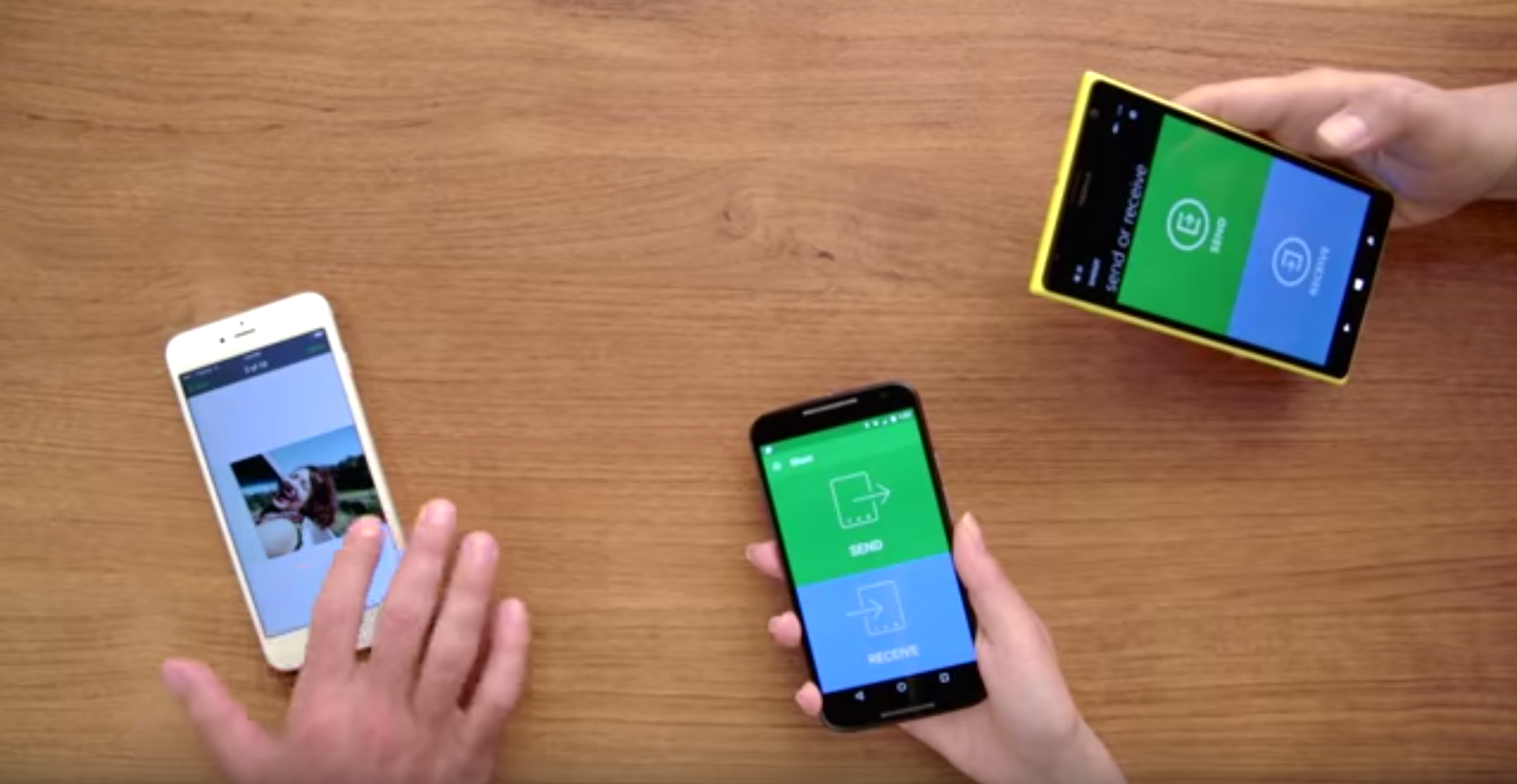
Almost immediately after Pushbullet unveiled its Portal app today for easy file transfers between desktops and smartphones, BitTorrent is out with its own similar app, called Shoot.
Pushbullet is an essential part many an internet user’s every day routine, and now the company behind the cross-platform file moving app has released a new — and yet very old — way of transferring files from one device to another. The company’s new app, called Portal, lets you effortlessly transfer files from your computer to your smartphone or tablet directly over your local WiFi connection. It’s simple and lightweight, but that’s what makes it powerful.
Expand
Expanding
Close
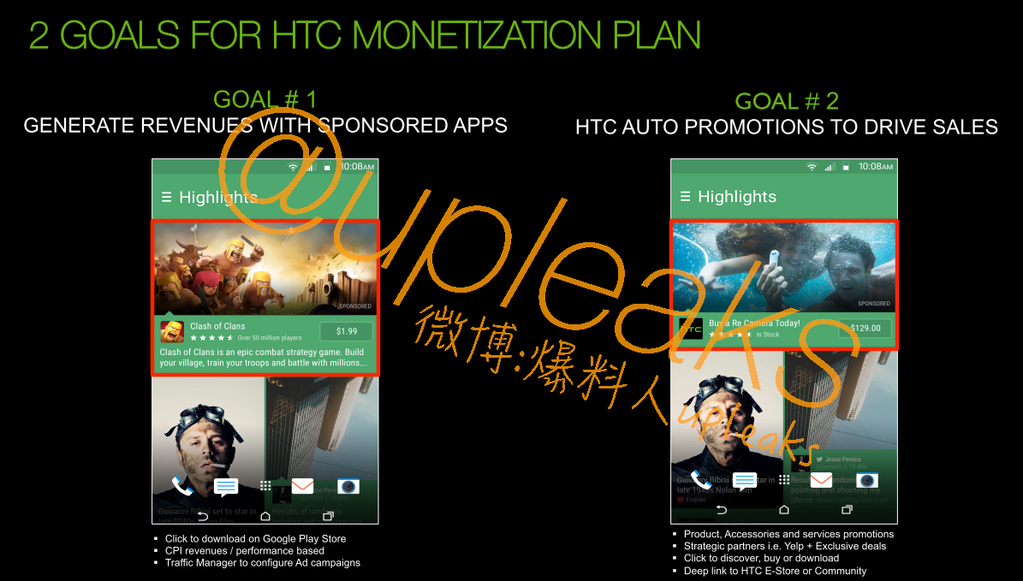
Well, the rumors are true: HTC has just announced that it has begun testing the “displaying of a limited number of promotions” to users of the BlinkFeed app in the U.S., U.K., Germany, Taiwan, and China. If results are good, the pilot will roll-out to more countries over time.
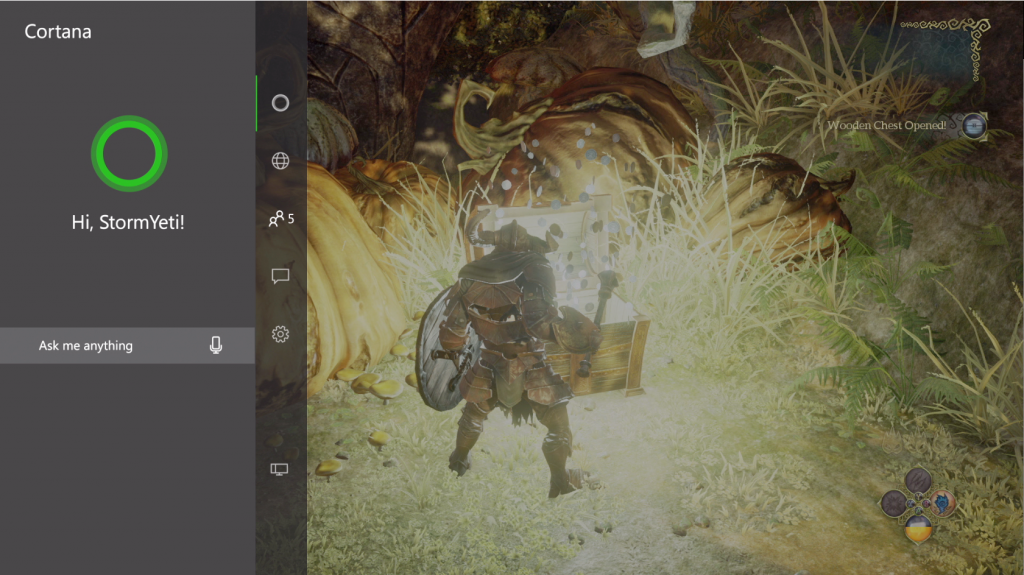
Following up on the recent announcement that Microsoft would be bringing its Cortana personal assistant software to Android (a move originally scheduled to happen at the end of this month), the company said today that it will be launching a beta version of the app next month instead.
The app’s feature set has been expanded upon, revealing that the system works across platforms like Windows 10 and Xbox One as well as mobile platforms like Android. Cortana will be connected to the user’s Microsoft account in order to keep the cross-platform features in sync.
Regulations in the United States enacted by the USDA require chain restaurants to include the caloric content of menu items right on the menus themselves. Restaurants do their best to get around this requirement, however, by oftentimes printing the calorie information in small, faint type that’s hard to see or even notice. Fortunately, Google is here to help, putting caloric and other nutritional information only as far away as an “OK Google” command.
Expand
Expanding
Close
Most of us have at least once in our lives driven to a place or business or to discover upon arrival that it’s closed. It sucks, and Google has decided to address this in version 9.10.1 of Maps for Android.
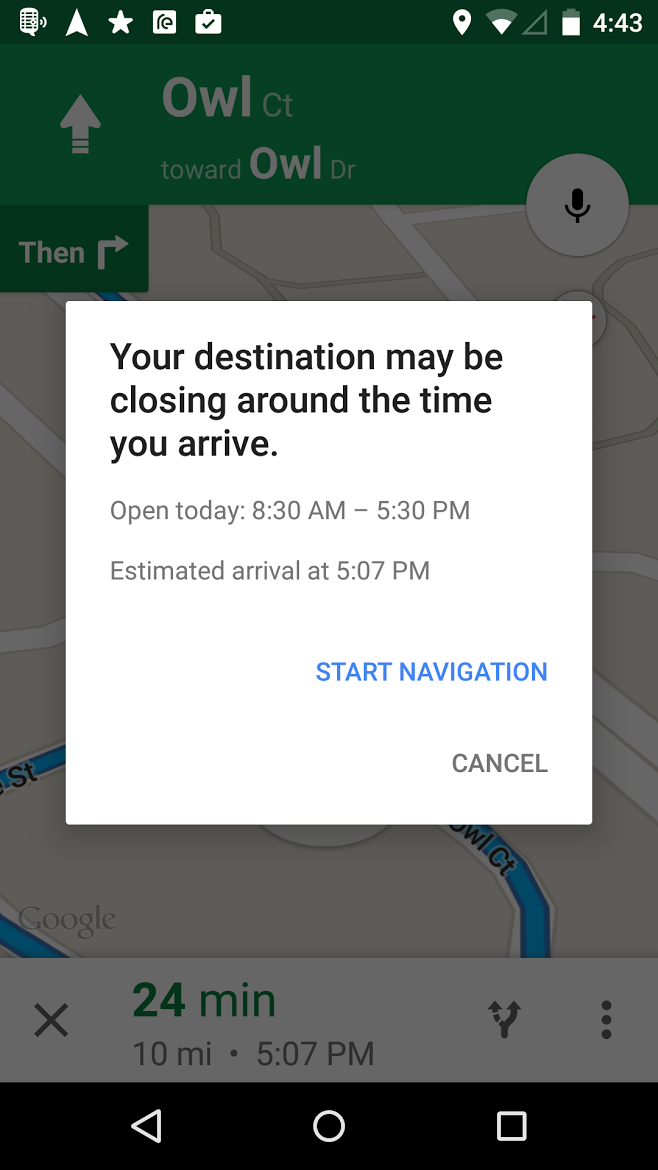
In addition to now showing you car rental reservations alongside your flights and hotels, the new version will pull data from Google’s vast places database to determine whether or not the place you’re traveling to will be closing around the time you arrive. As you can see in the image above, the place I input closes at 5:30PM and my approximate arrival time is 5:07PM, so Maps gave me a warning at the beginning of navigation so I won’t arrive too surprised. The update should be arriving for most users now through the Play Store.

From 9to5Toys.com:
Last night, Bethesda held its very first E3 showcase. We got to see more of the highly anticipated Fallout 4, along with a new Fallout iOS title and details on the very cool F4 special edition. We caught a quick CG glimpse at Arkane’s next sequel to the stealth action title Dishonored and more details on the return of Doom.
Having, in many ways, already captured the game of show award before E3 even really kicked-off, Fallout 4 is one of the most highly anticipated games in recent memory. Game Director Todd Howard took to the stage to reveal more details about the game including its complete character customization suite (including female protagonists), a deep focus on dynamic item/shelter crafting and a November 10th release date!
But possibly even more exciting, and I can’t believe I’m about to say this, is the second screen mobile app for Fallout 4. Essentially just the new in-game Pip Boy running on your iPhone, the now available for pre-order Pip Boy Edition makes it so much more than that:
Pip Boy is real and it looks pretty cool. Bethesda is including a real sized Pip Boy that you can stick your iPhone in and run the companion app while playing. As Howard said during the press event, all of these special edition add-ons are a little gimmicky, but this happens to be one of the coolest gimmicks yet (barring that life size, talking Claptrap maybe). Both Best Buy and Amazon have the Pip Boy pre-order available, but they keep going in and out of stock.
You can check out the rest of Bethesda’s E3 announcements over on 9to5Toys.
Adobe has today released a new Photoshop app for Android called Photoshop Mix, a new attempt at bringing the company’s photo editing software to mobile. While Photoshop Express has been around for a while, it’s not exactly the most powerful photo editing tool on the Play Store. Adobe Photoshop Mix, in light of Photoshop Touch’s removal from the store, is an attempt at filling the gap for those that are looking for something a little more robust.
Expand
Expanding
Close

Plex today announced an update for its Android app that brings with it several improvements and new features. The update, which bumps the app to version 4.4.0.069 is available on the Play Store now. One much welcomed change for mobile users is that there is now a “jump to letter” feature to make scrolling much faster within the library.
The upcoming Hangouts 4.0 update was shown off by Android Police yesterday, but now the publication is sharing images of its Android Wear counterpart—something that, for some, might be even more exciting than the full app. It’s been a long time coming, but it looks like Google is finally preparing to officially bring its popular messaging platform to the wrist…
Expand
Expanding
Close

Google announced today that it’s rolling out an improved experience for sharing your screen with others through its Google Hangouts chat app. Now, when you decide to share your screen with someone else in Hangouts, you’ll get a new “full-view” experience that Google says brings the following two notable improvements:
The updated experience will be available to anyone that shares their screen using the ‘Present to everyone’ mode in Hangouts as well as when a Hangout member pins a person currently screen sharing.
Google announced today that it updated its Slides app, available for Android and iOS, to both support Google Cast and AirPlay. The update comes following the announcement of the Remote Display API that Google showed off at its I/O developers conference at the end of June, which allows developers to present more intricate applications and games on a remote screen.
Expand
Expanding
Close
Update: It looks like there’s going to be an Android Wear app too.
Android Police today has shared a handful of images of what are believed show the 4.0 update that is coming to soon to Google’s Hangouts app on Android. The images show a refreshed interface that Google seemingly hopes will silence the complaints regarding the app’s current interface and design.