Apps and Updates




Google is working on a new social network community called Tablescape for sharing photos of food, according to a new report from Android Police with additional information from El Androide Libre. The service is somewhat of an extension of Google+, but with heavy optimization for users looking to share and browse photos of food.

NBC has this morning released an update for its Android app that introduces live streaming of the network’s content directly to an Android phone or tablet. Like most things in the cable industry, the feature is only available in a few select cable markets that this time and requires a subscription to a cable or satellite partner.
All users will be able to take advantage of the other new feature added in version 3.0, however…
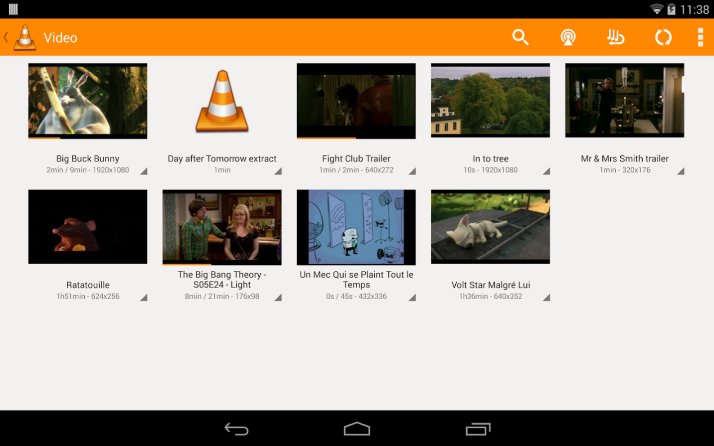
The popular VLC media player will be upgraded to version 3.0 soon, introducing a whole host of features to the software, including support for Google’s Chromecast streaming device. The change was mentioned in a VLC change log on the VideoLan website.
Chromecast support in VLC will allow users to stream their stored media to their TVs from supported devices, including Android handsets and tablets. iOS devices, and computers running OS X and Windows are also expected to get the upgrade.
VideoLan, the development company behind VLC, hasn’t announced the availability date for version 3.0 yet. You can grab the current version of the Android app from the Google Play Store.
Google this afternoon has begun rolling out a major update to the Play Music app on iOS. The update packs a handful of new features and enhancements, including a totally refreshed Material Design interface, and for the first time, an iPad optimized interface, as well.

Google acquired the popular email client Sparrow back in 2012 and announced that the entire team would be joining Google to work on Gmail. Since that acquisition, Sparrow apps received only a handful of updates and have been seemingly neglected in favor of Google’s new Inbox initiative. Over the past few days, however, Sparrow appears to have received the final nail in its coffin as it has been removed from both the Mac App Store and iOS App Store (via TechCrunch).

Google has announced today that its ‘Helpouts’ service for sharing and seeking advice on everyday challenges is shutting down on April 20th, 2015. We told you earlier today that the Helpouts mobile apps for iOS and Android were pulled from their respective stores, and it looks like Helpouts as a whole is now getting the boot as well.
Expand
Expanding
Close
Google has today pulled the mobile apps for its Helpouts service from the Play Store and the App Store (via TechCrunch), less than a year after they launched. The service, which allows you to offer on-demand real help to others in live time for a price (or for free), is seemingly no longer available on mobile despite the fact that the apps only launched in April of 2014.
Expand
Expanding
Close

Google today announced that it’s launching a beta channel or Android WebView, the API many apps use to display webpages. Google noted that with Android 5.0 Lollipop, it now “has the ability to update WebView independently.” It will begin to allow developers to use the new beta channel for testing the latest updates to WebView starting today:
WebView updates bring numerous bug fixes, new web platform APIs and updates from Chromium. If you’re making use of the WebView in your app, becoming a beta channel tester will give you an early start with new APIs as well as the chance to test your app before the WebView rolls out to your users.
Developers interested in becoming beta testers can join the community here in order to sign up for the program and install the WebView beta from Google Play.
[youtube=http://youtu.be/-HYfwSKlc6w]
Earlier today Google and Mattel teamed up to unveil a new product that revives Mattel’s classic View-Master toy using some new Google Cardboard virtual reality tech. We were on the floor at the press event and managed to get some hands-on time with the new toy, which will first arrive with support for Android devices before arriving for other mobile devices.
Expand
Expanding
Close
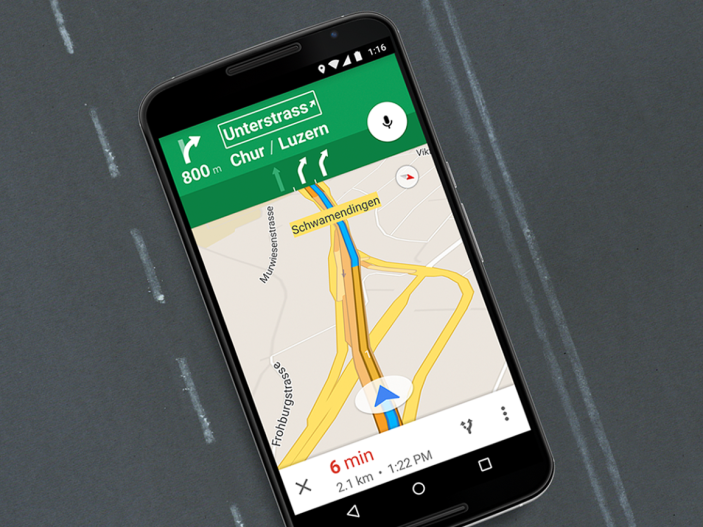
Google today has announced that it is expanding support of lane guidance in Maps for Android to 15 additional European countries. The feature was launched in the United States and Canada last year, with Google promising expansion at a future date. Ireland, France, Germany, Italy, and the United Kingdom gained support for lane guidance in December.
Today’s update adds lane guidance to the following 15 European countries:
Expand
Expanding
Close
Currently most of us have to inform our bank by phone when we’re travelling to avoid purchases in other countries appearing as red flags for fraud and being declined. That could soon change as Visa looks to track smartphones with a service called Mobile Location Confirmation in order to help their security systems become smarter and reduce declined purchases by as much as 30%.
Expand
Expanding
Close

From 9to5Toys.com:
As part of its Free Android App of the Day offerings, Amazon is handing out up to $140 worth of paid Android games/apps for free. One standout title in the sale is OfficeSuite Professional 8 which is regularly listed at $19.99 and has received a 4 star rating from well over 50,000 customers on Amazon and Google Play.
Other notables include Cut the Rope: Experiments (Reg. $1), Relax Melodies Premium (Reg. $3), Bag It! (Reg. $2), Battery HD Pro (Reg. $4), Runtastic PRO GPS Running, Walking & Fitness Tracker (Reg. $5) and many more.
Head over to our previous game/app roundups for all the best price drops everyday.
The latest build of Chrome Canary for Mac packs a great new feature that’s likely familiar to those who use Safari on a daily basis. While current stable builds of Chrome have a jaggedy pinch-to-zoom functionality that only zooms in 10% increments, the latest build of Chrome Canary provides a smooth buttery zoom experience like Apple’s browser.
As of right now, it looks like the feature works a little bit less fluidly than Apple’s offering, but that’s to expected in the most experimental public release version of Chrome. Zooming works the same way that it does in Safari and current versions of Chrome, so all it takes is pinching two fingers on the Trackpad.
If you’re sticking with Safari on your Mac for this reason or others (battery life, anyone?), it looks like this feature—once it makes its way to the stable release—will give you one more reason to switch over to Google’s browser. If you want to give it a try, head over and download the latest build of Chrome Canary.
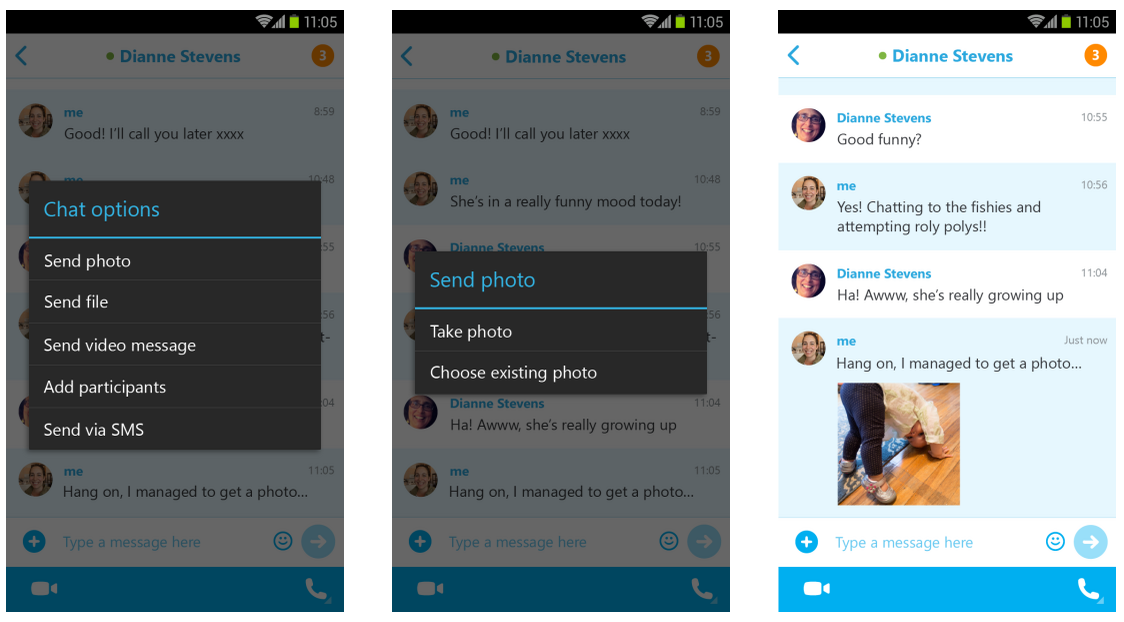
Skype is rolling out version 5.2 of its Android app today and with it comes the ability to share photos with offline contacts. Previously the app only let users share photos with contacts that were currently online.
Gone are the days when you and your contacts need to be online at the same time for you to share photos using Skype. With this update, you can now send photos to your Skype contacts at a time that’s convenient for you, regardless of your contacts’ online status. When they are back on Skype, photos you shared show up beautifully inline in the chat history, whether or not you’re online – allowing you to easily carry on the conversation.
The update adds other new features as well, including picture in picture view for smartphones and enhancements to chat load times, call quality, and more:
The updated Skype app for Android, version 5.2, is rolling out on Google Play today.

LG today announced a new VR for G3 headset, a virtual reality headset for LG G3 users that will work using Google’s Cardboard VR platform and compatible apps.
LG will be giving away the VR for G3 headset for free to those purchasing a new LG G3:
Expand
Expanding
Close
An app called Odysee has been acquired by Google, and the “Platform Team” behind it will be joining the Google+ team. The app, while definitely not all too well known, let users automatically back up their photos and videos from their smartphones to the cloud as well as a home computer.
The team will continue to work on “building amazing products” at Google, but it’s not exactly clear yet what the team is going to be doing—or what parts of Odysee may or may not be making it into Google+. Auto-upload of photos to Google+ has been pushed in the company’s official app for quite some time now, so maybe the team is coming on board to flesh out and expand that functionality of the service…
Expand
Expanding
Close
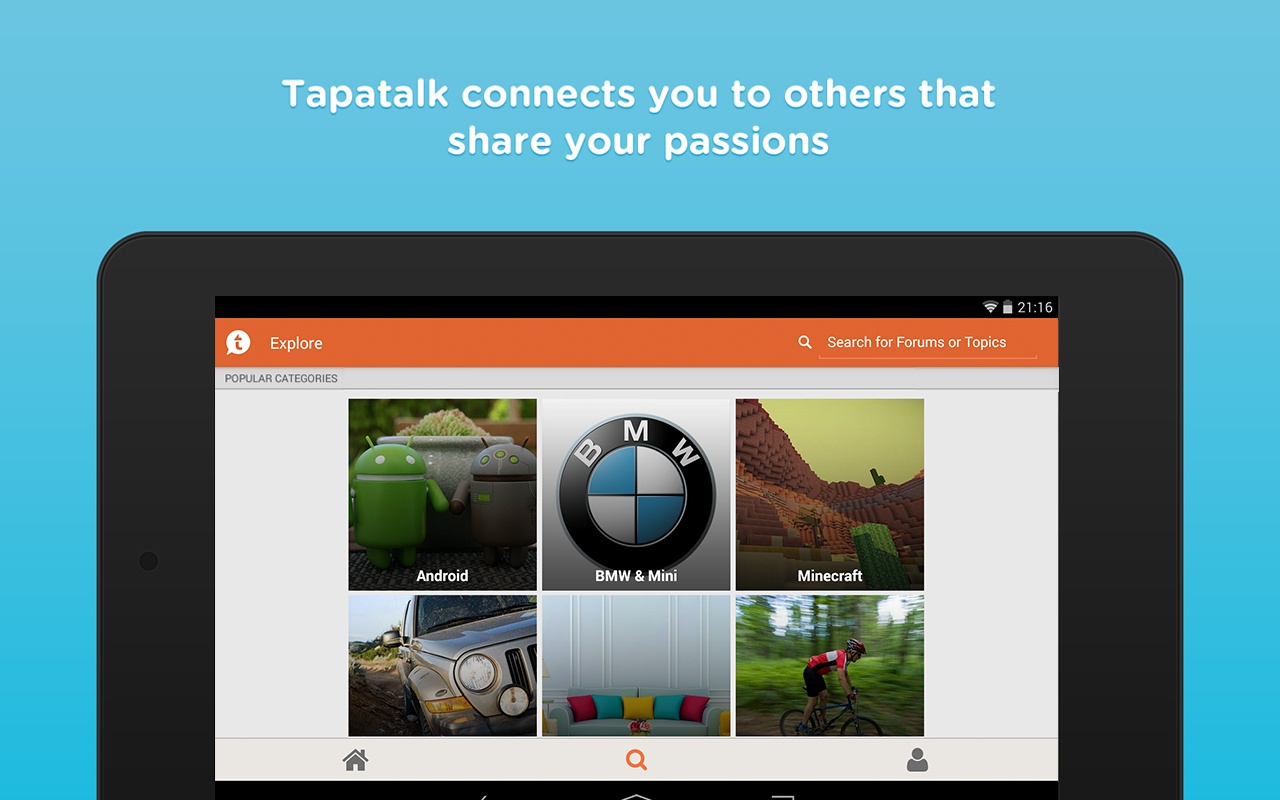
Google has announced that six new Android apps are available for computers running Chrome OS. The new apps include the Yo messaging service, the SlideShare presentation sharing software, and Tapatalk forum client.
Other new additions include the Dormi baby monitor software, chromatic tuner app Waves, and a shopping app called Slice.
All of the new apps run within the Android Runtime plugin for Chrome OS that was debuted last year. The company solicits suggestions from the public to determine which apps it should bring to the platform next. You can find the complete collection of Chrome-compatible Android apps on the Google Chrome Web Store.
Google today has started rolling out an update to its Maps app on Android that bumps it to version 9.4. Most notably, the update adds integration with Google’s new Local Guides service, which it originally introduced back in January. Previously called City Experts, Local Guides is the company’s efforts to get users to review local businesses and share them with others.

It appears that Google is about ready to jump into the kid-friendly mobile app space, as Launchpad toys has today announced that they’ve been acquired by the Mountain View company. Known for its Toontastic storytelling app for kids, the company is joining Google to “create even more amazing creativity tools for kids.”
The 57th annual Grammy Awards are scheduled to take place this weekend on Sunday, February 8th, and CBS just sent over details on the only official live stream of the event accessible through your Android smartphone, tablet or Chromecast connected TV.
Head below for all the details on how to watch official streams for the event on your computer and all of your mobile devices.
CBS has broadcasting of the event locked down this year, and so for mobile users the only official live stream available of the actual awards show will be the CBS app (US only).
It will require a CBS All Access subscription, however, and is also only available in 14 major markets, including: New York City, Los Angeles, Chicago, Philadelphia, Dallas, San Francisco, Boston, Detroit, Minneapolis, Miami, Denver, Sacramento, Pittsburgh and Baltimore. It’s clear CBS is trying to push its All Access service, which offers next day access to TV shows, live TV in some markets, and on-demand content, but you can watch using a free trial and cancel before it expires…
Normally $6 month, you can take advantage of a free week trial of CBS All Access to watch the show.
The live stream kicks off at 8p.m. – 11:30p.m. live ET/ delayed PT.
The official GRAMMYs and CBS apps will have a live stream of the GRAMMY Awards Premiere Ceremony and red carpet festivities starting at noon PT/3 p.m. ET, and the app will offer a second screen experience of sorts for those viewing the awards on TV at home.
Stream the 2015 GRAMMYs LIVE with CBS All Access on February 8th at 8/7c! Get ready to tune in to the GRAMMYs live stream now by starting your free CBS All Access trial.
Again, CBS will be the only source of a live stream online through its CBS All Access service. The good news is you can grab a free week trial of CBS All Access, which will give you access on mobile devices as well. This will probably also be your best bet for streaming to the big screen via the Chromecast extension.
Like on mobile devices, GRAMMY.com and CBS will have a live stream of the GRAMMY Awards Premiere Ceremony and red carpet festivities starting at noon PT/3 p.m. ET online, and also offer a second screen experience of sorts for those viewing the awards on TV at home. The main event takes place 8 p.m. – 11:30 p.m. live ET/ delayed PT.
Microsoft has launched a new lock screen replacement for Android devices called Picturesque. The app comes from Microsoft’s Garage division, which the company describes as “a 24-hour idea factory.”
Picturesque features a daily wallpaper from the Bing homepage (which you can change by shaking your phone), the ability to search the web and browse the results directly from the lock screen (also powered by Bing, naturally), along with a news feed, weather updates, app notifications, and controls for your camera and phone calls.
The free lock screen replacement is available from Google Play now. You can find the full description and feature set listed below:

Google announced today that it’s adding new cards to Google Now, those context-aware notifications that pop up in the Google app for Android, using information sourced from other Android apps. That means rather than opening various apps to check out the latest updates in each, you’ll be able to view updates directly in the Google Now feed.
Expand
Expanding
Close

Google announced today that it’s making Google Earth Pro free to all, bringing the ability to do things like “measure 3D buildings, print high-resolution images for presentations or reports, and record HD movies” inside Google Earth.
The previously paid advanced Google Earth features were previously used by mostly businesses, scientists and hobbyists, according to Google.
Starting today, even more people will be able to access Google Earth Pro: we’re making it available for free… Whether you’re planning a new office building or a trip to the mountains, check out Google Earth Pro and see how easy it is to visualize your world.
Google is allowing anyone to get a free key to Google Earth Pro by signing up here. The Google Earth Pro app for PC and Mac is available to download here.
[youtube http://youtu.be/SGTRTHr-BDw]
Super Bowl XLIX with the Seahawks vs. the Patriots kicks off this weekend on February 1st and we’re already getting prepared with a handy list of links for watching on all your Android and Chrome devices.
Head below for details on how to watch the game from your Android smartphone, tablet, or in your browser on the desktop:
Expand
Expanding
Close