Stay up to date on news from Google headquarters. Be the first to learn about plans for Android, Google Plus, Google Apps, and more!
Stay up to date on news from Google headquarters. Be the first to learn about plans for Android, Google Plus, Google Apps, and more!

Google controls most of the search engine market in Europe, and as a result receives most ‘right to be forgotten’ requests, those things where individuals can request the de-listing of links to sensitive information about themselves that are deemed out-dated or irrelevant. But more than half of requests are denied, and of those that are appealed, most of those are too denied – which the European Union says is just fine.


Keep up with the best gear and deals on the web by signing up for the 9to5Toys Newsletter. Also, be sure to check us out on: Twitter, RSS Feed, Facebook, Google+ and Safari push notifications.
Burner, the popular app for creating throwaway phone numbers that can be used for making calls and sending text messages, has received a large update to its Android app today. The new app has three key additions, so let’s go through them.
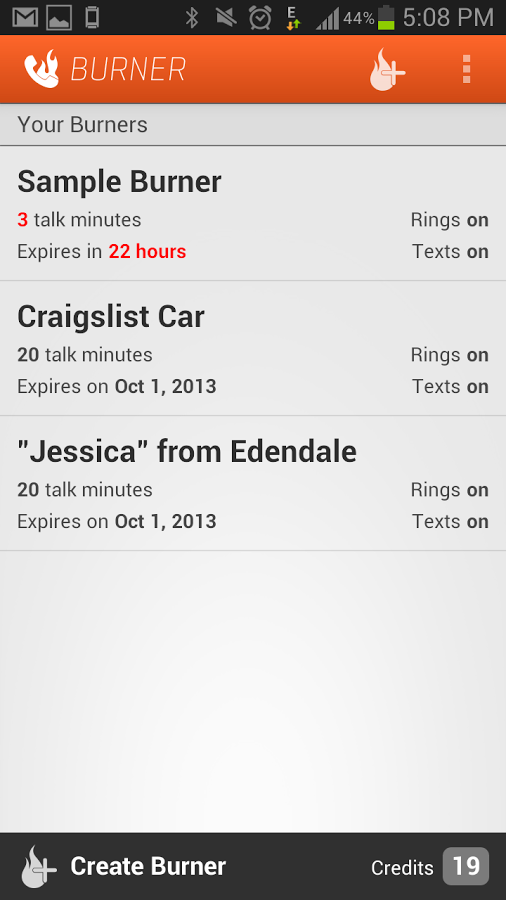
The first major change you’ll notice upon updating the app is that it’s been completely redesigned. FABs (floating action buttons), new colors, transitions – the app now adheres to Google’s Material Design guidelines. You can see what the new app looks like above, but here’s a taste of what the app looked like before today’s update:
The next big change is the addition of unified inboxes. These will come in handy for Burner users who have more than one number in the app, placing all messages and missed calls into one inbox with color-coding so as you scroll through all your calls and messages or start replying to one, you’ll know which Burner number the message came through.
Finally, there’s now also an Android Wear app. But don’t worry, there’s no keyboard access – the app allows you to view notifications and messages, and reply using voice commands.
The company behind the app says that this update was built upon the feedback they’ve received from users, and that this is just the beginning of “a ton of new features that will be coming to Android.”
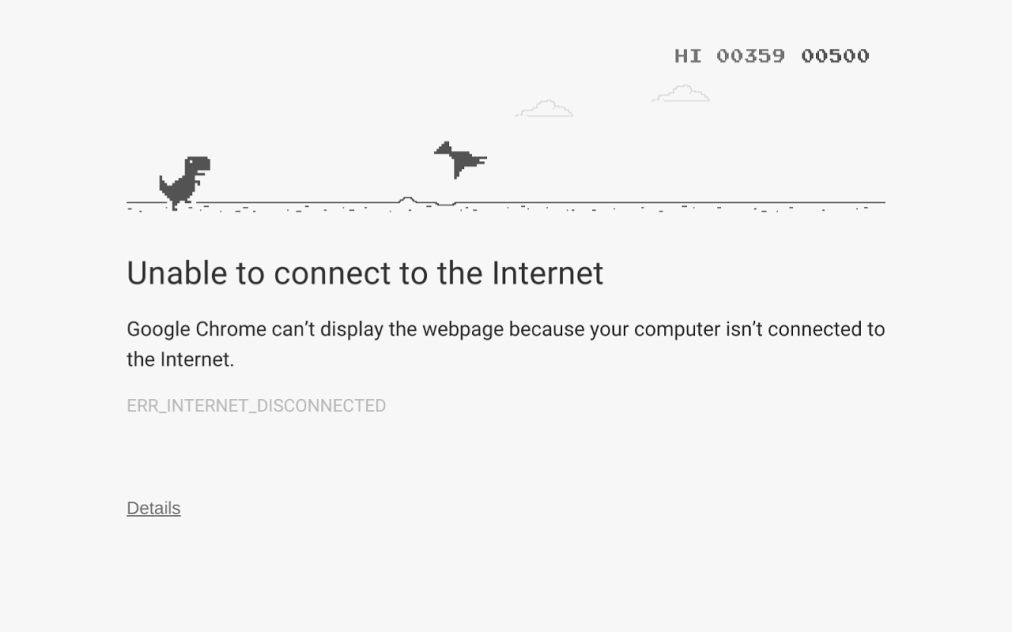
Have you come across the Easter egg in Google Chrome that alleviates the frustration of your Internet going down with a fun side-scrolling game? You’re a dinosaur running and your objective is to jump and avoid hitting obstacles like rocks, ditches, and cacti, getting the highest score you can in order show off and brag to your friends (or earn their pity on you). Recently, that game has become a bit more difficult with the introduction of a new obstacle — a dinosaur that can fly.
Chrome evangelist François Beaufort posted to his Google+ account yesterday to show off what the new dinosaur, a pterodactyl, looks like in action in the game, saying it was added in a recent update to Chromium. You won’t face off against the dinosaur until your score nears 500 and, to be honest, I was having trouble reaching that score so I just used the image he shared, pictured above.
If you haven’t seen this Easter egg in Chrome before, next time you try and load a website in Chrome and get the “Unable to connect to the Internet” page, click on the dinosaur and then press either the <Up> or <Left> key on your keyboard and the game will begin. Or you can just disable the Internet connection on your computer and try to refresh a page.

Few of us actively like ads, but most of us are smart enough to recognize that if we want free content, advertising is what pays the bills for the people providing it. But publishers face a growing threat from increasingly sophisticated ad-blockers that deprive them of revenue needed to remain in business. Even mobile networks and Apple are getting in on the action.
One former Google exec thinks he has the answer. Ben Barokas, former general manager of marketplace development at the search giant, is working on a new type of adblock-blocker that he thinks may not just help publishers, but also provide their readers with more choices …
Expand
Expanding
Close
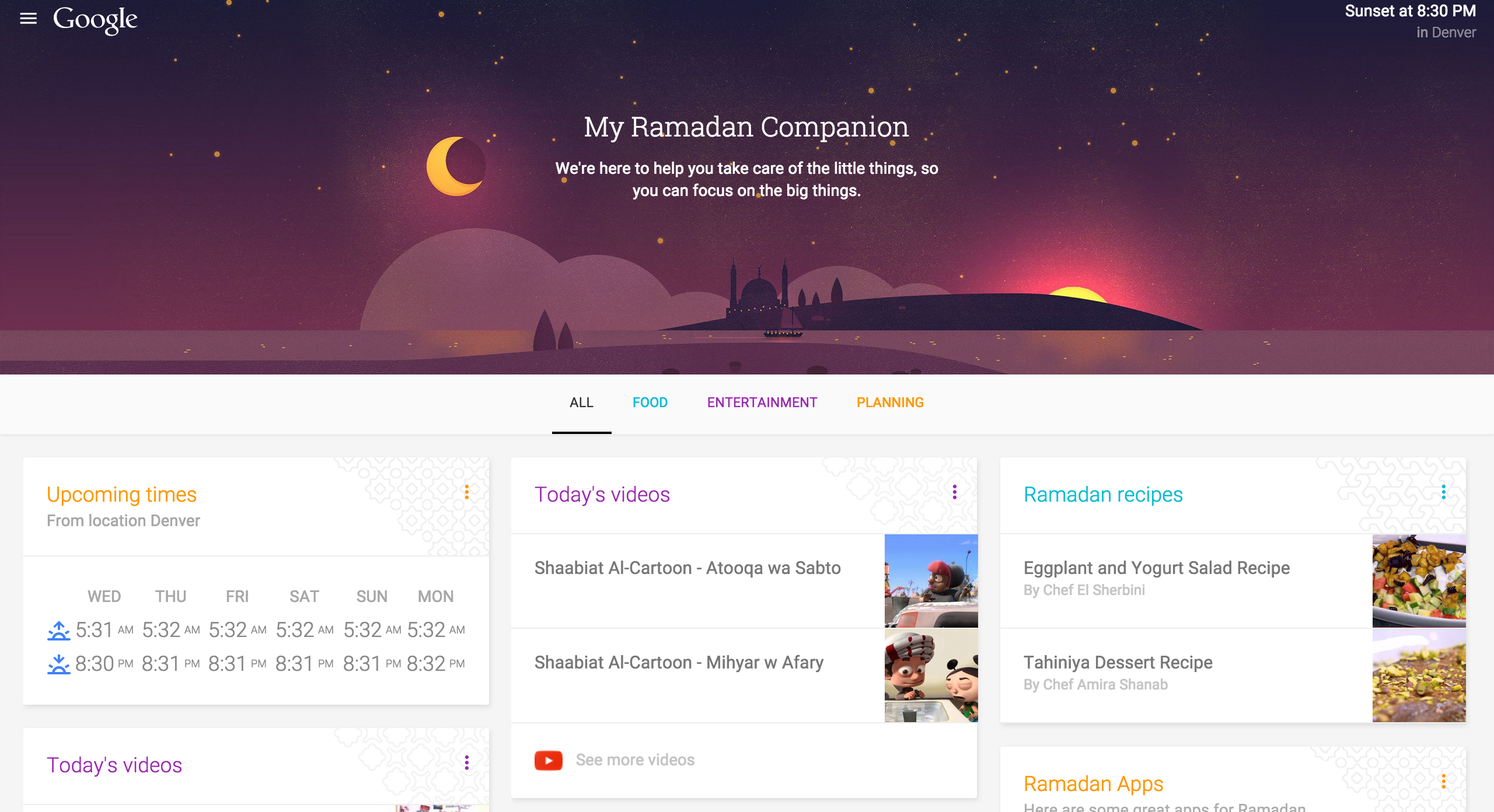
The month-long Muslim holiday of Ramadan runs from this evening, June 17th, and ends in the evening of July 17th, and Google has launched a website that takes advantage of the company’s vast offerings to provide a helpful dashboard through which to get the most out of the month.
Another day, another expanded soak test of a Motorola software upgrade. This time, Android 5.1.1 Lollipop for the 1st and 2nd-generation Moto X in a bevy of countries.
Keep up with the best gear and deals on the web by signing up for the 9to5Toys Newsletter. Also, be sure to check us out on: Twitter, RSS Feed, Facebook, Google+ and Safari push notifications.
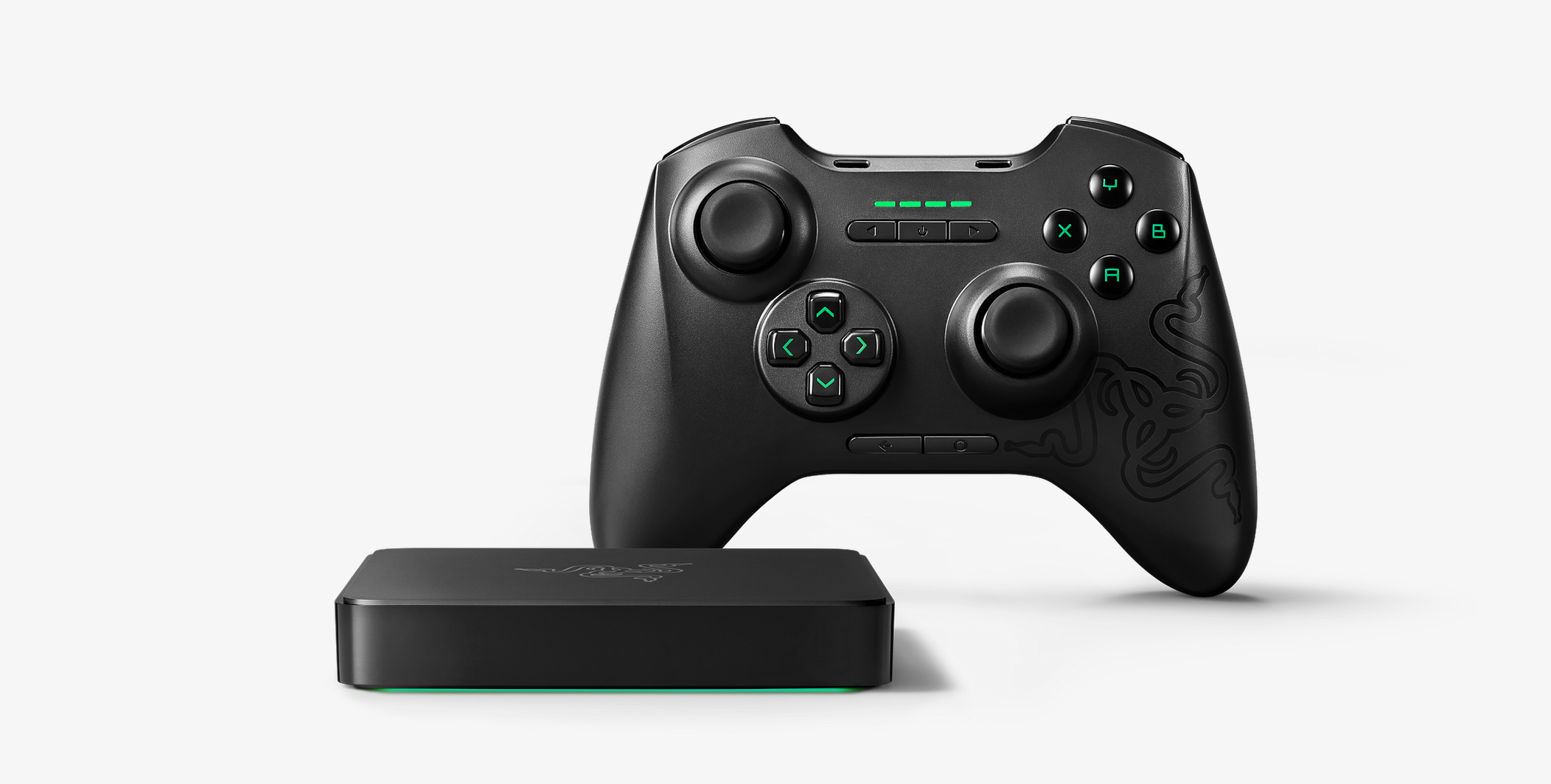
A couple new hardware items have just hit Google’s online store – the just-announced Nest Protect (2nd gen) and Nest Cam, and Razer’s Forge TV.

Google has today pushed an update to its Trends product, which it says is the biggest expansion to the search analysis product since 2012. The goal with this update, the company says, is to provide a “faster, deeper and more comprehensive view of our world” through real-time data on everything from the FIFA scandal to Donald Trump’s presidential campaign kick-off.

Update: Google has uploaded a video to its Android YouTube account, embedded at the bottom of this post, to formally announce the campaign, which it’s calling “And Proud,” with lots of people on Twitter using the #andproud hashtag to share their Android.
Androidify, the cutesy undercover app part of Google’s “Be together, not the same” campaign, has received a small update today — but only in terms of its download size. The update brings a lot of LGBT pride focused clothing and moves that you can add to your custom Android character. The update seems to align well with the annual San Francisco Pride Parade, held on June 28th, at which Google employees make a regular appearance. And if you create a Pride-themed character and share it to the Androidify.com website by June 27th, your character will be a part of Google’s “global online Pride parade,” being held on the same day.
Google is well known for its efforts to support diversity both inside and outside of the company through initiatives like covering the health benefits of LGBT couples and Made with Code, a program to get more young girls learning how to code. You can get the update via APKMirror right now, but if you aren’t quite familiar with manually updating and installing apps, the update to version 4.0 (from 3.0) should be rolling out via the Play Store to your device at some point over the next 24 hours.
Google traditionally participates in LGBT Pride month in a variety of ways, with one of the most notable being its redesigned search results page for several LGBT queries.

Transportation service Uber has hired a longtime mapping expert from Google as the company focuses on boosting its own mapping expertise. As Recode reports, Brian McClendon has left his engineering VP role at Google to oversee Uber’s Advanced Technologies Center. McClendon previously led development for Google Earth and Google Maps and has worked for the company for 10+ years…
Expand
Expanding
Close

Speaking in an interview with CNBC, DuckDuckGo CEO Gabe Weinberg said that the company’s traffic has grown 600 percent over the past two years. A variety of factors likely played a role in this explosion of growth, but it is mainly attributable to the NSA’s surveillance program, which was revealed two years ago. It has been reported in the past that the NSA tapped into Google servers and accessed the data of millions of users.
Keep up with the best gear and deals on the web by signing up for the 9to5Toys Newsletter. Also, be sure to check us out on: Twitter, RSS Feed, Facebook, Google+ and Safari push notifications.
Regulations in the United States enacted by the USDA require chain restaurants to include the caloric content of menu items right on the menus themselves. Restaurants do their best to get around this requirement, however, by oftentimes printing the calorie information in small, faint type that’s hard to see or even notice. Fortunately, Google is here to help, putting caloric and other nutritional information only as far away as an “OK Google” command.
Expand
Expanding
Close
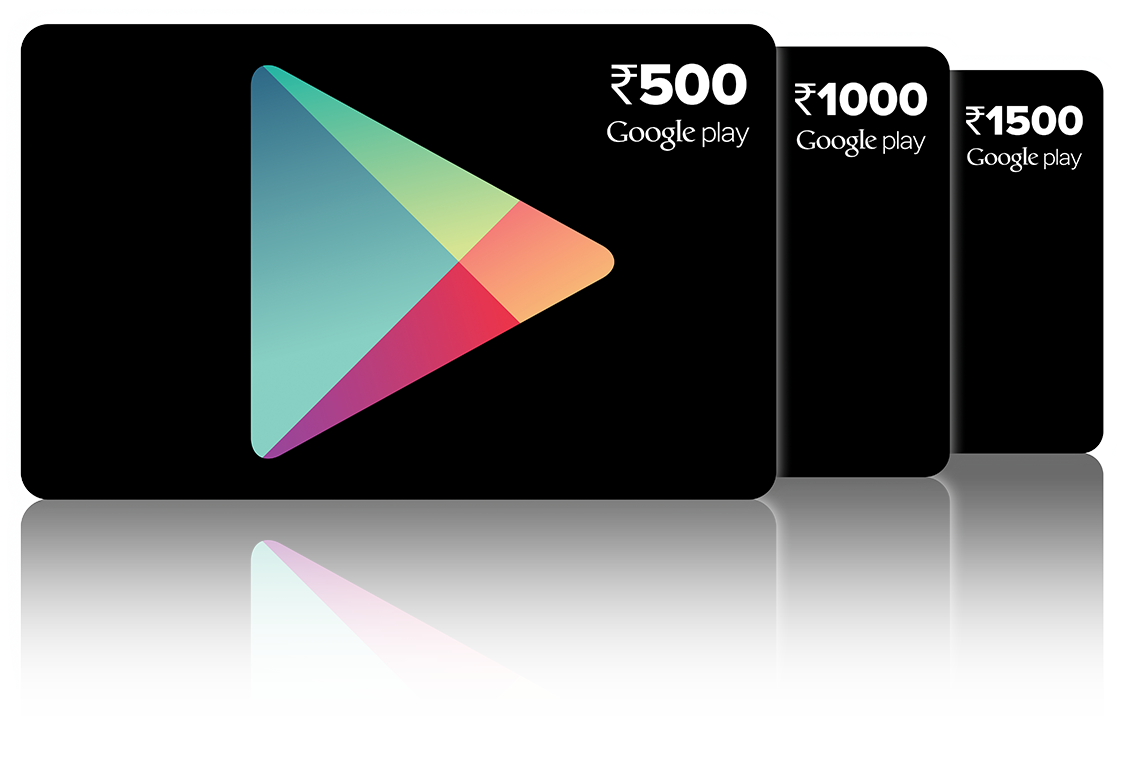
India is a large, fast-developing country where cash is still the predominant payment method for everything from paying for cabs to refilling on smartphone data. Large multibillion dollar upstarts like Uber arrive in the country and find that it’s only once they add cash payment that their businesses really take off, and so it’s no surprise that Google is jumping into the fold through the arrival of Google Play prepaid cards in India.
These gift cards should start showing up in select Vijay Sales and Spice Hotspot stores in Delhi NCR, Mumbai, Pune, Hyderabad, Bengaluru, Kolkata & Jaipur. They will be available in denominations of INR 500 (US$7), INR 1000 (US$15) and INR 1500 (US$23), and can be paid for with any payment method these stores allow.
Redeeming the cards is as simple as visiting this page and inputting the redemption code on the back of the card. It’s believed that direct carrier billing might come to India sometime soon, but there’s no word from Google on that just yet.
If you’ve been following the latest with Chrome for Android, you probably know that Google has been making a big push with web apps. In Chrome for Android beta 42, Google added banners that recommend users install web apps to their home screens, and in beta version 43, the Chrome for Android app now has banners that push native apps on users as well. Now, in the latest build of the Chromium—the open source project that is the basis for Chrome—browser, Google is testing banners suggesting that users add sites to their app shelf.
Expand
Expanding
Close
Google has announced Android Security Rewards, a program to reward security researchers and others who find (and optionally fix) vulnerabilities in the latest available Android versions for current Nexus devices. At present, this means the Nexus 6 and Nexus 9.
We’re launching Android Security Rewards to help reward the contributions of security researchers who invest their time and effort in helping us make Android more secure. Through this program we provide monetary rewards and public recognition for vulnerabilities disclosed to the Android Security Team. The reward level is based on the bug severity and increases for higher quality reports that include reproduction code, test cases, and patches.
Rewards range from $333 for a test case of a low-severity bug up to $8,000 for a “well-written CTS test and patch” for a critical bug …
Expand
Expanding
Close
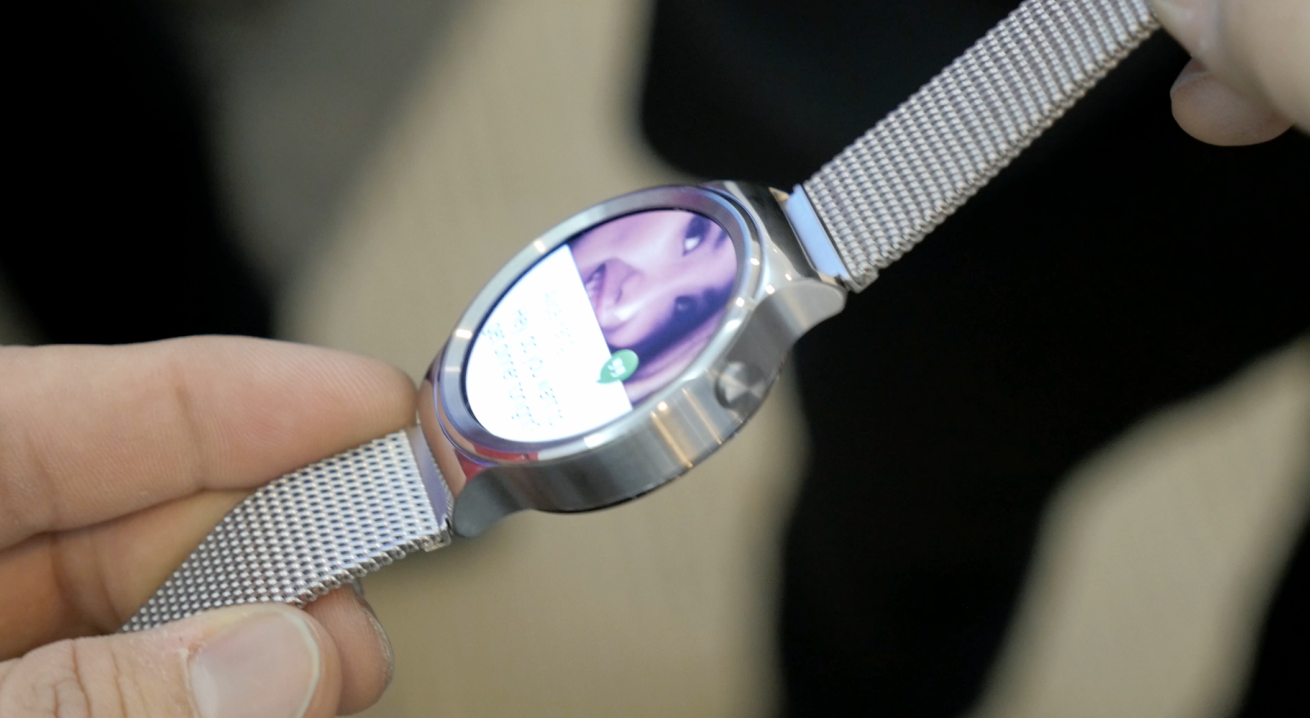
We recently reported that the launch of Huawei’s first smartwatch, simply called Huawei Watch, was expected to be delayed until September or October in China and perhaps abroad as well. A new story out from the WSJ speaking with Yang Yong of Huawei, however, has the launch in China pushed back as far as early 2016. The smartwatch is still expected to launch in the US and Europe in the coming months.
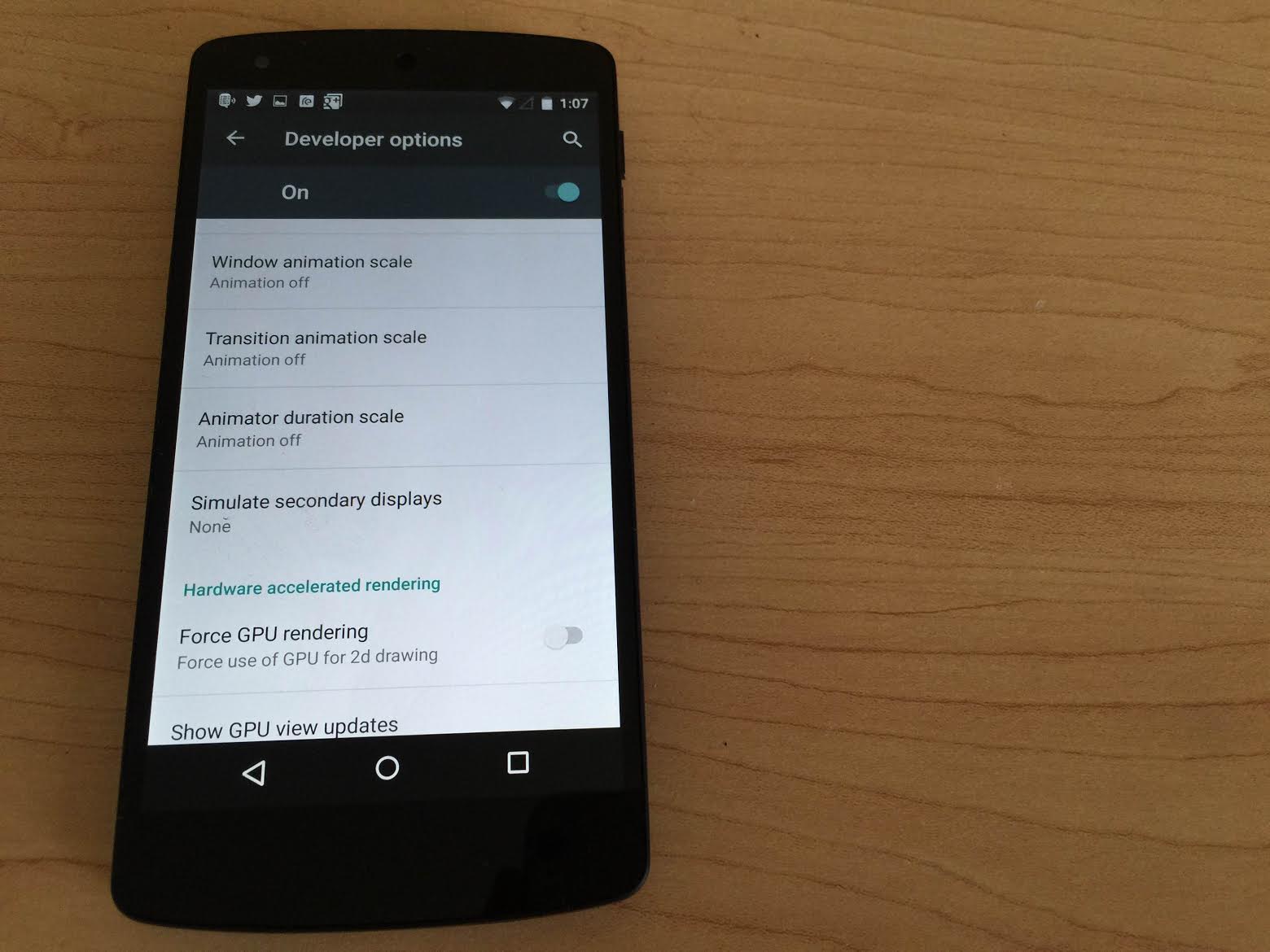
If you’re anything like me, the transitions and animations present in recent iterations of the popular smartphone operating systems can be both beautiful and nauseating at the same time. The extra time allotted for an app to fly up from the bottom of the screen can also make your phone feel a little bit slower than it really is. For these reasons, whenever I get a new phone I make sure to reduce the animations as much as I can while still getting a pleasant navigation experience, and with lots of people installing Android M soon I thought I’d show you how to do it yourself.
Keep up with the best gear and deals on the web by signing up for the 9to5Toys Newsletter. Also, be sure to check us out on: Twitter, RSS Feed, Facebook, Google+ and Safari push notifications.

Moto Maker has gradually been expanding its scope since being introduced in 2013. And following the phone customization service launching in China earlier this year (and several other notable countries over the last couple of years), it appears that Motorola is ready to bring it to India—a market favorite due to its emerging economy—as well…
Expand
Expanding
Close
A couple weeks back you may have seen a lot of news coverage about a Chrome extension that, when installed, replaces all instances of the word ‘millennials’ on the webpages you visit with ‘snake people’. The media seems to have this non-stop desire to write think piece after think piece about how snake peoples are a smartphone-obsessed, basement dwelling generation who expect everything on a silver spoon. If these posts are driving you crazy, Millennials to Snake People will ease the pain! There’s also an older one called ‘Cloud to Butt Plus’ which, while pretty self-explanatory, cuts straight to a kind of taboo topic that makes us uneasy and/or nervous, the feelings which are oftentimes best dealt with through laughter.
But maybe there’s some other word or phrase driving you mad that these extensions haven’t addressed. Thankfully, I’m here to help. And you don’t even need to have any web development experience, as I’ve already gone ahead done all the elbow work! When you’re finished you’ll be able to run this extension in the Chrome browser on your computer absolutely free, or for $5 you’ll be able to pay Google for the right to publish it to the Chrome Web Store where anyone can download it. So, here’s how to make a Chrome extension that replaces any word or phrase with the one of your choosing:
Expand
Expanding
Close

We wouldn’t blame you for thinking the images above are leaks or even mockups of what Android 5.1.1 Lollipop might look like on the DROID Turbo – but you’d be wrong, because these are straight from Verizon’s website.