Google begins rolling out revamped conversational Voice Search features in Chrome

During its Google I/O keynote earlier this month, Google announced that it would be bringing conversational, Google-Now like voice search to the desktop. Using a UI similar to voice search and Google Now in its mobile apps, Google would soon allow Chrome users to search and drill down further into results using only their voice.

Today, Google appears to have finally started rolling out the feature for Chrome users on the stable and beta channels of Chrome.

Chrome-voice-search-02After updating to the latest version 27.0.1453.93 of Chrome, users can navigate to Google.com, click the microphone icon, and choose to allow the new Google Voice search feature to begin listening. Google will only ask for permission to listen once and from then on users can simply speak in order to search. For certain search results such as questions Google will also provide audible results.

Not all of the functionality seems to be available as of yet. For example, when Google first showed off the feature users weren’t required to click at all. Google execs were activating the feature by simply saying “Ok, Google” and were able to continue searching with their voice, hands-free, from on the search results page. The feature as it’s currently implemented now requires users to click the mic icon in order to start a voice search. Read more

Gmail adds ability to create Google Calendar events directly from inbox

Gmail-Google-Calendar-inbox-add-event

Google is beginning to roll out a new feature in Gmail today that will allow users to quickly and easily create or add an event to Google Calendar without ever leaving their inbox. Once the feature has been enabled, users will be able to click the date and time within emails to add or create an Google Calendar entry using the data from the email (as pictured above). The calendar entry  can be edited before added and will also automatically include a link back to the original email for reference:

When you click on one of these underlined dates, you’ll be able to preview your schedule for the day and change the title, date or time of the event. Clicking “Add to Calendar” will do exactly that — add the event to your calendar, and for extra convenience, the calendar event will include a link back to the original email.

Keep an eye out for the new feature rolling out to everyone using the English (US) language setting over the next week.

Google April Fool’s Day Roundup: ‘Nose’ scent search,YouTube closing, Gmail Blue, Treasure Hunt Maps, Google+ Photos +Emotion, SCHMICK, more

Screen Shot 2013-03-31 at 9.53.48 PM

Google has begun its yearly unveiling of April Fool’s Day jokes with some clever new ideas that probably come up in strategy meetings throughout the year.

Google Nose. Searching a query on Google and clicking the ‘Nose Beta’ button can only find this ‘service’. The service isn’t real of course, but you can read about its features on Nose’s homepage. Funniest bit?

Don’t ask, don’t smell: For when you’re wary of your query – SafeSearch included.

More Google jokes are on the way… Read more

Facebook releases SDK 3.0 Beta for Android and new Android Dev Center

Today, Facebook is announcing a major overhaul to its Android SDK with the release of Facebook SDK 3.0 Beta for Android. As it recently did for iOS developers, it is also launching a new Android Dev Center with resources and tools for integrating Facebook into mobile apps. In a blog post on the company’s Developer Blog, Facebook’s Michael Marucheck said the new SDK “makes it easier to build more immersive social experiences, as well as better distribute and promote your app.”

With this update, our SDK provides advanced functionality that makes it easier to build more immersive social experiences, as well as better distribute and promote your app. With our SDK and Open Graph, now it’s even easier to get more people to install and use your apps regularly.

Some of the new features in the Beta include: new native UI controls, simplified session management with new tools for authorization and authentication, and better Facebook API support with batch SDK requests, enhanced Mobile install measurement to “measure clicks and installs for mobile app install ads,” and other improvements.

Facebook highlighted some of the new native UI controls included in SDK 3.0 that are “more efficient and responsive” for web developers than web dialogs:

Read more

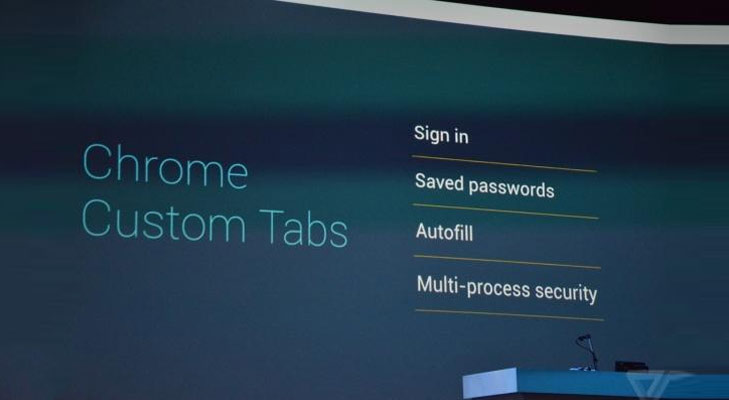
Chrome Stable release will make tabs, browser preferences accessible everywhere

This morning’s Stable release of Chrome will soon allow access to open tabs across multiple devices in different locations.

The feature has been available in Chrome Beta since early April. It enabled users logged into Chrome to open browser tabs on one device while permitting access to them on separate devices from within the “Other devices” menu on the New Tab page.

“Say you’ve found an awesome recipe on your work computer while… ahem… working hard at the office. But when you get back home, you can’t quite remember if it was two teaspoons of baking soda or two teaspoons of baking powder,” wrote Software Engineers Raz Mathias on the official Google Chrome Blog while detailing the latest feature. “Wouldn’t it be cool if you could pull up the same recipe on your home computer with one click?”

Read more