Stay up to date on news from Google headquarters. Be the first to learn about plans for Android, Google Plus, Google Apps, and more!
Stay up to date on news from Google headquarters. Be the first to learn about plans for Android, Google Plus, Google Apps, and more!


Update: Google has officially announced the new app.
Today, we’re announcing a new Google Wallet app — now focused exclusively on sending and receiving money. You can use Google Wallet with your Android or iOS device to send money to anyone in the US with an email address, even if they are not a Wallet user. And now, when you receive money through Google Wallet, you can quickly cash out to a debit card or linked bank account.
Google today unexpectedly released a new Google Wallet app on the Play Store. Instead of updating the original Wallet app, the company released an entirely new app with an entirely new interface. At this point, it appears that the original Wallet app will be converted to Android Pay when it launches, while Wallet itself will live on in the form of today’s new app.

Keep up with the best gear and deals on the web by signing up for the 9to5Toys Newsletter. Also, be sure to check us out on: Twitter, RSS Feed, Facebook, Google+ and Safari push notifications.
[tweet https://twitter.com/9to5toys/status/641694204079525888 align=’center’]
[tweet https://twitter.com/9to5toys/status/641711274225717249 align=’center’]


Apple is very rarely the first to introduce new features for features’ sake. The Apple Watch launched an entire year after the first Android Wear devices were unveiled. Touch ID came to the iPhone years after fingerprint sensors were seen on Android phones, and the company was one of the last smartphone manufacturers to offer a larger-screened phone with the release of the iPhone 6 Plus. The examples of Apple being late to the game — although some would argue, the first to do things right — are endless. But this isn’t one of those cases. While Samsung dabbles with edged screens, Apple has today introduced what I think is a game-changing new experience for developers to play with. And play they will.
I’m not an Apple fanboy at all. In fact, I own one Apple smartphone — the iPhone 6 — at the moment, alongside five or six different Android phones. The Nexus 6 is usually my daily driver, and I (kind of, sort of) use Android Wear as my smartwatch OS of choice. I’ve never owned an Apple Watch nor an Apple TV, I didn’t even own an iPhone until the iPhone 5, and I have only been in possession of an iPad for maybe 6 months — the first generation iPad mini — before I found myself never using it at all and decided to sell it on eBay. All of this said, at least one of the improvements Apple brought to the iPhone line today has very much impressed me.
And not only do I think it’s cool, but it sets the iPhone line apart from anything that Android makers offer in 2015…
Expand
Expanding
Close
Google Apps has offered Mobile Application Management (MAM) on Android for quite some time, but today the Mountain View company is introducing the same functionality on iOS. As was the case with the Android version, MAM lets Google Apps administrators suggest the apps that it would prefer their employees install on Apps-managed iOS devices…
Expand
Expanding
Close

Leading up to Apple’s “Hey Siri”-themed press event today, Siri has been giving out a lot of unhelpful announcement hints to users who say “Hey Siri, give me a hint”. One of these was a binary code, which when decoded only revealed the word “Gotcha”. It goes without saying that if you want some real hints about what Apple’s going to announce, all you need to do is to read Mark’s roundup.
But Sony, the company that just last week unveiled the world’s first 4K smartphone, the Xperia Z5 Premium, has taken to Twitter to taunt the Cupertino-based company. Also using the familiar binary, Sony wrote “01000111 01100001 01101101 01100101 00100000 01101111 01101110 00101110”. Converted to text? That’s “Game on.”
Expand
Expanding
Close
According to the well-connected Derek Ross, HTC hasn’t given up yet. Although its smartphone business is struggling more than ever, the company is reportedly working on an Android Wear smartwatch to compete with the devices we just saw announced at IFA. According to Ross’ report, the device is round a la the Moto 360 and the Huawei watch, sports a resolution of 360 x 360, and is codenamed “halfbeak”…
Expand
Expanding
Close
Of the Nexus announcements scheduled for later this month, the rumored LG Nexus 5 is definitely the one we know more about. A month ago the first full renders leaked, and just a few weeks ago, a photo of the device in the flesh managed to leak out as well. At least a couple publications have confirmed that this physical build is indeed the new Nexus, and we’ve even seen independent reports confirming its specifications as well.
But it’s not over yet, as Android Pit has now come out with images it claims are the new device, and they’re definitely the best look we’ve had yet…
Expand
Expanding
Close
Keep up with the best gear and deals on the web by signing up for the 9to5Toys Newsletter. Also, be sure to check us out on: Twitter, RSS Feed, Facebook, Google+ and Safari push notifications.


Bloomberg reports that Google will begin testing grocery and fresh food delivery in two US cities later this year in an attempt to directly compete with AmazonFresh. Brian Elliot, general manager of Google Express stated that the company will be partnering with Whole Foods Market and Costco Wholesale, among others, to deliver the new service. Initial testing will begin in San Francisco and one other unnamed city…

BBC News reports that security firm Zscaler recently discovered an app for Android which advertised itself as a way to access pornography, but which actually blackmailed its users for money:
Adult Player appeared to offer pornography, but secretly took pictures of users with the phone’s front-facing camera.
It then locked the user’s device and displayed a demand for $500 (£330) which was difficult to bypass.
Ransomware is the name given to malicious software which gains access to a computer — desktop or otherwise — and then threatens to wipe the device or release private information gathered from it if the owner doesn’t send the demanded amount of money. The BBC for its report quotes Intel Security as saying examples of this software appearing in the wild have increased 127% since 2014. “Apps like this rely on the embarrassment factor. If you don’t pay, your reputation is on the line,” said Raj Samani, chief technology officer for Intel Security.
One very important line in this story is somewhat buried, however:
The app was not available from vetted storefronts such as Google Play, but could be installed directly from a webpage.
What this means is that for someone to actually install this ransomware on their Android device, they’d have to intentionally bypass the security measures put in place specifically to prevent nightmares like what this software can do from occurring. And it’s clear that from descriptions of the app that its misbehaviors, like locking the device and constantly displaying messages across the system, would be blatant enough to trip up Google’s Bouncer anti-malware screening:
Zscaler said the app’s ransom message kept the phone’s screen switched on at all times, and reappeared if the handset was restarted.
Samani’s advice for steering clear of software like Adult Player is the same thing we heard during the desktop era:
Only download apps from the proper Google Play store. And if you receive an app download link in an email, don’t click it.
When it comes to software-based technology, attackers will always be digging from new exploits which means us consumers will always be on the defense. This is another case in particular, however, where the solution is simple: Download your apps and files from reputable providers, and if you need to download a new app store altogether, like Amazon’s, grab it straight from their official HTTPS-secured website.
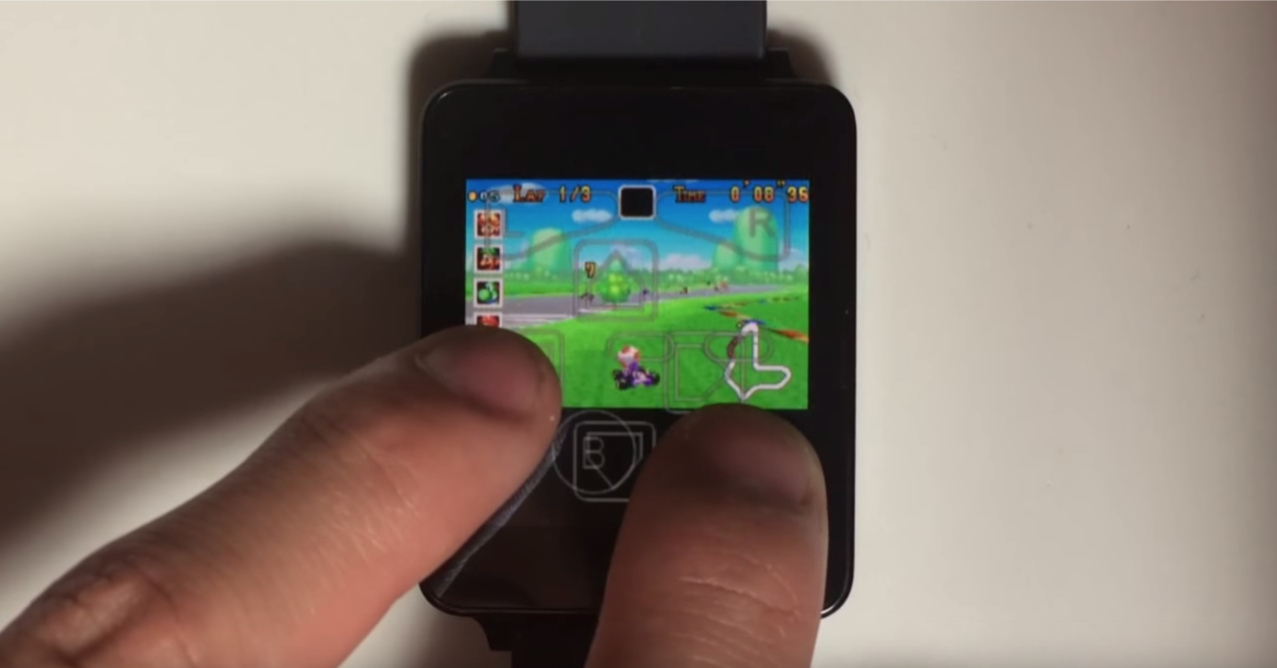
We told you almost a year ago that one developer had managed to get Game Boy Color games running on Android Wear, but now someone has managed to do one better. In a recently-uploaded video shared by “Hacking Jules“, we can see Game Boy Advance games running on an LG G Watch — the oldest of the Android Wear. As usual, we in the Android community don’t need rhyme or reason for our tinkering…
As we can see in the below video, the emulator that this one particular user got running on his or her Android Wear watch is “My Boy!”, which can be found on the Play Store for just about $5. It’s pretty hilarious seeing the old Mario Kart for GBA played on a watch with a screen as tiny as this. For all intents and purposes, it’s completely unplayable. The controls completely cover the screen, and your finger would cover it more.
Nonetheless, check out the video below:

It’s no secret that Google makes the majority of its money from advertising revenue, and has done for a very long time. So, when a product comes along to threaten that major revenue stream, it has to find ways to combat it. That’s seemingly what it’s done with AdBlock Plus, a relatively well-known Chrome extension used to block out ads across the internet. This includes the ads shown before and during video playback on YouTube…


While we’re off in Berlin at IFA, our good friend Mike “Detroit Borg” Kukielka got his hands on the $200 Google OnHub router manufactured by TP-Link. We’ve seen a lot of other reviews but this one is an excellent in-depth overview which hits all the right spots.
The TL;DR is that it is about as good a router you can buy but at $200 the differentiating features aren’t quite ready yet. Seems like a go especially if your home networking is currently lacking and you plan on living in Google’s home ecosystem in the future. Pick up one at Amazon, Best Buy, NewEgg, Walmart, Google, or TP-Link . Full video below
Keep up with the best gear and deals on the web by signing up for the 9to5Toys Newsletter. Also, be sure to check us out on: Twitter, RSS Feed, Facebook, Google+ and Safari push notifications.
According to a new report out this morning from The Information, Google is planning a re-entry into China which could come as early as this fall. Among other initiatives, the report says that Google is planning to launch a special version of its Google Play Store app marketplace made specifically for the Chinese market, as well as bringing support for its Android Wear mobile operating system to the country…
Expand
Expanding
Close
According to a leaked internal Verizon Wireless memo obtained by Derek Ross of Phandroid, Google is preparing to launch its Android Pay mobile payments service on September 16th. This leak comes a couple weeks after another memo from McDonalds leaked, suggesting that the service would launch on August 26th. Clearly that launch date has been missed, but now it looks like we might have more reliable information…
Expand
Expanding
Close
We told you yesterday about an unknown LG “V” handset, and now Evan Blass of evleaks has confirmed that this device is indeed the LG V10 handset that he shared many details about just a few days ago. Evan said that the device has an “auxiliary ticker display” not unlike that of the ye olde Samsung Continuum, and also went on to share some the specs of the yet-to-be-announced phone…
Expand
Expanding
Close
Following the public release of Chrome 45 a couple of days ago, Google yesterday detailed an important new feature for mobile: Chrome Custom Tabs. Now, Google is showing off more of the performance improvements that the company has introduced in the latest version, allowing Chrome to use less memory and power on the desktop. In one example, it seems Google has managed to reduce the memory footprint of most sites you visit through the browser…
Expand
Expanding
Close
Keep up with the best gear and deals on the web by signing up for the 9to5Toys Newsletter. Also, be sure to check us out on: Twitter, RSS Feed, Facebook, Google+ and Safari push notifications.
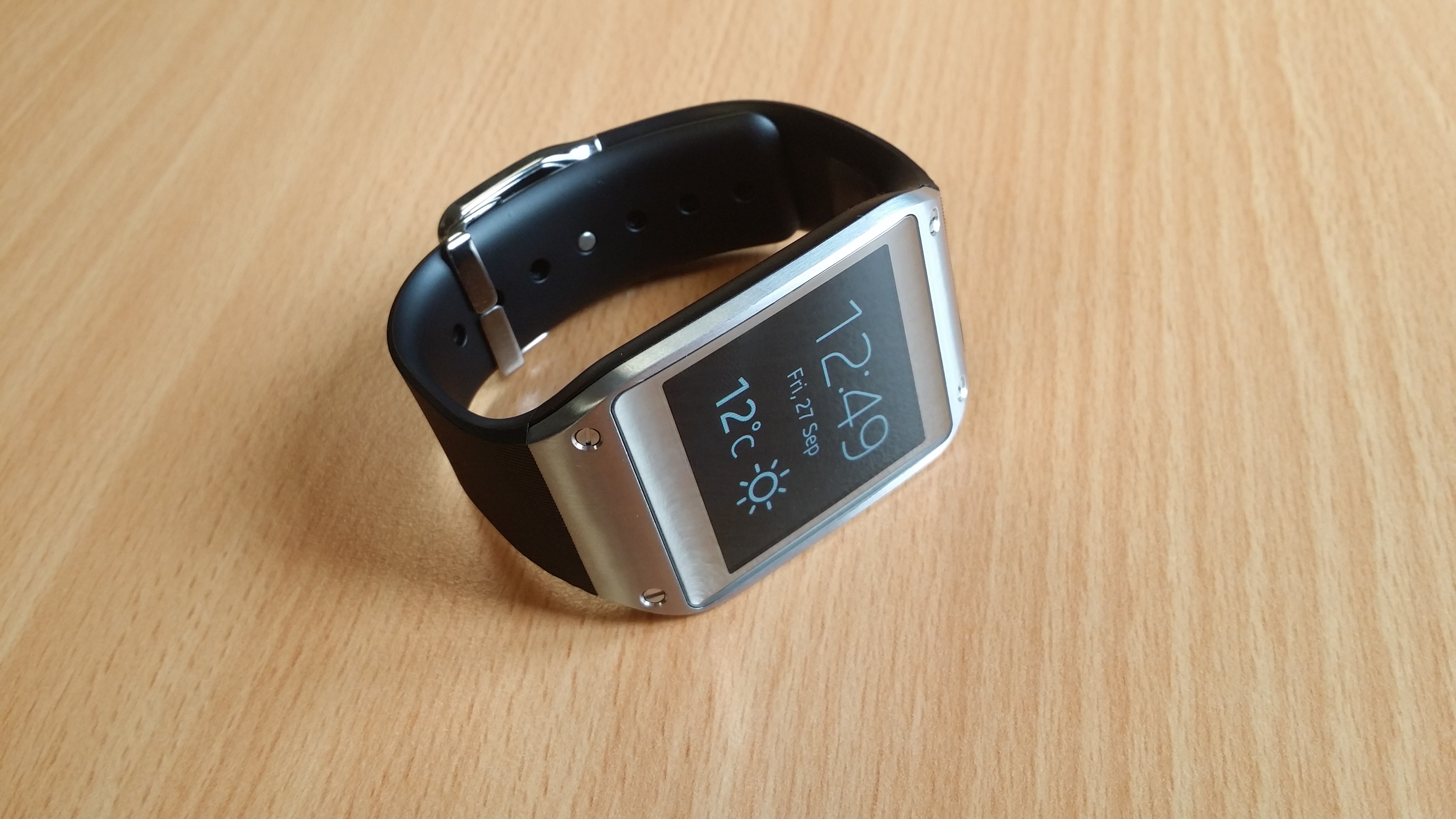

Google first introduced fact-checked health information to its Knowledge Graph earlier this year to present quality medical facts to users searching for specific conditions. Today the search giant says it will soon have over 900 health conditions included in its Knowledge Graph offering “quick at-a-glance info on symptoms, treatments, prevalence, and more.” Google says this more than doubles the amount of health conditions it included at the start. Google’s health information Knowledge Graph is getting smarter in other ways too.
Following the introduction of Samsung’s Galaxy Tab S2 a couple of months ago, it appears that the Korean company has now partnered with Barnes & Noble to launch a “NOOK” variant of the device. While the standard S2 comes in both 9.7-inch and 8.0-inch screen sizes, the S2 NOOK embraces the 8-inch variant and packs plenty of Barnes & Noble software on top…
Expand
Expanding
Close
It was only a month ago that Skype for Android was hit with a slight visual refresh, and today Microsoft is pushing out a much bigger redesign to the messaging app that it says was inspired by Google’s Material design. Skype 6.0 for Android replaces the custom action bar along the bottom of the app with a new floating action button that should be familiar to other modern Android apps. The action button ties in shortcuts to video messages, video calls, voice calls, and conversation chats.
Expand
Expanding
Close
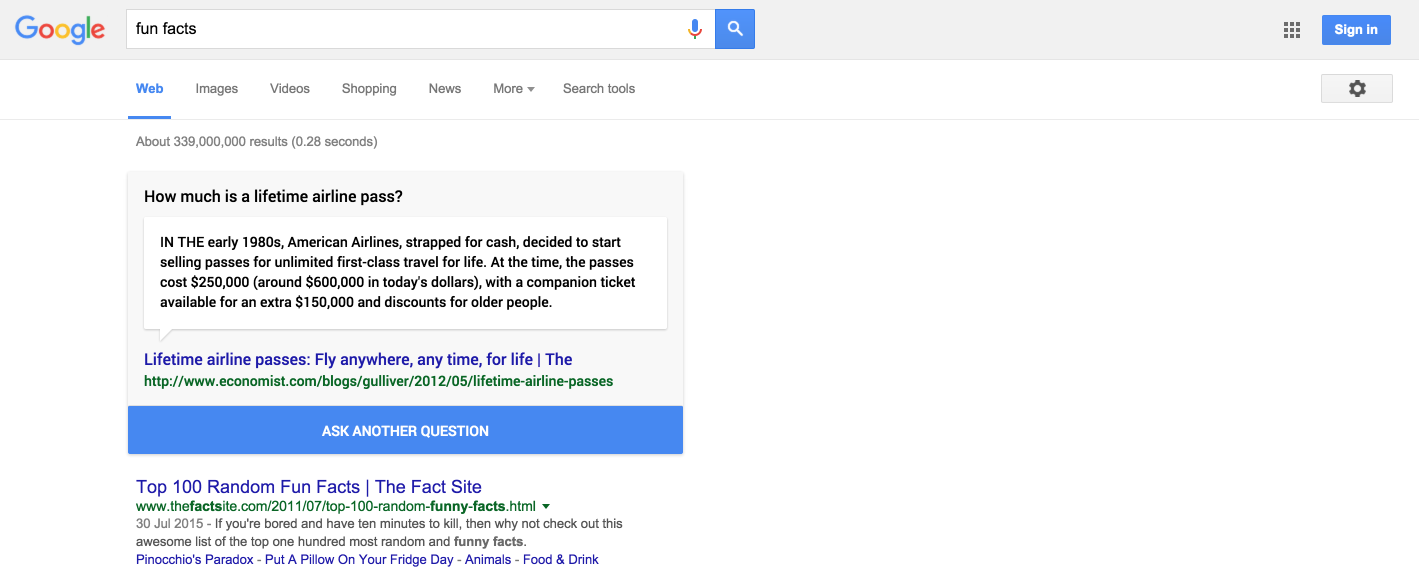
Google is definitely known for its hidden easter eggs and features in search, and this one is really going to keep you occupied: Searching for “I’m feeling curious” now shows you a widget that rotates through some random and interesting facts about just about everything — from how much a “lifetime airline pass” costed in the 80s to facts about Oprah.
After clicking the “Ask Another Question” a few times, it looks like the box pulls information from anywhere and everywhere on the web. A few facts were pulled from Wikipedia, and plenty of others were from History.com, Princeton.edu, People.com, and several other sources. As a bonus, it looks like “thefactsite.com” is going to get some nice extra traffic today.
If you want to check it out, head over to Google and search “I’m feeling curious“. Alternatively, it looks like other similar queries like “fun facts” will also show the widget.
Developers who want to do unique things with Google’s mapping technology, like plot markers on a map from a content management system, can now do it more affordably. Several Maps APIs have been moved to a payment model where you pay just for what you need.
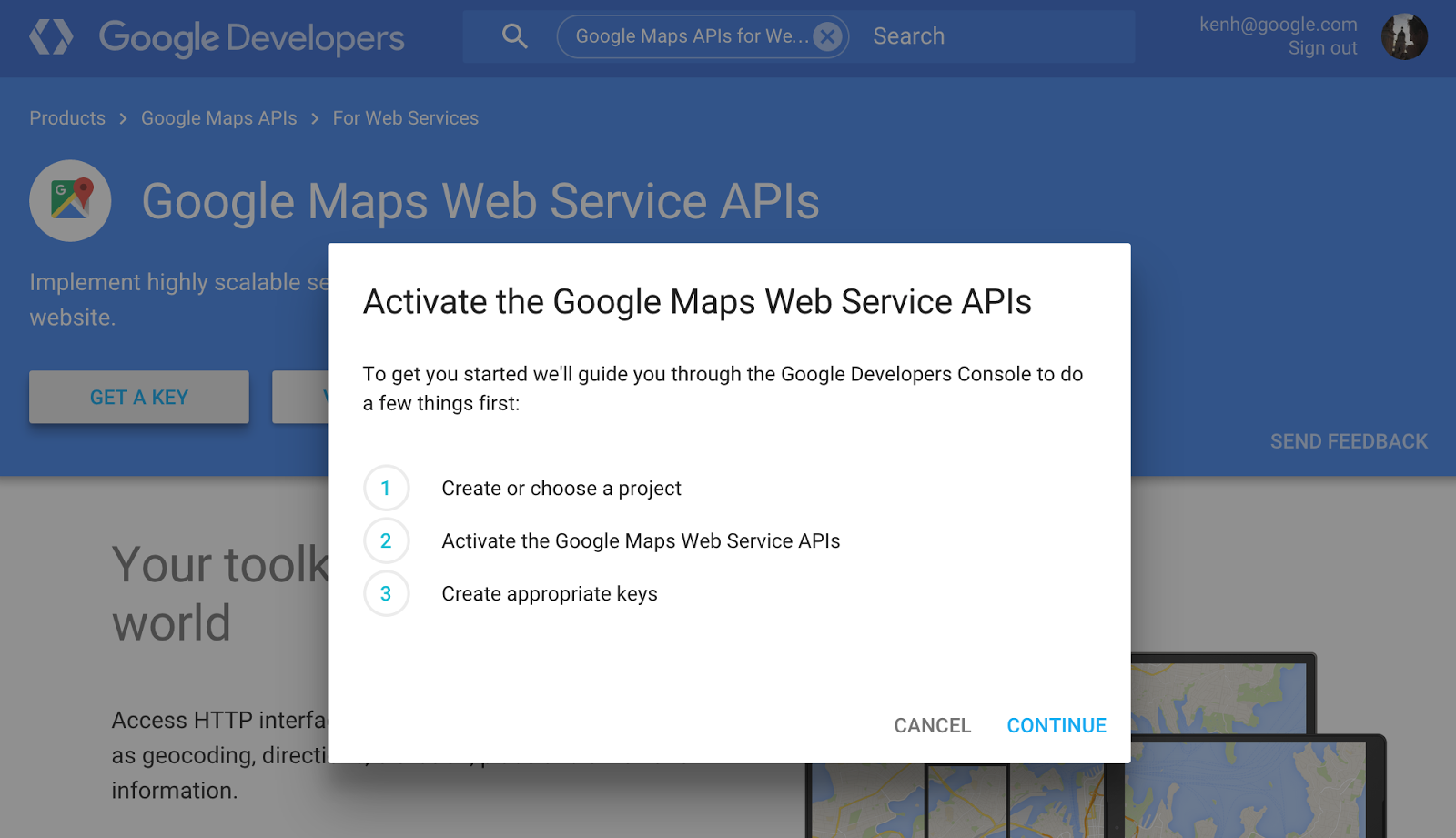
With the move, the following APIs will begin to cost $0.50 per 1,000 requests after the first 2,500 in each 24-hour period: Geocoding, Directions, Distance Matrix, Roads, Geolocation, Elevation, and Time Zone APIs. This price will stay in place until developers pass 100,000 requests per day. Beyond that large number, developers will need to contact Google to request a premium license.
Previously developers who exceeded the 2,500 per day cap had to contact Google about purchasing one of its premium Google Maps for Work licenses, now called Google Maps for Business, which has been quoted as costing as much as $10,000 per year (Google doesn’t publicly list a price). Basically the APIs are now accessible to a much larger portion of those who want to use them.