Stay up to date on news from Google headquarters. Be the first to learn about plans for Android, Google Plus, Google Apps, and more!
Stay up to date on news from Google headquarters. Be the first to learn about plans for Android, Google Plus, Google Apps, and more!


OnePlus One users running OxygenOS can now download the security patches to deal with the Stagefright vulnerability. OnePlus One announced in a blog post this morning that Oxygen OS 1.0.2 is now available to download, and fixes what some dubbed the worst Android vulnerability in the mobile device era. Customers are advised to ensure they back up all their data before flashing. Those using OxygenOS already won’t need to reset their devices.
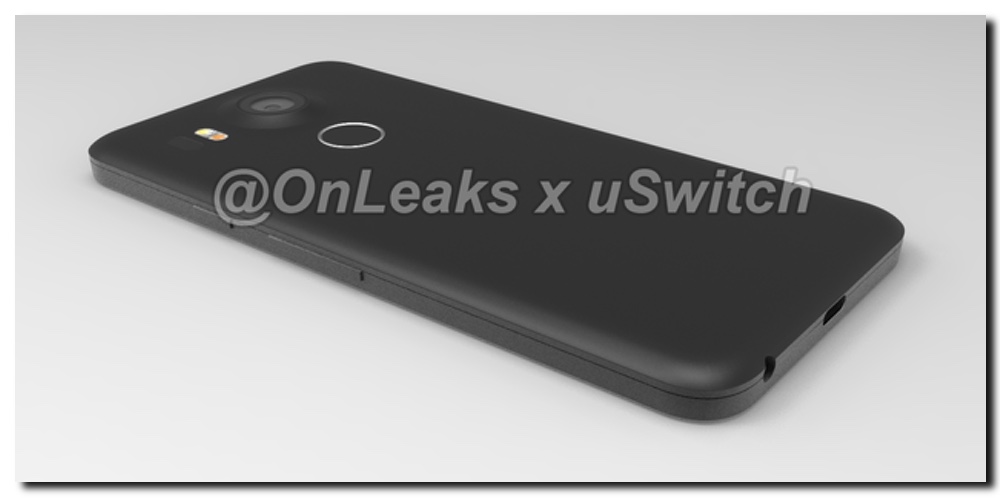
For the past few weeks, rumors have surfaced suggestion Google will partner with two manufacturers this year for its Nexus phones. We’re purportedly going to see a smaller device made by LG and a larger model made by Huawei. Today we get our first look at some detailed 3D renders designed using hardware schematics sent to case-makers.


Google has today completed its roll-out of Google Play services version 7.8, the package of app tools and APIs that Google manages and which make it stand out from those who use the open source version of Android to create their own mobile platforms. With version 7.8 comes some new technology that will make it easier for developers to recognize when you’re smiling into your Android device’s camera.

Keep up with the best gear and deals on the web by signing up for the 9to5Toys Newsletter. Also, be sure to check us out on: Twitter, RSS Feed, Facebook, Google+ and Safari push notifications.
Chromebook for Work is Google’s lineup of premium Chrome OS-powered laptops which it promotes as easy to deploy, highly secure, and ready to run legacy Window applications through OS virtualization. Today the company announced that Dell will begin selling a new one of these business-ready Chromebooks starting September 17th, called the Dell Chromebook 13.
The Chromebook 13 is, like the rest of the Chromebook for Work line, packing a serious punch for a computer running such a lightweight operating system. It has a 13.3″ full HD touchscreen display (1920×1080), a 5th-generation Intel Core i5 processor, a backlit keyboard and glass touchpad, and a palmrest made out of magnesium alloy. The laptop is quoted for 12 hours of battery life, although these ratings are usually generous. The starting price will be $399 when it goes on sale, with no more detail on upgrade options or variants. “Enterprise class performance at an economical price point,” Google says in its blog post.
Chrome OS certainly does hold a lot of promise for IT departments frustrated with the current solutions out there, namely Windows and all the tumult going on at Microsoft over the company’s strategy for the operating system going forward. Google’s operating system was built at a much later time, and without the baggage of years and years of developing and supporting software meant for a place and time that has since passed. In my day-to-day there are rarely more than a few edge case applications and tools I need a full-on desktop computer for, so the ability of Chrome OS to virtualize Windows and run its applications is just icing on the cake of an OS which recognizes that many business-related programs can run in the web and be almost indistinguishable from their desktop equivalents — especially with Chrome OS’s ability to run web apps as individual windowed apps.
Samsung has today announced at its Unpacked event the latest in the Galaxy line of smartphones. The Korean company introduced the Samsung Galaxy Note 5, as well as a larger S6 Edge called — yes, it’s a bit of a mouthful — the Samsung Galaxy S6 Edge+…
Expand
Expanding
Close
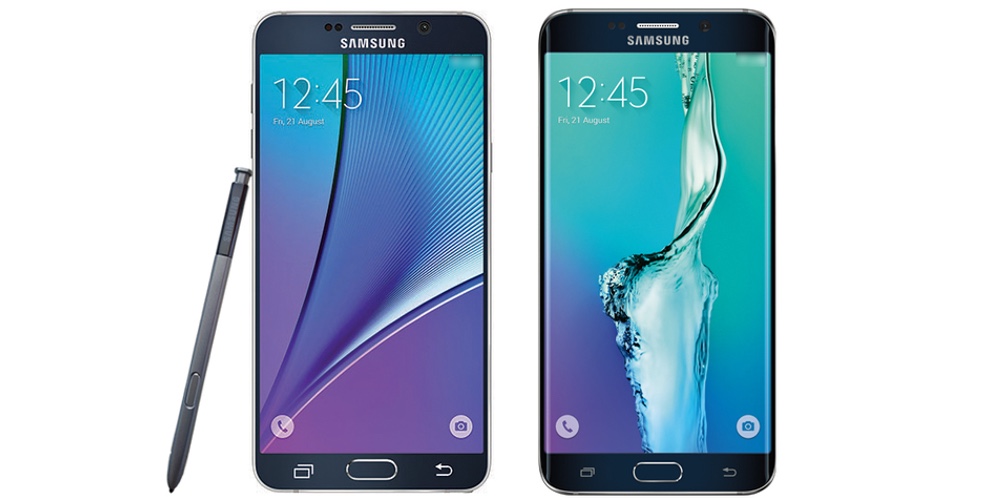
In case you’re out of the loop, Samsung is announcing a couple of new devices at its Unpacked event today. Based on the leaks we’ve been seeing over the last couple of months, it looks like the Korean company is set to unveil its S Pen-sporting Samsung Galaxy Note 5, as well as a bigger “plus” version of the Galaxy S6 Edge. Follow below for the livestream…
Expand
Expanding
Close


Google’s Android security lead Adrian Ludwig has posted a detailed description of the security update recently issued by Google for Nexus devices. The update was designed to address the Stagefright vulnerability which has been described as the “worst Android vulnerability in the mobile OS history.”
On August 5, 2015, we released an over-the-air (OTA) update for Nexus 4/5/6/7/9/10 and Nexus Player devices that includes several security fixes. The patches for these fixes have also been released to the Android Open Source Project (AOSP) source repository. These issues are categorized and provided in decreasing order of severity. We have also provided an assessment of each issue, given the information we have at the time of the publication of this bulletin …

As the changes from Google’s Alphabet restructure continue to emerge, it today was revealed that Niantic Labs, the team behind popular Ingress augmented reality game, will be spun off as its own independent company. In addition to creating Ingress, Niantic Labs also created Field Trip, which will also stick around when the company breaks off from Google.
Keep up with the best gear and deals on the web by signing up for the 9to5Toys Newsletter. Also, be sure to check us out on: Twitter, RSS Feed, Facebook, Google+ and Safari push notifications.
In many ways, the LG G4c is a mini version of the LG G4. Sadly, unlike Sony’s Compact series smartphones, it’s not a small phone with flagship specs. It’s less powerful, has a lower resolution screen and a smaller battery than the high-end G4. But all of that is reflected in the price difference. We’ve unboxed the device and filmed a brief comparison between the G4c and the LG G4…
Yesterday we wrote about three new Android apps to come out of Google’s Creative Lab, which at the time we had trouble making sense of as at first glance since they all seemed like trivial products without clear meaning. Now their existence makes more sense with the launch of a new community gallery of apps called Android Experiments.
The 3rd generation Moto X, also known as Moto X Style, also known as (officially, in the United States) Moto X Pure Edition, is set to become available for purchase in the US on September 3rd.
The phone, announced a couple of weeks ago alongside the Moto X Play, packs a 5.7-inch Quad HD display, a Snapdragon 808, 3 GB of RAM, 4G LTE, a beastly 21-megapixel main camera, a 5-megapixel front cam, and a 3,000 mAh battery.
Moto X Style, known as the “Pure Edition” stateside, will cost $399 for the base model. The Moto X Play will be available in 55 countries starting August (but, unfortunately, this doesn’t include the United States).
https://twitter.com/Motorola/status/631502920295534592
Are you one of the many diehard SoundCloud users and wish you could easily stream those tunes to your TV? You’re in luck, as the public version of SoundCloud in Google Play has just received an update with support for Google Cast, letting you stream all of the best remixes and indie tracks straight to your living room entertainment set up.
Expand
Expanding
Close
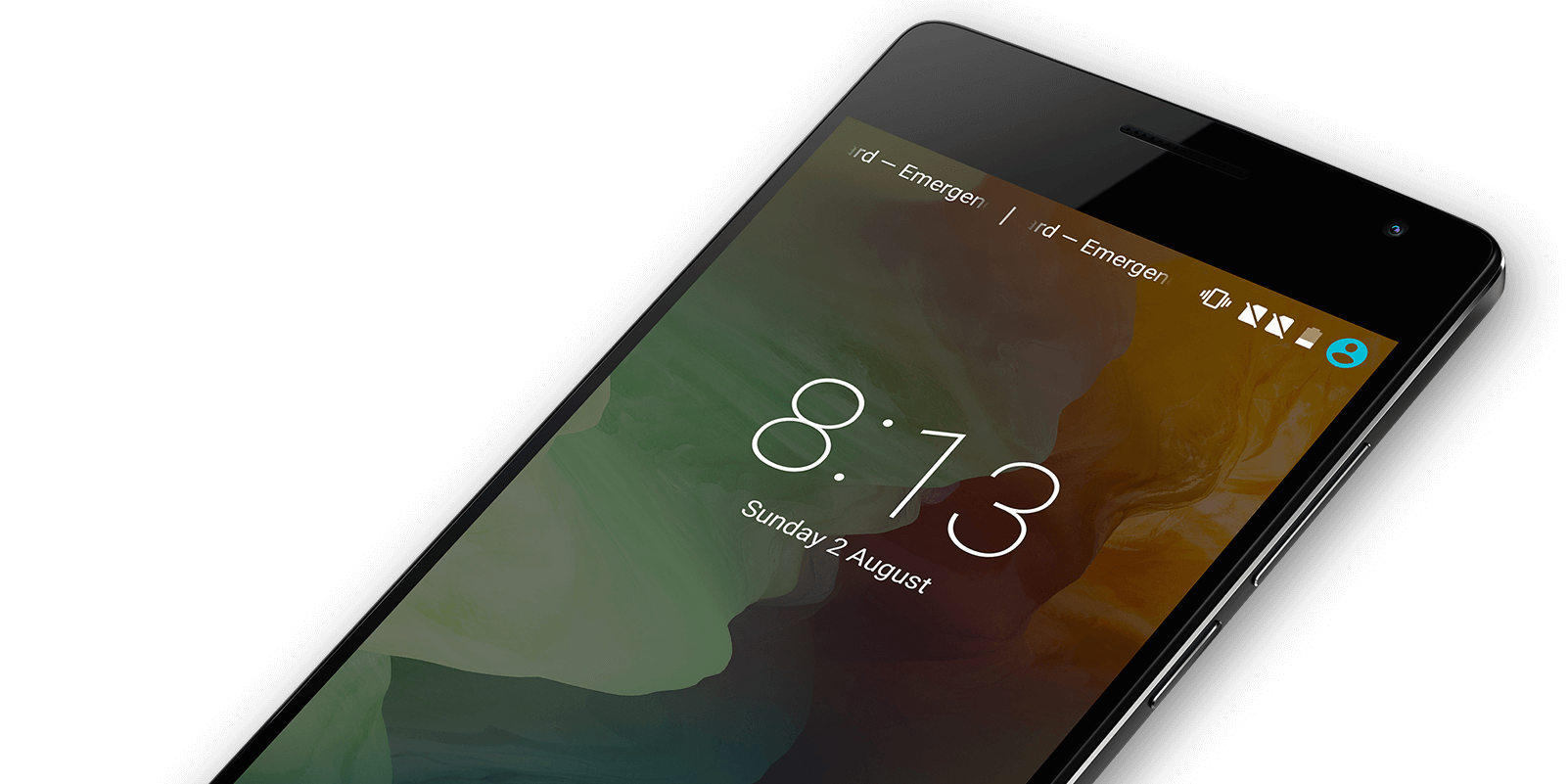
OnePlus is just having too much fun marketing the OnePlus 2. In their latest stunt, the company invited the public to a special launch of the device at colette Paris. “We’ll be there from 11:00 am until the OnePlus 2 is sold out. It’s a very limited stock sale, so be sure to come early,” the company said. More than 200 people came out, according to a post on the company’s forum. It seems OnePlus really meant it when they said “very limited stock sale,” though…
Expand
Expanding
Close

If you bought a Nexus 6 from Google during your Project Fi setup process, you may be surprised to know that the company will replace that device once for a fee of just $100. That means, if you dropped your phone and damaged it somehow, all you need to do is make a quick call to Project Fi customer support and they’ll arrange the replacement (via Android Central).
It’s pretty straight-forward, and given the no-questions-asked policy, you can literally swap your Nexus 6 for any reason within the first 12 months of ownership. If you manage to avoid any serious damage to your Nexus and it’s getting a little worn and old, you can ring up and swap for a fresh, shiny new one, as long as you’ve owned it for less than a year.
Of course, if a handset goes faulty during regular warranty period, your usual warranty terms apply. This hidden perk is more of an insurance policy against accidental damage, or things not normally covered by the product warranty. If your screen cracks on your Project Fi-powered Nexus, you know now that you don’t have to spend a fortune on getting your display replaced, or having to make do with a terrible backup phone.
The Life Sciences group at Google, previously under the umbrella of the company’s experimental X lab, seems to now be holding its own under the newly-formed Alphabet parent company. It’s something that somehow went under the radar with Larry Page’s announcement of Alphabet, but it’s definitely notable. It’s yet another graduation from the skunkworks lab, and it’s recognition that the group is worthy of being its own company…
Expand
Expanding
Close
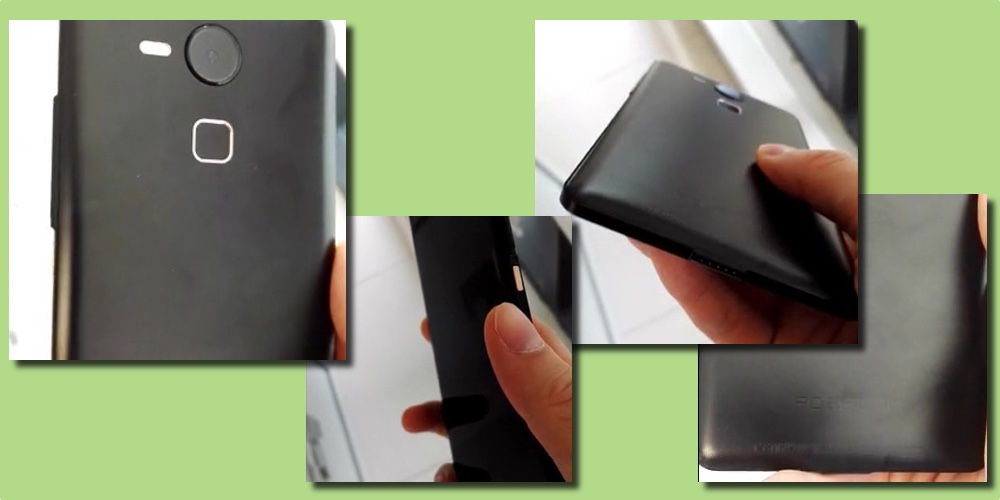
Alleged Huawei Nexus prototype/dummy
Well-known leakster, Steve Hemmerstoffer has leaked further information regarding the upcoming purported Nexus devices. Using his OnLeaks account, he shared some detailed specifications an features of both the rumored smaller LG device and larger Huawei-made smartphone.
Information passed to Steve by his sources suggests that both phones will feature front-firing speakers, USB Type-C compatibility and a fingerprint sensor on the back. Although both are rumored to likely feature a metal chassis, the dimensions will be different. LG’s Nexus is purported to measure in at 9.8mm thick, 147mm tall and 73mm wide while the Huawei device is allegedly going to be 8.5mm thick and measure at around 12.5mm taller and 5mm wider than LG’s Pure Google phone.
Rite Aid was on the side of the slightly-more-retailer-friendly CurrentC for quite a while, but today the company announced that it will begin supporting mobile payment systems — the ones that some people actually use — on August 15th.
Expand
Expanding
Close
Keep up with the best gear and deals on the web by signing up for the 9to5Toys Newsletter. Also, be sure to check us out on: Twitter, RSS Feed, Facebook, Google+ and Safari push notifications.
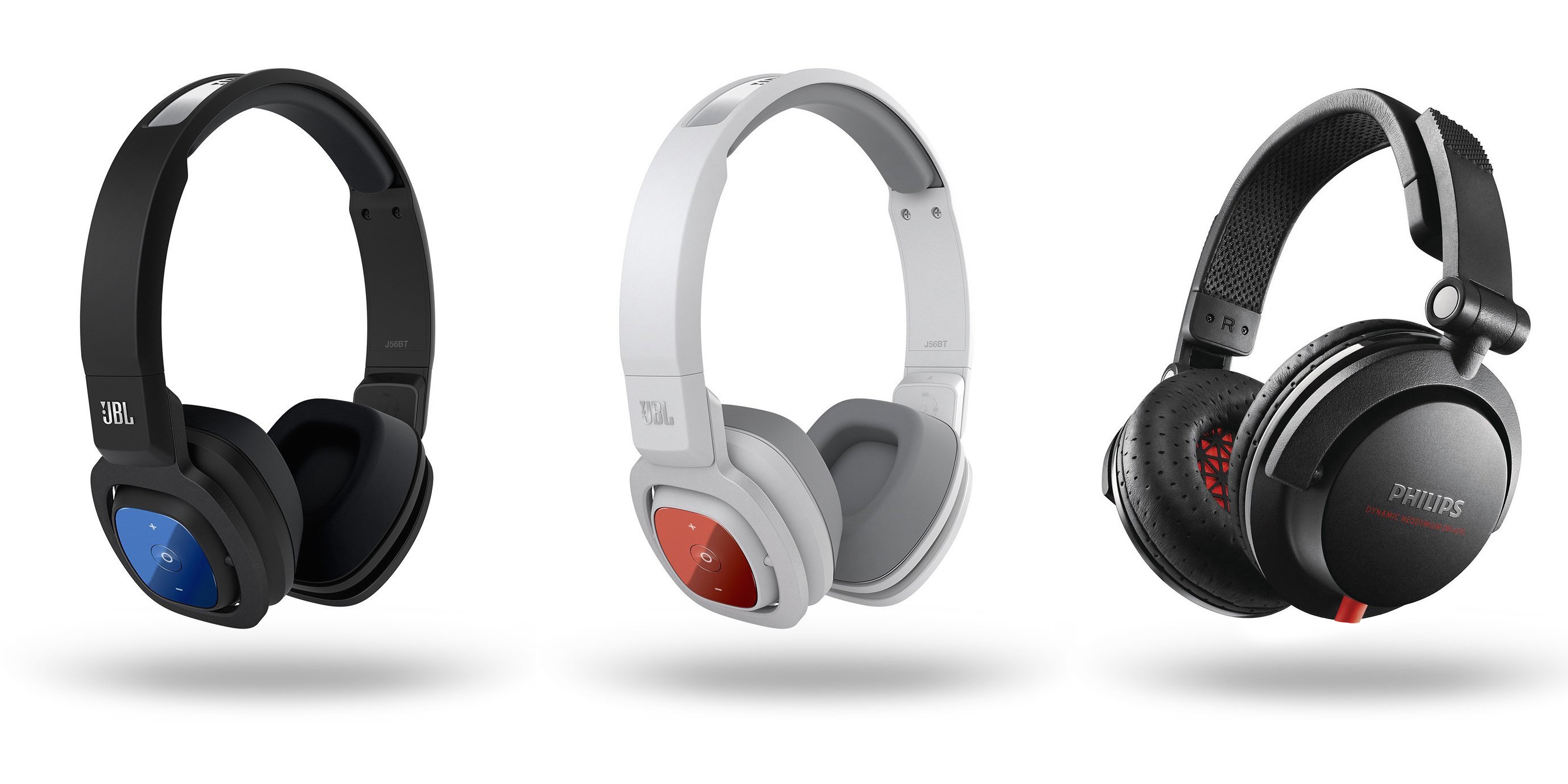
[tweet https://twitter.com/9to5toys/status/631117498646183940 align=’center’]
Like other megalithic technology giants including Facebook and even Xerox once upon a time, Google (Alphabet?) has many a skunkworks lab deep inside the halls of the company tasked with thinking creatively about execution and exploring non-traditional concepts, and which doesn’t have to worry about revenue or reaching the masses. One of those labs released three new apps for Android today, all of which center around using the device camera and sensors in (unsurprisingly) unique ways.
We’ve all heard the phrase that the best camera is the one you have on you, and now with the Panasonic CM1, that could finally be true. It’s possible to have a smartphone that takes amazing pictures. With a 1-inch sensor, Leica lens and some useful software tools, this is easily the best camera setup ever built into an Android device.
Material Design brought a lot of changes with Android Lollipop, but there’s nothing that says things can’t be improved. Designer Miroslav Vitula thinks he can improve the rotation animations in Android, specifically giving the OS a smooth transition not unlike the one found in iOS. Here’s what he had to say about his concept:
There are a bunch of smooth interactions in Android but sadly, rotation isn’t one of them. I’ve been craving the “smooth rotation” (as seen on iOS) since ICS. Well, let’s hope that one day, this will become an actual thing.
The example he uses is the Google+ app, which offers several Material Design tabs along the top as well as a cover image and a profile picture. As you can see below, rotating the device would smoothly transition between the two views. This would perhaps be nicest on big-screen devices like the Nexus 6 which are more enjoyable to use in landscape.
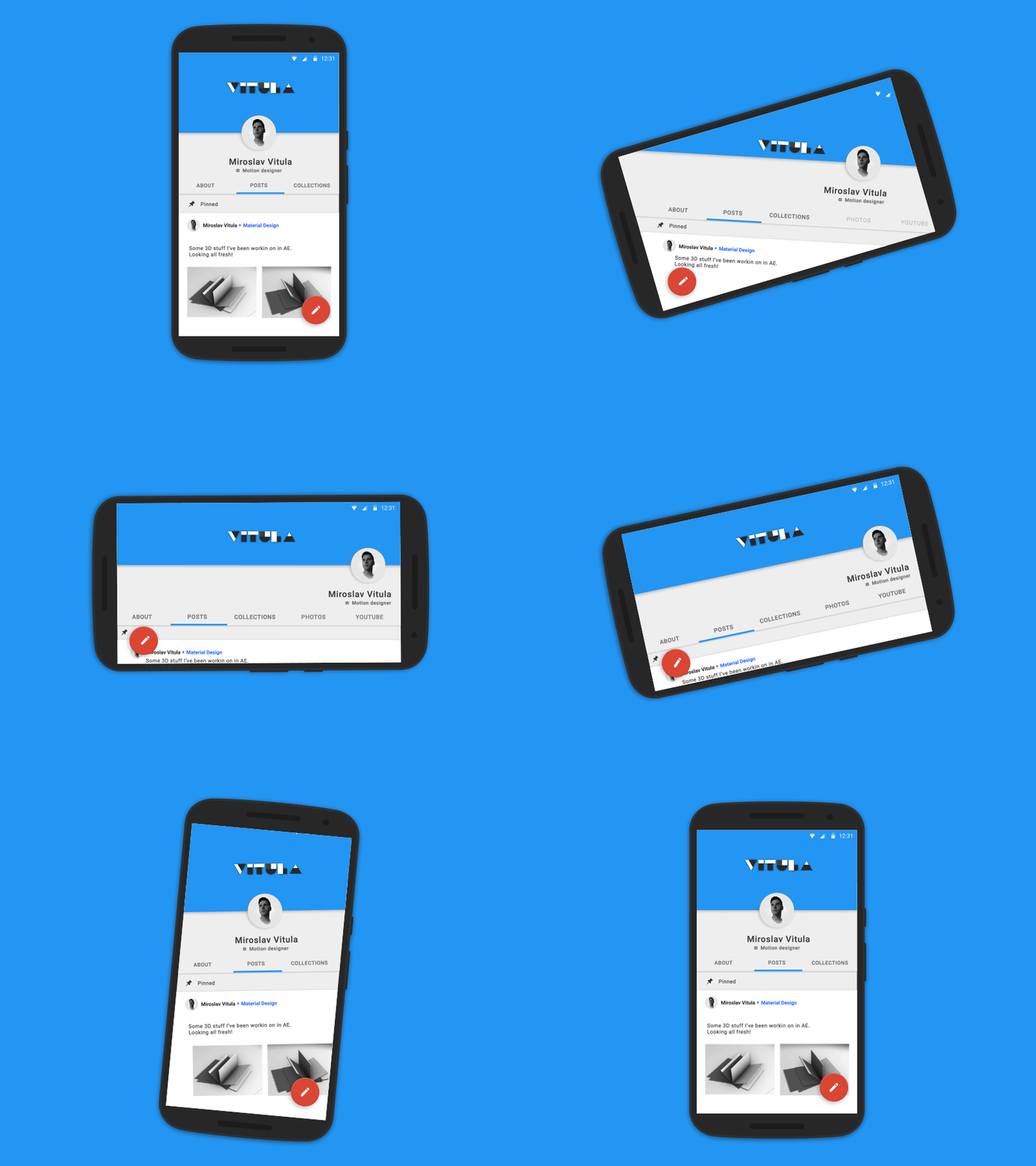
Like he says, hopefully this could one day be reality.
Yesterday, Google announced a massive restructuring and the creation of a new parent company, Alphabet. While Google will still focus on the traditional internet-related products like Chrome, Android and web search, other company’s will be set up to focus on more exploratory ventures. Along with the announcement yesterday, Alphabet launch its new domain: abc.xyz. Unsurprising to anyone, this new domain is already 100% blocked in China.
The news comes via GreatFire, a site which actively and constantly monitors URLs blocked within China’s borders. Alphabet’s home page has been blocked since it went live yesterday. Although it could be easy to see this as a pre-emptive, and active blocking against Google from China, it’s more likely that the country already blocks any site bearing Google’s SSL certificate. If that’s the case, then it doesn’t matter what site Google launches, it’s blocked before it even goes live in China.
Google and China’s relationship is an interesting one to say the least. Which is to say: They don’t really have one. Google’s products and services are blocked almost completely. Android phones in the mainland don’t have access to Google’s Play Store to download apps, and Play Services are a complete no go. It’s one of the reasons it’s been rumored the company could be partnering with Huawei to launch the next Nexus smartphone. Google apparently hopes it can use Huawei’s Chinese influence to build its own presence and launch services in China.