Author

Avatar for Justin Duino

Justin Duino

jaduino

I’m a writer for 9to5Google with a background in IT and Android development. While I have a soft spot for stock Android, I’m typically juggling two to three devices at once running both Android and iOS. My previous work can be seen on Phandroid, Android Central, and AndroidMeter. Email me at justin@jaduino.com. Tips are always welcome.

Connect with Justin Duino

Need ‘throwaway’ earbuds for the Google Pixel 2? Here are two great inexpensive options

When we discovered that Google would be shipping the Pixel 2 and 2 XL without a headphone jack, it’s safe to say that a majority of our readers were not happy. To make up for that missing port, it seems logical that Google would follow in the footsteps of other companies and include a pair of wired USB-C headphones, right? Well, the search giant did work on that option but didn’t follow through with it.

So, if you’re looking for an inexpensive pair wired USB-C headphones that work with the Pixel 2, look no further than below…


Expand
Expanding
Close

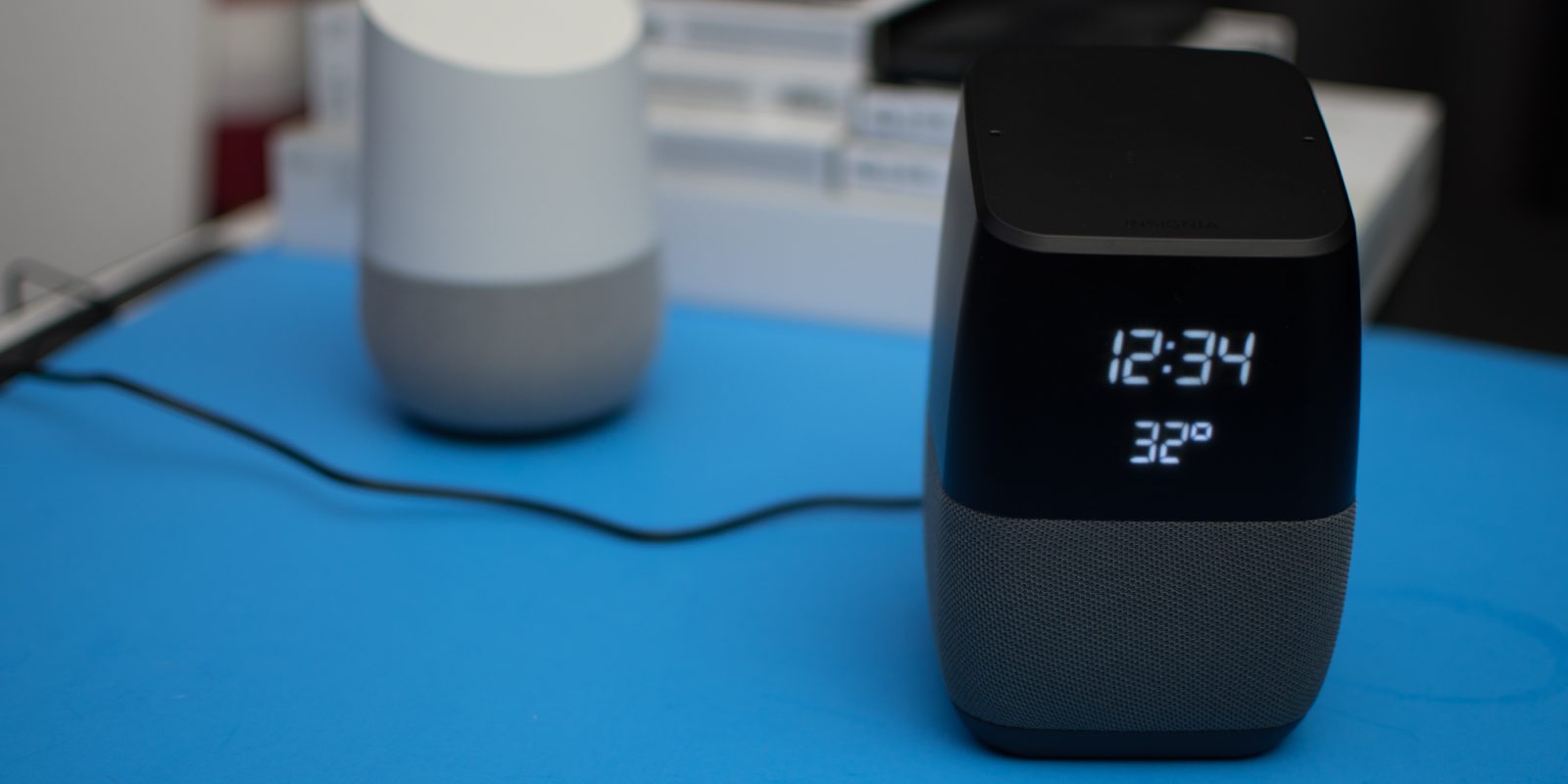
Hands-on: Insignia’s Voice Speaker is the bedside Google Home I’ve always wanted

In most instances, the Google Home and Home Mini are perfect little speakers that you can set in the corner of a room and forget about. But in the bedroom, it can be useful to have the functionality of the Google Assistant in a speaker that also shows the time. With the Insignia Voice Speaker, you get all of that with a price tag lower than the Google Home, even when it’s on sale…


Expand
Expanding
Close

How to fully backup and restore your Android device without root

One of Android’s little-known tricks is its built-in backup and restore process that allows users to save their private data as well as the different installed applications. The process is pretty simple but it isn’t always full-proof. But unlike other backup and restore processes, this one doesn’t require your device to be rooted. Here’s how to access the tool…


Expand
Expanding
Close

Google Pixel 2 & 2 XL: How to customize the Active Edge

With the launch of the Pixel 2 and 2 XL, Google borrowed a feature from HTC allows users to trigger a specific action by squeezing the edges of the handset. While the feature on HTC handsets can be customized to launch different apps and actions, the Pixel 2’s Active Edge can only launch the Google Assistant and silence some notifications. Here’s how to customize the feature…


Expand
Expanding
Close

Peel’s ultra-thin cases are now available for the Samsung Galaxy Note 8 [Gallery]

Cases for smartphones come in all shapes and sizes, providing differing amounts of protection. While a rugged case might be best at keeping the Galaxy Note 8’s glass build from damage, these typically make an already large handset ginormous. Now if you want something ultra-thin, providing protection from minor scratches and scuffs while retaining the phone’s design, then Peel’s brand new cases might be for you…


Expand
Expanding
Close

Samsung Experience 9.0 brings Android Oreo beta to the Galaxy S8 & S8+

galaxy s8 june patch

After several days of quiet chatter about Samsung potentially beta testing Android Oreo on some of its hardware, the South Korean company has officially announced Experience 9.0. What this means is that if you own either a Samsung Galaxy S8 or S8+, you can sign up to test out Oreo before any other Galaxy owner…


Expand
Expanding
Close

Review: Under Armour’s Made for Google Protect Verge cases for the Pixel 2 & 2 XL [Gallery]

When I think of Under Armour, sporting goods and other athletic wear comes to mind, not phone cases. However, after spending a couple of days with the Protect Verge case, it’s clear to me that Under Armour could have one of the best cases for the Pixel 2, but some refinements should be made…
Expand
Expanding
Close

How to stop new apps from being added to your home screen on Android Oreo

Android has long had a feature that automatically added shortcuts to the home screen after they were downloaded from the Google Play Store. As this could get annoying, the feature could be disabled within the Play Store’s settings menu. With Oreo, though, Google moved this setting out of the store itself and placed it into one of the operating system’s menus. Here’s how to turn this automatic feature off…


Expand
Expanding
Close

Verizon accidentally sells Pixel 2 with packaging meant to hold USB-C headphones

It was no secret going into Google’s October 4 event that the company planned to announce its second generation smartphones without headphones jacks. To not alienate owners who still preferred wired headphones, Google chose to include a USB-C to 3.5mm port dongle in the box.

According to one man who just bought his Pixel 2 from Verizon, it looks like Google had considered including wired headphones in the box…


Expand
Expanding
Close

How to disable Android Oreo’s persistent ‘using battery’ notification

When Google first rolled out Android Oreo, a persistent notification came with it that displayed all of the apps that were running in the background. With the release of the Android 8.1 Developer Preview, this notification has now been renamed to “using battery” and allows users to disable it from always showing (even on 8.0). Here’s how to do just that…


Expand
Expanding
Close

How to install the Android 8.1 Developer Preview onto your Pixel, Pixel 2, Pixel C, Nexus 5X or Nexus 6P

Google just announced the Developer Preview for Android 8.1 for a handful of Pixel and Nexus devices. This beta build can either be installed through the traditional flashing method or by OTA using the search giant’s Beta Program. Here’s how to install Android 8.1 using both methods…


Expand
Expanding
Close