Android

See All Stories

Breaking news for Android. Get the latest on apps, carriers, devices, and more!
Android is Google’s mobile operating system, launched in September 2008, although its history technically began with the release of the Android alpha in November 2007. To this day, Android powers the majority of the world’s smartphones and comes in several different flavors across many phone makers.

What is Android?

Android Inc.

Android, before it was Android, was a company called Android Inc. That company was founded in Palo Alto, California, in 2003 by a crew of four: Andy Rubin, Rich Miner, Nick Sears, and Chris White. The company and its project was acquired by Google in 2005 for a sum of more than $50 million, although the exact number is unknown. The company’s founders joined Google as part of the deal.

In its infancy, Android was an operating system built not for touch screen smartphones like the iPhone, but rather BlackBerry-like devices with physical keyboards. It’s well documented that after Apple shocked the world with the iPhone, ahead of its nearest competition by at least a couple years, Google and Android Inc. had to go back to the drawing board to build something competitive.

Adoption by third-party makers

It didn’t take long after the launch of the iPhone for various manufacturers to enter the market with their alternatives — and Google’s Android immediately became the obvious platform of choice for just about everyone except Microsoft. HTC was the first manufacturer on board, and introduced the T-Mobile G1 running Android in September 2008. Soon after, HTC, Motorola, Samsung, and carriers like Sprint and T-Mobile jumped on board to form the Open Handset Alliance.

Android makers across the world

Iconic Android handsets

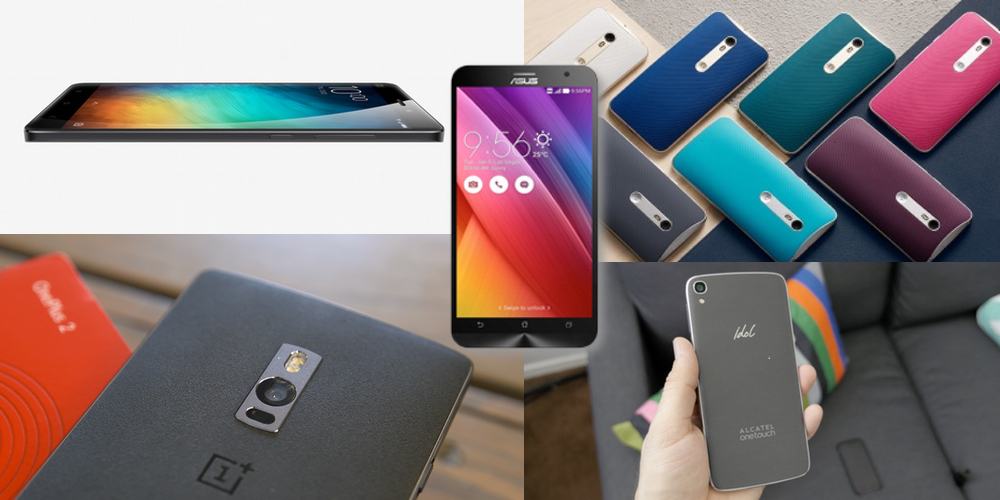
There have been thousands of Android phones released since Android’s inception, but some have been more important to the platform’s history than others. There was the original T-Mobile G1, as mentioned, but there was also the HTC One Google Play Edition, Moto G, Samsung Galaxy S4, and others. Some of the most iconic Android handsets include:

  • HTC G1
  • HTC Nexus One
  • Samsung Galaxy S, S2, S3, S4, and their successors
  • HTC Incredible S
  • Samsung Nexus S
  • Samsung Galaxy Nexus
  • Samsung Galaxy Note
  • Nokia 8
  • BlackBerry KeyOne
  • Google Pixel and its successors

In more modern times, there are several Android smartphones makers that popped up across various niches and in several international markets. Huawei is a dominant Android maker in China and many European markets, while Samsung is by far the most popular maker in the United States by far — effectively creating a duopoly with Apple. Today, there are dozens of major device makers contributing to the Android ecosystem.

Full list of Android OEMs

History of major Android versions

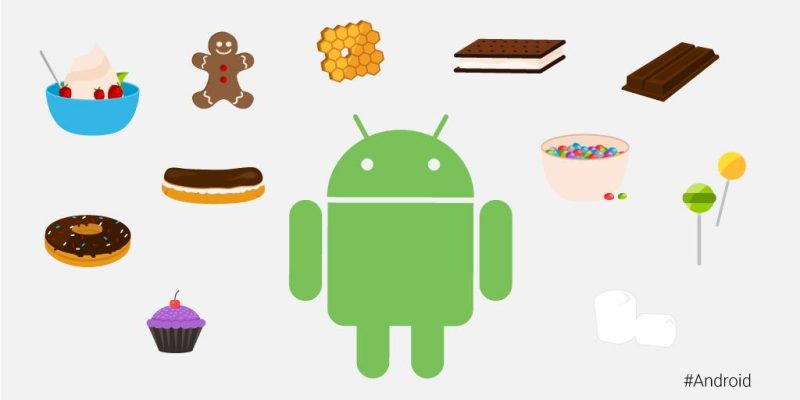
Android has seen countless software revisions over the course of its life, but in modern times the OS usually sees a major release on an annual cadence. In the earlier days, Google famously gave its major software releases dessert-themed codenames, but retired that practice in 2019 with the release of Android 10.

VersionNameReleaseDevices
2.3GingerbreadFebruary 9, 2011Nexus S
4.0Ice Cream SandwichOctober 19, 2011Galaxy Nexus
4.1Jelly BeanJuly 9, 2012Nexus 7
4.2Jelly BeanNovember 13, 2012Nexus 4, 10
4.3Jelly BeanJuly 24, 2013Nexus 7 (2013)
4.4KitKatOctober 31, 2013Nexus 5
5.0LollipopNovember 3, 2014Nexus 6, 9
5.1LollipopMarch 9, 2015Android One
6.0MarshmallowOctober 5, 2015Nexus 5X, 6P
7.0NougatAugust 22, 2016Nexus 5X, 6P
7.1NougatOctober 4, 2016Pixel, Pixel XL
8.0OreoAugust 21, 2017Pixel, Pixel XL
8.1OreoDecember 5, 2017Pixel, Pixel XL
9PieAugust 6, 2018Pixel 2, Pixel 2 XL
1010September 3, 2019Pixel 3, 3a
1111September 8, 2020Pixel 4

List of major Android OS platforms

While Android proper is certainly the most widespread of Google’s Android operating systems, the company has also launched many offshoots of the main OS over the years. There’s Android Auto, Android Wear (now Wear OS), Android TV (now rebranded to Google TV), as well as versions of Android built for tablets and Android Things (now defunct).

Huawei Watch pricing revealed on Amazon – four models ranging between $350 and $800

Update: Huawei has shared the following statement regarding the Amazon listing, which is now pulled:

Earlier today, incorrect information about the upcoming launch of the Huawei Watch was published on a partner website. We have nothing to announce at this time. Stay tuned for more details next week.

Even though the device was first made public a full 6 months ago, the Huawei Watch price — which was rumored to be upwards of $1,000 — has been a mystery for quite some time. Now, thanks to a new pre-order page on Amazon’s website, we can see that the watch will be priced between $350 and $800 depending on the model you choose…
Expand
Expanding
Close

Samsung adds a $1-200 bribe to its test-drive program aimed at converting iPhone users

Samsung has upped the ante on its ‘ultimate test drive‘ program, intended to persuade iPhone owners to switch by offering them a free one-month trial of Galaxy smartphone. For those who end up purchasing the phone, Samsung will give them $100 of Google Play credit which can be used to buy apps and other content.

If they end up trading in their iPhone, Samsung will additionally send them a check for $100 – on top of whatever trade-in deal they were offered by the retailer.

Via Android Central

Google rolls out attractive, new apps search UI

It looks like Google has been working behind the scenes to make searching for apps a much more intuitive and better-looking experience on Android. As spotted by the folks at Android Police, if you go searching for apps from the default search feature in Android, you’ll now get a very attractive, Material-themed grid of apps. Although it doesn’t work for every single term, simply search for anything followed by ‘apps’ and it’ll bring up a grid of downloadable options from the Google Play Store.


Expand
Expanding
Close

Twitter introduces Music on Vine: Better audio controls and music discovery on Vine app

Last night, Vine announced that it’s bringing greater music controls to its popular video-looping app on Android. While users have always had the ability to include audio of any kind in their Vines, this new update makes it far more precise. The biggest update is a feature called ‘Snap to Beat’ which enables users to more easily create a seamless loop, or perfect loop where you can’t tell the beginning of the audio from the end.

To get Snap to Beat working for you, choose a song by tapping on the music note in the ‘Details’ screen. Snap to Beat automatically identifies how much of the song to use to make a seamless loop, then trims the video to fit that music clip. If you don’t want it happening auto-magically, you can switch off Snap to Beat and edit the audio manually yourself. This gives the user complete control over how much sound to include in the Vine, and which part of the video it should play over.

[protected-iframe id=”d900916b42d3ba16839a9ad6ea03cd99-22427743-89100566″ info=”https://vine.co/v/ejVEvtP0l0O/embed/simple” width=”600″ height=”600″ frameborder=”0″]

As a part of Vine’s new-found focus on music, there’s also a new audio discovery tool within the app. First up is a new ‘Featured Tracks’ section which you can explore when you create a new Vine and tap on the music note to add a song. What’s more, you can use Vine to detect what you’re listening to while watching other Vines. If a musical note icon appears beneath a Vine, tap on it, and it’ll show you the name of the track, and the name of the artist performing.

[protected-iframe id=”f27ac4650c551da7488dfbe008f3d023-22427743-89100566″ info=”https://vine.co/v/ejVEavAvKvA/embed/simple” width=”600″ height=”600″ frameborder=”0″]

The Music on Vine updates will be rolling out to Android from today and will be available to download from the Play Store for free.

New Xperia Z5 press pictures leak from official channels

XperiaBlog.net is reporting that official Sony Mobile accounts across social media channels today inadvertently published press pictures of the yet-unannounced flagship Xperia Z5 smartphone. Note that we ourselves weren’t able to verify this.

Sony itself teased earlier this week the unveiling of a smartphone “with greater focus,” and that all would become clear on the 2nd of September. That date, of course, falls during IFA Berlin, the annual technology trade show where Sony will be present and has been known to unveil new hardware. The images seem to show the phone packing another one of Sony’s Exmor RS pixel-stacked image sensors, although XperiaBlog.net states that the images confirm this one is a 23MP sensor — Sony doesn’t publicly list a 1/2″ 23MP sensor on its sales site, so it would have to be one they haven’t announced yet.

Aside from that, the images show the phone in gold, white and dark turquoise colors, as well as an “Xperia” logo engraved on one side, which we haven’t seen on previous models. We predicted earlier this week that this new phone could come with Sony’s hybrid autofocus technology, which Sony says combines two technologies — Phase detection AF for quick response and Contrast detection AF for added precision — to allow “fast, accurate focusing in all situations, even if your subject is moving.” Sony’s software is widely panned for softening up images and doing other things to negatively degrade them.

9to5Toys Lunch Break: 128GB Galaxy S6 Edge for Verizon $350, Bose SoundTrue headphones $80, more

Keep up with the best gear and deals on the web by signing up for the 9to5Toys Newsletter. Also, be sure to check us out on: TwitterRSS FeedFacebookGoogle+ and Safari push notifications.

Today’s can’t miss deals

Galaxy S6 edge w/ 128GB storage Verizon Wireless (w/ 2-year contract): $350 shipped (Reg. $500) | Best Buy

Bose SoundTrue on-ears in black $80 (Reg. $120), Skullcandy Hesh 2 Bluetooth 4.0 $60 (Reg. $100), much more

Power Banks: Anker PowerCore 15600mAh w/ dual USB ports $25 Prime shipped (Reg. $33)KMASHI 10000mAh $9, more

Chromecast (Manufacturer Refurbished): $24 shipped (Reg. $35) | Groupon

Samsung Galaxy S6 smartphone 32GB: $500 shipped w/ code DEAL80OFF (Reg. $800) | T-Mobile

Brand new LG G4 32GB 4G LTE smartphone (unlocked): $420 shipped (Reg. $550+)

HTC is offering a free $100 Google Play gift card with the purchase of an HTC One M9

VIZIO 49-inch 120Hz 4K LED Smart HDTV $600 (Reg. $720), 43-inch $548 or $528 w/ Prime (Reg. $599)

Back to school gift guide: essential tech gear every student should be using

Giveaway: Jaybird’s new X2 Bluetooth earbuds are the ultimate workout counterpart ($180 value)

More new gear from today:

Storage: WD 3TB portable HDD (multiple colors) $130 (Reg. $150), Samsung 850 EVO 500GB SSD $150 (Reg. $170+)

More deals still alive:

PS4 Batman or Last of Us Bundle w/ 3 mo. PS Plus, Madden 16 & another game $399 ($500+ value)

Get a free download of the AirPano Travel Book iOS app courtesy of Apple ($3 value)

New products & more:

Samsung introduces new multi-room speakers alongside an improved Android and iOS app

Sensel’s Morph is an ultra sensitive Force Touch Trackpad look-alike

Google AdWords full-screen in-app ads get a little prettier with redesign

There might not be any topic more heated in today’s digital space than advertising. In most cases, no ads is better than any ads at all. The reality right now is, however, that no ads still also means no money to pay writers at sites like this one. With all that said, Google’s AdWords team has beautified its full-screen in-app ads (don’t worry, we don’t use these).


Expand
Expanding
Close

Android Auto gains computer emulator so you don’t have to work from your car

It seems crazy that this didn’t exist before, but today Google released Desktop Head Unit (DHU), a testing tool which emulates the Android Auto in-car experience on desktop computer hardware.

Once installed, you can connect your phone to your computer over USB and the companion app will behave as if it’s connected to a car which has Android Auto installed, while the emulator will display the Auto app you’re testing just like it would in a car with Android Auto.

Here’s my favorite part of the post, emphasis mine:

Now you can test pre-released versions of your app in a production-like environment, without having to work from your car. With the release of the DHU, the previous simulators are deprecated, but will be supported for a short period prior to being officially removed.

Auto developers who want to go back to working at their desks can head over to the blog post on the official Android Developers Blog to see all the details on how to get started with DHU.

PSA: Many Moto 360 owners now receiving Android Wear 1.3 update

The Moto 360 is perhaps one of the most — if not the most — popular Android Wear smartwatches, and now it appears that the device’s update to Android Wear 1.3 is now rolling out to the masses. The update was officially announced last week, and comes packed with new interactive watch face support, a new watch face called “Together,” and other great new features…

Motorola has officially mentioned the update on their support site:

We are rolling out a new Android Wear software update for Moto 360 by Motorola. With this update we have added support for new features and fixed some issues to improve your experience… This software update will be rolled out in phases to Moto 360 users over the next few days.  When you receive the update, you will receive a notification on your watch.

According to the company, the update packs all of the features Google mentioned in its official blog post. You’ll get the aforementioned interactive watch face support, the Together watch face, Google Translate for Android Wear, a new Weather app, notification privacy improvements, and of course the usual bug fixes and improvements.

Here’s the full change log:

Interactive Watch Faces Interactive watch faces make it easier to stay connected. With just a tap on your watch face, you can change its design, reveal more information, or even launch a specific app.

You can download interactive watch faces from Play Store. To set up, touch and hold on the current watch face, then scroll left/right to select the one you just downloaded. You can also select it from the Android Wear phone app.

Together Watch Face Two Android Wear users can stay close throughout the day by turning their entire watch face into a space for sharing. Once you’ve paired your watch face with a partner’s, you’ll be able to share things like photos and emojis, and more.

To set up, touch and hold on the current watch face, then scroll left/right to find the Together watch face. You can also select it from the Android Wear phone app.

Google Translate for Wear Translate a conversation into any of the 44 available languages, then flip your wrist to show the translation to someone else. When they respond in their own language, flip your wrist back, and you’ll see in a translation of what they’ve just said.

The watch must be connected to a phone with internet access via Bluetooth or Wi-Fi.

Weather Microapp Shows current weather conditions and four-day forecast for your current location. To open the weather microapp, swipe left on the watch face, then scroll down and tap Weather.
Privacy improvement for notifications Your notifications won’t show in full screen until the watch is oriented in a way that only you can see it. This feature prevents others from reading an incoming notification when your watch screen is pointed away from you.
Bug Fixes A variety of system optimizations to improve performance and stability.

Make sure that your watch has at least 80% battery, and also remember to keep your Android Wear companion app up to date for good measure. Motorola says the update is rolling out “over the next few days,” so be patient as it makes its way to your watch. Or just keep mashing the “System updates” button in Settings. It’s up to you.

On the off chance that you have a home-made cable for connecting your 360 to a PC, you can download the Android Wear 1.3 OTA now.

As promised, Samsung Pay beta program opens to US users

Samsung has officially launched its mobile payment service in the US. Perhaps the only catch, apart from the fact that it’s only available to customers with the Galaxy S6, S6 Edge, Note 5 and S6 Edge+, is that it’s being labeled beta. As of right now, there aren’t many financial institutions supporting Samsung Pay. Samsung Pay Beta is “by special invite only” and Bank of America and U.S. Bank customers with credit, debit or small business cards you can apply as long as they have a Samsung Account.

While it may not be entirely useful today, Samsung Pay does have the potential to be more ubiquitously useful than Android Pay in retail. Reason: it not only works with NFC-equipped machines, its technology also enables it to work almost anywhere there’s a card machine with a magnetic-strip reader too. Samsung officially announced Samsung Pay at its Unpacked event in March, but had to push back the public launch to September. The service officially launches in the States in one month.

If you meet the criteria, have one of the company’s newest smartphones and want to give it a try, head on over to Samsung’s beta signup page to apply.

HTC Desire 626 hits Verizon for $192 unlocked or $8/month

Verizon Wireless has begun selling HTC’s new Desire 626 mid-range Android smartphone. HTC back in May introduced a litany of new mid-rangers to the US market across every major carrier, including the Desire 526 which hit Verizon earlier this month.

The Desire 626 is a bit of a step up from the 526, sporting a larger 5-inch, 720p display, 8MP rear-facing and 5MP front-facing cameras, 1.5GB RAM, and a quad-core Snapdragon 210 processor. It also has a 2,000mAh battery and the storage can be increased through the microSD card tray.

Those are low-end specifications when put up against today’s flagships like the Moto X Style or OnePlus Two, but they come with a price to match: $192 fully unlocked or $8 per month on a 24-month contract. And for what it’s worth, the Desire 626 is a solid-built phone with a design that is quite attractive. It’s unlikely to pull HTC out of the rut it’s in right now, though. You should check out our full video review below if you’d like to learn more about the phone.

Big and small: Upcoming Moto 360L and 360S surface in leaked photos

Recently we revealed that Motorola’s new smartwatch passed through the Brazilian equivalent of the FCC. In it, the filings indicated that Motorola is clearly working on two sizes for its next generation Moto 360 smartwatch. Moto 360L and Moto 360S will seemingly keep the same ‘flat tire’ on the bottom of the screen, and similar round metal cases but there are clear differences. Today, both big and small versions of the Moto 360 have popped up in individually leaked photos.


Expand
Expanding
Close

Cyanogen OS 12.1 update for OnePlus One rolling out OTA

Cyanogen has announced that its most recent update, Cyanogen OS 12.1, is rolling out now to OnePlus One owners as an over-the-air update. The initial launch has been slightly delayed, but it’s finally here and you should see it available to download over the coming days. Cyanogen OS 12.1 is based on Android 5.1 Lollipop and comes with a promising list of updates. From looking at the update, it seems Cyanogen is really going for productivity and performance over anything else. Those updates include:
Expand
Expanding
Close

82% think it’s rude to use a smartphone at a social gathering, but 89% do it anyway

A Pew study on mobile etiquette found that 82% of Americans think it hurts the conversation when people use smartphones at social gatherings, but 89% did so anyway at the most recent one they attended.

When asked for their views on how mobile phone use impacts group interactions, 82% of adults say that when people use their phones in these settings it frequently or occasionally hurts the conversation […]

In spite of this […], 89% said that they themselves used their phone during their most recent time with others.

Many do at least have the excuse that some of the smartphone use is related to the gathering, 45% posting a photo or video taken there, 41% sharing something that happened there and 38% getting information they thought would be interesting the group.

The majority thought it was fine to use a smartphone while walking down the street, on public transport and while waiting in line – but not at a restaurant, at a family dinner or during a meeting. The worst places to use a smartphone were said to be a movie theater and a church.

Photo: Samsung

Ex-Apple John Sculley unveils Obi Worldphones, two attractive and affordable Android devices

Obi Worldphones — a company co-founded by former Apple CEO John Sculley — has unveiled its first two affordable and aesthetically striking smartphones. Both phones are named after California cities: SF1 named after San Francisco and SJ1.5 named after San Jose and feature similar designs, although there are clear differences in specifications and performance.


Expand
Expanding
Close

LG debuts ‘Rolly’ universal, rollable Bluetooth keyboard

In a press release early this morning, Korean tech giant LG announced that it wants to grab a bigger share of the mobile accessories market. It wants to do so with Rolly Keyboard, a wireless, portable, rollable universal keyboard. Opened, it forms a four-row keyboard with close-to full size keys. What makes the keyboard unique is the method by which it’s stowed. Unlike the traditional single fold down the middle, each row of keys has a hinge, enabling the user to roll it up in to a ‘stick’.

Rolly Keyboard is powered by a single AAA battery and uses two Bluetooth 3.0 channels to pair to two separate devices and enable easy-switching between them, similar to the Microsoft Foldable Keyboard we reviewed recently. What’s more, it also features two arms to hold smartphones or tablets upright. It’s made from polycarbonate and black ABS plastic and LG claims it “offers satisfying tactile feedback often not found on flexible silicone keyboards”. Judging from the selection of keys on the device, it seems it’s going to be compatible with multiple platforms. Instead of offering a separate row for extra function keys for tasks like media playback, volume etc. LG has opted to use an individual ‘Fn’ key which — when pressed with a labelled key — will allow users to skip tracks, play/pause, change volume, pair devices and much more. And it won’t be alone on the accessory market his year:

“LG Rolly Keyboard is just one of the many premium input devices we’ll be unveiling in the coming months as we expand our accessories offerings,” said Seo Young-jae, vice president in charge of Innovative Personal Devices at LG Electronics Mobile Communications Company. “The goal was to create a product that could add more value to LG smartphones and tablets at the same time offering a unique design proposition that hadn’t been explored before.”

LG will show off its Rolly Keyboard at IFA in Berlin at the beginning of next month and launch in the U.S. in September. Pricing and availability details will be shared once it’s available to consumers. Along with the keyboard, LG is expected to announce a range of new Android-powered G Pad tablets in an attempt to compete directly with Samsung.

Eat24 finds Android customers less healthy than their iPhone counterparts

Sorry, Android users: Popular online food ordering service Eat24 has determined that you are less healthy on a nutritional basis than owners of Apple’s iPhone. That’s based on data it collected from its mobile app over a three month period, tracking information regarding how ordering habits differed across the rival platforms.


Expand
Expanding
Close

NVIDIA SHIELD Android TV now available on the Google Store

The NVIDIA SHIELD Android TV may be one of the best set-top boxes to ever exist, and now you can buy it straight from the Google Store. The 4K Ultra HD-supporting, game controller-including, Android-powered box can now be purchased in both its standard and “Pro” forms for $199 and $299, respectively.

The standard model comes with 16 GB of flash storage, while the “Pro” packs a 500 GB hard drive. The device sports a Tegra X1 processor and 3GB of RAM, an HDMI port, Ethernet, two USB 3.0 ports, Micro USB, and a Micro SD card slot. We reviewed it earlier this year and had almost all good things to say.

Head over to the Google Store to grab one, or keep your eyes on 9to5Toys Lunch Break on the off chance we find a great deal on this Android TV box.

9to5Toys Lunch Break: Canon WiFi printer/scanner $68, Chromecast (refurb) $24, more

Keep up with the best gear and deals on the web by signing up for the 9to5Toys Newsletter. Also, be sure to check us out on: TwitterRSS FeedFacebookGoogle+ and Safari push notifications.

Today’s can’t miss deals

Amazon Gold Box – Canon PIXMA Wireless Color Photo Printer w/ Scanner & AirPrint $68 shipped (Reg. $95)

Chromecast (Manufacturer Refurbished): $24 shipped (Reg. $35) | Groupon

Samsung Galaxy S6 smartphone 32GB: $500 shipped w/ code DEAL80OFF (Reg. $800) | T-Mobile

Brand new LG G4 32GB 4G LTE smartphone (unlocked): $420 shipped (Reg. $550+)

HTC is offering a free $100 Google Play gift card with the purchase of an HTC One M9

Daily Deals: TDK Life on Record TREK 360 Wireless Speaker $50, M-Audio Studiophile Active Studio Monitors $99, more

Back to school gift guide: essential tech gear every student should be using

Giveaway: Jaybird’s new X2 Bluetooth earbuds are the ultimate workout counterpart ($180 value)

More new gear from today:

Bluetooth Headphones: SoundPEATS In-Ear $17 Prime shipped (Reg. $30), MEElectronics Over-Ear $38 shipped (Reg. $62), more

More deals still alive:

Free Xbox Live Gold Games for September: Tomb Raider Definitive Edition, Battlestations Pacific, more

Free PS Plus Games for September: Grow Home, Super Time Force Ultra, Twisted Metal, more

New products & more:

Sensel’s Morph is an ultra sensitive Force Touch Trackpad look-alike

The new limited edition BIT.TRIP vinyl LP comes with free game download codes

Pocket 6.0 rolls out for Android with new Recommendation feature

Pocket is one of the most popular read-it-later apps available on Android, and the service is about to get better (or perhaps worse depending on your viewpoint), with the public launch of recommendations. The feature has been tested in beta for some time, and is now officially out in the wild and will be available to users on Android, iOS and on the web. Pocket describes it as “high-quality content without the noise”.

Recommendations takes the absolute best content being saved across Pocket and tailors it to your own saving and reading habits. The result is a feed that’s completely unique and personalized to you, and is filled with the most interesting articles and videos you might have missed otherwise.

Instead of being a collation of the most viewed web pages from the web, recommendations are based on how popular stories are with people with your interests. Since they’re already curated by humans, the company hopes that helps tune out the noise. For instance, if you happen to save a lot of technology articles to read later in Pocket, you’ll be served up tech-based recommendations. What’s more, if you find a recommendation you don’t like, just press the ‘X’ and remove it from your feed.

Recommendations are currently available in English only currently, but the company states that it is working on a wider roll out in more languages. You can download Pocket 6.0 for Android from the Google Play Store for free.

Report: Android Pay not launching today despite signs of otherwise (Updated)

Update: Google has posted a vague tweet to its Android account on Twitter, presumably in response to these reports. It simply says to “stay tuned” and ends with a #soon hashtag. Hard to draw many assumptions.

Android Pay will not go live today despite signals of otherwise from major fast-food chain Subway, and a purported leaked staff memo from McDonald’s, TechCrunch is now reporting.


Expand
Expanding
Close

Swype for Android receives Star Trek keyboard themes + new emoji keyboard

Nuance Communications is today releasing an updated version of its popular Swype Keyboard for Android, “the world’s most powerful keyboard,” which includes an all-new Swype Store with additional premium themes as well as an emoji keyboard. Swype is a popular alternative to the default Android keyboard due in part to its many customization options, like the ability to change the keyboard’s overall layout, key sizes, and a bunch more.
Expand
Expanding
Close