Apps and Updates




Google has updated its Handwriting Input app to include five new languages. Now, customers who speak Arabic, Persian, Urdu, Hebrew and Burmese will be able to scribble words on to the input pad, instead of having to tap or swipe across the virtual QWERTY keyboard. By adding these five new languages, Google’s handwriting recognition tool now supports 82 languages from across the globe.
What’s great about the tool from Google is that, even if you have untidy handwriting, the software still seems to do a good job recognizing your scrawling and changing it in to text on screen. In most cases, it seems to understand what I’m trying to write, even though my scribbles aren’t the most legible. Google describes it as such:
Google Handwriting Input allows you to handwrite text on your phone or tablet in 87 languages. It supports printed and cursive writing, with or without a stylus. Google Handwriting Input also supports hundreds of emojis, so you can express yourself in any Android app.
Key features:
• A useful complement to touchscreen typing or voice input
• A fun way to enter emojis by drawing
• Useful for languages that can be challenging to type on a standard keyboard
• Works across your Android phones and tablets running Android 4.0.3 and up
• If you claim your handwriting is terrible, try it out and see if it can convince you otherwise
Google Handwriting Input version 1.5.1 is available to download for free from the Google Play Store and is compatible with any Android device running Android 4.0.3 or later.


Facebook announced today that a new feature rolling out soon across its mobile apps will allow you to hide posts from ex automatically (or hide your posts from them) when you change your relationship status back to single. You can also hide all traces of your past relationship from the public.

Google announced today that it’s adding “guest access” to Hangouts, allowing users without Google accounts to join a Hangouts video call.
Google notes that the feature is something that has been highly requested by businesses, giving them an option to easily invite clients and others that may not already be hooked into Google’s ecosystem.
Previously inviting users without Google accounts to a video call would prompt them to create one before joining. With today’s changes, non-Google account holders can join a chat straight from a Google Calendar invite by only entering their name:
Say you’re a business about to talk through new product plans with your supplier, and you decide it’d be great to also get the thoughts of a key customer. No problem. Invite your external guests with Google Calendar… They click a link in the event description and fill in their name
With the update, Google notes joining video calls are now one click away and won’t require filling out forms or creating accounts. The feature is available now for users joining Hangouts through a web browser.


If you use Uber for both business and work, it can be a pain handling the accounting, having to remember to claim the business rides back on expenses. But the service will soon allow you to register a second credit card for business use, and then simply tap your Personal or Business profile in the app to charge the appropriate card.
Look out for an update shortly, when you’ll find Profile in Settings.
Uber added AMBER alerts to its drivers’ app last month.
Via TNW
Google Play will soon show users what apps are ad-supported before downloading as the company asks developers to declare the status of ads in their apps by January, 2016.
Expand
Expanding
Close

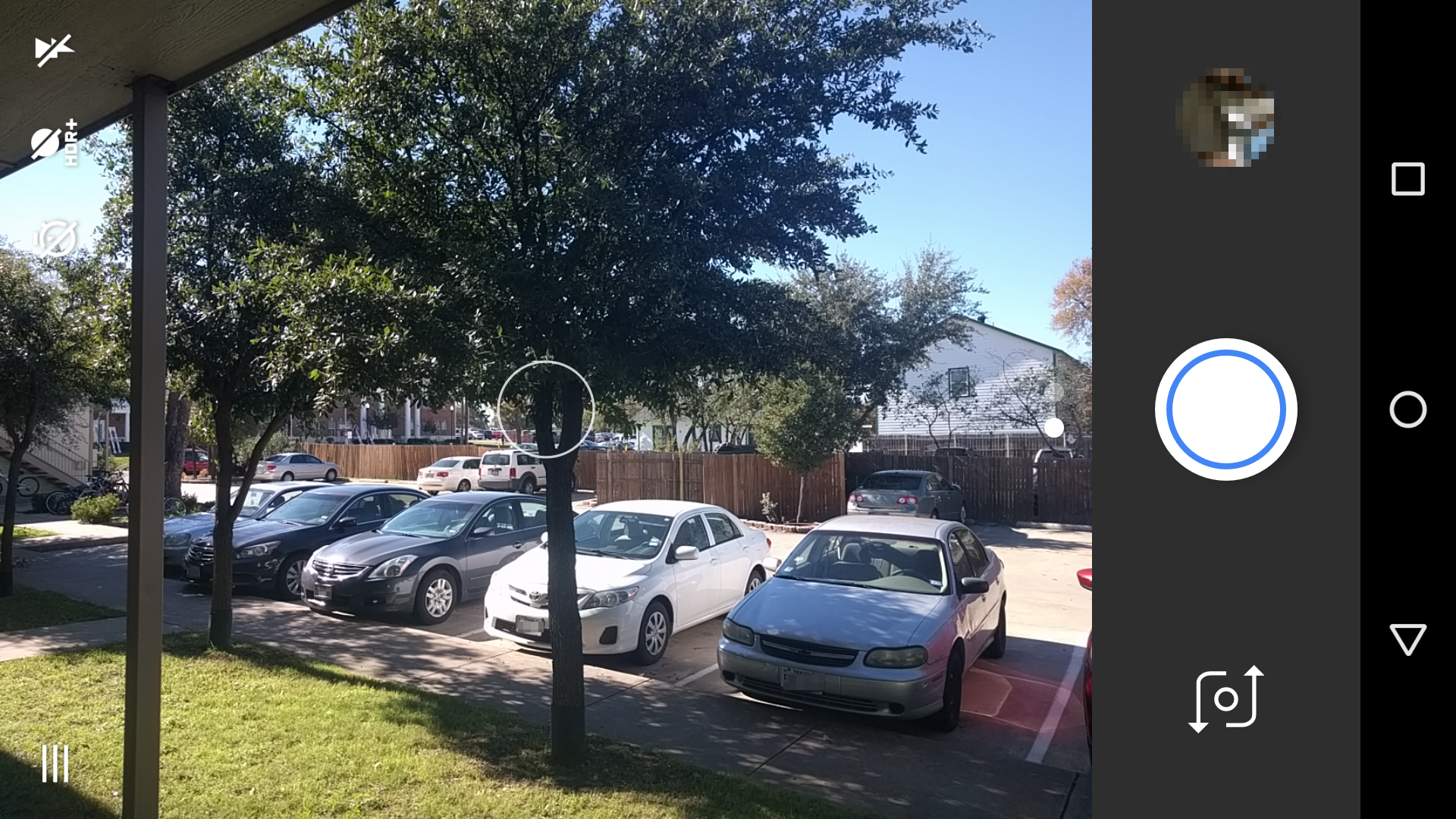
As you may know the user interface of the Google Camera app was updated with the Nexus 5X and 6P. Out for over a month, the new camera update was nowhere to be found on other devices, until today…
Not long ago, Microsoft announced it would be bringing an updated look to its Outlook app for Android, killing Sunrise in the process. While iPhone users got the updated redesign almost immediately, Android users had to wait a little. Today, Outlook 2.0.0 is finally available to download with some refreshed user interface design and a couple of new features. You can download the app directly from APK Mirror, or wait for it to hit the Play Store officially (it shouldn’t be too long until the update hits).

Having launched in the US back in February, YouTube’s child-friendly video service is making its way across the globe from today. YouTube Kids is now available in the UK, Canada, Australia, Ireland and New Zealand. The app is free to download on iOS and Android and offers customers a curated YouTube experience with content aimed specifically at children.
In the UK, content will include the likes of Wallace & Gromit, Morph, The Magic Roundabout and Teletubbies among many others. Featured content will differ depending on your region, but the service is essentially the same in all available markets. Since it’s free, the app is supported by ads, but only advertisements suitable for children are shown in the YouTube Kids app. As reported by The Guardian:
“We only show ads that are approved as family-friendly – for example, we don’t show any food and beverage ads – and all ads undergo a rigorous review process for compliance with our policies,” a YouTube spokesperson told the Guardian.
“All ads are clearly labeled and include ad intros. Ads don’t include any click-throughs to websites or product purchase flows.”
Now, parents outside the US will be able to let their kids watch ‘The wheels on the bus’ without worrying they’ll end up following through links and watching something slightly dubious content. On the negative side, undoubtedly, I’ll now have to watch more loom band how-to videos with my 6 year-old.
The app is available to download from the Play Store now, and is compatible with any Android device running version 4.1 or later.

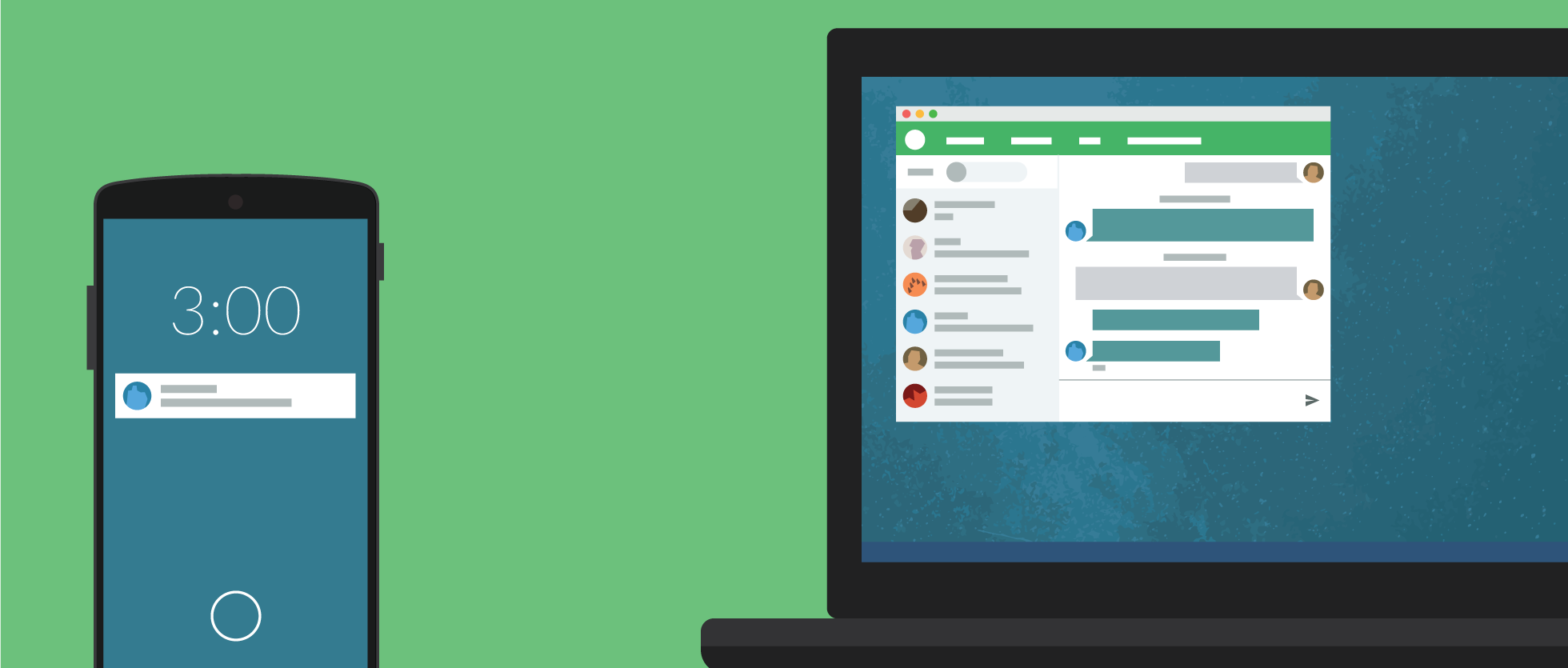
The Pushbullet you know and love isn’t going to be the same for much longer, at least for those that don’t want to throw $40 at the company for a year-long “Pro” subscription (or $5/month). Today, the company announced a “Pro” version of its app, which sadly doesn’t add any new features at all. Instead, Pushbullet is simply using emotional appeals and asking for users to start paying for features that were — until today — free.
What’s more, it looks like the original Pushbullet creator, a man by the name of Ryan Oldenburg, once promised that exactly this kind of thing would never happen happen…
Expand
Expanding
Close
Google has announced today that — following a successful trial in India — it will allow developers in 17 more countries to charge a lower price for its premium apps and in-app purchases. This news comes a couple of weeks after the company raised the maximum price, now giving developers much more flexibility in what they can charge customers, and hopefully enabling them to reach more customers.
The full list of countries this reaches, and the minimum prices:
If you’re a developer in one of these countries, you can lower the prices of your app by going to the Google Play Developer Console and clicking “Pricing and Distribution” or “In-app Products” for your apps.
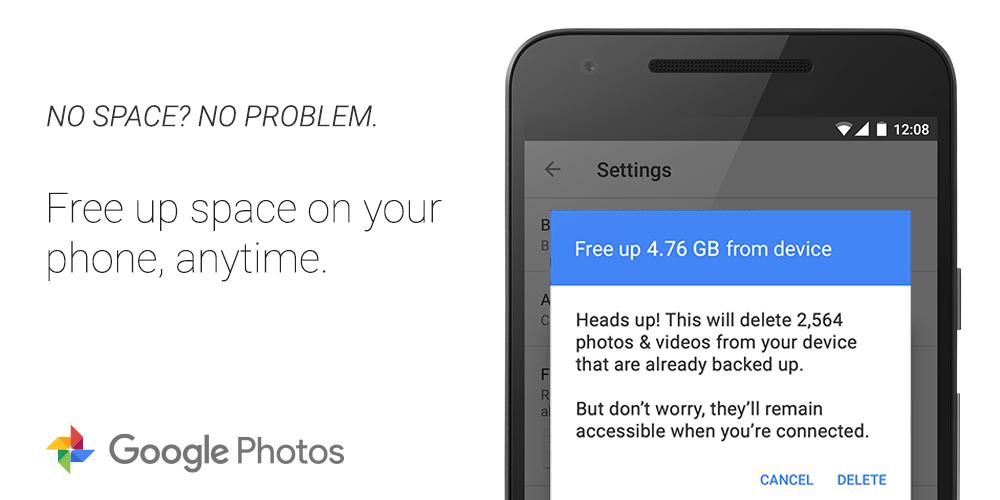
Google is adding some new space saving features to Photos on both the web and Android. A new feature rolling out to the web client starting Wednesday will give the option to downgrade photos previous backed up in full resolution to the compressed mode in order to save space. And on Android, there’s a new “Free up space” button being added to the settings menu that deletes already backed up photos…
Expand
Expanding
Close
After nearly seven months, Google Fit received an update today that introduces a personal trainer feature for Android Wear. The Fit Challenge app allows users to select a push-up, sit-up, or squat and a difficultly level. It then runs you through a rather detailed tutorial of the exercise you’ve selected, showing text and pictures of how to do it properly…
Expand
Expanding
Close
Recent updates to Google Search allow it to better understand complex queries and provide more accurate answers, meaning users can now Google questions involving superlatives, order, complex combinations, and get answers from a specific time period. This update comes thanks to Google being better able to understand the intent and different pieces of a question.
“We can now break down a query to understand the semantics of each piece,” Google says.
The Xposed framework is one of best ways to customize your device to exactly the way you want it. From UI tweaks to hardware modifications, Xposed makes it possible for users to tinker with their devices without needing to flash a whole new ROM.
It takes time for its developer to make sure everything works when a new version of Android comes out, so many wait for Xposed to work before flashing their device to a new ROM. Fortunately, Xposed for Marshmallow did not take as long to bring over as its predecessor and is now available.
It is important to note that many modules will need their developers to update them in order to work on the latest version. Not all Xposed APIs were fully tested and while your phone may boot up without any errors, some customizations might not be fully working and can result in crashes.
The full list of current limitations are:
– I have only tested this with SuperSU installed, due to which dm-verity and some SELinux rules are disabled. Especially dm-verity would definitely conflict with the modifications of the system partition.
– Access to preferences files might be blocked by SELinux, and Xposed is currently not able to work around that. (*) Some modules might be affected by this, nevertheless I strongly recommend to keep SELinux enabled and enforcing to keep your device as safe as possible.
– I could not test all Xposed APIs. The system is booting without any error messages from Xposed, but some functions that the framework makes available might still need to be adjusted for Marshmallow.
– Obviously, modules themselves might need to be updated as well due to changes in AOSP. Please be patient and give module developers the time to make the required changes. If you absolutely “cannot live” without module X, don’t update to Marshmallow yet.
– Some issues might arise from JIT (disabled by default, even in AOSP) and the “optimizing” compiler (which rewrites apps’ code to be more efficient, due to which some calls might simply be skipped). Both of these are new in Marshmallow and might have various consequences in combination with Xposed, from hooks that silently don’t work to crashes. However, as it’s running stable for me, I decided not to disable them and will instead look into them in more detail if concrete issues are reported.
Head on over to the XDA thread to read the instructions and to download Xposed for your Marshmallow device.

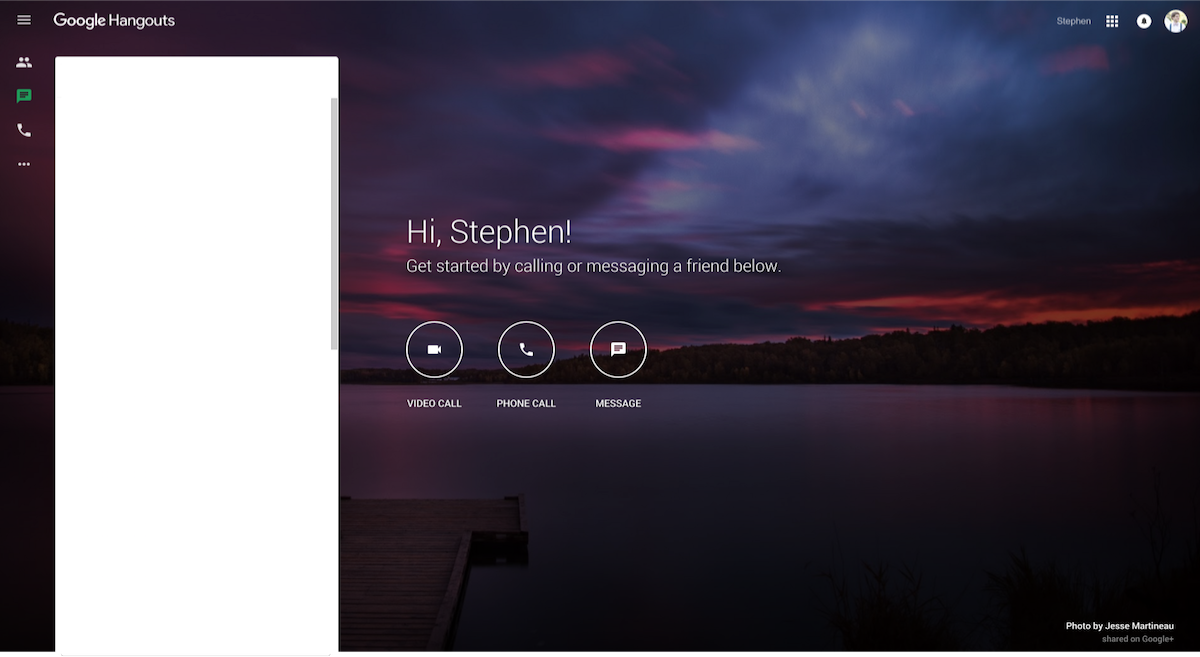
In the wake of some absolutely tragic and terrifying events tonight in Paris, Google has made international phone calls to France free on Google Hangouts. In other tragic past events, many companies that offer calling services have offered similar opportunities.
In a related initiative, Facebook has tonight launched a feature called Safety Check, which allows you to “quickly find and connect with friends in the area” and mark them safe if you know they’re safe. You can also let your friends know if you’re in the affected area.
We’ve made international calls to France free via Hangouts. #ParisAttacks
Android→ https://t.co/RLNSn2HPHd
iOS→ https://t.co/UKRrBZgBGT— Google (@Google) November 14, 2015
You can head over to the Play Store or the App Store to grab the app for free, or head to hangouts.google.com to make free international calls to France straight from your browser.
My thoughts are with all the victims and their families on this sad night #Paris Great to see everyone come together to support France
— Sundar Pichai (@sundarpichai) November 14, 2015
Google is rolling out updates this week for Google Docs and Sheets for Android as well as Google Drive on the web, the company announced in two separate blog posts today.
For Sheets, the update brings the ability to “add new and reply to existing comments,” while the updated Google Docs for Android app gets the ability to see suggestions and comments when in the app’s Print Layout view. “resolve, close, accept, or reject those comments and suggestions—making it simpler to move between their desktop and mobile devices.”
Google also highlighted improvements to editing charts in the Sheets app on Android:
…if a user a selects a single cell and inserts a chart, we’ll automatically expand that data selection to include the immediately surrounding cells. This will make it easier for users to create robust charts with relevant information. In addition, when an employee creates a new chart, they’ll now see three recommended chart types, which we’ll suggest based on the data they’ve selected.
And lastly for Sheets, users will start to notice the 400 new fonts Google began rolling out to Sheets on the web this week.
As for Google Drive, the web app gets improved organization with new smarter sorting in the app’s ‘Recent’ view:
The new sorting experience removes the existing sorting dropdown options (‘Last modified,’ ‘Last modified by me,’ and ‘Last opened by me’) and replaces them with a dynamically-generated view based on the actions of the person using Drive. Items will continue to be segmented into time-based sections (‘Today,’ ‘Earlier this week,’ etc), and will now indicate whether each item was opened, modified, or uploaded by the user directly in the UI. The smarter sorting ensures that items acted upon by the user are more likely to be shown than items acted upon by other collaborators.
The updated Google Sheets and Docs apps are rolling out now.
Google is updating Play Books to provide a better experience for reading comic books. Citing how the smaller screen of a phone makes it harder to follow along in detail heavy pages, there’s a new landscape mode to vertically swipe through panes. Just turn your phone sideways to access the new view.
A couple of weeks ago, SwiftKey brought a number of new features to its beta app for Android. Perhaps the biggest on the usability side was the addition of double-word predictions. With this improvement, users can select two words at once which SwiftKey predicts are coming next. This feature — along with many others — has been added to the public SwiftKey 6 app…
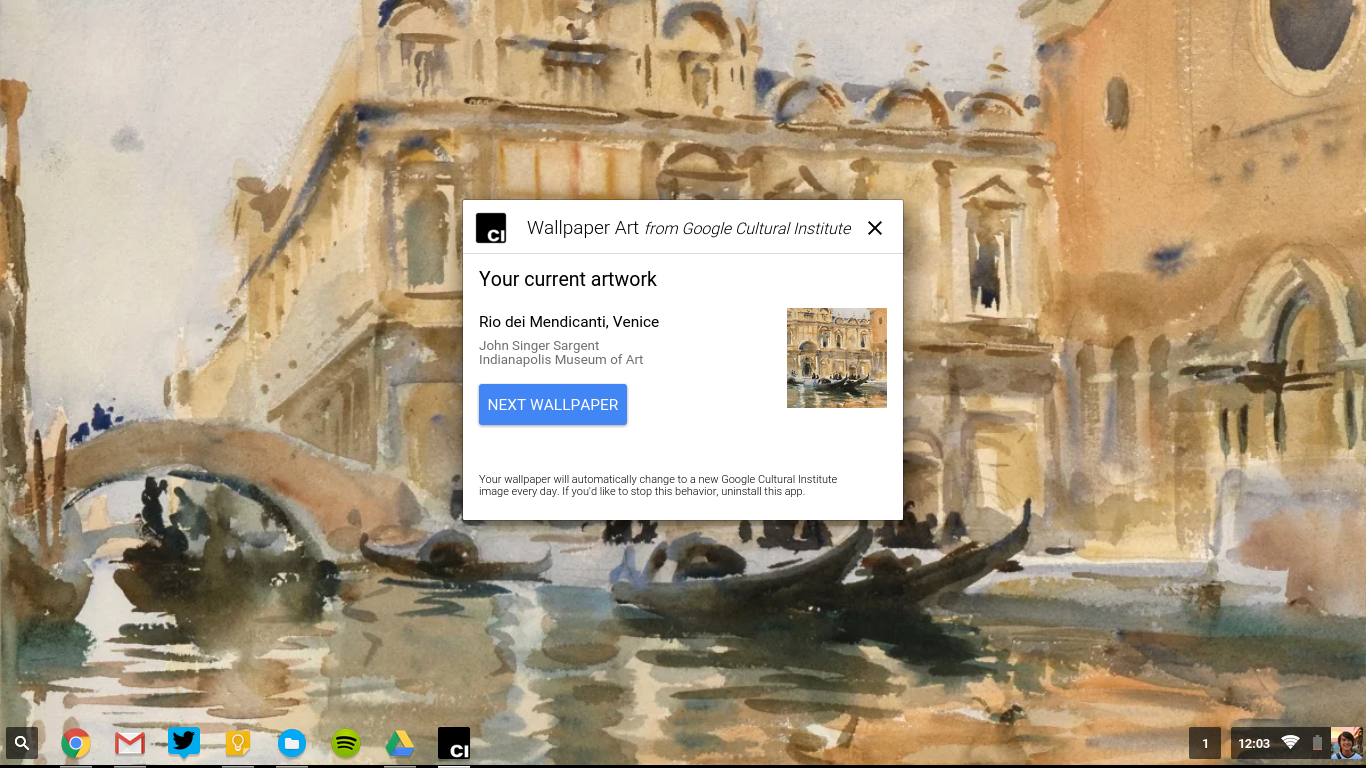
Google has many side initiatives, and one of them is the Cultural Institute that digitizes works of art from museums and archives around the world and puts them online.
Today, their Art Project released an app for Chrome OS that updates the wallpaper of your device to a different piece of art from their collection every day. Expect “masterpieces ranging from Van Gogh and Monet, all the way to contemporary works from street artists around the world,” according to Chrome evangelist François Beaufort in announcement post. If today’s piece doesn’t jive with your artistic taste, you can skip to the next wallpaper in the app.
The Chrome app is very similar to the Muzei Live Wallpaper app by Googler Roman Nurik that also changes the wallpaper on your phone and Android Wear watch face to a work of art. Another app that features work from the Google Art Project is the Street Art watch face for Android Wear. You can download the Google Wallpaper art app from the Chrome web store.
Periscope has announced a couple of new features for its popular video-streaming app for Android, both of which will make watching and finding videos much more convenient and wide-ranging…
Apple Music is finally available to download for Android, so I wanted to give you a quick setup tour and first impressions of Apple’s second app for Google’s mobile platform. It’s free to download and offers almost all of the same features and services found in the iOS and OS X apps, including the option to sign up for a free three-month trial…
Expand
Expanding
Close
Bored with your current flavor Android, but don’t want to flash a new ROM? You’re in luck. Firefox has today released an interesting “Developer Preview” version of their web-based Firefox OS.
The Firefox OS 2.5 Developer Preview is an experimental app that lets you use an almost-complete version of Firefox OS your device — without having to flash anything. The 88 mb APK behaves like any launcher you would find on the Play Store. However, it also has several system apps for making phone calls, messaging, sending emails, an app store etc. Of course, you can still launch your regular apps.

It’s a Developer Preview for a reason and the animations are rather slow on the device I was testing on (but it is much stable than you’d expect). There are some interesting UI ideas and features in Firefox OS, and since Firefox OS is catered towards lower end devices, it’s unlikely most people have tried Firefox OS. It makes for an interesting exploration. Head on over to the site to download the APK. There’s also an option to flash the OS if you want the full experience.
Google has said today that Chrome will no longer be supported on several legacy operating systems.
While Microsoft stopped supporting XP in April of last year, Google announced that they would continue providing updates and security patches to Chrome till the end of 2015:
Millions of people are still working on XP computers every day. We want those people to have the option to use a browser that’s up-to-date and as safe as possible on an unsupported operating system.
In a post today on the Chrome blog, Google announced when they will finally stop supporting XP: April 2016. Additionally, Windows Vista will stop getting support as well. On the Mac side, Google is dropping support for Mac OS X 10.6, 10.7, and 10.8 around the same time.
Google notes that the operating systems are no longer being actively supported by Microsoft and Apple, and they encourage users to move to a newer OS in order to receive the latest Chrome versions and features.
The makers of the smart and visually stunning Monument Valley have released their first virtual reality game for Samsung’s Gear VR platform. Land’s End has the same stunning visuals, hypnotic soundtrack, good story, and smart game mechanics that earned its predecessor such high praise.