Stay up to date on news from Google headquarters. Be the first to learn about plans for Android, Google Plus, Google Apps, and more!
Stay up to date on news from Google headquarters. Be the first to learn about plans for Android, Google Plus, Google Apps, and more!


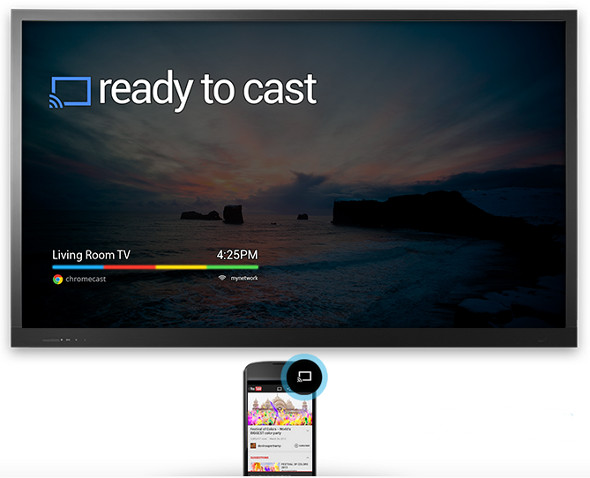
We haven’t yet seen too many apps that can stream content to Chromecast dongles, but all that is likely to change over the next month or two as Google has scheduled a Chromecast ‘hackathon’ at its Mountain View HQ next month, reports Engadget.
Google has invited several developers including CyanogenMod / AirCast dev Koushik Dutta and Thomas Kjeldsen to a hackathon on December 7th and 8th in Mountain View. An opportunity to test drive the “upcoming release” of the Cast SDK is promised, plus an opportunity to talk with Google engineers about what it can do …
Expand
Expanding
Close

Google today announced that it’s releasing an all-new Google Translate app for Android. The app features a new design, adds support for additional languages, and introduces some interesting new features to make translations even faster.
The app now makes it easy to have translated conversation with someone at the tap of a button and also adds gesture support for quickly switching between languages:
Expand
Expanding
Close

You want to get these for every member of your Google-paranoid family for the holidays. Oh, Microsoft. [$8 Microsoft Store]
Don’t want a mug? Microsoft has some propaganda apparel for you:

[tweet https://twitter.com/fakeninjitsu/statuses/403014466767691776]
Thanks to a tipster tweet, the boys at Android Central are reporting Android 4.4 KitKat is now en route to Nexus 4 smartphones. The update weighs in at a manageable 238MB and will of course add all the candy-tasting goodness Android 4.4 brings to the Android world.

Say hello to Google Newsstand, a brand new app for your Android phone or tablet which brings together all of your favorite news sources in one place. Do you subscribe to magazines, newspapers, blogs and news sites? Of course you do and Google is putting all of the full length articles, complete with images, audio and video right inside the app. Articles will be available for offline reading or can be bookmarked to read later.
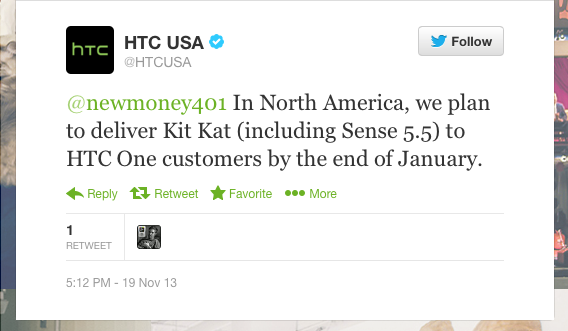
HTC’s trend of Android update transparency continued yesterday with hints that Android 4.4 KitKat will arrive stateside on the HTC One before the end of January. In response to a customer inquiry, HTC’s @htcusa account responded “In North America, we plan to deliver Kit Kat (including Sense 5.5) to HTC One customers by the end of January.”
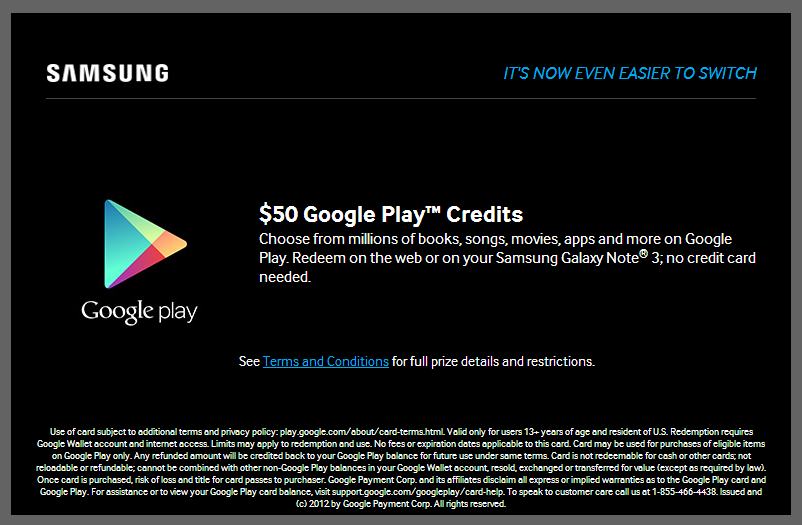
Android Police reports that Samsung is offering a $50 Google Play Store credit to owners of its Galaxy Note 3 phablet.
The good news is that, unlike most promotions, this one appears to apply to existing owners – a welcome unexpected bonus. The bad news is that it’s U.S. only. Full details of how to get your credit below the fold …
Expand
Expanding
Close

There’s been a lot of discussion about the “new” Google under Larry Page and whether they are a stronger company, a leaner company, or a company finding new direction. As is usually the case with the Twittersphere, a retweet brought a link to Erik McClure’s blog post where he discusses Google and its “decline.”
Fresh from the Motorola Blog, it appears that Motorola will launch its first Android 4.4 KitKat update on Verizon first, with rollouts starting today. The KitKat update brings:
I say ‘unusual’ because Verizon is usually the last of the four US carriers to roll out Android updates, usually owing the increased wait to Verizon’s lengthier testing process.
Motorola and Verizon have an unusually close bond however with the Google-owned manufacturer now making all of the carrier’s Droid products as well as pioneering the Droid brand. I anticipate that other carrier versions will follow close behind.
Note that I’m still waiting on the 4.4 update to hit the Google Play edition HTC ONE, and even my Nexus 4 and 10!
I guess Google and Motorola are finally tearing down the firewall.
Expand
Expanding
Close
[protected-iframe id=”9c85791dfebace56104a84ef59f613b4-22427743-3648805″ info=”http://present.knowledgevision.com/account/ftc/link/Live_Webcast” width=”600″ height=”500″ frameborder=”0″ scrolling=”no”]
Vint Cerf, one of the two men known as “fathers of the internet” and Chief Evangelist at Google talks the future at a Federal Trade Commission conference. It’s an interesting look at the past, present and future of the “internet” of things from a man who has an incredibly deep resume.

There’s nothing that makes history real quite like seeing original, handwritten documents. Lincoln’s Gettysburg Address was just 272 words long and reportedly took just two minutes to deliver, yet has been widely recognised as one of the most important speeches ever given, playing a key role in re-uniting the USA after the civil war and reminding the nation of its founding principles.
You can now view all five handwritten copies in high resolution at Google’s Cultural Institute website on the 150th anniversary of the famous speech. The online exhibit is supported by contemporary drawings, plans and reports and is well worth a visit.
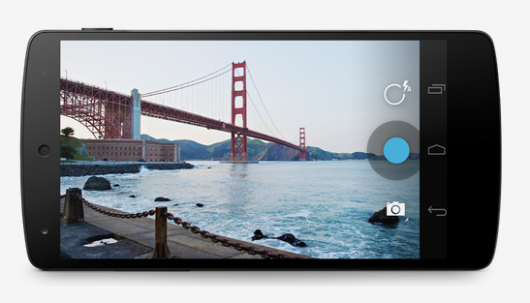
According to some recent discoveries in Android’s open source code, Google is working on a new camera API for Android. Hip hip hooray! The code first discovered by Josh Brown and reported via Ars Technica on Google+ looks to originate as far back as December of last year which would make it appear that KitKat was a viable target for launch.
Google has done a U-turn on its previous policy of stopping short of directly interfering with search results and is now actively trapping more than 100,000 searches for material which constitutes child abuse, reports UK newspaper the Daily Mail.
The world’s biggest media firm has agreed to introduce changes which will prevent depraved images and videos from appearing for more than 100,000 different searches.
The company’s chairman Eric Schmidt, writing in today’s Daily Mail ahead of a Downing Street summit on internet pornography, says: ‘We’ve listened. We’ve fine-tuned Google Search to prevent links to child sexual abuse material from appearing in our results’ …
Expand
Expanding
Close
Google today announced it’s adding a handy new feature to its Google Flight Search tool that allows users to find and book flights. Now, when viewing a flight on Google Flight Search on the web or your mobile device, you’ll be able to hit a small star icon that will save your flight to a “Save Flights” section. The tool will be nice for times when you don’t want to immediately book a flight but might want to view or book it at a later time. Saving the flight will make sure you can easily do so from a new Saved Flights section on any device:
When I’m signed in to my Google account on my mobile phone or tablet, and find a flight option I’m interested in I click the star button to add it to my saved flights list… I can then access my saved flights on any device at any time by clicking the star icon on the Flight Search home page.
Your saved results won’t be static either. That means when returning Google will make sure your save flights have up to date pricing and any changes that might have occurred to the flight itinerary. You’ll notice the new save button in Flight Search on both the desktop and mobile starting today.
Expand
Expanding
Close
After a nearly eight year battle stemming from a lawsuit brought on by authors accusing Google of digitally scanning books without permission, a judge has now officially sided with Google and dismissed the case. Reuters reports:
U.S. Circuit Judge Denny Chin in Manhattan accepted Google’s argument that its scanning of more than 20 million books for an electronic database, and making “snippets” of text available for online searches, constituted fair use.
“In my view, Google Books provide significant public benefits,” Chin wrote.
The ultimate decision was essentially that by scanning snippets of books to use with Google Books or in search, Google was providing more benefits to the authors than disadvantages. The judge is also quoted as calling the service “an essential research tool” that creates new income for authors and lets users discover content. GigaOM got the following statement from Google, but the Authors Guild is yet to speak out on the decision:
Expand
Expanding
Close
I sometimes wonder whether future generations will do most of their travel sat at their PCs, as Google’s Trekker backpack takes us to more and more interesting places. Latest on the list is the romantic Italian city Venice, built on a set of more than 100 small islands, connected by a network of canals and bridges …
Expand
Expanding
Close

Just a few weeks ago, Pandora became the latest app to receive support for streaming via the Chromecast, as did Hulu Plus just before that. This left a couple of key holdouts, one of which being HBO Go. HBO Go has been rumored as coming to the Chromecast since the device’s launch, with HBO confirming earlier this summer that it was in talks to support the Chromecast in the “future.” It now looks as if the launch is not very far off.
As first noted by Droid Life, Google’s “Now Casting” support page has been updated to include HBO Go. It’s touted as a “new” app, along with Pandora and Hulu Plus. Oddly, however, there is no HBO icon and the description simply reads “none.” This makes it seem like Google’s support page was updated a bit prematurely, although it does signal that a launch is imminent and that the two are still in talks to work together. We wouldn’t be surprised to hear an official announcement from Google and HBO relatively soon.
At $35, the Chromecast is becoming even more enticing of an offer as Google continues to beef up the streaming selection to compete with the Apple TV and Roku.
This afternoon, Google has updated its Google+ app for Android with a couple of new features and enhancements (via Droid Life). First off, the app now supports Android Beam. This feature will allow for users to share photos from within the Google+ app to other devices via NFC. The app also now supports DayDream. This is feature, which has been available in some third-party apps for a while, is essentially a screensaver for devices while they are being charged or placed in a dock. Now that the Google+ app supports this feature, it will work with pictures stored within the app.
What’s New:
This update is a staged rollout, which means it may take a little while for it to rollout to every device. Keep an eye on the Play Store to see if your device has received the update.
In addition to updating its Android app, Google has also enhanced cover photos on the web version of Google+. Now, cover photos will show the entire image, as opposed to just a select portion. Photos are still the same size, so you don’t need to change anything in order to enhance your profile.
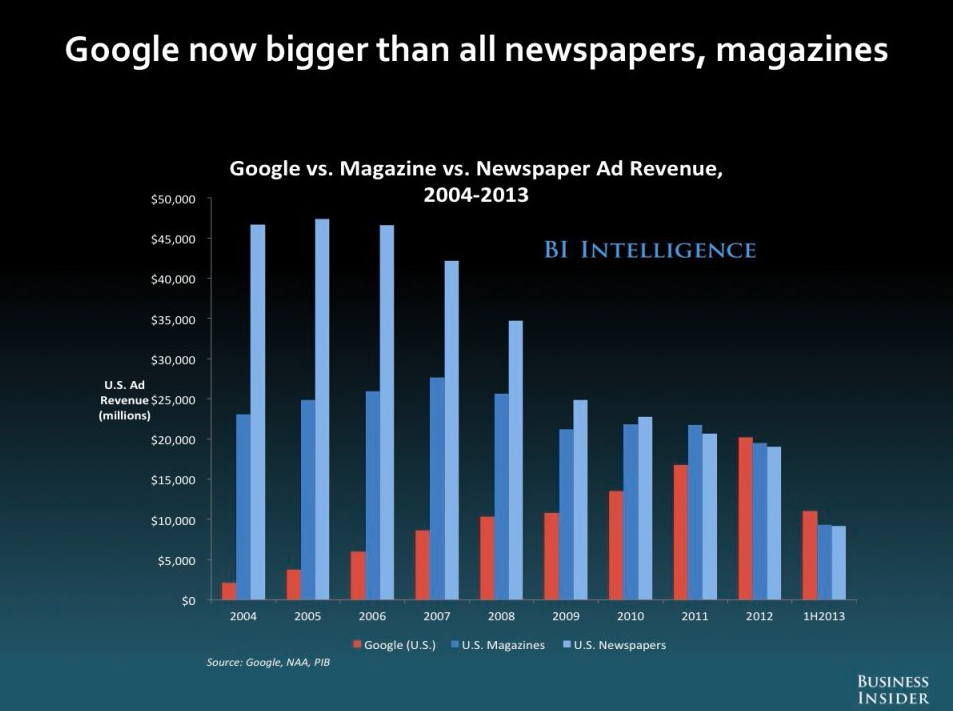
We all know that Google is BIG, BIG, BIG, but just how big is Google these days? During a keynote at Ignition 2013, Business Insider CEO Henry Bloodroot presented a slide that shows Google on course to exceed the revenues of both magazines and newspapers this year. In fact, almost all of Google’s expected $60 billion in revenue will come from advertising this year.
Google Operating System blog, which has a good track record for leaking upcoming features for Google products, today posted a screenshot that shows a redesigned attachments UI for Gmail being tested internally. In the image above we can see the text “Dogfood confidential – submit feedback on the new attachments experience,” along with what looks to be a simplified interface for attachments in emails.
This is what attachments currently look like in emails:
And this is the new attachment interface:
The report speculates that Google could be dropping the “View” and “Download” options and instead just sending users to Google Drive when clicking an attachment.
Back at Google I/O in May, the company announced some updates rolling out to its Google Play Developer Console with some of the highlights including beta testing, staged rollouts, and a new app translation service. After a successful pilot program, Google has announced on its Android Developers blog that the App Translation Service is now open to all developers:
To help developers reach users in other languages, we launched the App Translation Service, which allows developers to purchase professional app translations through the Google Play Developer Console. This is part of a toolbox of localization features you can (and should!) take advantage of as you distribute your app around the world through Google Play… You’ll be able to upload your app’s file of string resources, select the languages you want to translate into, select a professional translation vendor, and place your order. Pro tip: you can put your store listing text into the file you upload to the App Translation Service. You’ll be able to communicate with your translator to be sure you get a great result, and download your translated string files
Developers interested in purchasing translation services can find the App Translation Service at bottom of the APK section in the Google Play Developer Console.
http://www.youtube.com/watch?v=l5XoAkOuWdM
In its Explorer Story: Young Guru [through Google Glass], Google shows a lot of new features of the Google Glass upgrade and expected upgrades including the hardware addition of the stereo headphones.
We discussed Google Music hidden in the XE11 update yesterday but we’re seeing the Shazam type of song recognition, and some nice translation work as well.
Can’t wait! via
It’s no secret that Google thinks big when it comes to crazy, innovative technologies, and that appears to be just what the company is doing with its latest patent filing (via The Register). Google’s Motorola Mobility division, a year ago, filed for a patent relating to a temporary neck tattoo that can serve as a lie detector and includes a built-in microphone. It’s an incredibly out-there concept. Essentially, Motorola says you will be able to apply the tattoo with a sticky substance to your neck and wirelessly connect it to a mobile device.
The patent application suggests a couple of potential use cases. For one, Google points out that it could be used by security personnel that work undercover or in noisy environments. The application reads:
Mobile communication devices are often operated in noisy environments. For example, large stadiums, busy streets, restaurants, and emergency situations can be extremely loud and include varying frequencies of acoustic noise. Communication can reasonably be improved and even enhanced with a method and system for reducing the acoustic noise in such environments and contexts.
Google also suggests that it could be used in conjunction with a lie detector to tell when a user is speaking falsely, based on skin response.
Optionally, the electronic skin tattoo 200 can further include a galvanic skin response detector to detect skin resistance of a user. It is contemplated that a user that may be nervous or engaging in speaking falsehoods may exhibit different galvanic skin response than a more confident, truth telling individual.
Obviously this Google neck tattoo is still in the early stages of development, but it does raise some interesting questions as to what else Google is secretly working on.
Expand
Expanding
Close
Last week, Google began rolling out the XE11 update to Glass Explorers, touting a host of new features, such as new voice commands, directions home, and much more. Oddly unannounced, however, was support for Google Play Music. As first discovered by Phandroid, Glass users who wish to enjoy their music with the device can side load the Play Music APK and control it via voice controls. Once the app is loaded, simply say “OK Glass, listen to,” then the name of a song, artist, album, or playlist. A card will then pop up with results and allow you to specify what to play. A new card also stays pinned for further music control, including Play, Stop, Skip, Rewind, and volume control.
The music plays through the device’s bone conduction speaker, which means quality might not be the best, but that should improve with the upcoming hardware revision of Glass with a built-in earpiece.
Instructions to side load the APK are relatively simple, though do involve some basic ADB usage:
If this odd post from a Google employee is to believed, the company has been working on this feature for the past several months and plans to officially announce it soon.