update

See All Stories

Patents for Google’s self-driving car detail inside controls (and external traffic signs?)

Some parts of Google’s self-driving car are still mysterious, but slowly more pieces of that mystery are being uncovered. One mystery, in particular, has been the inside of the car. While Google has allowed dozens of journalists, random lucky souls, and Google employees (of course) to ride in the car, only on very few occasions have we been able to see the inside. The company specifically told journalists not to take pictures of the inside at an event earlier this year, and we barely got a glimpse into a very early prototype in Google’s “A First Drive” video last summer. Now, with a couple of patents Google has received, we’re getting a more detailed look inside for the first time…
Expand
Expanding
Close

Instagram is (finally) adding multiple account support to its Android app

Update: Instagram has pulled the feature from everyone that had it this morning, maybe?

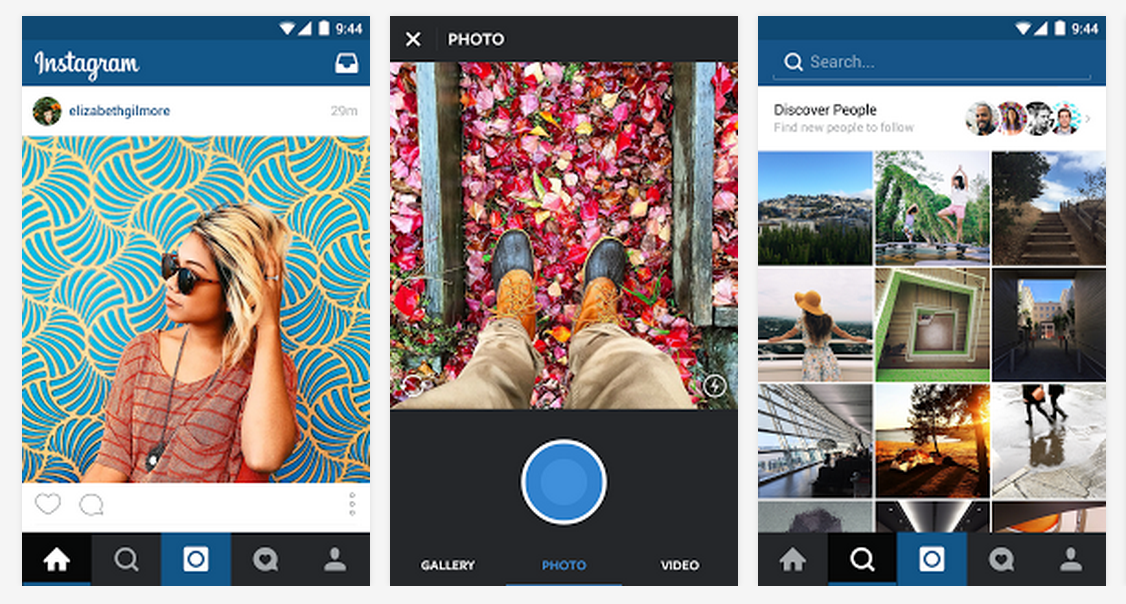
One of the most long-awaited Instagram features, multiple account support, is now being tested on a variety of Android devices. Most people started noticing the feature after version 7.12.0 of the app started rolling out over the last day or two, but the company has yet to make the addition official — and it appears to be a server-side switch that enables it…
Expand
Expanding
Close

Huawei Watch gets a new watch face, optimizations, more (but no Android Wear 6.0 yet)

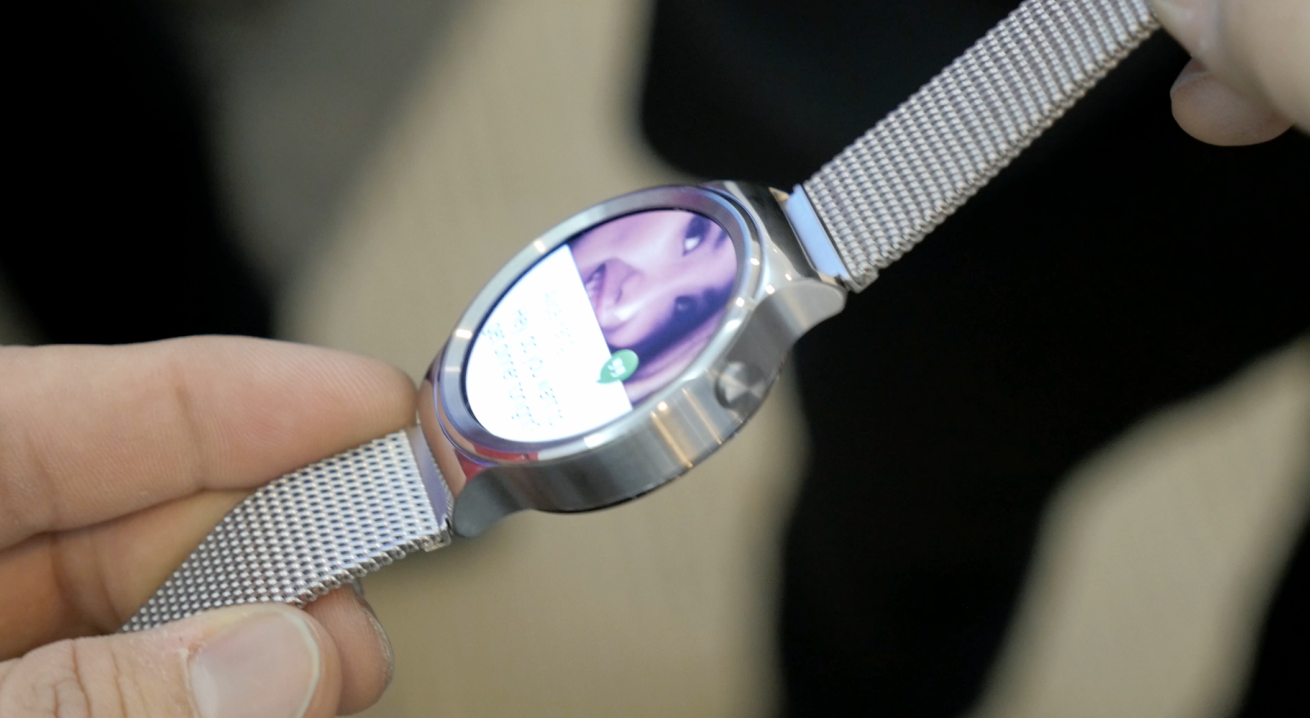
I’m in agreement with most that the Huawei Watch is one of the best Android Wear smartwatches of the year (and thereby one of the best smartwatches of the year, period), and now it’s getting a little better. According to a post on the Huawei Community blog, the device is now getting a minor maintenance release with optimizations all-around a new watch face, and a new app…
Expand
Expanding
Close

Google Drive for iOS updated w/ 3D Touch support, Slide Over & Split View multitasking

Google today has updated its Drive app on iOS with a handful of notable new features and enhancements. First off, today’s update to Drive, which bumps the app to version 4.4, adds 3D Touch support for iPhone 6s and iPhone 6s Plus users. Now, pushing with more pressure on the Drive app icon will bring up two options, one to quickly upload photos and another to quickly search the contents of your Drive.


Expand
Expanding
Close

Nexus 6P owners on Australian Telstra now receiving OTA fix for 4G issues

Owners of the recently-released Nexus 6P on Australian carrier Telstra have been complaining of sporadic 4G issues since the phone first launched, and now it appears (via Ausdroid) that these users are receiving an OTA update to fix these issues.

The update comes in at a solid 71.1 MB and specifically mentions improving “4G network connectivity for your Nexus 6P.” The build number is MMB29N, and the Android security patch level is still at November 1, 2015. Reports from Twitter suggest that the problems are indeed resolved.

You can download the OTA update directly from Google’s servers by clicking the link below, and info on how to install it can be found in our guide.

Google Handwriting Input app update brings five new languages including Arabic, Hebrew, Persian, Urdu and Burmese


Google has updated its Handwriting Input app to include five new languages. Now, customers who speak Arabic, Persian, Urdu, Hebrew and Burmese will be able to scribble words on to the input pad, instead of having to tap or swipe across the virtual QWERTY keyboard. By adding these five new languages, Google’s handwriting recognition tool now supports 82 languages from across the globe.

What’s great about the tool from Google is that, even if you have untidy handwriting, the software still seems to do a good job recognizing your scrawling and changing it in to text on screen. In most cases, it seems to understand what I’m trying to write, even though my scribbles aren’t the most legible. Google describes it as such:

Google Handwriting Input allows you to handwrite text on your phone or tablet in 87 languages. It supports printed and cursive writing, with or without a stylus. Google Handwriting Input also supports hundreds of emojis, so you can express yourself in any Android app.

Key features:
• A useful complement to touchscreen typing or voice input
• A fun way to enter emojis by drawing
• Useful for languages that can be challenging to type on a standard keyboard
• Works across your Android phones and tablets running Android 4.0.3 and up
• If you claim your handwriting is terrible, try it out and see if it can convince you otherwise

Google Handwriting Input version 1.5.1 is available to download for free from the Google Play Store and is compatible with any Android device running Android 4.0.3 or later.

Android Wear API 23 now available to developers, brings Marshmallow to smartwatches

Google has released API 23 SDK for Android Wear, which means developers can now start optimizing their smartwatch apps for Android Marshmallow. Once apps are updated, it means they’ll be able to take advantage of a number of new Android features, and they’ll be better at automatically detecting if they’re being displayed on a round or square watch face…


Expand
Expanding
Close

Official Google iOS app updated w/ interface tweaks, better organization of Google Now cards

Google today is rolling out an update to its iOS app that brings the app to version 10.0 and includes a handful of visual changes. With today’s update, the voice search feature has been redesigned to be more inline with Google’s Material Design aesthetic, while the Google Now cards in the app are now organized in a much more straightforward way.


Expand
Expanding
Close

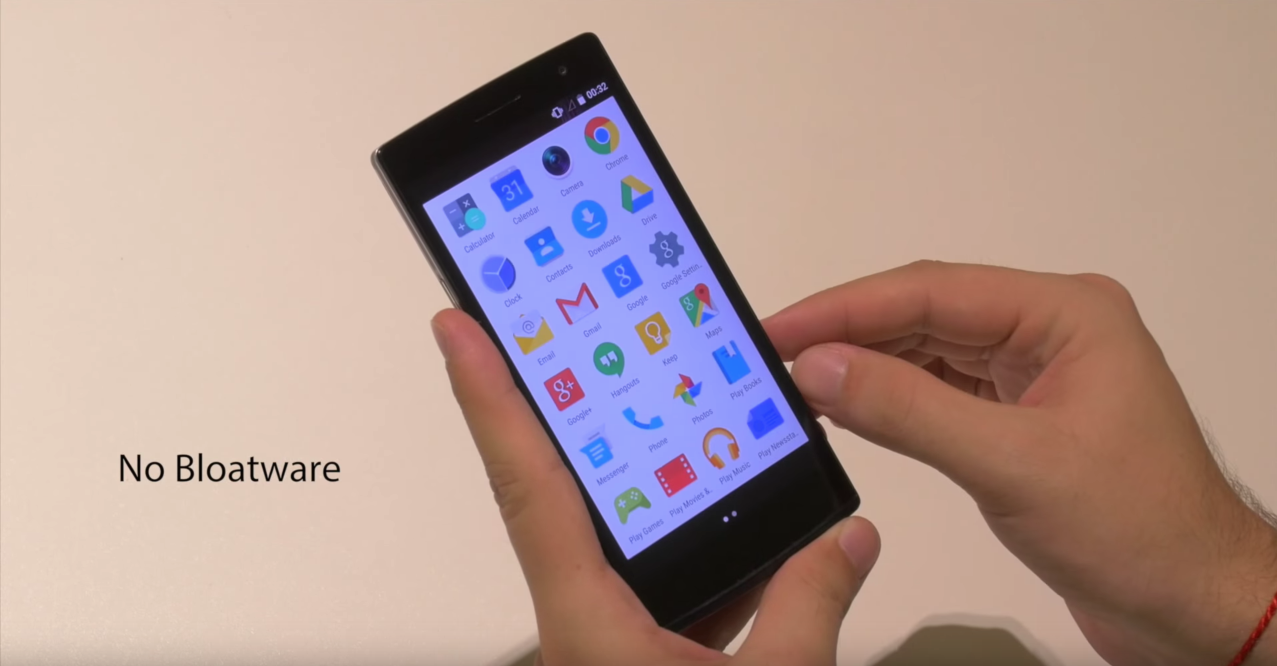
Oppo introduces Project Spectrum for the Find 7, a stock-like Android ROM without bloat

It’s not exactly just AOSP, but Oppo has today introduced Project Spectrum, a flavor of Android for its line of phones that combines what the company says is the best of stock Android and its own in-house built features. At first glance, you might think you’re using a Nexus or Motorola handset, which is definitely a great thing, but Spectrum adds some add-ons from its ColorOS that add a little bit to the experience…
Expand
Expanding
Close

Google introduces app streaming, app-first results to mobile search

Google acquired app streaming startup Agawi earlier this year, and now it looks like the Mountain View company is putting their technology to good use. As of today, users will be able to stream certain apps straight from Google’s mobile search results. Google is also going to show “app-first” content (that without a web-based counterpart) in search results starting today as well…
Expand
Expanding
Close

Here’s how to manually opt-in to the new Google+ UI on the web

The new Google+ interface is rolling out on the web today, and if you’re anything like me, you don’t have much patience for slow rollouts. I still hadn’t been prompted to click the “Let’s go” button and get the new layout, but luckily I stumbled on a way (via Sean S) to opt myself in without any wait time. Here’s how…
Expand
Expanding
Close

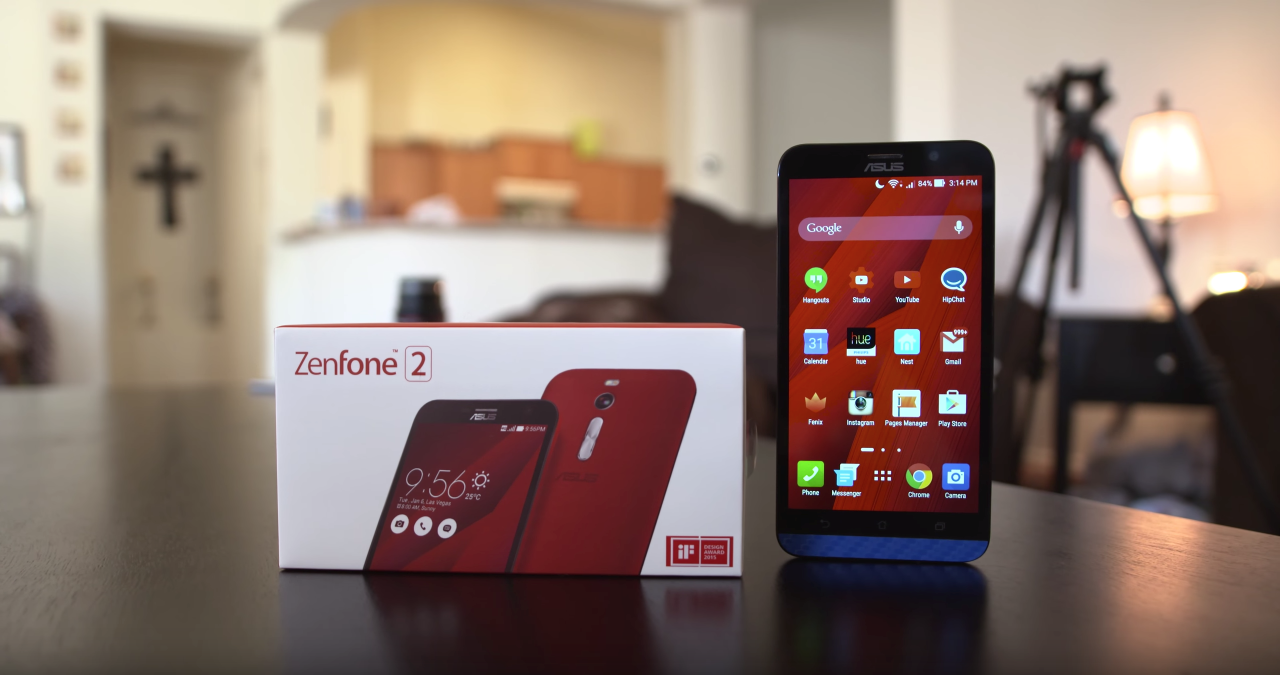
ASUS says its ZenFone 2, PadFone S are getting Android 6.0 Marshmallow

ASUS has come out on its ZenTalk forum today to detail which of its phones will be getting the upgrade to Android 6.0 Marshmallow. Among others, the list of course includes the ZenFone 2 (which we gave a decent review earlier this year), as well as the ZenFone 2 Special Edition and the recently-announced ZenFone 2 Laser…

Here’s the full list of models as per the forum posting:

We are planning to support the Android M upgrade for below model:

  • PadFone S (PF500KL)
  • ZenFone 2 (ZE550ML/ZE551ML)
  • ZenFone 2 Deluxe / Special Edition (ZE551ML)
  • ZenFone 2 Laser (ZE500KG/ZE500KL/ZE550KL/ZE600KL/ZE601KL)
  • ZenFone Selfie (ZD551KL)

Almost half a year ago, we reviewed the ASUS ZenFone 2 and basically said that it’s definitely a decent phone (which, frankly, was a first from ASUS in my book). We also gave the ZenFone 2E a review, in which I said that it’s pretty much exactly what you’d expect from a ZenFone 2 turned Go Phone. I’ve had my hands on the ZenFone 2 Laser for the last few days, so keep your eye out for that review sometime soon.

OnePlus 2 and OnePlus One will get Android 6.0 Marshmallow update in Q1 2016

We’re all eager to discover when our smartphones of choice will finally receive the Android 6.0 Marshmallow update – and for OnePlus smartphone owners, it’ll mean waiting until the beginning of next year.

OnePlus announced on its forums this morning that it will be rolling out Marshmallow-based builds of Cyanogen OS for the OnePlus One and Oxygen OS for the OnePlus 2 at some point in Q1 2016.

With the OnePlus 2, the manufacturer will be switching its proprietary fingerprint sensor firmware out in favor of the standard Marshmallow ones when it rolls the Android 6.0-based software in early 2016.

The OnePlus 2 will also be updated in Q1, and the update will include the new standard Marshmallow API for the fingerprint sensor. We’ve heard requests for us creating an API for the current fingerprint implementation in OxygenOS, but have decided against this since we’re switching over to the standard Android M implementation soon.

Although the company has built a version of Oxygen OS for the OnePlus One, the company is rightly focussing on rolling out the officially-supported Cyanogen OS update first. As for the latest phone, the OnePlus X, there are plans to push Marshmallow ‘as soon as possible’, we don’t have any specific timeframe from the manufacturer.

PSA: Google has made international phone calls to France free on Hangouts

In the wake of some absolutely tragic and terrifying events tonight in Paris, Google has made international phone calls to France free on Google Hangouts. In other tragic past events, many companies that offer calling services have offered similar opportunities.

In a related initiative, Facebook has tonight launched a feature called Safety Check, which allows you to “quickly find and connect with friends in the area” and mark them safe if you know they’re safe. You can also let your friends know if you’re in the affected area.

You can head over to the Play Store or the App Store to grab the app for free, or head to hangouts.google.com to make free international calls to France straight from your browser.

Google expands Local Guides in Maps with new rewards

Google announced today that it’s expanding the Local Guides feature it has for Google Maps that aims to act as a community-driven virtual guide for points of interest with an integrated rewards program (which it could position as a Yelp competitor).

Among the biggest update for the expansion is new rewards for users, allowing access to upgraded Google Drive storage, early access to Google products and features, and more.

Google detailed the new rewards, which include the ability for users to earn a free 1 TB upgrade of Drive storage by accumulating a certain number of points. The top reward will make users eligible to attend Google’s inaugural summit in 2016: “… you’ll be able to meet other top Guides from around the world, explore the Google campus, and get the latest info about Google Maps. Look out for details early next year.”

Here’s a look at the new rewards:

Level 1 (0 – 4 points): Enter exclusive contests (think new Google devices!) in select countries.

Level 2 (5 – 49 points): Get early access to new Google products and features.

Level 3 (50 – 199 points): Show up in the Google Maps app with your official Local Guides badge.

Level 4 (200 – 499 points): Receive a free 1 TB upgrade of your Drive storage, allowing you to keep all the stories, photos, and videos from your travels in one safe place.

Level 5 (500+ points): The very top Local Guides will become eligible to apply to attend our inaugural summit in 2016, where you’ll be able to meet other top Guides from around the world, explore the Google campus, and get the latest info about Google Maps. Look out for details early next year.

Users can earn points by using the feature in Google Maps to do things like leaving a review, answering questions, uploading photos, and submitting fixes.

The expansion also includes an update that makes it easier for contributors to view and track local guides they’ve submitted.

[youtube=https://www.youtube.com/watch?v=puDNfWfILl4]

Google quietly launches Chrome beta for iOS through Apple’s TestFlight

Google has quietly launched a Chrome beta for iOS through TestFlight, the beta distribution service Apple acquired last year and integrated into its own developer services. Google has yet to make an official announcement for the beta release, but users can already sign-up and download the beta when visiting Google’s Chrome beta download page on iOS.
Expand
Expanding
Close

Updates arrive for Google Docs & Sheets for Android, Drive on the web

Google is rolling out updates this week for Google Docs and Sheets for Android as well as Google Drive on the web, the company announced in two separate blog posts today.

For Sheets, the update brings the ability to “add new and reply to existing comments,” while the updated Google Docs for Android app gets the ability to see suggestions and comments when in the app’s Print Layout view. “resolve, close, accept, or reject those comments and suggestions—making it simpler to move between their desktop and mobile devices.”

Google also highlighted improvements to editing charts in the Sheets app on Android:

…if a user a selects a single cell and inserts a chart, we’ll automatically expand that data selection to include the immediately surrounding cells. This will make it easier for users to create robust charts with relevant information. In addition, when an employee creates a new chart, they’ll now see three recommended chart types, which we’ll suggest based on the data they’ve selected.

And lastly for Sheets, users will start to notice the 400 new fonts Google began rolling out to Sheets on the web this week.

As for Google Drive, the web app gets improved organization with new smarter sorting in the app’s ‘Recent’ view:

The new sorting experience removes the existing sorting dropdown options (‘Last modified,’ ‘Last modified by me,’ and ‘Last opened by me’) and replaces them with a dynamically-generated view based on the actions of the person using Drive. Items will continue to be segmented into time-based sections (‘Today,’ ‘Earlier this week,’ etc), and will now indicate whether each item was opened, modified, or uploaded by the user directly in the UI. The smarter sorting ensures that items acted upon by the user are more likely to be shown than items acted upon by other collaborators.

The updated Google Sheets and Docs apps are rolling out now.

Site default logo image

Motorola begins rolling out Android 6.0 Marshmallow to Moto X Style & 2014 Moto X

Motorola announced today that it’s beginning to roll out Android 6.0 Marshmallow starting with two devices in select markets. First to get the update is the 2015 Moto X Style (3rd gen) in India and Brazil and the 2014 Moto X (2nd gen) in Brazil.

I am happy to announce that we are starting initial deployment of the Android 6.0 Marshmallow upgrade for the following devices and channels:  2015 Moto X Style (3rd Gen) in both Brazil and India retail,  2014 Moto X (2nd Gen) in Brazil retail…  It is not yet available for pull, you will receive a notification on your phone when you are able to update your phone

In addition to the two devices mentioned above, Motorola says it will begin to rollout the update for the 2015 Moto X Pure Edition (3rd Gen) in coming weeks. It also confirmed that a “full deployment will proceed in stages over the next few weeks.”

Motorola offered a breakdown of some highlights in the update:

– A new Memory Manager that lets you check memory usage of all your installed apps
– Volume controls have been greatly improved
– Do not disturb button has been added to the quick settings panel for easy access.
– System UI Tuner will appear in the settings menu at the very bottom once enabled. It provides a few simple UI tweaks.
– Google Now on Tap allows contextual information to be delivered based on content on your screen with a long press of the home key.
– Doze is a battery management feature that detects when your device is not in use and it  will automatically go into a deep sleep state which saves your battery.
– App Standby reduces battery drain by putting seldom-used apps into a reduced activity state.
– Expandable Storage support allows for microSD cards to be used either in a portable storage or an internal storage mode. Portable storage allows your pictures, videos, audio and other media files to be stored. Internal storage allows both media storage along with apps and games but can not be used by other devices.
– RAM manager in settings which allows a consumer to view memory used by the system or an individual app over different time frames
– Automatic App backup not only backs up your apps but their associated data so when restored they will be the same as they were before
– Text selection has been improved

The company has full release notes for the update on its website here.

Check out our Moto X Style/Pure and Moto X Play/DROID Maxx comparison video.

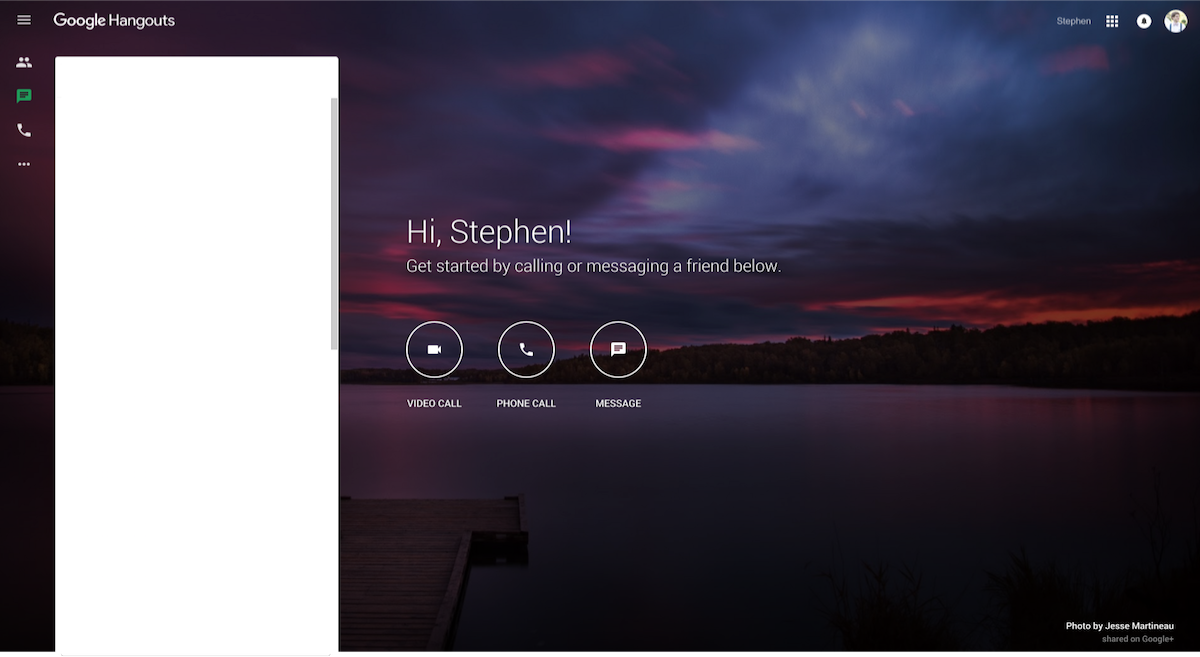
Hangouts web update brings faster experience and streamlined look

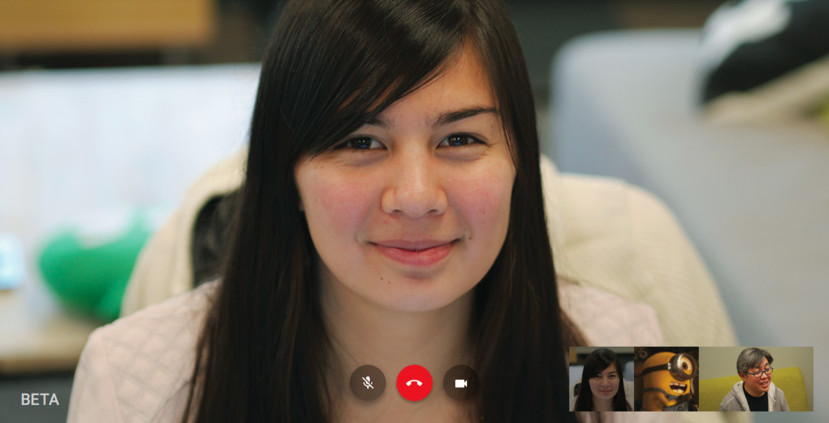
Google’s giving the web Hangouts a revamp today. The interface (as seen above) is more minimalist and takes advantage of the full screen. Under the hood, calls should start quicker and have higher resolution. Rounding up the list of changes is a simpler invite system.

Here’s what Googler Eduardo Fernández had to say about the update:

Today, we’re introducing a new calling experience for Hangouts on the web that loads more quickly, renders video more sharply, and streamlines the interface so you can focus less on where to click and more on what to say. We’ve been using this new calling experience at Google for a while now. It’s early days, but we hope you like it as much as we do. (Note: This is not available for Google Apps for Work customers.)

Key changes include:
• Calls that start faster and stay crisper, with higher quality video
• A more streamlined and immersive full-screen interface
• A simpler way to invite friends and family to your calls

Starting today, a small group of users should see the improvements and it will be fully released over the coming days. The update is not yet available for Google Apps for Work customers.

Facebook Messenger’s new ‘Photo Magic’ feature automates sharing shots of your friends instantly

A new feature in Facebook Messenger is now rolling out that scans photos added to your camera roll in search of your Facebook friends, and suggests that you send them to the people it finds. It’s a pretty nifty feature, if you feel comfortable with Facebook looking at every single photo you take on your device and constantly processing data on the friends you’re hanging out with…
Expand
Expanding
Close

How to: Train your Nexus 5X/6P to recognize your finger even when you miss [Video]

I’ve had a Nexus 5X for just a few days, and one of the biggest things I love about this phone is the addition of Nexus Imprint. I like to keep my phone secure, but I really don’t like having to type a password every time I unlock (because, well, I unlock my phone dozens if not hundreds of times per day). But something I quickly noticed with Nexus Imprint on the 5X — especially since I have fingers big enough for a 6P — is that I simply miss the sensor far too often. I commonly find myself overshooting, sometimes even tapping on the camera since that’s about the distance my finger naturally lands.

So how did I fix this? Well, it turns out that it’s actually pretty simple. Thanks to the fact that you can register up to five different fingerprints in the Nexus Imprint settings, you can make your sensor almost impossible to miss. Instead of adding five different fingers, I decided to try adding five different parts of my right index finger…
Expand
Expanding
Close

Android Wear 1.4 rolling out OTA w/ new firmware change log, removal of battery life graph, more

The Android Wear companion app received an update to version 1.4 over the weekend, and these 1.x updates to the phone app are usually a sign that a new update is coming to the watch(es) as well. Tomorrow will see the introduction of Tag Heuer’s long-awaited luxury entry, so the stars might be aligning for more than just hardware announcements in the morning…


Expand
Expanding
Close

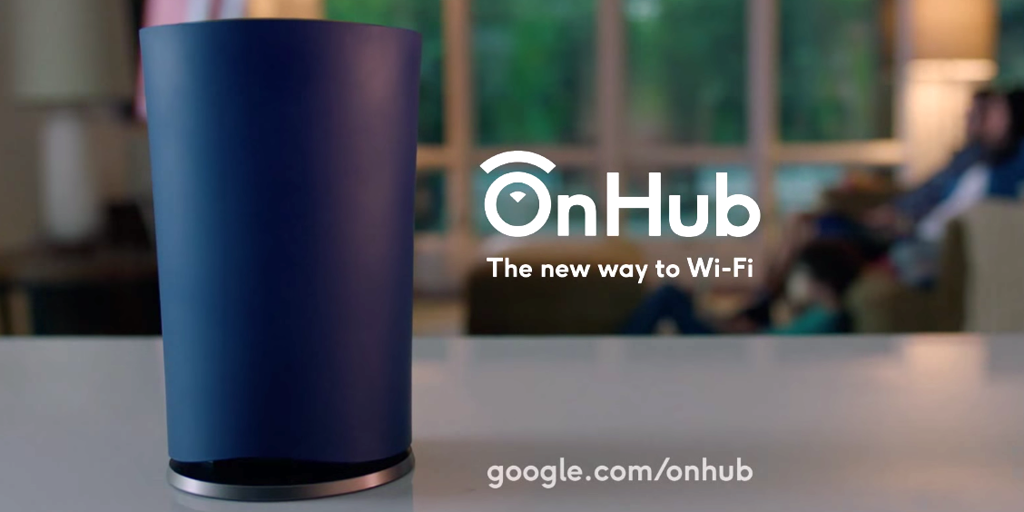
Google’s OnHub gets its first OTA software update w/ minor improvements

Google’s OnHub launched a few months ago, and now the expensive router is getting its first software update. It’s not clear at this point if the update is also rolling out to the newer ASUS model quite yet, but the original TP-LINK router is definitely getting it as has been confirmed by one owner on Google+.

There doesn’t seem to be anything groundbreaking here, as many of the things listed on the change log are just improvements to what’s already there. There is “improved client device naming,” optimizations for the antenna, “expanded use of 5GHz channels,” and more.

Interestingly, as noted by Android Police, the update seems to have been able to install itself on the router without requiring a reboot. As those who own pretty much any desktop OS, a Chromecast, or an Android phone will know, this is a really nice feature to have.

Here’s the full change log, as can be found on Google’s website.

Some highlights of this software update include:

  • Improved client device naming
  • Antenna optimizations
  • Expanded use of 5GHz channels
  • Improved port forwarding performance
  • General stability improvements