Google Lens shortcut appearing for some in Pixel Launcher search bar
Google Lens has begun to appear in the Pixel Launcher’s search bar side-by-side with the Google Assistant, in a new test.
Expand Expanding Close
Google Lens has begun to appear in the Pixel Launcher’s search bar side-by-side with the Google Assistant, in a new test.
Expand Expanding Close
Software is the best part of Google’s Pixel smartphones, and a lot of that comes down to simplicity. The Pixel Launcher, for example, is barebones but a pleasure to use. With the debut of the Pixel 5, though, Google is bringing an update to the Pixel Launcher that allows users to change the grid size.
Expand Expanding Close
Assistant is undoubtedly one of Google’s most important products today and its prominence, as well as capability, will only increase in the future. Google has made a small tweak to how Assistant visually appears on Pixel phones as the Pixel Launcher now opts for a microphone icon.
Expand Expanding Close
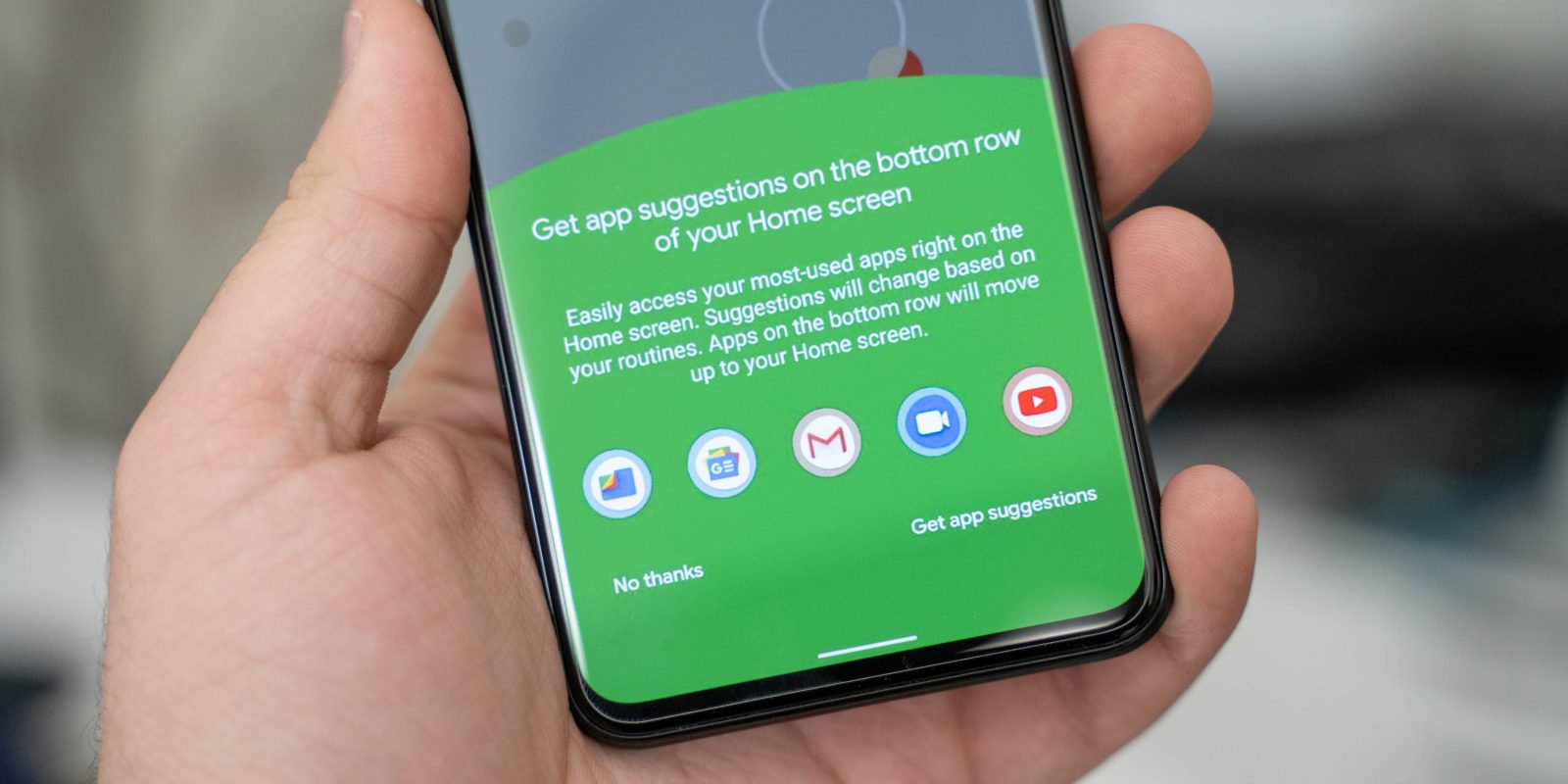
Google’s Pixel Launcher is a clean, useful launcher for the company’s own smartphones and it’s getting a couple of upgrades with the arrival of Android 11’s beta. Now, the Pixel Launcher is a bit smarter with Android 11 Beta 1, offering clever app suggestions.
Android 11’s first beta release was supposed to land this week, but it ended up getting delayed until further notice. Now, an early build has leaked, and some of the new features are being detailed, including a new option for the Pixel Launcher that puts app suggestions in your dock.
Expand Expanding Close
Since its second generation, Google Pixel smartphones have shipped with a handy “At a Glance” widget on the homescreen that displays upcoming events, reminders, and more. Now, Pixel owners may finally be able to integrate their work calendar with that homescreen widget.
Google’s Pixel smartphones are very smart and, as Google likes to call them, helpful. Now, the device is picking up another handy trick. With the latest Pixel Launcher update, folder names will automatically be suggested based on apps.
The December security patch introduced a handful of new features for the Pixel lineup. However, it appears to include a small Pixel Launcher bug where app icons randomly disappear from the homescreen.
Google just released the December security patch for its Pixel smartphones yesterday, but there’s an unfortunate issue for users on Pixel 3 devices. Apparently, the Pixel Launcher is continually crashing on Pixel 3 and Pixel 3a when using gesture navigation.
Google’s Pixel 4 doesn’t have a fingerprint sensor thanks to its new Face Unlock system. While many are complaining about that just because they prefer fingerprint sensors, I’m more disappointed because it kills one of my favorite gestures. Now, we can show you that the Pixel Launcher on Google’s Pixel 4 is going to have a gesture to access notifications.
Google’s Pixel Launcher isn’t too heavy on features, but those it does include are very useful in your daily life. Today, we’re seeing that in Android Q Beta 5, Google will be adding a new gesture to swipe down on the Pixel Launcher homescreen to pull down the notifications tray.
One of the simple things I love coming back to on a Pixel device is the “At a Glance” widget that makes up the top of the homescreen. It’s basic but very useful, with a good look too. Now, Lawnchair Launcher is testing an expansion to the At a Glance widget that integrates more notifications, music, and more.
Google’s Digital Wellbeing suite of tools is handy, and the company is apparently making it a whole lot easier to get at certain functions. In an update rolling out now, Digital Wellbeing is showing up on the Pixel Launcher with some convenient buttons for pausing an application.
Google has been experimenting with adding some new functionality to the At A Glance widget on its Pixel smartphones. In the current beta, the company is testing out new Intelligent Tips and Reminders for the At A Glance widget on Pixel Launcher.
Android Q is full of refinements and changes throughout, and even a couple of weeks after the debut of the first beta we’re still finding new tidbits. Now, it’s been discovered that Android Q will let Pixel owners pause apps from their Launcher using Digital Wellbeing.
Just a few days after Google started showing Doodles in the Discover feed, the Pixel Launcher is picking up that look in another spot. Today, we’re seeing a Spring animation from the Google Doodle appearing on the Pixel Launcher’s search bar.
Google Doodles appear in a number of prominent places from Google.com to Chrome’s New Tab page. On Android, it appears in the Google app, and now in the Google Discover feed available to the left of the Pixel Launcher.
To coincide with the company’s 20th anniversary, Google in September announced big updates to Discover — previously known as the Google Feed. Besides the rebrand and other visual tweaks, it is more interest-based and will feature other types of content. This is beginning to more widely roll out today, along with a proper dark theme for Discover on the Pixel Launcher.
Expand
Expanding
Close
During the Android P developer beta earlier this year, Google tested a Pixel Launcher that featured an even quicker shortcut to launch Assistant. While it did not ship in August, Google eventually launched it on the Pixel 3. With the new November security patch, that Assistant button returns to the Pixel 2 and Pixel 2 XL.
One of my favorite small touches on the Pixel 2 when it first launched was the addition of a dark theme to match your wallpaper. It’s a great change if you ask me, but having it based on your wallpaper is sometimes a bit annoying. Now, it’s looking like Google will give users a manual toggle in the future.
In previous versions of Android, when you held down on an empty portion of a homescreen, the Pixel Launcher would load a shelf with options for the Home settings, Widgets, and Wallpapers. That has changed with Android P DP2.
One of the more useful features of the Pixel Launcher is the “At a glance” widget that shows your calendar appointments and acts as a shortcut to Google’s built-in Weather app. In the latest beta version of the Google app, this widget is available on the latest Android phones.
The Android P Developer Preview introduced a handful of changes to the Pixel Launcher like a more clearly defined shelf and a shortcut to launch Assistant. Google might be testing another tweak that adds an interesting and new “bubble” design for the search bar.
Earlier this week, we spotted Google testing a redesigned search bar for the Google Feed on the Pixel Launcher. It appears that Google is A/B testing another design in parallel as today we’ve encountered an entirely different design.